If you’ve ever sent or received cryptocurrency, you’ve seen a long string of letters and numbers. That’s your wallet address, the digital “home” for your crypto.
In crypto, accuracy matters. One wrong character can send your funds to the wrong place, and there’s no way to get them back. That’s why knowing how wallet addresses work is essential to keeping your assets safe.
In this guide, we explain what a wallet address is, how it works, and the security habits that protect your crypto. By the end, you’ll be ready to send and receive digital assets with confidence.
A wallet address is a public string of letters and numbers that other people use to send crypto to you.
Trust Wallet users can follow this guide on how to find your Trust Wallet address.
Table of contents
What Is a Wallet Address?
A wallet address (also called a cryptocurrency wallet address) is a unique string of letters and numbers that identifies a specific cryptocurrency wallet on the blockchain.
Think of it as an email address for crypto. Instead of messages, you send and receive digital currencies such as Bitcoin, Ethereum, or stablecoins. Crypto users rely on these identifiers every day to move and secure their funds.
When someone sends crypto to your address, the blockchain records the transaction permanently. Each cryptocurrency (BTC, ETH, and so on) has its own address format and network rules, so an address built for one blockchain will not work on another.
Key Factors to Consider
1. Your Wallet Address Represents Your Digital Identity
On the blockchain, your wallet address works like a personal ID. It marks you as the sender or receiver in every transaction and confirms who owns the funds, without revealing your name or personal data.
2. Each Cryptocurrency Has Its Own Address System
There’s no universal format. Bitcoin, Ethereum, and other blockchains each use their own standards and encoding rules, so every network handles addresses differently. Send coins to an address on the wrong network and they may be gone for good.
3. Wallet Addresses Are Created Automatically
You never need to build one by hand. Every new wallet comes with one or more addresses ready to use. Some wallets even rotate your address for privacy, which is worth knowing before you reuse an old one.
Our Coinbase Wallet review covers one popular wallet in detail.
4. You Can Safely Share Your Wallet Address
It’s safe to share your wallet address with anyone who wants to send you funds. It doesn’t give them access to your assets; it only tells the blockchain where to deliver the transaction. This is also called your public wallet address.
5. Wallet Addresses Help Ensure Transparency
Every transaction linked to a wallet address is recorded publicly on the blockchain. Anyone can confirm a payment was made, even without knowing who owns the wallet. That openness is what lets strangers trust a decentralized system.
How Does a Wallet Address Work?
A wallet address is your unique location on the blockchain, the place where crypto is sent and received. It doesn’t hold coins itself. Instead, it points to your balance and transaction history, which live on the blockchain.
1. Wallet Addresses Are Built from Cryptographic Keys
When you create a crypto wallet, it generates two keys:
- Public key: used to create your wallet address.
- Private key: used to access and control your crypto.
Together, these keys protect your assets and let you interact with decentralized apps and smart contracts, so transactions run automatically without a middleman.
Centralized exchanges like OKX generate a separate deposit address for each asset. Our OKX review explains how the platform handles deposits and withdrawals.
2. Sending Crypto
When you send crypto:
- You enter the recipient’s wallet address.
- Your private key signs the transaction (this proves it’s really you).
- The network checks your signature and confirms the transfer.
Once approved, the transaction is written permanently to the blockchain ledger. A typo or wrong address at this stage means your funds are gone for good.
3. Receiving Crypto
When someone sends crypto to your wallet address:
- The network broadcasts the transaction to the blockchain.
- Miners or validators confirm it.
- The funds appear in your wallet balance once confirmed.
You don’t need to do anything. Your wallet detects incoming transactions on its own, even when several arrive at once.
Public Keys vs. Private Keys: What’s the Difference?
Public Key / Wallet Address | Private Key | |
|---|---|---|
| Purpose | Used to receive cryptocurrency and show wallet activity on the blockchain. | Used to access, manage, and send funds from your wallet. |
| Visibility | Public can be safely shared with others. | Private, thus it must be kept secret. |
| Function | Acts as a digital “address” where others can send crypto. | Acts as your digital “password” to authorize transactions. |
| Ownership Proof | Verifies that funds belong to your wallet. | Proves that you are the rightful owner and can control the assets. |
| Security Risk | Sharing is safe; it doesn’t expose your crypto. | If exposed, anyone can take full control of your funds. |
| Recovery | Can be regenerated from your private key. | Can’t be recovered if lost, leading to permanent loss of access. |
| Storage | Automatically stored in your wallet and visible on explorers. | Encrypted within your wallet, it should be backed up securely (e.g., via a seed phrase). |
Types of Wallet Addresses
Each cryptocurrency has its own address format and rules. Knowing the formats helps you spot the right address for each transaction and avoid sending funds to the wrong network.
1. Bitcoin Wallet Addresses (BTC)
Bitcoin uses three main address types, each introduced at a different stage of the network’s development:
Legacy (P2PKH):
- The oldest Bitcoin addresses, starting with “1”.
- Every wallet and exchange still supports them, but transactions cost more in fees.
SegWit (P2SH):
- These start with “3” and were introduced to cut transaction size and cost.
- Most modern wallets support them.
Bech32 (Native SegWit):
- The newest and most efficient Bitcoin address format.
- Starts with “bc1”, carries the lowest fees, and is harder to mistype.
Example of a Bitcoin address: bc1qar0srrr7xfkvy5l643lydnw9re59gtzzwf5mdq
2. Ethereum Wallet Addresses (ETH)
Ethereum addresses always follow the same pattern:
- They start with “0x” followed by 40 characters, using the letters a–f and numbers 0–9.
- The same format covers ETH and every ERC-20 token, such as USDT, LINK, and MATIC.
Example of an Ethereum address: 0x32Be343B94f860124dC4fEe278FDCBD38C102D88
Because all ERC-20 tokens run on the same network, you can receive them at the same address. Check that your wallet supports the token before anyone sends it.
3. Exchange Wallet Addresses
When you use a centralized exchange (like Binance, Coinbase, or Kraken), your crypto sits in an exchange wallet.
- The exchange creates and manages the wallet address for you.
- You can deposit and withdraw crypto with this address, but you don’t hold the private keys.
- That’s convenient for trading but weaker for long-term storage. For better protection, move funds to a wallet you control.
If you plan to send crypto from an exchange, our guide on how to withdraw money from Crypto.com walks through the exact steps for bank transfers and wallet withdrawals.
4. Self-Custody Wallet Addresses
Self-custody wallets (also called non-custodial wallets) give you full control of your private keys.
- You create, manage, and back up your own wallet address.
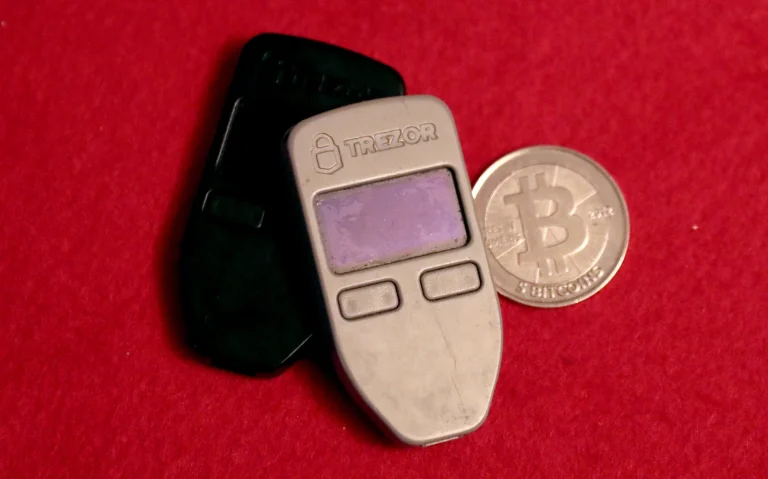
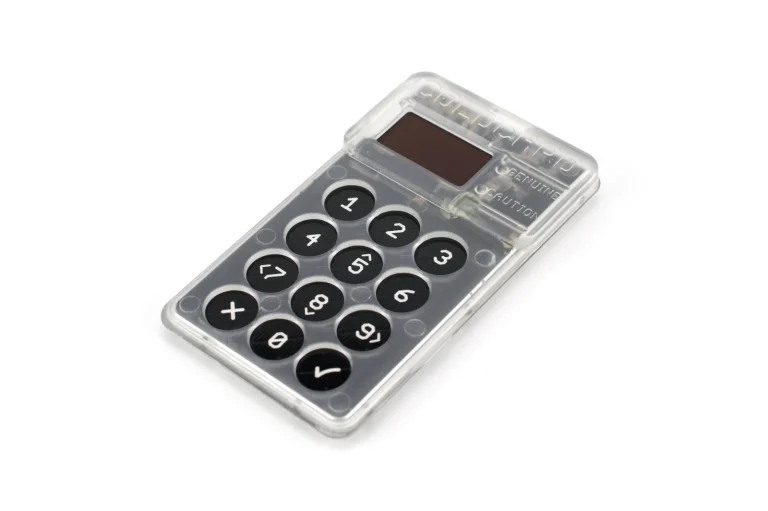
- Examples include MetaMask, Trust Wallet, Ledger, and Trezor.
- Best for users who put security and independence first.
With these wallets, no third party can freeze or move your assets. The trade-off is that you alone are responsible for backing up your keys.
5. HD Wallet Addresses
HD (Hierarchical Deterministic) wallets generate a fresh address each time you receive crypto. That stops outsiders from linking your transactions together and improves your privacy.
You can also create as many addresses as you need to keep your funds organized.
6. Multi-Currency Wallets
Some wallets, such as Exodus or Coinomi, support several blockchains in one app.
- You can hold Bitcoin, Ethereum, and other coins, each with its own address format.
- That makes managing different assets easier while keeping each one on its own network.
Still deciding whether a wallet or an exchange is the right place for your assets? Our crypto wallet vs exchange comparison lays out the trade-offs.
How to Find Your Wallet Address
1. Mobile Wallets (e.g., Trust Wallet, MetaMask Mobile)
Mobile wallets put your address a few taps away.
- Open your wallet app (Trust Wallet, MetaMask, or similar).
- Select the cryptocurrency you want to receive (for example, Bitcoin or Ethereum).
- Tap “Receive”. Your wallet shows a QR code and a string of characters.
- Copy or scan the address. Share it with the sender or paste it into an exchange to make a deposit.
2. Browser Wallets (e.g., MetaMask Extension)
If you use a browser extension wallet like MetaMask:
- Click the MetaMask icon in your browser toolbar.
- Under your account name, you’ll see a shortened address (like 0x32Be…D88).
- Click to copy it. This is your Ethereum and ERC-20 token address.
- Paste it wherever you need to receive crypto.
Note: MetaMask uses one address for ETH and compatible tokens such as USDT, MATIC, or LINK.
If you use MetaMask, here is how to find your MetaMask wallet address in the app.
3. Hardware Wallets (e.g., Ledger, Trezor)
Hardware wallets keep your private keys offline, which is why they offer the strongest protection.
- Connect your Ledger or Trezor to your computer or phone.
- Open the official companion app (Ledger Live or Trezor Suite).
- Select the cryptocurrency account (for example, Bitcoin).
- Click “Receive”, then check the address shown on your hardware device.
- Copy or scan the verified address from the app.
Always check the address on the device’s own screen. Malware on your computer can swap the address in the app, but it can’t touch the one on the device.
4. Exchange Wallets (e.g., Binance, Coinbase, Kraken)
Centralized exchanges generate deposit addresses for each user.
- Log in to your exchange account.
- Go to the “Wallet” or “Deposit” section.
- Choose the crypto you want to deposit (for example, BTC).
- The exchange shows your deposit address and a QR code.
- Copy this address and use it to send crypto to your exchange wallet.
5. Finding Addresses in Multi-Currency Wallets
Apps like Exodus or Coinomi support many coins and tokens.
- Open the app and select your asset.
- Tap “Receive” to show your wallet address and QR code.
- Each asset has its own address format. Use the right one for every transaction.
How to Create and Manage Wallet Addresses
1. Creating a New Wallet Address
When you set up a crypto wallet, it generates one or more addresses for you. No coding or technical setup needed.
If you want a separate address for specific transactions or better privacy:
- Open your wallet and choose the cryptocurrency.
- Tap or click “Receive” or “New Address.”
- A unique address (and QR code) appears. Copy or scan it.
For hardware wallets, use the companion app (Ledger Live or Trezor Suite) and confirm the address on your device’s screen before sharing it. That’s your guarantee malware hasn’t swapped it.
Ledger owners can follow the steps in how to find your Ledger wallet address.
2. Staying Organized with Labels and Address Books
If you transact often, staying organized prevents costly mix-ups.
- Use labels: Tag addresses with short, clear names, such as “July client payment” or “Cold storage wallet.”
- Separate sub-accounts: Some wallets let you create several accounts under one seed phrase. Use them to keep funds apart (business and personal, for example).
- Address books: Save verified addresses you use often. It cuts copy-paste errors and keeps transfers consistent.
3. Advanced Address Management Features
Modern wallets add tools that improve both security and convenience:
- Watch-only wallets: View balances and transactions without exposing private keys. Useful for accountants or auditors.
- Multi-sig addresses: Split control between several people or devices (for example, 2-of-3 approval). Well suited to businesses or joint accounts, because funds can’t move until enough parties sign off.
- Human-readable names: Some ecosystems (like ENS or Unstoppable Domains) let you link your wallet to a simple name like yourname.eth.
- Memo or Tag fields: For coins like XRP, XLM, or BNB, always include the memo or tag shown in your deposit instructions. Leave it out and your funds may be delayed or lost.
Security Tips for Wallet Addresses
Protecting your wallet address takes more than avoiding typos. It means building habits that keep your crypto out of reach of scams, phishing, and accidental loss. Here’s how:
Use Trusted Wallets and Official Apps Only
Download wallets only from official websites or verified app stores. Don’t install from links in emails or chats, and don’t pass those links on. Many fake apps exist for one reason: to steal your private keys or show you a fake address.
If you’re unsure, check the developer name or look for the official app link on the project’s website.
Verify Before Every Transaction
Before sending or receiving crypto, confirm:
- The address format matches the right blockchain (“0x” for Ethereum, “bc1” for Bitcoin).
- Clipboard malware hasn’t swapped the address. Paste it, then compare the first and last few characters.
- On a hardware wallet, the address on the device screen matches before you approve.
A few extra seconds of checking can save you from permanent loss.
Stay Alert for Scams and Phishing
Scammers imitate wallet interfaces and exchanges, and even send fake “security updates.”
- Never click links that ask you to “verify” your wallet.
- Don’t connect your wallet to unknown decentralized applications (dApps) or websites.
- When in doubt, check the domain yourself. One wrong character can mean a phishing clone.
FAQ
Can I have multiple wallet addresses?
Yes. Most wallets (especially HD wallets) can generate many addresses from the same seed phrase. Use different addresses for privacy or bookkeeping while still controlling them all.
What happens if I send crypto to the wrong address?
If the address belongs to someone else on the same blockchain, only that person can return the funds. There’s no automatic recovery, so double-check every address before you send.
Can someone track my wallet address?
Yes. Every transaction tied to an address is public on the blockchain, so anyone can see what comes in and goes out. Linking that address to your real identity takes extra data (KYC records, IP logs, public posts), but it can be done. Use separate addresses and privacy tools if you don’t want transactions traced back to you.
Are wallet addresses case-sensitive?
You shouldn’t need to type addresses by hand (copy and paste, or scan a QR code), but format rules do matter. Some formats are case-insensitive, such as Bitcoin’s Bech32 “bc1” addresses, while others are not. Ethereum addresses are usually lowercase but may use mixed case as a checksum (EIP-55) to catch typos. Always copy and paste, and let your wallet validate the address before sending.
Do wallet addresses expire?
No. Blockchain addresses don’t expire. Some exchanges and services do issue temporary or rotating deposit addresses, though, so always use the latest one shown in the exchange or merchant interface and double-check it before sending.
Final Thoughts
“What is a wallet address?” is more than a beginner question. It’s the foundation of how digital currencies move and stay secure. Your wallet address is your unique ID on the blockchain, letting you send and receive crypto anywhere in the world.
Whether you’re new to digital wallets or a seasoned user, the habits above will keep your funds where they belong: under your control.
How I review: Reviewed by Andrei B. I buy the hardware wallets I review, test every product myself and score it on security, UI/UX, ease of use, price and supported coins. Before I publish, I also check recent user reviews and any hack reports.
The whole process is explained on the How We Review page. You can read more about me, or contact me with corrections, from the links at the bottom of this page. For general safety advice, see the FTC guide to cryptocurrency scams.