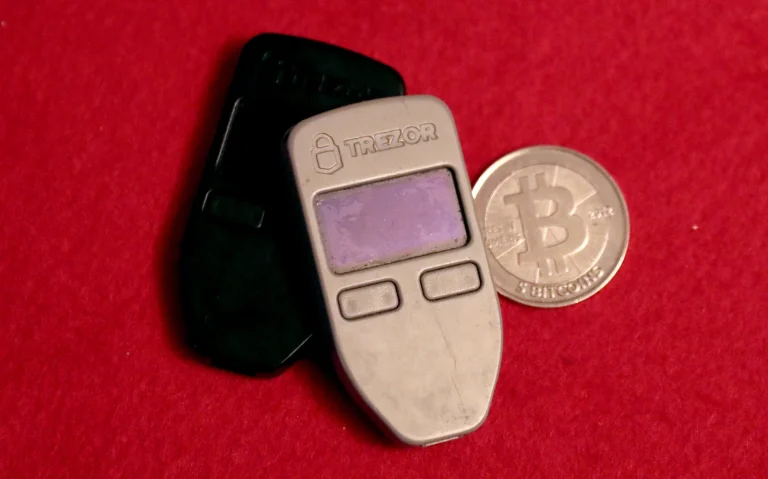
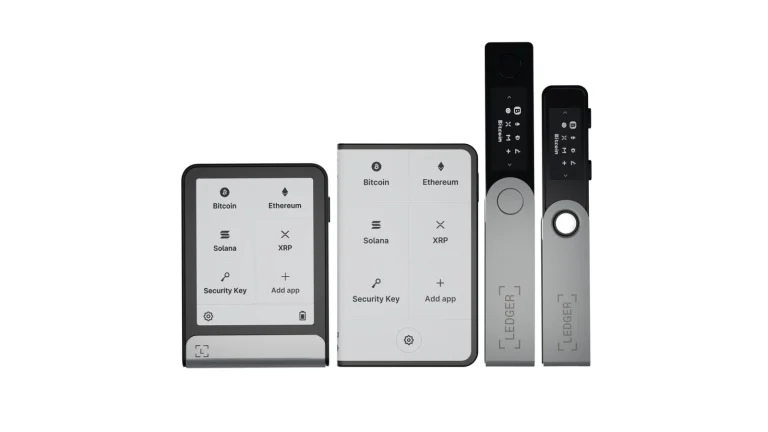
A fake hardware wallet looks like a Ledger, a Trezor, or a Keystone, and it isn’t one. Somebody either manufactured it themselves or got to a real unit before you did. Sometimes the recovery phrase is already inked onto the backup card, and sometimes the trick is firmware that ships your keys off the moment you finish setup.
Nobody is going to make you whole afterwards. Your hardware wallet holds keys that no exchange can freeze, restore, or refund, which is the entire point of owning one. We’ll go through what these fakes are, how they work, and the check that Ledger, Trezor, BitBox, Coldcard, Keystone, and Tangem each hand you to settle the question.
Table of contents
So What Counts as a Fake Hardware Wallet?
The word covers two separate messes. One is a straight counterfeit, put together by somebody who isn’t the brand printed on the box. The other is a genuine device that got opened, reflashed, or resealed somewhere on its way to you, which is what people mean by a supply chain attack.
Either way the ending is identical. Whoever touched it already has your seed phrase, the word list that rebuilds your wallet on any device anywhere. That’s all anyone needs.
Loudest warning sign of the lot? A backup card that’s already filled in.
Ledger’s wording leaves no wiggle room: “a legitimate Ledger device never comes with a recovery phrase or PIN code pre-configured. Ever.” Trezor’s rule for its own wallet backup cards is that they turn up completely empty, and if you find words written or printed on yours, don’t use the device and get in touch with Trezor Support.
Words You’ll Run Into
- A secure element is the tamper-resistant chip that keeps your keys and won’t give them up. Trezor’s Safe 3 runs a certified EAL6+ part, which the company identifies as the OPTIGA Trust M.
- Attestation is the cryptographic proof that a chip really did come off the right production line. Every genuine check below rests on it.
- Firmware is the code running on the device in your hand. Mess with that and you never have to touch the chip, which is how most counterfeits do their work.
How a Counterfeit Wallet Empties Your Account
Nobody is cracking elliptic curve cryptography here. The attacker only has to own the one secret you were told to guard.
- A device reaches you somehow: a marketplace listing, a reseller nobody vetted, or a parcel that simply turns up.
- It hands you a seed phrase the attacker wrote down months ago, or it leaks the one you generate.
- You fund it, because nothing about it looks off.
- They restore your wallet on their own hardware and sweep the balance.
On a Trezor, preinstalled firmware settles the argument. Safe 3 units leave the factory carrying no firmware whatsoever, so anything already loaded means the device has been somewhere it shouldn’t. Older Model One hardware running unofficial firmware flashes a warning sign on its screen the second you plug it into a computer.
Ledger came at the same problem from the chip side. Its secure element makes a key pair and keeps the private half locked away where nothing can pull it out, while Ledger’s HSM signs the public half with the Ledger Root of Trust.
Start the Genuine Check and the HSM throws a challenge at the device, the secure element signs it, and the signature travels back to be verified. Fake silicon can’t produce it.
We like that Ledger’s security team says out loud where this stops: “A Genuine check cannot detect unauthorized physical modifications to the hardware, such as spying implants, if the original Secure Element remains intact.”
Why One Fake Hardware Wallet Wipes You Out
Blockchain transfers don’t come back. Pick the wrong address or the wrong network and the money is gone, and nobody can reverse it. A tampered screen can show you an address belonging to the thief, and the network will confirm that payment exactly as instructed.
There is nobody to call. No chargeback, no claim form, no insurer standing behind the balance.
When Ledger’s Customer List Got Out
None of this is hypothetical. Somebody reached Ledger’s e-commerce and marketing database through an API key on June 25, 2020, and a researcher on Ledger’s bounty program flagged it on July 14, 2020.
Roughly 1 million email addresses went out the door, plus 9,532 records carrying names, postal addresses, phone numbers, or details of what people had ordered. Writing on December 21, 2020, Ledger’s CEO put the count in a freshly published database at about 272,000 detailed records. Payment details and passwords weren’t in there.
What criminals ended up with was a mailing list of people known to hold crypto. Ledger has since documented letters arriving in the post that tell the recipient to scan a QR code or open a website, which then asks for all 24 words of the recovery phrase. The company also says it never sends replacement devices unsolicited, so a wallet you didn’t order should never get plugged in.
Proving Your Device Is Real: Ledger, Trezor and the Rest
Every serious brand ships a cryptographic check, and all of them live in software you fetch yourself. That’s deliberate, since the download is the one piece a courier can’t swap out. BitBox puts it about as plainly as anyone: “Packaging can reveal obvious interference, but it cannot prove that a device is authentic.”
| Wallet | What the check is called | Where it happens |
|---|---|---|
| Ledger | They call it the Genuine Check | Inside the Ledger Wallet app while you set up |
| Trezor | Device and firmware authenticity checks | Trezor Suite, the first time you connect |
| BitBox02 | The Attestation Check | BitBoxApp, on its own before you unlock |
| Keystone | Web Authentication | A browser, over at keyst.one/authentication |
| Tangem | The app vets the card as you scan it | Tangem app, card held against your phone |
| Coldcard | A bag number written into flash | The Coldcard itself, first time it boots |
Ledger
Get the Ledger Wallet app from ledger.com or the official iOS and Android stores, and nowhere else. Then run the Genuine Check while you’re still setting up, long before any coins arrive. Your PIN runs 4 to 8 digits, and three wrong tries wipes the device, which is exactly the behaviour you want.
Open a Ledger Flex box and you’ll find the device, a USB-C to USB-C cable, three blank Recovery Sheets, a leaflet to get you started, and a Ledger Recovery Key. Writing on any of those sheets means the box is finished as far as we’re concerned. The older model gets the same treatment in our Ledger Nano X review.
Trezor
Look at the holographic seal across the USB-C connector first. Trezor wants it clean, stuck down properly, and free of tears or residue, and notes that lifting it leaves a “VOID” mark behind on the device. April 2024 brought a redesigned seal carrying the UK CA regulatory mark and stronger adhesive.
Now plug it into Trezor Suite. Connect a Safe 3 or a Safe 5 and both chips run a hardware-level authenticity check between them, and Trezor says an invalid signature triggers a warning on the device and inside Suite. The app separately lines up the firmware version and RevisionID attribute against a local database and a remote record of everything Trezor has released.
Fail that firmware check and Suite shuts most of itself down behind a “Contact Trezor Support” button. Trezor’s own advice is to keep your head and never hand your wallet backup to anybody.
Already set the thing up and funded it? Then Trezor suggests shifting the balance into a third-party wallet such as Electrum and sourcing a legitimate replacement.
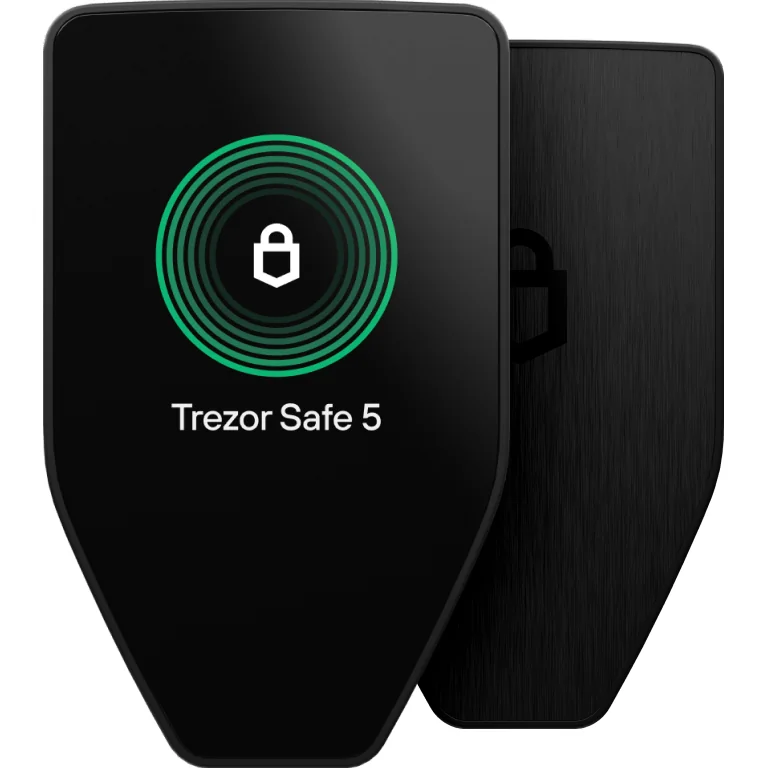
There’s no serial number to check, either. Those digits printed on the box track a packaging batch and nothing more, so nobody can authenticate your unit by reading them back to you. Our Trezor Safe 5 review digs into what the newer secure element changes day to day.
The Rest: BitBox02, Coldcard, Keystone, Tangem
BitBoxApp handles its Attestation Check by itself, before the device unlocks. A random challenge goes out, the BitBox02 signs it, and the app walks the certificate path back to Shift Crypto. Success has a simple definition here: the app finished and no authenticity warning appeared.
Coldcard arrives inside a tamper-evident bag, barcode on the front and a bag number printed underneath. Coinkite writes that number into the secure area of flash inside the device at the factory, and the seal reveals the word “VOID” once you break it.
Credit where it’s due. Coinkite admits a bag can be defeated with sharp knives or a heat press, and treats it as one layer of “Defense in Depth” rather than the answer.
Keystone leans on tamper-proof stickers plus a browser step it calls Web Authentication. Load keyst.one/authentication, pick “Scan QR Code”, point the device camera at it, then copy the verification code off the Keystone screen into the page. Pass, and the wallet is genuine, untampered, and safe to use.
Our Keystone 3 Pro review spends longer on the air-gapped side of things.
Tangem is the fastest of the bunch. Grab the official app from the App Store or Google Play, hold the card against the back of your phone, and see what comes up. An untouched genuine card lands you on the “Create Wallet” screen, while one that’s been used already shows “Wallet already activated”.
Anything else, and Tangem’s instruction is to create no wallet on that device and contact Tangem Support.
What We Do Before Buying a Hardware Wallet
- Order from the vendor’s own shop, or from a reseller it publishes. Ledger’s list sits at shop.ledger.com/pages/resellers and Trezor’s at trezor.io/resellers.
- If you’re on Amazon, read the seller name and confirm it’s the official storefront for your country. Ledger does sell that way, though a third-party seller sitting under the same listing is another matter.
- A steep discount should make you suspicious rather than pleased. At the time of writing (September 2026) Ledger asks $59 for the Nano S Plus, $99 for the Nano X, $249 for the Flex, and $399 for the Stax, and Trezor asks $59 for the Safe 3.
- Send back anything that turns up with a PIN, a seed phrase, or firmware already sitting on it.
- Do the vendor’s authenticity check before your first deposit, using software pulled from the vendor’s own domain.
- Your seed phrase goes into no website, no app, and no support chat, ever. Ledger will never ask you for the 24 words of your recovery phrase.
- Photograph the packaging before you cut it open. Nobody regrets having that picture when a claim goes sideways.
Mistakes That Let a Fake Hardware Wallet Slip By
- Believing the hologram. All a seal really tells you is that somebody sealed the box, and Trezor treats it as the opening check rather than the closing one.
- Shopping second hand for the discount. Whatever happened to that device between the factory and the listing is invisible to you, and so is a seed phrase the previous owner kept.
- Asking a seller to prove the serial number. Trezor devices don’t have serial numbers, so anyone offering to verify one is making up a procedure.
- Installing the wallet app from a search advert. Ledger has documented counterfeit apps and sites that throw up an error and then ask for your recovery phrase.
- Turning the warnings off. You can disable them in Trezor Suite under “Settings > Device > Danger area”, and Trezor says that setting is for testing and development only.
- Plugging in hardware that arrived out of nowhere. Ledger is clear that it never sends replacements unsolicited.
- Believing the caller. Ledger has logged scam calls claiming your account is in trouble, some of them from people posing as CoinCover staff.
FAQ
Can a fake hardware wallet get past the vendor’s genuine check?
It shouldn’t. The whole thing hangs on a private key the factory injects into the chip, one that never leaves it and can’t be pulled out, so counterfeit silicon has no way to sign correctly. Ledger is careful to add that a Genuine Check won’t catch physical tampering such as spying implants when the original secure element is still sitting in place.
Does a torn holographic seal mean I’ve got a fake hardware wallet?
Not by itself. Trezor says peeling the seal leaves a “VOID” mark on the device, and that part is expected. What should stop you is a seal that is already torn, missing, or gummy when the parcel first lands, so park the device and run the software check.
Can I verify a hardware wallet from its serial number?
No. Trezor says its devices carry no serial numbers, and the digits on the box only identify a packaging batch. The authenticity checks inside Trezor Suite are the part that actually proves anything.
My device failed its authenticity check. Now what?
Create no wallet on it, and send it nothing. Trezor’s guidance is to keep calm, keep your wallet backup to yourself, and hit the “Contact Trezor Support” button inside Suite. Where the device is already running and holding coins, Trezor suggests moving that balance into a third-party wallet such as Electrum and replacing the hardware.
Is a used hardware wallet worth the saving?
No, and we wouldn’t risk it. Whoever owned the device before can hold on to the seed phrase and watch your address indefinitely, and no amount of squinting at the case will show you that. A new Ledger Nano S Plus or Trezor Safe 3 costs $59 at the time of writing (September 2026), bought from the vendor or an official reseller.
Why has my new wallet come with the recovery phrase already written down?
Because somebody is hoping you’ll use it. Ledger states that a genuine device never ships with a recovery phrase or PIN configured, and Trezor says its backup cards leave the factory empty. Get in touch with the vendor’s support team, and type those words into nothing.
The Short Version
Two habits catch almost every fake hardware wallet. Buy from the vendor or a reseller it names, then run that vendor’s authenticity check in software you downloaded yourself, before you deposit anything. Give the packaging a look by all means, though it’s the flimsiest evidence you’ll have.
Stop the moment something feels wrong. Pre-filled backup card, firmware already installed, a check that fails, hardware you never ordered: they all point the same direction, and the number to call belongs to the vendor rather than the seller who shipped it. For devices we’d happily buy new, see our guide to the best crypto cold wallets.
This article is for general information only and is not financial, legal, or investment advice. Prices and features change; check the vendor’s official page before buying.