If you hold bitcoin worth more than you would carry in cash, it belongs in cold storage. The exchange collapses and phishing waves of the past few years settled that argument. This guide covers five hardware wallets that handle Bitcoin well in 2026, what each one is best at, and how to choose between them.
One thing to know upfront: all five picks are multi-asset devices that also do Bitcoin well. If you want a device that runs Bitcoin-only firmware to shrink its attack surface, two picks here (the Trezor Safe 5 and BitBox02) offer exactly that. We flag it where relevant.
We ranked these five on real-world security, day-to-day usability, and community trust. Once your device arrives, the next step is moving coins onto it safely. Our guide on how to send Bitcoin to another wallet walks you through every step.
A hardware wallet is a small device that keeps your private keys offline and signs a transaction only after you approve it on the device itself.
Table of contents
Top 5 Bitcoin Hardware Wallets: Comparison Chart | |
|---|---|
| Ledger Nano X | Best For: Multi-Currency Management Security Highlights: Secure Element chip, Bluetooth Open Source: partially Mobile Support: via Ledger Live Price: $149 |
| Trezor Safe 5 | Best For: Advanced Security & UX Security Highlights: Touchscreen, Shamir backup Open Source: Yes Mobile Support: via Trezor Suite Price: $169 |
| ELLIPAL Titan 2.0 | Best For: Air-Gapped Security Security Highlights: No USB/Bluetooth, QR code only Open Source: partially Mobile Support: via ELLIPAL App Price: $169 |
| SafePal X1 | Best For: Budget Beginners Security Highlights: Secure chip, cold storage basics Open Source: Yes Mobile Support: via SafePal App Price: $69.99 |
| BitBox02 | Best For: Open Source Transparency Security Highlights: Swiss-made, microSD backup Open Source: Yes Mobile Support: via BitBox App Price: $173 |
1. Ledger Nano X: Best for Multi-Currency Portfolio Management
The Ledger Nano X is the pick for people who hold bitcoin first but not bitcoin only. One pocket-sized device covers BTC and thousands of other assets, and it pairs with your phone over Bluetooth, so you can check balances and approve transactions without sitting at a computer.
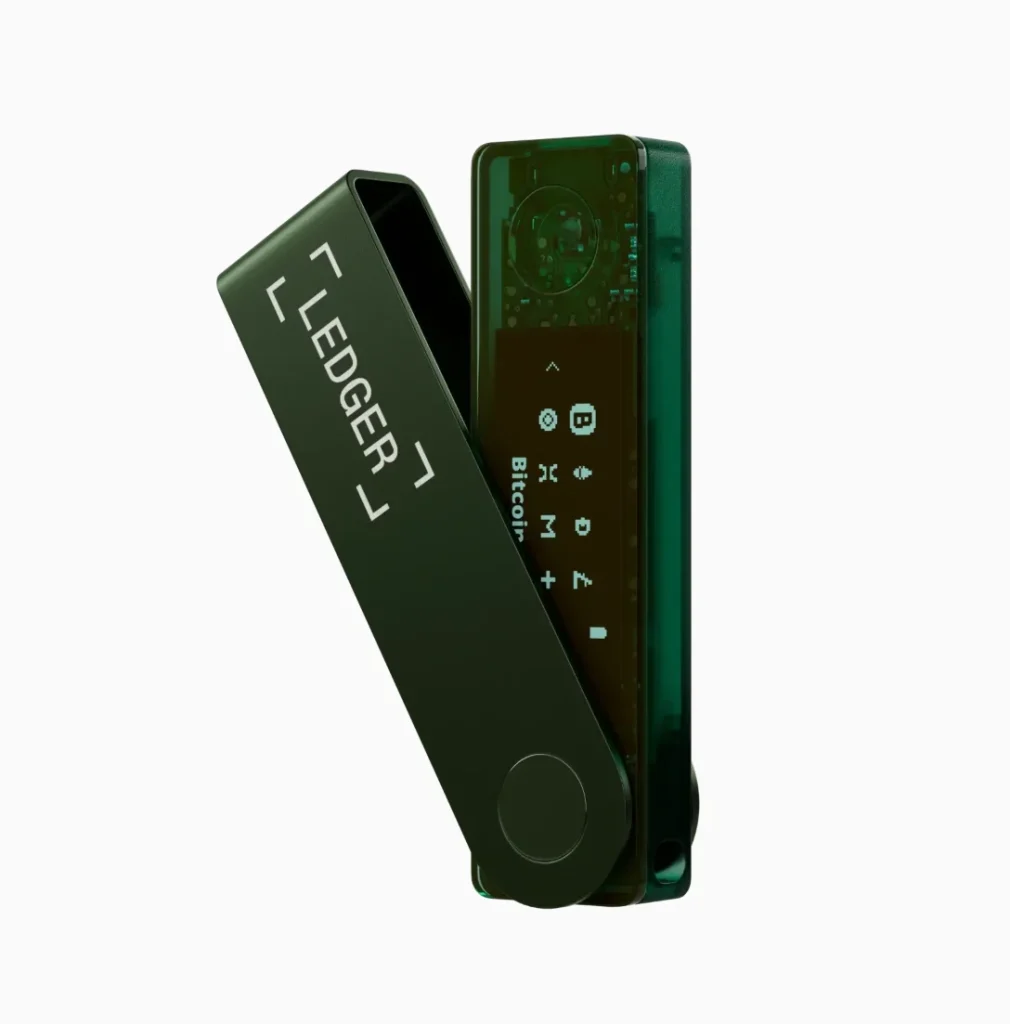
The Nano X stores keys in a certified secure element (CC EAL5+) and pairs over Bluetooth or USB-C with Ledger Live, which handles Bitcoin alongside 5,500+ other assets. Since Ledger’s touchscreen models arrived, Ledger has since cut it to $99, which makes it the cheapest Bluetooth device from a top-tier vendor. Trade-offs: closed-source firmware, a small two-line screen, and Ledger’s 2020 and 2025 customer-data leaks. Those leaks exposed buyer contact details, never devices or funds.
Ready to set up a Nano X for Bitcoin? Follow our step-by-step Ledger Nano X setup guide for a secure, plain-English walkthrough.
Specifications | |
|---|---|
| Secure Element | CC EAL5+ certified chip prevents brute force attacks. |
| Bluetooth Connectivity | Wireless connection to mobile devices for enhanced mobility. |
| Storage Capacity | Supports 100+ apps simultaneously installed. |
| Battery Life | 8-hour rechargeable battery for portable use. |
| Ledger Live Integration | Comprehensive app for portfolio management and DeFi access. |
| Recovery System | 24-word recovery phrase with tamper-evident seal. |
| Build Quality | Premium aluminum construction with secure element protection. |
Why We Choose It
It remains the best balance of price, mobility, and track record for people whose portfolio is bitcoin-first but not bitcoin-only. One device covers everything, and BTC support (including Taproot and native SegWit) is first-class.
2. Trezor Safe 5: Best for Advanced Security Features & User Experience
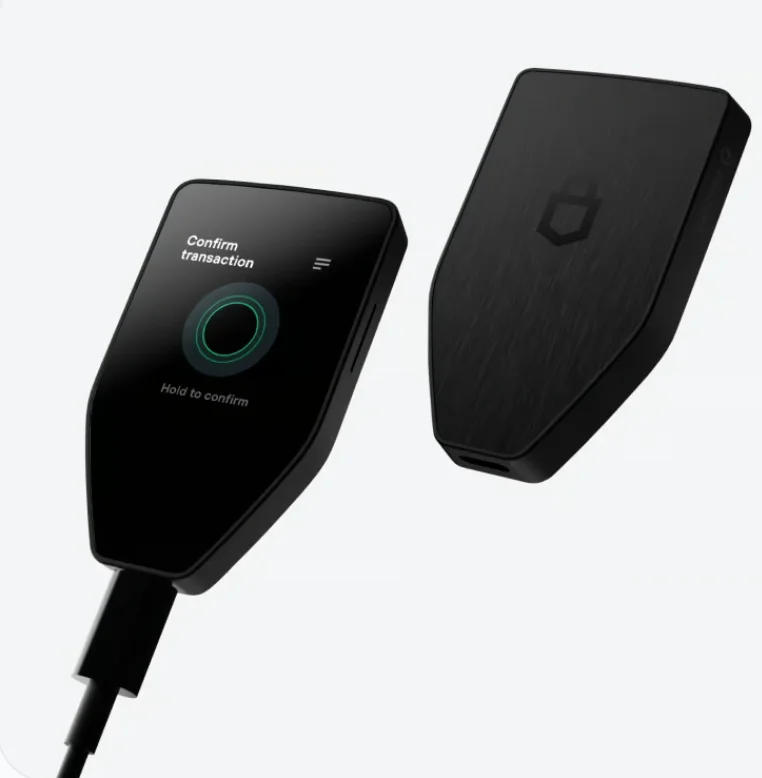
The Safe 5 ($129) is Trezor’s modern mid-ranger. You get a color Gorilla-glass touchscreen with haptic feedback, an EAL6+ certified secure element (closing the gap older Trezors were criticized for), fully open-source firmware, and Shamir multi-share backup. For bitcoiners specifically, Trezor offers official Bitcoin-only firmware that strips every other coin from the device, so there is less code that can go wrong.
Specifications | |
|---|---|
| Display | 1.54″ color touchscreen for enhanced transaction verification. |
| Secure Element | Advanced cryptographic chip with tamper resistance. |
| Open Source | Fully auditable firmware and hardware design. |
| Passphrase Protection | Multiple hidden wallets with advanced passphrase features. |
| Trezor Suite | Complete desktop and web application for asset management. |
| Backup Options | Shamir Backup for distributed recovery seed storage. |
| Authentication | Hardware-based two-factor authentication support. |
Why We Choose It
Open-source firmware, an EAL6+ secure element, and an official Bitcoin-only firmware option: nothing else at this price matches that combination. It is the purist-friendly pick that stays beginner-usable.
3. ELLIPAL Titan 2.0: Best for Air-Gapped Security & Physical Protection
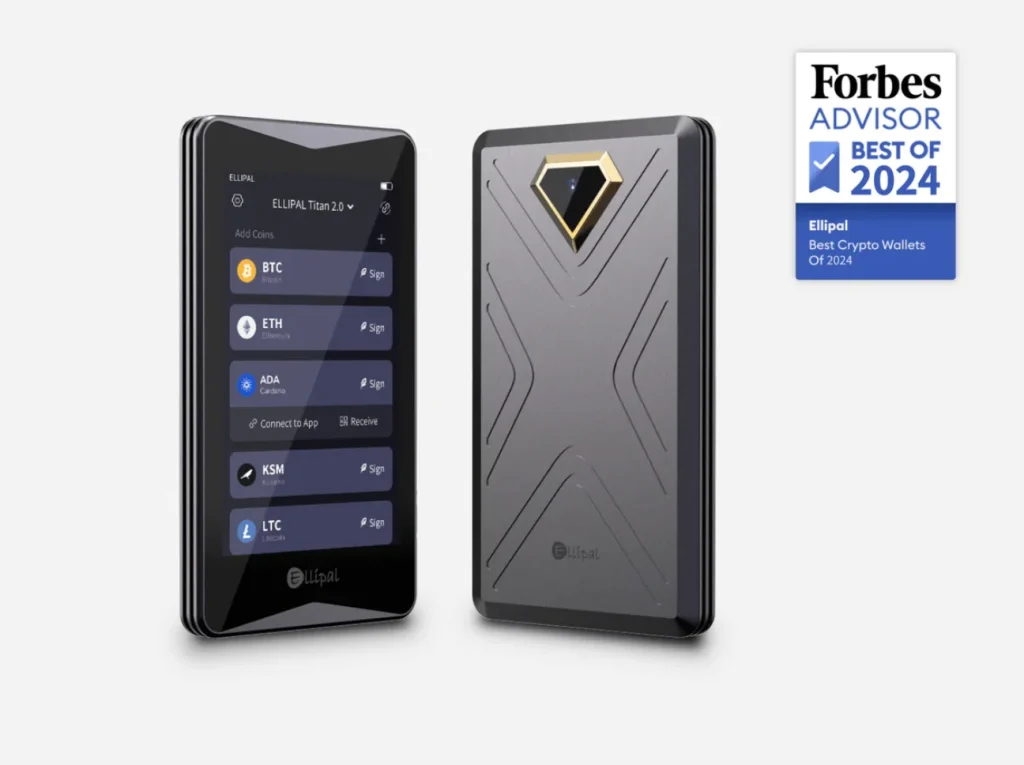
The ELLIPAL Titan 2.0 takes the strictest route: a fully air-gapped wallet with no wired or wireless data connection at all. Because nothing plugs in and nothing broadcasts, an attacker has no connection to exploit. The whole class of cable and radio attacks simply disappears.
Transactions move by QR codes between the device and the ELLIPAL app: no USB data, no Bluetooth, no Wi-Fi. The sealed aluminum body includes anti-tamper protection, and the large touchscreen makes verifying addresses comfortable. Trade-offs: QR signing is slower if you transact often, and the firmware is not open-source.
Specifications | |
|---|---|
| Air-Gapped Design | No USB, Bluetooth, WiFi, or NFC connections. |
| Camera System | Dual cameras for QR code transaction signing. |
| Large Display | 4-inch full-color touchscreen for clear transaction details. |
| Physical Security | Anti-tamper mechanism with self-destruct capabilities. |
| Mobile App | ELLIPAL App for seamless QR code communication. |
| Battery Life | 24-hour rechargeable battery for extended use. |
| Cold Storage | Complete isolation from online threats and malware. |
Why We Choose It
When “no connection at all” is the requirement, the Titan 2.0 delivers it in a sealed metal body at a fair price. Keys that have never touched a cable or a radio cannot leak through one.
We go further into it in our ELLIPAL Titan 2.0 review.
4. SafePal X1: Best for Budget-Conscious Users & Beginners
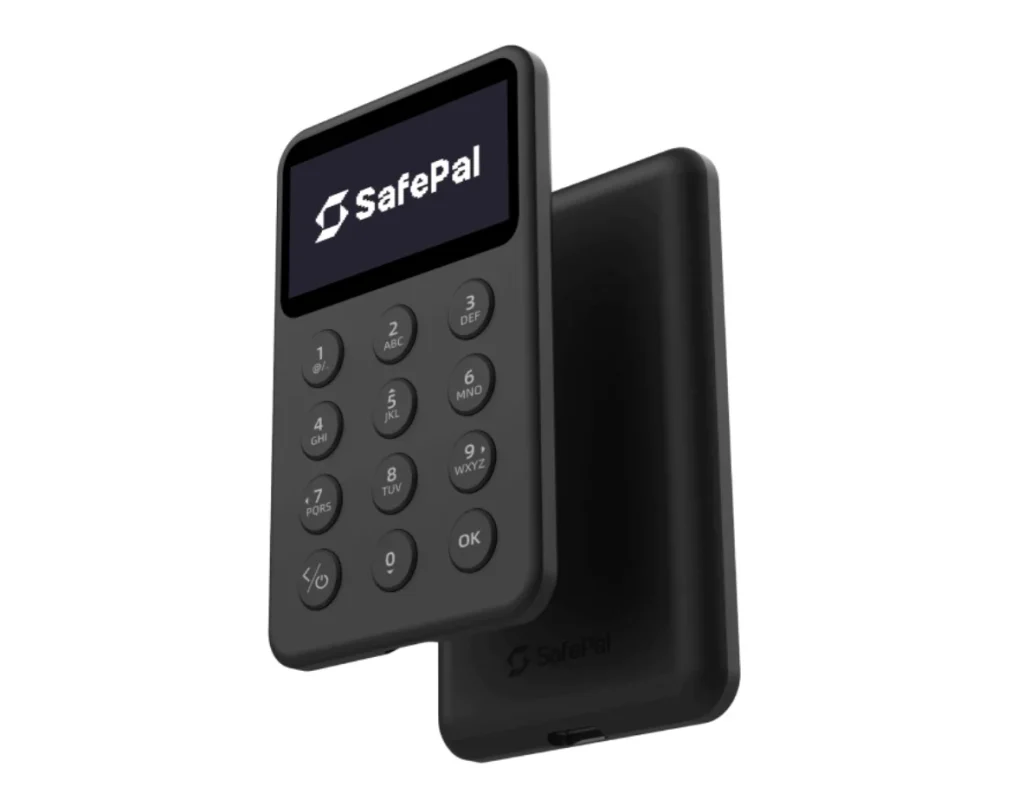
SafePal’s budget device (around $69.99) packs an EAL5+ secure element and connects to the SafePal app; the company was backed early by Binance Labs. You give up premium build quality and screen comfort, and the firmware is closed-source. But the core job, keeping keys off internet-connected devices, is done properly.
Specifications | |
|---|---|
| Affordable Price | Entry-level pricing at $69.99. |
| Color Display | 1.3-inch color screen for transaction verification. |
| Air-Gapped Security | QR code communication eliminates connection vulnerabilities. |
| Mobile Integration | SafePal App for iOS and Android devices. |
| Multi-Currency | Supports 30+ major blockchain networks. |
| Battery Life | 12-hour rechargeable battery. |
| User-Friendly | Simplified interface designed for crypto beginners. |
Why We Choose It
It is the least expensive way on this list to get real secure-element cold storage from an established vendor. If budget decides, this is an honest entry point.
5. BitBox02: Best for Swiss Engineering & Open-Source Transparency
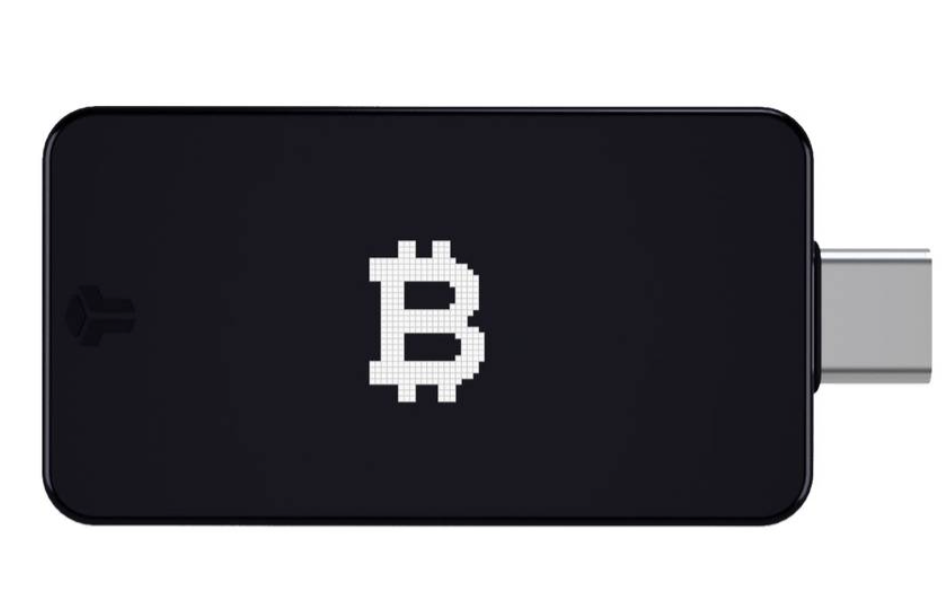
The BitBox02 pairs Swiss engineering with open-source code. That is why it appeals to privacy-minded holders and security professionals who would rather verify than trust.
The Swiss-made BitBox02 (around $149) uses a dual-chip design: open-source firmware on the main chip, with a secure element for key protection. It adds an invisible touch-slider interface and instant microSD backup. Crucially for this guide, it ships in a Bitcoin-only edition whose firmware supports nothing else, which many bitcoiners consider a security feature in itself.
Specifications | |
|---|---|
| Swiss Engineering | Precision manufacturing with premium build quality. |
| Open Source | Fully auditable firmware and hardware specifications. |
| Bitcoin-Only Edition | Specialized firmware optimized for Bitcoin transactions. |
| OLED Display | 128×64 pixel screen for clear transaction verification. |
| Secure Element | Hardware-based security chip with tamper detection. |
| USB-C Connection | Modern connector with reliable data transfer. |
| Backup | Multiple recovery methods, including a microSD card. |
Why We Choose It
Minimalist Swiss engineering, open-source code, a dual-chip design, and a dedicated Bitcoin-only edition make it arguably the best “just Bitcoin, done right” device in this lineup.
How to Choose the Best Bitcoin Hardware Wallet
1. Security Level
Decide what you are defending against. Certified secure elements resist physical key extraction. Open-source firmware means you do not have to trust a vendor blindly. Air-gapping removes connection-based attacks. The Safe 5 and BitBox02 combine the first two; the Titan 2.0 owns the third. If you want maximum minimalism, bitcoin-only firmware exists precisely to shrink the attack surface, and both the Safe 5 and BitBox02 can run that way.
- Secure element certification for tamper resistance;
- Open-source code that independent researchers can verify;
- Protection against physical and connection attacks, such as air-gapping.
2. Ease of Use
Touchscreens (Safe 5, Titan 2.0) make address verification and passphrase entry far more pleasant than two-button navigation. If you will check the device weekly, comfort matters. If it goes in a safe for years, it matters less.
- Beginners may prefer a simple interface like the SafePal X1;
- Advanced users may want the deeper tools of the Trezor Safe 5 or the open-source BitBox02.
3. Portfolio Needs
Bitcoin-only holders should lean toward devices with BTC-only firmware. If you also hold ETH, stablecoins, or altcoins, the Nano X’s breadth or the Safe 5’s standard firmware serve you better than juggling several devices. That said, some holders deliberately keep a separate bitcoin-only device for their long-term stack.
- If you hold Bitcoin only, consider a focused device like the BitBox02 Bitcoin-only edition;
- If you manage several cryptocurrencies, choose a wallet that supports a wide range of assets, such as the Ledger Nano X or Trezor Safe 5.
4. Connectivity Preferences
USB-only is the simple, conservative default. Bluetooth (Nano X, SafePal X1) adds mobile convenience over an encrypted link; your keys never travel over it. A QR-based air-gap (Titan 2.0) removes the question entirely, at the cost of speed. None of these is wrong. They are different points on the convenience-versus-paranoia curve.
- Bluetooth (e.g., Ledger Nano X, SafePal X1) offers convenience for mobile use;
- USB-C (e.g., Trezor Safe 5, BitBox02) gives you a reliable wired connection;
- Air-gapped QR codes (e.g., ELLIPAL Titan 2.0) give maximum isolation from online threats.
Choosing the right hardware wallet means balancing security, usability, and features against how you actually use your coins. If you also use MetaMask, see our guide to the best hardware wallets for MetaMask.
FAQ
Are Hardware Wallets 100% Safe?
No device is 100% safe, but a hardware wallet is dramatically safer than exchange custody or a software wallet, because your keys never touch an internet-connected device. The remaining risks are almost entirely human: phishing sites that ask for your recovery phrase, tampered devices bought from marketplace resellers, and seed phrases photographed or saved to the cloud. Buy from the official store, keep the seed offline, and a hardware wallet is as close to safe as self-custody gets.
What Is the Most Secure Way to Own Bitcoin?
For most people: a hardware wallet bought from the official store, a passphrase on top of the PIN, and the recovery phrase engraved on steel in a secure location. For large holdings, a multisignature setup, which needs two or three separate devices to approve a transaction, removes any single point of failure.
Which plate to buy is its own question, covered in our best steel seed phrase backups guide.
The common thread is a cold wallet that keeps your private keys offline, such as the Ledger Nano X or Trezor Safe 5. Add a secure element, an air-gapped setup if you want one, and a recovery phrase stored offline, and you have covered the attacks that actually drain wallets.
What Happens If You Lose Your Cold Wallet?
Losing the device does not lose your bitcoin. The recovery phrase restores your wallet on any compatible device. What matters is what protects the lost device: with a PIN and passphrase, a thief holds an expensive paperweight. Without a passphrase, move your funds to a new wallet promptly as a precaution. The catastrophic loss is the seed phrase, not the hardware.
Is Open-Source Firmware Important for a Hardware Wallet?
It depends on whom you prefer to trust. Open-source firmware (Trezor, BitBox02, Keystone) lets independent researchers audit the code that guards your keys. Closed firmware with certified chips (Ledger, ELLIPAL) relies on lab certification and the vendor’s security team, also a defensible model with a strong track record. Purists choose open; pragmatists accept either. What is not defensible is a no-name device with neither audits nor certifications.
Final Thoughts
There is no single best bitcoin hardware wallet, only the best one for your threat model and habits. Budget and simplicity point to the SafePal X1. Open-source with modern hardware points to the Trezor Safe 5. Total air-gap points to the ELLIPAL Titan 2.0. Bitcoin-only minimalism points to the BitBox02. The do-everything mobile pick remains the Ledger Nano X. Whichever you choose: buy from the official store, set a passphrase, and put the seed on steel. Those three habits protect you more than any brand choice.
Hardware wallets protect you far better than software wallets or exchanges. Back up your recovery phrase carefully and you will always be able to reach your funds. Holding your own keys means holding your own financial future.
How I review: Reviewed by Andrei B. I buy the hardware wallets I review, test every product myself and score it on security, UI/UX, ease of use, price and supported coins. Before I publish, I also check recent user reviews and any hack reports.
The whole process is explained on the How We Review page. You can read more about me, or contact me with corrections, from the links at the bottom of this page. For general safety advice, see the FTC guide to cryptocurrency scams.