Choosing between Ledger vs Trezor can be frustrating. You want to protect your crypto, but every site says something different, and it is hard to tell which hardware wallet actually fits your needs.
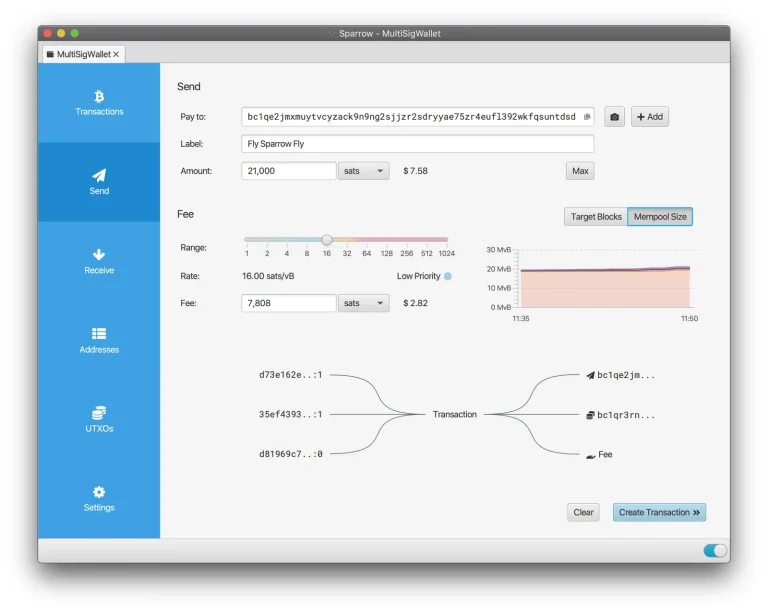
You may worry about physical and digital threats, and about where your private keys really live. Some wallets look simple but hide complex features. Others lead with power features and feel too advanced. If you manage assets or trade through your hardware wallet, learn how to swap safely on a DEX and how to lock down your keys with a multisig wallet setup.
This Ledger vs. Trezor comparison clears things up. We lay out the key differences in security, features, and day-to-day experience so you can pick the best hardware wallet for you without the stress.
2026 update: both companies have overhauled their lineups since this comparison was first written. Ledger added the touchscreen Nano Gen5 (around $179) and now positions the Flex ($249) and Stax ($399) above the classic Nano models. Trezor entered the premium tier with the Safe 7 ($249), the first hardware wallet with an IP67 water- and dust-resistance rating. Ledger also suffered another customer-database breach in 2025. No devices or funds were affected, but it sharpened the exact debate this article is about: Ledger’s certified-but-closed security model versus Trezor’s fully open-source approach. Everything below reflects the current lineups.
Ledger is a French hardware wallet maker that builds its devices around a secure element chip, and Trezor is the Czech brand from SatoshiLabs known for open-source firmware.
Table of contents
Ledger vs Trezor: Quick Comparison
Best Mobile Access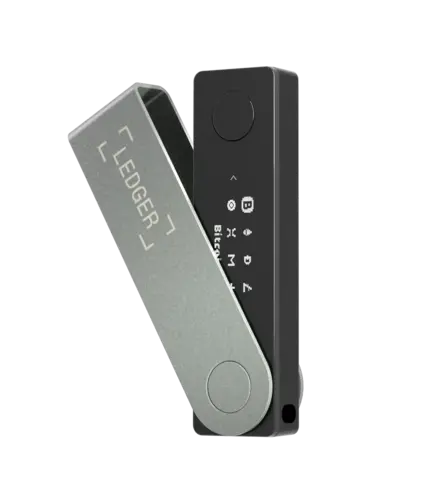 Ledger | Best Privacy Support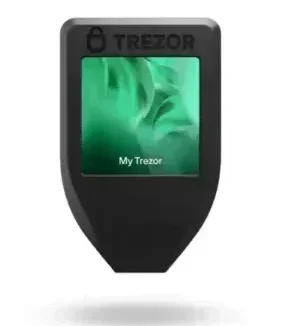 Trezor | |
|---|---|---|
| Security | Secure chip, proprietary firmware, layered defense | Open-source firmware, no secure chip (except Safe 3/5), Shamir Backup |
| Supported Coins | 5,500+ Coins & tokens | 1,500–7,000+ (varies), some require third-party wallets |
| Staking Support | Native staking in Ledger Live (ETH, ADA, DOT, etc.) | Limited staking via third-party apps |
| NFT Management | Native NFT support via Ledger Live | No native NFT view, needs external apps (e.g. MetaMask) |
| Mobile Support | Ledger Live for iOS/Android, Bluetooth (Nano X) | Trezor Suite for Android and iOS is limited |
| Ease of Use | Advanced features, steeper learning curve | Beginner-friendly, simple, and clean UI |
| Third-Party Apps | Supports 50+ apps, including MetaMask, MyEtherWallet | Compatible with MetaMask, Exodus, Electrum, and others |
| Backup & Recovery | 24-word seed, optional passphrase | 24-word seed, Shamir Backup (Model T) |
| Screen & Input | Varies: small OLED to E-Ink touchscreen | Varies: small OLED to E-Ink touchscreen |
| Firmware | Closed-source, regularly updated via Ledger Live | Fully open-source, frequently updated |
| Connections | USB-C and Bluetooth (Nano X, Stax) | USB-C (some models), no Bluetooth |
| Multi-Sig Support | Available for select coins | Available via Electrum or other apps |
Ledger vs Trezor: Wallets Overview
Ledger Wallets:
- Type: Hardware (cold) wallet
- Supported Assets: 5,500+ cryptocurrencies & tokens
- Price Range: $59 – $399
- Models: Nano S Plus, Nano X, Nano Gen5, Flex, Stax
- App: Ledger Live (iOS, Android, Windows, Mac, Linux)
- Users: 6 million+ worldwide
Ledger builds hardware wallets for storing, managing, and staking crypto and NFTs. The Ledger Live app lets you buy, swap, track prices, and reach Web3 apps from desktop or phone, so you rarely need to leave one interface.
Every Ledger keeps your private keys inside a Secure Element chip running Ledger’s own operating system, and France’s ANSSI cybersecurity agency has certified the design.
For a closer look at the flagship, read our Ledger Stax review and decide whether it is worth the premium.
Ledger Models Key Highlights: | |
|---|---|
| Nano X | Bluetooth-enabled, portable, and supports Ledger Recover. Great for mobile users. |
| Nano S Plus | Budget-friendly without Bluetooth, but supports nearly all major coins. |
| Ledger Stax | This premium model has a curved E Ink touchscreen, wireless charging, and full connectivity (Bluetooth, NFC). |
| Ledger Flex | Compact, flat E Ink display with Bluetooth/NFC combines portability and security. |
Trezor Wallets:
- Type: Hardware (cold) wallet
- Supported Assets: 1,400+ cryptocurrencies
- Price Range: $59 – $249
- Models: Safe 3, Safe 5, Safe 7 (the Model One and Model T are discontinued)
- App: Trezor Suite (desktop) + Suite Lite (mobile companion)
- Trezor Bridge: Supported
- Open Source: Yes (firmware & software)
Trezor builds open-source wallets designed around transparency and privacy. The Trezor Suite desktop app lets you manage crypto, swap assets, and keep full control of your keys. It suits people who want to see exactly what their wallet’s code does, not just take the vendor’s word for it.
Trezor Models Key Highlights: | |
|---|---|
| Model One | Compact and budget-friendly with basic features; supports PIN and passphrase. |
| Model T | Advanced model with full-color touchscreen, Shamir Backup, and strong security. |
| Safe 3 | Entry-level with added Secure Element (EAL6+); good balance of simplicity and safety. |
| Safe 5 | Premium device with color touchscreen, haptic feedback, and advanced Secure Element chip |
Ledger vs Trezor: Security Comparison
Ledger Security
Every Ledger device pairs a certified secure element chip (CC EAL5+ or EAL6+, depending on model) with Ledger’s proprietary operating system, and France’s ANSSI cybersecurity agency has certified the design. No Ledger has ever been remotely hacked, and the company runs an in-house attack team (the Donjon) that probes its own hardware for weaknesses.
The honest counterweight: the firmware is closed-source, so you cannot audit it yourself. And Ledger’s customer databases were breached in 2020 and again in 2025. Devices and funds were never touched, but the leaked names and addresses fueled phishing campaigns against wallet owners.
The optional Ledger Recover service also stirred debate in the crypto community because it sends encrypted shares of your seed to third-party custodians. It is off by default, and you can ignore it entirely. Closed code aside, Ledger’s strong hardware, internal audits, and layered defense are built for the threats that actually hit wallet owners.
Security Specifications | |
|---|---|
| Secure Chip (CC EAL5+) | Shield your private keys from hacks and physical attacks. |
| Closed-Source Firmware | Not public, but tested by Ledger’s internal lab. |
| Ledger Recover | Encrypted backup is controversial in the crypto space. |
| Multi-Layer Defense | Uses PIN, recovery phrase, and isolated apps. |
| Threat Protection | Built to resist real-world physical and digital threats. |
Trezor Security
Trezor takes the opposite philosophy. Every line of firmware and software is open-source and publicly auditable, so you trust reviewable code rather than a company’s word. The chip picture has also shifted in Trezor’s favor: the current Safe 3, Safe 5, and Safe 7 all include EAL6+ certified secure elements, closing what used to be Trezor’s biggest weakness. Only the legacy Model One and Model T still use the older single-chip design.
Trezor also pioneered recovery innovations. Shamir (multi-share) backup splits your recovery phrase into several parts, so no single piece can restore your wallet. The known physical key-extraction attacks against Trezor apply only to the legacy single-chip models, require an attacker to steal the device, and are defeated by setting a passphrase, which is standard practice for any serious holder.
For users who want clarity and direct access, Trezor delivers strong security with full visibility into how the device works.
Security Specifications | |
|---|---|
| Open-Source Software | Fully transparent; code reviewed by the community. |
| No Secure Chip | Relies on software and user action instead. |
| Shamir Backup (Model T) | Split your recovery phrase for safer storage. |
| Pin & Passphrase | An extra layer to protect private keys offline. |
| Physical Access Risk | May be vulnerable if stolen; software helps defend. |
Verdict: Which Is More Secure?
If you want transparency and full code access, Trezor gives you that. If your main worry is someone getting physical access to the device or attacking the hardware, Ledger’s secure chip and layered system have the stronger record.
Against remote attacks, the threat that actually empties most wallets, both brands have an excellent record. Ledger’s edge is certified secure elements across every model and a longer track record on physical resistance. Trezor’s edge is full auditability, no Bluetooth radio, and now secure elements in its Safe line too. Pick based on your threat model. If you distrust closed code, choose Trezor. If you want certified hardware and don’t mind trusting the vendor, choose Ledger. In both cases, your own habits (passphrase, official purchase, seed hygiene) matter more than the brand.
Ledger vs Trezor: Supported Coins & Tokens
Ledger
Ledger wallets support over 5,500 crypto assets, from Bitcoin to DeFi and gaming tokens. Models like the Ledger Nano X and Ledger Stax handle XRP, ADA, and others with no extra setup.
If ADA is the main thing you hold, our best Cardano wallets guide covers the options in more depth.
Ledger devices also support custom tokens and stablecoins through third-party integrations, so a sprawling portfolio can still live on one device. Few wallets cover as much ground for managing complex holdings.
Ledger Supported Assets | |
|---|---|
| 5,500+ Crypto Assets | Covers Bitcoin, Ethereum, DeFi, gaming tokens, and more. |
| Built-In Support | XRP, ADA, and other work out of the box. |
| Third-Party Integration | Adds flexibility for stablecoins and custom tokens. |
| Multi-Chain Coverage | Great for managing diverse portfolios. |
| Complete Control | Users manage all assets directly through the device. |
Trezor
Trezor models support between 1,000 and 7,000+ coins, depending on setup. Popular coins like BTC and ETH are fully supported, but others, like ADA and XRP, need third-party integrations.
Because Trezor keeps everything open-source, it adds new coins carefully. It suits users with standard crypto holdings and a simpler portfolio.
Trezor Supported Assets | |
|---|---|
| 1,000 – 7,000+ Coins | The range depends on the model and setup. |
| Full Support for BTC/ETH | Core coins are available by default. |
| Third-Party Needed | ADA and XRP require external wallet integrations. |
| Open-Source Updates | Coins are added gradually with community feedback. |
| Best for Basics | Ideal for standard users and simpler portfolios. |
Verdict: Which Wallet Supports More Coins?
Both support many coins, but Ledger supports more by default. If you hold rare tokens or use several chains, Ledger gives you more flexibility.
If your needs are basic, Trezor is a straightforward alternative.
Ledger vs Trezor: Features & Ecosystem
Ledger
Ledger Live lets you manage digital assets on desktop and mobile. The Nano X adds Bluetooth, and premium models like the Stax and Flex upgrade the screen and interface.
Ledger also includes advanced features like NFT management, plus support for third-party wallets. With a user-friendly interface and strong security, Ledger devices serve casual users and advanced holders alike.
Ledger Ecosystem | |
|---|---|
| Ledger Live App | Manage assets on desktop and mobile devices. |
| Bluetooth Support | Available with Ledger Nano X and higher. |
| NFT Management | Built-in tools for handling NFTs. |
| Third-Party Wallets | Compatible with many external apps. |
| Advanced Models | Ledger Stax & Flex offers an upgraded UX and screen. |
Trezor
Trezor Suite is open-source and built for convenience. It avoids cloud-sync tools like Ledger Recover, so your keys never leave your hands.
Trezor Suite is open-source end to end, and on current Safe-series devices it is backed by certified secure elements. The old “no secure chip” trade-off now applies only to the legacy Model One and Model T. Mobile is the real gap: Trezor Suite Lite on phones is a companion app, not a full signing experience like Ledger Live.
Trezor Ecosystem | |
|---|---|
| Open-Source Platform | Trezor Suite offers transparent, secure usage. |
| No Cloud Sync | Avoids Ledger Recover-style backups. |
| Additional Security Tools | Includes Shamir Backup, passphrase, and PIN. |
| Limited iOS Support | Some models are less compatible with Apple mobile devices. |
| Clean Interface | Designed for private and straightforward usage. |
Verdict: Which Ecosystem Works Best?
Both Trezor and Ledger offer strong platforms with different priorities. Trezor is ideal for simplicity and transparency. Ledger stands out for its wider toolset and upgrade path.
Ledger vs Trezor: User Experience
Ledger
Setup through Ledger Live is quick and guided. You secure your private keys and write down a recovery phrase in a few steps. The interface is modern, with advanced settings if you need them.
Ledger supports multiple accounts and works with third-party wallets, which suits users who want complete control. Still, some people find Ledger’s software a bit overwhelming at first.
Wondering what Ledger onboarding looks like? Our Ledger Nano X setup guide walks through every step.
Ledger Ease of Use | |
|---|---|
| Guided Setup | Ledger Live simplifies the onboarding process. |
| Recovery Phrase Setup | Done quickly during initial steps. |
| Multiple Accounts | Easily manage various wallets in one place. |
| Advanced Controls | Extra settings for power users. |
| Third-Party Support | Compatible with many external crypto apps. |
Trezor
Trezor Suite keeps things simple and beginner-friendly. Every step is clear, even if this is your first hardware wallet. The layout stays consistent and distraction-free.
The Model T adds a touchscreen, but every model is easy to use. Trezor is a strong choice if open-source software is your priority.
Trezor Ease of Use | |
|---|---|
| Beginner-Friendly Flow | Clear instructions, ideal for first-time users. |
| Consistent Layout | Clean and distraction-free interface. |
| Touchscreen Option | Model T offers more straightforward navigation |
| Open-Source Design | Built for transparency and trust. |
| Simple Wallet Handling | Keeps the process minimal and intuitive. |
Verdict: Which Offers Better UX?
Both Trezor and Ledger offer smooth experiences. Ledger, especially the Stax paired with Ledger Live, suits those who want features. Trezor stands out for simplicity and clean design.
Ledger vs Trezor: Price & Value
Ledger
Ledger’s range now runs from $59 (Nano S Plus) to $399 (Stax), with the touchscreen Nano Gen5 and the Flex in between. Worth knowing before you pay up: every tier uses the same class of certified secure element, so the extra money buys a bigger screen, Bluetooth, and comfort, not stronger cryptography.
For the price, you get strong protection and modern features. Ledger is solid value, especially if you want a device you will keep for years.
Ledger Pricing | |
|---|---|
| Price Range | $59 to $399, depending on the model. |
| Secure Chip | Included even in lower-priced devices. |
| High-End Options | Ledger Stax adds premium features for convenience. |
| Strong Value | Balances price with long-term security and tools. |
| Feature-Rich Tiers | All models offer solid protection and modern capabilities. |
Trezor
Trezor now spans $59 for the Safe 3, $129 for the Safe 5 and $249 for the flagship Safe 7, the Model One and Model T having been discontinued, which undercuts Ledger’s premium tier while adding an IP67 water- and dust-resistant body.
Landed on the Safe 5? Our Trezor Safe 5 setup guide covers the first run in order.
With secure elements now standard on the Safe line, Trezor’s old hardware gap is closed. The value question in 2026 comes down to this: Ledger’s more polished, feature-rich ecosystem versus Trezor’s fully auditable stack at generally lower prices.
Specifications | |
|---|---|
| Price Range | $59 to $219 across models. |
| Affordable Entry | Trezor One offers minimal setup at a low cost. |
| Touchscreen Upgrade | Model T adds advanced input and recovery tools. |
| No Secure Chip | Compensates with layered software-level security. |
| Fair Value | Well-suited for privacy-focused users on various budgets. |
Verdict: Which One Offers Better Value?
Ledger ships more layers of protection by default. Trezor offers a simpler, open approach at a lower cost.
The better value depends on what you prioritize: advanced hardware or transparent software.
Ledger vs Trezor Pro & Cons
Ledger and Trezor each bring something different to the table, and that is the point. Some people want a wallet that does it all; others want something clean and easy to trust. You don’t need to be a tech expert to tell the difference. Just see which one fits how you use crypto.
When to Choose Each
Go with Ledger if you want a feature-rich wallet for DeFi, NFTs, and mobile use, especially if you plan to manage a diverse portfolio for years.
Choose Trezor if you value transparency, open-source software, and a simpler setup. It is ideal if you want full control without the extras.
FAQ
Is Ledger safer than Trezor?
Neither is categorically “safer” anymore. Ledger has certified secure elements in every model and a spotless remote-attack record, but closed firmware and repeated customer-data leaks. Trezor is fully auditable, and its current Safe line also carries EAL6+ secure elements; only its legacy models lack them. Your setup (buying from official stores, using a passphrase, keeping your seed offline) matters more than the logo on the device.
Can Trezor store NFTs?
Yes, Trezor can store NFTs, but you will likely need a third-party wallet such as MetaMask to view and manage them.
Setting that up takes a few minutes, and how to connect Trezor to MetaMask has the steps.
Is Ledger Recover safe to use?
Ledger Recover is optional and off by default. It splits an encrypted backup of your seed between three custodians and requires identity verification. That means encrypted key material leaves the device, which changes the self-custody trust model even if the cryptography is sound. After Ledger’s customer-data breaches, many users prefer to skip it and manage their own backup. If you want maximum self-custody, leave it off. If you fear losing your seed more than you fear third parties, it is a legitimate option.
Is Trezor open-source?
Yes. Trezor’s firmware and software are fully open-source, so anyone can audit or contribute to the code.
Which wallet is best for privacy coins?
Ledger, on balance. It supports a broader range of coins by default, including Monero (XMR), which makes it the more practical pick for privacy-focused users.
If privacy coins are the reason you’re choosing, the best Monero wallets compares the software options for XMR.
Final Verdict: Ledger or Trezor?
Ledger is ideal if you want a wallet that grows with you. It handles DeFi and NFTs, supports more coins by default, and comes with Ledger Live. You get strong hardware-level protection and flexibility in one place.
Trezor keeps things clean and transparent. Its open-source approach, simple interface, and focus on user control make it a natural fit if you value clarity and privacy. It skips the extras but delivers confidence through simplicity.
Both are excellent. If you want security plus advanced tools, Ledger fits better. If you prefer a no-frills, open experience with complete control, Trezor is the one.
How I review: Reviewed by Andrei B. I buy the hardware wallets I review, test every product myself and score it on security, UI/UX, ease of use, price and supported coins. Before I publish, I also check recent user reviews and any hack reports.
The whole process is explained on the How We Review page. You can read more about me, or contact me with corrections, from the links at the bottom of this page. For general safety advice, see the FTC guide to cryptocurrency scams.