As crypto grows, so does the target on it. Hacks and digital theft are more common than ever, and keeping your coins on an exchange or in an online wallet leaves you exposed.
One wrong click or one phishing email can wipe out a portfolio. Seasoned investors have lost everything to poor storage. In 2024 alone, hackers stole around $2.2 billion from crypto platforms through compromised private keys.
A hardware wallet is one of the safest ways to protect your crypto. This guide reviews the best crypto hardware wallets for 2026, judged on security, ease of use, and support for altcoins, staking, and NFTs. If you mine your crypto, pair your wallet with the best mining software to maximize your rewards before you move them offline.
If a hardware wallet feels like a big first step, our best crypto wallets for beginners guide starts smaller.
What Changed in the Hardware Wallet Market (Updated August 2026)
Before the picks, three developments reshaped this market over the past year. First, Ledger overhauled its lineup. The button-operated Nano models now sit alongside the touchscreen Nano Gen5 (around $179), the Ledger Flex (around $249), and the premium Ledger Stax (around $399). Second, Trezor entered the premium tier with the Safe 7 (around $249), the first hardware wallet with an IP67 water- and dust-resistance rating. Third, and most important for buyers: Ledger suffered another customer-data breach in 2025. No devices or funds were compromised, but it reinforced a hard lesson. The weakest link is often the manufacturer’s customer database, not the device. That is why open-source firmware, how much personal data a vendor keeps on you, and post-quantum readiness now matter as much as chip certifications.
A safety rule for every wallet on this list: buy directly from the manufacturer’s official store or an authorized reseller, never from third-party marketplace sellers, where tampered devices have been documented. When your device arrives, check the packaging, let the official app verify the firmware, and remember that no legitimate company will ever ask for your recovery phrase. If the box contains a pre-filled recovery card, the device is compromised. Do not use it.
Table of contents
Best Crypto Hardware Wallets: Quick Comparison
Dozens of hardware wallets are on sale, and picking one can feel overwhelming. To help, we put together a short comparison table of our top picks, covering each wallet’s key security features, supported assets, price, and ideal use case. If you use MetaMask, also see our guide to the best hardware wallets for MetaMask.
Holding mostly ETH? Our best Ethereum wallets guide covers the software side of the same question.
| Image | Product | Features | Price |
1 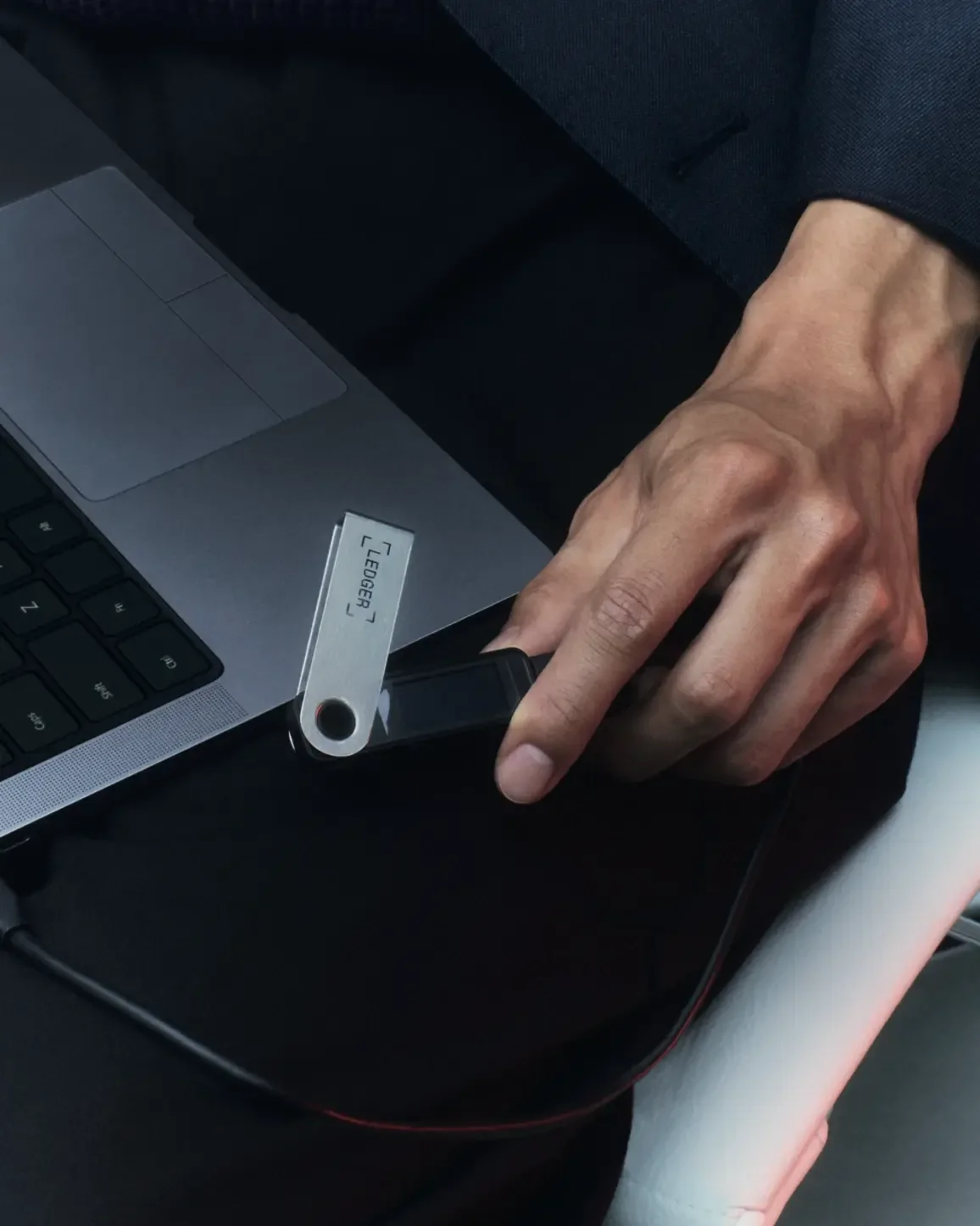 | Ledger Nano S Plus | Best for beginners; | |
2 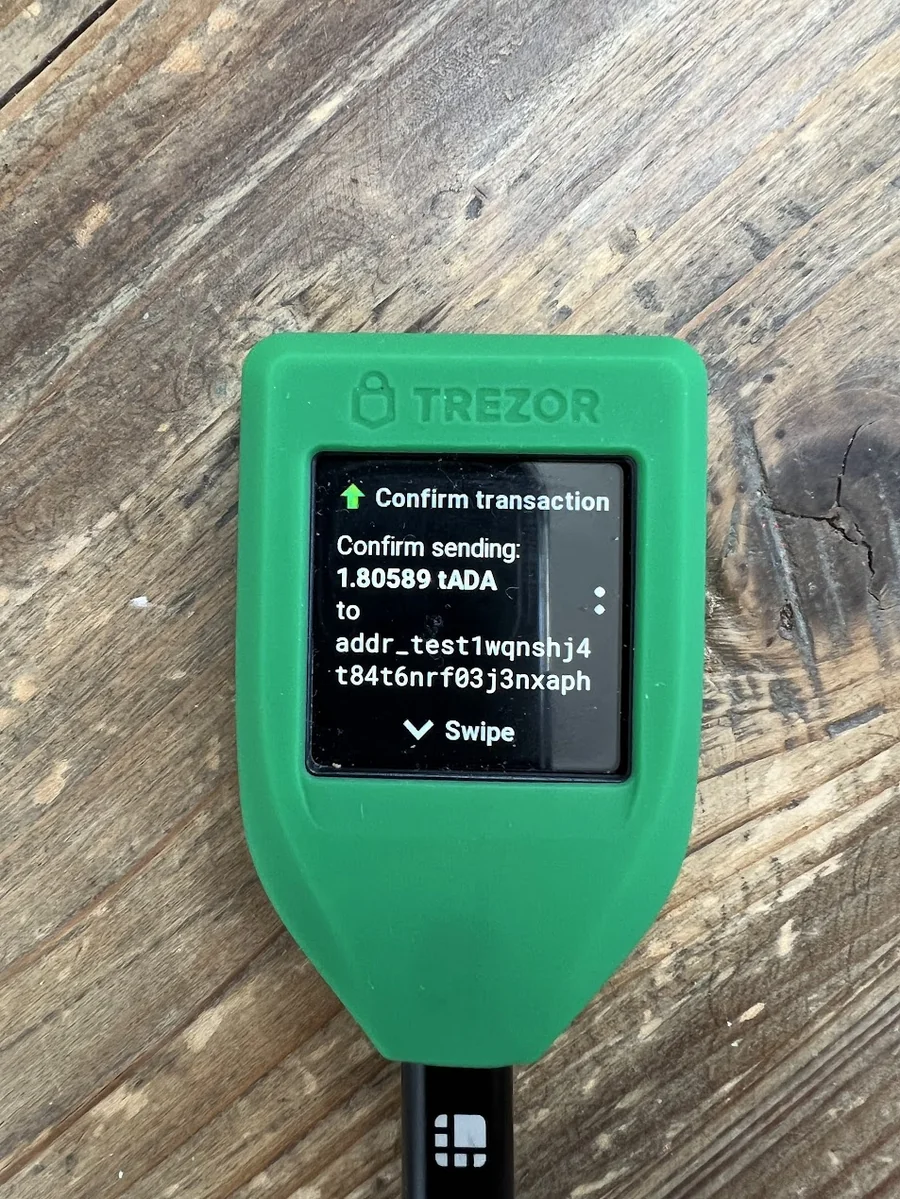 | Trezor Model T | Best for multi-currency support & NFTs | |
3 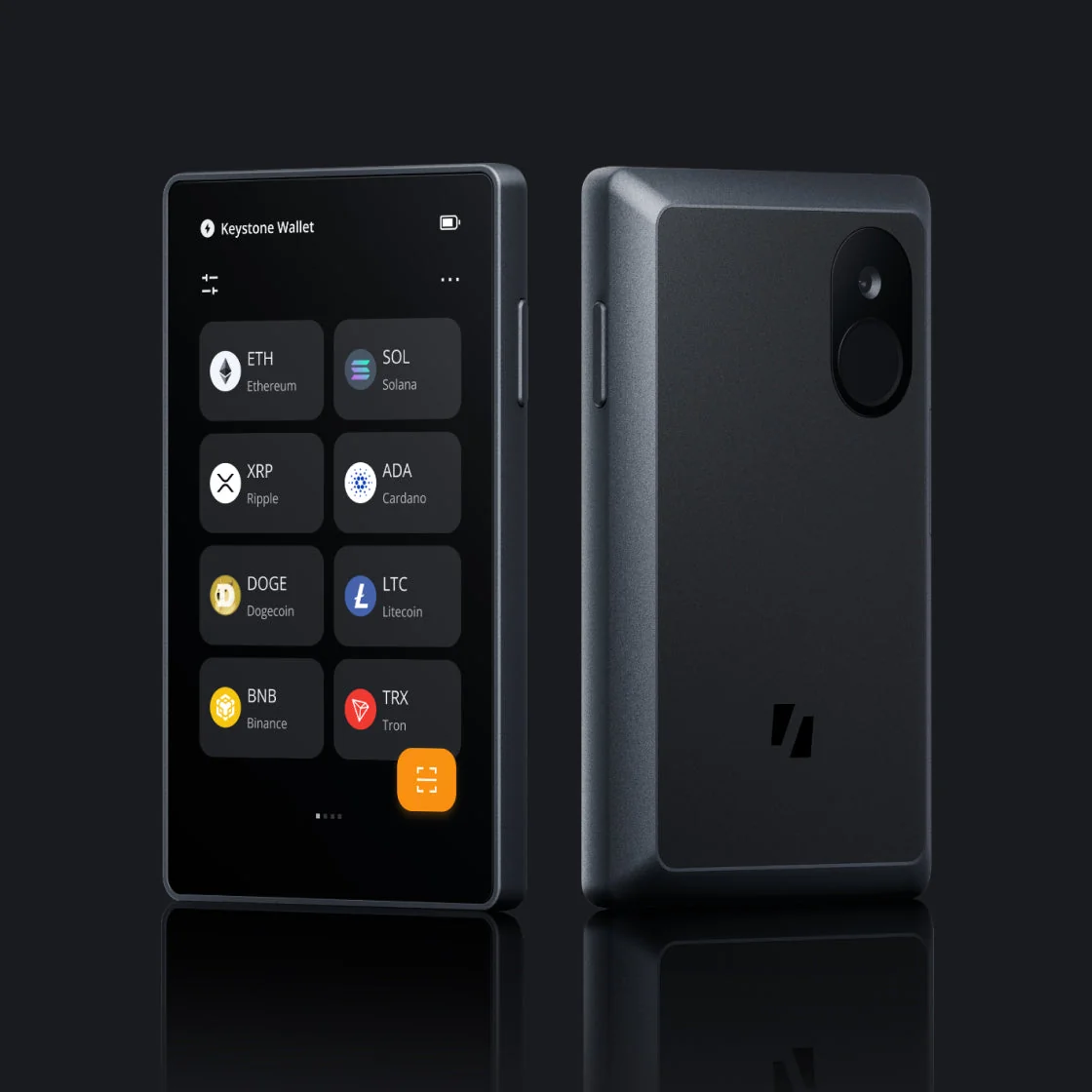 | Keystone 3 Pro | Best for maximum security | |
4 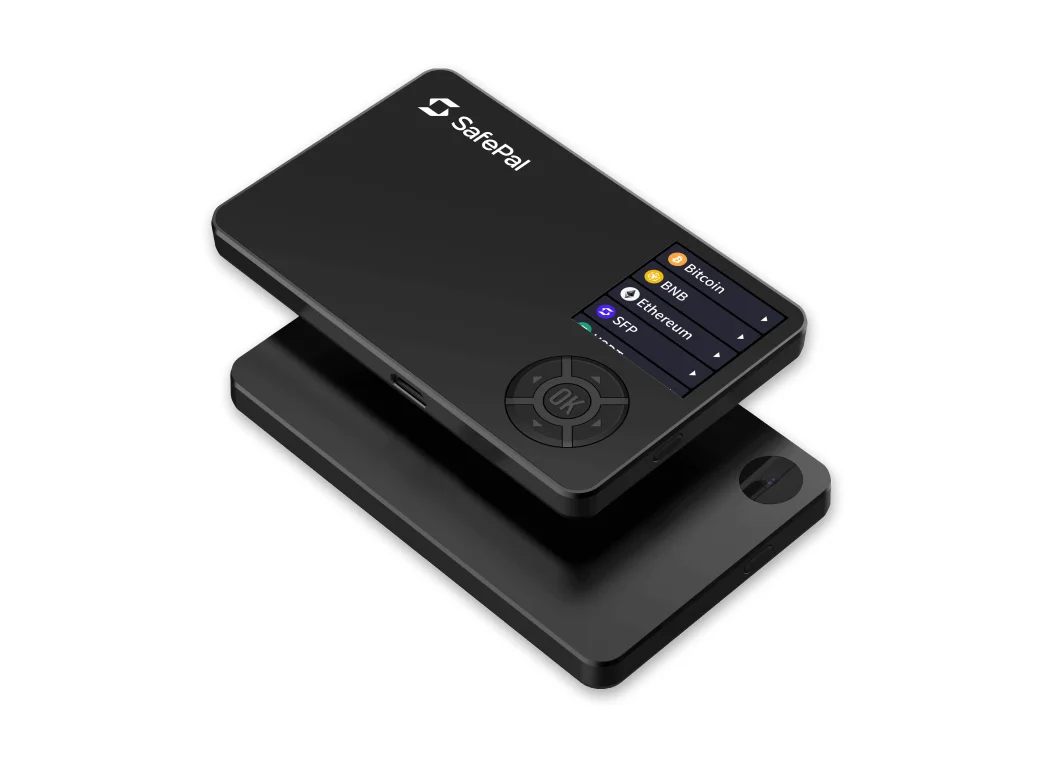 | SafePal S1 | Best for budget-friendly staking | |
5 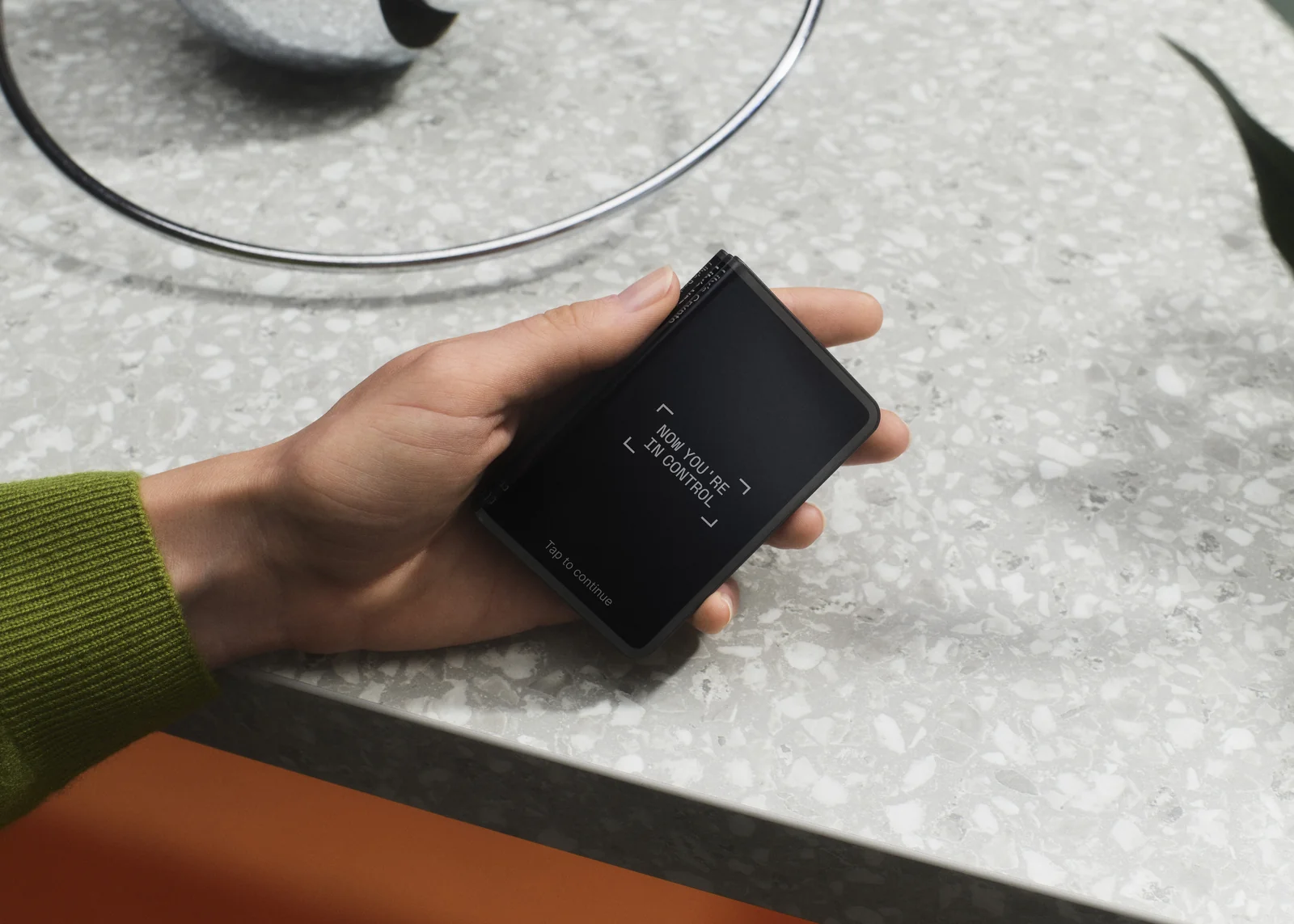 | Ledger Stax | Best for premium design & UX |
1. Ledger Nano S Plus, Best for Beginners
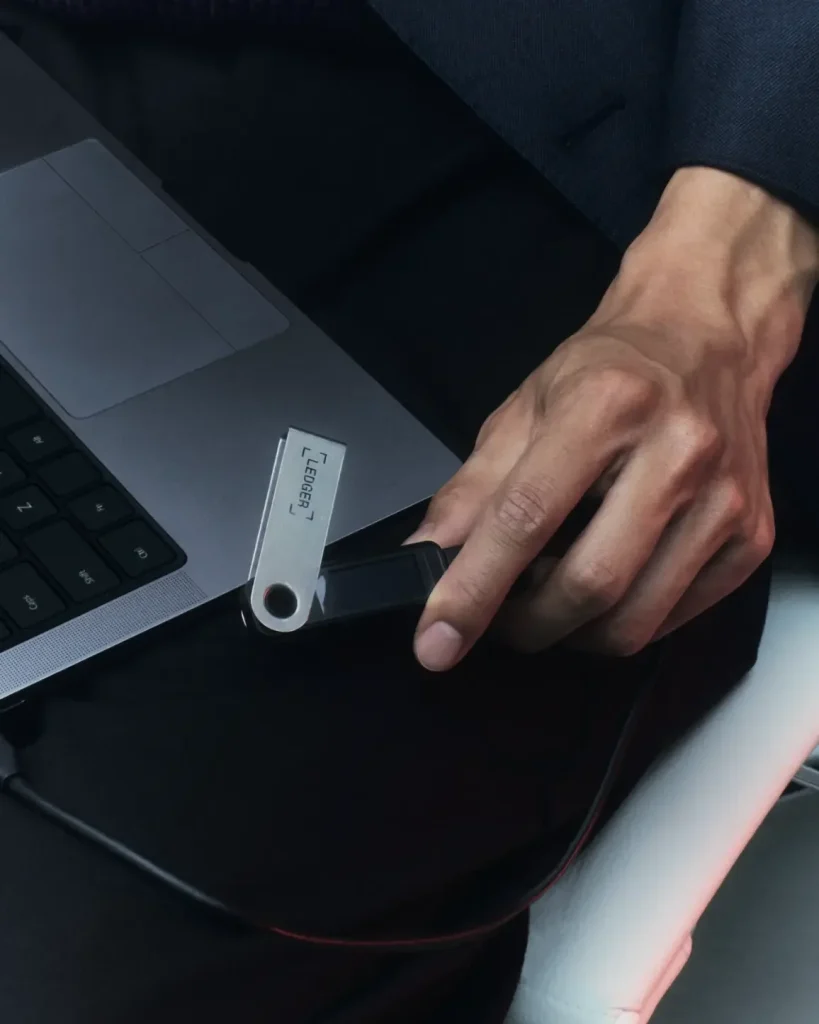
The Ledger Nano S Plus is still the most sensible entry point into Ledger’s ecosystem in 2026, at $59 from the official store. You get the same certified secure element chip (CC EAL5+) as Ledger’s pricier models, USB-C, room for around 100 coin apps at once, and support for 5,500+ assets plus NFTs through Ledger Live. What you give up against the newer touchscreen models (the Nano Gen5, Flex, and Stax) is convenience: no Bluetooth, no battery, and address checks on a small two-button screen.
Two honest caveats. Ledger’s firmware is closed-source, so you trust the company’s security process rather than public code review. And while no Ledger device has been hacked remotely, the company’s customer databases were breached in 2020 and again in 2025. Past leaks exposed buyer names and home addresses, so consider ordering under an alias to a pickup point. Best for: beginners with a desktop-first workflow who want the most asset support per dollar. Look elsewhere if: you need mobile signing (Nano X or Gen5) or open-source firmware (Trezor, Keystone).
Key Features: | |
|---|---|
| Certified secure element chip (CC EAL5+) | This method uses a certified security chip to isolate and protect your private keys from malware, phishing attacks, and unauthorized access. |
| It supports 5,500+ cryptocurrencies | It is also compatible with significant assets like Bitcoin, Ethereum, Solana, and Cardano, as well as thousands of tokens and NFTs. |
| Ample app storage (100+ apps) | You can install over 100 crypto apps simultaneously, a massive upgrade over the original Nano S. This eliminates the need to uninstall apps frequently to switch between assets. |
| USB-C connectivity | This technology provides faster data transfer and compatibility with modern laptops, desktops, and Android smartphones. |
| Ledger Live app integration | Easily manage crypto in one place. Buy, sell, send, receive, stake, and view your portfolio through the intuitive Ledger Live desktop or mobile app. |
| NFT support (Ethereum-based) | Directly view, receive, and manage Ethereum-based NFTs within Ledger Live without relying on third-party platforms. |
| Compact and portable | Lightweight and durable design makes it easy to carry, store, or travel securely. |
| Open-source software & regular updates | Backed by a transparent codebase and frequent security updates, ensuring ongoing protection and improvements from Ledger and the global security community. |
Ledger Nano S Plus
Protect your crypto with the Ledger Nano S Plus. Secure, simple, and in your control!
2. Trezor Model T, Best for Multi-Coin Support & NFTs
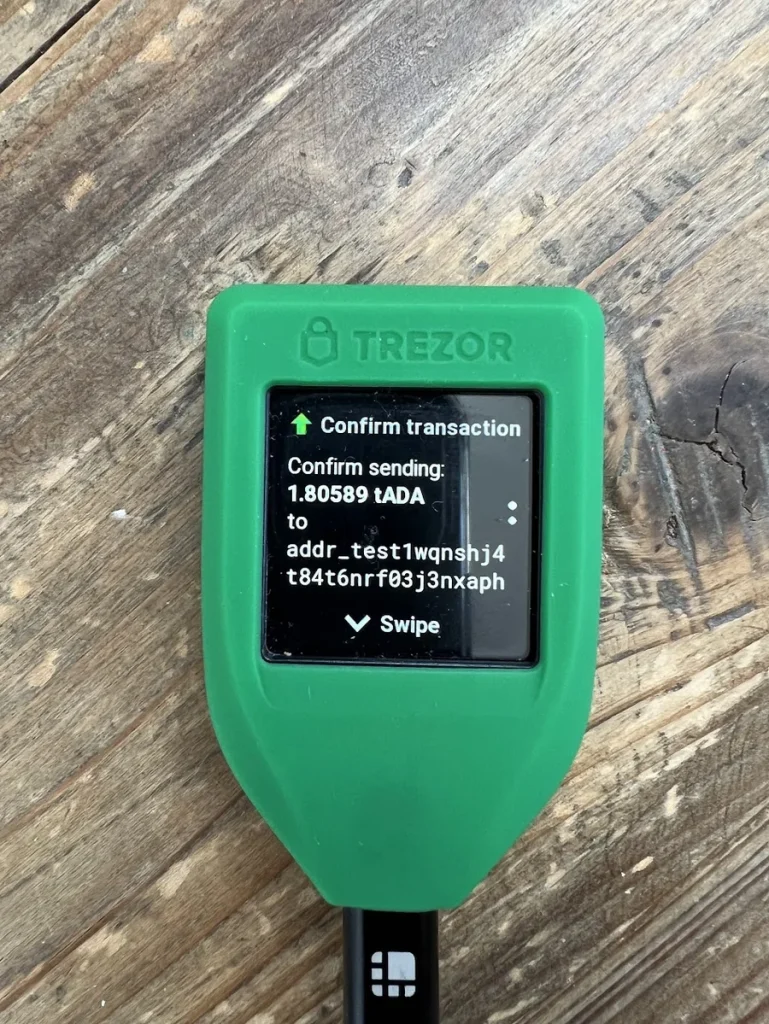
The Trezor Model T was Trezor’s flagship for years, and it still does the fundamentals well: fully open-source firmware anyone can audit, a color touchscreen for on-device verification, Shamir backup for splitting your recovery phrase into shares, and support for thousands of coins with no Bluetooth radio to worry about. At around $169, though, it sits in an awkward spot in 2026. Trezor’s own Safe 5 adds an EAL6+ secure element (which the Model T lacks) for similar money, and the new Safe 7 brings an IP67-rated body at $249.
Its successor has its own walkthrough in our Trezor Safe 5 setup guide.
The Model T’s single-chip, open design is exactly why researchers were able to demonstrate physical key-extraction attacks on it. Those attacks require stealing the device, and they fail if you have set a passphrase. If you own one, enable a strong passphrase and it remains a safe daily driver. Best for: open-source advocates who value auditability over secret hardware. Look elsewhere if: you are buying new today. Compare the Safe 5 first; it is the better value in Trezor’s current lineup.
Key Features: | |
|---|---|
| Open-source firmware | All firmware and software are fully open-source and reviewed by the security community, offering transparency and trust over proprietary solutions. |
| Touchscreen interface | A full-color, responsive touchscreen replaces buttons, making navigation easier and more intuitive for sending transactions or setting up the wallet. |
| It supports 1,200+ coins and tokens | Bitcoin, Ethereum, ERC-20 tokens, and other major altcoins. It also offers NFT compatibility via third-party apps like Metamask and Trezor Suite integration. |
| Shamir backup option | This is a more advanced and flexible recovery system than standard 24-word phrases. Users can split their recovery seed into multiple shares for enhanced security. |
| MicroSD support | Enables encrypted storage and other advanced features, such as signing transactions offline or adding another layer of security for backups. |
| Trezor Suite app | Trezor’s desktop and browser-based app makes managing digital assets, sending funds, and viewing transaction history easy, emphasizing privacy. |
| No secure element chip (by design) | Unlike competitors, Trezor deliberately avoids using a secure element chip, instead relying on fully open, auditable code and transparent security architecture. |
Trezor Model T
Take charge of your digital assets with the Trezor Model T, the ultimate hardware wallet for security and control.
3. Keystone 3 Pro, Best for Hardcore Security
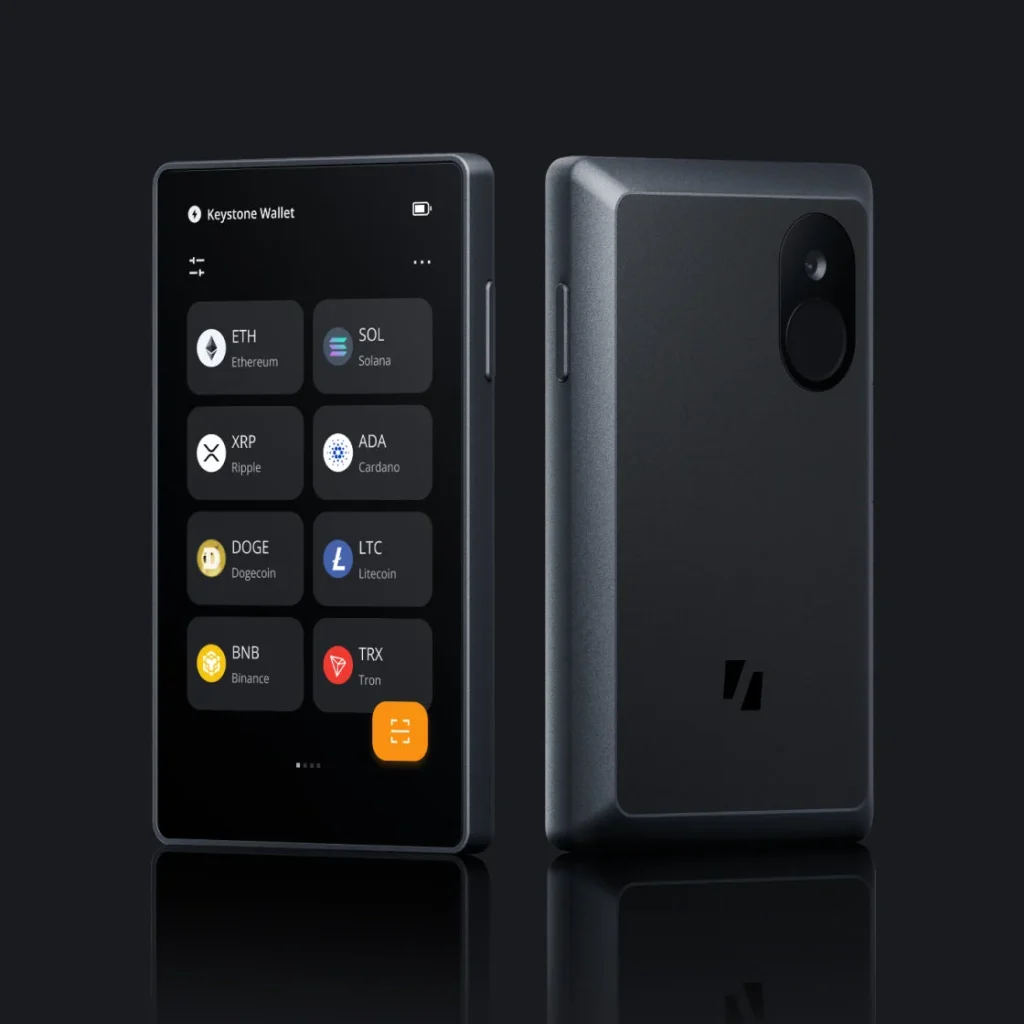
The Keystone 3 Pro (around $129 to $149) takes the most conservative security approach on this list: it is fully air-gapped. You sign transactions by scanning QR codes, so your private keys never touch a USB cable, Bluetooth, or Wi-Fi. It packs three secure element chips, open-source firmware, an optional fingerprint sensor, and a 4-inch touchscreen that makes long contract interactions readable, something small-screen wallets struggle with. It also works well as a signer for MetaMask and other software wallets.
The trade-offs are real but predictable. QR signing is slower if you transact many times a day, there is a battery to keep charged, and the companion app ecosystem is thinner than Ledger Live’s. Best for: long-term holders and security maximalists who want their keys physically cut off from every connection. Look elsewhere if: you are an active DeFi user who values one-tap convenience over air-gap purity.
Key Features: | |
|---|---|
| 100% air-gapped | It is fully isolated from internet threats and uses QR codes for all data transfers. It does not have USB, Wi-Fi, or Bluetooth, making it ideal for cold storage and long-term holding. |
| Fingerprint scanner | Adds biometric authentication for faster access while keeping the device secure against unauthorized use. |
| Open-source firmware | This is fully auditable firmware vetted by the crypto community, ensuring transparency and reducing the risk of hidden vulnerabilities. |
| Supports 5,500+ coins and NFTs | It is compatible with major networks such as Bitcoin, Ethereum, Solana, and NFT standards (ERC-721, ERC-1155), making it suitable for diverse portfolios. |
| Self-destruct mechanism | The device automatically wipes all sensitive data if physical tampering is detected. This rare feature adds a layer of physical security. |
| Large 4-inch touchscreen | A bright, easy-to-use color touchscreen provides a smooth, intuitive user experience even for complex transactions. |
| Compatible with MetaMask, Keystone app, and more | It integrates with major wallets and DeFi platforms for secure signing while keeping private keys completely offline. |
Keystone 3 Pro
Experience air-gapped security with the Keystone 3 Pro, the hardware wallet built for serious self-custody.
4. SafePal S1, Best Budget Option
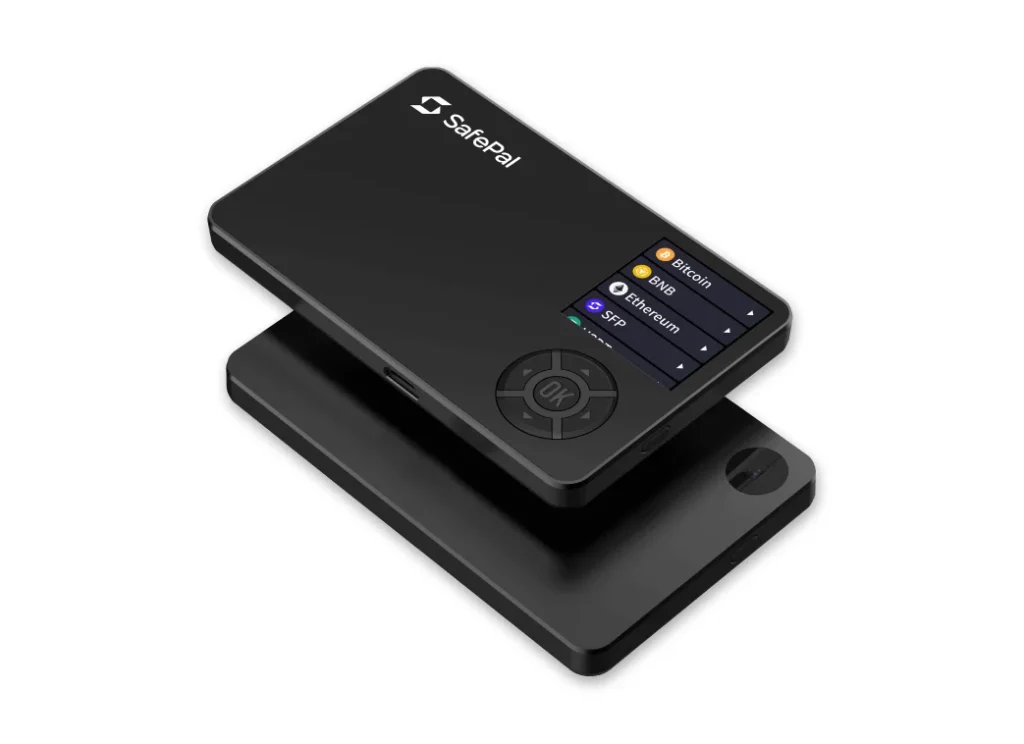
The SafePal S1 ($49.99) is the budget pick, and for the money it is hard to argue with: air-gapped QR-code signing like wallets three times its price, a CC EAL5+ secure element, no USB data connection or Bluetooth at all, and a self-destruct mechanism that wipes your keys if someone tampers with the device. Backed early by Binance Labs, it plugs into the SafePal software ecosystem for trading and DeFi access.
Where the price shows: the small non-touch screen and D-pad input make setup and address entry tedious, the camera-based QR scanning can be fiddly in poor light, and the firmware is closed-source. Best for: a first hardware wallet on a tight budget. It protects your keys properly where it matters. Look elsewhere if: you want a comfortable screen and a polished daily experience, which is exactly what the extra money buys elsewhere on this list.
Key Features: | |
|---|---|
| Air-gapped design | The device is fully offline and communicates only via QR codes. It lacks USB, Bluetooth, and Wi-Fi capabilities, significantly reducing remote attack risks. |
| Secure element chip | Your private keys are stored in a tamper-proof hardware chip, ensuring they remain on the device and protected from malware or hacking. |
| Supports 10,000+ tokens | It is compatible with blockchains and tokens, including major cryptocurrencies like BTC, ETH, and BNB, as well as ERC-20/BEP-20 tokens. |
| SafePal app | The SafePal app enables mobile users to manage digital assets, conduct DeFi transactions, and interact with NFTs, all while keeping their keys offline and secure. |
| Built-in camera | The integrated camera can scan transaction data and wallet addresses, enabling wireless and secure crypto management. |
| Affordable price | Great for beginners or users on a budget. |
| Built-in staking and token swap | Earn passive income and trade cryptocurrency directly through the SafePal app, without needing to transfer funds to an exchange. |
SafePal S1
Keep your crypto offline with the SafePal S1, a secure hardware wallet for everyday protection.
5. Ledger Stax, Best Premium Hardware Wallet
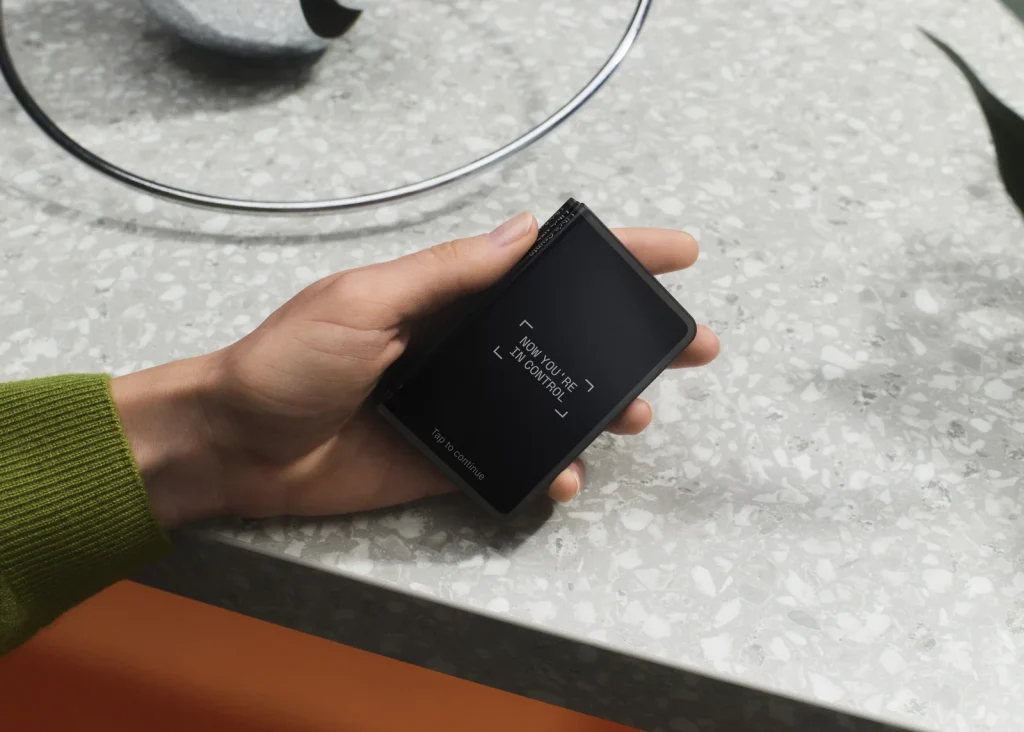
The Ledger Stax ($399) is Ledger’s flagship, designed by Tony Fadell of iPod fame: a curved 3.7-inch E Ink touchscreen, Qi wireless charging, Bluetooth, and magnetic stacking if you own several. The screen is the real feature. Reading a full receiving address or contract call on one display beats squinting at a two-line screen, and clear verification is real security value, not just luxury.
Be clear about what the premium buys, though. The Stax uses the same class of secure element as Ledger’s $59 Nano S Plus, so you are paying for the experience, not extra cryptographic protection. The E Ink display also refreshes noticeably slower than a phone screen, and Ledger’s own Flex delivers most of the same experience at $249. Best for: design-conscious users who verify transactions often and want the nicest tool for it. Look elsewhere if: you are value-focused. A Nano Gen5 or Flex gets you the touchscreen benefits for less.
Read our in-depth Ledger Stax review before you decide whether it is the right wallet for you.
Key Features: | |
|---|---|
| Secure element (CC EAL5+) | It offers top-tier protection to keep your private keys offline and safe. |
| Curved E ink touchscreen | Always-on display that combines sleek design with easy, touch-based navigation. |
| Bluetooth & USB-C | Connect wirelessly or via cable for maximum flexibility with phones and computers. |
| Wireless charging | Supports Qi wireless charging and offers long-lasting battery life. |
| Supports 5,500+ Cryptos & NFTs | Manage a wide range of digital assets, including tokens and Ethereum-based NFTs. |
| Compatible with Ledger Live & MetaMask | Use Ledger Live for daily management or connect securely to Web3 apps via MetaMask. |
| Custom lock screen | Personalize the device with your image on the lock screen. |
| Slim, stackable design | Modern form factor designed to stack and carry easily |
Ledger Stax
Secure your digital assets with the Ledger Stax, featuring a customizable curved E Ink® touchscreen and top-tier security
How To Choose the Best Crypto Hardware Wallets
1. Security Model (e.g., Airgap, Open-Source, Certifications)
Security comes first. Look for wallets with a Secure Element chip (CC EAL5+), built to protect your private keys from both online and physical attacks.
For the highest level of protection, consider an air-gapped wallet. It never connects to the internet and communicates only by QR code, which makes a remote hack close to impossible. Wallets with open-source firmware add transparency: independent experts can read the code and confirm it does what the maker claims.
Finally, check whether the wallet meets industry certifications and security standards. Certification shows the device has been tested by someone other than the company selling it.
2. Verified User Reviews and Community Feedback
User reviews tell you what a spec sheet cannot: how easy a wallet is to live with, how reliable it is, and how it performs day to day. Favor wallets with consistently positive feedback, especially from experienced users. Forums, social media groups, and crypto communities are good places to look.
Watch for repeated complaints or praise about security, app compatibility, and customer service. The community’s collective experience can steer you away from problems and toward a wallet that fits your needs.
3. Firmware Updates & Development
Keeping your wallet’s firmware updated is essential for security and performance. In 2026, top wallet makers continue to release updates that block new threats and add support for the latest coins and apps. Regular updates fix vulnerabilities before attackers can use them.
Before you buy, make sure the manufacturer is committed to ongoing development, ships timely updates, and gives clear instructions for keeping your device secure.
4. Multi-Coin and NFT Support
Check how many cryptocurrencies and tokens a wallet supports, especially if you hold a mix of assets. Look for support for Bitcoin and Ethereum as well as altcoins, DeFi tokens, and NFTs. Broad support means one device covers your whole portfolio, secure and within reach.
If you collect NFTs, make sure the wallet supports Ethereum-based NFTs, and ideally other chains too, so you can store, view, and manage your collectibles directly from the device.
5. Company Reputation and Track Record
Favor established brands with a strong track record for security and reliability. Check how long the company has been in business, its customer service reputation, and any past security incidents, including customer-data breaches like the ones Ledger suffered. A wallet from a proven brand is more likely to have been tested thoroughly, meet industry security standards, and receive long-term support.
A reliable brand also means timely updates, steady improvements, and responsive customer service if something goes wrong.
Looking for the best wallet for TRON (TRC20)? Read our full guide to the best TRC20 wallets.
FAQ
What is a crypto wallet?
A crypto wallet is a digital app or physical device that lets you store, send, and receive cryptocurrency. It protects your private keys, the credentials that control your coins. Wallets come as hot wallets and cold wallets, and as hardware, software, and paper wallets, each with its own balance of security and convenience.
What is the most secure wallet for crypto?
Hardware wallets, along with paper wallets, are more secure than software wallets, also known as hot wallets. They keep your private keys offline, out of reach of hacks and online threats. Buy from the official website and keep your recovery phrase safe and private.
Is Trezor better than Ledger?
Both are well-established hardware wallet brands with different strengths. Trezor is open-source and easy to use. Ledger uses a certified secure chip and offers a sleek design. Choose based on what matters most to you: security model, supported coins, and usability.
Are hardware wallets 100% safe?
No wallet is 100% safe, but hardware wallets offer the highest level of security for most users. Your private keys stay offline, so a hacker cannot reach your funds remotely. The biggest remaining risks are losing your recovery phrase or handing it to a scammer.
Which hardware wallet supports the most chains?
The SafePal S1, Ledger Nano S Plus, and Ledger Stax support thousands of coins across major blockchains, including Bitcoin, Ethereum, Solana, and BNB Chain, plus altcoins, DeFi tokens, and NFTs. For the broadest coverage, pick a wallet that supports multiple chains and receives regular updates.
Final Thoughts
Keeping your crypto safe in 2026 matters more than ever. A hardware wallet is the most reliable way to protect your digital assets, because your keys never touch the internet.
If you’re new to crypto, the Ledger Nano S Plus is a great place to start. It’s simple, secure, and easy to use. If you hold a wide mix of coins and NFTs, the Trezor Model T offers excellent multi-coin support.
If maximum security is the goal, the Keystone 3 Pro is fully air-gapped and ideal for cold storage. On a budget? The SafePal S1 offers strong protection for under $50. Want something sleek and powerful? The Ledger Stax pairs premium design with a large, readable screen.
All five keep your private keys offline and away from hackers and scams, and all five support thousands of coins, NFTs, and DeFi apps. Whichever you choose, buy from the official store, write down your recovery phrase, and never share it with anyone. Choose smart, stay secure, and keep control of your crypto.
How I review: Reviewed by Andrei B. I buy the hardware wallets I review, test every product myself and score it on security, UI/UX, ease of use, price and supported coins. Before I publish, I also check recent user reviews and any hack reports.
The whole process is explained on the How We Review page. You can read more about me, or contact me with corrections, from the links at the bottom of this page. For general safety advice, see the FTC guide to cryptocurrency scams.