The first wallet you set up has a lot to do with whether you’ll ever lose coins through a simple slip. The good ones won’t let you wander past the backup screen, and they put the fee in front of you before anything is sent. I wrote this for people pulling crypto off an exchange for the first time, or shopping for a first hardware wallet.
There are six picks. Three are free apps, and three are hardware wallets priced at $69.90 or less. I took every price, fee and feature from the vendors’ own pages in September 2026, and if you’re not sure yet that you need a wallet at all, our piece on keeping crypto in a wallet versus on an exchange is a better first stop.
For most beginners I’d pick Exodus. It’s free, and it runs on a laptop and a phone.
Want your keys offline from the start? Then I’d go with the Trezor Safe 3.

Table of contents
The 6 beginner wallets side by side
Half the list is hot wallets. That just means apps, with the keys sitting on a phone or computer that’s online. The rest are hardware wallets: little gadgets that hold your keys offline and approve each transaction on the device.
Crypto Wallets for Beginners Compared | |
|---|---|
| Exodus | Good if you want the same wallet on a laptop and a phone. The app costs nothing, and Exodus takes no cut when you send; a swap can carry a spread. Some of the code is open, some isn’t. |
| Trust Wallet | Good if you live on your phone and hold coins on lots of chains. It’s free and reaches 100+ blockchains. The Wallet Core library is open source, but the apps aren’t. |
| Coinbase Wallet | Good if you already buy through Coinbase. No charge for the app, though a swap can cost up to 1%. Its smart wallet contracts are public. |
| Tangem Wallet | Good if a paper seed phrase makes you nervous. It’s $59.90 for 2 cards or $69.90 for 3 at the time of writing (September 2026). The app is open source; the card firmware isn’t. |
| Trezor Safe 3 | Good as a first hardware wallet with an open design. It sells for $59 at the time of writing (September 2026). Keys get an EAL6+ secure element. |
| Ledger Nano S Plus | Good if you’re on a desktop or Android and want Ledger. It sells for $59 at the time of writing (September 2026). Ledger calls its software 95% open source or open for review, and iPhones aren’t supported. |
1. Exodus: the one I’d start most beginners on
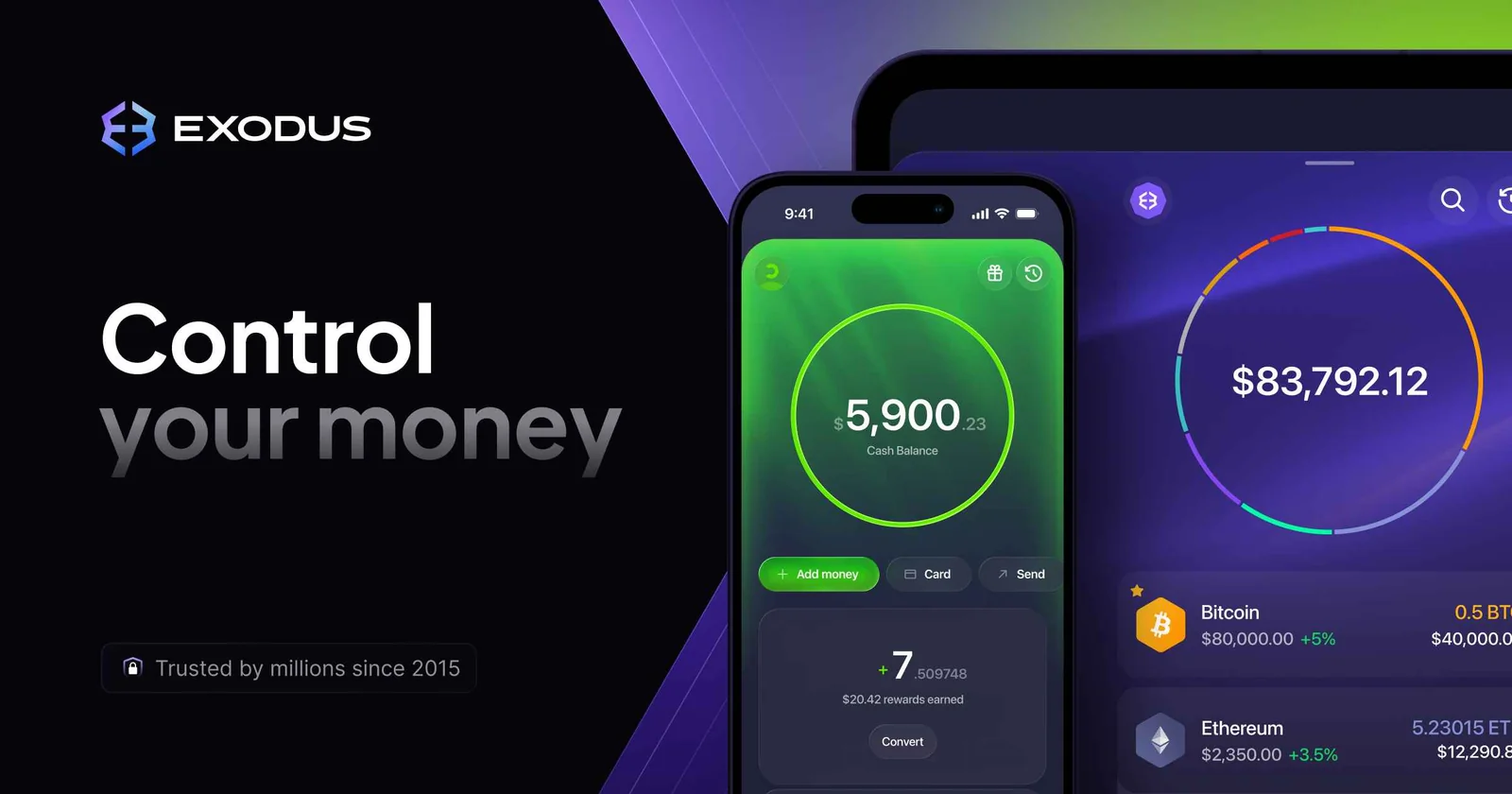
Exodus is a free wallet where you keep the keys, so the company has no way to touch your coins. It’s been around since 2015. The company trades publicly on the NYSE as EXOD.
You’ll find it for macOS, Windows, Linux, iOS and Android, and there’s a browser extension too, called Exodus Web3 Wallet. What sold me for this list is how well it lets you grow. You begin with a 12-word secret key on a phone or laptop, and later you can hook up a Trezor on Exodus Desktop, or a Ledger Nano X or Ledger Flex on Exodus Mobile.
If Atomic Wallet is also on your shortlist, the Exodus and Atomic Wallet head-to-head sets the two side by side.
The knowledge base puts support at 50+ crypto networks.
What Exodus does well
- Exodus doesn’t take anything when you send or receive. The network fee is the only cost, and it all goes to the network.
- Third-party providers handle swaps, with rates that Exodus says begin as low as 0.5%.
- On mobile, a passkey can back up your secret key, which then sits encrypted in iCloud or Google Drive.
- Trezor devices plug into Exodus Desktop. The Ledger Nano X and Ledger Flex pair with Exodus Mobile by Bluetooth.
- The secret key stays encrypted on your own machine. Lose it and Exodus can’t get it back for you.
There’s one incident I’d want you to know about. ReversingLabs reported in April 2025 that a malicious npm package had tampered with copies of Exodus desktop already installed on some machines, so they swapped the address you were sending to.
The official installers were clean. That’s the whole reason to get Exodus only from exodus.com. If you’d like more detail, our Exodus wallet review goes through the app properly.
2. Trust Wallet: my pick if your phone is your computer
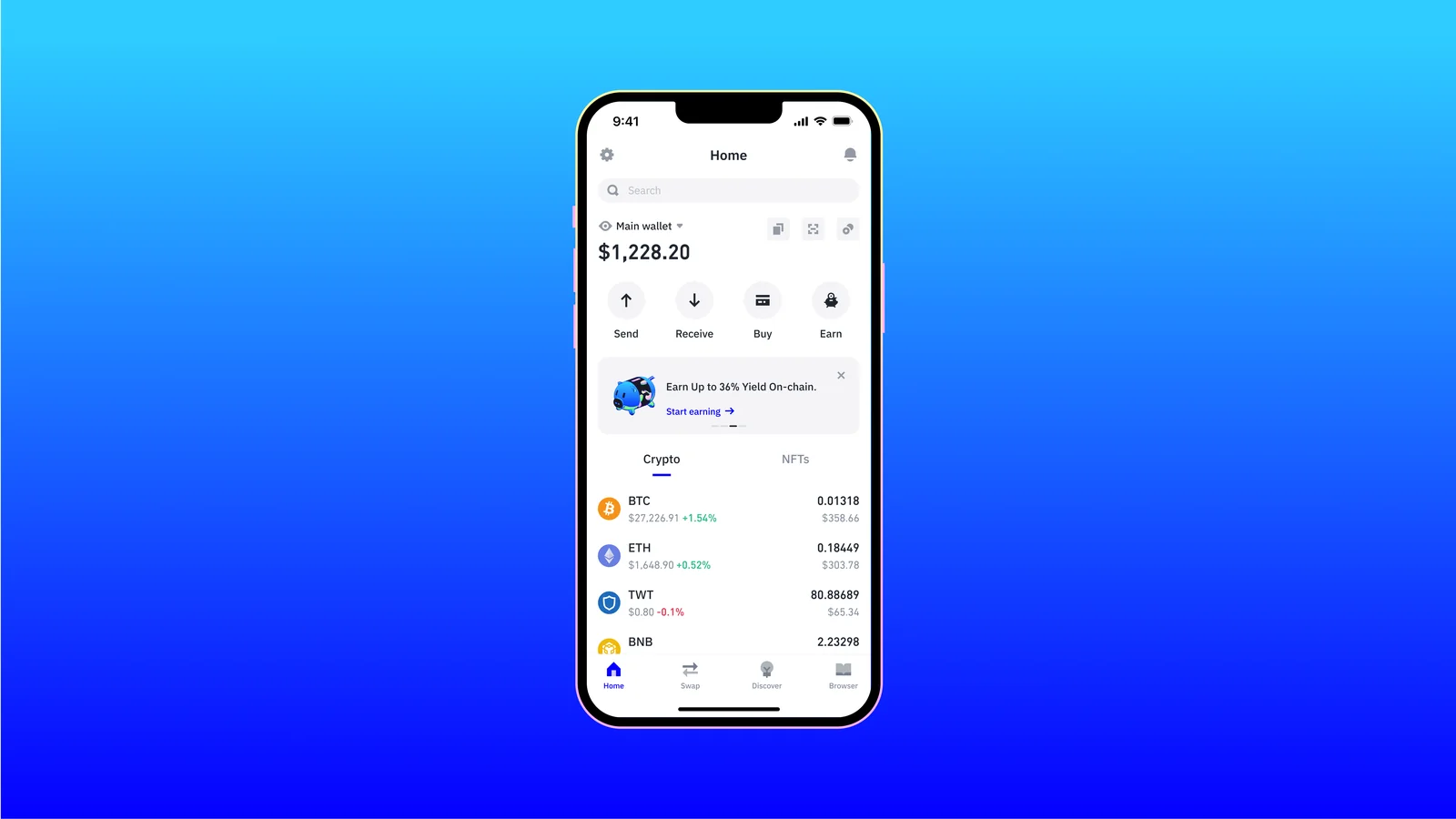
Trust Wallet dates from 2017. It’s free, you hold the keys, and it runs on iOS and Android, plus a browser extension for desktop. There’s no account to open.
Keys stay on your phone, locked behind encryption, biometrics and a PIN. Reach is why it’s here. With 100+ blockchains supported, you’re covered when somebody sends you a token on a chain you’ve never come across, and Trust Wallet’s site lists ratings of 4.7 on the App Store and 4.6 on Google Play.
What Trust Wallet does well
- You get a 12-word recovery phrase that brings the wallet back on any device. Without it, nobody can rescue your funds, Trust Wallet included.
- According to Trust Wallet, it adds no service fee of its own to swaps. What you pay is network gas plus whatever the outside provider charges.
- Its security page mentions warnings about scams before you sign, Encrypted Cloud Backups, and a way to connect a hardware wallet.
- A-LIGN has verified its ISO/IEC 27001 and ISO/IEC 27701 certifications.
- Buying crypto inside the app goes through partners like MoonPay, Banxa and Transak.
My biggest reservation is December 2025. On December 24, 2025 a malicious version 2.68 of the extension landed in the Chrome Web Store, and Trust Wallet later counted 2,520 drained addresses holding about $8.5 million.
People using the mobile app weren’t hit. Trust Wallet decided to pay victims back. To see how it compares with the other big name, read our MetaMask vs Trust Wallet comparison.
If you want the whole story on this app, our Trust Wallet review goes into it in more depth.
3. Coinbase Wallet: the easy next step for Coinbase customers
Coinbase Wallet comes from the people who run the Coinbase exchange, and it spent a year called the Base app before the old name returned in September 2026. Don’t mix it up with your Coinbase account. It’s a separate app that keeps the keys on your phone, and you can use it with no Coinbase account at all.
If you already buy on Coinbase, this is the gentlest way to start holding your own keys. Link the account and you can buy or shift assets across. Those moves happen on-chain, so you’ll pay normal network fees.
What Coinbase Wallet does well
- Setup gives you a 12-word recovery phrase that Coinbase never sees.
- That phrase can go to iCloud or Google Drive, encrypted under a password that only you hold.
- Ethereum, Base, Bitcoin, Solana, Arbitrum, Optimism, Polygon and BNB Chain come set up already.
- DEX aggregators carry out swaps, and each one costs a fee of up to 1%.
- Downloading the app or the Chrome extension doesn’t cost anything.
Before sending a thing, look at the network list. Coinbase says the classic wallet shut down on August 15, 2026, and Litecoin, XRP and zkSync Era are among the networks the app no longer shows.
Coins sitting on those networks still belong to you. You’d just have to import the recovery phrase into a different wallet to get at them. Our explainer on custodial vs non-custodial wallets covers how an exchange account differs from an app like this.
For more on setup, fees and which networks are left, see our Coinbase Wallet review.
4. Tangem Wallet: a hardware wallet you can run with no seed phrase
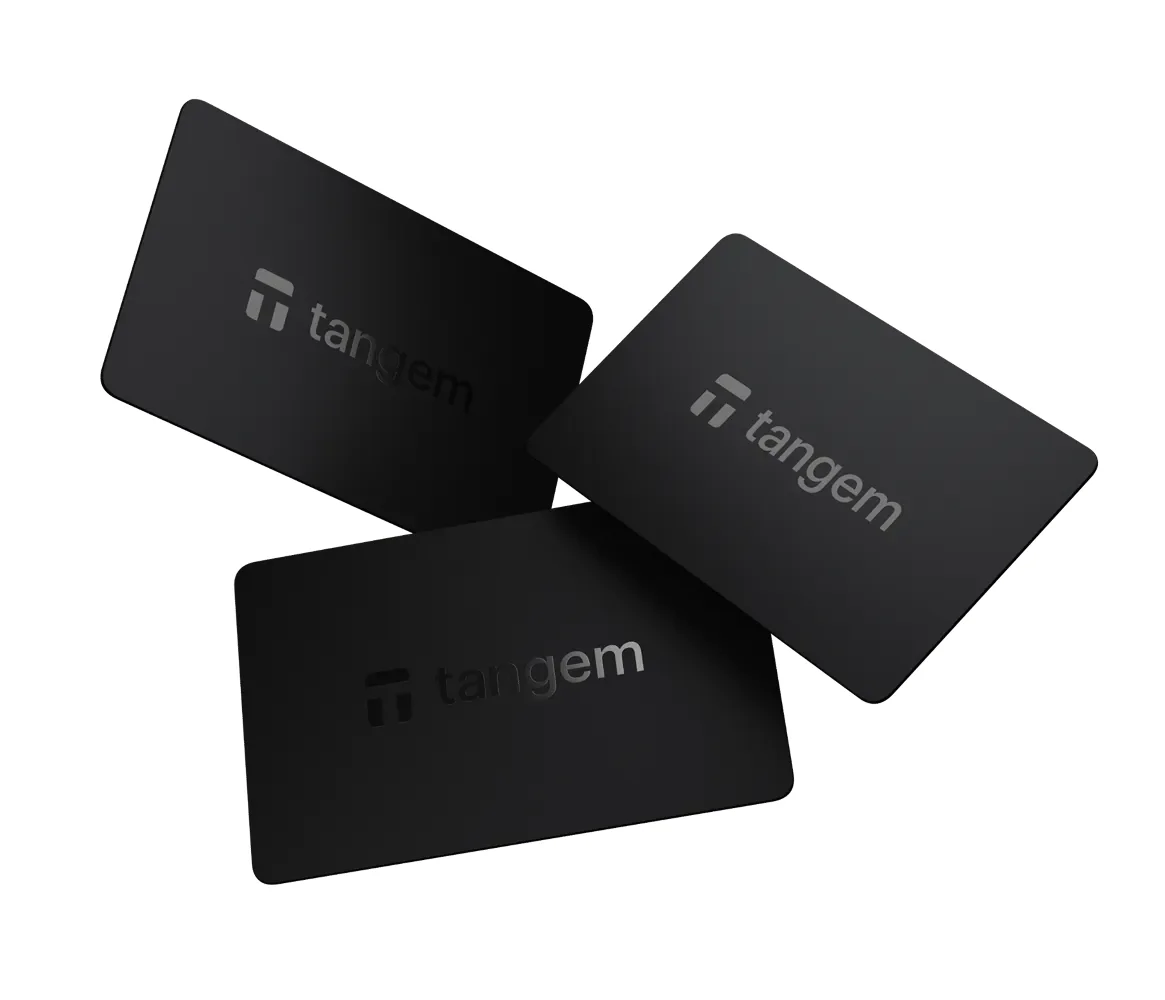
Tangem Wallet looks like a bank card. There’s no screen and no battery.
You check the transaction in Tangem’s phone app, then tap the card on the phone to sign it over NFC. At the time of writing (September 2026), 2 cards cost $59.90 and 3 cost $69.90.
I included it because it cuts out the part beginners fumble most. Set it up seedless and there aren’t 24 words to snap a photo of, misplace or forget in a drawer. Each card in the pack carries the same key, so any one of them backs up the rest.
What Tangem does well
- According to Tangem, the card works with 14,100+ tokens on 90 blockchains.
- Its chip carries EAL6+ certification, and the card has an IP69K rating against water and pressure.
- The hardware comes with a 25-year limited warranty.
- Prefer a seed phrase anyway? You can pick 12 or 24 words while setting it up.
- Tangem publishes the app’s code on GitHub.
Be careful with backups here. You only get one chance to copy the key onto backup cards, and a new card can’t join an existing wallet later.
I’d keep one card at home and another somewhere else entirely. Tangem is blunt about it: lose every device and the money’s gone.
The trade-offs against a device with a screen are laid out in Tangem versus Ledger side by side.
For a closer look at the cards themselves, see the Tangem Wallet review.
5. Trezor Safe 3: where I’d start with hardware
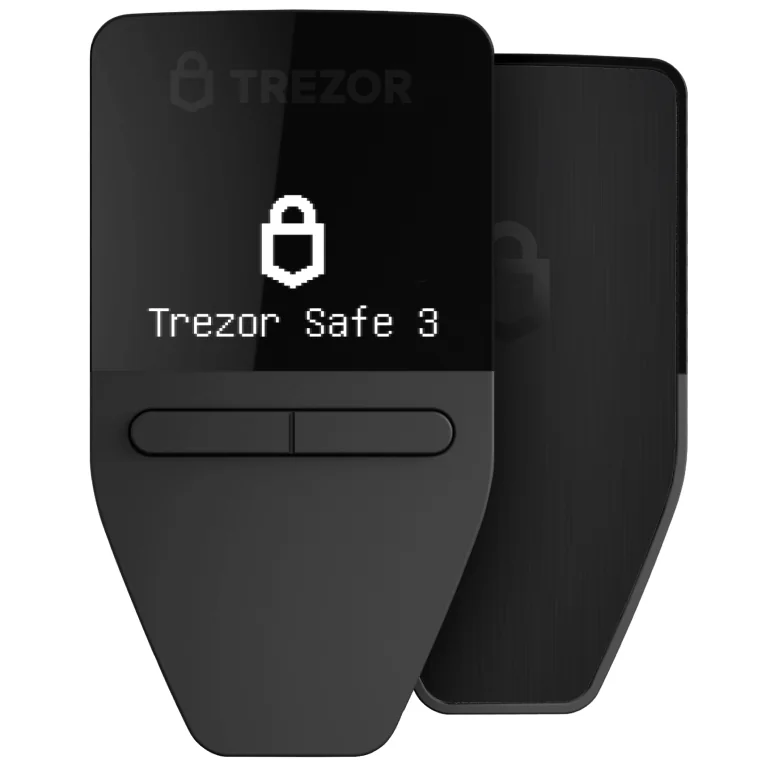
The Trezor Safe 3 is a tiny USB-C device with two buttons and a 0.96-inch monochrome screen. At the time of writing (September 2026) it’s $59. It has no battery, so it only powers on while it’s plugged in.
Here you get a certified EAL6+ secure element and Trezor’s open-source design for an entry-level price, which is exactly why it’s on my list. Trezor reckons setup in the Trezor Suite app takes around 15 minutes. In the box you’ll find two cards for writing your 20-word wallet backup on.
What the Trezor Safe 3 does well
- If the device gets stolen, the EAL6+ secure element helps guard your keys.
- You type the PIN and passphrase on the Trezor, not on your computer.
- Trezor’s own claim is support for thousands of coins and tokens.
- There’s a Bitcoin-only edition at the same $59.
- Exodus Desktop can use it too. That means you could begin in Exodus and bring the Trezor in later.
Two things give me pause. Trezor’s security portal notes that Ledger Donjon, the research team at Ledger, got around some of the Safe 3’s supply chain countermeasures, in a report dated November 12, 2024.
On top of that, a shipping provider leaked Trezor customers’ contact details, which Trezor disclosed on 13 August 2026. It says devices and backups stayed safe.
There’s more on this device by itself in our Trezor Safe 3 review.
Torn between the two big brands? Our Ledger vs Trezor comparison lays it out.
6. Ledger Nano S Plus: a cheap Ledger, if you don’t use an iPhone
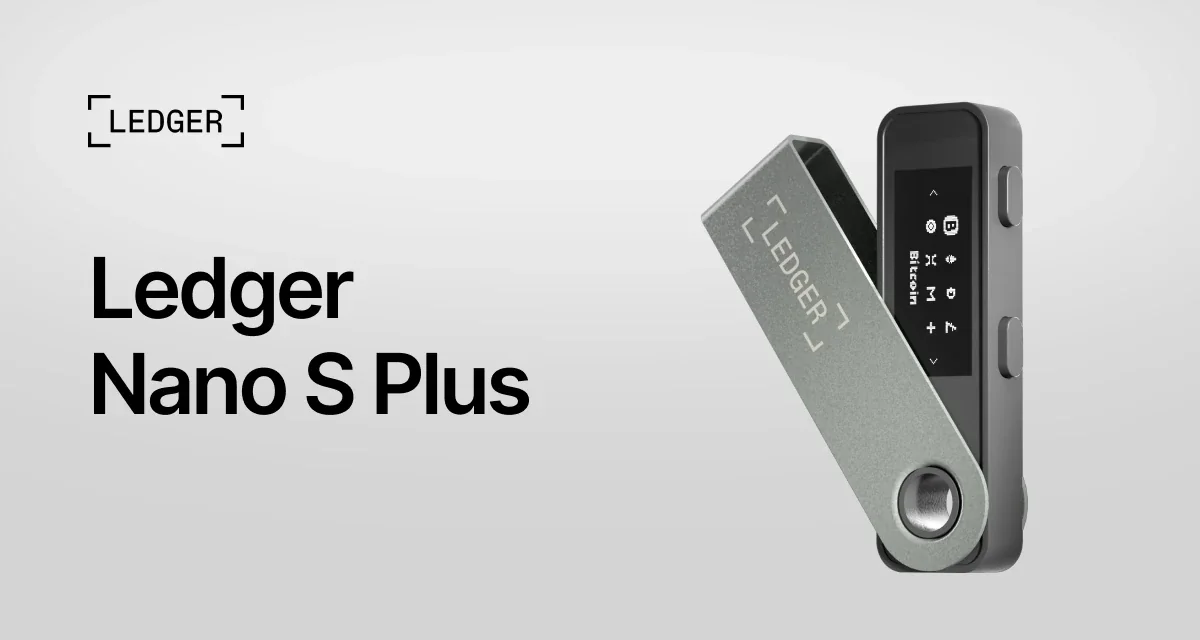
Ledger’s classic USB-C model, the Ledger Nano S Plus, sells for $59 at the time of writing (September 2026). Inside is an ST33K1M5 secure element with CC EAL6+ certification, and the screen is 128 x 64 pixels. You run it from the Ledger Wallet app on a desktop or an Android phone.
Asset coverage and Ledger’s app got it onto the list. Ledger quotes 15,000+ crypto assets and room for up to 100 apps at a time, depending on how big they are.
The catch is phones. Ledger says outright that the Nano S Plus doesn’t work with iOS devices.
What the Ledger Nano S Plus does well
- During setup you get a 24-word Secret Recovery Phrase to copy onto the sheets that come in the box.
- Your PIN runs from 4 to 8 digits, and you enter it on the device.
- If you want it, Ledger Recover is a backup subscription for $9.99 a month, and it asks you to verify your ID.
- By Ledger’s count, 95% of its software is open source or available for review.
On an iPhone, I’d point you to the Ledger Nano X. It’s $99 at the time of writing (September 2026), and it has Bluetooth. Our Ledger Nano S vs Nano X comparison sorts out how the family differs.
Worth knowing too: Ledger customer data got out in 2020, and again via a payment partner in January 2026. Ledger says no device or funds were touched either time.
Our Ledger Nano S Plus review covers this model on its own.
How I picked these crypto wallets for beginners
Keeping your coins safe
You hold the keys with every wallet on this list, so no vendor can lock or shift your coins. I went through each company’s history of incidents too, and how openly it owned up to them.
All three hardware picks rely on certified secure element chips.
Which coins they handle
Almost no beginner needs thousands of coins. Still, you don’t want to outgrow a wallet within a month, and every pick handles Bitcoin and Ethereum. Where there are holes, like Coinbase Wallet losing Litecoin and XRP, I’ve pointed them out.
How easy they are day to day
I leaned toward wallets that guide you through the backup and put fees on screen before you confirm. Phones counted as well. That’s why the Nano S Plus loses points for not working on an iPhone.
What they cost
You pay nothing for the three apps. None of the hardware costs more than $69.90.
With the software wallets I looked at swap fees, because swaps are how most apps earn their money.
Backups and getting back in
Once a backup is gone, you can’t take that mistake back. For small sums I treated cloud and passkey backups as a point in a wallet’s favor, and for hardware I did the same with backup cards in the box. It’s also why Tangem’s seedless setup earned a place of its own.
How much of the code is open
When code is public, outside researchers can check what a wallet really does with your keys. Trezor goes furthest of anything here.
Exodus, Trust Wallet, Tangem and Ledger only open up part of theirs, and each section above spells that out.
Which crypto wallet fits your situation?
Just curious and starting small? Grab a free app such as Exodus or Trust Wallet. Put the recovery phrase on paper, then try a tiny transfer first.
Torn between those two? Exodus vs Trust Wallet compares them.
If you already buy through Coinbase and want to hold your own keys, Coinbase Wallet gets you there fastest. Just make sure the network you need is still on its list.
Holding enough that losing it would hurt? Get a hardware wallet, and get it straight from the maker’s store: a Trezor Safe 3 if you use a computer, or a Ledger Nano X if an iPhone is non-negotiable.
For more expensive devices, there’s our roundup of the best crypto hardware wallets.
Scared of losing a paper backup? With Tangem’s cards you can skip the seed phrase, provided the backup cards live in different places.
Whichever one you choose, get this into your head before the first transfer, because it’s the rule that costs beginners the most. Send crypto to a wrong address, or over the wrong network, and the funds are gone for good, with nobody able to undo it.
Our explainer on what a wallet address is helps. So does a small test send.
Questions beginners ask
Which crypto wallet is simplest to start with?
A free app, for most people. Exodus and Trust Wallet cost nothing, and each hands you a 12-word recovery phrase to copy onto paper.
Should a beginner buy a hardware wallet right away?
No. It starts to make sense once your balance is more than you’d be fine losing. When you get there, the Trezor Safe 3 and Ledger Nano S Plus are each $59 at the time of writing (September 2026).
I lost my recovery phrase. Now what?
If the phone or device is gone as well, so are the funds. Exodus, Trust Wallet and Coinbase each say they have no way to recover it for you.
Can I trust an iCloud or Google Drive backup of my phrase?
Exodus, Trust Wallet and Coinbase Wallet all offer encrypted cloud backups, and they’re handy if a phone goes missing. Just don’t forget the backup password on Coinbase, because without it you can’t reach your funds.
Will one wallet hold both Bitcoin and Ethereum?
Yes. All six here do.
Do crypto wallets cost money?
Downloading the apps is free. Sending still costs a network fee, and a swap may add a spread or a provider’s fee, while hardware wallets are something you pay for up front.
Where I’d land
Begin with Exodus or Trust Wallet for free, then step up to hardware like the Trezor Safe 3 as the balance climbs. Coinbase Wallet makes sense if you’re already a Coinbase customer. Tangem is for anyone who hates the idea of a paper backup, and the Nano S Plus is for desktop and Android users who like Ledger’s app.
If it comes down to those two budget devices, a Nano S Plus versus Safe 3 breakdown lays out the trade-offs.
If it comes down to Trust Wallet or Coinbase Wallet, Trust Wallet vs Coinbase Wallet sets them side by side.
Your habits count for more than the brand you pick. Keep the recovery phrase on paper, don’t ever enter it on a website, and push a small test amount through before anything big.
Ready for that first move? Our walkthrough on how to send Bitcoin to another wallet takes you through it.
This article is for general information only and is not financial, legal, or investment advice. Prices and features change; check the vendor’s official page before buying.
How I review: Reviewed by Andrei B. I buy the hardware wallets I review, test every product myself and score it on security, UI/UX, ease of use, price and supported coins. Before I publish, I also check recent user reviews and any hack reports.
The whole process is explained on the How We Review page. You can read more about me, or contact me with corrections, from the links at the bottom of this page. For general safety advice, see the FTC guide to cryptocurrency scams.