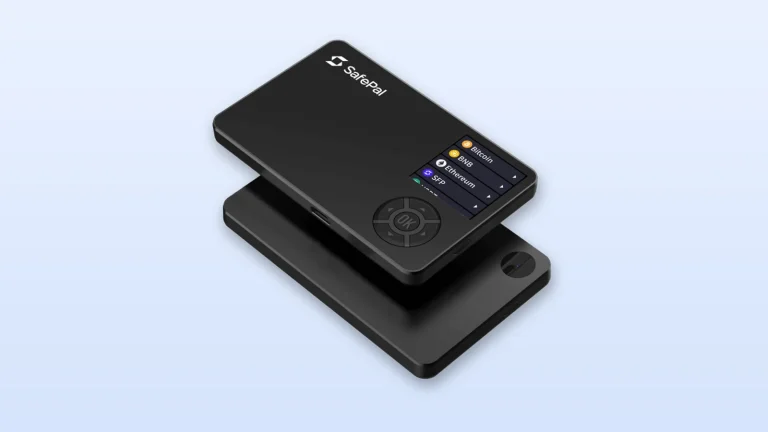
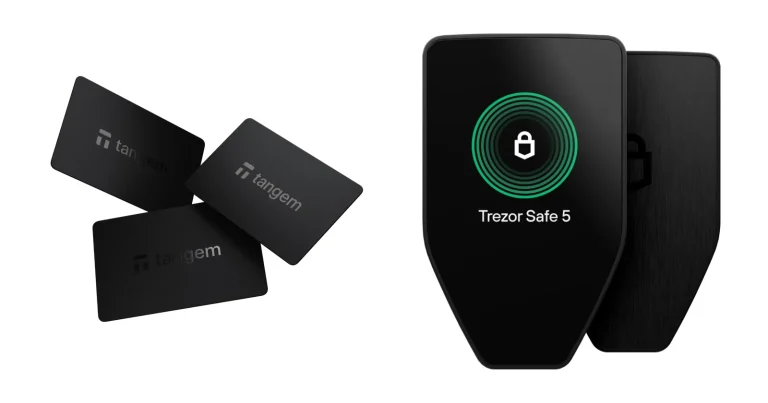
Trezor’s cheapest current wallet is the Safe 3, and one thing shapes everything about it: an EAL6+ certified secure element sitting inside a stripped-back, two-button body that sells for $59 at the time of writing (September 2026).
Who’s it for? Anyone getting coins off an exchange who doesn’t fancy paying flagship money, and anyone whose crypto mostly sits still. Give it a miss if long DeFi approvals are part of your week, if you want to tap a screen, or if your crypto life happens on an iPhone, because that 128 x 64 pixel window and Trezor’s thin iOS support will grind you down.
We’ll go through the hardware, the security design (including what Ledger’s researchers turned up in November 2024), the assets it handles, the price, the setup in order, and when it’s worth spending more elsewhere.
The Trezor Safe 3 is the entry-level hardware wallet from SatoshiLabs, with two buttons, a small monochrome screen and a certified secure element.
Once it arrives, the Trezor Safe 3 setup guide walks through the first boot and the backup.
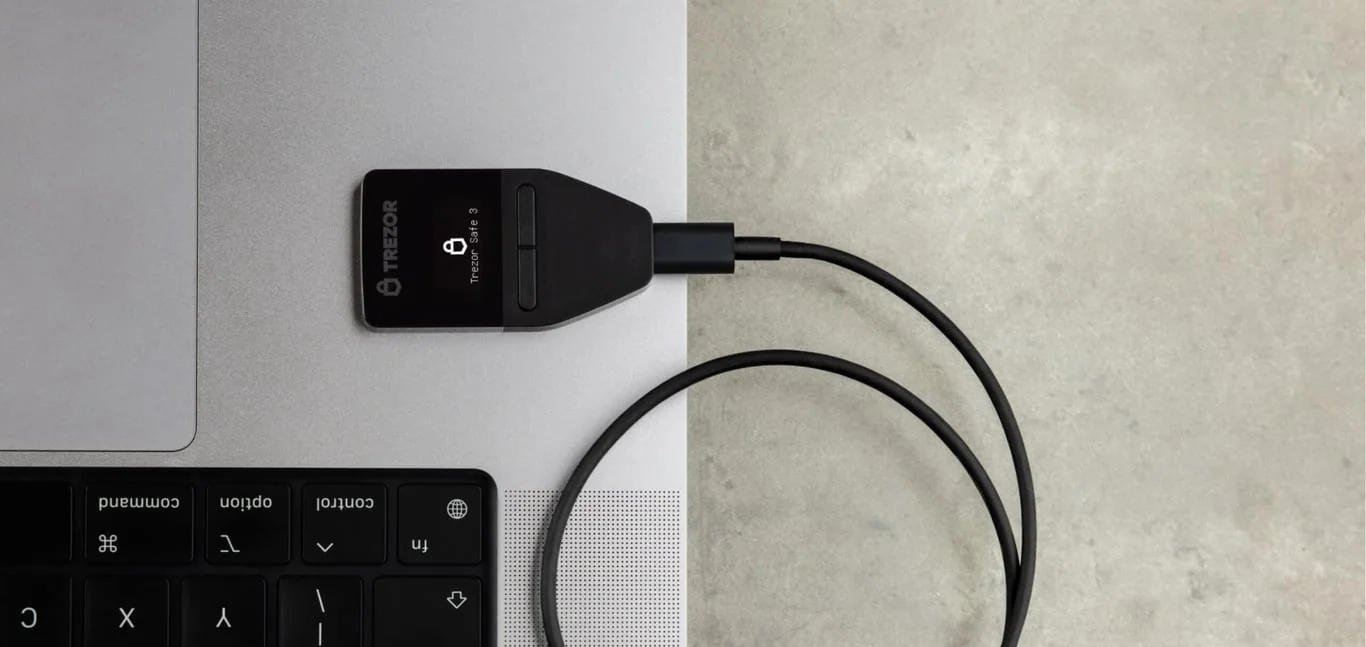
Table of contents
So What Exactly Is the Trezor Safe 3?
Picture a USB-C stick a bit smaller than a house key. Trezor, the Prague company inside the SatoshiLabs group, put it on sale on October 12, 2023. Today it’s $59 at the time of writing (September 2026), and you can pick between Cosmic Black, Solar Gold, Stellar Silver and Galactic Rose.
Here’s the job it does. Your private keys, the secret numbers that let anyone move your coins, live on this offline gadget instead of your laptop or handset. The Safe 3 makes them, holds them, and does the signing itself, so your computer never handles anything more sensitive than a transaction that’s already been approved.
The Model One came before it and is now retired. Trezor’s own page puts it warmly: “The Trezor Model One is no longer sold, but its spirit lives on in the Trezor Safe 3.” So this is where the current range starts, underneath a $129 Safe 5 and a $249 Safe 7.
Still holding the older device? Our Trezor Model One review deals with that one.
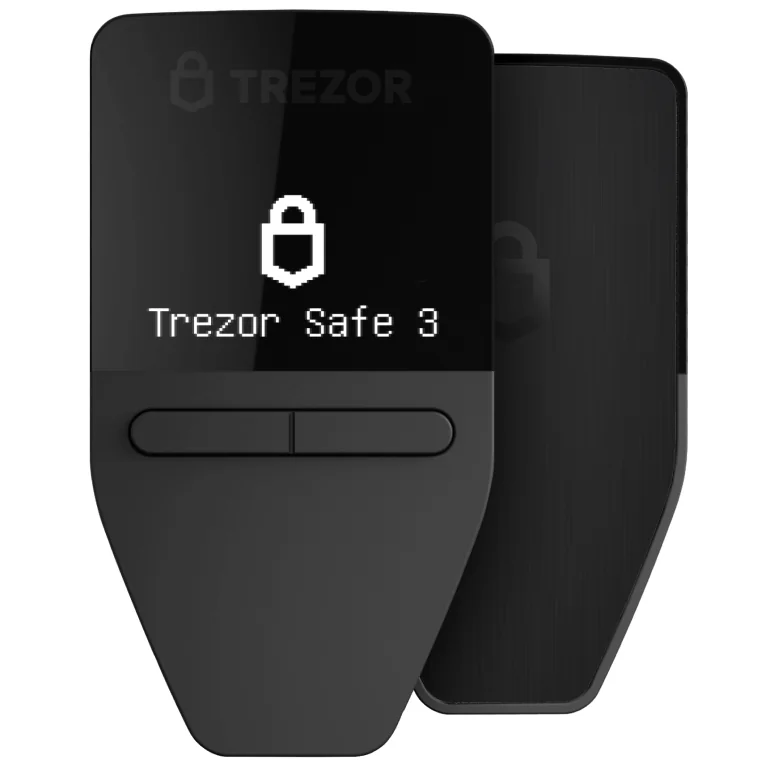
Trezor Safe 3 at a Glance | |
|---|---|
| <strong>What it costs</strong> | $59 at the time of writing (September 2026). The Bitcoin-only version is priced identically |
| <strong>Screen and size</strong> | A 0.96 inch mono OLED running 128 x 64 pixels, driven by two buttons <br> It measures 59 x 32 x 7.4 mm and weighs 14 g |
| <strong>How it connects</strong> | A USB-C cable, and nothing else. There is no radio, no memory card slot and no battery inside |
| <strong>Chip and where keys live</strong> | An OPTIGA Trust M (V3) carrying Common Criteria EAL6+ certification. Your keys stay encrypted on the main chip, and the secure element hands over the unlock secret only when the PIN is right |
| <strong>Can you read the code?</strong> | Trezor advertises "Open-source security and design", and says bolting on the secure element didn’t cost it that |
| <strong>What it holds</strong> | Trezor’s wording is "Supports 1000s of coins & tokens". Bitcoin, Ethereum, XRP, Litecoin, Cardano and Dogecoin are all named |
| <strong>Ways to back up</strong> | Word lists of 12, 20 or 24, or SLIP39 Multi-share Backup that splits into anything from 1 to 16 shares |
| <strong>Software you’ll use</strong> | Trezor Suite, on the desktop and on a phone. MetaMask, Rabby and Exodus also talk to it |
| <strong>Who we’d point at it</strong> | People buying a first hardware wallet, and long-haul holders who want a certified chip without spending much |
What the Trezor Safe 3 Actually Gives You
- That OPTIGA Trust M (V3) holds a Common Criteria EAL6+ certificate, which means a thief with your device needs far more money and skill than they used to.
- Nothing leaves the wallet until your thumb says so, because the two buttons are the only way to approve a transfer. Malware sitting on your machine can’t press them.
- With Multi-share Backup you can break the recovery words into as many as 16 pieces and set how many are needed. Lose one card in a fire and you haven’t lost the wallet.
- Add a passphrase, up to 50 characters, and a completely separate hidden wallet opens instead. This is the feature you’d want if someone were standing over you demanding the PIN.
- Trezor Suite throws in coin control, so you pick exactly which coins get spent, plus Tor routing that keeps your balance checks away from whoever supplies your internet.
- FIDO2 is in there too, which turns the wallet into a physical login key for normal websites. Not bad for $59.
Living With It: Is the Trezor Safe 3 Easy Enough for Beginners?
Set aside 15 minutes. That’s Trezor’s own estimate, and for somebody taking it slowly the first time, it’s about right. Suite marches you through firmware, then the wallet, then the backup, then the PIN, in that order, using buttons written like a human wrote them: “Set up my Trezor”, “Create a new wallet”.
After that, the routine is short. Plug it in, punch in the PIN, read the address off the little screen, then send. Because there’s no battery, the thing is dead until a computer wakes it, which is one fewer charger to think about and the reason it’ll never live in your pocket.
Where it grates is that display and those buttons. A 0.96 inch panel at 128 x 64 pixels feeds you a Bitcoin address a few characters at a time, and a fat contract call takes considerably longer. Entering the PIN means scrolling the shuffled grid with two buttons and squeezing both to lock in a digit.
It works, but it never feels quick.
Then there’s the phone question, which is the bigger catch. Suite exists for both iOS and Android, yet an iPhone paired with a Safe 3 will only show you balances and let you buy and receive.
To sign anything beyond that, Trezor says you need Suite on a desktop. Run your money from an iPhone and this isn’t a quibble, it’s a wall.
Trezor Safe 3 Security: What That Chip Does and Doesn’t Do
Inside sits an OPTIGA Trust M (V3), certified at Common Criteria EAL6+. Trezor is careful in how it describes the chip’s job, and your keys are not kept in it. What happens is that setting a PIN causes the device to mint a secret which then lives in the secure element, and that secret plus your PIN together encrypt the keys held over on the main chip.
Type the right PIN and the chip hands the secret over. Type the wrong one 16 times and it destroys the secret instead, resetting the device and taking the wallet with it. Nowhere in that process does the chip keep a copy of your PIN, which can be anywhere from 4 digits long to 50.
Why bother adding a chip at all? Trezor’s answer is short: “Added protection against physical attacks was one of the most requested features.” Earlier wallets went without one because every suitable part came wrapped in a non-disclosure agreement, which sat badly with a company that publishes its designs. This part carries no NDA, and Trezor’s line is that it arrived “in such a way that we do not compromise the open source nature of the Trezor Safe 3.”
Here’s the bit a review can’t skip. Trezor’s security portal carries an entry called “Donjon’s Trezor Safe 3 evaluation”, published on November 12, 2024. Researchers at Ledger Donjon, working for Trezor’s fiercest competitor, went over the Safe family and, per Trezor’s own summary, “successfully reused a previously known attack to demonstrate how some countermeasures against supply chain attacks in Trezor Safe 3 can be bypassed.”
The same page notes that the “Trezor Safe 5 is not affected because it uses a more recent microcontroller designed to be more resilient to similar attacks.” Read it for what it is. Nobody is reaching your Safe 3 down a wire; this is about who touched the box before you did.
Order from Trezor or a listed reseller and the finding shrinks to a footnote. Take a “sealed” one off a marketplace and you’re betting your savings on a stranger’s honesty.
One more thing happened at the company level. ShipMonk, the logistics firm Trezor uses, had someone get into systems holding customer order records. Trezor spotted it on August 10, 2026, went public on August 13, 2026, then broadened the notice on September 4, 2026 once it emerged that old orders from November 2019 through August 2021 were caught up in it too.
What leaked was names, emails, phone numbers and delivery addresses. According to Trezor, “our systems were not compromised, and your Trezor device is secure”, and nothing touched private keys or wallet backups. So the danger is a convincing email, not a drained wallet, and the company’s warning is worth repeating: “Never share your wallet backup or type it in online.”
Everything else on the security side looks after itself. Break into the casing and it shows, by design. During setup you run a Secure Element authenticity check, which is Trezor’s way of proving the unit genuinely came from them and hasn’t been meddled with.
Want the broader brand argument? We laid it out in our Ledger vs Trezor comparison.
Which Coins Can You Keep on a Trezor Safe 3?
On the product page the phrase is “Supports 1000s of coins & tokens”, which tells you almost nothing. Dig into the FAQ and you get names: Bitcoin, Ethereum, Ethereum Classic, Litecoin, XRP, Bitcoin Cash, Dogecoin, Zcash, Cardano, “and thousands of other tokens”.
Anyone buying mainly for DOGE can look through the Dogecoin wallet roundup first.
No headline number ever appears. We’d call that admirably careful and mildly irritating in equal measure.
Go to the supported coins page, where you can narrow the list by model, and give it five minutes before parting with $59. Ether shows up on 44 networks and USDC on 24, so anyone parked in the EVM world is fine.
Small trap ahead. A few assets carry the note “Some Trezor models” rather than a clean yes, meaning the coin you came for might want newer hardware. Switch the filter to Trezor Safe 3 and believe that, not the marketing line.
Whatever Suite won’t do, an outside app probably will. Trezor’s compatibility list runs to MetaMask, Rabby, Exodus, Backpack, Rainbow, Ronin Wallet, Jupiter, 1inch, OKX, Safe, Nightly and NuFi, all marked as working with every Trezor model. Between them they handle nearly all DeFi and NFT activity, provided you’re happy squinting at approvals on a screen this size.
Thinking of pairing the device with Backpack? Read the full Backpack wallet review before you connect it.
Solana users weighing Backpack against the more familiar option can read the head-to-head of Phantom and Backpack before choosing.
If you’re choosing between two of those apps, MetaMask vs Rainbow compares them.
MetaMask is the most common pairing, and how to connect Trezor to MetaMask shows the setup.
Planning on MetaMask specifically? Cross-check it against our roundup of the best hardware wallets for MetaMask.
Trezor Safe 3 Price, and What Else You’ll End Up Buying
Straight from Trezor, you’ll pay $59 at the time of writing (September 2026). Want the Bitcoin-only build, whose firmware ignores everything except Bitcoin? Same money.
Open the box and you’ll find the wallet, a USB-C to USB-C cable, a pair of 20-word backup cards, a start-up guide and some Trezor stickers. Nothing is billed monthly, and Suite costs nothing to run.
Line the family up and this is clearly the bargain end. Stepping to the Safe 5 adds $70 and lands at $129; the Safe 7 asks $249. Ledger’s answer, the Ledger Nano X, is $99, so $40 dearer than this.
Leave room in the budget for storing the backup, though. Card stock burns, and ink fades.
Trezor’s Keep Metal 20-word plate runs to $99, which is more than the wallet you’re protecting, so a lot of owners go for a cheaper steel plate. Either way, those words have to outlast a house fire.
Order it from Trezor’s own store, or from a name on Trezor’s reseller list, which covers Alza in a handful of European markets and certain Amazon storefronts. We’re not being fussy for the sake of it, since the Donjon work described above is precisely a supply chain issue. If it turns out wrong for you, there’s a 15 calendar day window from delivery to ask for a swap or your money back.
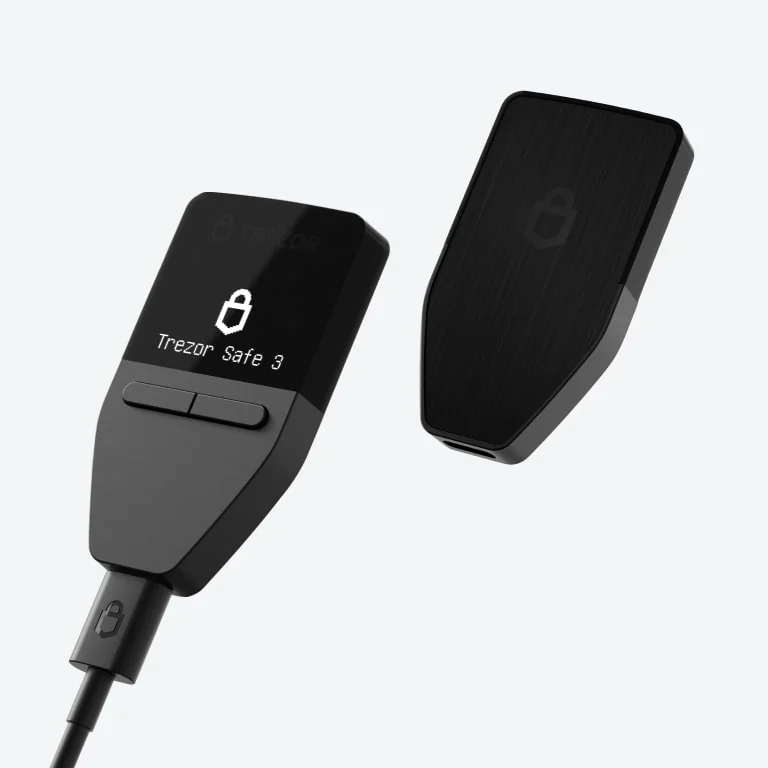
Trezor Safe 3 Pros and Cons, Side by Side
Weigh those against each other and most buyers come out ahead here. The certified chip is the one fitted to the $129 Safe 5, as are the backup and passphrase tools, and you’re paying under half.
What you give up is comfort, and not one bit of protection.
Setting Up a Trezor Safe 3, Step by Step
One rule outranks everything below. The backup words are the wallet, full stop. Trezor’s instruction is to never enter your backup anywhere except directly on the Trezor device itself, because fake apps and lookalike websites exist purely to get you typing those words somewhere else, and the moment you do, the money can walk.
Sending has its own version of that rule. Get the address wrong, or pick the wrong network, and those coins are simply gone. No support desk anywhere can pull them back.
- Grab Trezor Suite from trezor.io/start, install it, and connect the Safe 3 using the cable in the box. Suite checks the device and puts a “Set up my Trezor” button on screen.
- Decide between Standard and Bitcoin-only firmware, hit “Install firmware”, and let it run. Holding nothing but Bitcoin? The Bitcoin-only build simply puts less code on the device.
- Press “Start” for the Secure Element authenticity check. This is the moment a tampered unit gets caught, because the check proves the hardware really came from Trezor untouched.
- Run the “Know your Trezor” tutorial or jump past it with “Skip” and then “Continue”. On a first Trezor we’d sit through it, since it drills the two-button controls into you.
- Hit “Create a new wallet” and settle on a backup style. Anything built in 2023 starts at 12 words while 2024 stock and newer starts at 20, and a 20-word backup can become Multi-share down the line.
- Copy the words onto the cards provided, keeping the order exactly, then answer the device when Suite asks you to confirm a few. A keyboard must never come near this.
- Tap “Set PIN” and dial in somewhere between 4 and 50 digits: scroll to a number with the buttons, squeeze both to take it. Steer clear of runs like “12345” or anything a stranger could guess from your paperwork, then finish with “Go to Dashboard”.
With the dashboard open, push through a tiny test transfer before trusting it with real money. On phones, Trezor’s written guide covers Android, where the prompts read “Let’s get started”, “Get started” and “Hold to continue”.
Doing this on other hardware? The shape is much the same in our Ledger Nano X setup guide.
Trezor Safe 3 Alternatives Worth a Look
Trezor Safe 5, the Touchscreen Upgrade
Pay $129, which is $70 above the Safe 3, and the two loudest complaints go away. A 1.54 inch color touchscreen at 240 x 240 pixels arrives behind Gorilla Glass 3, and there’s a microSD slot on board. Underneath, it’s the same OPTIGA Trust M (V3), so nothing changes about the baseline protection.
Trezor also puts it on record that the newer microcontroller in the Safe 5 sidesteps the weakness Ledger Donjon showed off on the Safe 3. Sign things regularly, or find that research hard to shake, and your $70 is buying something you can point at. There’s more detail in our Trezor Safe 5 review.
Ledger Nano X, for Phone People
For $99 the Nano X solves exactly the weakness that hurts the Safe 3 most. There’s a battery in it and Bluetooth 5.2, which means running your holdings from a handset with no cable in sight. Its chip, an ST33J2M0, is rated CC EAL5+, a rung under the EAL6+ part in the Trezor.
You give something up in exchange, and it’s openness. Where Trezor puts its design out for anyone to pick over, Ledger keeps its firmware shut.
Nor does the Nano X rescue you from tiny text, since its screen is also 128 x 64 pixels. The whole story sits in our Ledger Nano X review.
Trezor Safe 7, the Expensive One
Arriving October 21, 2025 at $249, this is the top of the range. You get a 2.5 inch color touchscreen at 520 x 380 pixels, Bluetooth 5.0+, charging without a cable, and two secure elements rather than one. It’s also the Trezor whose iOS support in Suite is complete.
Costing over four times what the Safe 3 does, it makes sense for big balances or people constantly transacting. If that’s your situation, our list of the best crypto cold wallets puts it up against the other high-end options.
Questions People Ask About the Trezor Safe 3
Is a Trezor Safe 3 actually safe?
Mostly, though where you buy matters. It runs an OPTIGA Trust M (V3) secure element rated Common Criteria EAL6+, erases itself once 16 PINs come back wrong, and puts every transaction on its own display for you to approve. The asterisk is Ledger Donjon’s November 2024 work, which got around some of the model’s supply chain countermeasures, so order from Trezor or a listed reseller and don’t skip the Secure Element authenticity check when you set it up.
What does a Trezor Safe 3 cost?
$59, buying straight from Trezor, at the time of writing (September 2026). Choosing the Bitcoin-only version changes nothing about the price. For context, that sits $70 under the Trezor Safe 5 at $129 and $40 under the Ledger Nano X at $99.
Which coins will a Trezor Safe 3 hold?
Thousands, by Trezor’s own description, with Bitcoin, Ethereum, Ethereum Classic, Litecoin, XRP, Bitcoin Cash, Dogecoin, Zcash and Cardano called out by name. There’s no exact figure anywhere, and a portion of the entries on the supported coins page are flagged as working on only certain models. Run the filter on Trezor Safe 3 first if a particular asset is why you’re buying.
Will a Trezor Safe 3 pair with MetaMask?
It will. MetaMask sits on Trezor’s list of outside apps that work across every Trezor model, next to Rabby, Exodus, Rainbow, Backpack, 1inch, OKX and Safe. Approvals still happen on the wallet itself, and doing that through 128 x 64 pixels takes patience.
I’ve lost my Trezor Safe 3. Now what?
Nothing is stored on the device, since your holdings sit on the blockchain, so a fresh Trezor plus your backup words rebuilds the wallet. Whoever picks up the old one runs into your PIN, and 16 failed tries make the secure element destroy its secret and wipe everything. All of that assumes the words are somewhere safe and were never typed into any computer or phone.
Does a Trezor Safe 3 work with an iPhone?
Partly, and that’s the frustrating answer. On iOS, Suite will show balances and handle buying and receiving, but Trezor says signing anything else needs Suite on a desktop. Android is a different story and works fully. The Safe 7 is the model to get if iOS support is what you’re after.
Should I pick the Trezor Safe 3 over a Model One?
That choice has been made for you, because the Model One is retired and Trezor now sends buyers to the Safe 3. The newer wallet brings the EAL6+ chip, a USB-C port and Multi-share Backup with it. Anyone still using a Model One isn’t in danger, mind you: Trezor promises maintenance through at least 2031 and critical security fixes through at least 2036.
Is the Bitcoin-only edition worth choosing?
Only when Bitcoin is the whole portfolio. The price is that same $59, and the firmware understands Bitcoin alone, so there’s less code sitting on the device for anyone to attack. Own anything besides Bitcoin and the standard edition is the one you want.
Our Verdict: Who Should Buy the Trezor Safe 3
Get one if it’s your first wallet of this kind, if your coins mostly sit rather than move, and if $59 is the figure in your head. The chip, the Multi-share Backup and the passphrase support all match hardware selling for double. And if being able to look at the code matters to you, Trezor’s openness beats Ledger outright.
Look elsewhere if complicated approvals fill your week, if the iPhone is where you manage everything, or if you’d rather have the newer microcontroller that the Donjon finding leaves alone. For those readers, spending $129 on the Safe 5 is money better used. Our one-liner: nothing else does more with $59, so long as it reaches you from Trezor or one of its listed resellers.
This article is for general information only and is not financial, legal, or investment advice. Prices and features change; check the vendor’s official page before buying.
How I review: Reviewed by Andrei B. I buy the hardware wallets I review, test every product myself and score it on security, UI/UX, ease of use, price and supported coins. Before I publish, I also check recent user reviews and any hack reports.
The whole process is explained on the How We Review page. You can read more about me, or contact me with corrections, from the links at the bottom of this page. For general safety advice, see the FTC guide to cryptocurrency scams.