NFTs get stolen differently than coins: almost never by a cracked device, almost always by a signature the owner approved without reading, such as a malicious “setApprovalForAll” buried in a fake mint. A hardware wallet fixes exactly that failure point. It forces every approval onto a screen malware cannot edit. This guide ranks the five best devices for NFT holders in 2026 and, more importantly, explains the approval habits that do most of the protecting.
Table of contents
Best NFT Hardware Wallets: Quick Comparison | |
|---|---|
| Ledger Nano X | The Best NFT Hardware Wallet Overall Security Rating: CC EAL5+ Secure Element Connectivity: Bluetooth & USB-C Mobile App: Ledger Live Display: OLED screen Backup: 24-word recovery phrase |
| Trezor Model T | Best Hardware Wallet for Advanced Users Security Rating: PIN & passphrase protection Connectivity: USB-C Mobile App: Trezor Suite Display: Color touchscreen Backup: Shamir Backup (optional) |
| Ledger Nano S Plus | Best Budget NFT Hardware Wallet Security Rating: CC EAL5+ Secure Element Connectivity: USB-C Mobile App: Ledger Live Display: OLED screen Backup: 24-word recovery phrase |
| SafePal S1 | Best Cold Wallet for Mobile Users Security Rating: Air-gapped, self-destruct feature Connectivity: QR code-based Mobile App: SafePal app Display: Small color screen Backup: 12/24-word recovery phrase |
| Ellipal Titan 2.0 | Best Air-Gapped Cold Storage Wallet Security Rating: Fully air-gapped, anti-tamper Connectivity: QR code-based Mobile App: Ellipal app Display: 4-inch touchscreen Backup: 12/24-word recovery phrase |
1. Ledger Nano X, Best Overall NFT Hardware Wallet
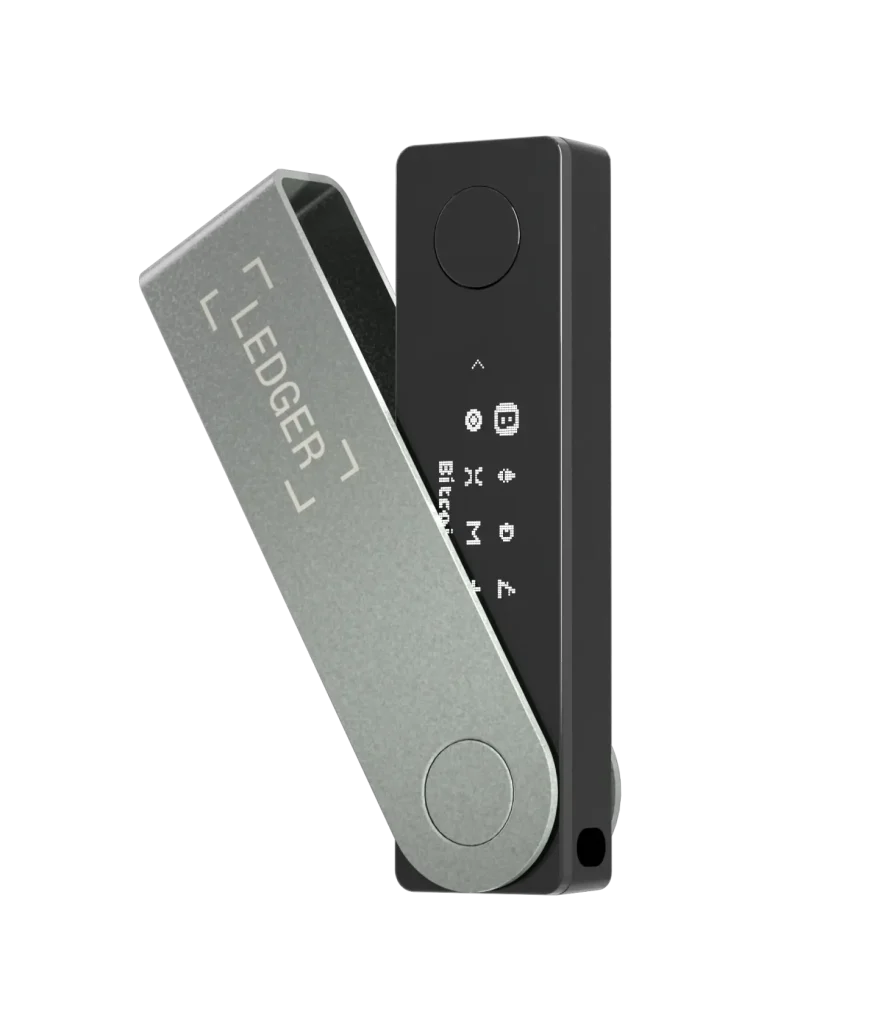
The Nano X ($99) pairs a certified secure element with Ledger Live’s built-in NFT gallery, where Ethereum and Polygon pieces show up natively. It connects to OpenSea, Blur, and any other marketplace through MetaMask or WalletConnect, over Bluetooth or USB-C. The small screen is the one real caveat for NFT use: contract details scroll past in fragments, so checking an approval takes patience.
It’s a strong balance of safety and convenience. New to Ledger? Our Ledger Nano X setup guide walks you through pairing the device, securing it, and installing the Ethereum and Polygon apps you need for NFT storage.
Key Features: | |
|---|---|
| NFT Support | Native NFT management in Ledger Live app with direct viewing and trading. |
| Storage Capacity | Install up to 100 apps simultaneously for maximum flexibility. |
| Blockchain Support | 5,500+ cryptocurrencies, including all major NFT blockchains. |
| Security Chip | CC EAL5+ certified Secure Element for military-grade protection. |
| Connectivity | Bluetooth and USB-C for mobile and desktop use. |
| Battery Life | 8+ hours of continuous use with rechargeable battery. |
| Third-party Integration | Works with Rarible, OpenSea, and Rainbow Me. |
| Recovery Options | 24-word BIP39 recovery phrase with PIN protection. |
Why We Choose It
Native NFT display in Ledger Live, painless MetaMask and WalletConnect pairing with every marketplace, and signing from your phone add up to the smoothest NFT workflow of the five. Your collection stays visible; your keys stay cold.
2. Trezor Model T, Best Hardware Wallet for Advanced Users
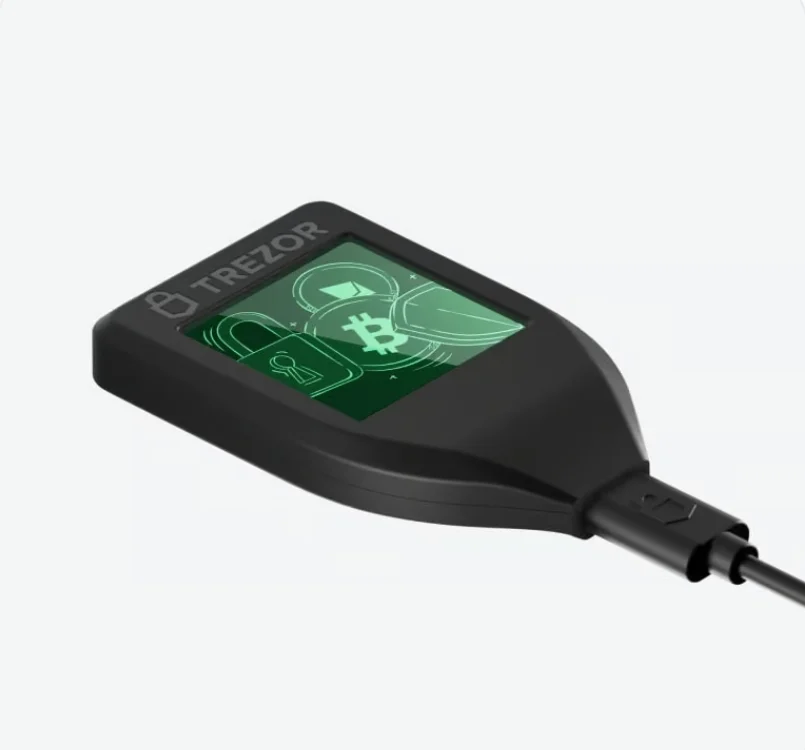
The Model T, which Trezor has now discontinued in favour of the Safe 5, routes NFT activity through MetaMask and third-party tools rather than showing pieces natively: less gallery, same protection. Its color touchscreen shows approval details more readably than any button-based wallet. Two notes on this older design: it has no secure element, so set a strong passphrase, and at this price Trezor’s own Safe 5 deserves a cross-shop.
It suits technical users who want to tune every part of their NFT security. For more detail, read our in-depth Model T review.
Key Features: | |
|---|---|
| NFT Integration | Compatible with MetaMask and 40+ third-party wallets |
| Display | 1.54″ color touchscreen for detailed transaction review |
| Security Features | PIN protection, passphrase, and optional Shamir Backup |
| Multi-chain Support | Supports Ethereum, Polygon, and other NFT blockchains |
| Recovery Options | Traditional 12/24-word seed or advanced Shamir Backup |
| Open Source | Fully open-source hardware and software |
| Privacy Protection | Built-in Tor network support for enhanced anonymity |
| Physical Security | Tamper-evident holographic seals |
Why We Choose It
Open-source firmware plus a touchscreen for reading what you sign makes it the transparency pick. The passphrase (essential on this hardware) also creates hidden wallets, so a grail collection can sit in a vault your everyday address never reveals.
3. Ledger Nano S Plus, Best Budget NFT Hardware Wallet
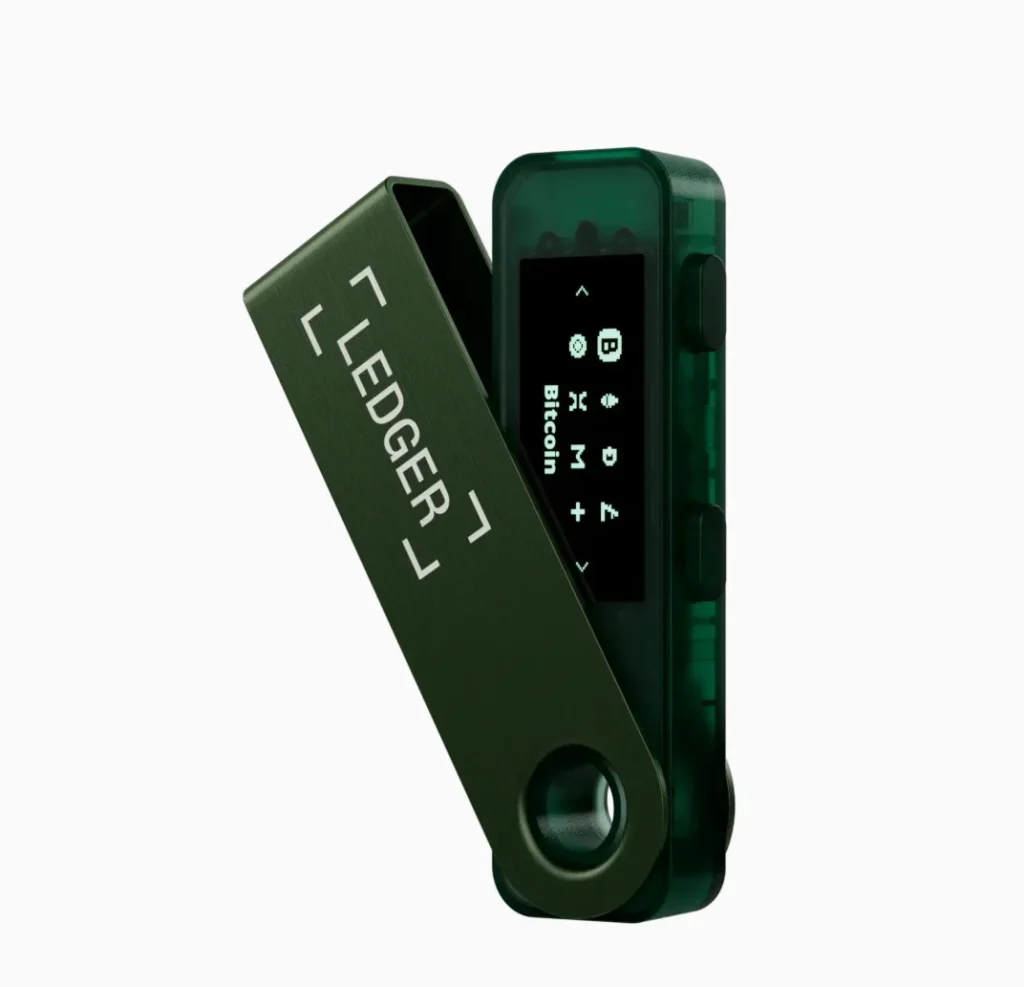
The S Plus delivers the full Ledger NFT stack (Live gallery, MetaMask pairing, secure element) without Bluetooth or a battery, for $59. If you mint and trade at a desk, nothing about the cheaper device is lesser. The savings are pure.
Key Features: | |
|---|---|
| Security Level | Same CC EAL5+ Secure Element as Nano X |
| Storage Capacity | Install 100+ apps (same as Nano X) |
| NFT Support | Full NFT management through Ledger Live |
| Blockchain Coverage | 5,500+ supported cryptocurrencies |
| Connectivity | USB-C connection (no Bluetooth) |
| Display | Clear OLED screen for transaction verification |
| Build Quality | Durable stainless steel and plastic construction |
| Recovery System | Standard 24-word BIP39 recovery phrase |
Why We Choose It
Same security chip and NFT support as the Nano X, for $59. For desk-based collectors, it’s the smart-money pick with no security compromise.
4. SafePal S1, Best Cold Wallet for Mobile Users
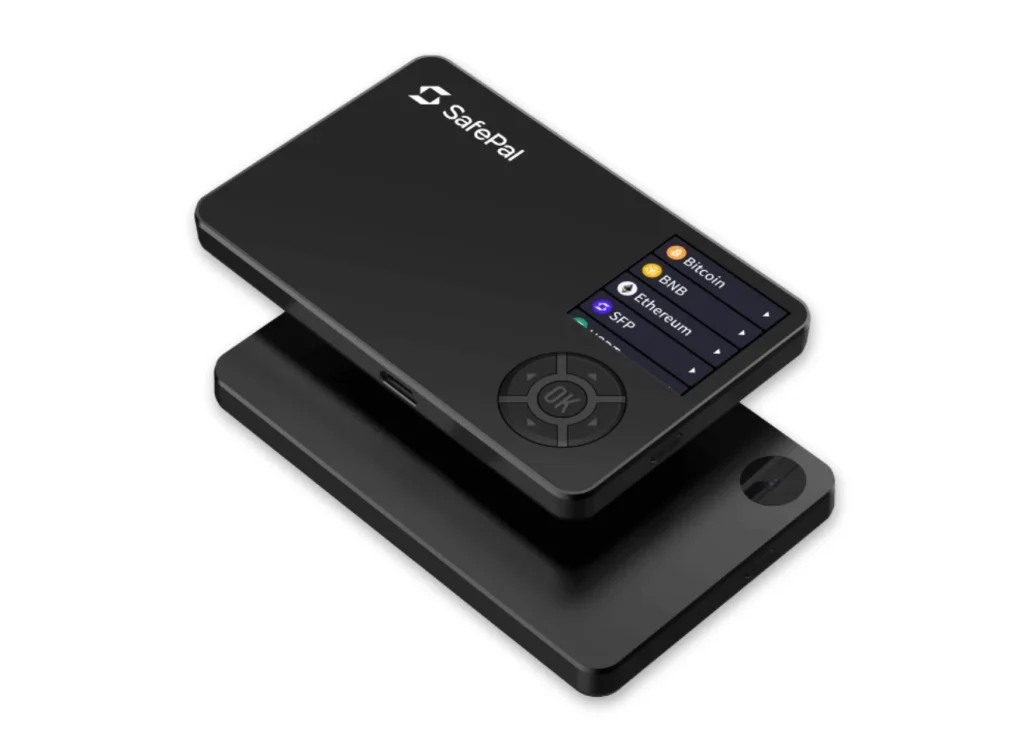
The SafePal S1 takes a different route to mobile NFT security: an air-gapped wallet design that talks to your phone only through QR codes. It suits mobile-first NFT traders who want strong security without being tied to a computer.
The S1 signs by QR code through the SafePal mobile app, with no cables and no radios. dApp and NFT access run through the app’s WalletConnect support. The small screen makes long contract data tedious to read, which matters more for NFT approvals than for simple sends. At this price, that trade is defensible for smaller collections.
Key Features: | |
|---|---|
| Air-Gap Technology | Never connects to the internet or any device. |
| QR Code Communication | Secure transaction signing via QR codes. |
| Self-Destruct Feature | Automatic data wipe after multiple wrong attempts. |
| Mobile Optimization | Explicitly designed for smartphone use. |
| Multi-blockchain | Supports 20+ blockchains, including all major NFT networks. |
| Battery Life | Rechargeable battery with weeks of standby time. |
| Security Features | PIN protection with tamper detection. |
| Wallet Integration | Works with the SafePal mobile app ecosystem. |
Why We Choose It
A true air gap at $49.99 puts hardware-grade approval checking within any collector’s budget. It’s the cheapest way to stop signing blind.
5. Ellipal Titan 2.0, Best Air-Gapped Cold Storage Wallet
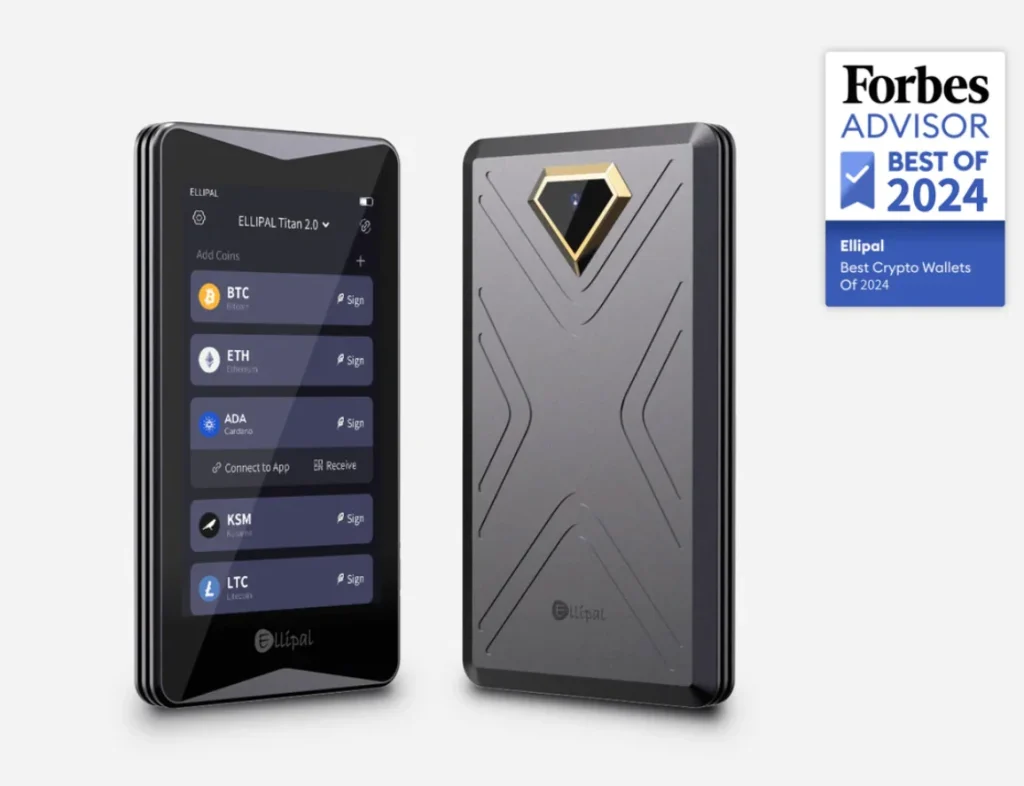
The Titan 2.0 (~$149–$169) combines a full air gap with the largest screen in this group: the best hardware for actually reading a setApprovalForAll before it reads your collection. NFT visibility and dApp access run through the ELLIPAL app. Dependence on that ecosystem, plus closed firmware, is the known trade-off.
Our ELLIPAL Titan 2.0 review looks at the device beyond NFTs.
Key Features | |
|---|---|
| Security Architecture | Fully air-gapped with no USB, Bluetooth, or Wi-Fi connectivity |
| Communication Method | QR code-based transaction signing and data transfer |
| Multi-Chain Support | Compatible with multiple NFT standards and blockchains |
| Mobile Integration | Works exclusively with the Ellipal mobile app ecosystem |
| Recovery Options | Standard 12/24-word seed phrase backup system |
| Battery Performance | Rechargeable battery with extended standby time |
| Physical Design | Premium build quality with a larger form factor |
| Network Isolation | Complete offline operation for maximum security |
Why We Choose It
The 4-inch screen shows full approval details at a glance. On an air-gapped device, that combination is exactly what NFT security asks for.
How to Choose the Best NFT Hardware Wallet for Your Needs
Five questions match the device to how you collect:
1. Compatibility With Popular NFT Platforms
Every marketplace that matters speaks MetaMask or WalletConnect, so the real question is how smoothly your device pairs with those. Ledger and Trezor pair without friction; QR-based wallets add a scan per action. Check your specific chains too: Solana and Bitcoin Ordinals collectors have shorter compatible lists.
Your wallet should work smoothly with the major NFT marketplaces, including:
- OpenSea;
- Rarible;
- Blur.
2. Support for Multiple Cryptocurrencies and Digital Assets
The right hardware wallet isn’t only for your NFTs; it should hold the rest of your crypto too. Look for crypto wallets that support:
- Major coins like Bitcoin and Ethereum;
- Altcoins and DeFi tokens;
- NFT standards like ERC-721 and ERC-1155.
NFT life spans chains: Ethereum for blue chips, Polygon and Base for mints, Solana for its own scene. Multi-chain support on one device saves you from a sprawl of second wallets. All five picks cover the EVM core; check anything beyond it before you buy.
3. User-Friendly Interface and Mobile Integration
Minting windows are short and gas is temperamental, so a clunky signing flow costs real drops. Mobile-capable devices (Nano X, S1, Titan) suit collectors who mint from anywhere; a desk-bound routine favors the S Plus. Look for:
- A clear interface you can navigate without a manual;
- A mobile app for managing your NFTs and crypto from your phone;
- Wireless or QR connectivity for signing away from a desk.
4. Backup and Recovery Options
Your NFTs live and die with the same seed as your coins. Back it up on steel, keep it offline, and add a passphrase so a leaked seed alone cannot move the collection. Approval hygiene protects against scams; backup hygiene protects against everything else. A good backup process is:
Our best steel seed phrase backups guide covers the plates worth considering.
- Easy to do, so you actually do it;
- Private and secure, never exposing your private keys.
5. Device Security and Encryption Standards
Secure elements (Ledger, SafePal, Ellipal) versus open-source designs (Trezor) is the same debate as ever. For NFTs specifically, weight the screen: the device you can actually read is the device whose approvals you will actually check. Beyond that, look for:
- Certified secure elements (hardware-level key protection);
- Strong encryption and secure boot;
- Tamper resistance and self-destruct mechanisms;
- Passphrase protection and duress PINs for emergencies.
Security Best Practices for NFT Hardware Wallets
The device is half the defense. These habits are the other half:
Buy Only from Trusted Sources
Buy from official stores or authorized resellers, always. A tampered wallet defeats everything downstream. A pre-filled recovery card or a broken seal means the device goes in the bin, not into service.
Never Share Your Seed Phrase
No mint, no airdrop, no “validation,” no support agent ever needs your phrase. Every request for it is theft in progress. The rule has no exceptions and never will.
Update Your Wallet Regularly
Firmware updates patch what researchers find. Apply them through the official app only, never through a link a website or DM offers.
Use Strong PINs and Extra Security
A solid PIN plus a passphrase turns device theft into an inconvenience instead of a loss. Hidden wallets let your everyday address and your vault live on the same hardware, separately.
Verify Transactions Carefully
The NFT-specific commandment: read every approval on the device screen. “setApprovalForAll” grants a contract power over your whole collection. That is legitimate on a real marketplace and catastrophic on a fake mint. If the device shows something the website did not mention, the device is telling the truth.
Keep a Low Profile
Public wallets with visible grails attract targeted phishing. Consider separating your flex address from your vault address, and assume anyone DMing you about your collection has already read your balance.
Separate Storage for Different Needs
Run two wallets: a hot or lightly funded address for mints and experiments, and the hardware vault for anything you would mourn. Touch unknown contracts only from the expendable one. Splitting your holdings this way is the cheapest security upgrade in NFTs.
FAQ
What Is an NFT Wallet?
An NFT wallet holds the private keys that prove you own your NFTs, and lets you view, manage, and transfer them. The tokens themselves live on the blockchain; the wallet controls the keys that move them.
How Do I Get an NFT Wallet?
Buy a hardware wallet or download a software wallet that supports NFTs. Ledger and Trezor are the best-known hardware options. Software wallets like MetaMask work too, but they keep your keys on an internet-connected device.
Can I Store All Types of Digital Assets on One Wallet?
Yes. Most NFT hardware wallets also hold cryptocurrencies and tokens. Just check that the wallet supports the chains and assets you want to keep.
Is Cold Storage Safer Than Hot Wallets?
Cold storage (hardware wallets) is generally safer because your private keys stay offline, out of reach of malware. Hot wallets (online wallets) are more convenient but carry more risk.
How Do I Recover NFTs if I Lose My Hardware Wallet?
Use your recovery seed phrase. Enter it on a new device and your NFTs and coins come back, because they were on the blockchain all along. Store that phrase safely and offline; it is the only way back in.
Final Thoughts
A hardware wallet is one of the simplest ways to protect your NFTs and the rest of your crypto.
Among our picks, the Ledger Nano X stands out for all-around performance and ease of use. If you’re a more advanced user, the Trezor Model T offers open-source firmware and a touchscreen for reading what you sign.
Looking for a budget option? The Ledger Nano S Plus gives you the same security as the Nano X at a lower price. Mobile users pick the SafePal S1 for its portable cold storage design, while the Ellipal Titan 2.0 is the choice if you want fully air-gapped security for your NFT assets.
Whether you’re a new or seasoned NFT collector, the right hardware wallet gives you confidence and peace of mind.
Take the time to compare these wallets. Whichever you choose, your keys stay on the device and under your complete control.
How I review: Reviewed by Andrei B. I buy the hardware wallets I review, test every product myself and score it on security, UI/UX, ease of use, price and supported coins. Before I publish, I also check recent user reviews and any hack reports.
The whole process is explained on the How We Review page. You can read more about me, or contact me with corrections, from the links at the bottom of this page. For general safety advice, see the FTC guide to cryptocurrency scams.