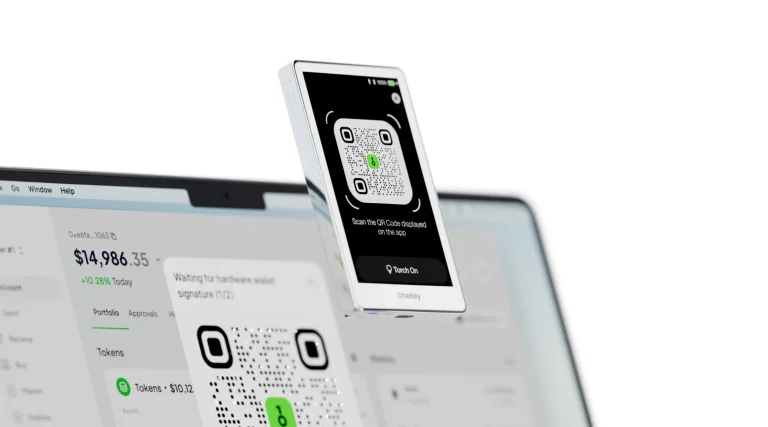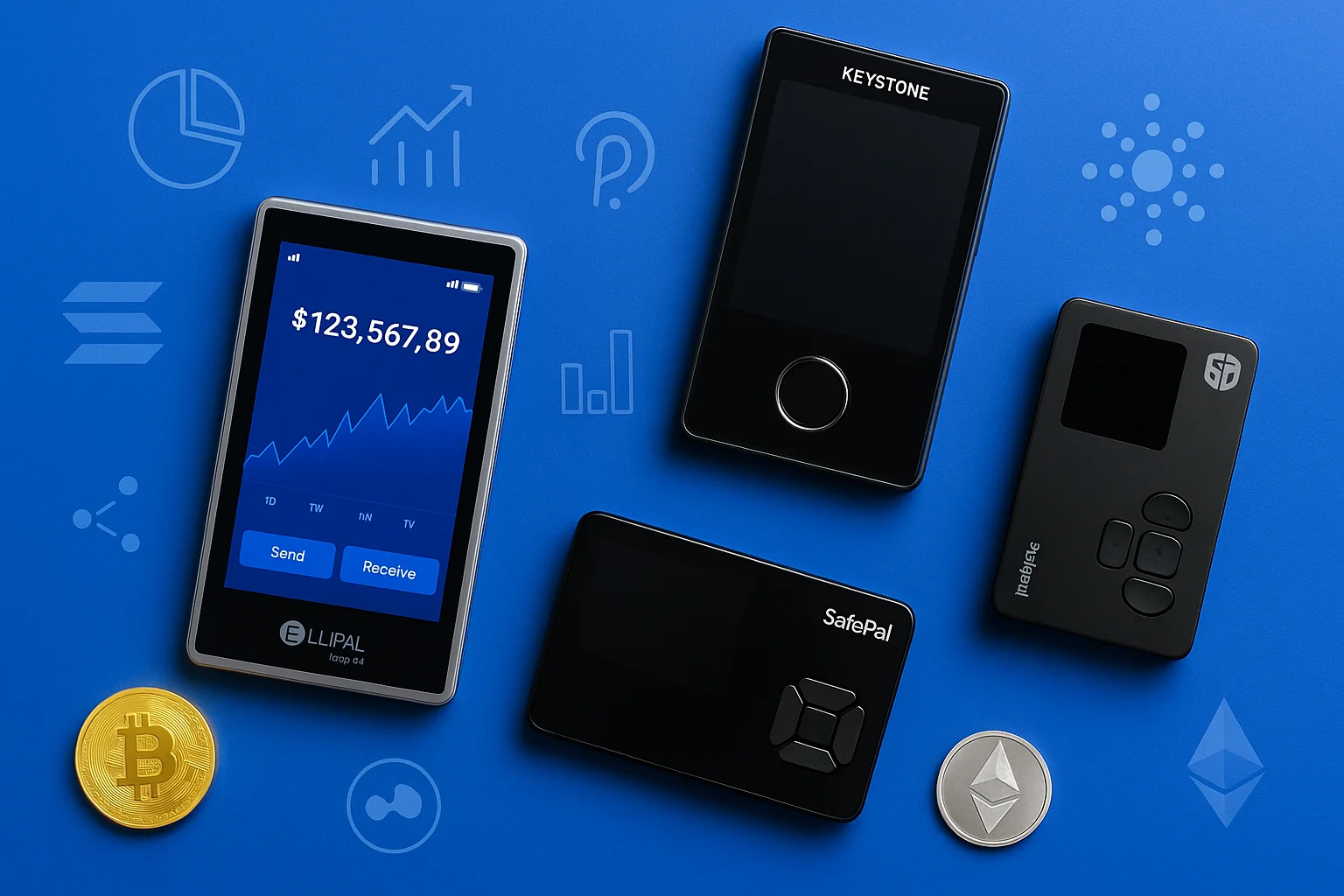
An air-gapped wallet takes the strongest idea in crypto security, keys that never touch the internet, and enforces it physically: no USB data, no Bluetooth, nothing to exploit remotely. Transactions cross the gap as QR codes or on a microSD card. This guide ranks the five best air-gapped devices in 2026, explains the full-vs-semi air-gap distinction most lists skip, and covers when an air gap is worth its friction, and when it is not.
Below, we review the five best air-gapped wallets available in 2026. Whether you’re a hardcore Bitcoin holder, just starting out, or focused on privacy, you’ll find a secure option that fits.
See also our Ngrave wallet review for another fully air-gapped option.
An air-gapped wallet is a hardware wallet that never opens a data connection to your computer or phone.
Table of contents
Quick Summary: Top 5 Air-Gapped Wallets | |
|---|---|
| ElliPal Titan 2.0 | Best for: All-around security Supported Coins: 10,000+ Air-Gap Method: QR Code Security: Metal body, anti-tamper, self-destruct, secure element Price: $169.00 |
| Keystone 3 Pro | Best for: Open-source cold storage Supported Coins: 5,000+ Air-Gap Method: QR Code Security: Fingerprint login, Shamir Backup, secure element, open-source firmware Price: $149 |
| SafePal S1 | Best for: Budget-friendly option Supported Coins: 30+ blockchain Air-Gap Method: QR Code Security: EAL5+ secure element, recovery seed support Price: $49.99 |
| ColdCard Mk4 | Best for: Bitcoin maximalists Supported Coins: BTC only Air-Gap Method: microSD Card Security: PSBT support, secure element, brick pin, open-source firmware Price: $177.94 |
| BitBox02 | Best for: Privacy-first hybrid use Supported Coins: BTC, ETH, ERC-20 Air-Gap Method: USB Isolation Security: Dual-chip security, coin control, Tor support, open-source, secure bootloader Price: €149.00 |
1. ElliPal Titan 2.0: Best Overall Air-Gapped Wallet
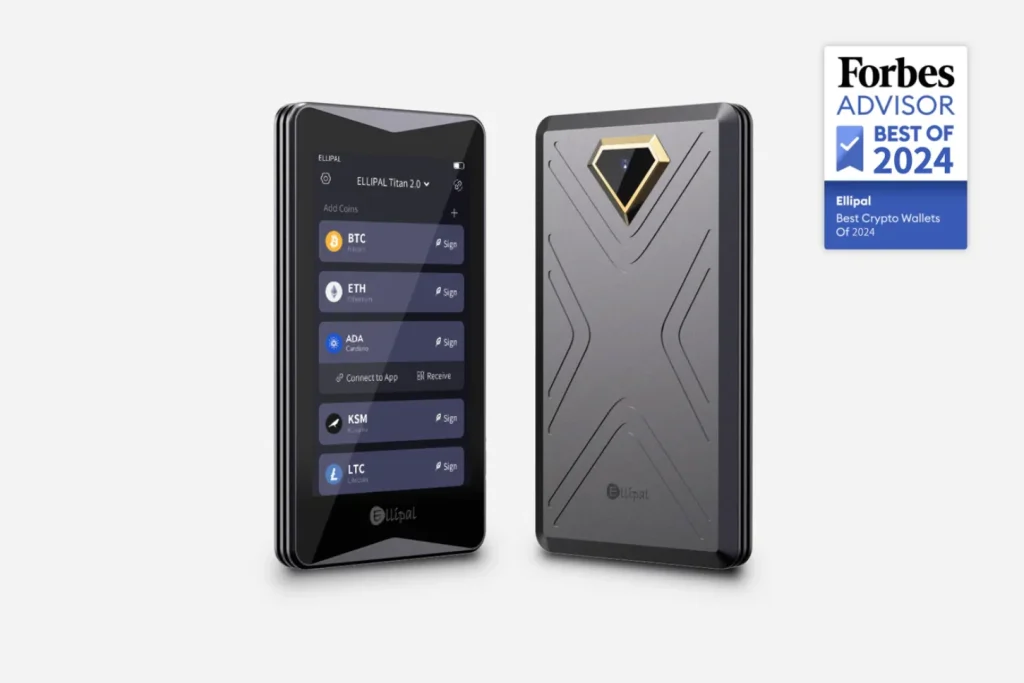
The ElliPal Titan 2.0 (about $169) is the strictest air gap on this list. It is a sealed aluminum unibody with an anti-tamper self-destruct, a 4-inch touchscreen, an EAL5+ secure element, and QR-only communication. Even firmware updates arrive offline on a microSD card, so there is never a moment when the device is exposed.
Through the ELLIPAL app it supports roughly 10,000 assets. The trade-offs are closed-source firmware, which means no independent code audits, and full dependence on ELLIPAL’s app ecosystem. For multi-chain holders who want maximum isolation on a comfortable screen, it is the benchmark.
Ready to buy? Your keys are generated on the device and never leave it. You will need the ELLIPAL app on your phone to build and broadcast transactions, but the app never sees your private keys.
Specifications | |
|---|---|
| Display | 4-inch full-color touchscreen |
| Connectivity | QR code only (no USB, Bluetooth, or Wi-Fi) |
| Build | CNC-machined aluminum alloy, sealed body |
| Battery | 1400mAh rechargeable, up to 259 hours standby |
| Compatibility | iOS & Android app with built-in DApp browser |
| Firmware Updates | MicroSD card installation |
| Dimensions | 118 x 66 x 9.7 mm |
| Weight | 140g |
ElliPal Titan 2.0
Best Overall Air-Gapped Wallet
2. Keystone 3 Pro: Best Open-Source Air-Gapped Wallet
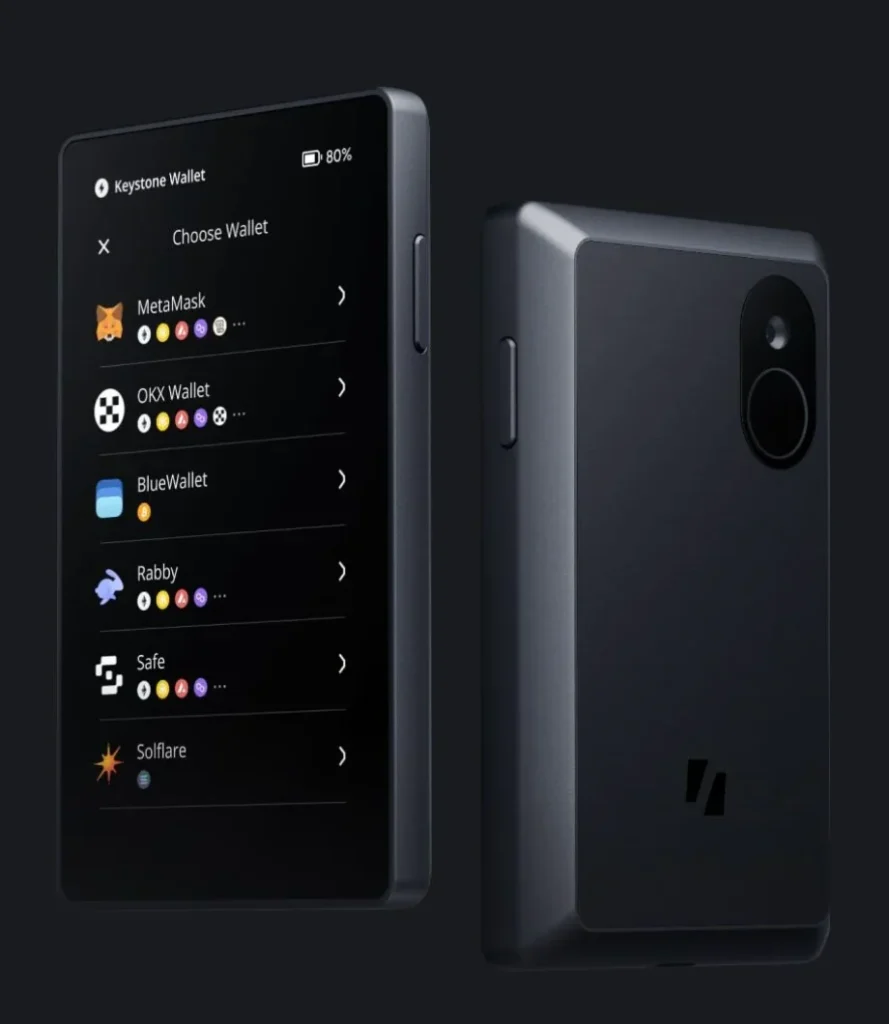
The Keystone 3 Pro (about $149) is the transparency pick. Its firmware is fully open-source, so anyone can audit the code you are trusting with your keys. Three secure element chips hold the seed, an optional fingerprint sensor speeds up unlocking, and it supports advanced recovery methods such as Shamir Secret Sharing.
The 4-inch touchscreen renders full contract details, which matters because the Keystone pairs with MetaMask, Rabby, and other hot wallets as their offline signer. You see exactly what you are approving before you approve it. Signing is QR-based, and there is a battery to keep charged. If you want the air gap plus auditable code plus DeFi compatibility, this is the one.
Our Keystone 3 Pro setup guide covers getting that device running.
Specifications | |
|---|---|
| Display | 4-inch touchscreen |
| Connectivity | QR code scanning for transactions |
| Build | Detachable magnetic battery module |
| Recovery Options | 12/24-word seed + Shamir Backup support |
| Compatibility | iOS, Android, MetaMask, and other wallets via QR signing |
| Firmware Updates | Fully open-source and verifiable |
| Dimensions | 112 x 65 x 18 mm |
Keystone 3 Pro
Best Open-Source Air-Gapped Wallet
3. SafePal S1: Best Budget Air-Gapped Wallet
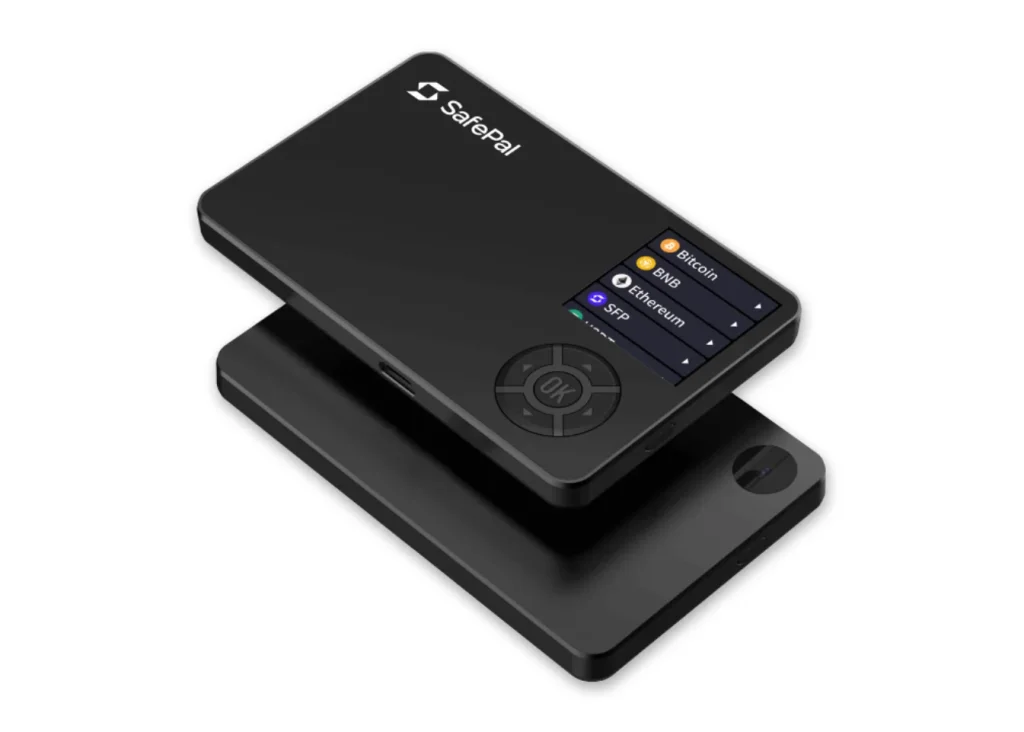
The SafePal S1 ($49.99) proves an air gap does not need a premium price. You get QR-code signing, an EAL5+ secure element, self-destruct on tamper detection, and no radios at all, for the price of a restaurant dinner. The compromises are about comfort, not security: a small non-touch screen, D-pad input, and a camera that struggles in dim light. As a first cold wallet or a travel spare, it is hard to beat on value.
Read our full SafePal S1 review for the in-depth verdict.
Specifications | |
|---|---|
| Display | 1.3-inch color screen |
| Connectivity | QR code only |
| Build | ABS plastic housing with anti-tamper design |
| Battery | 400mAh rechargeable (20 days standby) |
| Compatibility | SafePal mobile app for iOS & Android |
| Firmware Updates | MicroSD card |
| Dimensions | 88 x 54 x 6 mm |
| Weight | 36g |
SafePal S1
Best Budget Air-Gapped Wallet
4. ColdCard Mk4: Best for Bitcoin Maximalists
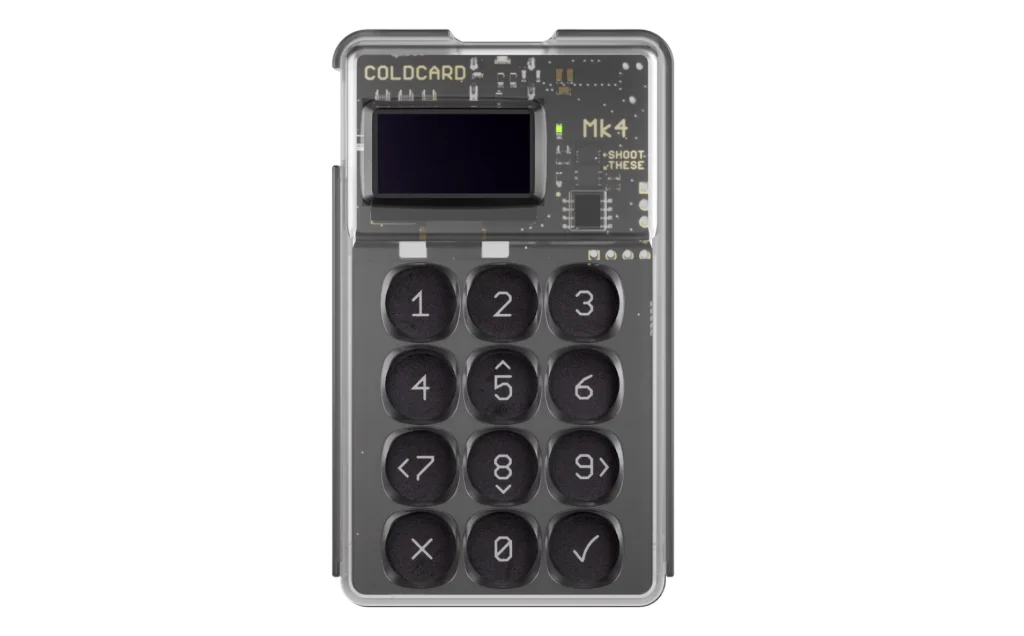
The COLDCARD Mk4 (about $178) is the Bitcoin maximalist’s instrument: Bitcoin-only firmware, dual secure elements, viewable source code, and true offline workflows. You sign PSBT transaction files over microSD, so the device never has to meet a computer. Add duress PINs, brick-me PINs, and seed-XOR tricks and you have the deepest security feature set on this list. The learning curve is real, the calculator-style body is charmless, and it handles exactly one asset, on purpose.
The newer model gets its own write-up in the Coldcard Mk5 review.
Specifications | |
|---|---|
| Display | Monochrome OLED screen (128×64) |
| Connectivity | MicroSD card only (PSBT file transfer) |
| Build | Polycarbonate body with tamper-evident seal |
| Battery | USB-powered during use (no internal battery) |
| Firmware | Fully open-source Bitcoin-only software |
| Dimensions | 88 x 51 x 9 mm |
| Weight | 29g |
ColdCard Mk4
Best for Bitcoin Maximalists
5. BitBox02: Best Privacy-Focused Hybrid Wallet
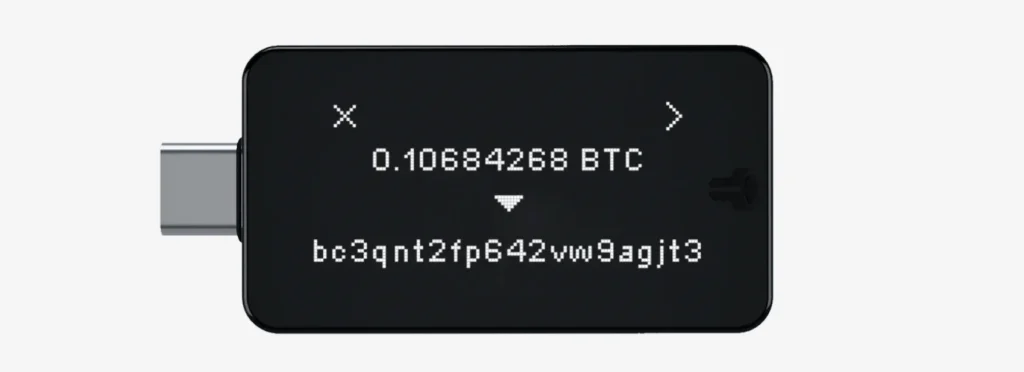
The BitBox02 (€149) is the pragmatist’s entry. It connects over USB rather than being fully air-gapped, but its microSD backup workflow, open-source firmware, dual-chip design, and Bitcoin-only edition earn it a place for people who want most of the security philosophy with none of the QR-scanning ritual.
The Swiss-built firmware puts privacy first: coin control, Tor routing, and zero telemetry by default. It suits experienced users who care about anonymity but do not want to give up usability. If a full air gap feels like too much ceremony, this is the honest compromise.
Specifications | |
|---|---|
| Display | OLED screen with touch sliders |
| Connectivity | USB-C (with adapter for USB-A) |
| Privacy Tools | Tor network routing, coin control |
| Firmware | Fully open-source, reproducible builds |
| Dimensions | 45 x 23 x 8 mm |
| Weight | 12g |
BitBox02
Best Privacy-Focused Hybrid Wallet
How to Choose the Right Air-Gapped Wallets
Six questions separate the right pick from an expensive drawer ornament:
Full vs. Semi Air-Gap
A full air gap (Titan 2.0, Keystone 3 Pro, SafePal S1, and COLDCARD via microSD) means no data-capable connection exists at all. Semi-air-gapped or hybrid devices (BitBox02, or COLDCARD in USB mode) can connect but do not have to. Purists take the full gap; pragmatists accept the hybrid. Either way, what matters is that keys never leave the secure chip, and that you verify every transaction on the device’s own screen, not the computer’s.
The fully air-gapped picks on this list are the Ellipal Titan, Keystone 3 Pro, SafePal S1, and ColdCard Mk4.
- Want maximum isolation? Choose a fully air-gapped wallet.
- Value convenience and speed? A semi-air-gapped wallet may suit you better.
Asset Support
The spread here is enormous. COLDCARD does Bitcoin only, by design. The Titan 2.0 covers roughly 10,000 assets. Keystone sits in between, with strong EVM-chain support through its hot-wallet pairings. Match the device to the portfolio you hold, not to the biggest number on the box.
- Bitcoin only? Go with the COLDCARD Mk4.
- Ethereum, NFTs, or other tokens? Choose a multi-chain wallet such as Keystone, Ellipal, or SafePal.
Usability
QR signing adds about thirty seconds and a small ritual to every transaction. On a big touchscreen (Titan, Keystone) it stays painless. On the S1’s small screen it takes patience. With COLDCARD’s microSD workflow it becomes a deliberate ceremony. Be honest about how often you transact. Friction you resent is friction you will eventually bypass, and bypassing it is how people get hurt.
- The SafePal S1 is beginner-friendly.
- The Ellipal Titan pairs a big screen with a mobile app, so navigation is easy.
Backup Options
Every device here uses a standard recovery phrase; the differences are in the extras. COLDCARD supports seed XOR and duress wallets, and Keystone supports Shamir multi-share backup. All of them deserve a steel backup plate rather than paper. The air gap protects keys while they are in use. The backup is still the part most people get wrong, and it decides whether a lost device is an inconvenience or a catastrophe.
- Keystone 3 Pro supports Shamir Backup, which splits your seed into parts for extra protection.
- COLDCARD lets you save encrypted backups to a microSD card.
Price Point
The range runs from $49.99 (SafePal S1) to about $169 (Titan 2.0), with Keystone and BitBox02 at about $149 and the COLDCARD Mk4 near $178. Unlike most product categories, price here buys comfort and features, not fundamentally better key security. The S1’s secure element keeps a seed exactly as offline as the Titan’s.
- Under $60: the SafePal S1 is a solid choice.
- Around $150: the Keystone 3 Pro or BitBox02 offer a strong balance of features and price.
- For the deepest security feature sets: the Ellipal Titan or COLDCARD Mk4.
Extra Features to Look For
Worth prizing: on-device passphrase entry (all five), anti-tamper hardware (Titan, S1, COLDCARD), open-source firmware (Keystone, COLDCARD, BitBox02), and hot-wallet pairing for DeFi (Keystone especially). Worth ignoring: raw coin-count bragging and any “military-grade” adjective that arrives without a certification.
- A secure chip (EAL5+) to protect your private keys
- Open-source firmware so anyone can audit the code
- QR signing for MetaMask if you use DeFi or NFTs
- Privacy tools, like coin control or Tor support, for extra anonymity
Types of Air-Gapped Crypto Wallets
“Air-gapped” covers more than purpose-built devices. Four approaches exist, with very different risk profiles:
1. Dedicated Hardware Wallets (True Air-Gapped Devices)
Hardware wallets built for air-gapped use have no network interfaces at all: no Wi-Fi, Bluetooth, USB data transfer, or NFC. They move data by QR code or microSD card instead, and the whole design assumes the device will never go online.
Purpose-built devices like the five above are the right answer for almost everyone. You get a secure element, tested firmware, and workflows designed to stop you from hurting yourself. Everything else in this section is for special cases.
- Work on their own, with no host computer required;
- Include secure elements or self-destruct mechanisms;
- Run proprietary or open-source firmware;
- Move data visually (QR) or physically (microSD).
2. Air-Gapped Laptops or Offline Computers
A permanently offline computer running wallet software is the old-school air gap. It works, and it quietly demands a discipline most people lack: a machine that never touches a network, clean install media, and no USB cross-contamination. One mistake unwinds everything. Consider it only if you know precisely why you need it.
- Often used with Bitcoin Core, Electrum, or Specter Desktop;
- Suits DIY multisig setups and offline signing.
- Must be wiped completely and air-gapped by hand;
- No built-in firmware protections like a hardware wallet has;
- Flexible, but demands advanced technical skill.
3. Smartphone-Based Air-Gapped Wallets (With Secure OS or Isolation)
An old phone, wiped, kept permanently in airplane mode, and running a signer app that talks by QR code is a legitimate budget air gap. The caveats are real: phone hardware was never designed as a secure element, the radios still exist even when disabled, and the temptation to “just briefly” connect it is exactly how this setup fails. A $49.99 SafePal S1 is safer and costs barely more than the effort.
- Easy to set up with hardware you already own;
- Still risky if the phone is not truly isolated;
- Less secure than dedicated hardware, but usable with care.
4. Paper Wallets and Steel Wallets (Air-Gapped by Nature)
Paper and steel “wallets” are backups, not wallets. They store a seed but cannot verify or sign anything, so every use means exposing the key to some device. A steel plate is an excellent backup for a hardware wallet. As your primary storage method, it belongs to crypto’s past.
We compare the main steel backups in Cryptosteel vs Cryptotag vs Billfodl.
- Cold storage for long-term holding;
- Usually holds a BIP39 recovery phrase or a raw private key.
- No transaction signing;
- Must be imported into a wallet to spend, which exposes the key if handled carelessly;
- Not suited to active use.
Benefits and Drawbacks of Using an Air-Gapped Crypto Wallet
The honest case for and against going air-gapped:
Key Benefits
What the air gap genuinely delivers:
1. Ultimate Security (100% Offline)
With no data connection, the whole category of remote attacks (malicious cables, Bluetooth exploits, USB stack vulnerabilities) is not merely mitigated but structurally absent. What remains is physical access and your own operational hygiene.
2. Perfect for Long-Term Storage
For holdings measured in years, the air gap fits perfectly. Sign rarely, store the device sealed, and let isolation do its work. Nothing about the model degrades with time except the battery, so charge it twice a year.
3. Immune to Software-Based Attacks
Even a fully compromised computer cannot reach keys that never visit it. The QR workflow shows you exactly what you are signing on the device’s own screen. Malware can lie on your monitor, but not on the wallet.
4. Peace of Mind
Less measurable but real: knowing that no update, no cable, and no pairing can expose your keys changes how calmly you hold. Security you understand is security you maintain.
Potential Drawbacks
And what it costs you:
1. Slower, Multi-Step Transactions
Every transaction is a multi-step ritual: build, scan, verify, sign, scan back, broadcast. For monthly transactions it is a pleasant ceremony. For daily DeFi it becomes the reason people move funds to a hot wallet and defeat the purpose. Buy for the usage pattern you have, not the one you imagine.
If you’re still deciding how much belongs offline, hot wallet vs cold wallet sets out the trade-off.
2. Less Ideal for Active DeFi Users
If you interact with decentralized apps every day, the air-gap process gets tedious. It is possible, especially with QR-based wallets, but never as smooth as a browser extension like MetaMask.
Chain-specific picks are a different exercise, and our best Base wallets guide covers one of them.
3. Steeper Learning Curve
Some air-gapped wallets, especially those that rely on microSD transfers, are not beginner-friendly. You need to understand PSBT signing, recovery phrases, and offline file management before you move serious money.
4. Critical Backup Responsibility
If you lose access, there is no recovery email and no support desk to call. You must back up your seed phrase or encrypted microSD files yourself and keep those backups safe. Lose both the wallet and the backup, and your crypto is gone forever.
How to Back Up an Air-Gapped Hardware Wallet Safely
Backing up an air-gapped wallet is not optional. If the device is lost, stolen, or damaged, the backup is the only way to get your crypto back.
Here’s how to do it right:
1. Use the Recovery Phrase
During setup, every air-gapped wallet generates a 12- or 24-word seed phrase. That phrase is your master key.
- Write it on paper or stamp it into a metal plate.
- Never store it digitally: no screenshots, cloud storage, or note-taking apps.
- Keep more than one copy in separate, secure places (a safe or a safety deposit box).
- Share it with no one, not even close friends or family.
Anyone who gets your seed phrase can drain your entire balance. No password required.
2. Use Shamir Backup (Advanced)
Some wallets, including the Keystone 3 Pro, support Shamir Secret Sharing. It splits your seed phrase into several parts, and you need a set number of them to recover the wallet.
- Strong protection against a single lost or stolen copy.
- You can give one part to a family member, another to a lawyer, and store the rest in different places.
- Anyone who finds a single piece still cannot open your wallet.
3. Use Encrypted microSD Backups
Wallets like the COLDCARD Mk4 can back up onto a microSD card, usually in encrypted form.
- Useful if you prefer a digital backup with strong protection.
- Keep the card in a locked box or safe.
- Make sure you know how to decrypt and restore it before you ever need to.
FAQ
What’s the difference between cold storage and air-gapped?
All air-gapped wallets are cold storage, but not all cold storage is truly air-gapped. A standard hardware wallet still connects by USB or Bluetooth to sign. An air-gapped wallet adds a further layer of protection by avoiding any digital connection at all.
Can I use MetaMask with an air-gapped wallet?
Yes. Wallets like the Keystone 3 Pro and SafePal S1 connect to MetaMask by QR code, so you sign on the device and MetaMask broadcasts the transaction.
Which crypto wallet is best for airdrops?
If you chase airdrops, the Keystone 3 Pro or Ellipal Titan are among the best crypto wallets for the job, thanks to their multi-chain support and QR compatibility.
Can air-gapped wallets be hacked physically?
Physical attacks are rare, but possible if someone has direct access to both your wallet and your recovery phrase. Many air-gapped wallets counter this with anti-tamper protection, PIN brute-force lockdowns, and self-destruct mechanisms (the Ellipal Titan and COLDCARD Mk4, for example). Without the recovery backup, a physical attack is hard to pull off.
Can I restore an air-gapped wallet on another device?
Yes, if you have your 12- or 24-word recovery phrase. It restores on any compatible hardware wallet or supported software wallet. Make sure the new device is genuine and secure before you type the phrase in.
Final Thoughts
The best air-gapped wallet is not just a security upgrade; it is a mindset shift. It is the difference between hoping your crypto is safe and knowing it is.
By keeping your private keys completely offline, air-gapped wallets remove the single biggest threat in crypto: online exposure. That holds whether you hold Bitcoin, altcoins, or NFTs. Going fully offline also means taking full responsibility, and full control.
As digital risks keep growing, little beats self-custody backed by true isolation. Choose carefully, stay offline, and own your assets.
How I review: Reviewed by Andrei B. I buy the hardware wallets I review, test every product myself and score it on security, UI/UX, ease of use, price and supported coins. Before I publish, I also check recent user reviews and any hack reports.
The whole process is explained on the How We Review page. You can read more about me, or contact me with corrections, from the links at the bottom of this page. For general safety advice, see the FTC guide to cryptocurrency scams.