Coinbase built Base, and it works the way most Layer 2 networks do: its own quick lane on top, Ethereum underneath doing the settling. The docs promise that transactions “settle in under a second, and cost less than one cent”. You pay for them in ordinary ETH, not some house token you have to go and buy first.
Every wallet that already speaks Ethereum speaks Base too, because underneath it’s a plain EVM chain. Handy, right up until you go looking for one and find several hundred that all say the same things about themselves.
So here are the 6 we’d trust with our own money on Base. Two are physical devices and four are software, and the prices came off the makers’ own shops in September 2026. If you want the short answer, it’s Coinbase Wallet, made by the people who made the chain.
Security came first in the ordering, then what each one holds, what it’s like to live with, what it charges, how you’d get back in after losing a phone, and whether anyone outside the company can read the code. None of them is custodial. The keys are yours, and there’s no help desk on earth that can undo a mistake for you.
Never dealt with that before? Our custodial vs non-custodial wallets piece spells out what changes.
Base is an Ethereum Layer 2 network built by Coinbase, and any wallet that supports Ethereum can add it.
Table of contents
All Six Base Wallets, Side by Side
Four of these cost nothing to put on your phone or in your browser, which leaves fees and safety features to do the arguing. The two device prices below are whatever each maker was asking in September 2026.
Base Wallets We’d Use, Compared | |
|---|---|
| Coinbase Wallet | Coinbase publishes it and builds the chain, so nothing gets closer to first-party than this. One app covers Base, Ethereum, Solana and more. Nothing to pay, and you can start with an email, Google or Apple account. Nobody outside Coinbase reads this code. |
| MetaMask | Whatever Base app you open, this is the button it puts first. Lives in a browser, on a phone and on the web, and six hardware brands slot into the extension. Installing it is free; swapping through it hands over 0.875%. Anyone can read the repo, though the licence only allows non-commercial use. |
| Rabby | Aimed at people whose day is one contract approval after another. It runs the transaction first, then kills the Sign button if the result looks wrong. Free, and swapping one stablecoin for another on Base costs you nothing on top. MIT licensed. |
| Rainbow | The one to hand somebody who lives on their phone. Your address stays the same across all 24 networks it covers, and Base is on the list. Free, with a fee you see at the confirmation screen. GPL-3.0. |
| Ledger Flex | Our device pick for Base. EAL6+ secure element, a 2.8-inch E Ink touchscreen, and Bluetooth so the cable stays in a drawer. $249 as of September 2026. The apps and SDK are open, the secure element isn’t. |
| Trezor Safe 5 | For anyone who’d sooner check the source than trust a promise. EAL6+ chip, color touchscreen, and Base sits at the top of Trezor’s own Ethereum list. $129 as of September 2026. Open from the firmware upward. |
1. Coinbase Wallet, the Easiest Way Onto Base
Coinbase called this app the Base App from July 2025 and switched back to the Coinbase Wallet name on 10 September 2026. It’s the same wallet, with the same keys, under its old badge.
Coinbase pitches it as a place to trade across Base, Ethereum, Solana and more from a single app. On custody it doesn’t hedge: the wallet is self-custodial, and your keys stay with you.
First place goes to it for the first ten minutes, which is where most people quietly give up and close the tab. An email address will do, or a Google or Apple account, and Coinbase frames that as recovery with “multi-factor authentication, even if you lose your device”.
Want a recovery phrase or a passkey instead? Both are still there.
What You Get With Coinbase Wallet
- Send USDC on Base from inside the app and Coinbase says it’ll “sponsor fees up to 0.3 USD per transaction with a 2 USD max sponsored monthly per user”.
- There’s a badge on 450+ verified tokens, and that badge is how you avoid buying a copycat trading under a real ticker.
- Money goes in through Apple Pay, a bank account, local payment methods or a card, so no exchange has to sit in the middle.
- Encrypted DMs and group chats ship with it, and USDC travels inside a message at no cost.
- Already keep funds at Coinbase? Base’s docs say you can pull many assets straight over by picking Base as the network, and no bridge is involved.
- Twenty languages, 170+ countries, and a 4.6 App Store rating drawn from 161,413 ratings.
Read the small print on the USDC rewards before you get excited. “Up to 3.35% APY” is the headline; the footnote then says the rate “is subject to change, set at Coinbase’s discretion”. That same footnote confirms the feature is rolling out in the U.S., isn’t available in the EU or Canada, and needs a linked Coinbase account for U.S. users.
Shifting funds over from the exchange side? We’ve written up how to transfer crypto from Coinbase to Coinbase Wallet step by step. You’ll find the app itself at base.app.
2. MetaMask, the Base Wallet Every App Expects
Open anything on Base and check which wallet gets the top slot in the connect dialog. Nine times out of ten it’s MetaMask, and base.org puts the fox among its own ecosystem logos.
You can run it as an extension in Chrome, Firefox, Brave, Edge and Opera, as a phone app on iOS and Android, or from the web with nothing installed. ETH is covered, so are the token standards you’ll actually meet, ERC-20, ERC-721 and ERC-1155 among them, and BTC and SOL have been bolted on since.
Reach is what puts it second, not caution. MetaMask’s swap network list has Base sitting beside Ethereum, Linea, Solana and Polygon, and the extension talks to Trezor, Ledger, Lattice, Keystone, NGRAVE ZERO and AirGap Vault, which means the device already in your drawer will very likely just work.
Torn between two of the air-gapped names on that list? The NGRAVE Zero and Keystone 3 Pro comparison sets them side by side.
The most unusual device on that list gets its own writeup in our NGRAVE Zero review.
The Bits of MetaMask That Matter on Base
- A 0.875% MetaMask fee is baked into every swap quote before the network takes its own cut, and that’s the dearest swap here.
- Gasless swaps do reach Base, but only through the extension. Ethereum Mainnet, BNB Smart Chain, Linea and Arbitrum get the same treatment.
- Half a dozen hardware brands plug into the extension: Trezor, Ledger, Lattice, Keystone, NGRAVE ZERO and AirGap Vault.
- Lose the Secret Recovery Phrase and that’s the end of it. MetaMask states outright that it can’t recover a wallet for you.
- Browser, phone and web all run off that one phrase.
That licence deserves a paragraph of its own. Yes, the extension’s repository is there for anyone to read, but the LICENSE file is a ConsenSys non-commercial one, and among its definitions of non-commercial is a program whose monthly active users “do not exceed 10,000 at any time”. Published code and open source are two different things, and we scored it that way.
MetaMask gets much better once a hardware wallet sits behind it, since a compromised laptop then can’t sign anything on its own. Which device to buy is covered in our guide to the best hardware wallets for MetaMask, and MetaMask vs Coinbase Wallet handles the head-to-head. Everything else lives on metamask.io.
3. Rabby, If You Sign Things on Base You Didn’t Write
Rabby bills itself as “your go-to wallet for Ethereum and EVM networks”, and it turns up either as a browser extension or a phone app. Its own public chain list hands back 72 chains, with Base among them under chain ID 8453.
Annoyingly, Rabby can’t agree with itself on how many chains that is. “Over 90 networks” says one help article, “80+ networks” says another, and the API says 72. Whichever figure you believe, Base is in all three.
Third place is really about a couple of seconds. Rabby runs your transaction before it goes anywhere and writes out the balance changes in ordinary English, which is how a site that says Claim while the contract says Transfer gives the game away.
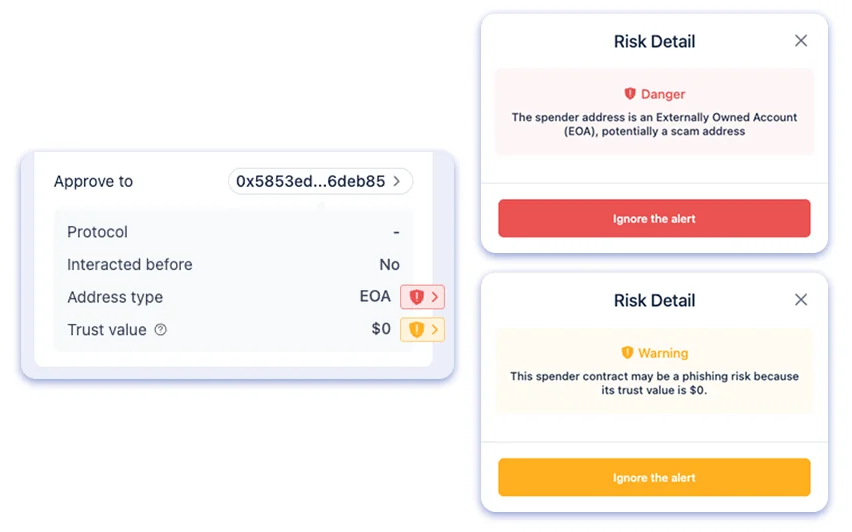
What Rabby Does Before You Sign
- Its security engine calls out a spender that’s a personal account rather than a contract, a contract born in the last three days, and a swap where the price impact is brutal.
- Spot a risk and the Sign button dies on you. Clicking Ignore All revives it, and Rabby is clear that whatever follows is then on you.
- Ten devices hook into the extension: Ledger, Trezor, GridPlus, OneKey, Keystone, NGRAVE ZERO, BitBox02, CoolWallet, AirGap Vault and imToken imKey.
- On a phone it reaches Ledger and Trezor over Bluetooth, plus Keystone and OneKey.
- Trade two tokens from the same group on one chain and Rabby waives its cut, which covers stablecoin pairs and ETH against its DeFi derivatives, Base included.
- No Rabby server ever hears about your wallet, and there’s no email address attached to it.
Rabby sticks to EVM chains and says so without apology, so Bitcoin, Solana and Tron addresses simply won’t work. On Base that costs you nothing. It does mean Rabby can’t be your only wallet if anything you own sits outside the EVM world.
Trading on chain soon? Have a look at our guide on how to use a decentralized exchange first, because that’s exactly where wallets get emptied. Grab the app from rabby.io.
4. Rainbow, the Base Wallet We’d Put on a Phone
iPhone and Android came first for Rainbow, with a desktop extension arriving later for Chrome, Brave, Edge, Arc and Safari, and a Firefox build that’s still in beta. On its supported networks page, Base comes second, straight after Ethereum.
For somebody new, the important bit is that the address never moves. “Your ETH address doesn’t change over networks,” Rainbow says, and that quietly deletes a whole family of costly errors when you’re hopping between Ethereum and Base.
Unsupported chains get a blunt warning too. Don’t send tokens to your address on a network Rainbow hasn’t listed, because the app won’t show them to you.
Network support and the rest of the app get more room in the Rainbow wallet review here.
What Rainbow Does Well
- A single Ethereum address carries across every network Rainbow covers, and that includes Base.
- Swaps go through RainbowRouter, a contract the team wrote and deployed on all of its supported networks.
- There’s a Flashbots switch sitting on the swap screen, which shields the transaction from frontrunning and sandwich attacks.
- You always see the Rainbow fee at confirmation. What you never see is a published percentage.
- GPL-3.0 covers both the phone app and the extension.
Something about the shop window bothers us, though. Rainbow’s home page now leads with “Up to 50x leverage on Bitcoin, the S&P 500, Gold, and Oil”, prediction markets and a $RNBW rewards program. For a wallet we keep pointing beginners at, that’s an odd thing to see first.
Think of it as a fine first wallet and a poor last one, since a phone-only setup stops feeling sensible once the balance climbs. When that day arrives, our roundup of the best crypto hardware wallets takes over. Downloads sit at rainbow.me.
5. Ledger Flex, the Hardware We’d Buy for Base
The Flex will cost you $249 at the time of writing (September 2026). That buys a 2.8 inch Gorilla Glass face, a 16 grayscale E Ink touchscreen running at 480 x 600 pixels, and an ST33K1M5 secure element carrying CC EAL6+ certification. If the phrase is new to you, a secure element is a tamper-resistant chip that keeps your keys and won’t give them up.
Base arrived in Ledger Live back in 2023, and nothing about the routine has shifted since. Put the Ethereum app on the device, head to the accounts tab in Ledger Wallet, then choose Add Account for Base (ETH).
Your phone connects over Bluetooth BLE 5.2, the desktop over USB-C, and NFC is there for the Ledger Recovery Key. Ledger quotes 10 hours of battery, the thing weighs 57.5 grams, and the Ledger Wallet app handles 500+ crypto with thousands more reachable through other wallets.
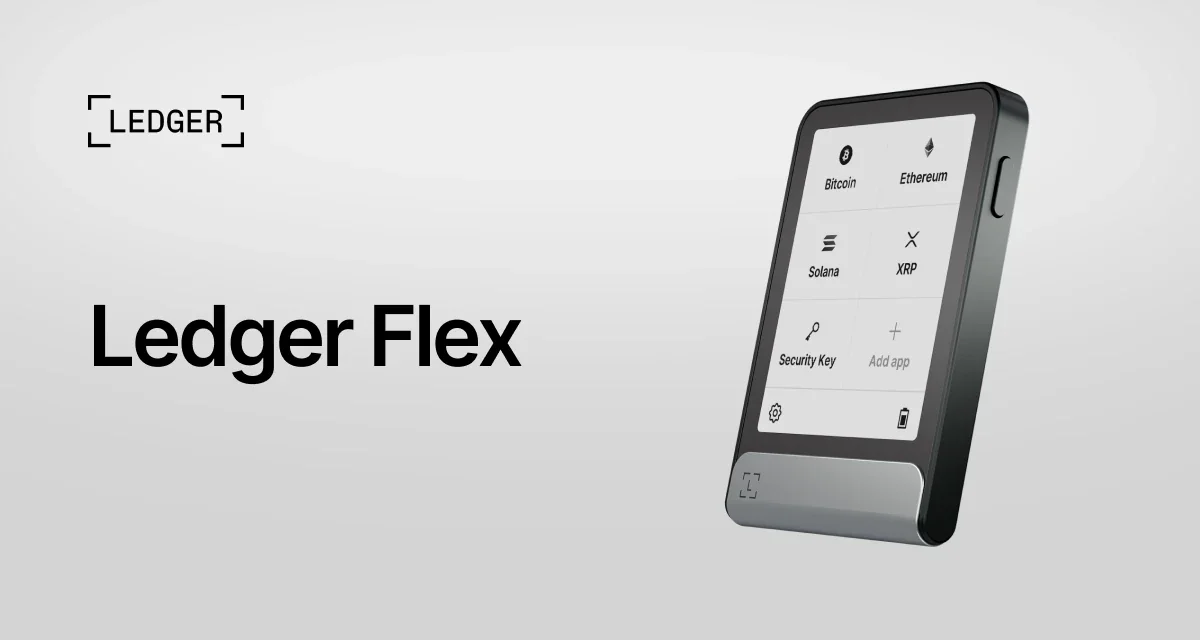
The Ledger Flex on Base, in Detail
- A full Base address fits on that E Ink panel in one go, so checking it stops being a squint and becomes a glance.
- Ledger’s own walkthrough tells you to confirm the address on the device screen before you deposit a thing.
- MetaMask, Rabby and Rainbow all pair with a Ledger, so nothing about your current setup has to change.
- If a Base token doesn’t appear in your portfolio, Ledger points you at the Zerion app in the Discover section.
- Open the box and you’ll find the Flex, a USB-C to USB-C cable, a Recovery Sheet, a Ledger Recovery Key and a guide.
- Can’t stomach that price? A Ledger Nano Gen5 runs $179 and a Nano X $99, both as of September 2026.
Know about that last one before you hand over any money. Someone shipped poisoned builds of Ledger’s Connect Kit library, versions 1.1.5, 1.1.6 and 1.1.7, on December 14, 2023, and third-party apps using it drained wallets belonging to people who signed.
A fix went out within 40 minutes of Ledger finding out, the whole episode lasted roughly 5 hours, and actual draining ran under two hours. Ledger’s position is that the exploit “did not and does not affect the integrity of Ledger hardware or Ledger Live”.
After something cheaper? Our Ledger Nano X review covers that one, while Ledger vs Trezor settles the bigger argument. Today’s pricing sits on the Ledger Flex store page.
6. Trezor Safe 5, When You’d Rather Read the Code
A Safe 5 comes in at $129 at the time of writing (September 2026). Its screen is the smaller one, 1.54 inches of color touchscreen at 240 x 240 pixels, and there’s an EAL6+ certification on the secure element. It connects by USB-C, with a microSD slot beside it.
Trezor’s Ethereum page puts Base at the head of its network list, in front of Arbitrum One, Optimism and Blast. The same page names Trezor Suite, MetaMask and Rabby as the apps a Trezor will sync with, which covers two of the software wallets above.
Right on the product page, under “Open-source security and design”, Trezor nails its colors to the mast, so you can go and audit the thing instead of taking anyone’s word for it. Over 2 million customers trust it, the company says.
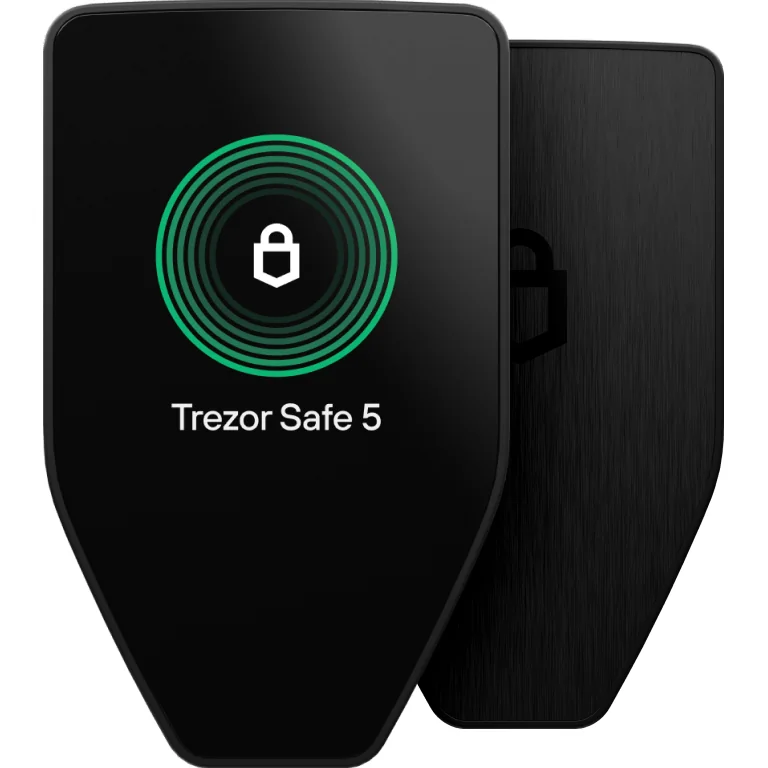
What the Trezor Safe 5 Gives You
- Back it up with 12, 20 or 24 words, or use Advanced Multi-share Backup, which cuts the backup into several shares.
- Put MetaMask or Rabby in front of it to reach the Base apps Trezor Suite doesn’t touch.
- Inside the box: the Safe 5, a USB-C to USB-C cable, two 20-word backup cards, a start-up guide and stickers.
- Bluetooth is absent, so pairing it with a phone means digging out a cable.
- Ethereum and its networks run on three Trezor models: Safe 7, Safe 5 and Safe 3.
- Spending less takes you to the Trezor Safe 3 at $59, and spending more to the Trezor Safe 7 at $249, both as of September 2026.
We pulled this device apart properly in our Trezor Safe 5 review. Every specification is listed on the Trezor Safe 5 product page.
How We Ranked These Base Wallets
Security, and Where the Money Actually Goes
The chain isn’t the soft spot here. Permissionless fault proofs went live in October 2024, the docs describe Base as having reached Stage 1 Decentralization, and an upgrade has to clear a 2-of-2 multisig between Coinbase signers and an 8-of-11 Security Council of outside entities.
Where the money goes is the signature. So simulation and risk warnings carried more weight than anything else when we scored these.
What Each Wallet Holds
ETH and ERC-20 tokens on Base are handled by all 6, so nobody scored a point there. Points went instead to wallets that keep your other chains under the same recovery phrase, and that’s where Rabby slips back a little, being EVM only.
Living With It Day to Day
Count the taps in a send. Then read the help pages and see whether they name a real button or gesture vaguely at a settings menu.
Rainbow and Coinbase Wallet come out best on both, and Coinbase Wallet alone will let you begin with an email address rather than a seed phrase.
What It Costs
None of the software charges anything up front, so fees settle it. MetaMask skims 0.875% off a swap, Rabby drops its fee on same-chain stablecoin pairs, and Rainbow shows a figure at confirmation while publishing none. Hardware means $129 for a Trezor Safe 5 or $249 for a Ledger Flex, both as of September 2026.
Backups
For five of these, a recovery phrase is all you get. Coinbase Wallet breaks that pattern, since email, Google or Apple sign-in with multi-factor authentication sits next to the phrase or passkey rather than replacing it. Of the two devices, Trezor’s Multi-share Backup is the one that bends.
Open Code
MIT for Rabby, GPL-3.0 for Rainbow, and both of those are the real thing. Trezor publishes its firmware and its design.
Ledger hands over its apps and SDK while keeping the secure element to itself, Coinbase Wallet stays shut, and MetaMask sits in the strangest position of the lot, publishing code under a licence that only permits non-commercial use. That isn’t open source, whatever it looks like from the outside.
So Which Base Wallet Should You Get?
Just arrived on Base with a small amount at stake? Put Coinbase Wallet or Rainbow on your phone. Should you take a recovery phrase, get it onto paper before a single coin lands.
Everything already sitting at Coinbase? Then Coinbase Wallet is the shortest route, because Base’s own docs say plenty of assets can come straight across when you pick Base as the network, with no bridge in the way.
Funds sitting somewhere else need a bridge, and a separate post picks the best Base bridge options.
If your ETH sits on Ethereum mainnet instead, how to bridge ETH to Base covers the route across.
Deep in DeFi? Rabby. That simulation screen has stopped more bad signatures for us than anything else here, and swapping one stablecoin for another on the same chain costs nothing extra.
Holding enough that losing it would genuinely hurt changes the arithmetic. Get a Ledger Flex or a Trezor Safe 5 and hang it off whichever software wallet you’re already using. Your apps don’t move, the keys do, and every address turns up on that little screen before a signature goes anywhere.
Choosing between those two devices is covered in Trezor Safe 5 vs Ledger Flex.
One habit survives all of this. Read the first and last characters of the address you’re sending to, then read the network.
Get either of those wrong and the money is simply gone, with nobody anywhere able to fetch it back.
Curious how a Base address compares with the other formats out there? Our explainer on what a wallet address is lays them side by side, and Arbitrum vs Optimism covers the two Layer 2 networks people most often mix up with this one.
Questions People Ask Us About Base Wallets
I’m new to this. Which Base wallet should I start with?
Coinbase Wallet. Coinbase publishes it, you can open one with an email address, a Google account or an Apple account, and money goes in through Apple Pay, a bank account or a card without any middle step. Prefer to hold a recovery phrase from day one? Then Rainbow.
Does Base need its own wallet, or will my Ethereum one do?
No. Base’s docs describe it as a standard EVM chain where any Ethereum tool or wallet works unchanged. If you’re adding the network by hand, the chain ID is 8453, the RPC is https://mainnet.base.org, the symbol is ETH and the explorer lives at basescan.org.
How much am I paying per transaction on Base?
Two costs, added together: an L2 execution fee and an L1 security fee, and the L1 half is usually the bigger one. Base Mainnet enforces a floor of 5,000,000 wei, which is 0.005 gwei. The worked example in Base’s own documentation lands a typical 200,000 gas transaction at roughly $0.002 with ETH at $2000.
Will a hardware wallet work with Base?
Yes, and it’s straightforward. Install the Ethereum app on a Ledger and Ledger Wallet will create a Base account for you, while Trezor puts Base at the top of its Ethereum network list. Either brand also pairs with MetaMask or Rabby when you need to reach apps the desktop suites don’t cover.
Why does getting money off Base and back to Ethereum take so long?
A week. Base is explicit that only withdrawals heading to Ethereum sit through a 7 day wait before they finalize. Inside Base itself things move quickly: about 200ms to land in a Flashblock, roughly 2 seconds for an L2 block, and around 20 minutes before the batch is final on L1.
Base App or Coinbase Wallet, are those the same product?
It’s that wallet, renamed. Coinbase renamed the wallet the Base App in July 2025 and brought the Coinbase Wallet name back on 10 September 2026. What it isn’t is a custodial Coinbase exchange account, since this one is self-custody.
Whose Base wallet code can I actually read?
Rabby, under MIT, and Rainbow, under GPL-3.0. Trezor advertises open-source security and design on the product page itself. Ledger releases its apps and SDK but never the secure element, Coinbase Wallet keeps everything closed, and MetaMask’s licence allows non-commercial use only.
Last Word
Pick Coinbase Wallet for the quickest way onto the chain, MetaMask because every app already expects it, Rabby if your evenings involve signing contracts you didn’t write, and Rainbow for the gentlest start on a phone. Bring in a Ledger Flex or a Trezor Safe 5 the moment $249 or $129 starts reading as insurance rather than a cost.
If the choice comes down to those two apps, MetaMask vs Rainbow compares them head to head.
The wallet is only half of it, mind you. Base accounts get emptied by keys left in the wrong place and signatures nobody bothered reading, not by the chain going wrong.
So keep that recovery phrase offline. Check addresses on a screen you have reason to trust, and let hardware guard anything substantial.
Wondering about the other chains? Our guide to the best non-custodial wallet runs the same exercise across them.
This article is for general information only and is not financial, legal, or investment advice. Prices and features change; check the vendor’s official page before buying.
How I review: Reviewed by Andrei B. I buy the hardware wallets I review, test every product myself and score it on security, UI/UX, ease of use, price and supported coins. Before I publish, I also check recent user reviews and any hack reports.
The whole process is explained on the How We Review page. You can read more about me, or contact me with corrections, from the links at the bottom of this page. For general safety advice, see the FTC guide to cryptocurrency scams.