USDC is a stablecoin that tracks the US dollar. Circle says you can redeem it 1:1 for dollars, and regulated affiliates of Circle are the ones that issue it.
You might use it to pay someone, to sit out a rough week in the market or to get money to family in another country without going through a bank wire.
The tricky part is that USDC lives on many chains and not just one. Circle issues it natively on 38 blockchains, from Ethereum and Base to Solana and Stellar. If your USDC lands on a chain your wallet can’t read, it just sits there out of sight and you won’t see it in your balance until you open it in an app that supports that chain.
So your wallet needs to cover the chains you actually use, show you the real token and not a lookalike, and keep your keys away from anyone who shouldn’t have them.
I’ve narrowed the field to six picks. Four are free apps and two are hardware devices. I ranked them on security and chain coverage first and then on fees and recovery, and I also gave credit for code that you or anyone else can inspect.
For most of you, my first pick is Coinbase Wallet. It covers your USDC sending fees on Base, and in eligible regions it pays you a reward on the USDC you hold in the app.
Table of contents
The 6 Best USDC Wallets at a Glance
How the Six USDC Wallets Compare | |
|---|---|
| Coinbase Wallet | Good for you if you move USDC around on Base. Coinbase pays your USDC fees on Base, and you can earn up to 3.35% APY if you’re eligible. Free to use, but you can’t see the code. |
| Phantom | Made for USDC on Solana. Solana fees are low, and you can swap USDC into its Cash account for free. Free, and only its blocklist and SDKs are open source. |
| MetaMask | A fit if your USDC moves between EVM chains and Solana. You can connect six hardware brands to it, and its swaps reach a long list of networks. Free, with public code under a non-commercial licence. |
| Rabby | Best if you use DeFi and swap one stablecoin for another. You pay no Rabby fee on same-chain stablecoin swaps, and the previews are easy to read. Free and MIT licensed. |
| Ledger Flex | Worth it once your USDC balance gets serious. You get a CC EAL6+ secure element, an E Ink touchscreen and Bluetooth. $249 at the time of writing (September 2026), and only partly open source. |
| Trezor Safe 5 | For you if you want hardware you can audit. Trezor Suite handles your USDC across 24 networks. $129 at the time of writing (September 2026), with an open-source design. |
1. Coinbase Wallet: The USDC Wallet I’d Pick for Base
Coinbase Wallet is the self-custody app from Coinbase, and its name has moved around a lot lately. From August to early September 2026 it was called Base App, and then version 30.12 changed the name back to Coinbase Wallet.
Don’t let the switch confuse you. It’s the same app under both names, and the seller on the App Store listing still reads Coinbase Wallet.
The whole app is built around USDC, and that’s why it’s my top pick. When you send USDC on Base, Coinbase pays the fee for you up to 0.3 USD per transaction and 2 USD per user each month.
What You Get With Coinbase Wallet
- You can sign up with an email address or with a Google or Apple account. Multi-factor authentication comes with it.
- Prefer a recovery phrase or a passkey? You can still use those, and cloud backups help you avoid getting locked out.
- Trading covers Base, Solana, Robinhood Chain, BNB, Ethereum, Monad and more.
- You can fund it with Apple Pay or a bank account. Local payment methods and debit or credit cards work too.
- It’s offered in 20 languages and 170+ countries. On the App Store it holds a 4.6 score from 161,413 ratings.
- If you’re in the US you won’t get the perpetual futures. They run on Hyperliquid and only open to non-US users in select jurisdictions.
The app also advertises a reward of up to 3.35% APY on the USDC you keep in it. Read the footnote twice before you count on that yield, since in Coinbase’s own words the rate “is subject to change, set at Coinbase’s discretion”.
If you’re moving coins from a Coinbase exchange account, the guide on how to transfer crypto from Coinbase to Coinbase Wallet walks you through it. Still deciding? MetaMask vs Coinbase Wallet puts the two side by side for you.
2. Phantom: My Pick for USDC on Solana
Phantom began life as a Solana wallet. Since then it has added Ethereum, Base, Polygon, Bitcoin, HyperEVM, Arc and Robinhood Chain.
Phantom says more than 20 million people use it, and you can get it as a phone app or as an extension for your desktop browser.
It’s here because it makes USDC on Solana painless for you. According to Phantom’s fee page, its Cash account charges you nothing when you swap Solana USDC in. Sending to a Phantom username is free, and so is swapping back out to USDC.
Phantom Features Worth Knowing
- Cash sends to a Phantom username or a Solana address are free. Your first send to a new person is the exception, at about $0.16 in network fees (September 2026).
- Scam detection warns you about a malicious transaction before you sign it.
- On mobile you can pair a Ledger Nano X, Stax or Flex over Bluetooth.
- If you find a bug that puts user funds at risk, Phantom’s bounty pays up to $50,000.
- Some Solana transactions need no gas at all.
One thing about Cash bothers me. Your balance there is CASH, a separate USD-pegged stablecoin. Phantom’s FAQ doesn’t tell you who issues it or what backs it.
You can convert back to USDC for free, so you’re never stuck with it. But if your USDC lives on Arbitrum or Optimism, Phantom simply isn’t built for you, and one of the other picks on this list will serve you a lot better.
3. MetaMask: One USDC Wallet for Lots of Networks
MetaMask is a self-custody wallet built for Ethereum and the chains around it. You can install it as an extension in Chrome, Firefox, Brave, Edge or Opera. There are iOS and Android apps too, and it now holds BTC and SOL as well.
I ranked it for reach. MetaMask Swaps run on 19 networks, so one wallet can follow your USDC almost anywhere you send it. Ethereum, Base, Arbitrum, OP, Polygon, Avalanche, Linea and Solana are all on that list.
What MetaMask Offers for USDC
- The extension pairs with Trezor, Ledger, Lattice, Keystone, NGRAVE ZERO and AirGap Vault.
- You get gasless swaps in the extension on Ethereum, BNB Smart Chain, Linea, Arbitrum and Base.
- Put stablecoins in the Money Account and you earn a variable rate. You can get up to 6% APY until September 30 and up to 4% after that.
- When you deposit USDC there it becomes mUSD at 1:1 with no conversion fee.
- One Secret Recovery Phrase restores the extension and the phone app.
If you want your USDC to stay plain USDC, keep it in the main wallet and skip the Money Account.
With a bigger balance I’d put a hardware wallet behind MetaMask. The roundup of the best hardware wallets for MetaMask shows you which ones fit.
4. Rabby: The USDC Wallet for Stablecoin Swaps
Rabby is a self-custody wallet for Ethereum and other EVM chains, and you can use it either as a browser extension on your computer or as a mobile app on your phone.
Its help centre gives two network counts, 80+ in one article and over 90 in another. You can’t use it for Bitcoin, Solana or Tron at all.
Rabby is for you if you trade stablecoins a lot. When both sides of a swap are stablecoins on the same chain, like USDC to USDT, Rabby drops its swap fee. Every other swap costs 0.25%, and that’s already built into the quote you see.
Rabby’s USDC Features
- You pay no Rabby fee to swap USDC, USDT, USDS, USDe, DAI, PYUSD and similar coins on one chain. This works on 40+ networks.
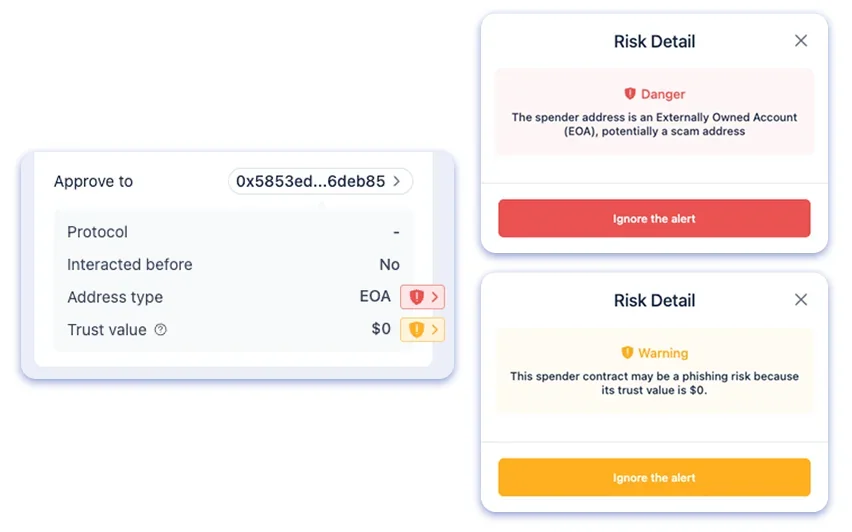
- A preview shows you how your balances will change before you sign.
- The extension works with Ledger, Trezor, Keystone, OneKey, BitBox02, GridPlus and several more.
- In the phone app you can connect Ledger and Trezor over Bluetooth. Keystone and OneKey work as well.
- The extension’s code is MIT licensed, so you can read it.
Rabby makes the most sense if you already move USDC between lending apps and liquidity pools and you want every swap spelled out before it goes through.
My favorite part is the preview. It shows you exactly what’s leaving your wallet before you approve anything, so you have a better chance of spotting a shady token approval.
5. Ledger Flex: The Hardware USDC Wallet I’d Buy
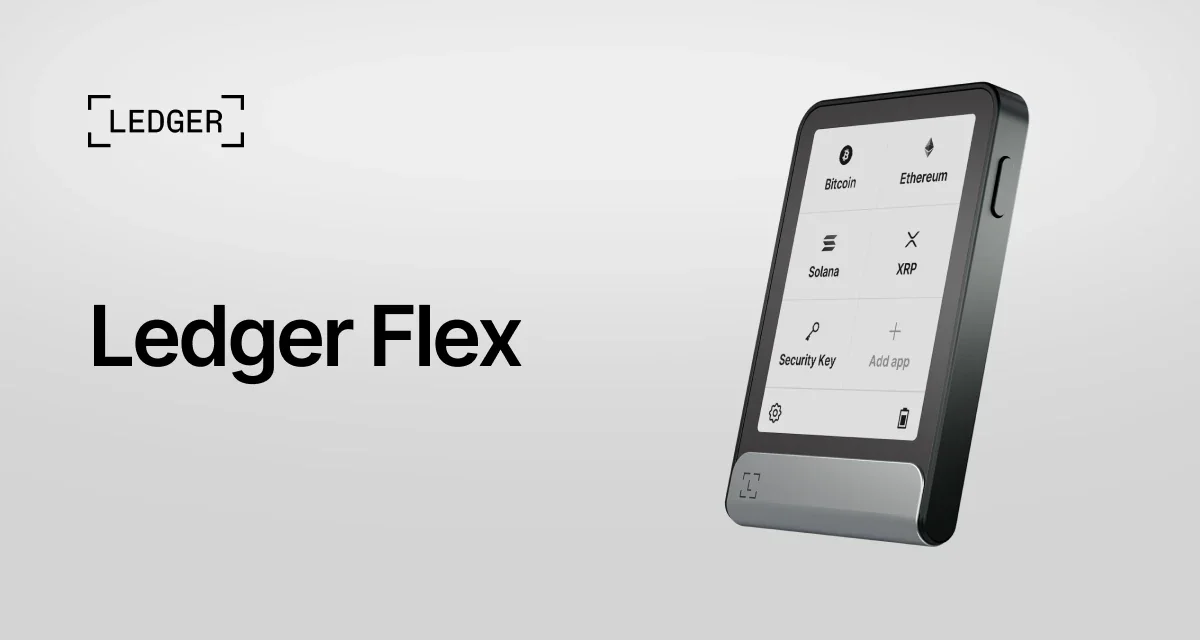
The Ledger Flex costs $249 at the time of writing (September 2026). You get a 2.8-inch E Ink touchscreen and a CC EAL6+ secure element that holds your keys. It connects over Bluetooth, NFC or USB-C.
It made my list because a large USDC balance is much safer when your keys never touch the laptop you use for everything else.
The Ledger Wallet app supports 500+ crypto, and you can also pair the Flex with Phantom, MetaMask and Rabby. Through Noah the app can even take your USD or EUR deposit and give you USDC on Ethereum or Base.
Ledger Flex Features for USDC Holders
- You check the full address and amount on the 2.8-inch screen before you approve.
- With Bluetooth you can sign from your phone.
- Integrated DeFi lending in Ledger Wallet can put your USDC to work.
- Swaps run through more than 15 providers inside Ledger Wallet.
- A Ledger Recovery Key comes in the box next to the recovery sheet.
Don’t need all that? A Ledger Nano X costs $99 and the Nano S Plus costs $69.
Before you settle on a brand, read the Ledger vs Trezor comparison. It shows you where each one gives ground.
6. Trezor Safe 5: An Open-Source Home for Your USDC
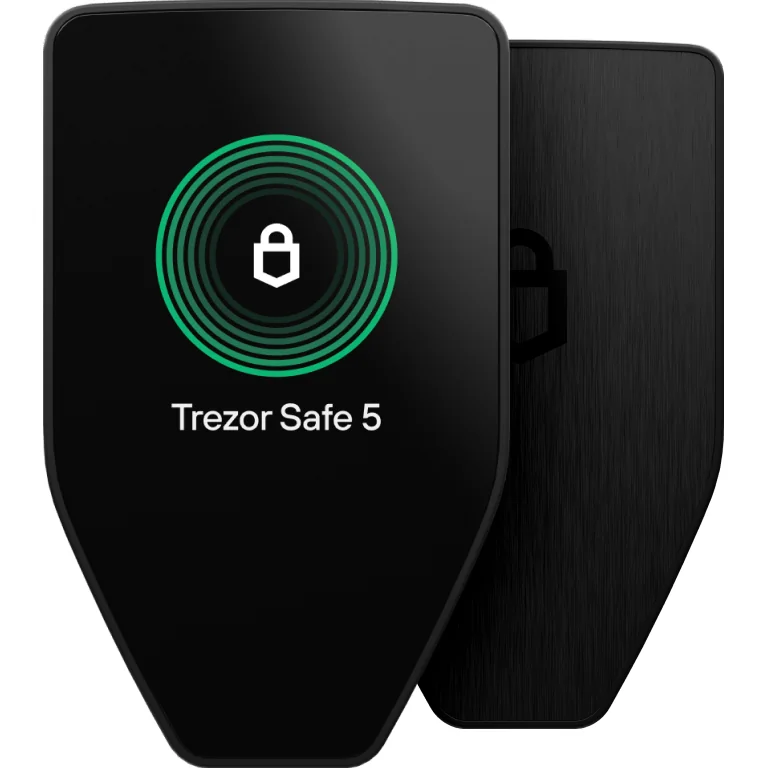
The Trezor Safe 5 costs $129 at the time of writing (September 2026). It has a 1.54-inch color touchscreen and an EAL6+ certified chip. Trezor calls both its security and its design open source.
It’s on my list for that openness and for USDC support that Trezor documents clearly on its own site.
Trezor shows USDC on 24 networks. Ethereum, Base, Arbitrum One, Optimism, Polygon, Avalanche and Solana are among them. You manage all of it in Trezor Suite on desktop, web or mobile.
What the Trezor Safe 5 Gives You
- You can manage USDC right in Trezor Suite with no other app in between.
- For DeFi it connects to MetaMask, Rabby, Backpack and NuFi.
- Your backup can be 12, 20 or 24 words, or an Advanced Multi-share Backup.
- Two 20-word backup cards come in the box.
- There’s a microSD card slot next to the USB-C port.
If your budget is tighter, the $59 Safe 3 is also on Trezor’s USDC list, so you don’t need the Safe 5 just to keep your USDC on a hardware wallet.
You’ll find more detail in the full Trezor Safe 5 review.
How I Picked These USDC Wallets
Who Holds the Keys
Custody came first for me. All six are self-custody wallets, so only you hold the keys and no company can freeze or reverse your transfer.
If the idea is new to you, Custodial vs non-custodial wallets explains how it works.
Which Networks Carry Your USDC
A wallet is only useful for USDC if it reaches the chains you use. I checked each pick against Circle’s list of native USDC contracts.
Circle says plainly that bridged copies like USDC.e aren’t its own. Its CCTP protocol moves real USDC by burning it on one chain and minting it on the next.
How Easy Each One Is Day to Day
I favored wallets that show you the network name right next to your USDC balance, because that one small detail can save you from a lot of wrong-network mistakes.
If you’re a beginner, Coinbase Wallet and Phantom will feel the easiest to you. Rabby and MetaMask make more sense once you already use DeFi.
What You’ll Pay
You pay nothing to install any of the four apps. Swaps are a different story: MetaMask charges 0.875%, Phantom 0.85% on select pairs and Rabby 0.25%.
You pay gas in each chain’s own token and not in USDC. The one exception on this list is Coinbase’s sponsored sends on Base.
Getting Back In After You Lose a Phone
I compared how you get back in after losing your phone. With Coinbase Wallet you can recover through email or a passkey, while the others rely on a recovery phrase.
Trezor gives you a multi-share backup option, and Ledger puts a Recovery Key in the box.
How Much of the Code You Can Read
Public code earned points with me. Rabby’s code is MIT licensed and Trezor calls its design open source.
You can see MetaMask’s code, but it sits under a non-commercial licence. Ledger keeps its secure element code closed, so on that part you have to take Ledger’s word for it.
Which USDC Wallet Fits You?
If you get paid in USDC or send it to friends, Coinbase Wallet on Base keeps things simple and covers your send fees. Just know that you won’t get the rewards in the EU or Canada.
Spend most of your time in Solana apps? Go with Phantom. Once your balance grows you can put a Ledger Flex or Nano X behind it.
For DeFi across a few EVM chains, look at Rabby or MetaMask. Once real money is involved I’d back either one with a Ledger or a Trezor so that your keys stay on a device and off your computer.
Get a hardware wallet if you plan to hold a big USDC balance for months. The Trezor Safe 5 costs less and is open source, while the Ledger Flex adds Bluetooth and a bigger screen.
Whatever you pick, choose the same network on the exchange and in your wallet. Your withdrawal cost depends on that network too, as the approximate Binance fees below show you.
| Network | Approximate Binance USDC withdrawal fee (Sept 2026) | Minimum withdrawal (Sept 2026) |
|---|---|---|
| Ethereum (ERC20) | About 0.6 USDC | About 5 USDC |
| Base | About 0.2 USDC | About 3 USDC |
| Arbitrum One | About 0.2 USDC | About 3 USDC |
| Solana | About 0.3 USDC | About 3 USDC |
| Polygon POS | About 0.12 USDC | About 3 USDC |
If you pick the wrong network or the wrong address, your USDC is gone and nobody can reverse it.
Send a small test amount first and check the network on both ends. The explainer on what a wallet address is shows you why addresses look different on each chain.
USDC Wallet Questions People Ask
What’s the best wallet for USDC?
For most people it’s Coinbase Wallet, because it covers your USDC fees on Base. If you use Solana, look at Phantom. For a big balance you want a Ledger Flex or a Trezor Safe 5.
Can I keep USDC on a hardware wallet?
Yes. Trezor lists USDC on 24 networks for the Safe 7, Safe 5 and Safe 3. A Ledger holds it through the Ledger Wallet app or a third-party wallet.
Do I have to hold ETH or SOL to send USDC?
Usually, yes. You pay fees in the chain’s own token, such as ETH or SOL. On Base, though, Coinbase Wallet covers up to 0.3 USD per USDC send and up to 2 USD a month.
What’s the difference between USDC and USDC.e?
Native USDC comes from Circle. USDC.e is a bridged version that Circle doesn’t issue or back, so check the contract address against Circle’s list before you trust it.
Is USDC on Tron?
Not natively. Tron isn’t on Circle’s current list of native USDC contracts. If you hold stablecoins there, see the guide to the best TRC20 wallets.
Is there real money behind USDC?
Circle says cash and cash-equivalent assets back it 100%. A Big Four accounting firm attests to the reserves each month.
Can my USDC earn interest in a wallet?
In some wallets it can. Coinbase Wallet advertises up to 3.35% APY where it’s available to you. MetaMask’s Money Account pays a variable rate after your USDC turns into mUSD. Neither rate is fixed.
My Bottom Line on USDC Wallets
If you use USDC day to day on Base, start with Coinbase Wallet. Phantom is the one for Solana, and Rabby or MetaMask will handle your DeFi on EVM chains.
Once your balance is more than pocket money, move it to a Ledger Flex or a Trezor Safe 5. And check the network on every transfer you make, because it matters as much as the wallet you chose.
This article is for general information only and is not financial, legal, or investment advice. Prices and features change; check the vendor’s official page before buying.