Nearly every hardware wallet on the market has called itself “premium” at some point. Ledger and Trezor built their reputations on protecting private keys, yet to many users their newer devices feel like iterations rather than innovations.
Every hardware wallet asks you to trust something: a company, a chip, a cable. The Keystone 3 Pro asks for less trust than most. Its firmware is open-source, its keys sit behind three secure element chips, and it talks to the outside world only through QR codes, so nothing ever plugs in. This review looks at whether that stack justifies its price in 2026, how it behaves in daily use, and who is better off with a Ledger, Trezor, or ELLIPAL instead.
If you’re choosing between it and Ledger’s Bluetooth model, read Keystone 3 Pro vs Ledger Nano X.
Keystone 3 Pro
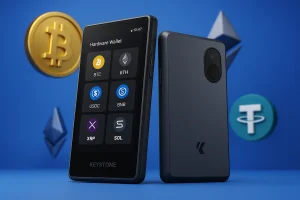
See why the Keystone 3 Pro is redefining hardware wallet security with triple chips, QR signing, and complete air-gap protection.
Product Brand: Keystone
Product In-Stock: InStock
7.5
Table of contents
Keystone 3 Pro Specs | |
|---|---|
| Connectivity | 100% air-gapped using QR codes and microSD. USB-C port used only for charging. No Bluetooth, WiFi, or NFC. |
| Compatibility | Works with iOS and Android through companion and third-party wallets. Integrates with MetaMask, Rabby, and other major software wallets. |
| Input / Interface | 4-inch full color touchscreen (480 × 800). Built-in camera for QR scanning. |
| Secure Chip | Three independent secure elements: Microchip ATECC608B, Maxim DS28S60, and Maxim MAX32520. |
| Camera | Built-in camera for scanning QR codes during air-gapped transactions. |
| Authentication | PIN code, fingerprint sensor, and optional BIP39 passphrase (25th word). |
| Recovery Backup | Supports 12, 18, or 24-word BIP39 seed phrases. Also supports multiple seed management and Shamir Secret Sharing. |
| Privacy and Security | Triple secure elements, self-destruct mechanism, open source firmware, hardware, and transaction detail verification to prevent blind signing. |
| Supported Assets | Supports more than 5,500 cryptocurrencies across over 200 blockchains through wallet integrations. |
| Software Support | Works with over 35 software wallets, including MetaMask, Keystone app, OKX Wallet, and BlueWallet. |
| Certifications | Secure elements certified EAL5+. |
What is Keystone 3 Pro?
The Keystone 3 Pro is the flagship device from Keystone, a hardware wallet company founded in 2018 and headquartered in Shanghai, China. From launch, Keystone pitched it as a premium hardware wallet for security-conscious users and institutions, not just a starter device for beginners.
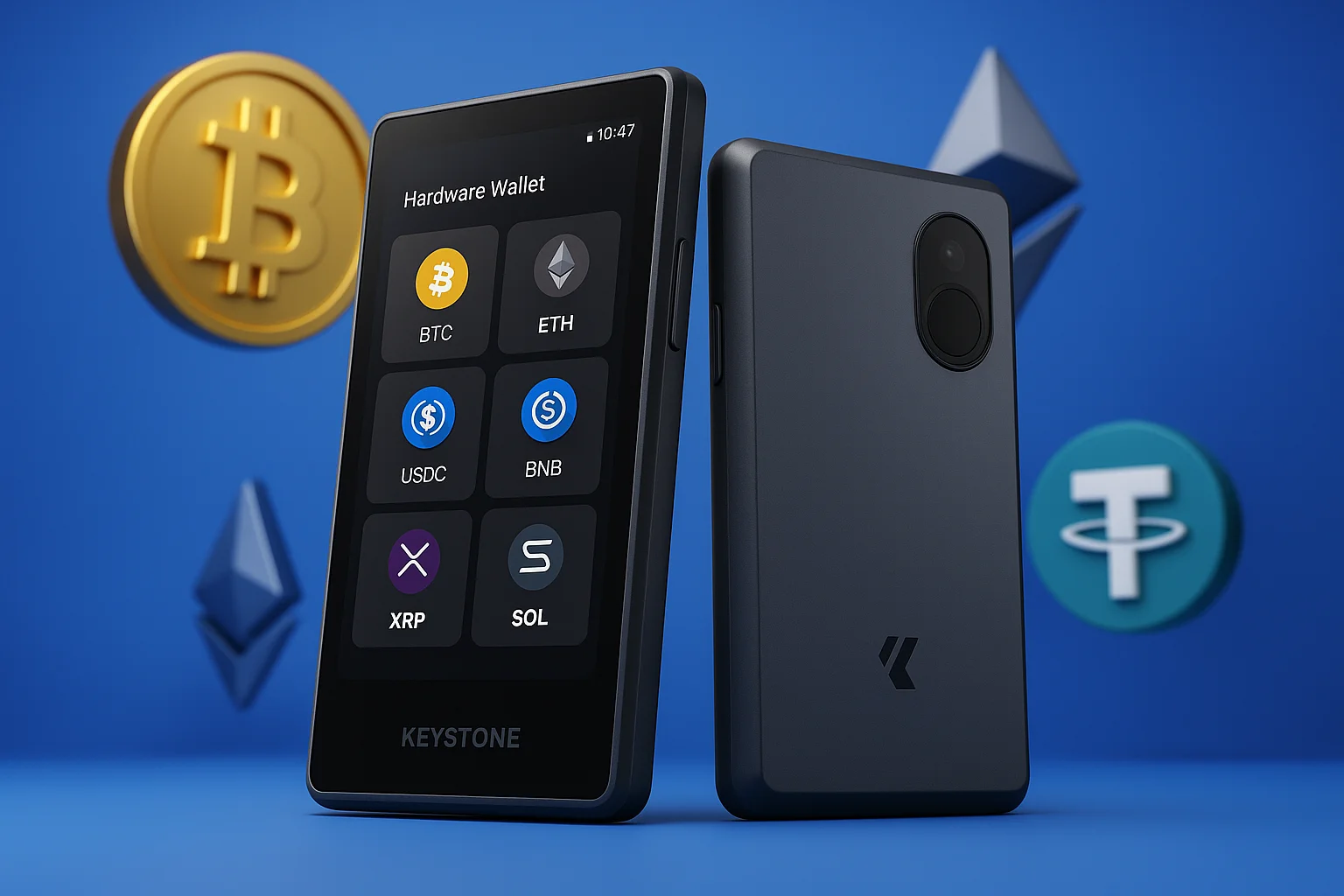
At roughly $129–$149, the 3 Pro is a fully air-gapped hardware wallet with a 4-inch color touchscreen, three EAL5+ secure elements, an optional fingerprint reader, and open-source firmware anyone can audit. It signs transactions by scanning QR codes with its camera and shows the signed result back as another QR code. No USB data, no Bluetooth, no radio of any kind.
Its defining trick is playing well with others. It slots into MetaMask, Rabby, OKX Wallet, Solflare, and other hot wallets as the offline signer, so you keep the interfaces you already know while your keys stay physically isolated.
Security Features and Architecture
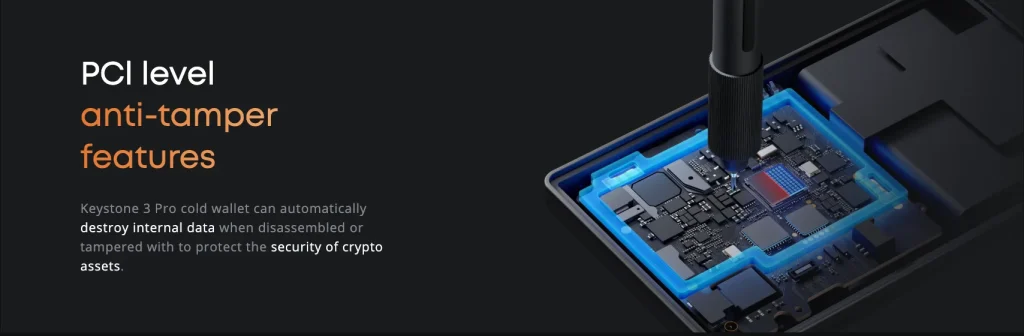
1. Triple Secure Element Chips and Hardware Isolation
Three separate secure element chips split the sensitive work: seed storage, signing, and random number generation. Compromise one chip and you still have not exposed the whole system. It is defense-in-depth built into the silicon, backed by anti-tamper hardware that wipes the secrets if anyone opens the case.
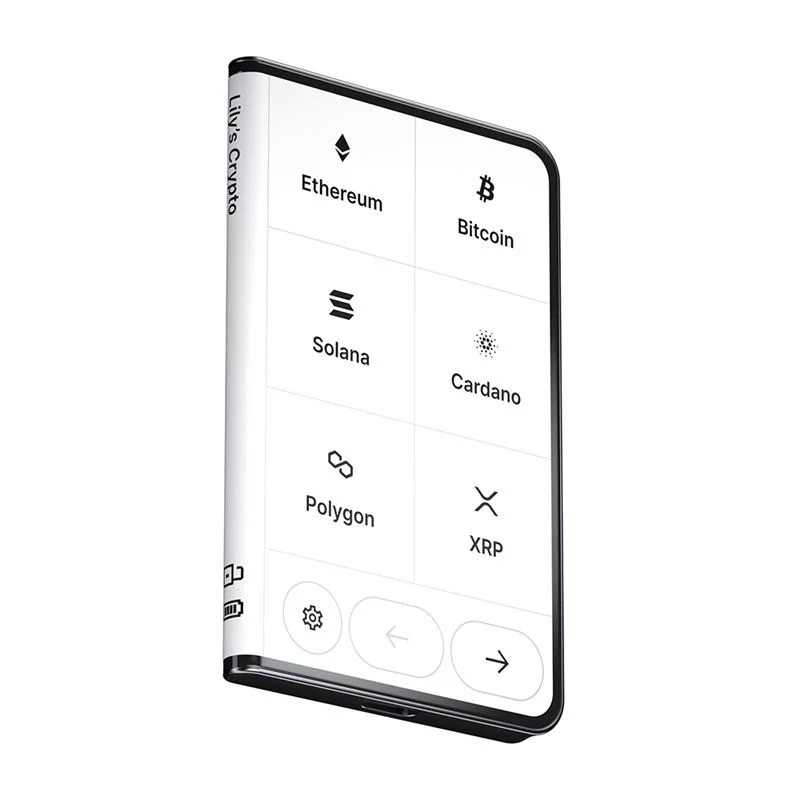
Most hardware wallets in this price range use a single secure element, or none at all. Three chips give the Keystone 3 Pro more redundancy and more physical resistance than most rivals, including some that cost more, such as the Ledger Stax.
2. Air-Gapped Transaction System
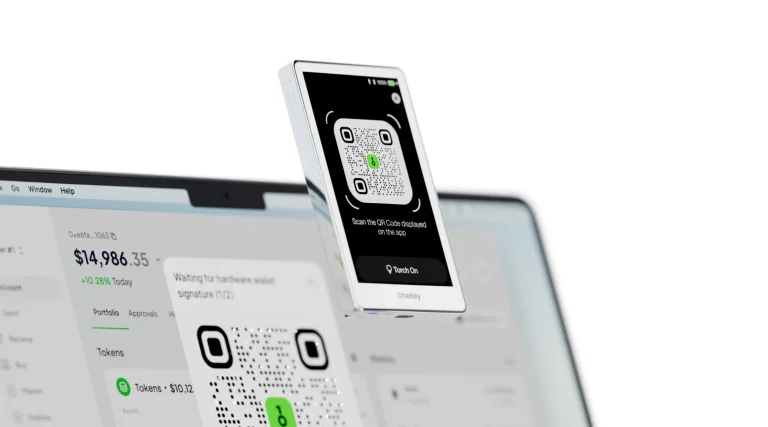
A transaction arrives as a QR code read by the Keystone’s camera. Every detail renders on the 4-inch screen, signing happens inside the device, and the signed result leaves as another QR code. The gap is total. Even a fully compromised computer can only show the device a transaction; it cannot touch the keys or change what the screen displays.
The Keystone 3 Pro is a fully air-gapped hardware wallet: transaction data moves in and out only by QR code or micro SD card. There is no Bluetooth, no Wi-Fi, and no USB data connection, so your private keys never touch anything online. You confirm every signature on the 4-inch display, where you can check the transaction details and the destination address yourself.
Ledger and Trezor, by contrast, rely on USB or Bluetooth. That is convenient, but every connection is one more path for malware or a compromised host. Keystone’s QR-based cold storage trades a little speed for complete disconnection, which is exactly the trade security-focused holders want.
3. Device Verification and Firmware Integrity
The firmware is open-source. Updates load from a microSD card and install only after the device verifies their signature. You can also run an authenticity check to confirm your unit is genuine before you trust it with a seed. Between public code and offline updates, the amount you have to take on faith is about as small as this industry gets.
4. Biometric and Physical Security Layers
The fingerprint sensor is a convenience layer on top of the PIN, not a replacement for it. Use it for quick unlocks to check balances; the PIN and optional passphrase still guard what matters. The anti-tamper mesh handles physical attacks, and the body feels solid without pretending to be a tank.
Trezor devices have no biometric unlock or tamper detection, and Ledger relies on a PIN in front of a single secure element. Against someone who has your device in hand, the Keystone 3 Pro puts up more layers than most wallets at its price.
5. Backup and Recovery Architecture
Backup follows open standards: BIP39 seed phrases, Shamir-style multi-share backup for splitting recovery across locations, and passphrase support for hidden wallets. As always, the phrase deserves steel, not paper. Never a photo, never a cloud.
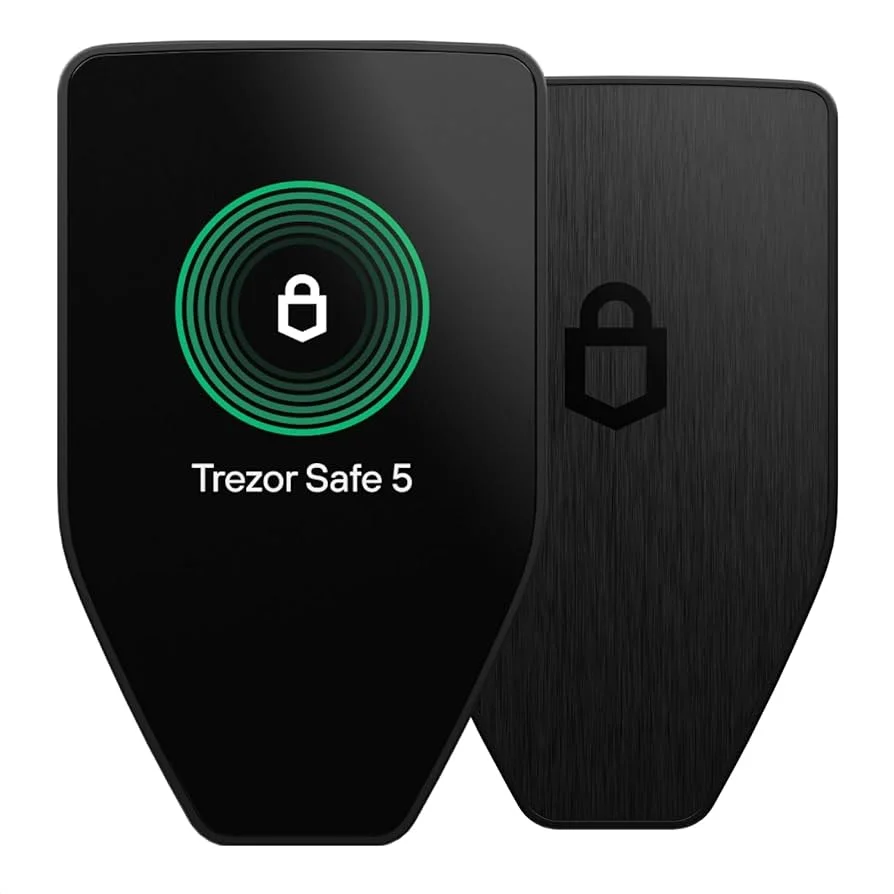
The Trezor Safe 5 also supports Shamir Backup. The Keystone goes a step further by handling recovery operations inside its secure element chips. The Ledger Nano X does not offer Shamir Backup at all. That makes the Keystone 3 Pro’s recovery setup one of the more complete and self-contained in its class, and it runs on tamper-resistant hardware.
Supported Assets
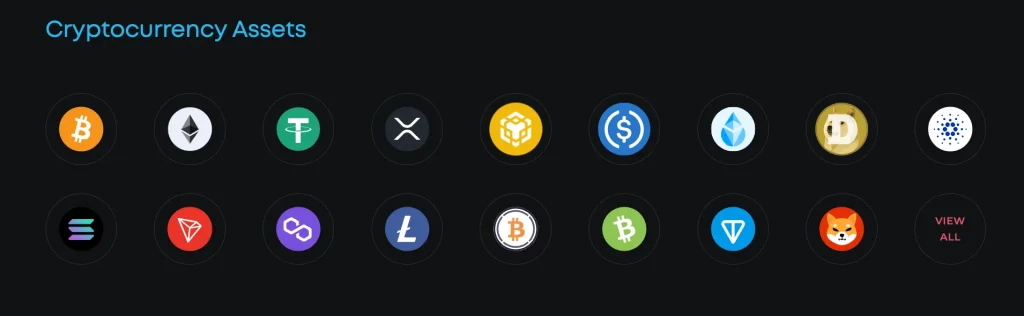
Coverage spans thousands of assets across every major chain: Bitcoin, the EVM ecosystem, Solana, Cosmos, and more. The hot-wallet pairings extend that reach further: whatever MetaMask or Rabby can build, the Keystone can sign. The gaps are mostly exotic chains that no companion app supports for QR signing.
Major supported coins include Bitcoin (BTC), Ethereum (ETH), BNB, XRP, Tether (USDT), USDC, Polygon (POL, ex-MATIC), Solana (SOL), TRON (TRX), Litecoin (LTC), Dogecoin (DOGE), Cardano (ADA), Wrapped Bitcoin (WBTC), Bitcoin Cash (BCH), TON, and Shiba Inu (SHIB).
Usability
The daily rhythm: wake the device with a fingerprint or PIN, scan, read, confirm, scan back. Once it is muscle memory, a transaction takes about thirty seconds. You do have a battery to keep charged (USB-C, charge-only), and the camera occasionally struggles in dim light. Neither has ever cost us a transaction. Both are the tax the air gap charges.
Keystone 3 Pro Hardware Wallet Review: UI/UX
The interface is the best argument for the device. The big, sharp touchscreen renders complete contract calls in readable form. Small-screen wallets reduce a DeFi interaction to a hash you approve on faith. The Keystone shows what the contract will actually do, which turns “blind signing” from a necessary evil into a choice you can decline.
The layout is clean and easy to navigate. You can read transaction details, verify wallet addresses, and sign directly on the device without squinting or scrolling through a hash.
Keystone 3 Pro: Pricing
At roughly $129–$149 from the official store, the 3 Pro sits mid-pack: cheaper than the ELLIPAL Titan 2.0 and Ledger’s touchscreen models, pricier than budget devices. For that you get open-source firmware, triple secure elements, and the best screen in the category, so the price is arguably the least interesting thing about it. It is competitive, not a bargain and not a splurge. Buy from the official store or an authorized reseller only, as with every hardware wallet. A tampered device is the one risk no chip can fix.
How to Use Keystone 3 Pro?
Setup takes about fifteen minutes: verify the device is genuine, install verified firmware if prompted, generate the seed on the device, back it up to steel (optionally as Shamir shares), then set your PIN, fingerprint, and passphrase. Pair with your wallet of choice by scanning a QR code. Every transaction after that follows the same scan-verify-sign loop.
Our Keystone 3 Pro setup guide walks through those steps one by one.
The Keystone 3 Pro setup process is straightforward and fully offline. All sensitive actions occur within the device, maintaining complete cold storage security. Once configured, users can securely manage crypto assets through the Keystone Companion App, benefiting from the protection of one of the most advanced hardware wallets available.<br>
Charge the Device
Use the included USB cable to charge the Keystone 3 Pro hardware wallet until the battery level reaches 20% or higher. The USB connection is used only for charging or firmware installation, not for data transfer.
Prepare for Setup
Have access to a computer or smartphone and visit Keystone’s official website. You will also need a micro SD card (FAT32, under 1 TB) if you plan to manually install firmware.
Choose Your Language
Power on the Keystone device by pressing and holding the power button for three seconds. When prompted, select your preferred language.
Verify Your Device
On the device, select “Device Verification.” Visit the official Keystone verification portal on your computer and scan the QR code shown on-screen. This step ensures the device is genuine and has not been tampered with during shipment.
Update the Firmware
If the device prompts you for an update, download the latest secure element firmware from the website. Copy the update file onto the micro SD card, insert it into the device, and follow the on-screen instructions to complete the upgrade.
Create or Import a Wallet
Select “Create Wallet” to generate a new one, or “Import Wallet” if you already have an existing wallet. When creating a new wallet, the Keystone will generate a seed phrase completely offline. Please write it down on the provided recovery sheet and store it securely. Avoid importing a seed phrase generated online, as it may compromise security.
Set a PIN Code
Create a strong PIN to protect your device from unauthorized or physical access. This PIN prevents anyone else from accessing your private keys offline.
Enable Biometric Authentication (Optional)
Activate the fingerprint authentication feature for faster device access and approving transactions. The fingerprint data is stored securely within the dedicated secure element and never leaves the device.
Connect to a Software Wallet
Use QR code scanning to connect with popular software wallets. All transaction data and signing operations are processed on the Keystone, keeping private keys isolated from online threats.
Verify and Start Using
Perform a small test transaction to verify functionality. Confirm the transaction details directly on the 4-inch touchscreen before sending. The device’s advanced security features decode and display exact information, preventing phishing or redirection attacks.
Pros and Cons of Keystone 3 Pro
The balance sheet. Note how many entries on the negative side are about ergonomics rather than security:
Keystone 3 Pro vs. Competitors
Against the ELLIPAL Titan 2.0: both are fully air-gapped, but the Keystone is open-source and hot-wallet-friendly, while the Titan is sealed metal and tied to its own app. Against Ledger: Ledger’s devices are faster and slicker for frequent use, but they are cable-and-radio devices with closed firmware. Against Trezor’s Safe 5: similar transparency values, different philosophy. Trezor trusts a certified USB connection; Keystone trusts nothing at all. There is no wrong answer, only your threat model.
If you need a phone wallet alongside it, our Trust Wallet review covers a popular one.
| Image | Product | Features | Price |
 | Keystone 3 Pro | ||
 | Ledger Stax | ||
 | Ledger Flex | ||
 | Trezor Safe 5 |
FAQ
Is the Keystone 3 Pro a Bitcoin-only wallet?
No. The Keystone 3 Pro is a multi-asset hardware wallet that supports over 5,500 coins and tokens across more than 200 blockchains. It also offers a Bitcoin-only firmware option for users who want the smallest possible attack surface.
Does the Keystone 3 Pro have a touchscreen?
Yes. The device has a 4-inch full-color touchscreen with a smartphone-like interface for reading transaction details, choosing assets, and moving through menus.
Is the Keystone 3 Pro expensive?
Compared with basic hardware wallets, yes. The Keystone 3 Pro is positioned as a premium device at about $149, and it includes security features, such as three secure elements and a full air gap, that most wallets at that price do not.
How does Keystone compare to Ledger?
Compared with Ledger’s flagship devices, the Keystone 3 Pro puts everything behind a fully air-gapped workflow (QR codes or microSD) and uses three separate secure element chips for its core operations. The trade-off is simple: stronger isolation with Keystone, versus Ledger’s broader ecosystem and Bluetooth/USB convenience.
How safe is the Keystone wallet?
The Keystone 3 Pro stacks several layers of protection: three secure element chips, air-gapped signing, fingerprint authentication, tamper detection with a self-destruct mechanism, and open-source firmware. Together they keep your private keys offline and defend your crypto against both digital and physical attacks.
What will you find in the box with your Keystone 3 Pro?
The package typically includes the Keystone 3 Pro device, a USB-C charging cable, a user manual, seed-sheet cards for your recovery phrase, and tamper-evident packaging. A micro SD card is not included; buy one separately if you plan to use it for firmware updates or larger data exports.
Final Verdict
The Keystone 3 Pro earns its 7.5/10 as the thinking person’s air-gapped wallet: open code, layered chips, a screen that makes verification real, and DeFi compatibility no other air-gapped device matches. In return it asks for a small ritual with every transaction and a battery you have to remember to charge. If you sign daily, buy something connected. If you hold seriously and sign deliberately, this is one of the strongest packages in the category. Buy from the official store or an authorized reseller, generate your seed on the device, and the keys never leave your hands.
How I review: Reviewed by Andrei B. I buy the hardware wallets I review, test every product myself and score it on security, UI/UX, ease of use, price and supported coins. Before I publish, I also check recent user reviews and any hack reports.
The whole process is explained on the How We Review page. You can read more about me, or contact me with corrections, from the links at the bottom of this page. For general safety advice, see the FTC guide to cryptocurrency scams.