OneKey’s Pro is a touchscreen hardware wallet with a camera on the back, and that camera can replace the cable completely: transactions travel in and out as QR codes, so the wallet never has to touch your computer at all. Four EAL 6+ secure elements sit behind it. That pairing is the whole pitch.
What’s a secure element? It’s a tamper-resistant chip that keeps private keys locked inside and won’t hand them over, not even to the wallet’s own software. Four of them is unusual, and EAL 6+ is the grade you find in passports and bank cards.
Who’s it for? People holding coins across a lot of chains, approving smart-contract transactions week in and week out. Bitcoin-only holders who never open a decentralized finance app will find the $278 price at the time of writing (September 2026) hard to swallow.
We’ll walk through the hardware, the setup, the security record, the asset support, and the parts that irritate us. Prices and specs here come from OneKey’s store and help pages, with dates attached.
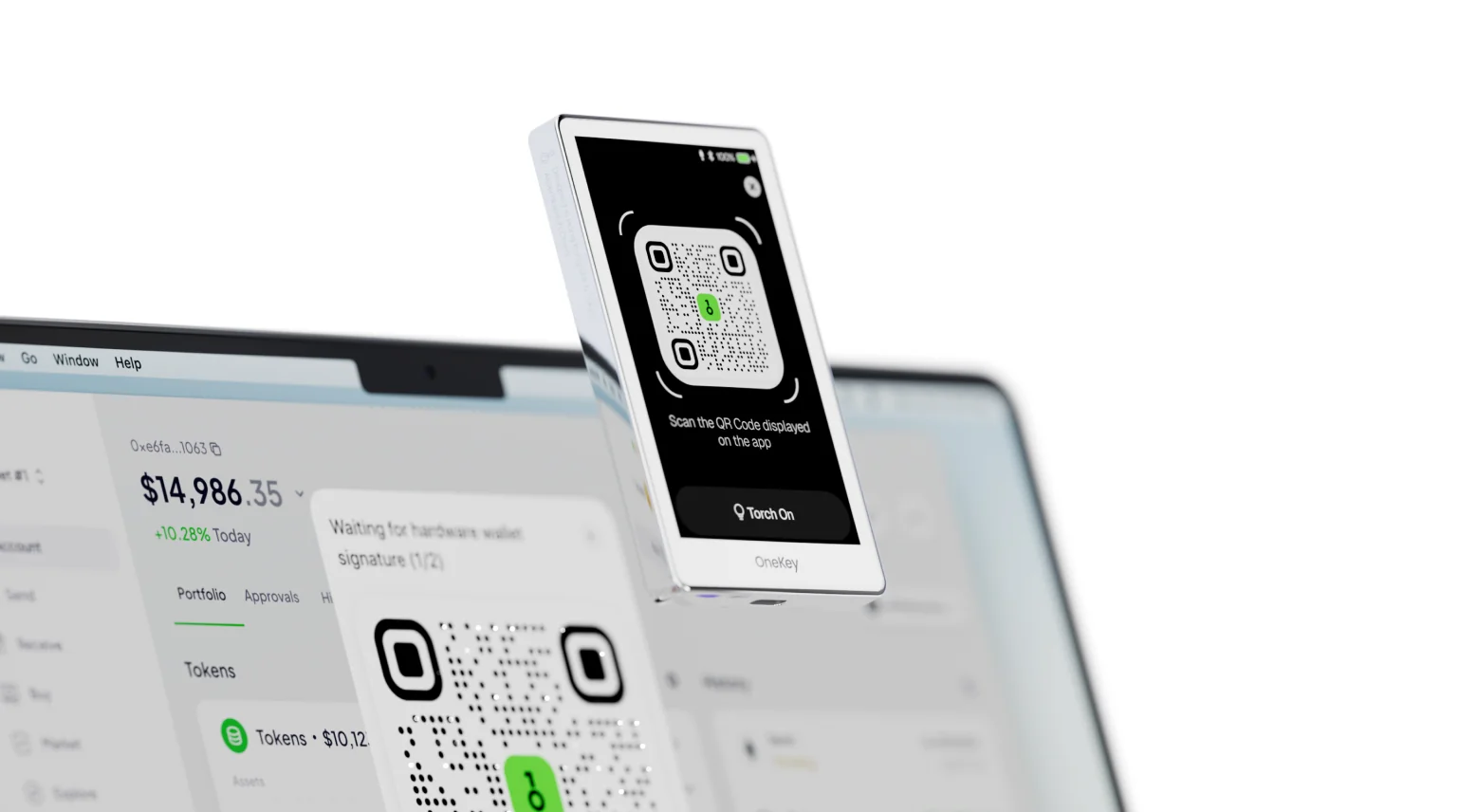
Table of contents
What the OneKey Pro Actually Is
OneKey is a Hong Kong outfit with money from Coinbase Ventures and Binance Labs, and the Pro is its flagship. Firmware v4.9.0 landed on 22 April 2024, and the changelog has stayed public ever since.
Physically it’s frosted glass and polished aluminum: 90.1 by 54.4 by 7.6 mm, 65 g. The front is one 3.5-inch color touchscreen running at 480 by 800 pixels. Around the back you get a camera and a flashlight for reading QR codes, while the power button quietly doubles as a fingerprint sensor.
Nothing sits above it in the range. Below are the OneKey Classic 1S at $99 and the battery-free Classic 1S Pure at $79, both of which make do with a 1.54-inch monochrome screen and buttons. Only the Pro carries a camera, NFC and a fingerprint reader.
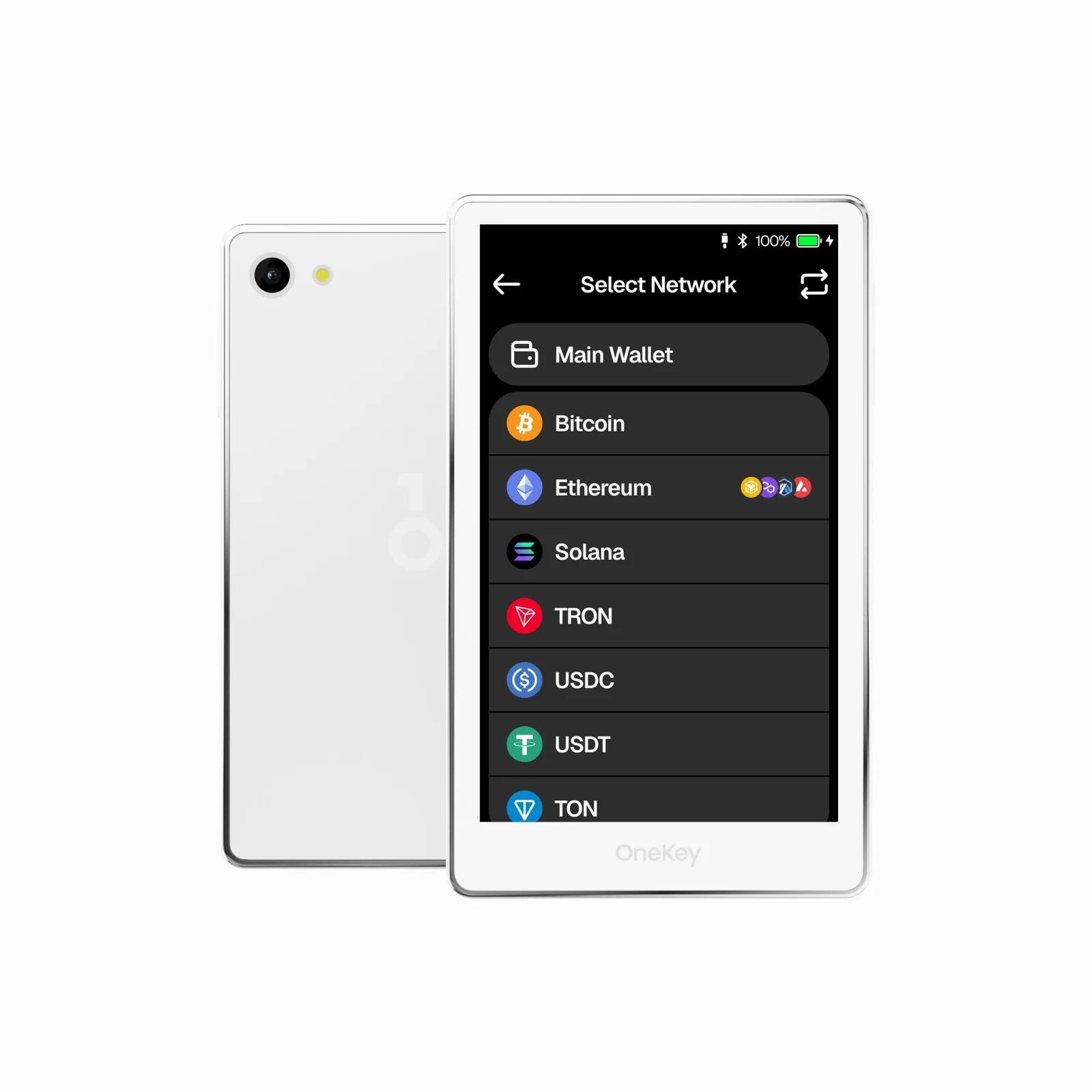
OneKey Pro: the numbers in one place | |
|---|---|
| What it costs | $278, checked September 2026 |
| Screen and size | 3.5-inch IPS color touchscreen at 480 x 800 90.1 x 54.4 x 7.6 mm, 65 g on the scales |
| How it connects | USB-C, Bluetooth, NFC, or QR codes with nothing plugged in |
| Where keys live | Four EAL 6+ secure elements share the work |
| Source code | Published on GitHub, firmware and apps alike |
| Assets it handles | More than 100 blockchains and more than 30,000 tokens |
| Ways to back up | A 12, 18 or 24-word recovery phrase A passphrase if you want one The OneKey Lite NFC card, $25.90 extra |
| Desktop and phone app | OneKey App on macOS, Windows, Linux, iOS, Android and Chrome |
| Who it suits | Multi-chain owners who sign offline and want to read what they sign |
The OneKey Pro Features That Matter
- Flip on Air Gap mode and Bluetooth, USB and NFC all go dark. QR codes become the only road in or out, so there’s no electrical path from a compromised laptop to your keys.
- Key storage and sensitive operations are spread across four EAL 6+ secure elements rather than one. EAL 6+ is a Common Criteria grade that covers physical tampering and side-channel attacks.
- The fingerprint reader is built into the power button, so a touch unlocks the wallet instead of a PIN tapped out on a cramped keypad.
- SignGuard leans on GoPlus and Blockaid data to flag hostile contracts, wallet drainers and counterfeit tokens before your thumb reaches the approve button.
- You can register the wallet as a passkey security key with Google, GitHub or Binance, which means one object guards your coins and your logins.
- A passphrase is an extra secret word that spins up a separate set of accounts, and OneKey lets you bind one to a second PIN. Your usual PIN opens the everyday wallet; the other opens the hidden one.
Living With the OneKey Pro: Is It Beginner-Friendly?
Everything in setup happens on the wallet itself. Hold the power button for three to four seconds, choose a language, tap “Create New Wallet”, pick how many recovery words you want, set a PIN. Your computer never sees a secret.
That 3.5-inch screen is what you’re really paying for. A full address or a long contract call fits into one view instead of crawling past two lines at a time. It earns its keep the first time an approval pops up that you didn’t ask for.
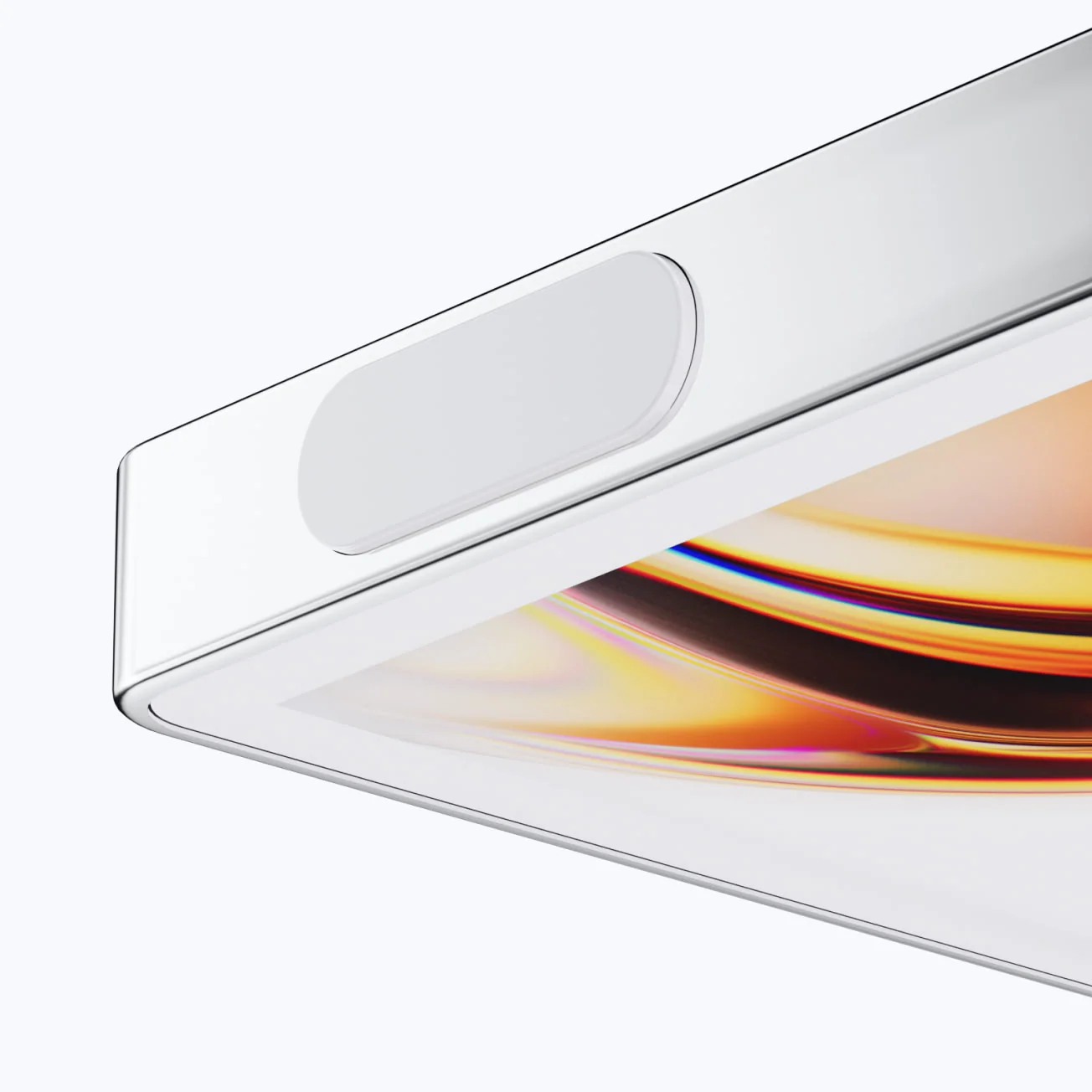
Fingerprints get added later, under Settings, then “Security”, then “Fingerprint”. Press the same finger onto the power button a few times until “Fingerprint Added” shows up. Enroll a second finger while you’re in there.
Pairing is clumsier than it ought to be. OneKey’s desktop app and browser extension will only talk to the wallet down a USB cable, the phone app will only talk over Bluetooth, and extension users have to install a separate helper called OneKey Bridge on top of all that. It annoys us.
Air Gap mode piles on steps rather than removing them. Build the transaction in the app, tap “Scan” on the wallet, read the app’s QR code, slide to confirm, then point the app at the QR code the wallet hands back. Slower than a cable, deliberately.
How Secure Is the OneKey Pro, Really?
Keys and the operations that touch them are split across four EAL 6+ secure elements. OneKey calls that layered hardware isolation, and the certification is the same one standing behind government ID cards and EMV bank chips.
Then there’s the source code. OneKey publishes the Pro firmware at github.com/OneKeyHQ/firmware-pro alongside the app code, and says the builds are reproducible, meaning anyone can compile the same binary and compare it. Ledger can’t say that.
SlowMist reviewed OneKey’s firmware and device-level security design and came back with an overall rating of Low Risk. One medium-risk issue turned up and has been fixed, and nothing landed in the critical or high buckets. The Pro, the Classic 1s and the OneKey SDK each got a report of their own.
Two fixes came straight out of that review. Firmware can no longer be rolled back to versions with known problems, and Bluetooth pairing now demands an unlocked device first. We’d much rather read about changes like these than have them slip through unannounced.
Ten wrong PIN entries and the wallet erases itself. OneKey also says it wipes on detected intrusion, firmware modification included, and that the very first power-on runs a firmware attestation check to prove the code is genuine.
None of which makes the company’s history spotless. On 10 February 2023 the security firm Unciphered posted a video of itself pulling the recovery phrase out of a OneKey Mini, the older button-driven model, after opening the case and wiring in an FPGA board to eavesdrop between the processor and the secure element. OneKey’s answer was that the hole had already been closed in firmware.
Different device, older silicon, granted. It’s still your reason to order direct from OneKey and to stare hard at the holographic seal before pressing anything. OneKey’s own guide tells you to stop and call support if the packaging looks disturbed.
What You Can Store on the OneKey Pro
OneKey’s own count runs to more than 100 blockchains and more than 30,000 tokens, Bitcoin, Ethereum, USDT, Solana and XRP among them. Nothing installs or uninstalls per chain, so the storage squeeze you hit on some rivals never comes up here.
It isn’t locked to OneKey’s own software either. WalletConnect v2 works, and so do MetaMask, OKX, Rabby and Sparrow, which covers most of what a DeFi user reaches for. MetaMask people should also read our guide to the best hardware wallets for MetaMask.
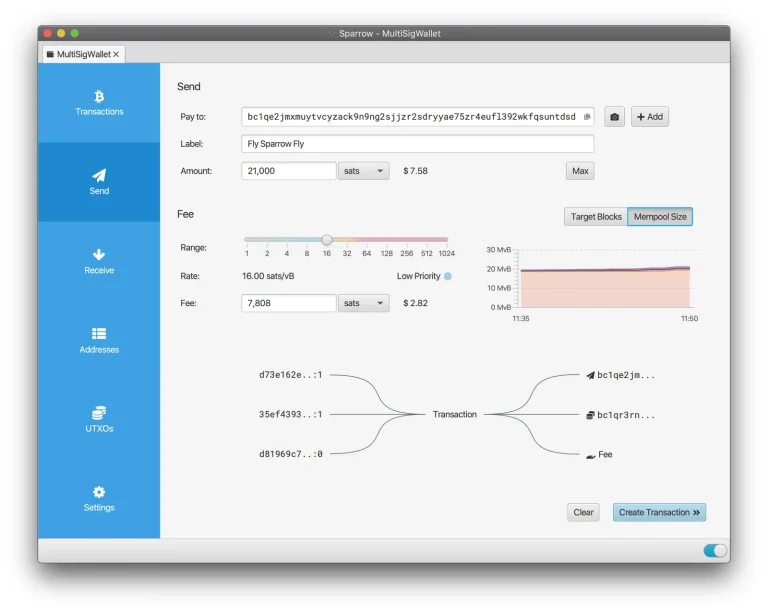
Shared accounts get a look in as well. Ethereum Safe, Solana Squads and Bitcoin’s Sparrow Wallet all appear on OneKey’s multisig list, which brings a team treasury needing several signatures into range. Our roundup of the best multisig wallets explains how those arrangements work.
A Bitcoin-only build arrived with firmware v4.18.0 on 20 December 2025. Cutting out every other chain shrinks the pile of code you have to trust, and plenty of Bitcoiners care about that. On the standard firmware, NFTs and dApps need no extra setup.
What the OneKey Pro Costs, and What You Get
OneKey charges $278 for the Pro through its own store, in white or black. Inside the box: the wallet, a USB Type-C cable, three paper recovery sheets. Orders above $99 ship free worldwide, so this one clears the bar by itself.
No subscription, no paywalled features. The extras are genuinely optional: a two-tag titanium KeyTag kit at $59, the OneKey Lite NFC backup card at $25.90, and a one-to-one setup call named OneKey Sifu at $99.
Cover runs twelve months, repair or replacement on quality faults, with a seven-day return window on confirmed ones. The store also shows 4.8 from 112 reviews, though that’s OneKey counting its own customers rather than an independent panel.
Order from OneKey’s own store and nowhere else. Hardware wallets sold through marketplaces have a long, ugly record of tampering, and any wallet that turns up already set up belongs to whoever set it up.
OneKey Pro Pros and Cons
The bargain here is simple enough. Your $278 buys offline signing, a display big enough to show what you’re approving, and code anyone can audit. Strip those three away and a far cheaper wallet guards a recovery phrase just as well.
Setting Up Your OneKey Pro, Step by Step
Give yourself twenty quiet minutes and a pen. Your recovery phrase goes on paper, never into a photo or a password manager. Anyone who reads those words owns your coins, and a transfer fired at the wrong address or the wrong network is gone for good, with nobody able to claw it back.
- Inspect the box and the holographic seal before anything gets opened. OneKey says to stop right there and contact support if something looks off.
- A three to four second press on the power button wakes the wallet, and the prompts then walk you through picking a system language.
- Tap “Create New Wallet”, press “Continue”, and decide whether you want 12, 18 or 24 recovery words. More words means more entropy and more writing.
- Turn on PIN protection, key in your PIN, key it in again to confirm, then press “Continue” once “Wallet is Ready” shows. Ten wrong tries wipe the wallet. That’s a feature.
- Copy each word onto the supplied sheet starting from “Recovery Phrase #1”, watching the position numbers as you go. Press “Continue” at “Almost Done”, then tap back the words it asks for until “Verified” appears.
- Install the OneKey App, plug in over USB, choose “Create wallet” then “Connect hardware wallet”, and select your device from the list. Enter the PIN, confirm on the wallet that it’s genuine, and press “Continue” at “Verification successful”.
- Hit “Receive”, then “Verify on device”, and hold the address in the app against the one on the OneKey Pro screen. The screen you trust is the wallet’s, not the laptop’s. Not sure what you’re comparing? Our explainer on what a wallet address is covers it.
Fingerprints, Air Gap mode and OneKey Lite card backups all live in Settings and can wait. None of them belong to first-run setup, so nothing breaks if you get to them next week.
OneKey Pro Alternatives Worth a Look
Keystone 3 Pro
Closest rival, and $149 against the OneKey Pro’s $278. Keystone built it air-gapped from the start, with a touchscreen and a camera, though you get no Bluetooth and no fingerprint reader. Our Keystone 3 Pro review has the detail.
Trezor Safe 5
At $129 this is the value option, and you still get a color touchscreen, haptic feedback and Trezor’s long history of open code. No camera means no QR signing, so it’s a cable job. Our Trezor Safe 5 review covers the rest.
OneKey Classic 1S
Like the software but not the flagship price? The Classic 1S runs the same app across the same chains for $99.
You give up the camera, the fingerprint sensor, NFC and the big display, and you’re left with a 1.54-inch monochrome screen and two buttons. More offline picks sit in our list of the best air-gapped crypto wallets.
OneKey Pro FAQ
Is the OneKey Pro safe to use?
Mostly, yes. Keys stay inside four EAL 6+ secure elements, the firmware is published, and SlowMist’s review of OneKey’s firmware and device security landed on Low Risk, with the single medium finding fixed and nothing critical. Ten bad PIN entries and the device erases itself. What’s left is human error, so your recovery phrase should never be typed into anything.
How much is the OneKey Pro?
$278 at OneKey’s official store, checked September 2026, with free worldwide shipping above $99. The add-ons are optional: $59 for the titanium KeyTag kit, $25.90 for the OneKey Lite card, $99 for a guided setup call.
Which coins can the OneKey Pro hold?
OneKey’s figures are 100+ blockchains and 30,000+ tokens, Bitcoin, Ethereum, USDT, Solana and XRP included. Because nothing installs per chain, you can’t run out of room. There has been a Bitcoin-only firmware build since v4.18.0 in December 2025.
Can you use the OneKey Pro with MetaMask?
Yes. OneKey even publishes a guide for driving MetaMask over QR codes with the wallet air-gapped. WalletConnect v2, OKX, Rabby and Sparrow work too.
What if I lose my OneKey Pro?
Nothing is stored on the wallet itself, because your coins sit on the blockchain. Type your recovery phrase into a replacement OneKey or any compatible wallet and the accounts reappear. Whoever finds the old one still needs your PIN, and ten wrong guesses wipe it.
Is the OneKey Pro genuinely air-gapped?
Only when you tell it to be. Air Gap mode shuts off Bluetooth, USB and NFC and leaves QR codes as the sole route in or out. It ships switched off, so check the setting if that is why you bought the thing.
Does the OneKey Pro need charging?
Yes. A 530 mAh lithium-ion polymer cell sits inside, rated for 500 or more cycles while holding 80% capacity. Top it up over USB-C or wirelessly at 2.5 W. OneKey reckons a full charge survives roughly seven months in a drawer.
OneKey Pro Verdict: Who Should Buy One
The OneKey Pro earns its $278 if you’re approving contract transactions across several chains most weeks and you want to read each one properly, with nothing plugged in. A 3.5-inch display, a camera for QR signing, published source code and an audit report you can download rarely turn up in the same box.
Pass if this is your first wallet, or if you’re parking one asset for a decade. A $129 Trezor Safe 5 or a $99 OneKey Classic 1S guards a recovery phrase just as well, and the extra money here buys convenience and verifiability rather than more protection. Our verdict: the best air-gapped wallet on sale if you’ll use the air gap, and a pricey touchscreen if you won’t.
This article is for general information only and is not financial, legal, or investment advice. Prices and features change; check the vendor’s official page before buying.