Uniswap Labs makes the wallet that the world’s best-known decentralized exchange wanted to exist, and you can feel that focus in about ten seconds of using it. Everything else in the app orbits the swap screen. Since December 27, 2025 the company hasn’t taken an interface fee at all, so nothing is skimmed on top of your trade.
Who’s it for? Anyone who trades Ethereum-style tokens from a phone and would rather not think about MEV, the money a bot can make by shoving its own transaction around yours. The app fights the common version of that automatically.
Bitcoin holders won’t get much here, and neither will anyone who wants Solana on their phone or who’s parking long-term savings. We’ll walk through the setup, the security story, which chains and coins it actually handles, what a swap ends up costing once every fee is counted, and which rivals deserve a look before you commit.
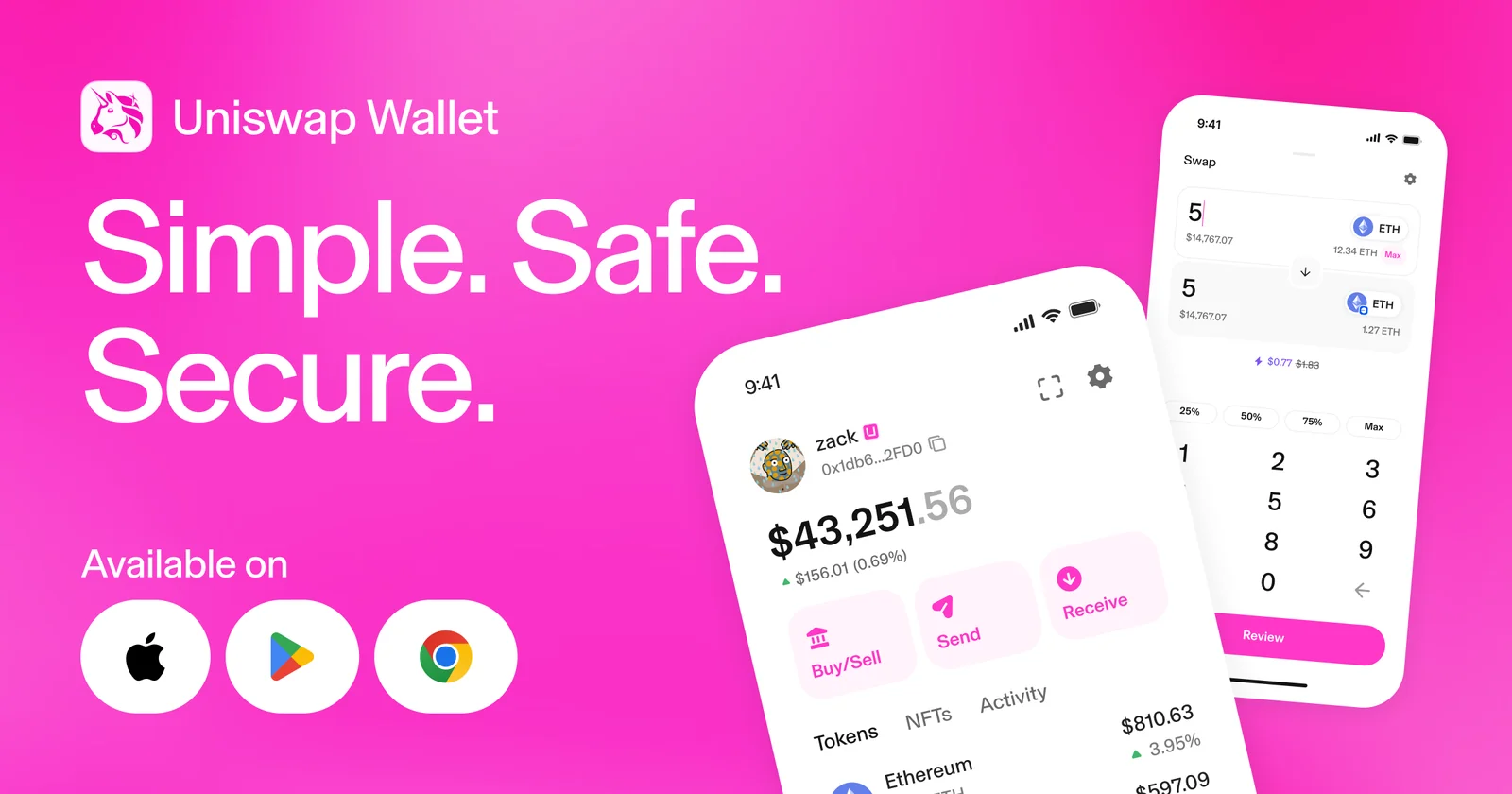
Table of contents
So What Exactly Is the Uniswap Wallet?
Think of it as Uniswap Labs handing you the keys instead of holding them. Self-custody is the term, and it means your private keys never leave your phone or browser, so the company has nothing to hand over and nothing to lose on your behalf. Three versions exist: iPhone, Android, and a Chrome extension.
iPhone owners got it first, on April 13, 2023, with Android arriving seven months later on November 14, 2023. The Uniswap Extension then opened its doors to everyone on July 16, 2024, after more than 700k people had queued up on a waitlist for it.
Nothing to pay, at the time of writing (September 2026). Apple’s record names Universal Navigation Inc. as the publisher, pins the current build at 1.82.0, and won’t install it on anything older than iOS 16.4.
Users rate it highly, for what star ratings are worth. Apple’s US page sits at 4.85 across 19,685 ratings, while the official wallet page quotes 4.8 from 62K+ reviews spanning all three platforms.
Uniswap Wallet at a glance | |
|---|---|
| <strong>What it costs</strong> | Nothing to install, and Uniswap Labs has taken a 0% interface fee since December 27, 2025 |
| <strong>Where it runs</strong> | An app on iPhone and Android, plus a Chrome extension that tucks into the browser sidebar |
| <strong>How it connects</strong> | Online only, and it reaches onchain apps through WalletConnect 2.0 |
| <strong>Who holds the keys</strong> | You do, on your own device. Fresh wallets arrive as smart wallets running EIP-7702 |
| <strong>Code you can read</strong> | Public in the Uniswap/interface repo under GPL-3.0, though the help centre prefers the phrase source-available |
| <strong>Coins and chains</strong> | ERC-20 tokens across 13 networks, out of the 21 that Uniswap Labs products reach. Solana is the notable miss |
| <strong>Ways to back up</strong> | Write the recovery phrase out by hand, or park an encrypted copy on iCloud or Google Drive behind its own password |
| <strong>Other Uniswap apps</strong> | The Chrome extension and the Uniswap web app both sync to the same wallet |
| <strong>Who it suits</strong> | Phone traders moving Ethereum-style tokens who want MEV protection handled for them |
What the Uniswap Wallet Does Well
- Trades hit the Uniswap Protocol from inside the app itself, which spares you the familiar dance of opening a decentralized exchange and hooking an outside wallet up to it.
- On Ethereum Mainnet your swap travels through a private pool operated by Flashbots Protect. Nobody has to switch it on, and it shuts down sandwich attacks, the trick where a bot buys just before you and sells just after to bend the price in its favor.
- One tap can turn a token sitting on one chain into a different token on another, with the Across bridge and Uniswap’s router doing the plumbing. No bridging first, then swapping second.
- Park USDC, USDT or ETH in a Morpho lending vault on Ethereum Mainnet through the Earn tab and collect a floating rate. Deposits start at $5 and nothing is locked up.
- Claiming a uni.eth username swaps that intimidating 0x string for something a friend can type without checking it three times. You’ll need build 1.21.1 or newer.
- Wallets created today run EIP-7702 smart wallet code, which collapses the old approve-then-swap pair of signatures into a single confirmation.
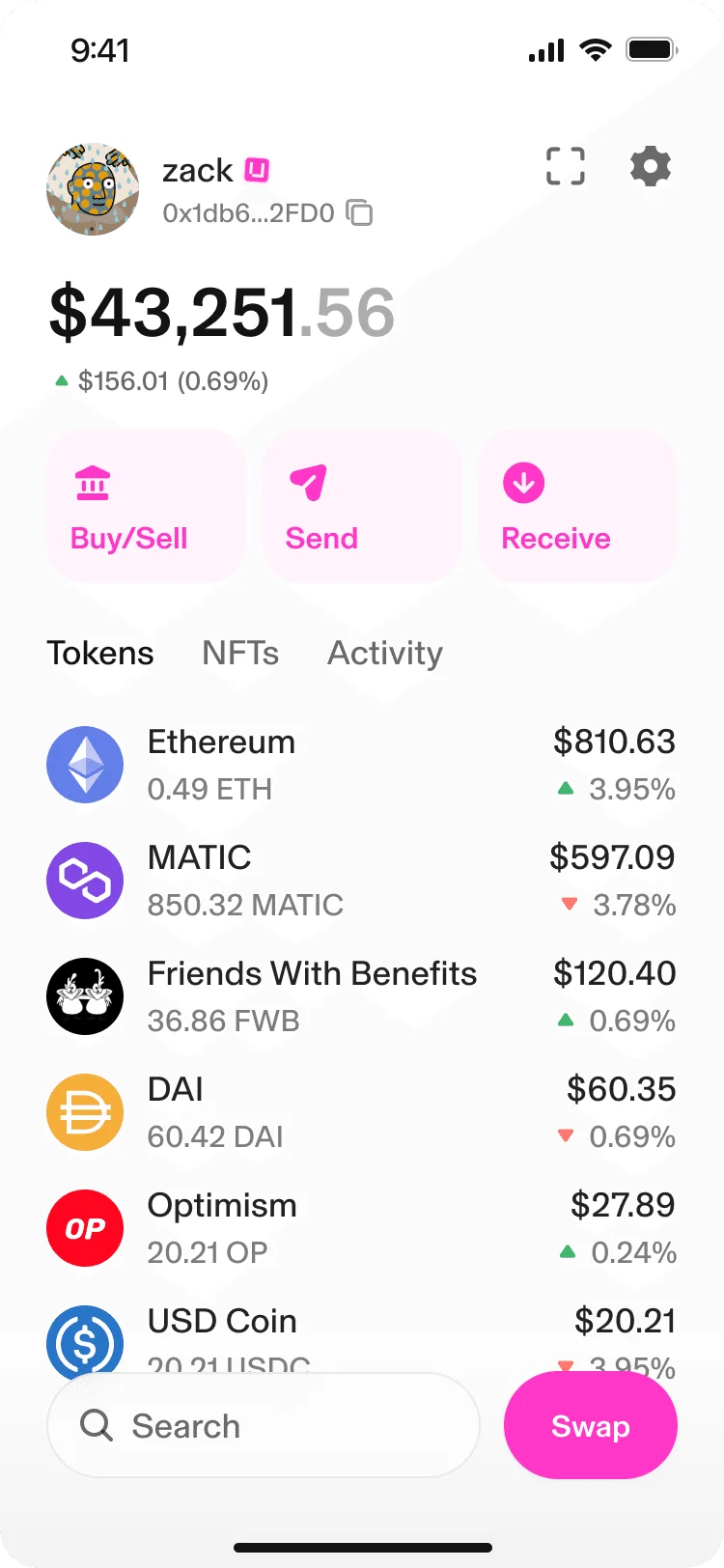
Can a Beginner Actually Use the Uniswap Wallet?
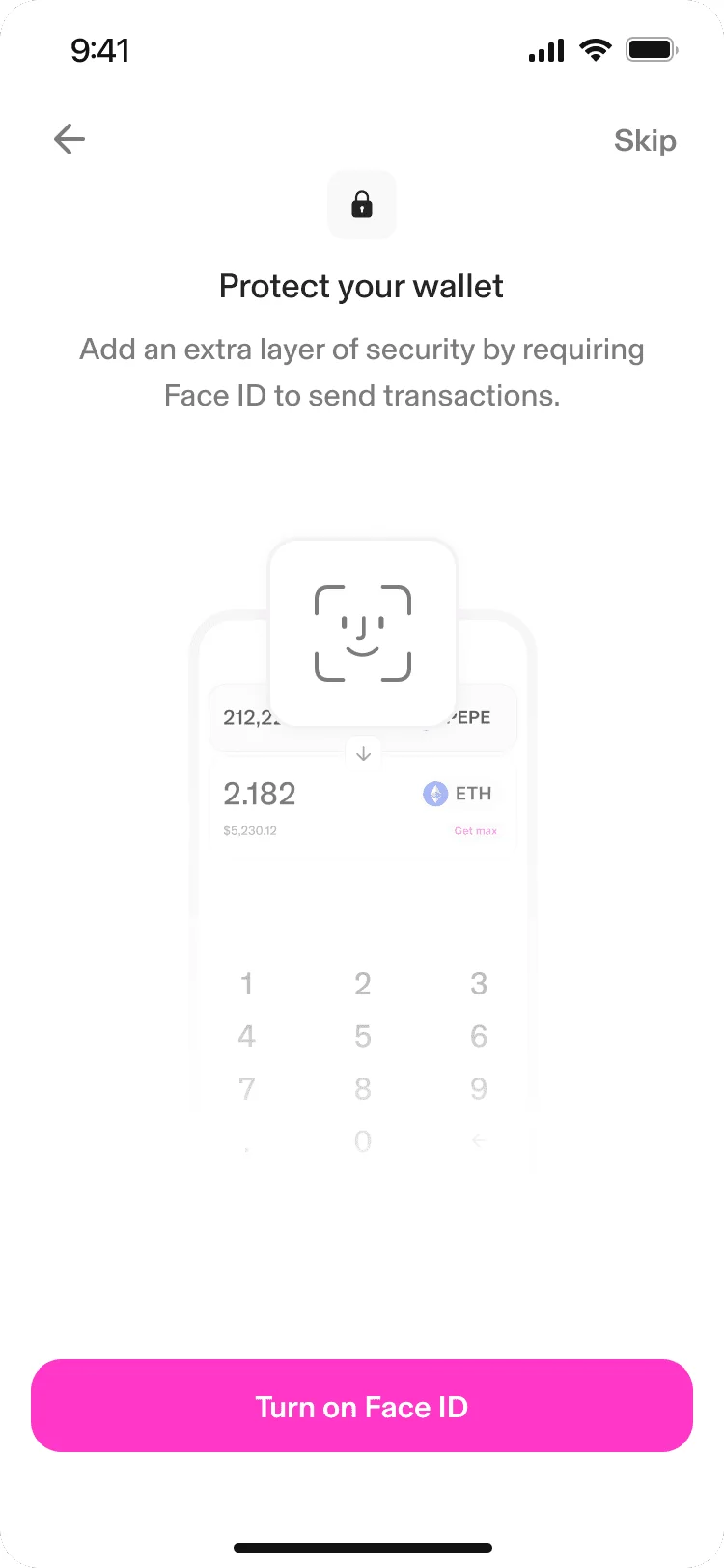
Getting in takes minutes. Tap “Create a wallet”, either pick a username or hit “Skip”, agree to push notifications, and switch on Touch/Face ID or Biometrics. Nobody asks for an email address, a phone number, or a scan of your passport.
Swapping is where the app earns its keep. Hit “Swap”, pick your two tokens, punch in a figure or tap “Max”, then move through “Review” and “Swap”. What we like is that the swap detail section lays out the fees before you commit, rather than burying them the way plenty of rivals do.
Elsewhere it grates. Only one recovery phrase can live in the app at a time, which means anyone juggling two seed phrases is stuck importing and re-importing. That phrase, by the way, is the string of words that rebuilds your wallet from scratch, and it’s the only backup that exists anywhere.
View-only wallets take some of the sting out of that. Any address can be added and watched, though you can’t move a single token from one.
Vanishing balances cause the other big pile of confusion. Coins sometimes drop into a “Hidden” area governed by the “Hide small balances” and “Hide unknown tokens” switches in settings. Anything you sent over a chain the app doesn’t handle simply won’t show up, ever.
How Safe Is Your Money in the Uniswap Wallet?
Start from the obvious: this is a hot wallet. Keys sitting on a device that talks to the internet means malware on that device, not some exotic cryptographic break, is what should worry you. Uniswap Labs puts it bluntly, saying it can’t reverse a transaction or claw back funds for you.
Outside eyes have been on the code. Trail of Bits reviewed the mobile app in November 2023 and the extension in April 2024, and the bug bounty run through Cantina stretches to $2.25M and explicitly covers both the phone apps and the Chrome extension.
One wrinkle annoys us. GitHub shows the Uniswap/interface repository under GPL-3.0 and the marketing site happily calls the code open source, yet the help centre reaches for the more cautious label “source-available” when describing exactly the same thing. Pick one.
Backups come two ways. Uniswap Labs flags writing the phrase down as its most recommended option, and the alternative is an encrypted copy on iCloud or Google Drive guarded by a backup password you create yourself.
Biometrics can lock the app, lock each transaction, or both. Uniswap Labs is honest that this guards the handset and does nothing whatsoever for the phrase. Whoever reads those words controls the wallet, no matter where they read them.
Connecting to an onchain app triggers Dapp Protection, which surfaces flags from ReOwn and Blockaid carrying labels like “Malicious site” and “Unverified contract”. Read them as a nudge, not a ruling, because Uniswap Labs says it doesn’t check those verdicts itself.
No disclosure from the vendor describes a breach of the wallet itself, and we looked. Delegation to smart wallet contracts is the fresher risk: the Calibur contracts were bumped to v1.1.0 on June 4, 2026 with security fixes, and those upgrades land silently on your next transaction.
Which Coins and Chains the Uniswap Wallet Handles
Across all of its products, Uniswap Labs reaches 21 networks plus Solana. In the wallet you get ERC-20 tokens, the standard nearly every Ethereum-style token uses, on Ethereum, Unichain, Arbitrum, Avalanche, Base, Blast, BNB Smart Chain, Celo, Optimism, Polygon, World Chain, ZKsync and Zora.
Solana carries a web-app-only tag, so it’s missing from both the phone app and the extension. Bitcoin doesn’t appear anywhere.
Those single-action crosschain swaps cover Ethereum, Unichain, Arbitrum, Base, Optimism, Soneium, ZKsync, Zora and World Chain. Avalanche, Blast, BNB Chain, Celo, Monad, Polygon, Solana and X Layer are left out.
Half a feature, is how we’d describe the NFT support. Your collection displays fine, but sending any of it is impossible, and the official workaround is to export your recovery phrase into a wallet that can. We’d think twice, given how many other pages in that same help centre beg you never to move that phrase anywhere.
Staking? Not here.
Uniswap Labs interfaces sit out Proof of Work and Proof of Stake validation entirely. Earn comes closest, and it’s lending through Morpho rather than staking anything.
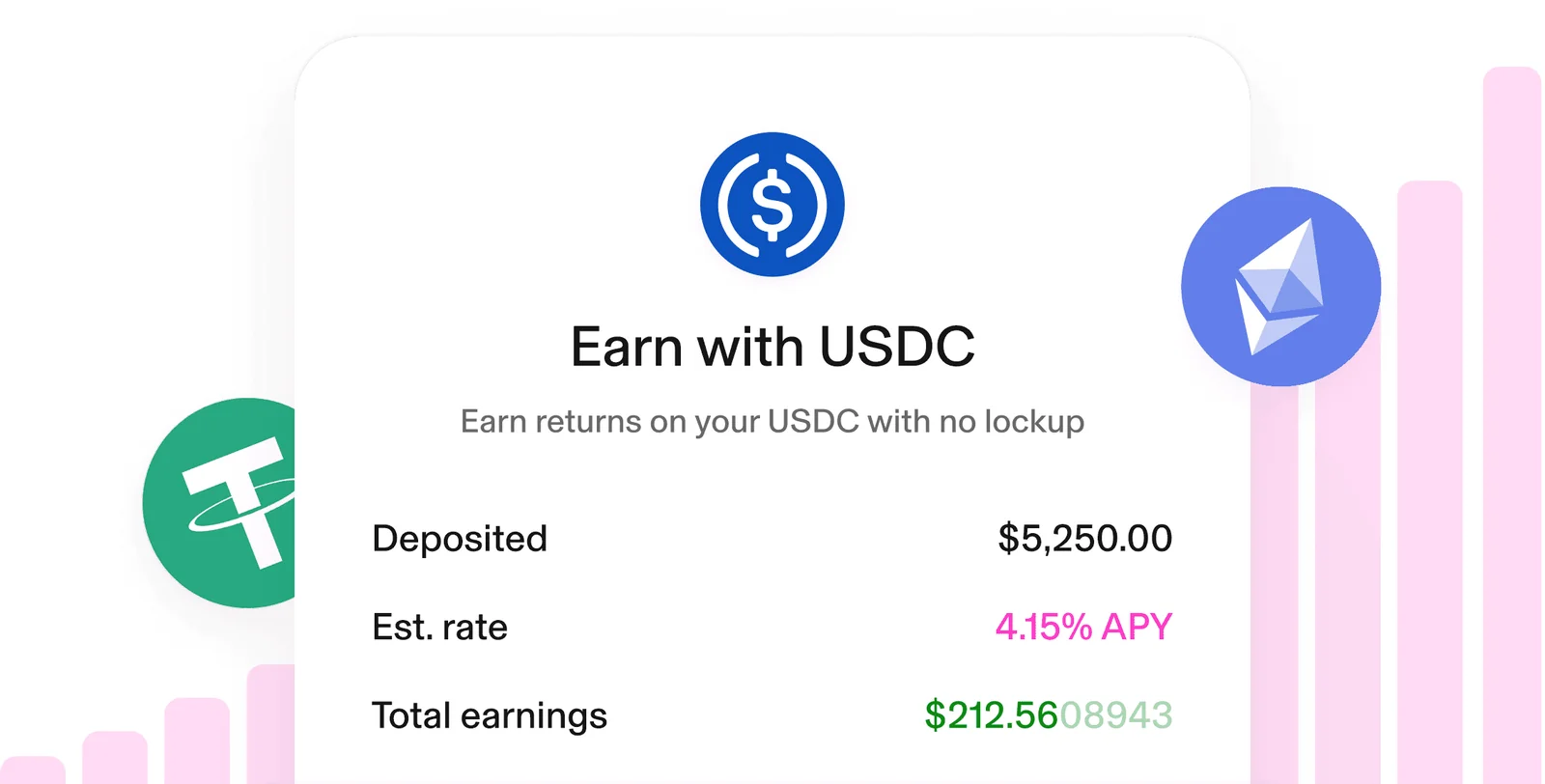
USDC, USDT and ETH on Ethereum Mainnet are the Earn menu, with $5 as the smallest deposit and no lockup period. Gauntlet curates the vault, the Uniswap DAO owns it, and Uniswap Labs states outright that it neither controls the thing nor supports it.
Please read the risk note first. In Uniswap Labs’ own words, Earn deposits aren’t FDIC or SIPC insured and you may lose some or all of your assets. Whether you can pull money out on a given day also hinges on how much spare liquidity the vault happens to be holding.
What the Uniswap Wallet Actually Costs You
Downloading it costs zero. Apple’s listing says free, and the Uniswap Labs fee page has shown a 0% interface fee since December 27, 2025.
Sit with that zero for a second. By Uniswap Labs’ own comparison, rival DeFi front ends take as much as 1.0% and centralized platforms as much as 2.0%, so on a chunky trade the saving stops being academic.
The trade itself isn’t free, mind you. Liquidity providers take their cut from whatever token you’re selling: 0.25% in a v2 pool, or one of 0.01%, 0.05%, 0.30% and 1.00% in a v3 pool, depending on which tier that pool was built with.
| Where the money goes | Who takes it | How much |
|---|---|---|
| Interface fee | Uniswap Labs | 0% |
| Pool fee, v2 | Uniswap Protocol | 0.25% |
| Pool fee, v3 | Uniswap Protocol | 0.01%, 0.05%, 0.30% or 1.00% |
| Network cost | The chain you’re on | Climbs with congestion |
| Bridge fee on a crosschain swap | Across | Quoted up front |
Card purchases are handled by MoonPay, live in over 160 countries. Cashing out routes you to Robinhood, Coinbase, MoonPay or Transak, each of which will run its own identity checks and set its own rates, so shop around before you pick one.
Grab the app from wallet.uniswap.org, the App Store, Google Play or the Chrome Web Store, and nowhere else. Counterfeit listings and lookalike domains remain one of the tidiest ways to lose everything, since a fake build drains a wallet in seconds.
Where the Uniswap Wallet Wins and Where It Doesn’t
Look at those two columns together and the shape of the product jumps out. Uniswap shipped a sharp trading app bolted onto a wallet that’s merely fine, and every complaint we have lives on the wallet side of that seam.
Setting Up the Uniswap Wallet, Step by Step
- Head to wallet.uniswap.org, or look up “Uniswap Wallet” in the App Store or Play Store and press “Get” or “Install”. Type that address by hand rather than trusting whichever ad sits at the top of the results.
- Launch it and choose “Create a wallet”. Migrating something you already own? Choose “Add an existing wallet” followed by “Enter recovery phrase”, and if you’re carrying a 24-word phrase from a Ledger, carry on typing once the entry box glows green.
- Grab a uni.eth username and press “Continue”, or press “Skip” and sort it out another day.
- Allow push notifications, then configure Touch/Face ID or Biometrics. Flip it on for both “App Access” and “Transactions” if you want the lock in both places.
- Choose “Back up your wallet”, then “Write down recovery phrase”. Press “Reveal”, transfer the words to paper or a steel plate, and re-enter them in sequence to confirm. Never photograph that phrase, and never type it anywhere except a genuine wallet restore, because whoever sees it owns everything you hold.
- A cloud copy is optional: press “Set a recovery password”, set and repeat it, then tick the acknowledgment box. It has nothing to do with your iCloud or Google password, and forgetting it shuts the backup permanently.
- Put funds in, and check the network twice before any transfer leaves. Pick the wrong chain or paste the wrong address and that money is simply gone. No one can undo it, Uniswap Labs included.
Three Wallets Worth Weighing Against Uniswap
MetaMask
For most people knee-deep in DeFi, MetaMask is still the default, and it’ll happily add custom networks that Uniswap is never going to bother supporting. Tellingly, Uniswap Labs publishes a guide specifically for MetaMask refugees. Our MetaMask vs Coinbase Wallet comparison digs into how it feels day to day.
Coinbase Wallet
Already keeping money on Coinbase? Then this is the gentler destination, and it covers the two chains Uniswap leaves out: Bitcoin and Solana. We explain the move itself in our guide to getting crypto from Coinbase into Coinbase Wallet.
Trust Wallet
Chain coverage is where Trust Wallet pulls ahead, Bitcoin included, and its browser for onchain apps is the better one. Uniswap Labs writes an import guide for these users too. The give and take is laid out in our MetaMask vs Trust Wallet comparison.
Big balance? None of the three is your answer. Put a hardware wallet behind whichever software front end you like, and have a look at our non-custodial wallet guide before making the call.
Questions We Get About the Uniswap Wallet
Is the Uniswap Wallet safe to use?
Reasonably. Trail of Bits went through the mobile code in November 2023 and the extension in April 2024, and it’s a self-custody hot wallet, so your keys never leave the device and Uniswap Labs can’t undo a transaction or retrieve lost funds. In practice the answer hangs on one thing: where you keep the recovery phrase.
What does the Uniswap Wallet cost?
Nothing, either to install or as an interface fee, and that 0% has applied since December 27, 2025. The liquidity provider cut and the network cost still land on every swap.
Can I keep Bitcoin or Solana in the Uniswap Wallet?
No. ERC-20 tokens across 13 Ethereum-style networks are the whole menu, and Solana is confined to the Uniswap web app rather than the phone app or the Chrome extension.
Does the Uniswap Wallet work with a hardware wallet?
There are two documented ways in, and neither involves hardware: make a new wallet, or type in a recovery phrase. Since no help centre article describes pairing a Ledger or anything like it, plan around this being a hot wallet.
My phone is gone. Now what?
Rebuild on a replacement device using the recovery phrase you wrote down, or an iCloud or Google Drive backup together with its backup password. Miss both and nobody, Uniswap Labs included, can get the wallet back.
Is there a way to send an NFT out of the Uniswap Wallet?
Not from inside the app. It’ll display your NFTs and stop there, and Uniswap Labs suggests exporting the recovery phrase into a wallet that handles sending, which strikes us as a lot of risk for a routine transfer.
What does smart wallet mean in the Uniswap Wallet?
It’s EIP-7702, a standard that lets an ordinary address execute contract code, so approving a token and swapping it collapse into one confirmation. Older wallets get asked to delegate instead, which is optional and costs a network fee on every chain you enable.
Our Verdict on the Uniswap Wallet
Download it if Ethereum-style tokens move through your hands often and you want the cheapest path into Uniswap liquidity. Nothing skimmed at the interface, MEV protection you never have to enable, and crosschain trades that finish in one action add up to the best free swapping app we’ve put on a phone.
Give it a miss if your holdings lean toward Bitcoin, if Solana is where you trade, if NFTs move in and out regularly, if you stake, or if real savings are involved. Our one-line take: a terrific trading tool sitting inside a wallet that still has gaps you can see from across the room.
This article is for general information only and is not financial, legal, or investment advice. Prices and features change; check the vendor’s official page before buying.