Bitget Wallet is a free self-custodial wallet that tries to do almost everything from one phone app. You get self-custody across 130+ blockchains plus swaps, a payment card, yield products and even prediction markets. The wallet used to be called BitKeep, and it switched to the Bitget name after Bitget put $30 million into it in 2023.
I’d point it at people who hold, swap and spend crypto on lots of chains from their phone, and Bitget exchange customers in particular.
Want wallet code you can read for yourself? Then look elsewhere. The same goes if you need a desktop app or just want a calm place to park your coins without trading screens everywhere.
Further down I cover how you’ll use it day to day, the security record (two incidents in 2022 included), which chains it handles, the exact swap fee tiers, a seven-step setup and three wallets you could pick instead.
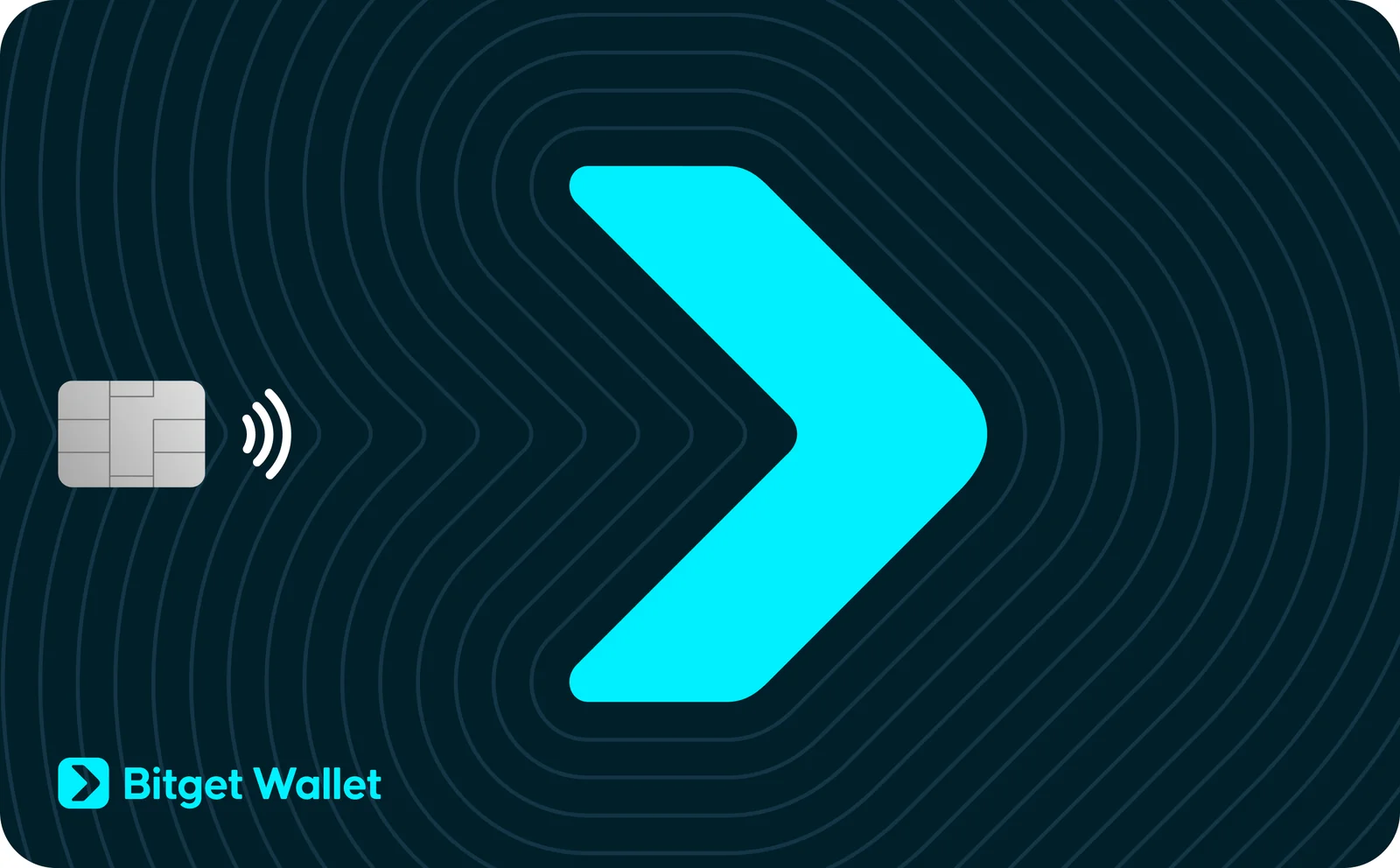
Table of contents
What Is Bitget Wallet, and Who Runs It?
Bitget Wallet at a Glance | |
|---|---|
| <strong>What you pay</strong> | Nothing for the app at the time of writing (September 2026). |
| <strong>What you install</strong> | Software only: apps for iPhone and Android (plus an APK), and a Chrome extension. |
| <strong>How it connects</strong> | It’s always online, so it’s a hot wallet. A Keystone 3 Pro can pair with it through QR codes. |
| <strong>Where the keys live</strong> | Encrypted on your own device. Social login wallets hold the key inside the phone’s TEE. |
| <strong>Can you read the code?</strong> | Not the wallet itself. GitHub only has swap code, SDKs and contracts. |
| <strong>Coverage</strong> | Bitget Wallet claims 130+ blockchains and over 1 million assets. |
| <strong>Backup choices</strong> | A 12- or 24-word seed phrase, a private key, or a social login protected by 2FA. |
| <strong>The app around it</strong> | One Bitget Wallet app, which also carries the card, Earn and Swap + Bridge. |
| <strong>Who it suits</strong> | Phone users who want swaps, payments and plenty of chains under one roof. |
With a self-custodial wallet you keep the keys yourself, so the company has no way to move your money. Bitget Wallet’s own description is “a self-custodial crypto wallet built for everyday finance”.
It didn’t start under this name. BitKeep put out a release on March 29, 2023 announcing $30 million from Bitget and a plan to become Bitget Wallet, and it counted 9.5 million users back then. In the same shake-up, co-founder Kevin Como left the CEO job and Karry Cheung stepped in.
Copyright on the website goes back to 2018. You’ll still see BitKeep Global Inc. named as the seller on the iPhone app. These days the claim is 100 million users across 168 countries.
You won’t pay anything to download it at the time of writing (September 2026). Its nearest competitors are multi-chain phone wallets like Trust Wallet, OKX Wallet and Exodus.
The Bitget Wallet Features That Matter
- Swap + Bridge lets you trade a token for another on the same chain, or move it to a different chain, without leaving the app. The quote shows the fee and the route before anything happens.
- GetGas works like a prepaid gas card. Load it with stablecoins and it covers network fees on 12 chains, which saves you buying ETH, SOL or TRX just to move a token.
- With social login, your wallet is created from an email, Google or Apple account. Nothing to write down, although that account now becomes your way in.
- There’s a Visa or Mastercard card that spends straight from the wallet. No annual fee, and in some regions it pays back up to 3%.
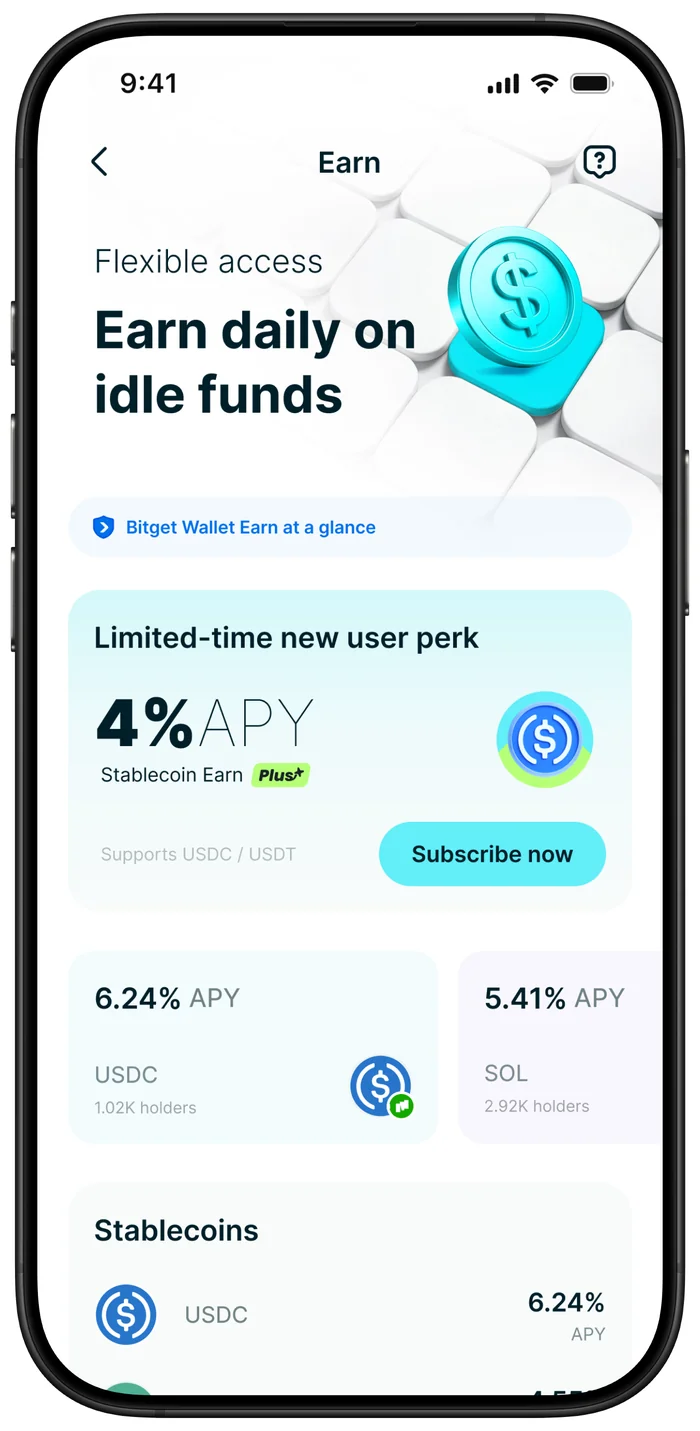
- Stablecoin Earn Plus sends your USDC to Aave to be lent out. Newcomers get 4% APY on up to $1000, for the first 30 days only.
- Built-in checks flag phishing sites, scan contracts and list which apps can spend your tokens. Revoking one takes a couple of taps.
Is Bitget Wallet Easy Enough for a Beginner?
Getting started is short. Open the app, make a wallet, pick a passcode. That passcode approves every transaction, and Bitget Wallet is blunt that it can’t recover a forgotten one.
Lose it and you’ll have to reinstall, then bring the wallet back with your seed phrase or private key. Fine, as long as you wrote the phrase down. If you didn’t, your coins are gone for good.
Social login is the gentlest way in, since you just sign in with email, Google or Apple and never see a seed phrase. You do have to set up a 2FA method, though, and if you lose that social account you could be locked out of your own funds.
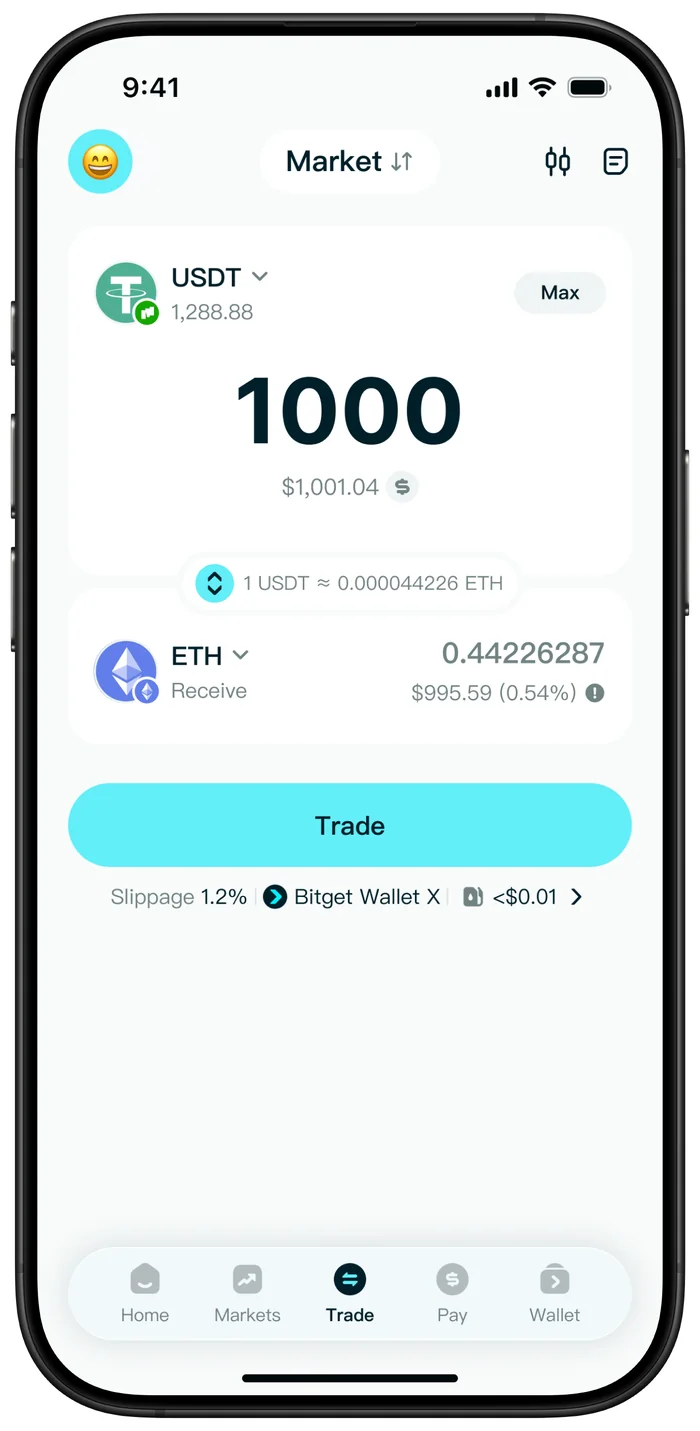
Three tabs do most of the work: Home, Wallet and Trade. Swaps live under “Trade”, then “Swap + Bridge”.
To add a chain, you tap the “Select network” icon in “Wallet” and hit “+” next to the one you want.
What gets in the way is how much else is crammed in. The help centre has sections on perps trading, stock tokens, prediction markets, MemeScan, Gifts and QR Pay, and someone who simply wants to hold a few coins has to scroll past a lot of trading.
Desktop users are left out. It’s iOS, Android and a Chrome extension, and that’s it. If a proper desktop app matters to you, my Exodus wallet review is the better read.
How Safe Is Bitget Wallet With Your Keys?
Everything here happens on a phone or browser that’s connected to the internet. That’s the convenience, and it’s also the risk, because malware and phishing can reach a hot wallet in ways they can’t reach a hardware one.
If you pick a seed phrase wallet, Bitget Wallet encrypts your phrase and private key with something it calls DESM (“sha256+aes256+cloud verification”). Social login wallets work differently. The key sits in the phone’s Trusted Execution Environment (TEE), a walled-off part of the chip, where it signs and is then wiped.
Under “Security” > “Biometric payment” you can turn on face or fingerprint approval, and you can bind Google Authenticator too. I’d also check the “Approvals” tool now and then, since it shows which apps are allowed to spend your tokens and lets you cancel them.
Bitget Wallet’s Code and Its Audits
You can’t read the wallet’s source. The official Bitget Wallet GitHub has SDKs, swap contracts and logo files, and no code for the app itself.
That leaves you relying on what the company says about how keys are handled, which bothers me more than it would with a smaller feature list.
According to Bitget Wallet, CertiK audited the core code behind Bitget Swap and the NFT marketplace, and SlowMist is listed as a partner for audits. The App Store page adds a CertiK “AA” Skynet score. Useful, but each of those looks at a piece of the product, and I found no published audit covering the full wallet app.
Bitget Wallet’s 2022 Security Incidents
Both problems date from the BitKeep days. On October 18, 2022, attackers hit BitKeep Swap and took about $1 million, and the team promised to pay back 100% of what was stolen.
December 2022 brought another security incident. According to BitKeep’s March 2023 release, it “fully compensated all the eligible users affected”, and the same release brought in MD5 checks on Android APK files along with a tougher review before each release.
For you, the takeaway is where you download from. Stick to the App Store, Google Play or the APK verification page on web3.bitget.com, and spend a couple of minutes on the site’s official channel check before installing anything.
What the Bitget Wallet Protection Fund Covers
On its safety page, Bitget Wallet promotes a $300 million protection fund that it says holds 6500 BTC. The money is meant for losses “caused by issues originating from the Bitget Wallet platform itself”, and you’ve got 30 days to contact support.
That wording is about faults on their side. A seed phrase you leaked yourself isn’t the same thing.
Which Coins and Chains Can Bitget Wallet Hold?
Bitget Wallet’s figure is 130+ blockchains and over 1 million assets. The named ones include Bitcoin, Ethereum, Solana, BNB Chain, Tron, Base, Arbitrum and Polygon. Back in March 2023, when it was still BitKeep, the count was 90+ chains.
When you import an existing wallet, your assets on EVM chains, Solana-style chains, TON, TRON and Aptos appear by themselves. Smaller networks sometimes have to be added manually.
Social login wallets don’t get the full list. Bitget Wallet says you’d need to switch to a seed phrase wallet “to access more niche networks and advanced features”, and there’s no switching back, so it’s worth choosing carefully at the start.
DeFi users get a DApp section, the approval tools and a set of Earn products. On iOS, the listing also mentions 450+ tokenized real-world assets. If addresses on different chains still confuse you, start with what a wallet address actually is.
On the hardware side, there isn’t much. Keystone’s own guide covers the Keystone 3 Pro on firmware 1.7.0 or newer, connected by QR code.
I couldn’t find official confirmation of Ledger or Trezor support. If the Keystone route appeals, my Keystone 3 Pro review goes through that device in detail.
There used to be a separate wallet token, BWB. Bitget announced on December 26, 2024 that it would fold BWB into Bitget Token (BGB) at 0.08563 BGB for each BWB, which turned 100,000 BWB into 8,563 BGB.
What Does Bitget Wallet Cost You?
No subscription here, and no download fee either. The money comes from service fees charged on swaps, on bridges and on some card spending.
| What you’re swapping | Bitget Wallet’s service fee (Sept 2026) |
|---|---|
| A wrapped pair like ETH and WETH | 0% |
| One stablecoin for another on the same chain | 0.1% |
| A major token for another major token or a stablecoin, same chain | 0.3% |
| Anything else on the same chain | 0.5% |
| USDT for USDT on a different chain | 0.3% |
| A major token for a major token on a different chain | 0.7% |
| Anything else across chains | 0.8% to 1.3% |
You pay gas on top of those numbers. It moves with the chain and how busy it is. If the route goes through an outside bridge like LI.FI or deBridge, a flat 0.3% applies instead, so look at the quote every time.
GetGas needs roughly 2 USD to top up and caps you at about 200 USD per day (September 2026). A few transfers cost no gas at all, like your first USDT transfer from each address on Tron. Those subsidies shift, though.
You won’t pay an annual fee for the card. Everything else depends on where you live. For Europe, Africa and Latin America, activating within 72 hours of approval costs 0.1 USD, and spending in anything but dollars adds a 1.7% conversion fee.
The download source matters more than any fee here, and the December 2022 incident, with the APK checks that followed it, is the reason. Go through the links on web3.bitget.com or the official store page, and check who published the app.
Bitget Wallet Pros and Cons
For trading and spending on many chains at once, it’s a capable app. For savings I’d pass, because the closed code and the 2022 track record don’t earn that level of trust, and big balances belong on a hardware wallet anyway.
Setting Up Bitget Wallet in Seven Steps
- Get the app from the App Store or Google Play, or add the Chrome extension, by following the links on web3.bitget.com. On iPhone, the publisher should read BitKeep Global Inc.
- Open it and make a wallet. A seed phrase wallet gives you full control, while social login is the easier option.
- Choose your passcode. Every transaction needs it and nobody can reset it, so keep it somewhere safe.
- Tap “Back up now” on “Home”. Copy the seed phrase onto paper in the exact order, then prove it by tapping the word that goes with each number.
- Lock things down. Turn on “Security” > “Biometric payment” and bind Google Authenticator. Social login users should add a backup email or Google Authenticator in “Settings” > “My Wallet”.
- Add the chains you use. Tap the “Select network” icon in “Wallet” and press “+” beside each one.
- Try a tiny transfer before a big one, and make sure the address and the network match on both ends.
Whoever has your seed phrase has your coins. Don’t type it into any website, don’t take a screenshot of it, and don’t hand it to anyone claiming to be “support”. Send to the wrong network or the wrong address and the funds are gone, and nobody can reverse it.
Still unsure whether to hold your own keys at all? My guide to custodial vs non-custodial wallets walks through that choice.
Bitget Wallet Alternatives I’d Consider
Trust Wallet, the Binance-Owned Option
Binance bought Trust Wallet in July 2018. It’s free, you hold the keys, and it covers 100+ blockchains.
Swaps carry no extra service fee from Trust Wallet itself, just gas and whatever the provider charges, so frequent swappers may pay less there than with Bitget Wallet. My Trust Wallet review has the rest.
OKX Wallet, the Closest Match
Made by the team behind the OKX exchange, OKX Wallet claims 130+ chains, about the same as Bitget Wallet. It pairs with both the Keystone 3 and the Keystone 3 Pro. For the exchange itself, see my OKX review.
Exodus, If You Want a Desktop App
Exodus runs on Windows, macOS, Linux, iOS, Android and as a browser extension. It also works with Ledger and Trezor, something Bitget Wallet’s official pages don’t confirm. The full picture is in my Exodus review.
Bitget Wallet FAQ
Can I trust Bitget Wallet with my crypto?
Partly. You alone hold the keys, and there’s biometrics, 2FA and approval checking. Against that, the app’s code is closed and BitKeep had two incidents in 2022. I’d keep spending money there and savings on a hardware wallet.
Does Bitget Wallet cost anything?
No, the app is free at the time of writing (September 2026). What you do pay is a swap service fee between 0% and 1.3%, plus network gas.
Are Bitget Wallet and the Bitget exchange the same thing?
No. On the exchange, Bitget holds your funds, while in Bitget Wallet the keys are yours. The link is ownership: Bitget invested $30 million in the wallet in 2023, when it was still BitKeep.
How many coins and chains does Bitget Wallet support?
130+ blockchains and over 1 million assets, according to Bitget Wallet, with Bitcoin, Ethereum, Solana and Tron among them.
What if I lose my phone?
Put your seed phrase into Bitget Wallet on the new phone and the wallet comes back. For social login, just sign in with the same account. Without the seed phrase, though, Bitget Wallet has no way to restore anything.
Can I connect a hardware wallet to Bitget Wallet?
Yes, a Keystone 3 Pro running firmware 1.7.0 or later, over QR codes. I couldn’t find official pages confirming Ledger or Trezor.
Is BitKeep the same as Bitget Wallet?
Yes. BitKeep was the old name, and the change to Bitget Wallet was announced on March 29, 2023.
My Verdict on Bitget Wallet
If you want a single phone app for lots of chains, swaps with the fees spelled out, gas paid in stablecoins and a crypto card on top, Bitget Wallet does that job well. For anyone already trading on Bitget, it’s the least painful way into holding your own keys.
It falls short on open code, on desktop support and on its 2022 record. My one-line take: a packed hot wallet for active users, and not the place to keep your savings.
This article is for general information only and is not financial, legal, or investment advice. Prices and features change; check the vendor’s official page before buying.