Exodus is the wallet people recommend to friends who find crypto intimidating, and that reputation is earned. In our view it is the best-looking, least-confusing multi-chain wallet you can install today. It is also a hot wallet, so an honest review has to cover not just what Exodus does well, but what no software wallet can do at all. Both halves follow.
If you want something leaner for EVM chains, our Rabby Wallet review covers a different kind of software wallet.
Exodus Wallet
Read our Exodus crypto wallet review and discover its features, security, supported coins, and how it compares to other wallets.
Product Brand: Exodus
Product In-Stock: InStock
8
Table of contents
Exodus Wallet Specifications | |
|---|---|
| Launch Year | 2015 |
| Platforms Available | Windows, macOS, Linux, iOS, Android |
| 24/7 Support | In-app and email support, available around the clock |
| Learning Hub | Free educational resources on crypto, DeFi, staking, and security |
| App Customization | Users can hide or show assets in their portfolio dashboard |
| Fiat On-Ramp | Buy crypto directly in the app using a bank card or Apple Pay (available in select regions); you can also fund purchases from a linked bank account. |
| Security / Encryption | Exodus asserts that it uses “robust encryption” and ensures private keys are stored locally on your device. With a self-custodial wallet, you retain complete control at all times. |
What Is the Exodus Crypto Wallet?
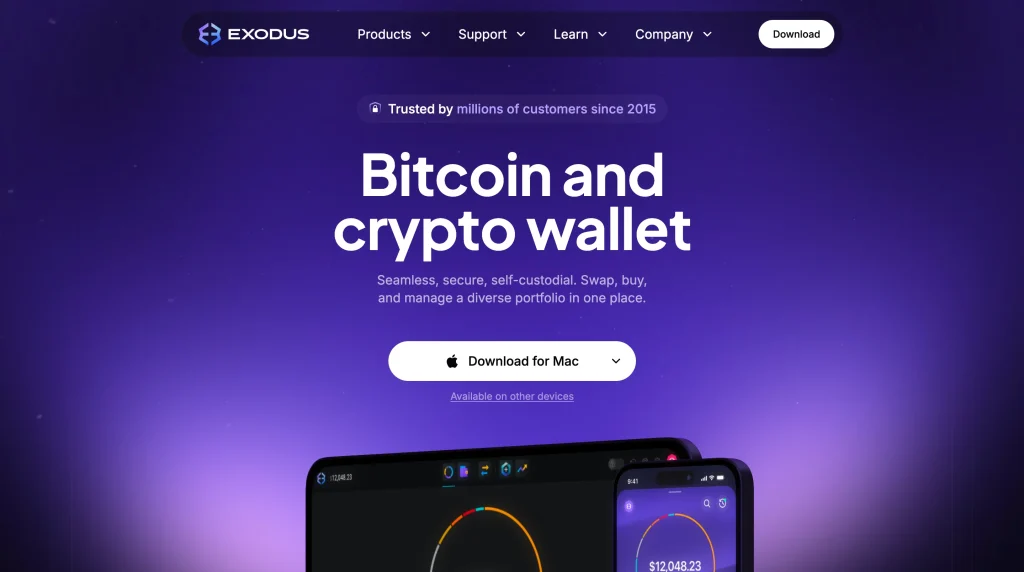
Exodus is a free, self-custody software wallet for desktop (Windows, macOS, Linux), mobile (iOS, Android), and browser extension. It covers 50+ networks and thousands of assets, with built-in swaps, staking, NFT support, and a Web3 browser. Your keys are generated and encrypted on your own device; Exodus the company never holds them. All of that sits inside the most polished interface in the category.
Unusually for a crypto company, Exodus Movement is a publicly listed US company. That brings financial reporting and regulatory accountability most wallet makers do not carry, which matters when you are trusting an app with your money.
Pros & Cons
The short balance sheet before the detail:
How to Download and Install Exodus Wallet
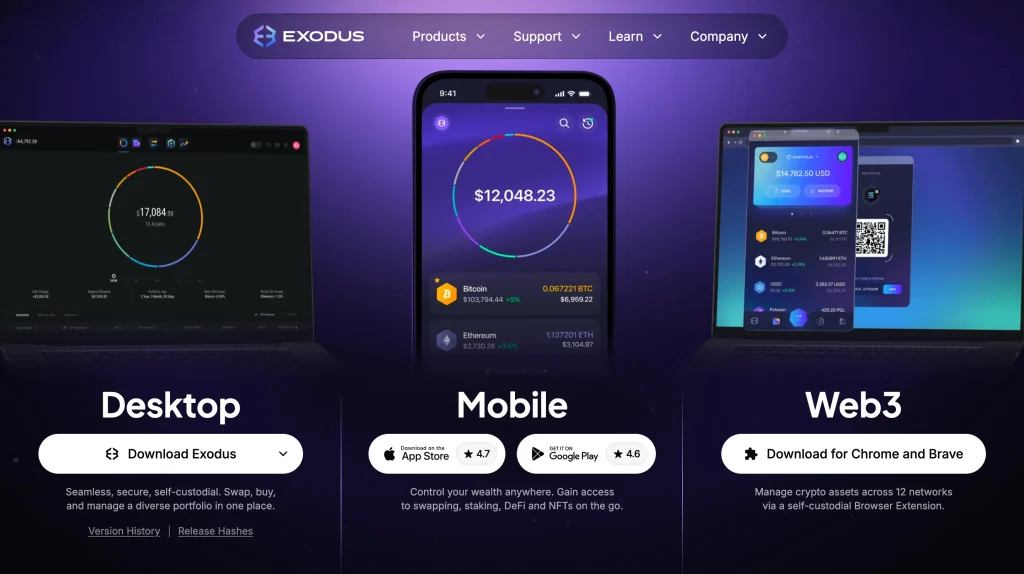
Installation is deliberately unremarkable: about five minutes from download to dashboard.
Step 1: Download Exodus Wallet
Get the installer only from exodus.com. Look-alike fake wallet sites are a leading source of theft, and search ads are not a reliable guide. Type the address yourself rather than clicking through.
- iOS: Open the App Store, search for “Exodus Crypto Wallet,” and tap Download.
- Android: Open Google Play, search for “Exodus Wallet,” and install the app.
- Desktop: Go to the official Exodus website and download the version for your operating system (Windows, macOS, or Linux).
Step 2: Install and Open the App
Run the installer as you would any app. There is no account to create, no email, and no identity check (KYC). Exodus is a wallet, not a service you sign up for.
Step 3: Create a New Wallet
The app generates your wallet on your device the moment you create it. Nothing is registered anywhere. To restore an existing wallet from a recovery phrase, use the same screen.
Step 4: Secure Your 12-Word Recovery Phrase
The 12-word recovery phrase is the wallet. Write it on paper or steel, offline. Never screenshot it, never type it into anything except a wallet restore, and treat every “validation” request as the scam it is. Anyone holding these words owns your funds. That includes you, after a lost phone or a dead hard drive.
Step 5: Explore Your Dashboard
The dashboard shows your portfolio, per-asset screens, swap, and staking in a layout that needs no tutorial. That is the whole point of the product. From here you can:
- Add and manage cryptocurrencies;
- Check your portfolio balance with live charts;
- Send and receive funds;
- Stake and swap without leaving the app.
Is Exodus Wallet Safe?
“Safe” needs unpacking for any hot wallet. Here is where Exodus stands, layer by layer:
Recovery and Backup Protection
Your recovery phrase is generated on your device and never sent anywhere. Together with your password, it is the entire recovery story. Exodus cannot reset, recover, or access your wallet. Self-custody means the backup discipline is yours alone, and a lost phrase means lost funds.
Password and Local Encryption
The app password encrypts your keys on the device. It protects against someone opening your app, not against malware running with your permissions. Think of it as a lock on a drawer, not a vault.
No 2FA, But Hardware Integration
There is no two-factor authentication because there is no account to authenticate. Holding the keys is the whole model. The real second factor Exodus offers is Trezor integration: pair a Model One or Model T and Exodus becomes a clean front end for cold storage. Keys stay on the hardware, and every transaction needs a physical confirmation on the device. For balances that matter, this pairing is the recommended setup, not an optional extra.
That pairing is worth reading about on its own in our Trezor Safe 3 review.
Software Transparency
Exodus is largely closed-source. Some components are public, but the full codebase cannot be independently audited. That is a fair criticism. It is partly offset by public-company accountability and years of operation without a wallet-side breach. If you want fully open code, other wallets offer it, and choosing one of them is a reasonable call.
Hot Wallet Considerations
The structural truth: any wallet on an internet-connected device is exposed to malware, clipboard hijackers, and phishing in ways no design can fully prevent. Exodus is among the best-executed hot wallets, and a hot wallet is the right tool for spending money, not savings. The moment a balance would hurt to lose, it belongs behind hardware.
For where each type fits, see hot wallet vs cold wallet.
User Experience and Interface
This is where Exodus pulls ahead of the field. The design is consistent across desktop and mobile, everything is written in plain language, charts inform rather than decorate, and the core flows (swap, stake, receive) never send you to the documentation. Support is responsive and, rare in crypto, written for beginners.
What works well:
- Real-time charts show how each asset is performing.
- Portfolio value updates instantly, so you always know where you stand.
- Navigation is clean, with no clutter or confusing menus.
Built-in tools:
- Swap assets inside the app in a few taps.
- Stake from the dashboard and earn rewards without connecting to a third-party platform.
Where it falls short:
- Fewer customization options than wallets like MetaMask.
- No direct dApp or DeFi integrations for more advanced use.
Supported Cryptocurrencies and Staking Options
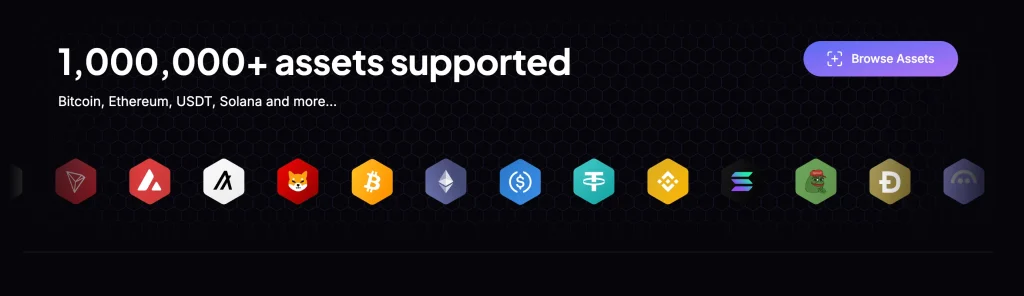
Coverage spans 50+ networks: Bitcoin, Ethereum, Solana, Cosmos chains, and thousands of tokens. In-app staking covers majors like ETH, SOL, ADA, and ATOM at market-standard rates minus validator fees. Built-in swaps route through third-party providers. Their spreads are convenient but not cheap, so price-sensitive traders will swap elsewhere.
Cardano holders have more choices than this, which our best Cardano wallets guide covers.
Headline assets include:
- Bitcoin (BTC);
- Ethereum (ETH);
- Solana (SOL);
- Cardano (ADA);
- Cosmos (ATOM).
You can stake these directly in the app:
- Cardano (ADA);
- Solana (SOL);
- Algorand (ALGO);
- Cosmos (ATOM).
For beginners, that removes the hassle of setting up separate staking platforms or exchange accounts just to earn on coins you already hold.
What Users Say About Exodus
The community verdict has been stable for years: praise for design and ease, criticism for closed source and swap spreads. That is exactly the trade this review describes. Reports of lost funds trace overwhelmingly to phishing and leaked recovery phrases rather than wallet flaws. That is reassuring about the software, and a reminder that the weakest link is usually the person holding the phrase.
Exodus Wallet vs Other Wallets
Where Exodus lands against the usual suspects:
1. Exodus vs MetaMask
MetaMask is the DeFi power tool: deeper dApp support, integrations everywhere, and a rougher, more technical feel. Exodus is friendlier, multi-chain by default, and better for tracking a portfolio. MetaMask wins for serious EVM DeFi work. Many people sensibly run both for different jobs.
MetaMask connects directly to decentralized exchanges, NFT marketplaces, and other dApps, which makes it the default choice for Web3. The cost is an interface that feels less intuitive for beginners than Exodus, which puts simplicity first.
- Best for: Users who want deep DeFi and Web3 connectivity.
2. Exodus vs Trust Wallet
Trust Wallet (Binance-owned) matches Exodus on breadth and mobile polish, and it has the stronger dApp browser. Exodus counters with the better desktop app, Trezor pairing, and US public-company accountability. This is the closest matchup in the category; your preference and the ecosystem you use will decide it.
The full matchup is in Exodus vs Trust Wallet.
- Best for: Mobile users who want built-in dApp access.
3. Exodus vs Hardware Wallets
Ledger and Trezor hardware wallets keep private keys offline, which is why they are considered the most secure way to store crypto. The trade-off is convenience: frequent transactions take more steps. Exodus offers a middle path through Trezor integration, so you can combine offline keys with a friendlier interface.
- Best for: Investors who prioritize offline storage and maximum security.
So this is not really a versus. It is a partnership. Hardware wallets hold keys offline; Exodus is the interface. Pair the two and you get cold keys with a warm UX. Choosing Exodus alone over hardware is a decision about how much you are storing, not a feature comparison.
Ease of Use
- Exodus is the most beginner-friendly option, thanks to a clean, intuitive interface.
- MetaMask feels more technical and suits DeFi users better.
- Trust Wallet balances simplicity and flexibility, especially on mobile.
- Ledger/Trezor need more setup but reward you with the strongest security.
Best For
- Exodus: Beginners and casual investors.
- MetaMask: DeFi and Web3 users.
- Trust Wallet: Mobile-first users who want convenience.
- Ledger/Trezor: Long-term holders focused on maximum security.
Supported Assets
- Exodus lists support for over 1,000,000 coins and tokens, the broadest of the four.
- MetaMask is limited to Ethereum and other EVM-compatible tokens.
- Trust Wallet supports a wide range of cryptocurrencies.
- Ledger/Trezor stick to major coins, putting security ahead of variety.
Staking
- Exodus supports in-app staking for ADA, SOL, ATOM, ALGO, and more.
- MetaMask allows staking only through external DeFi apps.
- Trust Wallet includes staking for select assets.
- Ledger/Trezor do not offer staking; they focus strictly on cold storage.
DApp Integration
- Exodus does not integrate dApps directly.
- MetaMask leads here, with deep DeFi and Web3 connectivity.
- Trust Wallet has a built-in dApp browser on mobile.
- Ledger/Trezor have no dApp support; they are hardware only.
Security
- Exodus is non-custodial and can be paired with Trezor for extra protection.
- MetaMask is non-custodial but leans heavily on browser security.
- Trust Wallet is non-custodial and mobile-focused.
- Ledger/Trezor provide offline cold storage, the highest standard of wallet security.
Transparency
- Exodus is partially closed-source.
- MetaMask, Trust Wallet, and Ledger/Trezor publish their code openly (with Ledger/Trezor focusing on firmware transparency).
FAQ
Can I withdraw from Exodus Wallet?
Yes. To withdraw, send your crypto from Exodus to any external wallet or exchange address. Enter the recipient address, choose the amount, and confirm. You pay the network fee, but Exodus adds no charge of its own for standard sends, so moving funds out costs the same as any on-chain transaction.
Can an Exodus Wallet be hacked?
Exodus is non-custodial: your private keys live on your device, not on company servers, so there is no central pot for attackers to raid. Like every hot wallet, though, it is exposed if your device is compromised.
A strong password, a recovery phrase kept offline, and pairing Exodus with a hardware wallet such as Trezor cut the risk sharply. In practice, most losses come from user error and phishing rather than a breach of Exodus itself.
What is better, Coinbase or Exodus?
They serve different purposes. Coinbase is primarily an exchange with a custodial wallet, so the company controls your private keys. Exodus is a non-custodial wallet: you own your crypto outright, with staking and portfolio tracking built in. If you mainly want to buy and sell, Coinbase may be easier. For storing crypto and keeping control of it, Exodus is the stronger choice.
How much is the Exodus transaction fee?
It depends on the blockchain. Sending Bitcoin costs the standard BTC network fee; Ethereum transactions depend on gas prices. Exodus adds no fee of its own for sending or receiving, but its built-in swap includes a wider spread than a centralized exchange. Always check the fee estimate before you confirm.
Can Exodus Wallet be traced?
Yes. Every blockchain transaction is public, so transactions from an Exodus wallet can be traced. What is visible is the wallet address, not your name. If you need more privacy, you would have to combine Exodus with privacy coins or other tools.
Final Thoughts
Exodus is one of the most beginner-friendly crypto wallets available today. The design is clean, portfolio tracking is live, and swaps and staking are built in. For beginners and casual investors, that is the right mix of simplicity and capability.
Exodus earns its 8/10 as the best-executed everyday wallet in crypto: good-looking, broad, and honest about being self-custody. Use it as designed, with spending money in the app, savings behind a paired Trezor, and your recovery phrase on steel, and it is hard to beat. Use it as a vault for life-changing sums and you are using the right product the wrong way.
How I review: Reviewed by Andrei B. I buy the hardware wallets I review, test every product myself and score it on security, UI/UX, ease of use, price and supported coins. Before I publish, I also check recent user reviews and any hack reports.
The whole process is explained on the How We Review page. You can read more about me, or contact me with corrections, from the links at the bottom of this page. For general safety advice, see the FTC guide to cryptocurrency scams.