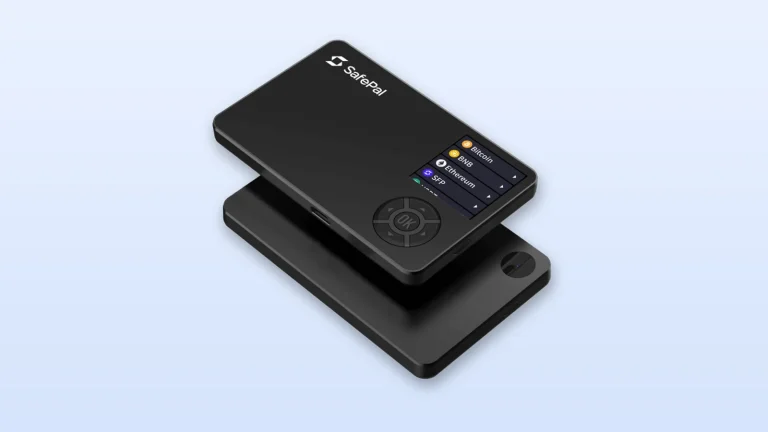
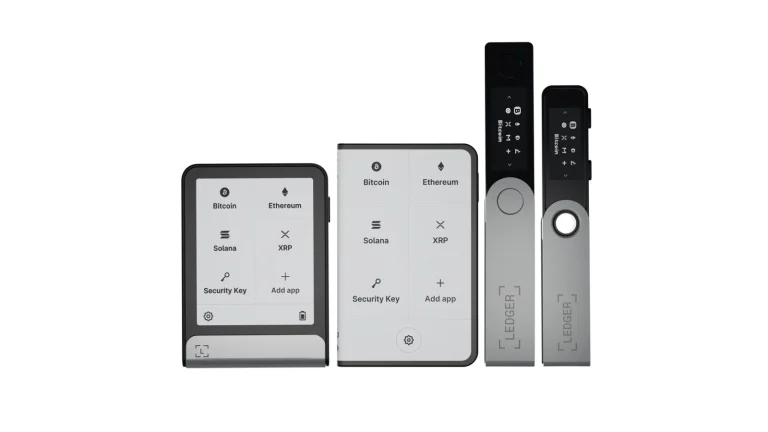
Put simply, a hot wallet stores your private keys on a phone or computer that’s online, while a cold wallet keeps them somewhere the internet can’t reach. Everything else follows from that: how quickly you can spend, and how easy you are to rob from the other side of the world.
We’ll walk through how each one signs a transaction, what happened when Binance lost coins in 2019 and when Bybit was hit in 2025, and how we’d divide a stack between the two. Every price here was checked on the vendor’s own page in September 2026.
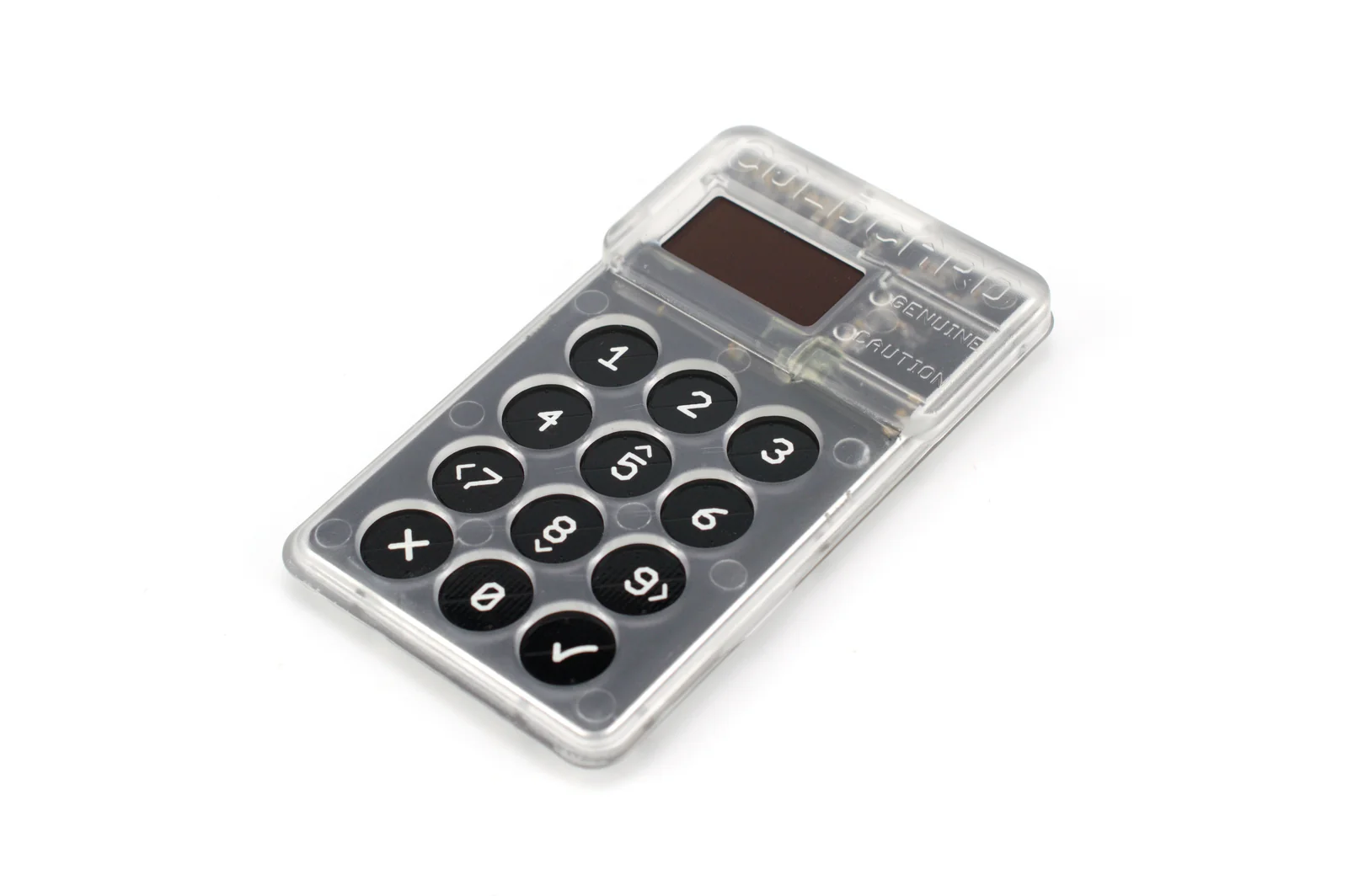
Table of contents
So What Separates a Hot Wallet From a Cold Wallet?
Strange as it sounds, no wallet holds coins. What it holds are private keys, the secrets that move whatever the blockchain records against your wallet address, plus a seed phrase: the backup word list that can regenerate every one of those keys.
Trezor’s description of a hot wallet is one kept on a device with an internet connection, “such as a mobile app, browser extension, or desktop application (without a hardware wallet).” Ledger’s explainer goes a step further. It points out that the seed phrase itself gets created online and pops up on your computer or phone display.
Then there’s the cold wallet. Trezor calls it a wallet “where private keys are generated and stored offline, so they are never exposed to the internet,” and for most people that means a hardware wallet, a pocket-sized gadget that does its signing internally.
Ledger’s own examples help. On the hot side it names MetaMask, Trust Wallet and Coinbase Wallet; on the cold side, its Ledger Nano S Plus, Nano X, Flex and Stax.
Neither kind normally involves a company holding your keys. That’s what self-custodial means, and if the line between that and an exchange account feels blurry, our explainer on custodial vs non-custodial wallets clears it up.
| Question | Hot wallet | Cold wallet |
|---|---|---|
| Where do the keys sit? | On a phone or computer that’s online | Offline, inside a device built for the job |
| What does it cost? | Nothing to download | Ledger quotes roughly $50 to $400 at the time of writing (September 2026) |
| Which names come up? | MetaMask, Trust Wallet, Coinbase Wallet | Ledger Nano S Plus, Trezor Safe 3, Keystone 3 Pro |
| How fast is a payment? | You open the app and hit send | You plug in or scan, then approve on the device |
| What usually goes wrong? | Malware or a remote break-in | A lost device, or a lost backup |
| Who’s it for? | Small sums you dip into often | Bigger balances you plan to sit on |
Where Hot and Cold Wallets Do the Signing
No transfer goes anywhere until your private key signs it. What changes between the two wallet types is the place that signature gets made, and that place determines who could ever get near the key.
Signing with a hot wallet
- You install the app or extension, and it generates a seed phrase right there on the phone or laptop.
- Your keys get saved on that same machine.
- Hit send, and the app signs on the device before pushing the transaction out to the network.
Signing with a cold wallet
- Inside the hardware wallet, a seed phrase is generated and displayed on the gadget’s own little screen.
- On your computer or phone, a companion app puts the transaction together and hands the details over.
- The hardware then, as Trezor puts it, “securely signs the transaction inside the device using your private key.”
- Back comes the signed transaction for the app to broadcast, while the key stays put.
A few cold wallets skip cables altogether. With the air-gapped Keystone 3 Pro, data travels by QR code or microSD card, and signing doesn’t touch USB, Bluetooth or WiFi.
Two QR-only devices go head to head in the NGRAVE Zero vs Keystone 3 Pro comparison.
We like a simple picture here: the hot wallet is the cash in your jacket, the cold wallet is the safe in your closet. Nobody sensible walks around with their savings in a jacket pocket, and nobody unlocks a safe for a coffee.
What Can Go Wrong With Hot and Cold Wallets
The trouble with staying online
Because the key lives on a connected device, Trezor calls hot wallets “more vulnerable to hacking.” Ledger spells out how: someone can come in over your internet connection and lift the keys without ever touching your phone.
Ledger’s point about seed phrases bothers us more. After those words have appeared on an online screen, “you have no way of knowing who has seen or accessed it remotely.”
Big platforms aren’t exempt. Exchanges keep hot wallets of their own, and on May 7, 2019, Binance disclosed that attackers had collected user API keys and 2FA codes using phishing, viruses and other methods, then pulled 7000 BTC out in a single transaction.
Only the BTC hot wallet was drained. It held roughly 2% of Binance’s bitcoin, the SAFU fund paid for the whole loss, and customers still couldn’t deposit or withdraw for what Binance estimated would be about a week.
Offline isn’t untouchable
Here’s the uncomfortable counterexample. Bybit put out a notice on February 21, 2025 titled “Unauthorized Activity Involving ETH Cold Wallet,” and the FBI later pinned the theft of approximately $1.5 billion in virtual assets on North Korean actors it calls “TraderTraitor.”
Keeping keys offline shrinks the remote threat. It doesn’t make it vanish, since a hardware wallet guards the key but will still sign a bad transaction if you tell it to.
Everything else that sinks a cold wallet is physical. If the device and the seed phrase both go missing, no one on earth can bring those coins back.
There’s no undo either way
“Cryptocurrency payments typically are not reversible,” the FTC reminds people. Hot or cold, it doesn’t matter: send to the wrong network or the wrong address and the money’s gone, with nobody able to pull it back.
Don’t count on a safety net, either. Unlike dollars sitting in an FDIC-insured bank, crypto held in accounts carries no government insurance, the FTC says.
Hot and Cold Wallets You’ll Run Into, and What They Cost
The hot wallets Ledger names
Ledger’s three hot wallet examples are MetaMask, Trust Wallet and Coinbase Wallet. None costs a cent, and the phone in your hand is all the hardware you need. Two of them go head to head in our MetaMask vs Trust Wallet comparison, while the best mobile crypto wallets roundup covers others.
What a cold wallet costs right now
The cheapest devices land near the low end of Ledger’s range. You’d pay $59 for a Ledger Nano S Plus and the same $59 for a Trezor Safe 3.
Step up to $99 and the Ledger Nano X brings Bluetooth for phone use. Trezor’s Safe 5 sells for $129, and $149 buys the air-gapped Keystone 3 Pro.
Inside the Safe 3 is an EAL6+ certified secure element, and Trezor publishes the design as open source. Ledger fits the Nano X with a CC EAL5+ secure element plus that Bluetooth radio, which is one extra wireless connection we’d want a reason for.
For the brand-level picture, read Ledger vs Trezor. Our ranking of the best crypto cold wallets lines up the rest.
Running them side by side
Picking just one isn’t required. MetaMask plugs straight into Ledger, Trezor and Lattice devices, and it pairs with air-gapped hardware like Keystone, NGRAVE ZERO and OneKey.
In MetaMask’s help center, a hardware wallet “acts as a firewall between attackers and the contents of your wallet.” There’s a catch on phones, though: every listed device works with the browser extension, yet MetaMask Mobile only takes Keystone, Ledger and NGRAVE ZERO.
We’ve narrowed down the hardware wallets for MetaMask that suit that setup.
Exchanges do the same split
In its annual report, Coinbase says it generally tries to keep no more than 2% of custodied assets in hot wallets, with cold storage holding the remainder. What that means for the coins in your exchange account is covered in crypto wallet vs exchange.
How We’d Split Crypto Between a Hot and Cold Wallet
- Treat the hot wallet as a spending account. Anything you expect to hold for months belongs on the cold wallet.
- Put your seed phrase on paper or a metal plate, and never on a keyboard, a phone, a cloud note or a camera roll.
- Before you approve, compare the receiving address against what the hardware wallet’s own screen shows.
- Trying a new address or network? Move a tiny amount first and only send the balance once it arrives.
- Order hardware straight from the maker, meaning shop.ledger.com, trezor.io and the like.
- For bigger DeFi positions, link the hot wallet to a hardware device so nothing gets signed without it.
- Read the device’s screen every time. We’d reject any transaction whose effect you can’t work out from it.
Hot and Cold Wallet Mistakes Worth Avoiding
- Parking your savings in a browser extension. That wallet can be attacked remotely, so long-term coins should go cold.
- Snapping a photo of the seed phrase. The moment it lands on a connected phone, your “cold” backup has turned hot, so write it by hand.
- Believing a hardware wallet makes any signature safe. It guards the key and nothing more, which is why you still read every prompt.
- Keeping the device and its backup in one drawer. A single fire or break-in wipes out both, so store them in separate places.
- Leaving it all on an exchange because the exchange uses cold storage. Those are still the exchange’s keys, and the account has no FDIC cover.
- Not bothering with a test send. Nothing can be reversed, and a few cents up front will expose a wrong address or network.
Quick Answers on Hot vs Cold Wallets
Are cold wallets safer than hot wallets?
Yes, when it comes to guarding the key. Trezor’s reasoning is that a hot wallet’s key lives on an online device, which leaves it more open to hacking, whereas a cold wallet never puts the key online.
Does MetaMask count as a hot wallet?
Yes. It’s on Ledger’s list of hot wallets, though pairing it with a hardware device moves the signing onto that device.
What will a cold wallet set me back?
Somewhere around $50 to $400, going by Ledger. At the time of writing (September 2026), a Ledger Nano S Plus or a Trezor Safe 3 costs $59.
Can hackers get into a cold wallet?
They can’t easily reach an offline key. You can still sign something harmful yourself, though, and Bybit’s February 21, 2025 notice about an ETH cold wallet shows offline storage isn’t a guarantee.
Do I need a hot wallet and a cold wallet?
We’d say most people do: one for spending, one for savings.
Does plugging in a Ledger or Trezor turn it into a hot wallet?
No. Signing happens inside the device and the key never leaves it, so the app on your computer just relays transaction data.
Our Take on Hot Wallet vs Cold Wallet
Costing nothing and living online, a hot wallet is right for the small amounts you move around a lot.
For savings, we’d pay the $59 or more a cold wallet costs, because it holds the keys offline and Binance’s 2019 hot wallet loss shows what being online can mean. Our advice for most readers is to keep one of each and move money between them as needed.
This article is for general information only and is not financial, legal, or investment advice. Prices and features change; check the vendor’s official page before buying.