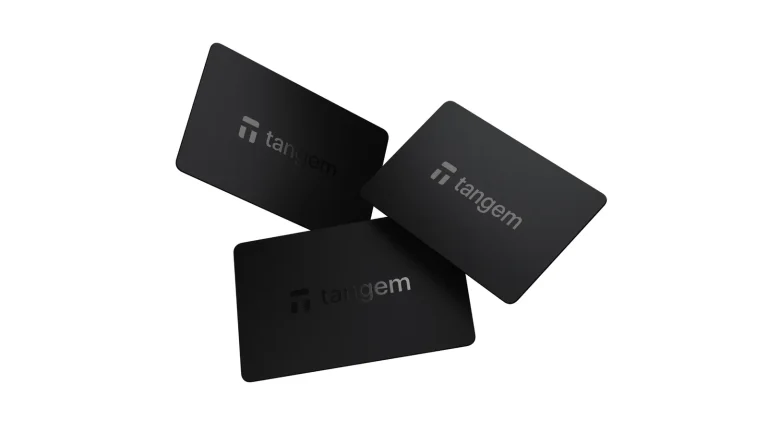
If you want a cheap hardware wallet from a brand people have heard of, these two usually come up first. The SafePal S1 sells for $49.99 (September 2026) and the Ledger Nano S Plus for $69 (October 2026). Each one is the starter model in its maker’s lineup.
They both keep your private keys away from the internet. How they talk to your phone is where they split. The S1 swaps QR codes with it, and the Nano S Plus needs a USB-C cable.
So here’s our quick answer. Go with the S1 if your crypto lives on an iPhone, or if you like the idea of a wallet that never plugs into anything. Go with the Nano S Plus if you’d rather have a certified chip you can name, more supported assets and an app for your computer.
We’ll walk through the hardware first, then security, day-to-day use, coin support and what you get for the money. All specs and prices come from SafePal’s and Ledger’s own pages, and we checked them in September 2026.
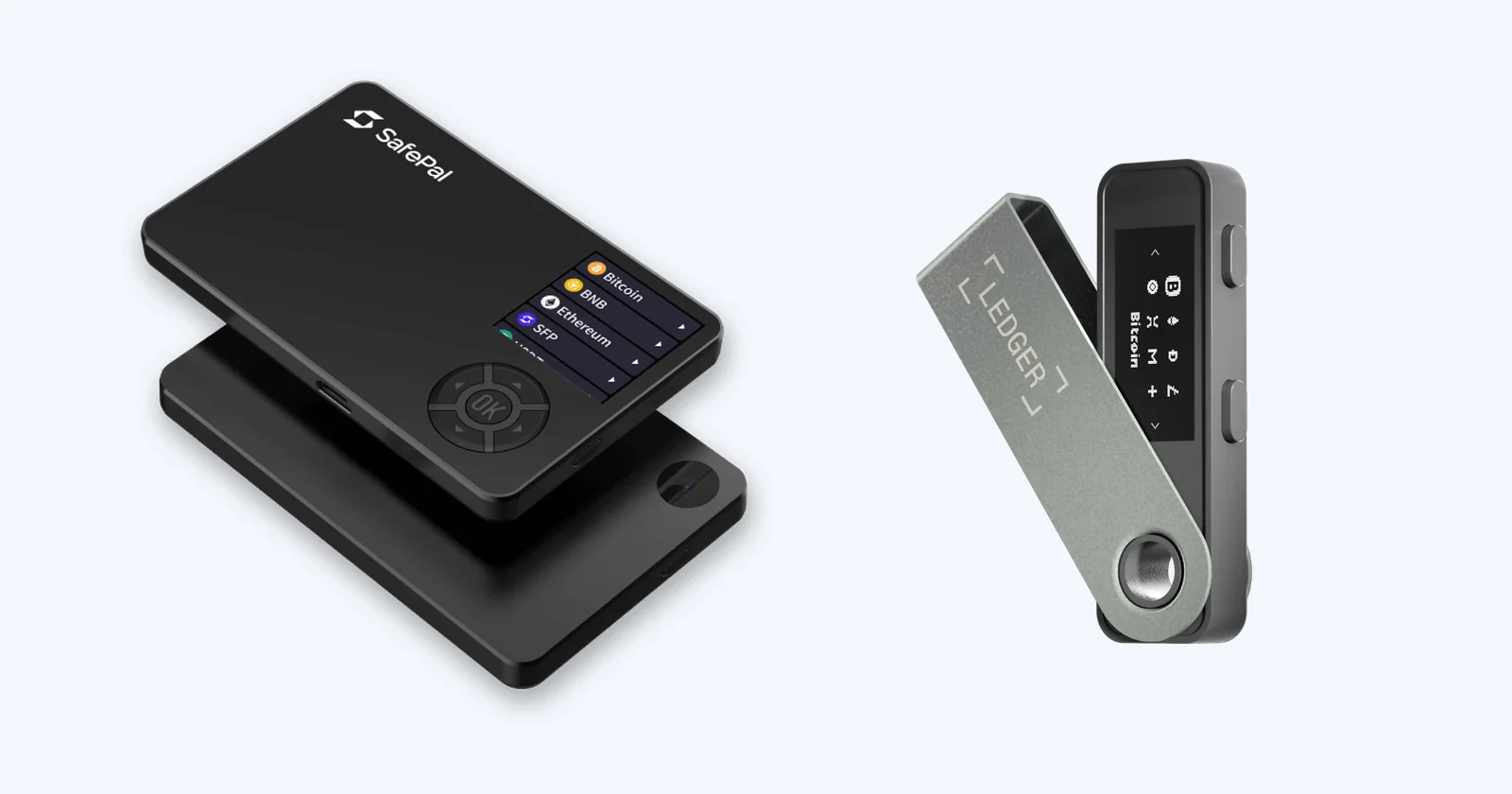
Table of contents
SafePal S1 vs Ledger Nano S Plus Side by Side
You’ll find each point we argue about further down in this chart.
SafePal S1 vs Ledger Nano S Plus: Comparison Chart | |
|---|---|
| <strong>What it costs</strong> | The S1 is $49.99 in September 2026. <br> The Nano S Plus is $69 in October 2026. |
| <strong>On sale since</strong> | SafePal released the S1 in late May 2019. <br> Ledger’s model arrived in April 2022. |
| <strong>The chip</strong> | SafePal’s help pages rate the S1’s secure element CC EAL5+. <br> Ledger uses an ST33K1M5 rated CC EAL6+. |
| <strong>How it links up</strong> | The S1 uses QR codes and nothing else. It has no USB data link, Bluetooth, WiFi or NFC. <br> The Nano S Plus uses a USB-C cable and has no Bluetooth. |
| <strong>Screen and input</strong> | The S1 has a 1.3 inch color IPS panel at 320 x 320, a camera and a D-pad. <br> Ledger’s has a 1.1 inch mono OLED at 128 x 64 and two buttons. |
| <strong>Power</strong> | A 400mAh battery gives the S1 roughly 20 days at 10 minutes a day. <br> The Nano S Plus has no battery and runs off USB. |
| <strong>Phones</strong> | The SafePal App covers iOS and Android. <br> Ledger’s works on Android 10+ and not at all on iOS. |
| <strong>Published code</strong> | SafePal has put key generation and other core code on GitHub under GPL-3.0 since 2025. <br> Ledger’s apps are open, but its OS is only partly reviewable. |
| <strong>Coin support</strong> | SafePal claims 200+ blockchains. <br> Ledger claims 15,000+ coins and tokens, with room for up to 100 apps. |
| <strong>Backup</strong> | The S1 comes with 3 mnemonic cards and supports a passphrase of up to 60 characters. <br> The Nano S Plus uses a 24-word phrase on 3 Recovery Sheets, and Ledger Recover is an optional paid extra. |
| <strong>Software</strong> | You get the SafePal App and the SafePal Extension. <br> You get Ledger Wallet, which used to be called Ledger Live. |
| <strong>Who it suits</strong> | The S1 suits iPhone owners who want air-gapped signing on a budget. <br> The Nano S Plus suits people at a desk with lots of different coins. |
So What’s the SafePal S1?
It’s a hardware wallet about the size of a bank card. SafePal first sold it in late May 2019, for $39.
The company was set up in January 2018, and it says Binance Labs picked it as the first hardware wallet in the Binance ecosystem. Our full SafePal S1 review goes into much more detail.
The S1 is air-gapped. In plain terms, it never connects to your phone or computer while it signs anything.
Its camera reads the unsigned transaction, and the screen hands the signature back as QR codes. Without a cable or a radio link, malware on your phone has no direct line into the device, and that’s the whole appeal.
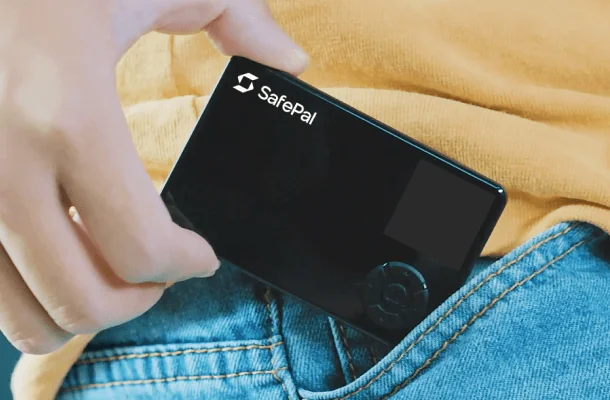
What the S1 Brings
- Transactions go in and out as QR codes only, since the S1 has no Bluetooth, WiFi, NFC or USB data connection.
- The 1.3 inch color IPS screen runs at 320 x 320 pixels, and there’s a camera built in.
- SafePal rates the 400mAh battery at up to 20 days if you use it for 10 minutes a day.
- A secure element sits behind a set of sensors, and the chip wipes itself if they pick up an attack.
- You manage it with the SafePal App on iOS or Android, or the SafePal Extension in Chrome, Edge and Firefox.
And the Ledger Nano S Plus?
This is where Ledger’s range starts. It came out on April 5, 2022, and Ledger still sells it next to the Nano X, Nano Gen5, Flex and Stax. We cover it on its own in our Ledger Nano S Plus review.
Picture a USB stick with a metal swivel cover. There’s no battery inside, so it only switches on while it’s plugged into a computer or an Android phone over USB-C.
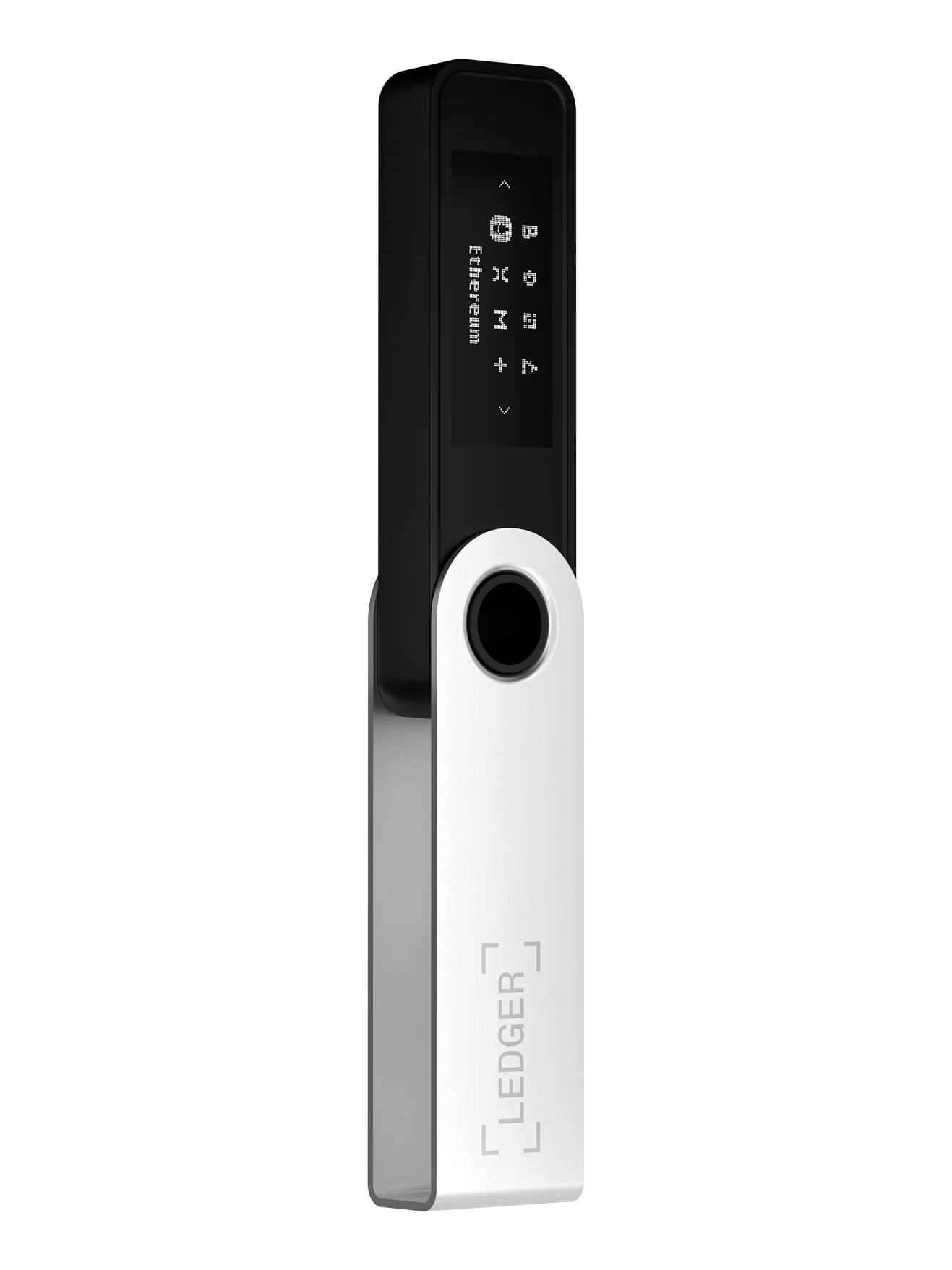
What the Nano S Plus Brings
- Your keys sit in an ST33K1M5 secure element certified CC EAL6+, and the device runs Ledger OS.
- The 1.1 inch mono OLED shows 128 x 64 pixels, and you drive it with two buttons.
- It connects over USB-C to a computer or Android phone, and Ledger says outright that it won’t work with iOS devices.
- Ledger says it handles 15,000+ coins and tokens and holds up to 100 apps at a time.
- Ledger Wallet, the app formerly known as Ledger Live, runs on Windows, macOS, Linux, iOS and Android.
How Safe Are the SafePal S1 and Ledger Nano S Plus?
Each wallet stores your private keys in a secure element. That’s a chip designed to resist tampering and keep secrets in. The gap between them comes from what each company tells you, and from what outside researchers turned up.
The SafePal S1’s Security Record
According to SafePal, the S1 splits its work across two chips, one of them an independent secure element. SafePal’s help article about that chip rates it CC EAL5+, but the company doesn’t publish a part number you could look up.
There’s a ring of sensors around the chip covering voltage, frequency, light, pulses and temperature, plus a metal shield. When one of them senses an attack, the secure element erases its security data. Enter the wrong PIN too many times and you get the same wipe after the device locks.
Independent testing is the part that gives us pause. Kraken Security Labs published a report in February 2021 saying it got past the S1’s tamper detection and rolled its firmware back with a flash programmer. Kraken also wrote that it was “not able to steal cryptocurrency from the wallet,” and SafePal answered that firmware V1.0.24 fixed the downgrade problem.
The same report said SafePal hadn’t released source code the GPL license required. That has partly changed. SafePal opened a GPL-3.0 repository for S1 firmware in April 2025, but it has no build instructions or release tags, so you still can’t confirm it matches what’s on your device.
Some protections are solid. The S1 refuses unofficial firmware, wants your PIN before any upgrade, and won’t downgrade. Since firmware V1.0.64 in November 2024, the app and the device each show a verification code while you sign, and matching codes mean nobody altered the data in between.
The Ledger Nano S Plus’s Security Record
Ledger’s chip is an ST33K1M5 with CC EAL6+ certification. It’s named, so you can check that rating yourself, which we appreciate.
Ledger is upfront about what stays closed. Its apps and developer kits are open source, but it calls its operating system only “partially reviewable and verifiable.” The reason it gives is its contract with STMicroelectronics, the chip maker, which bars it from releasing the low-level code.
The company also has an in-house attack team called the Ledger Donjon. It goes after Ledger’s own products and runs a bug bounty. In Ledger Wallet, a Genuine Check tells you whether your device is authentic and untampered with.
Customer Data Leaks at SafePal and Ledger
Customer data has leaked at both companies. SafePal said in August 2026 that a flaw in a plug-in had exposed order records for approximately 39,798 customers. Those records held names, emails, shipping addresses, phone numbers and purchase details, but not seed phrases or private keys.
Ledger’s list is longer. In July 2020 a breach leaked more than one million email addresses along with about 9,500 full customer records, and in December 2023 a malicious Ledger Connect Kit went live before Ledger pulled it within 40 minutes of finding it. Then in January 2026, an incident at Global-e, a company that processes Ledger orders, exposed names, addresses and order details.
Why does this matter if your coins weren’t touched? A leaked address and email tell scammers you own crypto. Don’t ever type your recovery phrase into a website, and don’t hand it to anyone who reaches out to you.
What the SafePal S1 and Ledger Nano S Plus Are Like to Use
Day to day, the S1 behaves like a little camera phone. The Nano S Plus is more like a USB key that happens to have a tiny screen.
Getting Each One Running
On a fresh S1, the first job is proving it’s real. It shows a QR code that you open in your phone’s browser, and you type in a 6-digit code from the S1. The page then says if the device is genuine and unused.
Next you pick ‘Create New Wallet’ or ‘Recover My Wallet’ on the S1 itself. Write the mnemonic phrase down carefully, because SafePal won’t show it to you again once setup is done. After that, you tap “Add Wallet” in the SafePal App and pair the two by scanning QR codes.
Ledger does setup through Ledger Wallet on a computer or Android phone. You copy your 24-word recovery phrase onto the Recovery Sheets in the box and run the Genuine Check. From there you install coin apps on the device, and it holds up to 100.
Sending a Transaction
To send from the S1, you tap ‘Send’ in the SafePal App and fill in the address and amount. The app puts up a QR code, and you scan it from the S1’s ‘Scan’ tab before checking the details and entering your PIN. Then the S1 shows a run of moving QR codes, the app scans those, and you tap ‘Broadcast’.
You’ll do a lot less scanning with the Nano S Plus. You put the transaction together in Ledger Wallet and approve it on the device, and the USB-C cable carries the data across.
Check the network before you send, whichever wallet you own. SafePal’s own warning uses USDT (TRC20) going to a USDT (ERC20) address as the example. If you pick the wrong network or paste the wrong address, the funds are gone, and nobody can reverse it.
Phone and Computer Support
For most buyers, phones decide this. The S1 needs nothing but your phone’s camera, so the SafePal App works on both iOS and Android. The Nano S Plus won’t work with iOS at all, which leaves iPhone owners needing a computer.
On a desktop the picture flips. SafePal offers a phone app, a browser extension that pairs by QR code and a Telegram mini app, but there’s no desktop app. Ledger Wallet runs on Windows, macOS and Linux.
Keeping the Firmware Current
S1 updates are fiddly. You grab an upgrade.bin file from SafePal’s site and connect the S1 to a computer with a USB cable. Then you choose Enter Upgrade Mode and drag the file onto the virtual disk that appears, and SafePal says the upgrade itself takes 1 to 3 minutes.
Then there’s the battery. SafePal suggests charging the S1 at least once every 3 months, although it’ll still run off a USB cable if the battery gives out.
Will Your Coins Work on the SafePal S1 or Ledger Nano S Plus?
According to Ledger, the Nano S Plus handles 15,000+ coins and tokens and fits up to 100 apps at once. Its 2022 launch post put the number at over 5,500, so the list has grown since then.
SafePal’s store page claims 200+ blockchains and “unlimited tokens” without giving a token count. One older help article says 48 blockchains, which shows how much these figures move. The S1 runs a single program for every signing method it supports, so a new chain arrives through a firmware update, not an app install.
Recent S1 updates brought native Filecoin, the KSM and DOT blockchains, and the WLD and HBAR blockchains. Bitcoin, Ethereum and the big EVM networks work on both. If you hold a smaller coin, look it up on each vendor’s asset list before you pay.
Is the SafePal S1 or Ledger Nano S Plus Better Value?
The SafePal S1 costs $49.99 (September 2026) and the Ledger Nano S Plus costs $69 (October 2026). Keep in mind that SafePal’s price leaves out VAT and duty. Order 2 or more SafePal devices and standard shipping is free.
The S1’s lower price still gets you a color screen, a camera, a battery and iPhone support, with a one-year warranty counted from activation. That’s a lot of hardware for the money. The Nano S Plus answers with a named EAL6+ chip, more assets, a desktop app and a vendor that runs its own security lab.
Want more from either brand? SafePal’s X1 costs $69.99 and its S1 Pro costs $89.99. On Ledger’s side, the Nano X adds Bluetooth for $99.
What We Liked and What Bugged Us
SafePal S1: Good and Bad
Ledger Nano S Plus: Good and Bad
So Which One Should You Buy?
Only have an iPhone and no computer? Get the SafePal S1, since the Nano S Plus can’t talk to iOS.
If you keep a long list of different coins and handle them from a laptop, get the Ledger Nano S Plus. Ledger lists more assets, and Ledger Wallet runs on Windows, macOS and Linux.
Some people just want a wallet that never connects to anything, and the S1 is built for exactly that. If a named chip and a public research record matter more to you, we’d lean toward the Nano S Plus. Our best air-gapped crypto wallets list has more QR-only options.
SafePal S1 vs Ledger Nano S Plus FAQ
Which is safer, the SafePal S1 or the Ledger Nano S Plus?
Neither wins outright. The S1 never connects to anything when it signs, while the Nano S Plus has a named EAL6+ chip and more published security research behind it. Kraken did find weaknesses in the S1 in 2021, but it couldn’t steal any funds.
Can I use the Ledger Nano S Plus with my iPhone?
No. Ledger says it doesn’t work with iOS devices, so you’ll need a computer or an Android 10+ phone connected by USB-C.
Will the SafePal S1 work without a phone?
Not by itself. It signs, but the SafePal App or the SafePal Extension builds the transaction and broadcasts it. A computer only comes into it for firmware updates.
Is the SafePal S1 open source?
Partly. There’s S1 firmware code on GitHub under GPL-3.0, though SafePal hasn’t added build instructions or release tags.
How long will the SafePal S1 run on a charge?
Up to 20 days if you use it for 10 minutes a day, going by SafePal’s rating of the 400mAh battery. SafePal also suggests charging it at least every 3 months.
What if I lose my SafePal S1 or Ledger Nano S Plus?
Your recovery phrase brings the wallet back on a new device. Anyone who finds that phrase can take your funds too, so keep it offline, and read our guide on how to store a seed phrase if you haven’t yet.
Our Verdict on the SafePal S1 vs Ledger Nano S Plus
We’d pick the SafePal S1 for iPhone owners and for anyone who wants signing that never goes near a cable. It costs $49.99 and gives you air-gapped signing plus a color screen for less. You live with conflicting chip claims, a 2021 security report and hand-done firmware updates in return.
We’d pick the Ledger Nano S Plus, at $69, for desktop users holding a wide mix of assets. If you’re still deciding between the big brands, our Ledger vs Trezor comparison covers the rest of the field.
This article is for general information only and is not financial, legal, or investment advice. Prices and features change; check the vendor’s official page before buying.