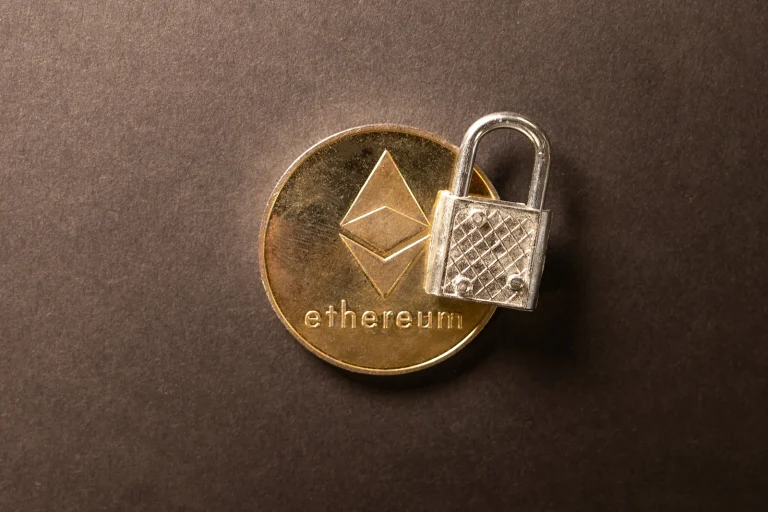
Litecoin has been running since October 2011. The Foundation’s own numbers put it past 400 million transactions with zero network downtime across 14+ years, and it pegs the average fee at under $0.01. Cheap and quick: that’s the whole selling point.
Leave your LTC on an exchange, though, and none of that helps. What you’re holding there is an IOU from whoever runs the place.
Below are six Litecoin wallets I’d happily use in 2026, with what each does best and where each one irritates me. All but one show up in the wallet directory the Litecoin Foundation publishes, and that directory is where I started. Every price, feature and button label here came off a vendor page or official documentation I read in September 2026.
My default is Nexus Wallet. It costs nothing, the Foundation builds it, and Litecoin’s MWEB privacy is one switch away.
Table of contents
The six Litecoin wallets side by side
Two picks are hardware, meaning a small gadget that keeps the keys offline and signs nothing until your finger presses a button on the gadget itself. The other four are software, and lumping them together would be a mistake.
One of them runs a full node. Three speak MWEB, which is Litecoin’s optional privacy layer. Another comes straight from the Litecoin Foundation.
Litecoin Wallets Compared | |
|---|---|
| <strong>Nexus Wallet</strong> | Take this one if your LTC lives on a phone and gets spent. <br> Nothing to pay on iOS or Android, and MWEB privacy hides behind a single switch. <br> The Litecoin Foundation builds it, and Apple’s listing marks it non-custodial and open source. |
| <strong>Ledger Nano S Plus</strong> | Take this one if you want your keys offline without spending much. <br> It’s $59 at the time of writing (September 2026) and an EAL6+ secure element guards them. <br> Ledger OS is Ledger’s own code and not a public repository. |
| <strong>Trezor Safe 5</strong> | Take this one if offline keys aren’t enough and you want to read the code. <br> It’s $129 at the time of writing (September 2026), with a color touchscreen and Multi-share Backup. <br> Trezor bills it as open-source security and design. |
| <strong>Cake Wallet</strong> | Take this one if you care about private Litecoin payments. <br> Free, and no other wallet here documents MWEB pegs this thoroughly. <br> MIT licensed and non-custodial, though you only get MWEB on a phone. |
| <strong>Exodus</strong> | Take this one if your LTC shares space with plenty of other coins. <br> Free on desktop and mobile and as a Chrome or Brave extension. <br> Self-custody with round-the-clock support and no MWEB anywhere. |
| <strong>Litecoin Core</strong> | Take this one if you’d sooner verify the chain yourself than trust a server. <br> Free on Windows, macOS and Linux and it runs a full node. <br> MIT licensed and 0.21.5.8 is the current release. |
1. Nexus Wallet: the Litecoin wallet I’d start with
Nexus Wallet is the Litecoin Foundation’s own phone app. It went up on litecoin.com on June 6, 2025, with Squareblack doing the design and the Foundation doing the build under lead developer Loshan T. It took over from Litewallet, which was sunsetted on December 31, 2025.
What earns it the top spot is who wrote it. Nobody else on this list is built by the people funding Litecoin development. Apple’s listing calls it non-custodial and open source and says your keys never leave your device, and the code sits at litecoin-foundation/nexus under GPL-3.0.
What Nexus Wallet gives you
- Flip on Private Litecoin and MWEB conceals both the amount and the address.
- Flexa checkout means you can hand over LTC at thousands of stores.
- Starting from nothing? The app lists 130+ local buy options.
- SegWit is fully supported, which holds sending fees down.
- A .ltc Unstoppable domain spares you pasting a long address.
- A newer build brought in Tor, so the app can reach the Litecoin network privately.
For everyday Litecoin on a phone, this is what I’d put there. Curious how it measures up against wallets that carry everything else too? Our roundup of the best mobile crypto wallets covers those.
2. Ledger Nano S Plus: cheap cold storage for Litecoin
Cold storage from a big-name vendor doesn’t come cheaper than the Ledger Nano S Plus. It’s $59 at the time of writing (September 2026), and the keys live in an EAL6+ secure element, the ST33K1M5, running Ledger OS.
Litecoin runs through the Ledger Wallet app, which spans the Stax, Flex and Nano ranges. Getting in wants a PIN code plus a 24-word recovery phrase. Ledger quotes 15,000+ supported crypto for the device and space for 100 apps at a time, so your LTC needn’t travel alone.
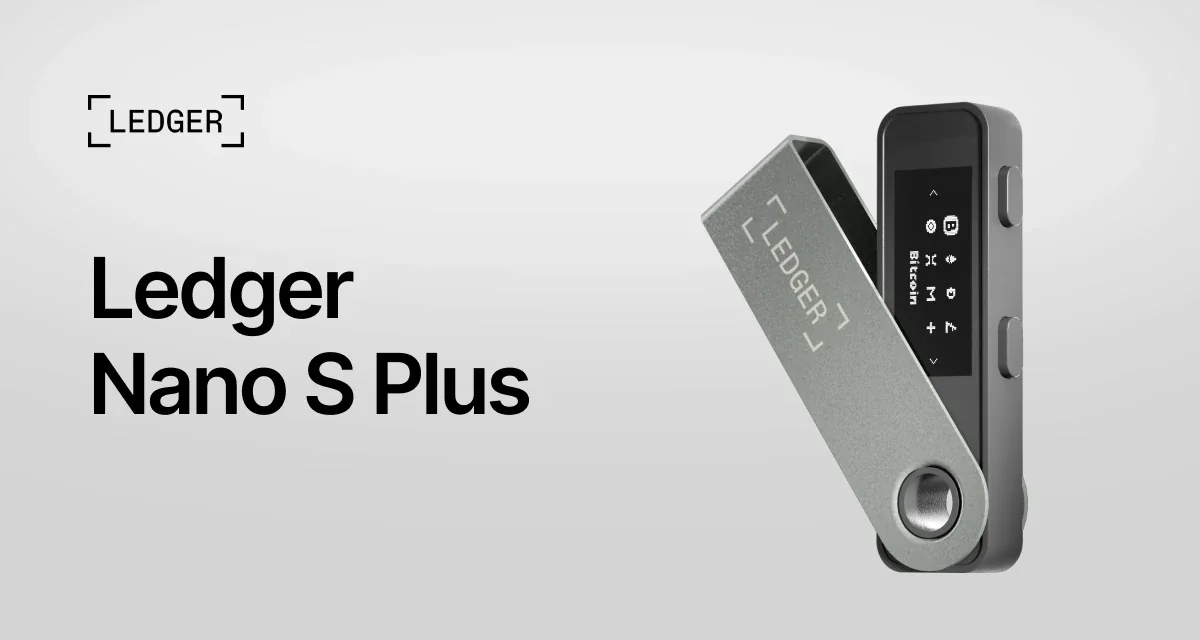
What’s inside the Nano S Plus
- A certified EAL6+ chip keeps your private keys where software can’t read them.
- Its screen is a 1.1 inch monochrome OLED running at 128 x 64 px.
- USB-C is how it talks to a desktop or an Android phone.
- Up to 100 apps fit on it at once.
- At 21g and 62.4mm x 17.4mm x 8.2mm, it’s keyring-sized.
- Three recovery sheets and a keychain strap ship in the box.
Bluetooth shifts the maths a little, and the Ledger Nano X runs $99 with BLE 5.2 and a 5 hour battery thrown in. Our Ledger Nano S vs Nano X comparison gets into the rest of it.
3. Trezor Safe 5: offline Litecoin keys, code you can read
Trezor’s Safe 5 sells for $129 at the time of writing (September 2026). You get an EAL6+ certified chip plus a 1.54 inch color touchscreen, 240 x 240 pixels under Gorilla Glass 3. Trezor bills the whole package as open-source security and design.
Every Trezor model handles Litecoin through the Trezor Suite app or a third-party wallet. Sending and receiving work there, and so do buying, selling and swapping. Backups come as 12, 20 or 24 words unless you switch to Multi-share Backup, which cuts your recovery into several shares so one lost card doesn’t cost you the wallet.
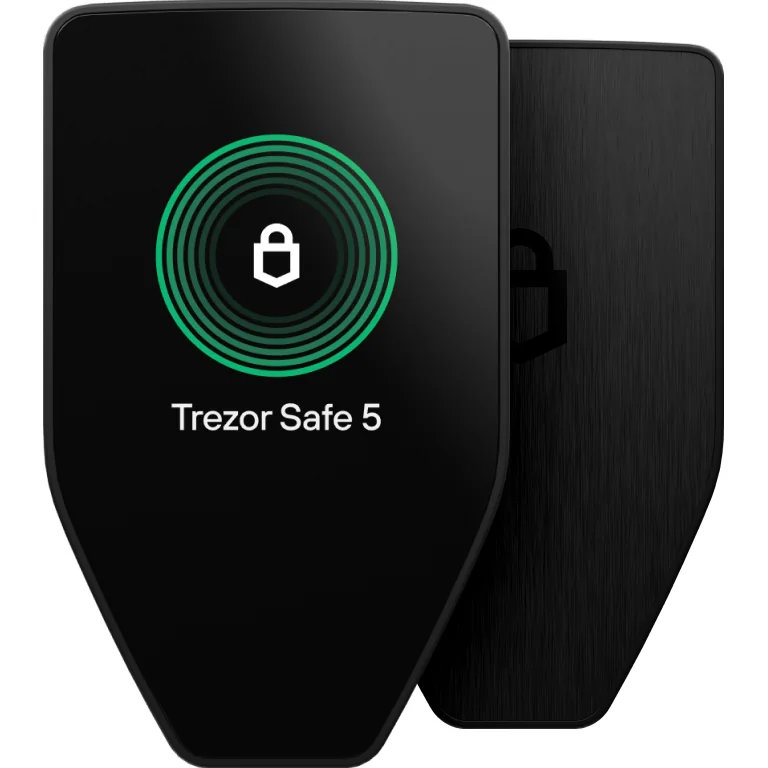
What the Safe 5 brings
- The EAL6+ chip keeps keys off your computer altogether.
- Its 1.54 inch color touchscreen buzzes back at you through haptic feedback.
- Multi-share Backup spreads recovery over several shares.
- PIN and passphrase get typed on the device, never on the laptop.
- There’s a microSD slot sitting next to the USB-C port.
- It weighs 23 g and measures 65.9 x 40 x 8 mm.
We’ve covered the device on its own, too. Setup, Trezor Suite, the lot: it’s all in our full Trezor Safe 5 review.
4. Cake Wallet: the easiest way into Litecoin’s MWEB
Cake Wallet has been around since 2018 and the site claims 1,750,000+ users. It’s free and it’s MIT licensed. You get an open-source non-custodial wallet with builds for iOS, Android, Linux and Windows.
MWEB is why it’s here. You get a Private MWEB address beside your Standard one, and the documentation takes you through pegging in and out down to the exact button labels.
How Cake Wallet handles MWEB
- Privacy switches on under Settings, then Privacy, then MWEB, where you flip Enable MWEB.
- Once it’s running, an Assets tab splits your Litecoin and Litecoin Private balances.
- Private receiving addresses begin with ltcmweb1.
- Swaps are built in, covering XMR, BTC, ETH, LTC and USDT with no limits.
- Every line of it is MIT licensed and public.
Your keys, nobody else’s. If that phrase doesn’t mean much yet, our explainer on custodial vs non-custodial wallets lays out exactly what changes hands.
5. Exodus: a Litecoin wallet that won’t scare a beginner
Exodus does Litecoin on desktop and on mobile and through a Web3 extension for Chrome and Brave. Desktop builds cover Windows 64-bit, Mac Intel, Mac Apple Silicon and Linux. The two sync, so your LTC balance follows you from laptop to phone.
I’d hand this to anyone who finds wallets frightening. No account, no verification, keys and transaction data encrypted on your own machine, and a support team the company says runs 24/7.
What Exodus does well
- Face or fingerprint unlock guards the phone app.
- Desktop and mobile stay on the same LTC balance.
- Apple’s listing puts the catalogue at over 1 million digital assets.
- Its swaps stretch across 50+ networks.
- Trezor Safe 7 support hooks a hardware wallet into the app.
Of everything here, Exodus is the one we’ve reviewed on its own. Our Exodus wallet review digs into the interface and the compromises.
6. Litecoin Core: check the Litecoin chain yourself
Litecoin Core pulls down the whole blockchain and verifies it for you, which is the opposite of asking a stranger’s server what your balance is. The Foundation calls it the most popular full node client and reckons it’s the safest place to keep coins while supporting the network.
MWEB began here too. Version 0.21.2 shipped on May 8, 2022 and brought MWEB support to the full node and the wallet and mining. Its code carries the LIP002, LIP003 and LIP004 consensus rules, and version 0.21.5.8 followed on September 12, 2026.
What running Litecoin Core gets you
- Your machine checks every block, so no server’s word is needed.
- MWEB is baked in across node, wallet and mining.
- Linux, macOS 10.10+ and Windows 7 and newer all run it.
- Its licence is MIT, top to bottom.
- Builds come from litecoin.org and download.litecoin.org.
Running a node is about as far from an exchange account as you can get. Our guide to crypto wallet vs exchange covers what you give up going the other way.
How I picked these Litecoin wallets
Who holds the keys
All six are non-custodial, so you hold the keys, and without them nobody moves your coins. The two hardware picks go further and seal those keys inside a certified chip that never hands them over to your computer.
Who’s behind the wallet
Five of the six turn up in the Litecoin Foundation’s wallet directory. Exodus doesn’t, though it publishes a Litecoin wallet page of its own. The Foundation also tells you to limit how much LTC you park in software wallets, and I’d take that seriously.
Litecoin support, and whether MWEB works
MWEB is Litecoin’s optional privacy layer and it buries your amounts and addresses on-chain. Only three picks here touch it: Nexus, Cake Wallet and Litecoin Core. Ledger and Trezor do LTC properly but neither app offers MWEB, which annoys me more than it probably should.
Running a current version
Right now this deserves more attention than usual. Litecoin developers turned up a critical validation bug in the MWEB code in March 2026. A scan of the chain showed somebody had already used it to peg out 85,034.47285734 LTC at block height 3,073,882.
Whoever did it later cooperated and signed a recovery transaction. The Foundation’s postmortem states that no confirmed user funds were ultimately lost in the March incident.
April brought a second run at the same exploit path. Upgraded mining nodes jammed, 13 invalid blocks stacked up, and the valid chain reorged them out afterwards. Litecoin Core 0.21.5.4 closed that failure mode and 0.21.5.8 tightened MWEB validation again, so upgrade if you’re running Core.
Getting back in if the device dies
Ledger hands you 24 words. Trezor does 12, 20 or 24 and adds Multi-share Backup on top.
Over on the software side the Foundation told Litewallet users their funds were safe as long as they still had the seed phrase, since those same words open the wallet inside Nexus. That’s a tidy reminder of what your phrase really is.
Cost, and whether the code is public
Four of the six are free. Hardware is the only thing you pay for: $59 for the Ledger Nano S Plus, $129 for the Trezor Safe 5. Nexus, Cake Wallet and Litecoin Core all publish their source, while Ledger OS and Exodus keep theirs out of a public repository.
Which Litecoin wallet fits you?
Spending your Litecoin, and keeping it on a phone? Install Nexus Wallet. It’s free, it comes from the Foundation, and Flexa checkout and MWEB are already in there.
Holding more LTC than you’d shrug off? Buy hardware. A Ledger Nano S Plus at $59 is the cheap door in, while a Trezor Safe 5 at $129 gets you the color screen, open-source firmware and Multi-share Backup.
Make privacy the priority and Cake Wallet on iOS or Android is the one to run, with MWEB switched on. Just know that pegging in and pegging back out each sit through six confirmations, so none of it is instant.
Anyone who’d sooner trust their own hardware than somebody’s server belongs on Litecoin Core. Whatever you settle on, push a small test payment through first and read the address on screen before you confirm.
Get the address or the network wrong and the coins are gone, and nobody can reverse it: not the wallet, not the Foundation, not a miner.
Questions people ask about Litecoin wallets
Which Litecoin wallet should I get?
Nexus Wallet, for most people. It’s free and non-custodial and built by the Litecoin Foundation, and MWEB privacy sits behind one switch. Sitting on a bigger pile? Put your keys offline on a Ledger Nano S Plus instead, which is $59 at the time of writing (September 2026).
Where did Litewallet go?
Nexus Wallet replaced it, and Litewallet was sunsetted on December 31, 2025. The Foundation said nobody holding their seed phrase would lose funds, because those same words restore the wallet inside Nexus.
Which Litecoin wallets can do MWEB?
Three of the six. Nexus labels it Private Litecoin, Cake Wallet hands you a Private address beside your Standard one on iOS and Android, and Litecoin Core has carried MWEB since 0.21.2 in May 2022.
Is MWEB still safe after the 2026 bug?
The root bug is fixed. In March 2026 developers found a critical MWEB validation flaw that had already been used to peg out 85,034.47285734 LTC, though the funds came back and the postmortem records no confirmed user funds ultimately lost. Litecoin Core 0.21.5.8 tightened MWEB validation on top of that, so stay on a current release.
Will a hardware wallet hold Litecoin?
Yes. Every Trezor model takes LTC through Trezor Suite, and Ledger covers it in the Ledger Wallet app across the Stax, Flex and Nano ranges.
Do I have to run a full node?
No. Litecoin Core is the only pick here that runs one, and it pulls down the entire blockchain to do it. Nothing like that is asked of you by the other five.
What happened to Electrum-LTC?
It’s still on litecoin.org as the simple option and it’s MIT licensed. The catch is the pace. That site lists 4.2.2.1 from June 5, 2022 and the GitHub repository was last pushed in August 2024, which is why I left it off.
Where I’d land
Begin on Nexus Wallet while your Litecoin is money you actually spend, then move to a Ledger Nano S Plus or a Trezor Safe 5 once the balance starts keeping you awake. Cake Wallet is what I’d reach for when MWEB privacy is the point, and Litecoin Core is for anyone who’d sooner check the chain than take somebody’s word for it.
What you do with the recovery phrase still counts for more than any of that. Paper, never a website, and a small test send ahead of anything large.
This article is for general information only and is not financial, legal, or investment advice. Prices and features change; check the vendor’s official page before buying.