Copy a wallet’s website, change one letter in the domain, and you’ve got a crypto phishing site. Its job is to collect your recovery phrase, or to talk you into signing a single transaction that empties the account. Fake wallet apps run the same play from inside an app store, wearing a logo you recognize.
Nothing about a blockchain transaction can be undone once it confirms. There’s no chargeback and no support desk anywhere with a reversal button. The FBI’s Internet Crime Complaint Center took 1,008,597 complaints during 2025, tied to $20.877 billion in reported losses, and that loss figure came in 26% higher than the year before.
What follows is the set of checks we run before typing anything into a wallet page, or installing anything that calls itself a wallet. Each one traces back to a vendor’s own security page or to a primary source.
Table of contents
What a Crypto Phishing Site Actually Is
Phishing is an old con. Someone poses as a party you trust, and you hand over a secret; in crypto that secret is nearly always your recovery phrase, the word list that rebuilds every private key your wallet holds. Hold those words and you hold the coins, which is exactly why they’re worth stealing.
Plenty of phishing pages have stopped asking for the phrase at all. They invite you to connect your wallet and sign, and what you sign is a token approval, which Etherscan describes as a permission letting a smart contract spend tokens for you.
Chainalysis has a name for the kit behind this, a drainer. Its description is a phishing tool built for web3, run by operators who dress up as web3 projects, coax victims into connecting a wallet, then push transaction proposals that sign away control of whatever sits inside. Chainalysis also notes that quarterly growth in value taken by drainers has outpaced the value taken by ransomware.
One example from Phantom’s scam write-up stuck with us. Scammers pay for sponsored search results that print a project’s real URL inside the ad, then bounce the click to a lookalike domain. You read one address and arrive at a different one.
How Phishing Sites and Fake Wallet Apps Pull It Off
Campaigns vary, but the shape rarely does.
- Something lands in front of you. Ledger’s own tally of channels aimed at its customers runs to email, phone calls, SMS, WhatsApp, Telegram, printed letters carrying QR codes, counterfeit apps, impostor social accounts and airdropped scam NFTs.
- Then comes the clock. Top of CISA’s list of phishing signs is “urgent or emotionally appealing language, especially messages that claim dire consequences for not responding immediately”.
- You arrive somewhere familiar that isn’t. Another sign CISA gives is a wrong address or link, illustrated with the misspelling “amazan.com”.
- Last comes the ask, which is either your phrase or your signature. Minutes later the wallet is bare.
Lookalike Domains and the xn-- Giveaway
A domain that survives a quick glance is still the workhorse of this business. Chrome’s documentation explains homograph attacks with a Cyrillic “a” dropped into ebay.com, and in most fonts you’d never catch it.
The browser’s answer is to stop rendering the pretty version whenever a label trips its spoof checks. Latin, Cyrillic and Greek characters are not allowed to mix inside one displayed label, so аррӏе.com turns into xn--80ak6aa92e.com in the bar.
See xn-- at the front of a domain and the browser is telling you the name was dressed up as something else. We treat that as a hard stop.
Yes, Fake Wallet Apps Get Into Real Stores
Phantom says it outright, that counterfeit apps do slip past Google’s and Apple’s review while wearing the genuine app’s logo and branding. Being listed in a store proves nothing by itself.
Ledger spells out what happens next. Fake Ledger Wallet apps, which carried the Ledger Live name before the rename, throw up bogus error messages whose only purpose is pulling the recovery phrase out of you.

When the Genuine Site Hands You the Attack
Ledger’s Connect Kit library was swapped for a poisoned build on December 14, 2023, after a former employee got phished and an API key sitting on that person’s NPMJS account was used to publish it. The payload shipped inside versions 1.1.5, 1.1.6 and 1.1.7, slipping a rogue WalletConnect project into apps so that funds went to the attacker.
Forty minutes after Ledger knew, the fix was out. CDN caching kept the bad file reachable for something like five hours, although Ledger says the stretch when assets were actually draining stayed “confined to less than two hours in total”.
Take the uncomfortable lesson from that. A correct URL in the address bar is necessary and nowhere near sufficient, and your protection at that moment is reading the transaction on the hardware wallet’s own screen before you press approve.
What You Lose, and Why You Never Get It Back
Wrong address, or the right address on the wrong network, and the money’s gone. No vendor, no exchange and no validator can reverse it for you. A signature you handed to a drainer is just as final.
Chainalysis puts roughly $17 billion into the crypto scam and fraud column for 2025, with the average scam payment climbing to $2,764 from $782 a year earlier. Impersonation scams were the standout, up by more than 1400% year over year.
Older holders absorb a painful share of this. FBI figures for 2025 show 201,266 complaints from people aged 60 and up, carrying $7.7 billion in reported losses, while the average loss across every complaint filed was $20,699.
A Leaked Customer List Never Expires
Phishing lands much harder when the sender already knows what you bought and where you live. A researcher flagged a breach of Ledger’s e-commerce and marketing database through the bounty program on July 14, 2020, and Ledger traced the unauthorized API key access back to June 25, 2020.
Roughly 1 million email addresses were caught up in it, along with 9,500 customers whose name, postal address, phone number or ordered products went out the door. Six years on, Ledger’s phishing page is still tracking letters that arrive by post, a few of them claiming a “vault address” has been opened.
So a letter about your hardware wallet is a warning sign rather than a comfort. Ledger hasn’t shifted an inch on the underlying rule, which is that it will never ask for the 24 words of your recovery phrase.
Then Come the Fake Recovery Services
Losing once marks you as a target for round two. The FBI doesn’t hedge here: be wary of cryptocurrency recovery services, especially the ones that want a fee up front.
What Ledger, Trezor, MetaMask and Phantom Say They Will Never Do
Each of the big wallet vendors publishes a short list of things it will never do. Learn the four lists and a convincing message stops being convincing.
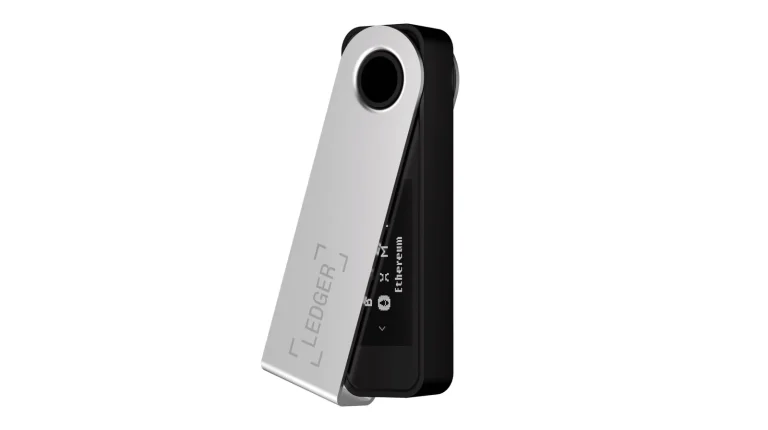
Ledger’s line is that it will never reach you by text message or phone call, and that “Ledger cannot and will not deactivate your device”. Your recovery phrase goes into the device and nowhere else, ever. Our Ledger Nano X review shows what that setup actually feels like.
Trezor’s wording barely differs: “Trezor will never contact you about your wallet backup or ask you to perform actions with your wallet”, plus “Trezor cannot and will not deactivate your device”. It goes one better and publishes every domain its email can come from, namely trezor.io, invity.io, vexl.it, tropicsquare.com and satoshilabs.com. The device side gets its own treatment in our Trezor Safe 5 review.
MetaMask counts four legitimate moments for your Secret Recovery Phrase: making the wallet, confirming you wrote it down, restoring it, and resetting the password. Nothing else qualifies, and MetaMask never emails asking for Google or Apple account details, a password, or the phrase itself. How the extension behaves day to day sits in our MetaMask vs Coinbase Wallet comparison.
Phantom’s support team won’t message you on Discord, X or Telegram, full stop. The only way in is Settings > Help & Support > Start a chat > Submit a ticket, from inside the wallet.
Where to Download, and What to Check
| Wallet | Where it really lives | Something you can verify |
|---|---|---|
| Ledger Wallet (formerly Ledger Live) | download.live.ledger.com/latest/win, /mac or /linux | No phone call, no text and no request for the 24 words will ever come from Ledger. |
| Trezor Suite | trezor.io/trezor-suite, or suite.trezor.io/web in a browser | Genuine email arrives only from trezor.io, invity.io, vexl.it, tropicsquare.com or satoshilabs.com. |
| MetaMask | metamask.io/download | The Chrome listing has to read nkbihfbeogaeaoehlefnkodbefgpgknn, and the Firefox add-on is ether-metamask. |
| Phantom | phantom.com, the App Store or Google Play | Help happens only through Settings > Help & Support inside the app. |
| Electrum | electrum.org | Binaries carry GPG signatures from ThomasV, SomberNight, Emzy, felixb_f321x or svanstaa. |
Nobody’s stricter about this than Electrum, whose front page reads: “Do not download Electrum from a source other than electrum.org. Verify GPG signatures.”
The reasoning behind that is neat. Even if the site were compromised and every file replaced, verification would still fail, because whoever swapped them can’t produce valid signatures. Our Electrum wallet review digs into the desktop client itself.
Store metadata is worth a look as well. Under Apple’s App Review Guideline 3.1.5(i), wallet apps “may facilitate virtual currency storage, provided they are offered by developers enrolled as an organization”, which puts any iOS wallet listed under one person’s name outside the rules.
Android has its own gate. Google’s developer verification program checks who a developer is, and a personal account has to hand over an official government identity document. Over in the Chrome Web Store, the Established Publisher badge needs a verified identity plus a consistent positive track record with Google services, and no amount of money buys one.
Habits That Keep You Out of Trouble
- Reach wallet sites through a bookmark you made yourself, not a search result and never an ad. Phantom’s point is that a sponsored ad can display the official URL and still drop you somewhere else entirely.
- Your recovery phrase belongs in a hardware wallet or a fresh install of the wallet software, and nowhere else. Trezor is blunt about it, saying the seed never goes into a website, a mobile app, or a computer.
- Glance at the address bar for anything that starts with xn--. That prefix is Chrome telling you the name is built from characters chosen to imitate other characters.
- Look at who publishes an app before you install it. On iOS the seller should be an organization, on Chrome you want the Established Publisher badge, and with MetaMask the extension ID has to read nkbihfbeogaeaoehlefnkodbefgpgknn.
- Read every transaction on the hardware wallet’s screen before approving it. Ledger’s CEO made the case after the Connect Kit mess, arguing that if you can see what you sign on a trusted display, you won’t sign a rogue transaction by accident.
- Walk through your token approvals every so often, using Etherscan’s tool at etherscan.io/tokenapprovalchecker or Revoke.cash, which spans 100+ networks and publishes its code on GitHub.
- Turn on an anti-phishing code wherever an exchange offers one. Binance keeps it under Profile > Security > Advanced Security > Anti-Phishing Code, wants at least 8 characters mixing uppercase letters with numbers, and then prints it inside every real email it sends you.
- When something smells wrong, reach the company using details you already trust instead of anything inside the message. That’s CISA’s standing advice, and following it costs you nothing.
Mistakes We See Over and Over
- Reading a padlock icon or a tidy layout as evidence. Neither one tells you who owns the domain, so compare the domain itself against the address the vendor publishes.
- Pulling a receiving address out of your own transaction history. Phantom describes address poisoning as exactly that, an attacker planting a near-identical address in your history and waiting for a careless copy. Copy from the original source instead, and our explainer on what a wallet address is covers the formats.
- Trusting a token because its name and icon look right. Copycat tokens duplicate everything except the contract, which is why MetaMask tells you to check the issuing contract address against the real token’s address on a block explorer.
- Taking a phone call or a posted letter about your wallet seriously. Ledger and Trezor both say they never contact customers that way, and Trezor adds that it cannot and will not deactivate your device.
- Hanging on to a seed phrase after a close call. MetaMask says to migrate to a fresh Secret Recovery Phrase the moment you suspect anyone else has seen the old one.
- Handing money to a recovery service once you’ve already lost some. The FBI’s warning is aimed squarely at those up-front fees.
FAQ
How do I tell a real wallet site from a phishing copy?
Open it from your own bookmark instead of a search result, then compare the domain with the one the vendor publishes. A domain beginning xn-- is Chrome flagging characters picked to imitate other characters, so close the tab.
Would a wallet company ever ask me for my recovery phrase?
Never. Ledger says it will never ask for the 24 words, Trezor says it won’t contact you about your wallet backup at all, and MetaMask limits the phrase to four moments: creating, confirming, restoring, or resetting a wallet.
Are wallet apps in the App Store and Google Play safe by default?
No. Phantom says fake apps do get past Google’s and Apple’s review while wearing genuine branding. Look at the publisher, because Apple’s guideline 3.1.5(i) requires a wallet app to come from a developer enrolled as an organization.
What is a token approval, and why should I care?
It’s a permission you give a smart contract to spend tokens for you. MetaMask warns that a confirmation can authorize extraction rather than receipt, and that’s how a drainer empties an account without ever seeing your recovery phrase.
I connected my wallet to a site that now looks suspicious. What now?
Revoke the approvals straight away with Etherscan’s approval tool or Revoke.cash. If your recovery phrase went into that site as well, treat it as burned: set up a new wallet with a new phrase and move everything across.
Can stolen crypto be recovered?
Rarely, and usually not at all. Once a transaction confirms, no vendor, exchange or network can undo it, and the FBI warns specifically about recovery services that charge a fee up front.
Does a hardware wallet make me phishing-proof?
No, though it removes the worst outcome, since the keys stay on the device and each transaction is confirmed on its screen. What it can’t do is stop you approving something malicious, which is why Ledger keeps pushing clear signing so the details show up on a display you trust.
The Short Version
One signature, one typed phrase, and it’s over. That finality is what makes phishing so profitable in crypto, and so cheap to run.
The defenses are dull, which is probably why people skip them. Bookmark the real domain, check who published the app, read what you’re signing on a device screen, and clear out approvals you’ve stopped using.
Vendor rules are worth memorizing too. Neither Ledger nor Trezor calls, texts or writes to you about your wallet, MetaMask wants your phrase in four situations and no others, and Phantom’s support never leaves the app. We’d treat any message that breaks one of those as a scam, however good it looks.
This article is for general information only and is not financial, legal, or investment advice. Prices and features change; check the vendor’s official page before buying.