Moving SOL costs almost nothing. Solana’s base fee is 5,000 lamports per signature, which works out to 0.000005 SOL, so the price isn’t what trips people up. What trips them up is that nothing about a Solana transfer can be undone: one wrong character in the address, or one wrong network on a withdrawal screen, and those coins belong to somebody else now.
Here’s the whole run, from where you copy the address to how you check it arrived. The shopping list is short: SOL in a wallet or an exchange account, the destination address, and a little SOL spare for the fee. Sending takes seconds, and the careful part is everything you do before pressing the button.
Table of contents
Line These Up Before You Send Any SOL
- Somewhere that already holds your SOL. Phantom works, so does Solflare, so does a Ledger device driven through the Ledger Wallet app, and so does a plain exchange account.
- The address you’re sending to. On Solana that’s an Ed25519 public key, which on screen looks like a jumble of letters and numbers, and if that sentence means nothing to you, our guide to what a wallet address is unpacks it properly.
- Spare SOL for the fee. Phantom’s own advice is to keep 0.02 SOL sitting in the wallet to cover fees and rent.
- Two-factor authentication turned on, if the SOL is leaving an exchange. Binance won’t release a withdrawal until you clear a passkey or a 2FA prompt.
- A verified account, again on the exchange side. The withdraw button stays shut until the identity checks clear.
One rule sits above all the others. Pick the wrong network or the wrong address and your funds are gone, with nobody anywhere able to reverse it. Binance doesn’t soften that either, warning that sending funds to the wrong network will result in permanent loss, and Phantom’s version is equally short: it can’t recover tokens sent to the wrong address.
Solana is a chain in its own right. Confusingly, SOL also exists as a wrapped token on BNB Smart Chain, which Binance lists under BEP20 with its own fee and its own minimum. Two chains, two sets of addresses, and one will not work on the other.
How I Send Solana to Another Wallet, Step by Step
Step 1. Grab the Address You’re Sending To
Work backwards and begin at the wallet that’s receiving. Phantom tucks its receive address behind the “+” button on mobile and the “Receive” button in the extension. On an exchange you want the “Deposit” section for SOL, then whatever it shows under “Deposit Address”.
The mistake I run into most often happens right here. Somebody digs an address out of an old transaction rather than opening the receive screen. Phantom doesn’t mince words about it, telling you never to copy and paste an address from your transaction history.
Step 2. Make Sure the Network Says Solana
Exchange deposit pages make you choose a network, and Solana is the one you want. Solflare’s help centre tells you to generate the deposit address specifically for the Solana network, since depositing tokens from another blockchain will result in lost funds.
Going wallet to wallet, there’s no menu to fumble, because Solana is the only chain in play. Withdrawals from an exchange are what catch people out, since a single ticker can appear on several networks in the same dropdown.
Step 3. Find the Send Screen
Phantom’s extension puts “Send” right on the “Home” tab, so click that and pick SOL. On the phone it’s the “+” button in the lower right followed by “Send”, or you tap SOL in your portfolio and hit “Send” from there. One quirk worth knowing: the button only shows up when you actually hold the token.
Solflare keeps the control beside the asset, so open the portfolio view, find SOL, and click its “Send” button. Binance buries it deeper. On the website the trail reads “[Assets] – [Overview]”, then “[Withdraw]”, then “[Withdraw Asset]”, while in the app it’s “[Assets] – [Overview] – [Send]” followed by “[Withdraw Asset]”.
Step 4. Paste It, Then Read It Back
Drop the address into the address field. Phantom will also take a Phantom username, scan a QR code, or pull up your own accounts and saved contacts from the “@” icon in the extension. Binance labels its paste option “[Address]” and keeps a separate route for sending to another Binance user.
Then read it back. Compare the first four characters and the last four against the source, and spot-check four somewhere in the middle. Address poisoning plants a lookalike in your history on purpose, so matching ends tell you nothing at all.
Step 5. Pick an Amount, Keep a Little Back
Type in how much you’re moving. Coming off an exchange, glance at the floor first, because Binance won’t push a SOL withdrawal through below about 0.01 SOL (September 2026) and adds roughly 0.001 SOL (September 2026) of its own on top.
Resist the urge to zero the wallet out. Solana makes every account keep a refundable minimum balance to stay onchain, and when I queried the network in September 2026 it answered with 650,240 lamports, or 0.00065024 SOL, for a plain account. Anything smaller aimed at a fresh, empty address simply fails.
Step 6. Sign It Off
Phantom’s extension wants a click on “Next” and then a confirmation. Binance asks for “[Continue]” on the web or a tap on “[Withdraw]” in the app, followed by a passkey or 2FA. Solflare just tells you to check the details and follow its on-screen instructions.
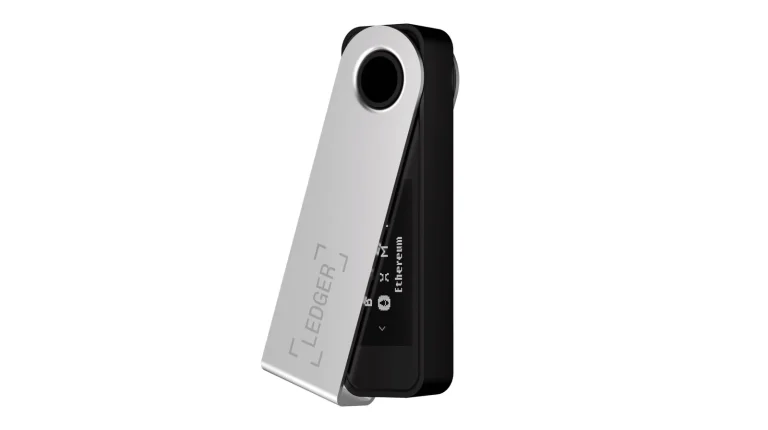
Signing on a hardware wallet? This is the moment it pays for itself. Ledger uses Clear Signing to show what you’re approving on the device itself, nothing moves until your thumbs agree, and that’s why I always hold the address on the little screen up against the one I originally copied rather than against whatever my laptop happens to be displaying.
Step 7. Watch It Land
On Solana the receipt goes by transaction signature, the same idea as a transaction hash over on an EVM chain. Phantom mobile gets you to it through your profile avatar, then “History”, then the item, then “View on Solscan”. In the extension the route is “History”, the clock icon in the lower right, the item, and “View on Solscan”.
Three statuses cover everything you’ll see. Pending means it’s still going through, Successful means it landed in the wallet, and Failed means it never completed, which puts you back on to the sender or the exchange.
What a SOL Transfer Actually Costs
Two things make up a Solana fee. The base fee runs to 5,000 lamports for every signature on the transaction, split 50% burned and 50% handed to the validator. Sitting on top is an optional prioritization fee, worked out from the compute unit price and the compute unit limit, which the validator keeps 100% of.

| What you pay | Approximate amount (Sept 2026) | Where it goes |
|---|---|---|
| Solana’s base network fee | 0.000005 SOL for each signature | Half of it burned, half to the validator |
| Optional prioritization fee | Nothing at all in the slots I sampled | Straight to the validator, all 100% of it |
| Minimum a plain account has to hold | Roughly 0.00065024 SOL, and you get it back | Parked by the network rather than spent |
| Minimum for a new SPL token account | Roughly 0.00148844 SOL, also refundable | Parked by the network, tokens only |
| What Binance takes to send SOL out | Around 0.001 SOL | Binance, separate from the network fee |
| Smallest SOL withdrawal Binance allows | Around 0.01 SOL | Binance’s own floor |
| Spare SOL worth leaving behind | 0.02 SOL | Phantom’s suggestion for fees and rent |
Rent is the odd entry on that list, partly because it keeps shrinking. The Solana Foundation is trimming the rent-exempt minimum across five phases of SIMD-0437, the first of which went live on mainnet on September 3, 2026, with the rest expected alongside Agave 4.4 in November 2026. Because the balance comes back to you, treat it as a deposit rather than a charge.
Plain SOL transfers skip token accounts altogether. Shift an SPL token such as USDC and you need one account per mint, and that’s exactly where the refundable minimum shows up.
So How Fast Is a Solana Transfer?
Slots on Solana are set to run about 400ms, with a bit of drift between 400ms and 600ms. Solflare’s estimate for a transfer is a few seconds up to a few minutes, depending on what the network is doing at the time. Binance holds a SOL deposit until it sees 1 network confirmation.
Every transaction carries a clock, though. The blockhash it points at stays good for 150 slots, call it 60 to 90 seconds, and once that window closes the transaction isn’t processed at all. So a confirmation screen you wandered away from sometimes has to be rebuilt from scratch.
Exchanges pile on lag of their own. A withdrawal clears security, then an internal review, then finally the network, and a young account can sit behind a hold as well. Out of a wallet you hold the keys to, the network is the only thing keeping you waiting, and we’ve written that trade-off up in full in crypto wallet vs exchange.
Stuck, Failed, or Missing SOL? Try This
- Your wallet insists there isn’t enough SOL, even with SOL sitting right there. Fees come out of SOL, and token accounts need a bit more to stay rent-exempt, so nudge the balance toward Phantom’s suggested 0.02 SOL and try again.
- The transaction failed and not a single lamport moved. Odds are the blockhash aged past its 150 slots, so start a fresh transfer instead of sitting on the old one.
- An explorer calls it successful while Phantom still says pending. Give the local history a minute to catch up, and if it stays stuck, Phantom’s own fix is to reset the app and sign back in.
- Your SOL has left the wallet and turned up nowhere. Look up your address or the transaction signature on an explorer, read the status, and if it reads successful then the question belongs to whoever is receiving.
- You chose BEP20 instead of Solana. Nothing on the wallet side undoes that, since Phantom can’t recover tokens sent to the wrong address and Solflare can’t recover assets sent to incorrect addresses on external platforms.
- A security prompt is blocking the withdrawal. Binance wants a passkey or 2FA, and if you’re leaning on an address whitelist, that has to be arranged in advance on the Address Management page.
Small Habits That Keep Your SOL Safe
- Do a test send. With the base fee at 0.000005 SOL it costs essentially nothing, though keep that 0.00065024 SOL floor in mind when the destination is a brand-new account.
- Take the address off the receiving wallet’s own receive screen. Never off a transaction list.
- Read the address on the hardware wallet’s screen whenever one is in the loop. I trust that tiny display more than anything my computer tells me, because malware can’t repaint it.
- Whitelist the destinations you use again and again, so a hijacked exchange session can’t conjure up a new one.
- Your seed phrase, meaning the words that rebuild your wallet, goes to nobody. Not friends, not support agents. Ledger stores the Secret Recovery Phrase offline on a Secure Element chip for precisely that reason.
- Sending the lot? Leave a sliver of SOL behind for the fee rather than aiming at a zero balance.
Big balance? Then the thing you sign with counts for more than the app you tap in. Our roundup of the best crypto hardware wallets lines up the current models, and best mobile crypto wallets handles the phone end of things.
Questions I Get Asked About Sending SOL
What does it cost to send SOL to another wallet?
Almost nothing. Solana’s base fee is 5,000 lamports per signature, or 0.000005 SOL. During congestion you can attach a prioritization fee, and exchanges charge on top of that, which for Binance came to around 0.001 SOL in September 2026.
Can I cancel a SOL transfer once it’s gone?
No. Solana gives a transaction two outcomes, success or failure, and a successful one stays done. Phantom says outright that it can’t recover tokens sent to the wrong address, and Solflare says the same about incorrect addresses on other platforms.
How fast does SOL actually arrive?
Usually within seconds. Slots are configured for about 400ms and drift between 400ms and 600ms, while Solflare’s own range runs from a few seconds to a few minutes. Exchanges are slower, since Binance sits on a deposit until it sees 1 network confirmation.
Does sending SOL need a memo or a tag?
No. Binance shows no memo field for SOL on the Solana network, so the address on its own does the job. Read the receiving platform’s deposit page anyway, because the rules shift from asset to asset.
Why did my SOL transfer fail without sending anything?
Two usual suspects. Either the wallet didn’t hold enough SOL for the fee, or the blockhash expired: it stays valid for 150 slots, roughly 60 to 90 seconds, and after that nothing gets processed. Build the transfer again rather than retrying a stale screen.
Can I send staked SOL straight to another wallet?
Not as it stands. Everything in a stake account is either delegated or un-delegated, and the withdraw authority can only move un-delegated stake into a wallet address. Deactivation runs over several epochs, and since cooldown depends on what other network participants do, its exact duration is hard to predict.
The Short Version
Four checks, and the rest is waiting. Copy the address off the receiving wallet, set the network to Solana, hold enough SOL back for the fee, and read the confirmation screen one more time before you commit.
At 0.000005 SOL a signature it’s cheap, it usually clears in seconds, and it can’t be taken back, which is the bit I’d keep front of mind. Anyone who has moved coins on a slower chain will recognize the shape of all this from sending Bitcoin to another wallet, minus most of the sitting around.
This article is for general information only and is not financial, legal, or investment advice. Prices and features change; check the vendor’s official page before buying.