Coinkite’s COLDCARD Q is a Bitcoin-only signing device with a proper QWERTY keyboard, a colour screen and a scanner that reads QR codes the way a supermarket till does, and you’ll pay $289 for one at the time of writing (September 2026). The company that makes it, based in Canada, describes it as “the higher-end COLDCARD you’ve always dreamed about”. Nothing else in its catalogue does as much.
Who’s it for? People who keep Bitcoin and nothing else, who want the signing device kept away from any internet-connected machine, and who add a long BIP-39 passphrase as a 25th word behind their seed phrase. Anyone holding Ethereum, Solana or tokens of any sort should stop reading here, because altcoins simply aren’t supported, and there’s no app tracking your portfolio either.
Below we go through the hardware, the way the security is put together, that July 2026 seed-generation advisory which hit every COLDCARD line, how setup actually runs, and which rivals deserve a look before $289 leaves your account.
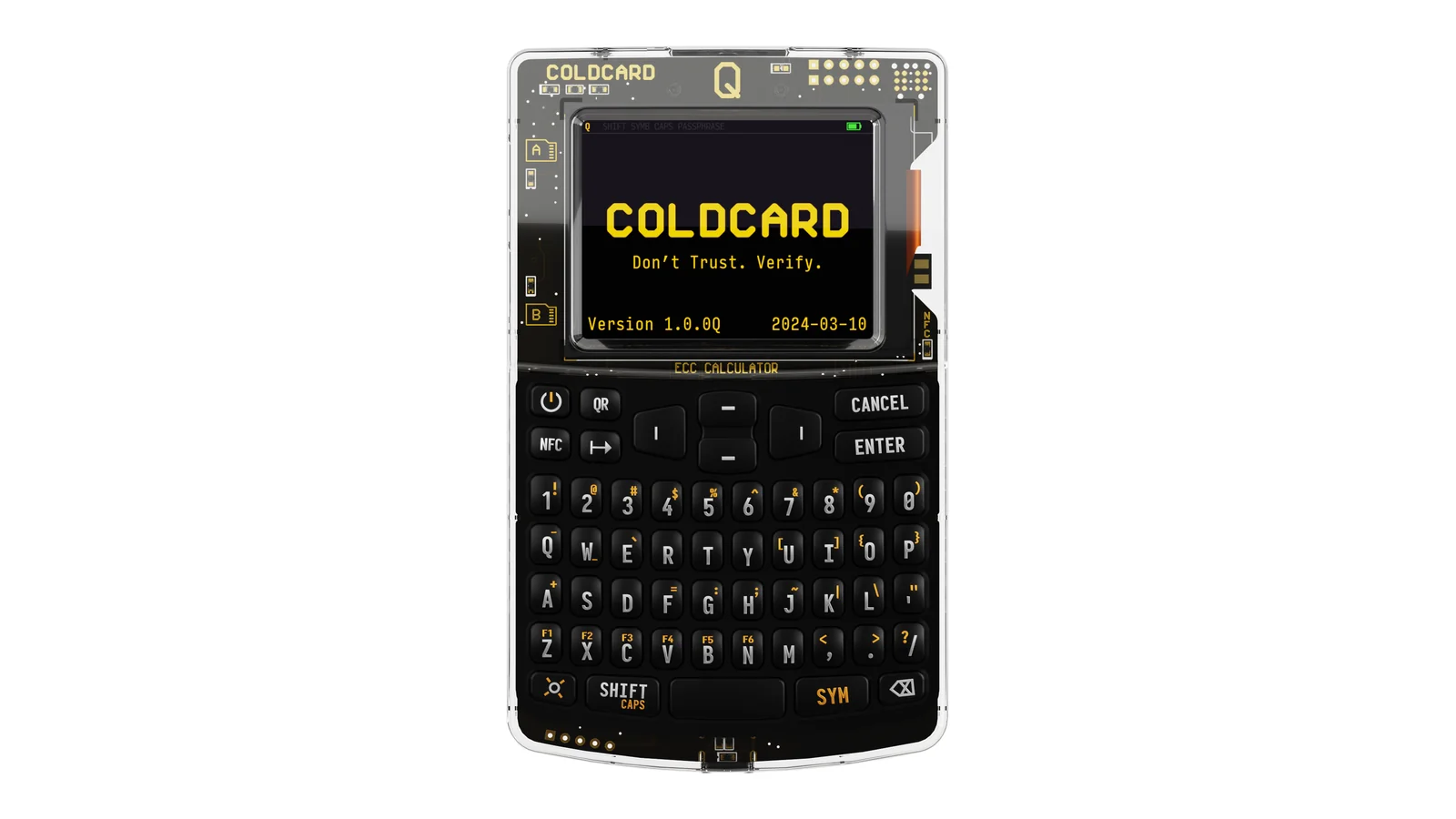
Table of contents
So What Exactly Is the COLDCARD Q?
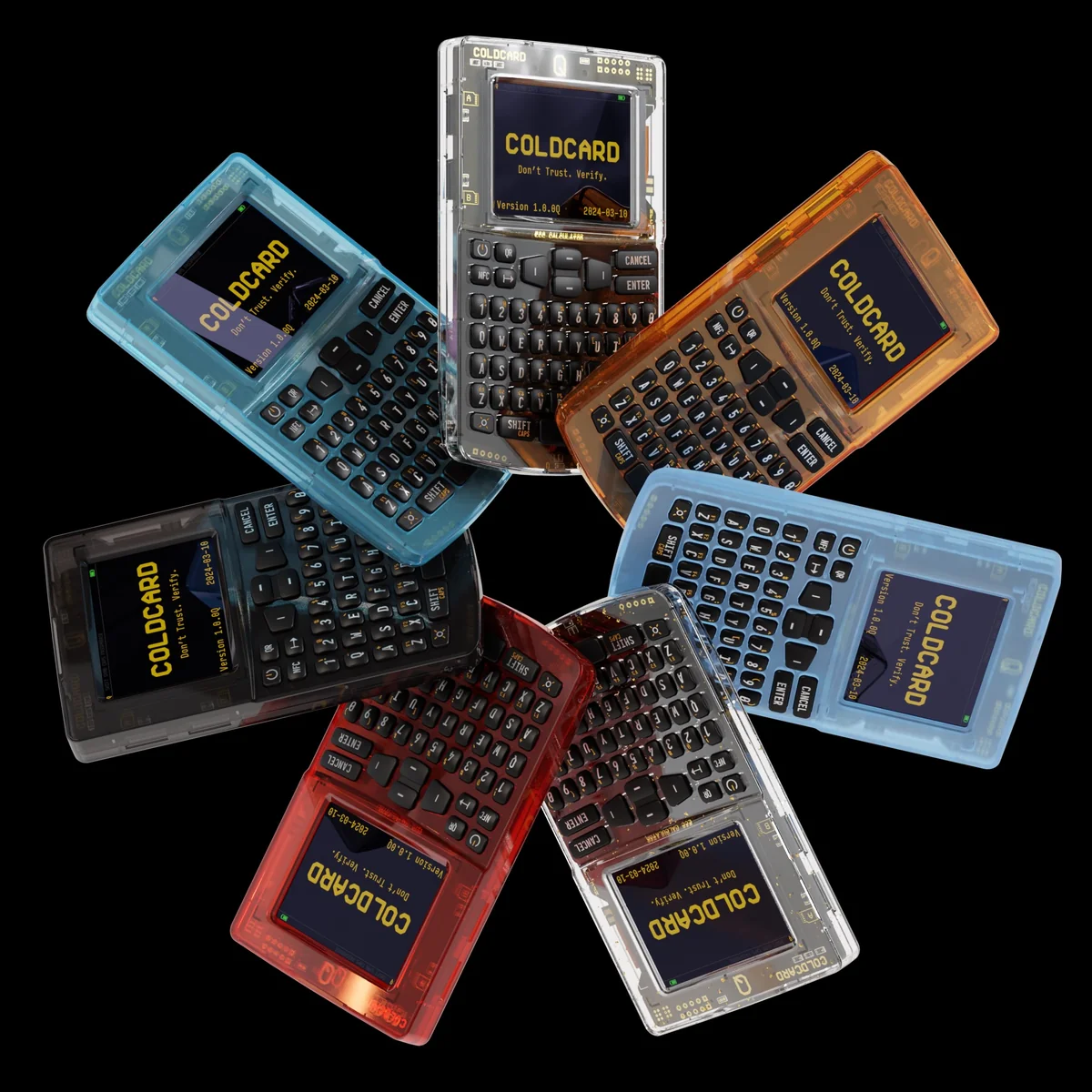
Picture a pocket calculator that only speaks Bitcoin. That’s the Q, the flagship of Coinkite’s range, and the slogan printed across its product page reads “Bitcoin Only. Built to Verify.” Right now the shop carries two COLDCARDs and nothing else: this one at $289, and the Mk5 at $189.
Coinkite’s documentation is careful to say the Q relies on “exactly the same security model as the Mk4 COLDCARD, with dual multi-vendor secure elements”. Think of a secure element as a sealed chip that holds your keys and refuses to give them back. So your extra $100 isn’t buying protection, it’s buying the front end: 320×240 pixels in colour, fifty keys laid out QWERTY-style, a scanner, a pair of MicroSD slots and three AAA cells in place of a cable.
Oddly, Coinkite can’t agree with itself on how big the screen is. Its Q product page says 3.2 inches across the diagonal; the Q Overview document says 2.3 inches. Both agree on the pixels, and Coinkite reckons that’s over nine times what the Mk4 had to work with.
One thing the marketing photos hide: this thing is big. Measured with a ruler it’s 120 x 75 x 22 mm and 93g before you drop batteries in, whereas the Mk5 comes to 87 x 52 x 10.3 mm and roughly 55 grams. Keep the Q in a safe or a desk drawer, because it’s never going on a keyring.
COLDCARD Q at a Glance | |
|---|---|
| <strong>What it costs</strong> | $289 straight from Coinkite, checked September 2026 |
| <strong>Screen and size</strong> | Colour LCD running 320×240 pixels, in a body of 120 x 75 x 22 mm weighing 93g dry |
| <strong>How you drive it</strong> | Fifty QWERTY keys, with QR, NFC and flashlight buttons of their own |
| <strong>Ways in and out</strong> | USB-C, NFC, a built-in QR scanner and two MicroSD slots |
| <strong>Where the keys live</strong> | Split across a Microchip ATECC608 and a Maxim DS28C36B, two chips from two vendors |
| <strong>Open source?</strong> | It is, and you can rebuild the firmware yourself down to the same bytes |
| <strong>Coins it handles</strong> | Bitcoin, plus Bitcoin Testnet. Nothing else, ever |
| <strong>Backing it up</strong> | A 12 or 24-word BIP-39 seed, and an AES-encrypted 7Z file written to MicroSD |
| <strong>Software you need</strong> | No house app at all. Pair it with Sparrow, Nunchuk, Electrum, Bitcoin Core or any PSBT wallet |
| <strong>Running it</strong> | Three AAA cells or USB-C, and the cells aren’t in the box |
| <strong>Who we’d recommend it to</strong> | Bitcoiners signing offline who type a passphrase every session |
The COLDCARD Q Features That Matter
- Fifty keys instead of the Mk4’s twelve. Punching in a long BIP-39 passphrase turns from a punishment into typing, and that changes everything if you enter one before every signature.
- Up top sits a purpose-built scanner module with its own bright LEDs. Coinkite wired it to the main board through a plain two-wire serial link, arguing that scanned data has less room to misbehave when it arrives that way.
- Three AAA cells run the whole thing, so nothing needs plugging in when you sign. Coinkite says you can leave them in between sessions without them going flat, and rechargeables are fine too.
- With two card slots you can park unsigned transactions on one card and signed ones on the other. They’re push-pull rather than spring loaded, and there’s room for spares tucked behind the battery door.
- Snip a trace on the circuit board and USB data plus NFC data die for good. You can’t undo it, which makes it a far harder promise than any menu setting.
- Calculator Login boots the Q as a working calculator, Coinkite’s own suggestion for anyone who wants to “trick naive snoopers”.
Living With the COLDCARD Q: Is It Beginner-Friendly?
No, and to its credit Coinkite never claims otherwise. Driving a Q beats driving an Mk5, yet the whole thing still takes for granted that you know your way around a PSBT, which is the half-finished transaction file your wallet software hands over for the device to sign.
Day to day, the controls make sense quickly. Each menu entry carries a number, so you press that number to pick it, tap ENTER to agree, and hit CANCEL or escape when you want to back out. One second on the power key wakes it, two shuts it down properly, and ten forces the thing off whatever state it’s stuck in.
Most of the upgrade money goes on the keyboard, and we’d say it earns it. Passphrase entry on an Mk5 means a twelve-key numeric pad, and it’s slow, and it’s easy to fumble. Here you simply type, which kills off the usual excuse for skipping a passphrase entirely.
Where it grates is everything around the device. You get no COLDCARD account and no house app, which also means nothing shows you a balance, a chart or a portfolio anywhere on that screen. Picking wallet software is your job, and Coinkite’s guide nudges you toward Sparrow Wallet.
Little things annoy us too. Neither the AAA cells nor a USB cable ship in the box, so a $289 purchase lands on your desk unable to switch on until you raid the kitchen drawer. Cards need to be FAT32 and no larger than 32GB, and even then Coinkite admits plenty of brands just won’t play.
How Secure Is the COLDCARD Q, Really?
Design-wise it’s excellent. The past year has also proved that good design isn’t the whole story.
Your master secret gets divided between two secure elements built by rival firms, Microchip’s ATECC608 and Maxim’s DS28C36B, so one vendor shipping a catastrophic flaw shouldn’t cost you the seed. Refreshingly, Coinkite writes down the limits of its own idea on that same product page, saying the split “reduces dependence on any one chip, but it does not eliminate firmware, supply-chain, backup, or operational risk”.
Signing, incidentally, doesn’t happen inside those chips. It runs in open-source code built on libsecp256k1, the same library Bitcoin Core relies on, while the secure elements do nothing but guard secrets.
Every firmware image carries a signature from a factory key. Boot the device and it verifies that signature along with very nearly every byte of flash, then lights a green or a red LED that’s hardwired to a secure element. That circuit runs across the top face of the board on purpose, so somebody meddling with it leaves marks you can see.
PINs here come in two halves, say 1234-5678. Type the first half and the Q answers with two anti-phishing words that belong to that prefix on that specific unit. Wrong words mean you stop dead and never type the second half.
Be careful, because the PIN rules show no mercy whatsoever. Thirteen failed attempts and the device bricks itself permanently, with nobody at Coinkite able to undo it, and the secure elements mean a factory reset doesn’t exist as a concept. Lose the PIN without your written seed words and the coins are simply gone.
Trick PINs remain the party piece nobody has copied. Enter a Duress PIN and a separate wallet opens, derived from the same seed words but leading nowhere near your real balance. A Brick Me PIN wrecks the dual secure element on the spot, while Countdown to Brick quietly kills the device, or wipes the seed, once a forced delay runs out.
All of the firmware is public. Coinkite’s repository points out that “Q and Mk series share the same code base”, and because builds reproduce, anybody can compile a release and land on exactly the same bytes.
About That July 2026 Seed Warning
An advisory went up on July 30, 2026, and was revised two days later on August 1. It covers the Q alongside the older hardware, and we’d call it the one thing you have to grasp before handing over any money.
Here’s how Coinkite put it: “The COLDCARD devices themselves were not hacked, remotely accessed, or taken over. A firmware bug in affected releases caused weakened seed generation. Attackers exploited those weak seeds offline by regenerating the corresponding private keys and stealing funds.”
Any seed born on the broken firmware holds roughly 72 bits of entropy when it should have held 128. On a Q, that covers anything created before standard 1.5.0Q or Edge 6.6.0QX. Coinkite now recommends 1.5.2Q as the standard release, and its status page carried the stamp “Verified 2026-09-04”.
Flashing new firmware fixes nothing about a seed you already made. Coinkite spells that out: the patch only corrects seeds generated from now on, so an affected owner has to work through the migration guide, create a brand new seed on fixed firmware, then shift every coin across to it. Don’t reach for Clone or Migrate either, since that copies the master seed you’re trying to escape.
One group escapes all of this. Feed the device 50 or more fair, private, independent dice rolls and your own randomness carried the seed, with 99 rolls or more worth something close to 256 bits.
Since then four outside reviewers have picked over pieces of the repair work, among them a reproducible build that matched the shipped firmware byte for byte and a live-hardware test watching the random number generator actually get read. Coinkite still concedes those checks “are not a complete audit of every firmware binary”, and it says flatly that “No hardware wallet is risk-free”. Order one today and corrected firmware arrives in the bag, though we think the whole episode is a reasonable prompt to weigh Coinkite’s record next to Trezor’s or Ledger’s.
What Can You Actually Store on a COLDCARD Q?
Bitcoin. Nothing else makes the list.
The FAQ doesn’t soften it one bit: “Bitcoin and Bitcoin Testnet are supported. COLDCARD does not support altcoins.” Forget an Ethereum app, forget Solana, forget browsing NFTs or touching DeFi from the device. Hold anything beyond Bitcoin and you’ve bought the wrong hardware, and no update is ever going to rescue you.
Stay inside Bitcoin, though, and the coverage runs deep. Seeds come out as 12 or 24 words in BIP-39 form, and seeds of 12, 18 or 24 words import from other wallets without complaint. Segwit works fully and Coinkite recommends it, and the Q flatly declines to sign a PSBT when it can’t see complete information about every input.
On the software side, Coinkite’s compatibility table names Nunchuk, Sparrow, Bitcoin Core, Electrum, BlueWallet, Casa, Cove, Fully Noded, Specter Desktop, Unchained, Wasabi Wallet, Coldcore and Theya. Follow BIP-174 and your wallet ought to work regardless. Electrum has carried COLDCARD support in every version since 3.2.3.
Watch out for one trap before you order. Sparrow and Nunchuk are the only two wallets Coinkite lists as handling the Q’s headline tricks, namely the QR scanner and BBQr transfers, with Cove flagged for BBQr on iOS. In other words, buying the Q for its scanner quietly picks your desktop software for you.
Multisig support is thorough, covering COLDCARD Co-Signing and descriptor export, and BTCPay Server and Unchained both work with it. Anyone assembling a multisig vault will find few signers this capable. Address Explorer also puts ten receive addresses on screen at once and dumps the first 250 into a CSV on a card, so checking an address never means trusting your computer.
COLDCARD Q Price, and What Else You’ll Buy
Every Q carries the same $289 ticket at the time of writing (September 2026), whichever colour catches your eye. Clear, orange, blue, black, red, gold flakes, glow-in-the-dark, jade, purple and retro yellow all sit at $289 on Coinkite’s store, each marked IN-STOCK.
Settle the bill on-chain using the code CKBTC and 5% comes off. No other discount appears anywhere on that page.
What arrives is deliberately bare. “Batteries & USB cable not included”, the listing warns, so set aside a little more for three AAA cells plus a MicroSD card if offline signing is the plan. After that there’s nothing recurring: no subscription, no account, no upsell.
Sitting beside it, the Mk5 asks $189 for identical firmware and an identical security model. Your extra $100 pays for a keyboard, a colour display, the scanner, a second card slot and battery power, and that really is the whole difference.
Order from Coinkite itself, or from a reseller it approves. Its FAQ hammers the point that a second-hand COLDCARD off eBay is never worth the risk, since firmware can be rewritten and that tamper-evident bag is the only evidence you’ll ever get. Each new unit turns up in a numbered bag, the number already stored inside the device at the factory, and the seal reads “VOID” the moment it’s been opened.
COLDCARD Q Pros and Cons
Step back and a pattern shows up. Nearly every weakness here was chosen on purpose, and the strengths have no real match at this money. What you’re buying is verification and control, never convenience.
Setting Up a COLDCARD Q, Step by Step
September 4, 2026 is the date Coinkite last reviewed its setup guide, and thanks to the advisory the sequence matters far more than it used to. Set aside half an hour, and do it where nobody can watch.
- Start with the bag, not the device. Hunt for split seals, signs of re-sealing and perforations that don’t line up, then match the serial on the tear-off tab against the bag itself. Anything suspicious means an email to support and no power going anywhere near it.
- Drop in three AAA cells or plug in USB-C, then hold the power key down for a second. The Terms of Sale come up; scroll all the way to the end and press ENTER. Check the serial number displayed on screen against both the bag and the tab.
- Pick “Choose PIN Code” off that first menu. Prefix and suffix run 2 to 6 digits apiece, 4 to 12 together, and four plus four is what Coinkite suggests. Once the prefix goes in, two anti-phishing words appear, so copy them down, and treat wrong words on any later login as a hard stop before the suffix.
- Halt at the main menu now and deal with firmware. Pull up the security status page, install whichever standard release is currently recommended, and check the signed download against its SHA-256 hash. Leave “New Seed Words” and “Import Existing” alone until that version is confirmed.
- Now choose “New Seed Words”, then either 12 Words or 24 Words. One entropy method is compulsory: 65 key presses at least, timed unpredictably, or 50 rolls of a physical die, or 128 flips of a physical coin. On screen those read Mash Keys, Dice Rolls (Recommended) and Coin Flips.
- Copy every word down in order, onto paper or metal, writing clearly enough to read under stress. No photographs, no typing it into a phone or laptop, and no sharing with anyone at all, support staff included. Should somebody obtain your seed phrase, or should you fire Bitcoin at the wrong address, that money is gone and nobody on earth can reverse it.
- Finish the quiz, then cut the power and bring it back. Word positions come up in a random order with three options each, and getting every one right is the only way through. When it restarts, make sure those anti-phishing words match your notes before a single satoshi goes in.
From there the guide sends you to Sparrow Wallet, where a watch-only wallet lets you follow the balance while the keys stay put. Never done any of this before? Our Ledger Nano X setup walkthrough teaches the same habits on friendlier hardware.
Three Alternatives to the COLDCARD Q
COLDCARD Mk5: The Cheaper Sibling
Anyone weighing up a Q ends up here first, because $189 against $289 is a real gap. Same firmware, same pair of secure elements, same Trick PINs, which leaves your seed precisely as well defended on either device.
The sacrifice is comfort. You’re back to twelve numeric keys, a single card slot, no camera and no cells, so USB power becomes compulsory and QR codes are off the table.
Rarely bother with a passphrase and happy shuffling files on a card? Then the Mk5 keeps $100 in your pocket and actually fits in it.
Keystone 3 Pro: The Multi-Chain Option
At $149 the Keystone 3 Pro comes nearest to matching the Q on air-gapped signing. Its transactions travel by QR code too, it adds a touchscreen and a fingerprint reader, and it covers assets across a long list of chains rather than Bitcoin alone.
Go for the Keystone when your holdings stretch past Bitcoin, or when tapping glass appeals more than tapping keys. Stick with the Q when you want firmware that only knows Bitcoin, the Trick PIN arsenal, and hardware you can physically sever from USB and NFC.
Trezor Safe 5: The Friendly One
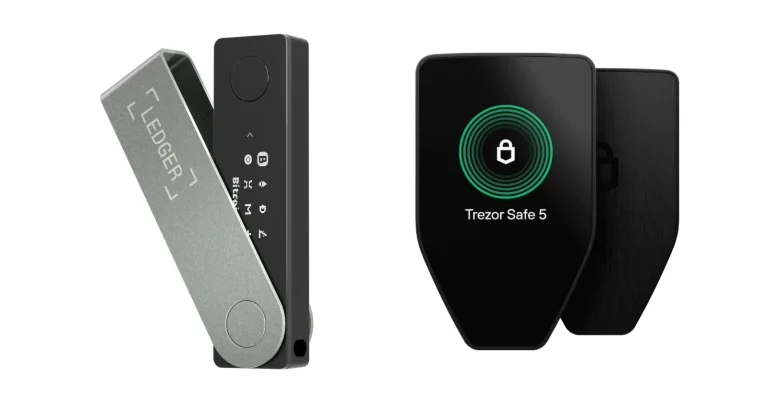
For $129 the Trezor Safe 5 approaches the problem from completely the opposite direction, with a colour touchscreen, haptic feedback, a well-built desktop app and support stretching across thousands of coins and tokens. There’s a Bitcoin-only firmware build available as well.
As a first hardware wallet it’s gentler by miles, and $160 cheaper. What it won’t hand you is a scanner, a duress PIN that unlocks an entirely different wallet, or the option of killing the data pins permanently, and those three things are precisely why COLDCARD owners buy COLDCARDs. Our air-gapped wallet guide digs into that trade-off properly.
COLDCARD Q FAQ
After the 2026 seed bug, is the COLDCARD Q safe?
Yes, with a caveat. Fresh units leave the factory on corrected firmware, and 1.5.2Q is the release Coinkite currently recommends, so install it and verify it before any seed exists. Owners are in a different position: if your seed was made on anything older than 1.5.0Q, an update won’t save it, and Coinkite wants you to build a new seed and move the coins, unless 50 or more independent dice rolls went into the original.
What does a COLDCARD Q cost?
$289, checked September 2026, bought straight from Coinkite in whichever of the ten colours you fancy. Paying on-chain with the code CKBTC knocks 5% off that. Remember the batteries and the USB cable aren’t included.
Which coins can a COLDCARD Q hold?
Bitcoin, plus Bitcoin Testnet for developers. Coinkite’s documentation says outright that altcoins aren’t supported, so Ethereum, Solana and every token are out of the question.
Will the COLDCARD Q work with MetaMask?
No. MetaMask lives on Ethereum while the Q signs Bitcoin and nothing besides. The compatible list Coinkite publishes runs to Sparrow, Nunchuk, Bitcoin Core, Electrum, BlueWallet, Casa, Cove, Specter Desktop, Unchained, Wasabi and Theya, and out of those only Sparrow and Nunchuk drive the QR scanner fully.
What if I lose my COLDCARD Q, or forget the PIN?
Losing the hardware costs you money only if you also lost the backup, because those 12 or 24 words rebuild the wallet on any BIP-39 device. Forgetting the PIN is the nightmare scenario. Thirteen wrong attempts brick the Q for ever, nobody at Coinkite holds a reset, and factory resets don’t exist on this hardware.
Should I pick the COLDCARD Q over the Mk5?
Only for comfort, never for safety. Firmware, secure elements and Trick PINs are shared between the two. What the extra $100 delivers is the QWERTY keyboard, the colour display, the QR scanner, a second card slot and the option of running on batteries.
Can a COLDCARD Q run completely air-gapped?
Absolutely. Run it on AAA cells, shuttle PSBTs across on MicroSD cards or by scanning QR codes, then push the finished transaction out through NFC PushTX from your phone. Going further, a snipped PCB trace disables USB data and NFC data for good.
Our Verdict on the COLDCARD Q
Go ahead and buy one if your stack is Bitcoin only, if signing offline is how you intend to work, and if you want a passphrase that isn’t misery to enter. Between them the keyboard and the scanner take habits that stayed theoretical on an Mk5 and turn them into something you’ll do most weeks. Trick PINs and that cuttable trace still have no equivalent anywhere, which is part of why COLDCARD sits high in our hardware wallet roundup.
Walk away if your portfolio reaches past Bitcoin, if you wanted something that hides in a coin pocket, or if $289 hurts while the Mk5 guards the same seed for $189. Read that July 2026 advisory first, too, because how a company behaves after breaking something is part of what your money is buying. Our verdict: this is the most capable Bitcoin signing device we’ve looked at, from a firm that has just spent a summer re-earning the trust it already had.
This article is for general information only and is not financial, legal, or investment advice. Prices and features change; check the vendor’s official page before buying.