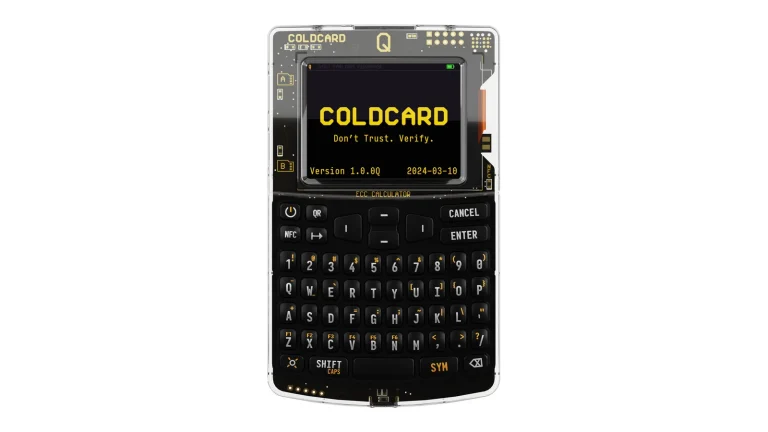
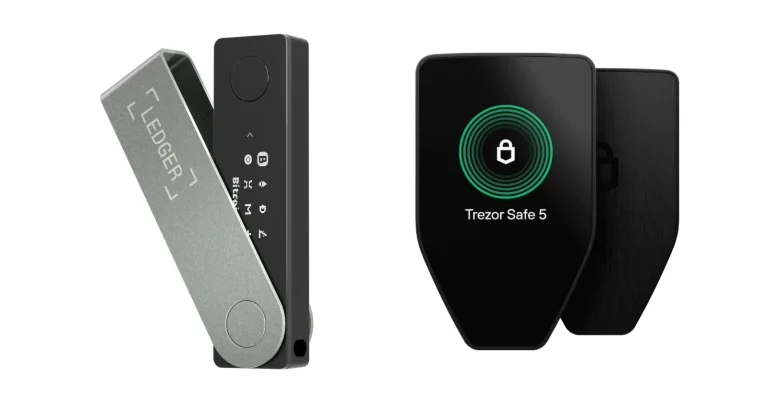
Keplr Wallet costs nothing, holds your keys on your own hardware, and grew up as the wallet everyone in Cosmos already had installed. Holding your own keys means there’s no company sitting between you and your balance, which is the whole point and also the whole risk. There’s a browser extension and a phone app, and a single recovery phrase unlocks every chain you turn on.
You’ll get the most from it if you stake ATOM, OSMO or TIA, vote on proposals, or push tokens between chains over IBC, the transfer standard that links the Cosmos networks together. Two groups should look elsewhere. If Bitcoin and Ethereum are your whole portfolio, this is more wallet than you need, and if you won’t trust code you can’t read, keep reading but expect bad news.
Below we go through what the wallet is, how the first ten minutes feel, where your keys end up, which chains it reaches, what you pay, and the parts that let it down. Every figure is pulled from Keplr’s own site, docs, help centre or app store pages, with the date we looked.
Table of contents
So What Exactly Is Keplr Wallet?
Nobody but you can spend from a Keplr account, because the keys stay on your machine and the company never sees them. Keplr’s developer docs describe the product as “a fast, simple, and secure wallet built from day one with a multi-chain future in mind,” and that last phrase is the interesting bit. Most wallets started on one chain and bolted the rest on afterwards.
Chainapsis built it. We know that from Keplr’s own blog, where the team is named repeatedly, and the first-birthday post from March 2021 dates the extension’s arrival to early 2020. Keplr Mobile came a year and a half after that, on 14 October 2021.
Every version is free, and the iOS store page still shows a price of zero at the time of writing (September 2026). Spin the counters on Keplr’s front page and you get 250+ chains, 1M+ monthly transacting users and 1M+ installs. Vendor numbers, though, so we’d take them as a rough shape rather than a measurement.
Keplr Wallet at a Glance | |
|---|---|
| What it costs | Nothing, on any platform (September 2026) |
| What you install | Software only: one browser extension and one phone app |
| Where it runs | Chrome, Firefox and Edge on desktop; iOS and Android on mobile |
| Where the key lives | On your device, encrypted behind the password you pick |
| Can you read the code? | Not right now. The repo keplr.app points to, github.com/chainapsis/keplr-wallet, threw a 404 on 16 September 2026 |
| Chains it reaches | Cosmos SDK networks, EVM networks, Bitcoin and Starknet. Keplr’s own count is 250+ chains |
| How you back it up | A 12 or 24-word phrase, a raw private key, or signing in with Google or Apple |
| Extra apps | A web dashboard at wallet.keplr.app and a separate one built for validators |
| Who should use it | Anyone staking or moving assets around Cosmos who’s tired of juggling wallets |
The Keplr Wallet Features That Matter
- Cross-Chain Swap and Cross-Chain Send shift assets between networks without leaving the wallet, which keeps you off the bridge websites where so much phishing lives. Routing is handled by Skip Protocol, according to Keplr’s ecosystem page.
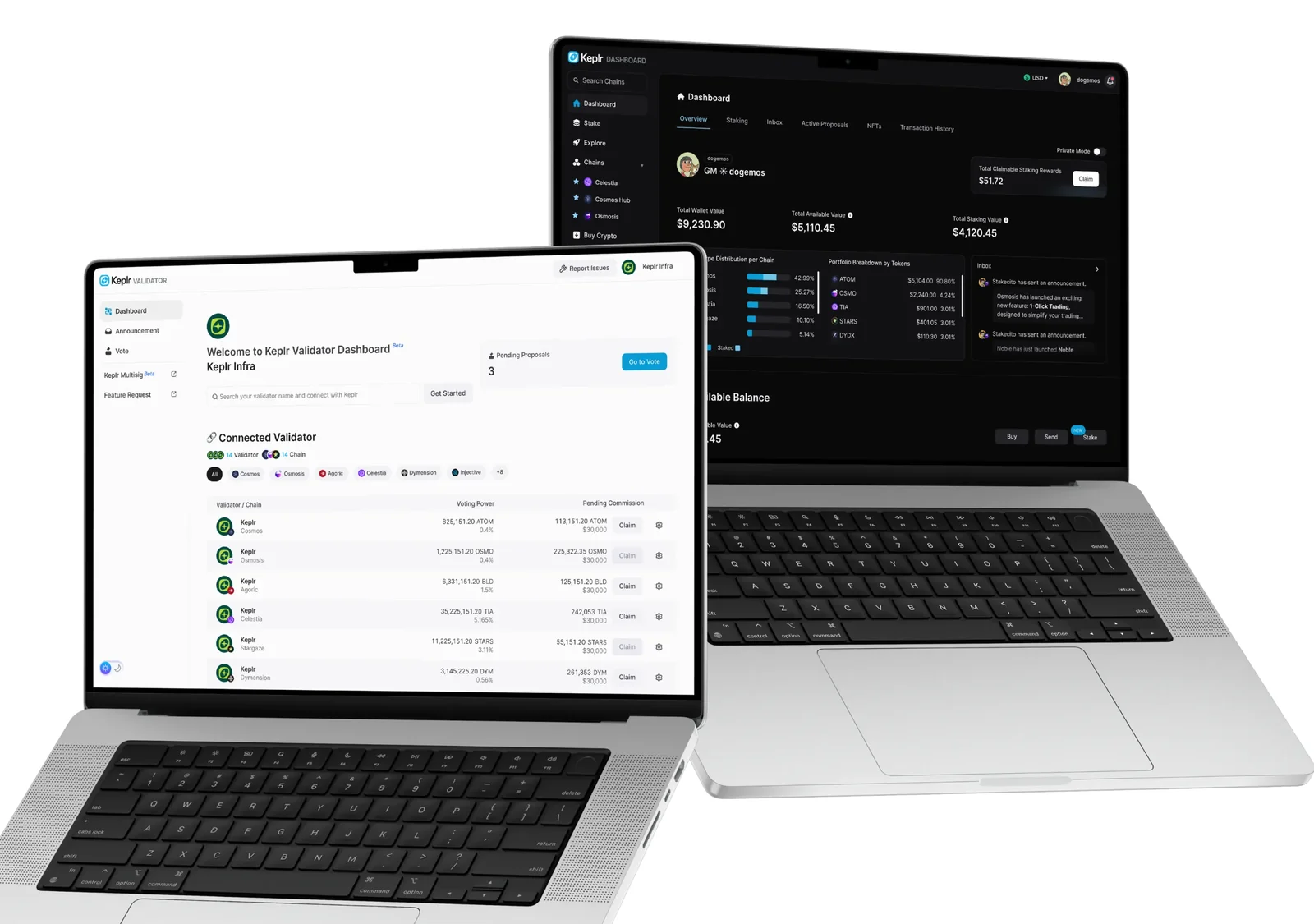
- Staking lives inside the wallet, complete with validator comparison and a countdown of unbonding days. The [Claim All] button gathers rewards from every chain at once, and if you’re delegating on six networks you’ll notice the difference immediately.
- Smart Grouping merges one asset held on several chains into a single row, so USDC spread across five networks stops looking like five unrelated holdings. Flip it on under [View Options], then [Smart Grouping].
- Turn on Side Panel mode in Chrome and the wallet parks itself next to the page instead of disappearing the moment you click the app behind it.
- Advanced IBC Transfer accepts channel IDs typed in by hand. It’s ugly, and it’s the only way through when no automatic route exists.
- Under Authz permission management you can see which accounts you’ve handed signing rights to, and take those rights back. Hardly any wallet surfaces this, and forgotten grants have cost people money.
- Keplr Earn turns USDC into Noble Dollar (USDN), which the company describes as collateralised by short-duration U.S. Treasury Bills, with nothing locked up.
- Voting on governance, a viewer for NFTs, a built-in dApp browser and a card on-ramp fill out the rest, which means fewer trips to a second tab.
Is Keplr Wallet Easy Enough for a First Wallet?
Getting started takes minutes. Install the extension, hit [Create new wallet], then [Create new recovery phrase], then [Show my phrase], and pick either 12 or 24 words. Type the words back, give the wallet a name, choose a password, tick the chains you want, and finish with [Save] and [Finish].
Then comes the chain list, which is where first-timers come unstuck. Networks arrive switched off, so your tokens can land perfectly well on-chain while the wallet shows an empty balance. That’s a genuinely unpleasant few minutes when you don’t know why, and Keplr’s help centre admits it’s one of the questions support hears most.
Once you’re past that, it’s a pleasure to use. The asset list stays readable thanks to Smart Grouping, your history sits in the Activity tab, and Side Panel mode stops the wallet hiding while you’re mid-transaction in a dApp. You can swap the interface language or the fiat currency shown next to your balances from [Settings].
A couple of rough edges remain. Derivation paths turn up almost immediately: the import screen tucks them under [Advanced], fills in m/44’/…’/0/0/0 by default, and Keplr cautions that one wrong digit at the end quietly hands you a different address from the one you were expecting. Fee tiers are the other, since [Low] misfires often enough that Keplr singles out Secret Network as a chain where choosing it is asking for trouble.
Passwords can’t be reset, either. If the extension password goes, your only route back is uninstalling, reinstalling and importing the recovery phrase again. Phone users tap “Reset Keplr Mobile” from the Lock screen, then rebuild every account by hand.
Keplr Wallet Security: What You’re Trusting
On key handling, Keplr does the right things. Its help centre says flatly that it doesn’t store your private key or your recovery phrase, and that the key is encrypted with your Keplr password and kept on your own device. The docs go on to say dApps never get near the key, and that nothing gets signed until you approve it inside the wallet.
Add hardware and the whole picture changes. Your key stays on the device: Keplr hands over an unsigned transaction, the Ledger signs it once you’ve read the details on its little screen, and the signed version comes back. Keystone works from the same [Connect Hardware Wallet] option, which is a nice touch.
Signing in with Google is the softer option, and we’d think twice. Accounts made that way go through Web3Auth and hand you a hex private key rather than a word list, so losing the Google login can mean losing the wallet.
Here’s what bothers us most. Keplr’s footer still advertises a GitHub link, github.com/chainapsis/keplr-wallet, and on 16 September 2026 that address gave us a 404. It isn’t among the chainapsis organisation’s 50 public repositories, and the documentation site has quietly dropped back to linking the organisation page instead.
Plenty of Keplr’s other code is out in the open, which makes the missing repo sting more. Its chain registry carries an Apache 2.0 licence, the phishing block list is public, and the Oko wallet stack is marketed as fully open source. But none of those is the thing you install, so until that link resolves again we’d file Keplr under closed-source.
Privacy is the second mess. Google Play’s Data safety card insists on “No data collected” and “No data shared with third parties”, yet the Chrome Web Store page for the same wallet says it handles Location and User activity. Keplr’s privacy policy is blunter still, listing automatic collection of device IDs, device model, operating system and IP address on mobile.
That policy also admits to logging IP addresses while Keplr Infra is serving as your default RPC provider, the server the wallet reads chain data from, though it insists this only kicks in when it’s watching for attacks. Swapping in your own endpoints is possible, and honestly most wallets don’t even give you the option.
No breach or exploit has ever been disclosed by the vendor as far as we can tell, and no audit of the extension or the app has been published either. Neither silence tells you much. We’d rather leave the gap open than fill it with a guess.
Say this part out loud before every transfer. Pick the wrong network or paste the wrong address and the funds are gone, with nobody able to reverse it. It’s true of every cross-chain send you’ll make here, and of the memo field too, since Keplr points out that exchanges like Binance often demand one.
Which Coins and Chains Keplr Wallet Holds
Four ecosystems get named in the documentation: Cosmos SDK chains, EVM networks, Bitcoin and Starknet. On the Bitcoin side that stretches to Mainnet, Signet and Testnet. Ethereum, Injective and Evmos are the EVM examples Keplr picks out in its Ledger article.
That 250+ chains headline is a spinning counter on the front page, not a list you can audit, so treat it as advertising. A better guide is the public chain registry, where you’ll find 333 JSON files for Cosmos chains, 63 for EVM networks and 2 for Solana.
Registry entries are the free, permissionless way in. Anybody can send a pull request, Keplr applies what it calls “a minimal verification process”, and whatever gets through appears in the wallet tagged “Community-Driven”. We’d read that tag as a caution rather than a seal of approval.
The other door is native integration, and Keplr’s own blog is upfront that this is a premium service carrying a price tag. Money buys dedicated endpoints, uptime guarantees, priority support and a place in the mobile app. Which means a chain showing up here says as much about a commercial deal as about engineering.
Solana sits awkwardly. Its two registry files exist, but the docs list no Solana section alongside EVM, Starknet and Bitcoin. Check first if Solana is central to how you use crypto.
Credit where it’s due, Keplr doesn’t oversell its reach. Asked whether it can hold any token in Cosmos, the help centre replies “Short answer is no”, explaining that the ecosystem has never agreed on a standard binding its chains together. Tokens can still be added by contract address, and both ENS and ICNS names resolve properly.
NFTs show up in the wallet and in the Dashboard, and you can vote on proposals from either. Fresh networks land regularly as well, with NYM added in January 2026 alongside send, receive, swap and staking.
What Keplr Wallet Costs You
Zero, for the wallet itself. Download the extension from the Chrome Web Store and you pay nothing, and the iOS page lists a price of zero at the time of writing (September 2026). No tiers, no subscription.
Chain fees are a different matter, and they land in validators’ pockets rather than Keplr’s. The help centre states that Keplr takes no cut of the transaction fee and that all of it reaches the validators doing the work. Before you sign, you pick from [Low], [Average] or [High].
Watch for two charges that hide well. Transfers between ecosystems can carry a bridge fee, displayed under the Amount field before you press [Next]; it drifts with the route and the market, so check it every single time rather than assuming last week’s figure still holds. The second is nastier, because a transaction that fails can still cost you, and Keplr warns that the chain keeps your fee even when the transfer never completes.
Card purchases go out to third parties, and the lineup depends on which page you read. MoonPay, Transak and Swapped are named in the help centre; the ecosystem page instead lists Transak, Kado and Moonpay. Each provider sets its own rate, and several countries are blocked outright.
One rule, no exceptions: download only from keplr.app, the Chrome Web Store, the App Store or Google Play. Counterfeit wallet extensions are a well-worn way to rob people, and a convincing clone will take your recovery phrase and clean you out before you’ve finished setting up.
Keplr Wallet’s Strong Points and Sore Points
Where that leaves us: this is the nicest Cosmos wallet to live in and the one we can least easily check. Everything works, the support pages are refreshingly honest, and a million Chrome installs have gone by without a disclosed breach. Even so, we’d park anything substantial behind a Ledger and think of the extension as a window onto it, not the safe itself.
Setting Up Keplr Wallet, Step by Step
- Start at the source. Head to keplr.app and use its own download links through to the Chrome, Firefox or Edge store, or to the App Store or Google Play. A wallet you found in a search ad is not a wallet you should install.
- Decide how you’re getting in. There are three doors: make a fresh wallet, bring an existing one across, or plug in a hardware device. Ledger and Keystone are the two devices Keplr recognises.
- Generate the recovery phrase. Choose [Create new wallet], then [Create new recovery phrase], then [Show my phrase], and settle on 12 or 24 words. Get them onto paper or steel, offline, and never near a camera. Whoever holds those words holds your money, Keplr has no way of retrieving them for you, and its own notice puts it plainly: nobody from the team will ever ask you to type your recovery phrase.
- Verify the words, then pick a password. Enter the phrase back in the right order, label the wallet, and set your Keplr password. Because there’s no reset waiting for you later, keep that password somewhere you’ll find it again.
- Switch on your networks. Tick the chains you genuinely use, then [Save] and [Finish]. More can be added whenever you like, from the search bar on the Home screen or via Add/Remove Chains in the menu or in Settings.
- Bring in a Ledger, if you have one. Hit [Connect Hardware Wallet], name it, open the Cosmos app on the device, wait until the screen reads “Cosmos ready”, then [Next] followed by [Connect]. After that Keplr leads you through the Ethereum, Starknet and Bitcoin apps in turn, and any ecosystem you don’t want can be skipped.
- Do a tiny test run. Move an amount you wouldn’t mourn, double-check the address, the network and the memo, and watch it arrive. Get the network or the address wrong and that money is gone for good, because there’s nobody who can undo it.
If Keplr Wallet Isn’t It: Three Alternatives
Cosmostation, the Direct Rival
The nearest thing to a straight swap is Cosmostation, a non-custodial extension and phone wallet from a validator outfit that’s been operating since 2018. According to its Chrome listing, it reaches 80+ networks spanning Cosmos SDK and EVM chains.
Scale is the catch. Its extension reports 30,000 users and a 3.6 rating off 29 ratings, next to Keplr’s 1,000,000 users and 4.8 from 10.8K ratings. A smaller user base means fewer apps that support it without being asked, so audit the dApps you depend on before switching.
Pairing a Ledger Nano X with Keplr
Call this the upgrade rather than the alternative. The Ledger Nano X runs $99, holds your key on the device, and lets Keplr carry on being the screen you look at. Bluetooth is supported on this model, so no cable needs to be involved.
You pay for it in friction. Every ecosystem needs its own device app installed via Ledger Live, and each transaction wants confirming on a screen the size of a stamp. Speed against safety is the bargain struck by any non-custodial setup.
Keystone 3 Pro, If You Want Air-Gapped
Keystone plugs into the same hardware option, and that’s worth knowing if you’d rather own a device that never touches a cable or a USB port at all. Signing on the Keystone 3 Pro happens by scanning QR codes, and it sells for $149.
Rather keep everything in software? A gentler multi-chain option gets the full treatment in our Exodus review, and the broader field is ranked in our best non-custodial wallets piece. Anyone delegating in Cosmos will want our rundown of crypto staking platforms too.
Keplr Wallet FAQ
Is Keplr Wallet safe to use?
Mostly. Your keys are never in Keplr’s hands: the private key is encrypted behind your password, stored on your own device, and nothing is signed without you approving it. What’s missing is proof, since that GitHub link on keplr.app came back as a 404 in September 2026 and no audit has ever been published. For a balance that would hurt to lose, put a Ledger or a Keystone in front of it.
Does Keplr Wallet cost anything?
No. Neither the extension nor either phone app charges you, and Keplr doesn’t add a markup to chain fees. The chain’s own transaction fee is still yours to pay, and some transfers between ecosystems add a bridge fee on top.
What can you actually store in Keplr Wallet?
The docs point to Cosmos SDK chains, EVM networks, Bitcoin and Starknet, while the front-page counter advertises 250+ chains. Dig into the public chain registry and you’ll count 333 Cosmos entries, 63 EVM entries and 2 for Solana. Remember that networks stay dark until you enable them, which is why an arrived deposit can look like a lost one.
Can you use a Ledger with Keplr Wallet?
Yes, on desktop and on your phone. Ledger Live installs one app per ecosystem: Cosmos for the Cosmos chains, Ethereum for anything EVM, Starknet for Starknet, Bitcoin for Bitcoin. Bluetooth is an option on the Nano X, while the rest of the range wants a cable.
What if my Keplr recovery phrase is gone?
Then the wallet is gone with it. Keplr states outright that nothing else will recover an account, since it holds neither your phrase nor your private key. A forgotten password is survivable, though: uninstall the extension, install it again, and import from the phrase.
Is the Keplr Wallet code open source?
Not in any way you can check, as things stand in September 2026. Keplr’s footer sends you to github.com/chainapsis/keplr-wallet, that page 404s, and the repository doesn’t appear on the organisation’s public list. The chain registry and the Oko stack are both open, but neither one is the wallet sitting in your browser.
Our Verdict on Keplr Wallet
Get it if Cosmos is where you spend your time. No rival comes close on IBC transfers, comparing validators or sweeping rewards off a dozen chains, and none of it costs a cent. It’s the extension we reach for when there’s staking or voting to do.
Walk away if readable code is non-negotiable for you, or if your holdings stop at Bitcoin and Ethereum and you’d like a quieter life. Our call: the strongest Cosmos wallet on offer, dragging an open-source promise it can’t presently keep. Anything large belongs on hardware, and if the phone app is your main plan, our mobile wallet roundup is worth twenty minutes.
This article is for general information only and is not financial, legal, or investment advice. Prices and features change; check the vendor’s official page before buying.