Picking one of the many crypto wallets usually means giving up some security for convenience, or the other way round. You find out later that the device won’t work with your phone, has a clumsy recovery process, or keeps its code closed.
The doubt gets worse when a wallet has no open-source code, no quick microSD backup and no clear way to check the device is genuine. Each new model also raises the bar for what a hardware wallet should do.
The BitBox02 feels like Swiss engineering applied to crypto. There’s no marketing noise, the code is open, and one smart idea sits at its core: two chips, so you don’t have to choose between code you can audit and a secure element. In this review I explain how that works, which edition and model to pick, and when a BitBox suits you better than a Ledger or a Trezor.
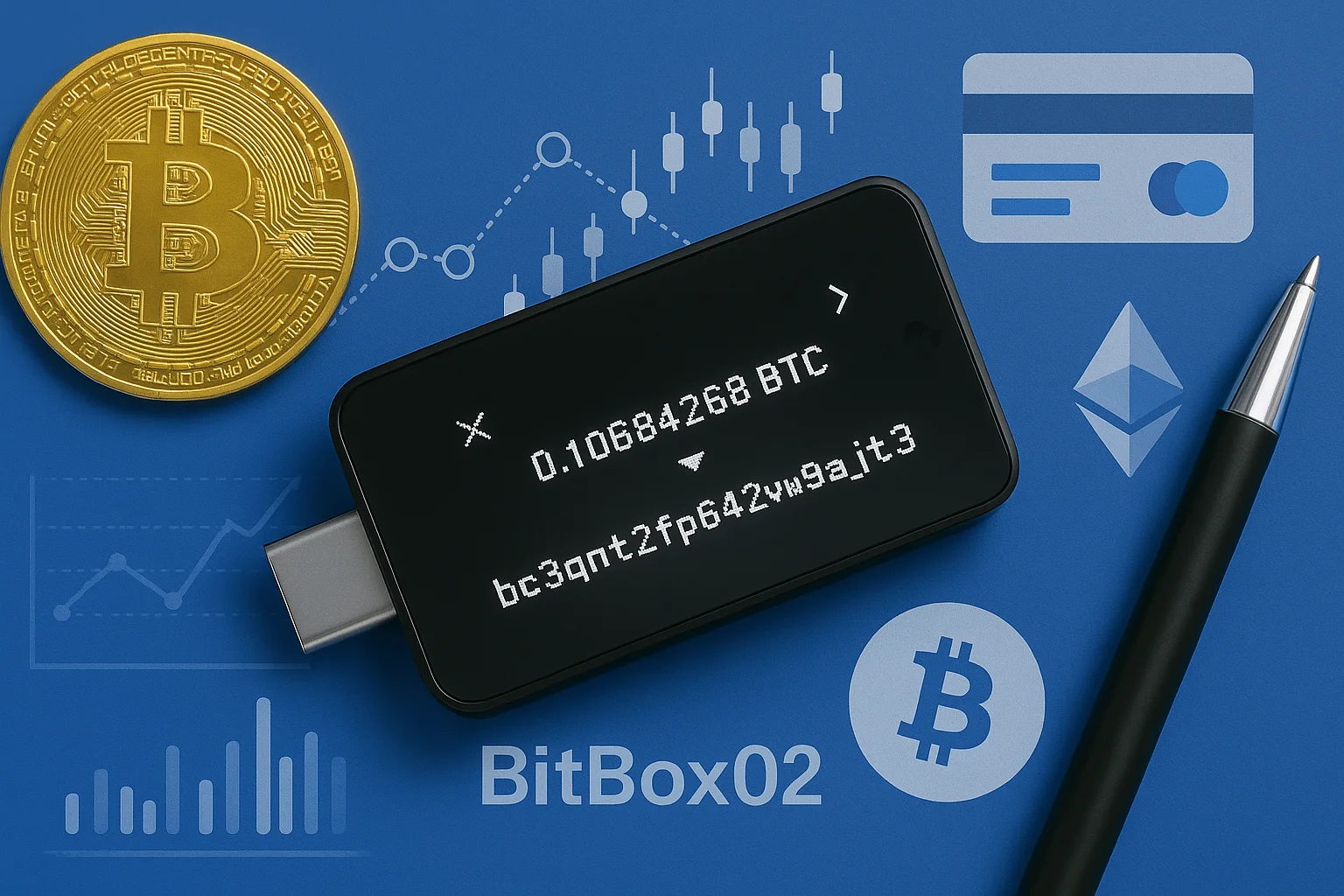
The BitBox02 is a hardware wallet with no buttons at all: you confirm everything by touching the sensors along its edges.
BitBox02
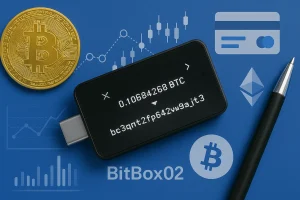
Discover the BitBox02 review to make an informed choice on safeguarding your assets and whether it fits your crypto security needs.
Product Brand: BitBox
Product In-Stock: InStock
8
Table of contents
What is the BitBox02?
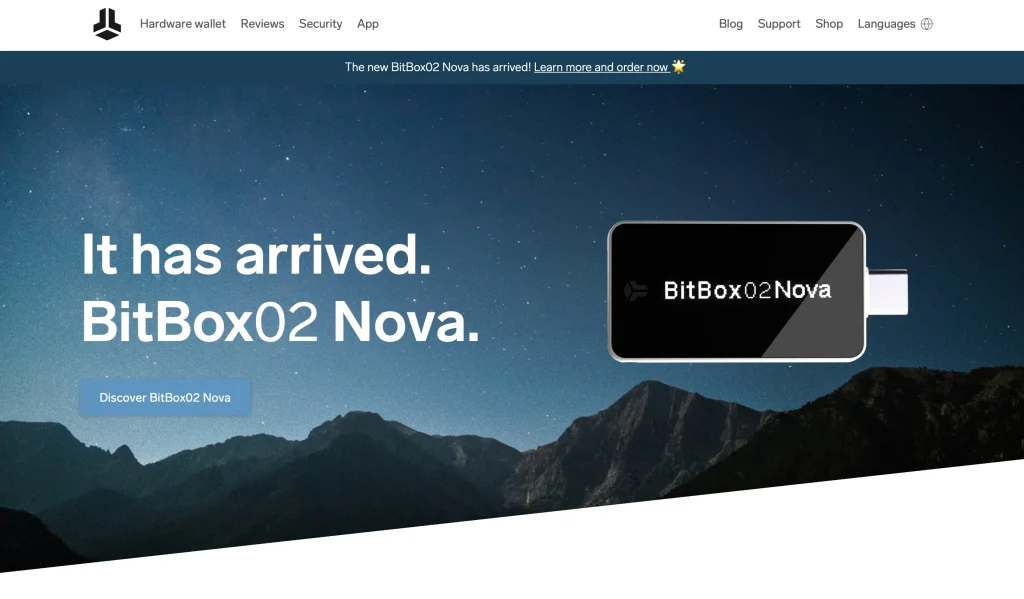
- What it is: a hardware wallet for cold storage
- Launched: 2019
- Versions: Multi, Bitcoin-only and the BitBox02 Nova
- Software: the BitBoxApp on desktop (Windows, macOS, Linux) and mobile (Android, iOS)
Shift Crypto in Zurich makes the BitBox02, a small USB-C hardware wallet that costs about $149. There are no buttons.
Hidden sliders on the edges and the open-source BitBoxApp do the work instead, on a computer or an Android phone. What sets it apart is the pair of chips inside: open-source firmware runs on the main chip, and a separate secure chip protects your keys.
You can buy it in two versions. The Multi edition handles many coins, and the Bitcoin-only edition carries nothing but Bitcoin code. Less code means less to trust, and plenty of bitcoiners pick it for exactly that reason.
Main features
In short, you get two chips, an encrypted microSD backup made during setup, hidden touch controls, USB-C, open-source code throughout, and optional hidden wallets behind a passphrase. It has no Bluetooth and no battery, and that is deliberate.
- Two chips: one secure chip holds your private keys and does the signing. A second chip runs the open-source firmware. Keeping those jobs apart leaves attackers less to aim at and helps against tampering in the supply chain. On the BitBox02 Nova, that secure chip becomes an OPTIGA™ Trust M V3 with EAL6+ certification.
- microSD backup: the card in the box stores a quick, encrypted backup while you set the wallet up. That gives you a second way to recover from the very first minute, so one mistyped or lost seed phrase won’t cost you your coins.
- Hidden touch sensors: you move through menus and approve transactions by touching the sides of the device. With no buttons there’s nothing mechanical to wear out, and every model keeps the same slim shape.
- Anti-klepto protocol: a hacked computer could try to slip your private key out inside the transaction signature. This trick is called a nonce covert channel attack. Shift’s protocol shuts that door, and your keys stay private even when the machine is infected.
- Ports and connections: the original BitBox02 has a male USB-C plug for current phones and laptops. A USB-A adapter and a USB-C extension cable come in the box. The BitBox02 Nova adds Bluetooth Low Energy for iPhone and iPad, the first time the range has worked fully on iOS and iPadOS.
How the BitBox02 keeps your keys safe
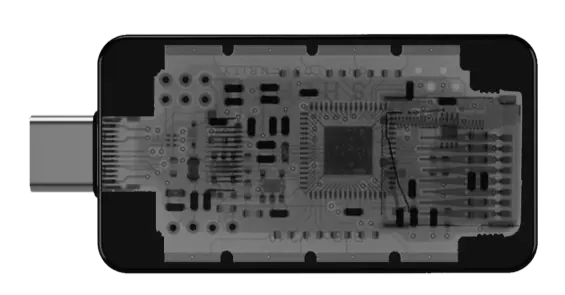
The device creates your keys itself, using several sources of randomness, and the secure chip guards them. That chip counts failed attempts and slows down each password check, so brute-forcing the password gets nowhere.
Anyone can audit the firmware on the main chip. Updates carry a signature, and each time you connect, the BitBoxApp confirms you’re holding a genuine device.
Unlike some certified rivals, the device as a whole has no formal EAL rating. Shift’s view is that public code on a hardened secure chip beats a certificate stamped on closed firmware. Sensible people disagree on that, and it’s the one honest point of tension here.
Which coins it supports
Bitcoin, Ethereum, ERC-20 tokens, Litecoin and the other big names all work in the BitBoxApp on the Multi edition. Pairing it with MetaMask, Rabby, Sparrow or Specter widens that further. Ledger covers about 5,500 assets, so if you collect small altcoins you’ll hit limits here, but if you mostly hold big coins you won’t notice.
The Multi edition
For a mixed portfolio, the Multi edition is the sensible pick. Big coins work in the app, EVM chains work through paired wallets, and the security design stays the same across all of them. You can switch a Multi to Bitcoin-only firmware later, but Shift doesn’t let you go back the other way, which says a lot about how it sees the two.
- Bitcoin (BTC);
- Ethereum (ETH);
- Litecoin (LTC);
- Cardano (ADA);
- Chainlink (LINK);
- ERC-20 tokens, 1,500+ of them, managed in the BitBoxApp or in MyEtherWallet and Rabby.
The Bitcoin-only edition
This firmware has every line of non-Bitcoin code stripped out. That leaves less to attack, fewer updates and nothing in the code you don’t use.
It works nicely with Sparrow and Specter for advanced Bitcoin setups such as multisig. If you hold no altcoins at all, buy this edition on purpose.
- Less code leaves bugs fewer places to hide.
- Token contracts and Ethereum dApps can’t touch it.
- You can connect your own full node and use coin control.
Using the BitBox02 day to day
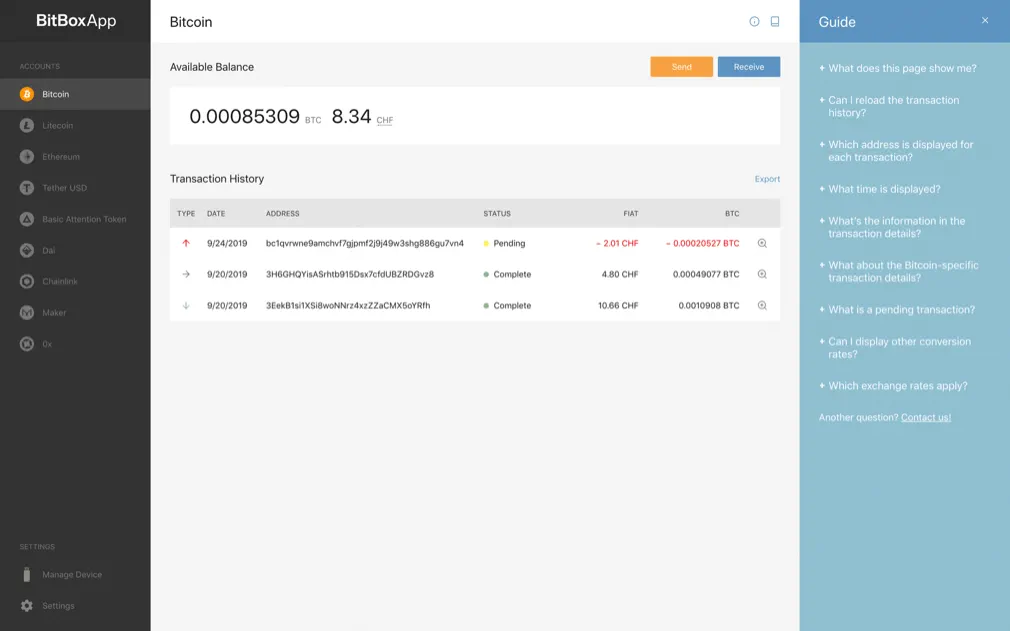
The hidden sliders on the edges respond to a tap, a slide or a hold. They’re genuinely new, and you’ll have them figured out in about ten minutes.
Once you do, approvals are fast but still deliberate. The OLED screen is small but crisp, and the BitBoxApp is one of the tidiest apps around, with no sales pitches and no clutter.
How easy is it to use?
Thanks to the microSD card, setup is the quickest I’ve seen. You slot the card in, and an encrypted backup exists right away, with no long session copying out 24 words. You should still write the words onto steel as a disaster backup.
On a computer you can use Windows, macOS or Linux, and Android phones connect through USB-C. The Standard’s biggest gap is iOS, and the Nova fixes that with Bluetooth.
How much does the BitBox02 cost?
- Multi Edition: €149
- Bitcoin-only Edition: €149
- BitBox02 Nova: €175
Next to other popular hardware wallets such as the Ledger Nano X (€149) or the Trezor Model T (€219–€249), the BitBox02 is fairly priced for security that matches or beats theirs.
If you like the idea of a touchscreen, our Ledger Flex review looks at Ledger’s model.
Shift sells both Standard editions for about $149 each. That puts them up against the Trezor Safe 5 and Ledger’s mid-range models. You pay Swiss prices for a device that is minimal on purpose.
How those two rivals compare with each other is covered in Trezor Safe 5 vs Ledger Flex.
It’s worth it if you care more about the open, two-chip design than about a long feature list. Stick to the official store or an authorized reseller. A device someone tampered with before selling it on a marketplace can empty everything you put on it.
Standard or Nova: which BitBox02 model?
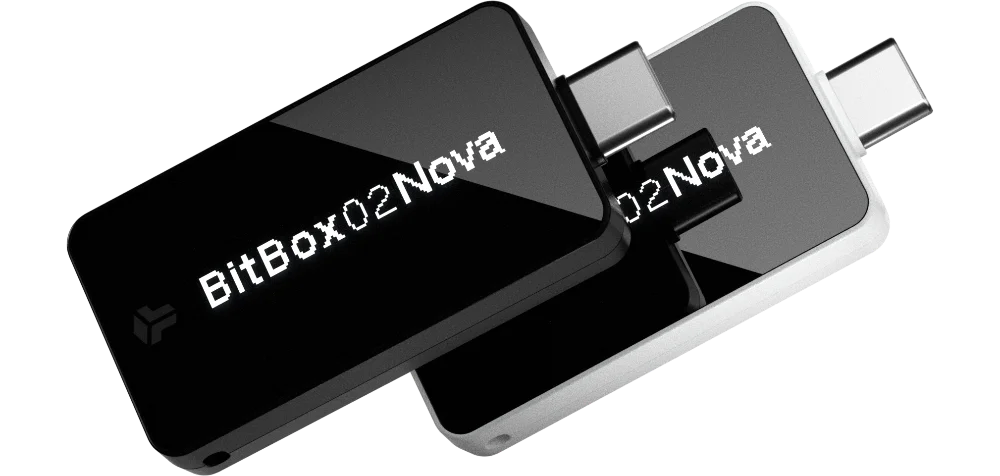 BitBox02 Nova | 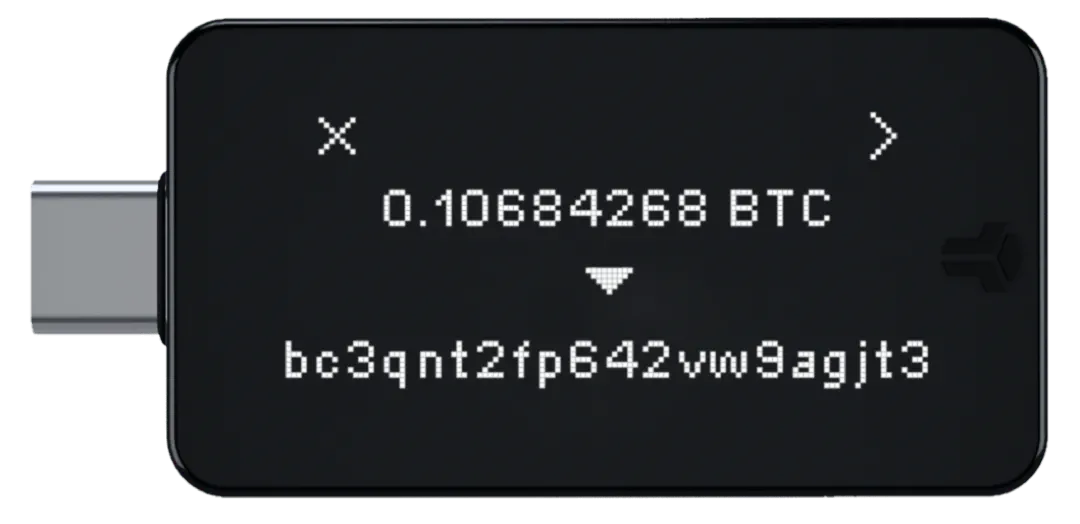 BitBox02 Standard | |
|---|---|---|
| Connectivity | USB-C & Bluetooth Low Energy | USB-C only |
| Compatibility | Windows, macOS, Linux, Android, iOS, iPadOS | Windows, macOS, Linux, Android |
| Input | Capacitive touch sensors | Capacitive touch sensors |
| Secure Chip | OPTIGA™ Trust M V3 (EAL6+ certified) | ATECC608B (TRNG, NIST SP 800-90A/B/C) |
| Display | 128 x 64 px OLED with glass top | 128 x 64 px OLED with standard plastic cover |
| Microcontroller | ATSAMD51J20A, 120 MHz Cortex-M4F, true random number gen | ATSAMD51J20A, 120 MHz Cortex-M4F, true random number gen |
| Material | Polycarbonate | Polycarbonate |
| Colors | Midnight Black, Polar White | Black |
| Size | 54.5 x 25.4 x 9.6 mm (incl. USB-C plug) | 54.5 x 25.4 x 9.6 mm (incl. USB-C plug) |
| Weight | 13g (device), 250g (with accessories) | 12g (device), 160g (with accessories) |
| Supported Coins | BTC, ETH, LTC, ADA, LINK, 1,500+ ERC-20 tokens | BTC, ETH, LTC, ADA, LINK, 1,500+ ERC-20 tokens |
| Ease of Use | iOS and iPadOS support, cross-platform mobile readiness | No iOS support, USB-C limited to Android and desktops |
This review mostly covers the Standard BitBox02, the small original you control with sliders. The Nova keeps the same body, sliders and open-source software.
It adds Bluetooth for iPhone and iPad, an OLED screen under glass and an EAL6+ certified secure chip, and it costs €175 rather than €149. Pick by device and budget: you need the Nova for iOS, and otherwise the Standard saves you money.
There is also a full review of the Nova that looks at that model on its own.
What I like and dislike about the BitBox02 Standard
The BitBox02 Nova: strengths and weaknesses
Setting up the BitBox02 step by step
- Start with the microSD card: slide it in before anything else. After that, connect the device to a computer or an Android phone through its USB-C plug.
- Launch the BitBoxApp, which walks you through the rest. It has you make a new wallet, pick a device password and write an encrypted backup onto the card.
- With setup finished, move coins from an exchange or another wallet to the addresses your BitBox02 shows. From then on, the app handles every send and receive.
- Balances, accounts and transaction checks all live in the app. The touch sensors on the device are how you type the password and approve each action.
- If you want more control, turn on coin control and connect your own full node in the app settings.
- Store the backup offline, away from prying eyes. Moving to another BitBox is simple: insert the same microSD card and the app guides you through the restore.
FAQ
Has the BitBox02 ever been hacked?
No. Nobody has publicly reported a successful hack of a BitBox02. Two chips, open firmware and tamper-evident packaging have kept its record clean up to now.
Can the BitBox02 be hacked?
Every wallet carries some risk, but the BitBox02 is built to resist attacks in person and over the internet. The private keys never leave their secure chip, and anti-klepto blocks the nonce covert channel trick. In practice, your keys stay private while you sign, even if the computer you plug into has been compromised.
Is the BitBox02 safe?
Yes. Among the cold wallets I’ve reviewed, it sits near the top for security. You get a secure chip, a microSD backup and keys that never leave the device. The BitBox02 Nova adds an EAL6+ certified chip and works with iOS over Bluetooth, and your private keys still never reach the phone.
Is BitBox a good wallet?
It’s a strong pick, above all if privacy matters to you. It strikes a good balance between ease of use, openness and security. The Multi edition handles the major coins, and the Bitcoin-only edition leaves even less to attack if Bitcoin is all you hold. The hidden sensors and simple build keep the device about safe storage, not extra features.
When did the BitBox02 Nova come out?
Shift released the BitBox02 Nova in 2025. Compared with the Standard, it adds iOS support, a glass OLED screen and a stronger secure chip, and it keeps the same design principles and open-source firmware.
How do I get my coins back if I lose the wallet?
Lost or broken? Recover from the microSD backup you made at setup, or from your 12- to 24-word seed phrase. A new BitBox02 accepts the card during setup, and the BitBoxApp can rebuild the wallet from the phrase. The coins themselves sit on the blockchain, so as long as a backup exists, losing the device costs you only the device.
Where should I buy a BitBox02?
Go to the official BitBox website or a reseller it lists. Confirm the device is genuine in the BitBoxApp and skip unknown marketplace sellers, since a pre-tampered wallet is the textbook supply chain attack.
How is the BitBox different from a basic USB wallet?
Don’t think of it as a USB stick with a password. Plenty of wallets aim for quick access, but the BitBox is meant to work as a physical security key for people serious about self-custody. It comes with a microSD card for encrypted backups and uses normal USB-C, so you need no special cables. The screens are simple and clear. If Bitcoin is your focus, the Bitcoin-only edition does nothing else, which keeps things simple and leaves less to attack.
Final verdict
The BitBox02 earns its 8/10 because it knows exactly what it wants to be: open, minimal and precise. It trails on coin count, iOS support and screen size.
Where it pulls ahead is the two-chip design that settles the open-versus-secure argument, a setup process that ranks among the best, and a Bitcoin-only edition that means it. If you’re a Bitcoin-first holder who values code you can audit, it deserves a place on your shortlist.
How I review: Reviewed by Andrei B. I buy the hardware wallets I review, test every product myself and score it on security, UI/UX, ease of use, price and supported coins. Before I publish, I also check recent user reviews and any hack reports.
The whole process is explained on the How We Review page. You can read more about me, or contact me with corrections, from the links at the bottom of this page. For general safety advice, see the FTC guide to cryptocurrency scams.