Pay $249 for a Ledger Flex and what you’re really buying is the 2.8-inch E Ink touchscreen on the front, because it’s wired straight into the chip that guards your keys. Everything else about this device follows from that one design decision. Whatever your laptop has been infected with, it can’t change a single character of what the Flex puts in front of your eyes before you approve a transfer.
So it’s aimed at people who approve transactions regularly and are tired of reading them through a keyhole. Buy Bitcoin twice a year and forget about it? Then a $99 Ledger Nano X keeps those same keys just as safely, and you’d be spending the difference on a screen you’d hardly ever look at.
We’ve gone through the hardware, the first-run experience, how the security holds up, which assets it handles, what you pay, and which rivals deserve a second look.
Nothing here is guessed at. Ledger’s own store pages, support articles and blog posts supplied the numbers, and we pulled them in September 2026.

Table of contents
So What Exactly Is the Ledger Flex?
The Ledger Flex is the touchscreen signer in Ledger’s range, built by a company working out of 106 Rue du Temple in Paris that has been shipping key-storage devices for years. It went on sale on 26 July 2024 carrying a $249 sticker, and nobody at Ledger has moved that number since; $249 is still what you’ll pay at the time of writing (September 2026). One naming quirk catches people out: Ledger stopped calling these things hardware wallets and now calls them signers, on the grounds that signing transactions is the actual job.
Slot it into the range and you’ll find it between the Nano Gen5 at $179 and the Ledger Stax at $399. Ledger’s own shop labels the Flex “The new standard” while the Stax gets “Premium from every angle”. Marketing aside, what separates the three is how much glass you get and how it charges, since the chip protecting your keys is identical across all of them.
Ledger Flex: The Numbers That Matter | |
|---|---|
| What it costs | $249, and that was the figure when we checked in September 2026 |
| The screen | E Ink touch panel, 2.8 inches across, 16 shades of gray at 480 x 600 px, behind Gorilla Glass with an anti-glare finish |
| How it connects | Plug in over USB-C, pair over Bluetooth BLE 5.2, or tap over NFC |
| Where the keys live | Inside an ST33K1M5 secure element carrying CC EAL6+ certification, running Ledger OS |
| Open source? | Ledger puts the figure at 95% open or reviewable. The code closest to the secure element isn’t published |
| Assets it handles | Ledger’s app covers 500+ crypto on its own, and third-party wallets stretch that into the thousands |
| Ways to back up | Write the 24 words on paper. A Ledger Recovery Key card ships in the box. Ledger Recover is there if you want it |
| The app | Ledger Wallet, which used to be Ledger Live, runs on Windows, macOS, Linux, iOS and Android |
| Who it’s for | Anyone signing DeFi and NFT transactions week in, week out who’d like to read them first |
The Ledger Flex Features That Matter
- That 480 x 600 px E Ink panel measures 2.8 inches and hides behind Gorilla Glass. Because the secure element chip drives the display itself, according to Ledger, nothing running on your computer gets to alter what you see there.
- Pair it with an iPhone or an Android handset over Bluetooth BLE 5.2, or plug into a desktop with USB-C. Leaving the cable at home costs you nothing.
- There’s an NFC chip in there doing two jobs, feeding the Ledger Recovery Key card and running the Security Key app that logs you in with passkeys. Ledger’s line is that NFC moves nothing but public data, and only across a gap of 5 cm or less.
- With Clear Signing, the specifics of whatever you’re about to authorize land on the secure screen. Transaction Check runs the thing as a simulation beforehand and raises a flag when it recognizes a known threat.
- Open the box and a Ledger Recovery Key card is sitting there, a card Ledger otherwise charges $39 for. It’s locked with a PIN, carries an EAL6+ secure element of its own, and keeps your recovery phrase away from anything online.
- Ledger lists “10 hour battery autonomy” for it. E Ink being E Ink, your lock screen stays on the panel while the device sleeps, which is one of those details you stop noticing and would miss immediately.
Is the Ledger Flex Easy Enough for a Beginner?
Everything starts in Ledger Wallet, the app that answered to the name Ledger Live right up until 3 November 2025. Give the device a name, settle on a PIN somewhere between 4 and 8 digits, copy out 24 words, then tap them back in the order it asks for. Half an hour is a fair estimate, and rushing the writing part is how people lose money.
The panel is the whole reason anyone spends this much.
Tapping out a device name or a recovery word on a real keyboard is a different experience from thumbing an alphabet with two buttons, which is the Nano ritual. A sprawling contract call resolves in two or three taps here instead of a dozen.

Where it grates is the refresh rate. E Ink redraws in its own time, so your taps register a fraction after your thumb expects them to, and Ledger’s release notes kept listing display and battery-percentage fixes well into 2026. Android owners hit one more speed bump, because Bluetooth on Android forces you to turn location services on for Ledger Wallet, which reads as sinister until you find Ledger’s note saying the app never keeps any location data.
Once it’s running, though, there isn’t much to it. Launch Ledger Wallet, wake the Flex, confirm the address and the amount on the little screen, tap through. Portfolio tracking happens in the app, while buying, selling, swapping and staking get handed off to outside providers, something Ledger states openly: it supplies the secure environment and those firms carry out the transactions.
Just How Secure Is the Ledger Flex?
Key generation and storage both happen inside an ST33K1M5 secure element, which is the tamper-resistant sort of chip your bank card uses, certified at CC EAL6+ and running Ledger OS. Look at the cheaper Nano S Plus or the Nano Gen5 and you’ll find the same chip with the same certification.
A better chip isn’t what your money buys here. A better view of what the chip is being told to sign is.
By Ledger’s count, 95% of its operating system and software is either open source or published for review, the Ledger Wallet app and the Secure SDK and the embedded apps among them. Whatever remains is shut, and the company doesn’t dodge the question: its contract with the chip maker STMicroelectronics legally bars it from releasing the low-level code that speaks to the secure element. Anyone who insists on a device they can inspect end to end has a legitimate reason to walk away right there.
Then there’s what’s happened to Ledger’s customer records, which annoys us more than the firmware question does. Somebody breached the e-commerce database in July 2020 and the contents were published in December 2020: roughly 1 million email addresses, plus around 272,000 fuller records carrying names, postal addresses and phone numbers. January 2026 brought another one, this time through the payment partner Global-e, where order data was reached without permission and names, addresses, emails, phone numbers and order details went with it, though no payment information did.
The firmware side is covered in how to update Ledger firmware safely.
No device and no recovery phrase were involved in either case, and both disclosures say as much. But a beautifully detailed list of crypto owners and their home addresses is exactly what a phishing operation wants. Worth remembering too is the Connect Kit episode of December 2023, when three published versions of a Ledger JavaScript library got replaced with malicious code after a former employee fell for a phishing email; Ledger’s account puts the active draining window at under two hours, with the devices themselves never touched.
Which leaves you with one habit to build. Assume every email, letter or phone call about your Ledger is a scam until you’ve proved otherwise, because Ledger says it never asks for your 24 words and never reaches out by phone, SMS or WhatsApp. Ship to a pickup point where your country allows it, and send anything that smells wrong to [email protected].
Which Coins Can You Keep on the Ledger Flex?
Ask Ledger how many assets the Flex handles and you’ll get a different answer depending where on the page you look, so here’s the full set. Down in the technical specifications it reads “500+ crypto supported via the Ledger Wallet app” alongside “thousands of coins, tokens, and NFTs supported via third-party wallets”. Scroll back up the same product page and the headline copy claims 15,000+ crypto and NFTs.
They’re measuring two separate things. The smaller number is what Ledger Wallet handles by itself, complete with accounts, staking and tracking. The bigger one sweeps in everything you can touch once the Flex is paired with something like MetaMask, Phantom, Rabby or Electrum, wallets Ledger names as compatible in the same breath as it warns that it “does not guarantee such compatibility”.
The MetaMask pairing is covered step by step in how to connect Ledger to MetaMask.
NFT collections render inside Ledger Wallet without a plugin, and a marketplace approval is precisely the moment a large screen pays for itself. Beyond that, the app reaches dApps through a 1inch integration and can top you up with stablecoins for cash via Noah. April 2026 brought firmware 1.6.0, which added Zcash cryptography under ZIP 32 plus Aleo support.
What’s missing is a straight answer on app capacity: Ledger never publishes how many device apps the Flex can hold simultaneously. Run a dozen chains and you should assume some uninstalling and reinstalling along the way. Collectors whose main interest is NFTs might start with our rundown of the best NFT hardware wallets instead.
What the Ledger Flex Costs, and What You Get
You’ll pay $249 at the time of writing (September 2026), unchanged from its July 2024 debut. Ledger doesn’t charge for shipping, and the listing reckons orders leave within 24 hours. Six finishes are on offer: Graphite, BTC Orange, Ferro Fuchsia, Crimson Magenta, Solana Edition and Oxidate Green.
Inside you’ll find the device, a USB-C to USB-C cable, a single Recovery Sheet, a Ledger Recovery Key card and a printed guide. That card is quietly the best part of the deal, given Ledger asks $39 for one on its own. Cases cost more: $29 for the Protective Case, $39 for the Magnet Folio.
Nothing about using the device requires a subscription. Ledger Recover, the optional backup service, wants $9.99 a month and an ID check, and you’re free to never think about it again.
Order from Ledger’s own store or an authorized reseller, full stop. Devices sold through marketplace listings have turned up pre-initialized with a stranger’s recovery phrase already loaded, and the first sign of trouble is your balance leaving. For what it’s worth, the store shows 314 reviews averaging 4.4 out of 5, which we’d glance at and no more.
Where the Ledger Flex Wins and Where It Slips
Here’s how we’d sum it up. Ledger’s touchscreen pitch only really adds up on this model, because the Stax asks $150 more for a wider curved panel and wireless charging while the Nano Gen5 knocks $70 off in exchange for a coarser display. Sitting between them, the Flex is the one that would end up in our pocket.

Setting Up the Ledger Flex, Step by Step
Read this bit before anything else. Those 24 words, the Secret Recovery Phrase, are the sole copy of your keys, and whoever reads them can drain your wallet from any country on the planet. Blockchains don’t do refunds and no support desk can claw a transfer back, so a leaked phrase means the money is simply gone.
- Hold down the button on the right edge for 1 second. Up comes “Welcome to Ledger Flex, your digital signer.” Tap your way through what follows.
- Pick your route. Either tap “Set up with Ledger Wallet mobile” and scan the QR code, or tap “Set up with Ledger Wallet desktop” and grab the app from ledger.com/start. Whichever you choose, running setup through the app is what lets it confirm the device is genuine and push the current Ledger OS onto it.
- Pairing over Bluetooth? Check that both pairing codes match and tap “Yes, they match”. On Android you’ll need location services enabled for Ledger Wallet before this works.
- Hit “Set name”, type something on the keyboard, then hit “Confirm name”.
- Choose “Choose my PIN” and key in 4 to 8 digits. Eight is what Ledger suggests, and we’d do the same. Tap the check mark and repeat the PIN.
- Select “Set it up as a new Ledger”, then “I understand”. Copy each group of words onto the paper Recovery Sheet, tapping “Next” as you move between groups, and finish with “Done”. Photographs, phone notes and password managers are all off limits for those words.
- Finish by tapping “Start confirmation” and picking out each word it quizzes you on. After that, install whichever apps you need and add your accounts in Ledger Wallet. Coming from an older device? Tap “Recover using Secret Recovery Phrase” and pick 24, 18 or 12 words.
Anyone who’s owned a Ledger before will recognize all of this. Our walkthrough on setting up a Ledger Nano X covers the same territory for the button-driven models.
Ledger Flex Alternatives Worth a Look

Ledger Stax, If You Want the Bigger Screen
For $399, the Ledger Stax hands you a curved 3.7-inch E Ink touchscreen running 400 x 670 px, Qi wireless charging and magnets that hold devices together in a stack. Underneath, the chip and the security model are the Flex’s, unchanged.
Put plainly, $150 buys you more glass and a neater way to charge. If you’re signing several times a day and enjoy the hardware as an object, fine. Otherwise we’d struggle to talk you into it.
Ledger Nano X, If You Want to Spend Less
Spend $99 and the Ledger Nano X still puts your keys in a certified secure element and still talks over Bluetooth, exactly as the Flex does. The screen is the sacrifice, which means a long contract interaction arrives two lines at a time while you click buttons to move through it.
Cold storage you open twice a year doesn’t need more than that, and the Nano X does the guarding for $170 less. We’d rather say so than pretend everybody needs the Flex.
Trezor Safe 5, If You Want Open Source
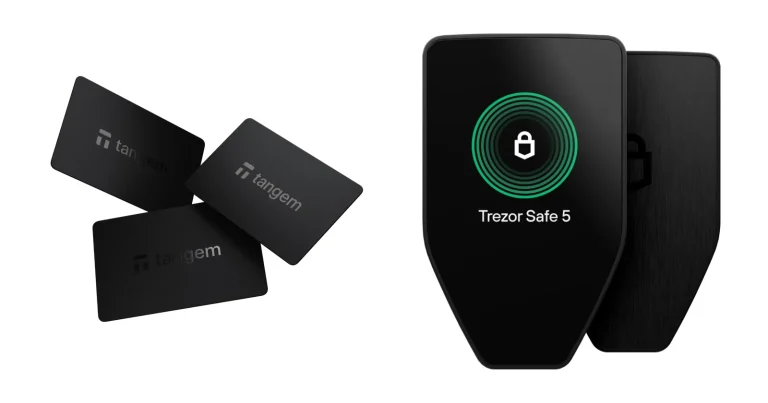
Trezor’s Safe 5 lists at $129 and combines an EAL6+ secure element with a 1.54-inch color touchscreen at 240 x 240 px, plus haptic feedback under your finger. Its selling line is “open-source security and design”, and that’s the one claim Ledger can’t answer.
You give up Bluetooth and NFC entirely, since it’s USB-C only, and the display is a lot smaller. What comes back the other way is a microSD slot and Multi-share Backup, which spreads your backup across several cards. Our Ledger vs Trezor comparison chews through the trade-offs properly.
Ledger Flex Questions We Get Asked
Is the Ledger Flex actually safe to use?
Mostly, yes. The keys live in an ST33K1M5 secure element rated CC EAL6+, and nothing gets approved without a tap on a screen that same chip controls. Hardware isn’t the soft spot here. Ledger’s customer database spilled in 2020, its payment partner Global-e spilled order data in January 2026, and the fallout is phishing, so treat unsolicited messages as hostile and keep your 24 words to yourself.
What does the Ledger Flex cost?
$249 as we write this in September 2026, which is what it cost when it launched in July 2024. Shipping from Ledger’s own store is free, and the $39 Recovery Key card is bundled rather than sold to you separately.
How many coins will the Ledger Flex hold?
Depends which Ledger figure you trust. The specification sheet says 500+ crypto through the Ledger Wallet app with thousands more via third-party wallets, while the headline copy on the same page says 15,000+ crypto and NFTs. Neither is wrong; they’re counting different things.
Can I use the Ledger Flex with MetaMask?
Yes. MetaMask sits on Ledger’s list of compatible third-party wallets alongside Phantom, Rabby Wallet and Electrum, with the caveat that Ledger doesn’t guarantee that compatibility. Connect over USB-C and every transaction still gets confirmed on the Flex itself.
What if I lose the device?
Nothing is stored on the Flex that isn’t recoverable, because your coins sit on the blockchain and the device only holds the keys. Restore them on a replacement Ledger using your 24-word Secret Recovery Phrase or your Recovery Key card. Whoever picks up the lost device is stuck without your PIN. Lose the phrase and the card together, though, and there’s no route back.
Is Ledger Flex firmware open source?
Partly. The company’s own figure is 95% open source or available for public review, with the code that speaks directly to the secure element held back under its agreement with STMicroelectronics. Want everything published? Look at the Trezor Safe 5.
Should I buy the Ledger Flex or the Ledger Stax?
Flex, unless a curved screen or wireless charging is something you genuinely want. Stax pricing sits at $399 against $249 for the Flex, and you’re getting the same secure element, the same certification and the same app either way.
Our Verdict: Should You Buy the Ledger Flex?
Get one if signing is a regular part of your week and reading what you sign matters to you. DeFi users, NFT traders and anybody waving through contract calls will get their money’s worth out of a 2.8-inch secure screen, and the bundled Recovery Key quietly takes $39 off what you’re really paying. It’s also the least expensive way into Ledger’s touchscreen range unless you drop to the coarser Nano Gen5 panel.
Leave it alone if what you want is cold storage that sits in a drawer, since a $99 Nano X looks after the same keys with the same class of chip. Closed firmware bothering you is another good reason to pass, and plenty of the other cold wallet options ask less money anyway. Our one-line take: this is the Ledger that justifies $249, provided the screen is something you’ll put to work.
Everything above is general information and not financial, legal, or investment advice. Features and prices shift over time, so check Ledger’s official page yourself before you spend anything.
How I review: Reviewed by Andrei B. I buy the hardware wallets I review, test every product myself and score it on security, UI/UX, ease of use, price and supported coins. Before I publish, I also check recent user reviews and any hack reports.
The whole process is explained on the How We Review page. You can read more about me, or contact me with corrections, from the links at the bottom of this page. For general safety advice, see the FTC guide to cryptocurrency scams.