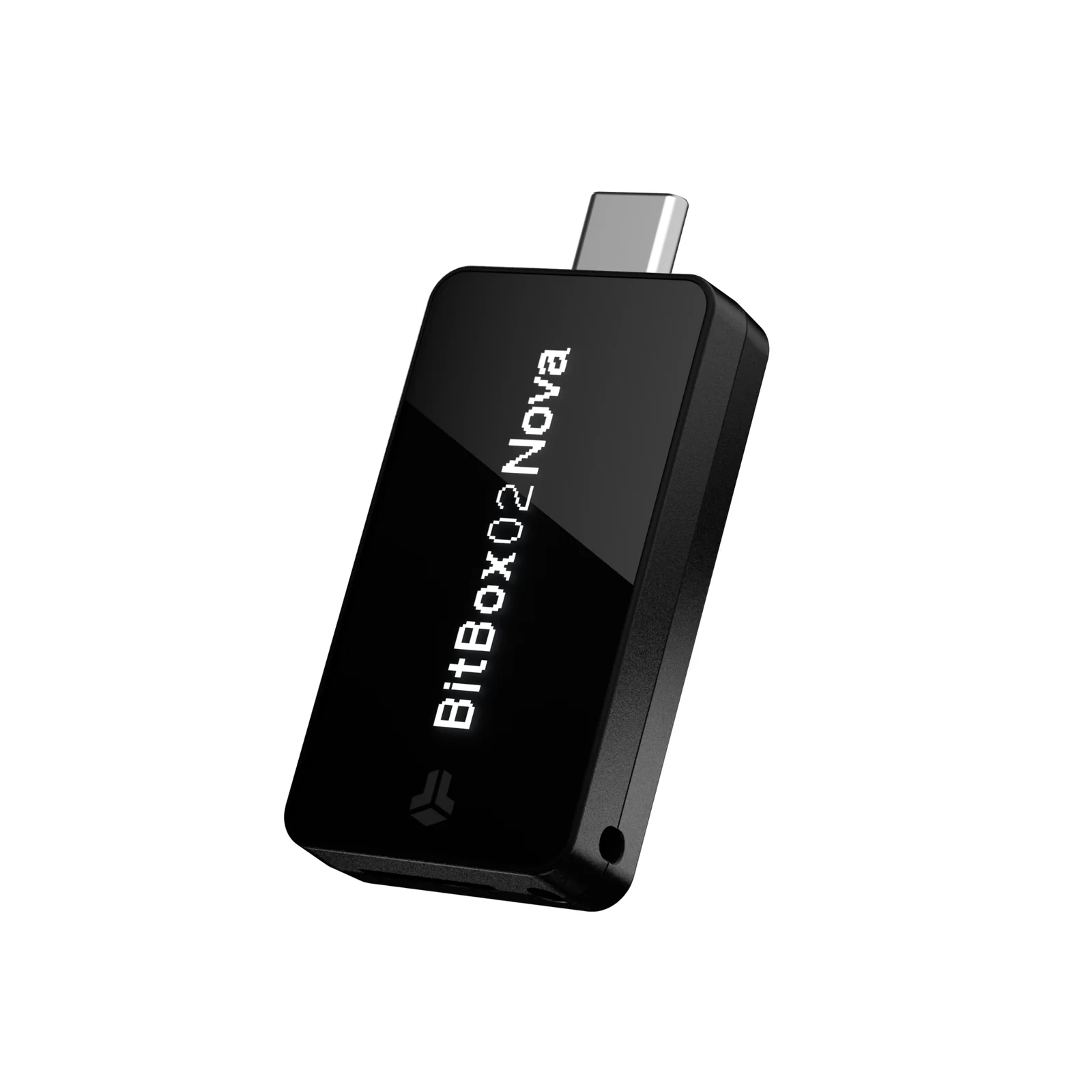
Shift Crypto’s BitBox02 Nova is a Swiss-built hardware wallet, and it’s the first BitBox you can use with an iPhone or iPad. Under the hood it keeps the open-source, two-chip layout of the original BitBox02, then adds Bluetooth, a glass-topped screen and a secure chip certified to EAL6+.
Who’s it for? Bitcoin and Ethereum holders who like open code, want a backup written to a microSD card during setup, and would rather carry one device for the laptop and the phone. If Solana or XRP make up your portfolio, if MetaMask is where you live, or if you want a big touchscreen, we’d look elsewhere.
We’ll go through the hardware, what setup involves, the security story (August 2026’s firmware fixes included), the coin list, the price, and the wallets we’d weigh it against.
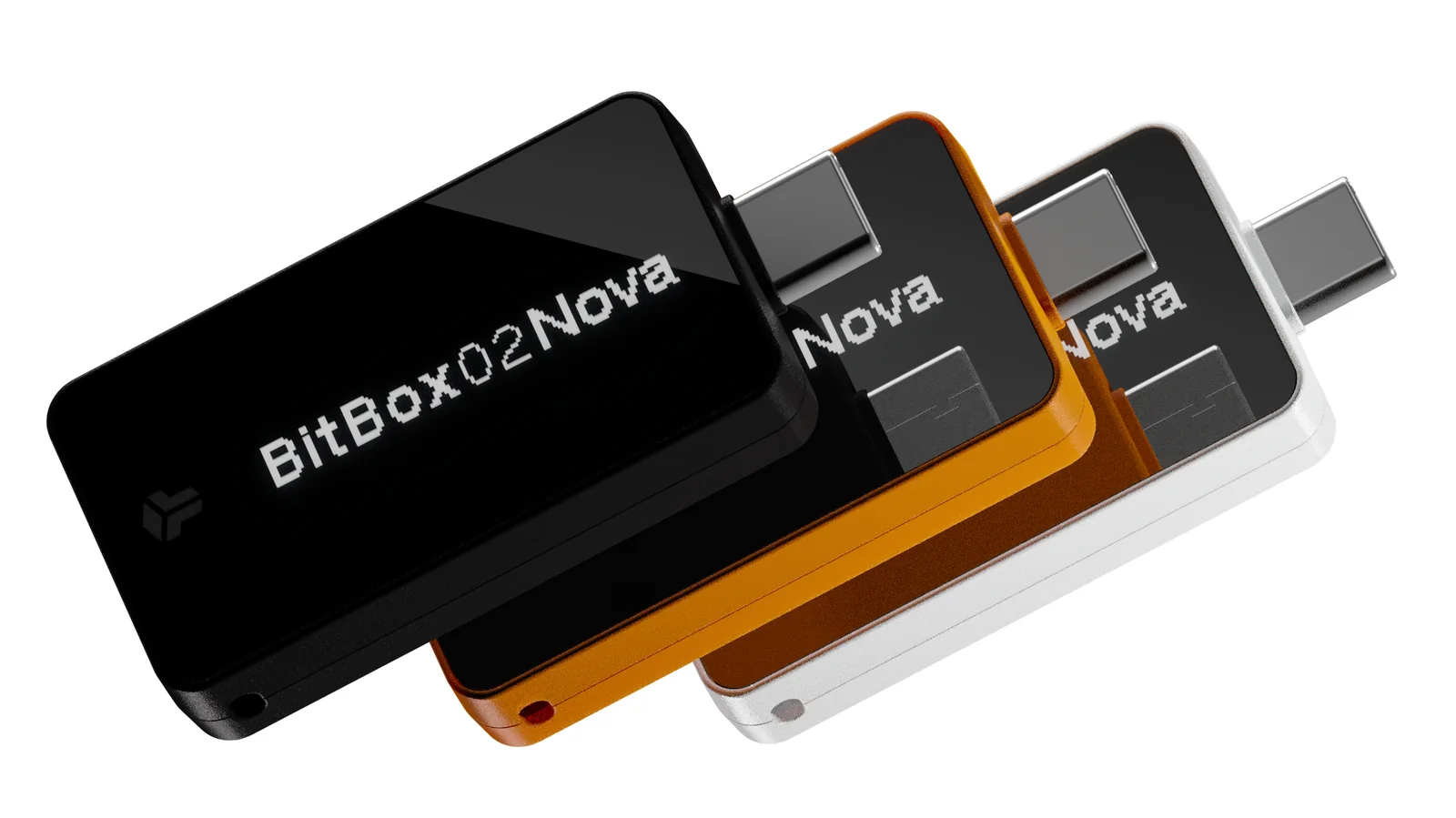
Table of contents
So What Is the BitBox02 Nova, Exactly?
Quick primer first. Your private keys live on a hardware wallet rather than on your laptop or phone, and nothing gets signed until you’ve said yes on the wallet’s own little display.
Shift Crypto AG makes this one; it’s privately held and based in Zurich, Switzerland. The Nova was unveiled on June 20, 2025, and you could pre-order it that same day.
It hasn’t replaced anything. The original BitBox02, on sale since September 2019, is still in the range, and BitBox has promised to keep supporting it.
Price check: €175 at the time of writing (September 2026). Switch the shop to US dollars and it reads $203, with 19% VAT baked into both numbers, while the older BitBox02 comes in at €149 ($173).
On price and purpose, the nearest competition is the Trezor Safe 5 ($129) and the Ledger Nano X ($99). We’ve covered the older model separately in our BitBox02 review, if that’s the one you’re eyeing.
BitBox02 Nova specs at a glance | |
|---|---|
| What it costs | €175, or $203 with the shop in US dollars, both including 19% VAT, at the time of writing (September 2026) |
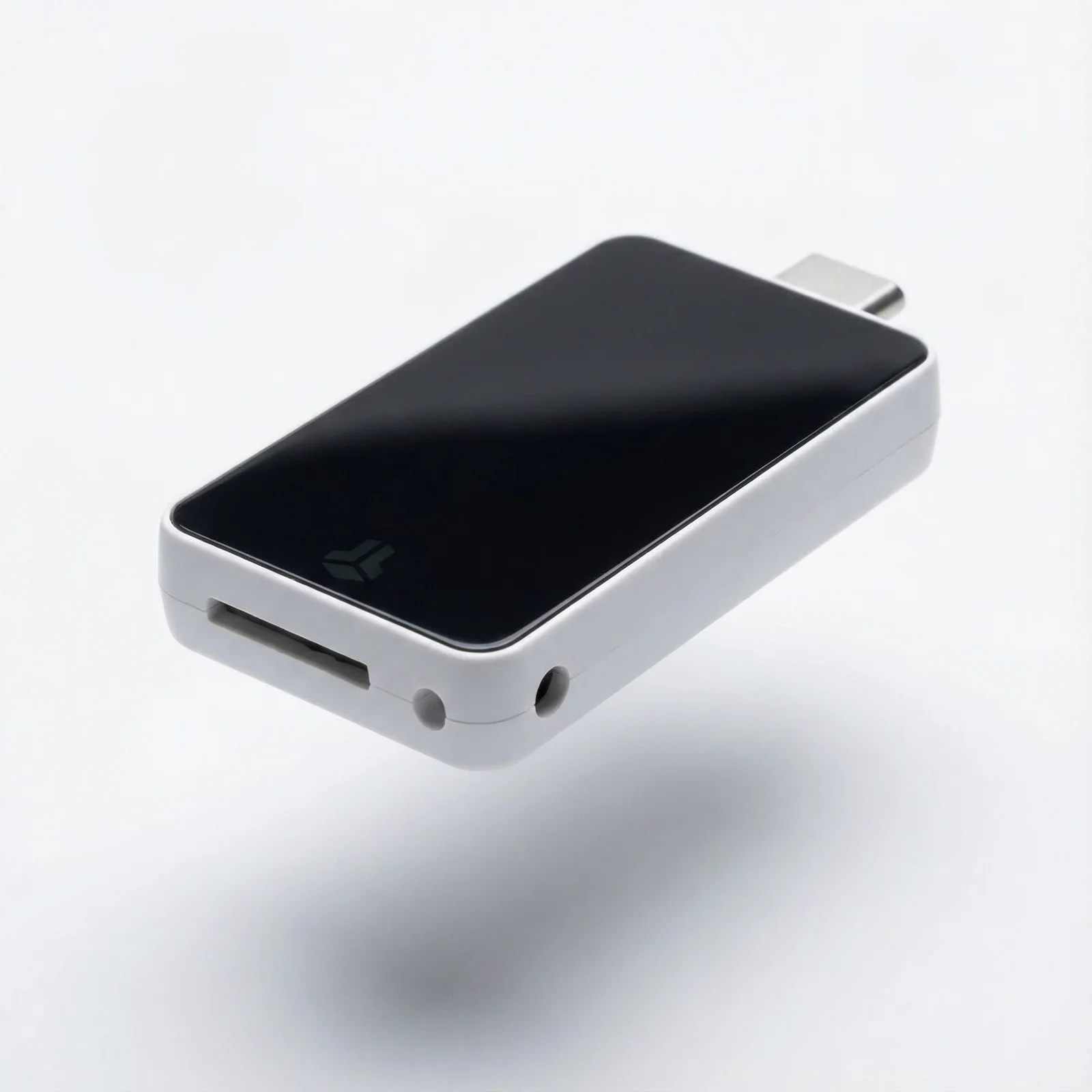
| Screen and body | A 128 x 64 px white OLED under glass The polycarbonate body measures 54.5 x 25.4 x 9.6 mm and weighs 13 g |
| How it connects | USB-C, plus Bluetooth Low Energy, which only iPhones and iPads need |
| Where the keys live | An Infineon OPTIGA Trust M V3 chip with EAL6+ certification, working alongside a separate microcontroller |
| Is it open source? | Yes. The firmware and the BitBoxApp are both Apache 2.0, and the builds are reproducible |
| Coins | Multi edition: BTC, ETH plus ERC-20, ADA, LTC and 1,500+ tokens Bitcoin-only edition: just BTC |
| Backups | An unencrypted microSD card, BIP-39 recovery words (24 by default or 12 if you prefer), and an optional passphrase |
| App | The BitBoxApp runs on Windows, macOS, Linux, Android, iOS and iPadOS |
| Who it suits | People on iPhone and desktop who want open-source protection for their Bitcoin and Ethereum |
What the BitBox02 Nova Brings to the Table
- iPhones and iPads talk to it over Bluetooth, while Windows, macOS, Linux and Android machines use USB-C. Your desk setup and your pocket setup can share one wallet.
- Your keys sit behind an Infineon OPTIGA Trust M V3, a secure chip with EAL6+ certification. That’s a tamper-resistant part whose whole job is resisting physical attacks on the keys.
- Every line of firmware is public under the Apache 2.0 license, and builds are reproducible. In plain terms, outsiders can confirm the code on your device is the code BitBox published.
- During setup it saves a backup onto the microSD card that ships with it, so copying 24 words by hand isn’t a day-one chore. Want the words anyway? The screen will show them for you to write down.
- There’s glass over the 128 x 64 pixel OLED now, and BitBox says that makes it tougher against scratches and easier to read.
- You won’t find buttons. Touch strips along the edges take taps, slides and holds for your password and approvals.
- Pick the Multi edition and you also get FIDO U2F, which turns the Nova into a login key for Google, GitHub, Dropbox and similar services.
Is the BitBox02 Nova Easy Enough for Beginners?
For the most part. The BitBoxApp holds your hand the whole way, and letting the microSD card handle the backup cuts out the most tedious bit.
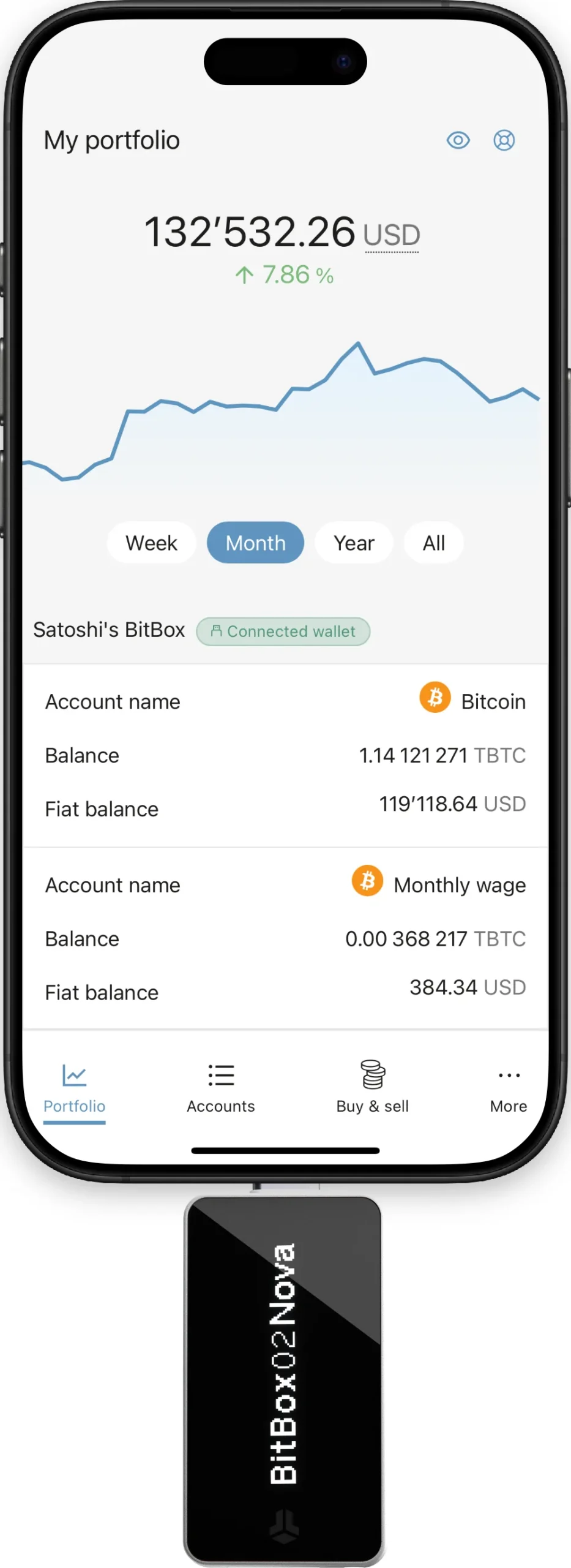
With a computer or an Android phone, the Nova goes straight into a USB-C port. iPhones and iPads are different: you still plug it in, yet the data itself moves over Bluetooth, since iOS won’t allow the USB data link the Nova depends on.
Got an older iPhone? A Lightning adapter comes in the box, so anything on iOS 16 or newer is covered. One small annoyance is that some phone cases get in the adapter’s way, meaning off comes the case.
The display is where we’d grumble. It’s 128 x 64 pixels, identical to the Nano X and nowhere near the 240 x 240 touchscreen Trezor puts on the Safe 5.
Checking a long address means scrolling. Firmware 9.27.0 eased things by printing long amounts in full rather than truncating them, which we’re glad of.
Expect a learning curve with the sliders. Typing your password on the device is slower than using a keyboard, but it keeps the password off your computer, and we think that’s a fair trade.
Bitcoin, Litecoin, Ethereum and the popular ERC-20 tokens all live inside the BitBoxApp. Anything beyond that means connecting to another wallet, Rabby for instance, and learning a second app, which annoys us a little.
How Secure Is the BitBox02 Nova, Really?
Two chips share the work. Open-source firmware runs on the main microcontroller, and a separate secure chip helps protect your seed.
Your seed is the master secret every address comes from. It’s kept in encrypted form on the microcontroller, locked behind both the secure chip and the password you choose.
On top of that, the secure chip stretches your password and keeps a hardware counter of failed tries. Get it wrong 10 times and the Nova wipes itself back to factory settings.
About that EAL6+ badge: EAL grades how rigorously a chip has been tested against attack, and 6+ sits close to the top of the scale. Infineon’s chip is NDA-free as well, meaning its documentation is open to anyone.
The first BitBox02 made do with an ATECC608B. For us, this chip swap is the biggest hardware difference between the pair.
Flip through the datasheet and there’s more: counterfeit detection through device attestation, a bootloader that only runs signed firmware and refuses downgrades, plus anti-klepto, which blocks a compromised computer from sneaking your key out inside a signature. BitBox also states that outside auditors have reviewed the firmware.
The Bluetooth radio lives on its own chip, one BitBox says has no memory and can’t touch wallet secrets. After pairing, the connection is encrypted, and you approve a matching code on both the Nova and the app.
Plug in a USB cable and send data, and the Bluetooth chip powers down. Never touch an iPhone? A firmware setting lets you kill Bluetooth permanently.
What Went Wrong in August 2026
BitBox released its “Dixence” update on August 17, 2026. Two severe bugs, both caught by BitBox’s own engineers, were patched, and the company said it had no reports of stolen funds.
Bug number one was memory corruption. It hit Multi edition units, the Nova among them, that hadn’t had a wallet created yet and were plugged into a malicious computer, where it could let an attacker run arbitrary code; firmware 9.26.5 closed it, and Bitcoin-only devices were never exposed.
The second bug involved silent payments, a newer kind of Bitcoin address. On firmware 9.21.0 through 9.26.4, a malicious computer could have locked funds sent to one for a possible ransom, and an older bootloader flaw also covered in the post never applied to the Nova.
Nova owners should be on firmware 9.26.5 or later; you’ll find the update under “Manage device” in the BitBoxApp. Over on GitHub, the newest release is 9.27.1, out August 31, 2026, and BitBox walks through every issue in its Dixence update post.
We’d flag one design decision in particular. Nothing on the microSD backup is encrypted, so whoever picks up that card can rebuild your wallet. Guard it exactly as you’d guard a seed phrase on paper.
Using the optional passphrase? It isn’t saved in any backup, so write it down somewhere separate, since the recovery words on their own won’t reopen that hidden wallet.
Which Coins Can You Keep on the BitBox02 Nova?
Go with the Multi edition and you get Bitcoin, Ethereum with its ERC-20 tokens, Cardano and Litecoin, with the token count passing 1,500. The Bitcoin-only edition does exactly what the name says. Choose carefully, because BitBox won’t let you convert one into the other afterwards.
The BitBoxApp itself handles Bitcoin, Litecoin, mainnet Ethereum and a hand-picked set of ERC-20 tokens. For the rest you’ll lean on outside wallets, per BitBox’s own supported coins page.
- Polygon runs through MyEtherWallet, Rabby or NuFi, and Arbitrum and Optimism need Rabby or NuFi.
- For BNB Smart Chain, it’s MyEtherWallet or Rabby.
- Cardano isn’t in the BitBoxApp at all, so you’d use AdaLite or NuFi.
- Bitcoiners can also connect Electrum, Sparrow, Specter, Nunchuk or Bitcoin-Safe, all of which do multisig, and Wasabi for single-signature setups.
A multisig wallet needs more than one key before it’ll sign, which makes sense once the balance gets serious. We compare the options in our roundup of the best multisig wallets.
The holes in the list are hard to ignore. There’s no Solana and no XRP, and BitBox admits MetaMask isn’t directly compatible; Rabby is the usual stand-in for Ethereum apps, and if MetaMask is non-negotiable, our list of hardware wallets for MetaMask is the better starting point.
NFTs? Neither the coins page nor the support pages bring them up. We wouldn’t pick the Nova for an NFT collection.
What Does the BitBox02 Nova Cost?
At the time of writing (September 2026) it’s €175, which the shop shows as $203 once you switch the currency to US dollars. That figure has 19% VAT folded in, so look at the checkout total for wherever you live.
Multi or Bitcoin-only, you pay the same. You won’t be asked for a subscription, and BitBox’s shop lists a 2-year warranty.
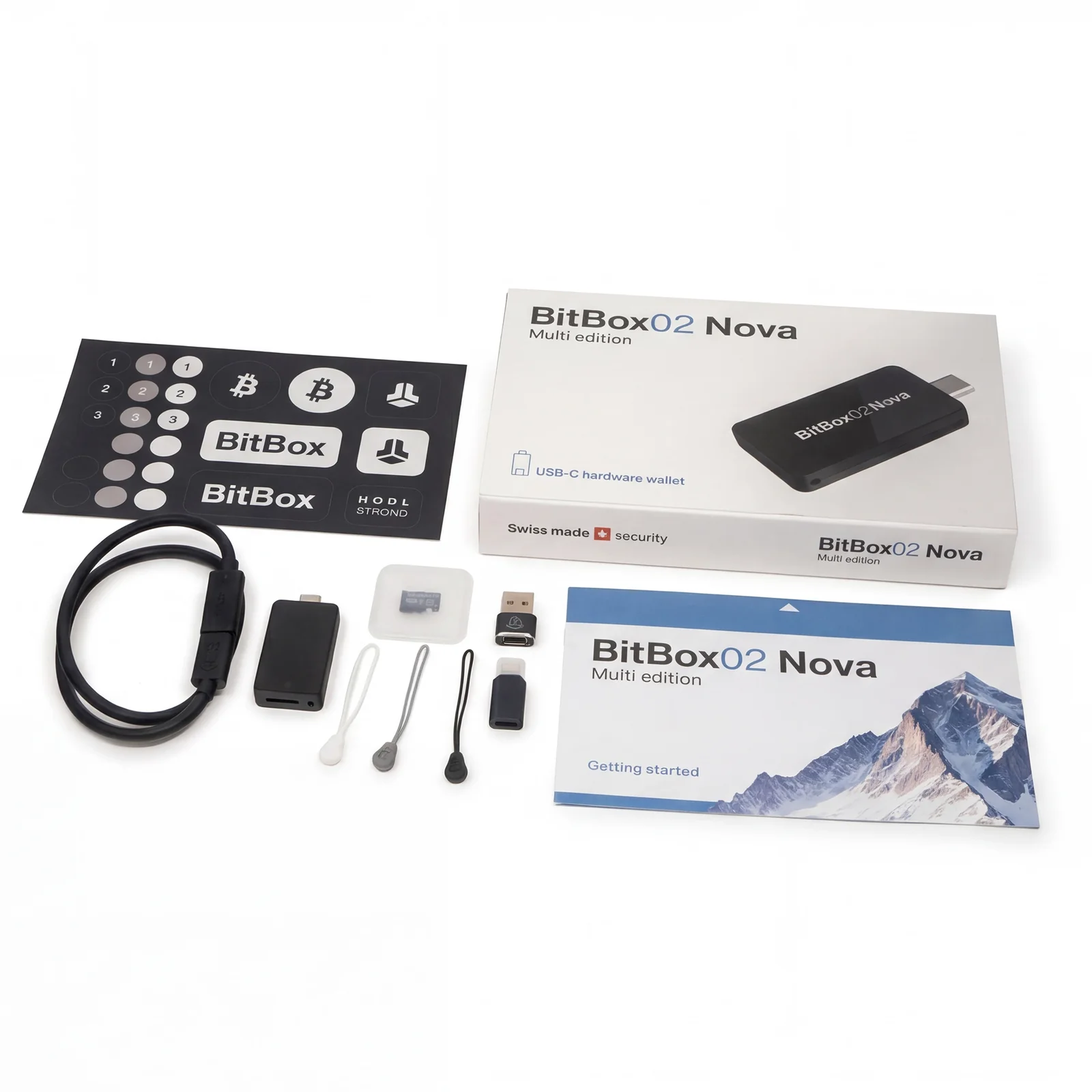
Inside the box: the Nova, a microSD card, two adapters (USB-C to USB-A and USB-C to Lightning), a USB-C extension cable, rubber pulls and some stickers for labeling.
Add-ons are available too. A Steelwallet metal backup is $75, and tamper-evident bags begin at $17.
Get yours from the official BitBox shop or a reseller BitBox has authorized. Buy from a random marketplace seller and you can’t know who’s handled the device first. Attestation catches some of that, but going direct is the simplest safeguard.
BitBox02 Nova Pros and Cons
If an iPhone owner asked us for an open-source hardware wallet, this is the one we’d point to first. What you give up is screen size and breadth of altcoins.
Setting Up the BitBox02 Nova, Step by Step
We’ve based this on BitBox’s official setup guides. Computers and Android phones connect by USB; iPhones and iPads pair over Bluetooth.
- Get the BitBoxApp from bitbox.swiss (on an iPhone or iPad, grab it from the App Store) and launch it.
- Slide the microSD card in with its label facing outward and connect the Nova. iOS users then tap the Bluetooth ID the Nova displays, check that both pairing codes match, tap “Pair” and approve on the device.
- Pick a screen orientation on the Nova, and let the app install firmware if it offers to. Desktop users should confirm the app’s pairing code is identical to the one on the Nova.
- Hit “Create wallet” (it’s “Create new wallet” on iOS), give the device a name, press “Continue”, then approve that name on the Nova.
- Use the touch sensors to set a device password, and type it in once more to confirm. Make it something you’ll remember, since 10 failed attempts wipe the device.
- Go through the backup notes, tick both checkboxes, press “Continue” and confirm the date shown on the Nova. You’ll then see either “You’re ready to go” or a “Get started” button.
- Take out the microSD card and put it somewhere secure. As a second copy, we’d also write down the 24 recovery words or punch them into a steel plate.
Don’t ever enter your recovery words on a website. Don’t photograph them either, and don’t give anyone the microSD card; BitBox will never request any of it, and whoever holds those words can empty your wallet.
Sending coins? Confirm the receiving address and the network on the Nova’s display first. Get the address or network wrong and the money’s gone for good, with no one able to undo it.
Worth Considering Instead of the BitBox02 Nova
The Original BitBox02
At €149 ($173), the older BitBox02 shares the Nova’s microcontroller and runs firmware from the same open-source codebase. What it doesn’t share is the new secure chip, since it relies on the earlier ATECC608B, and it only connects by USB.
iPhones and iPads can’t use it. For a computer-only or Android-only owner, though, it’s €26 cheaper, and we dig into it properly in our BitBox02 review.
Trezor Safe 5
Trezor’s Safe 5 sells for $129, with a 1.54-inch color touchscreen at 240 x 240 pixels and an EAL6+ certified chip. Backups can be 20 words or multi-share.
iPhone users hit a wall, though: Trezor lists no swap, send, setup or device management on iOS. Our Trezor Safe 5 review goes into the rest.
Ledger Nano X
For $99, the Ledger Nano X pairs with iOS or Android over Bluetooth and carries a battery Ledger rates at 5 hours. Ledger claims its Ledger Wallet app handles 500+ crypto assets.
Inside is a CC EAL5+ secure element, and its screen has the same 128 x 64 pixel count as the Nova’s. Our Ledger Nano X review has the full picture, and Ledger vs Trezor tackles the wider brand question.
BitBox02 Nova FAQ
Is the BitBox02 Nova a safe hardware wallet?
Yes. An EAL6+ secure chip works alongside open-source firmware, and you approve every transaction on the device itself. Just make sure you’re on firmware 9.26.5 or newer, since that release patched the bugs BitBox disclosed in August 2026.
What does the BitBox02 Nova cost?
€175 at the time of writing (September 2026), shown as $203 when the shop is set to US dollars. Those prices include 19% VAT, and the two editions are priced identically.
Can I use the BitBox02 Nova with my iPhone?
Yes, over Bluetooth, on any iPhone or iPad running iOS 16 or later. There’s a Lightning adapter in the box too.
Is the BitBox02 Nova compatible with MetaMask?
Not directly. Rabby, which works with the Nova, is the closest MetaMask-style option for Ethereum and EVM networks.
Which coins work on the BitBox02 Nova?
On the Multi edition you get Bitcoin, Ethereum with ERC-20 tokens, Cardano, Litecoin, and upward of 1,500 tokens overall. Solana and XRP aren’t on the list. The Bitcoin-only edition sticks to Bitcoin.
I lost my BitBox02 Nova. Are my coins gone?
No. You can rebuild the wallet on a new BitBox from the microSD backup or your recovery words, and whoever finds the old device still needs your password, with 10 wrong guesses wiping it.
Nova or original BitBox02: which should I buy?
It depends on your phone. iPhone and iPad owners need the Nova, which also brings the EAL6+ chip and glass screen, while computer and Android users can save €26 with the original.
Our Verdict on the BitBox02 Nova
If you want open-source, Swiss-built hardware that plays nicely with an iPhone, and your holdings are mostly Bitcoin or Ethereum, get the BitBox02 Nova. Pure bitcoiners should look hard at the Bitcoin-only edition.
We’d think twice if Solana, XRP, NFTs or direct MetaMask support are on your list, or if you’ve got your heart set on a big touchscreen. In short, it’s the best BitBox so far and a very good pick for iPhone owners who put open code ahead of screen size; our best crypto hardware wallets list has other options.
This article is for general information only and is not financial, legal, or investment advice. Prices and features change; check the vendor’s official page before buying.