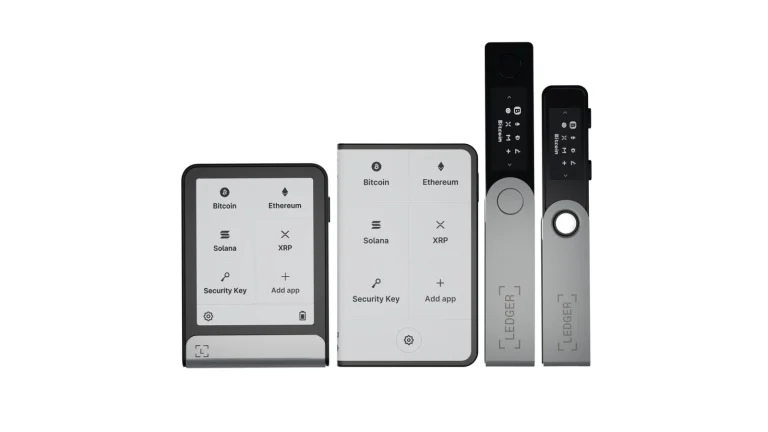
Tangem and Ledger both want to hold your keys offline, yet you’d never mistake one for the other. Tangem hands you a few NFC cards with no screen and no battery, and your phone does all the talking. Ledger gives you a little device with its own display, buttons or a touchscreen, plus an app for your computer as well as your phone.
If you want the cheapest, least fussy phone-only setup, and spare cards sound nicer than a seed phrase, Tangem’s the one. Ledger’s better when you’d rather confirm every transaction on a screen your phone can’t touch, sign from a desktop, or hook into MetaMask and other third-party wallets.
Tangem’s 3-card set is $69.90 at the time of writing (September 2026). We’ve lined it up against Ledger’s range, leaning on the $99 Ledger Nano X because it’s the closest on price, and we look at security, everyday use, coin support, cost and who each one’s really for.
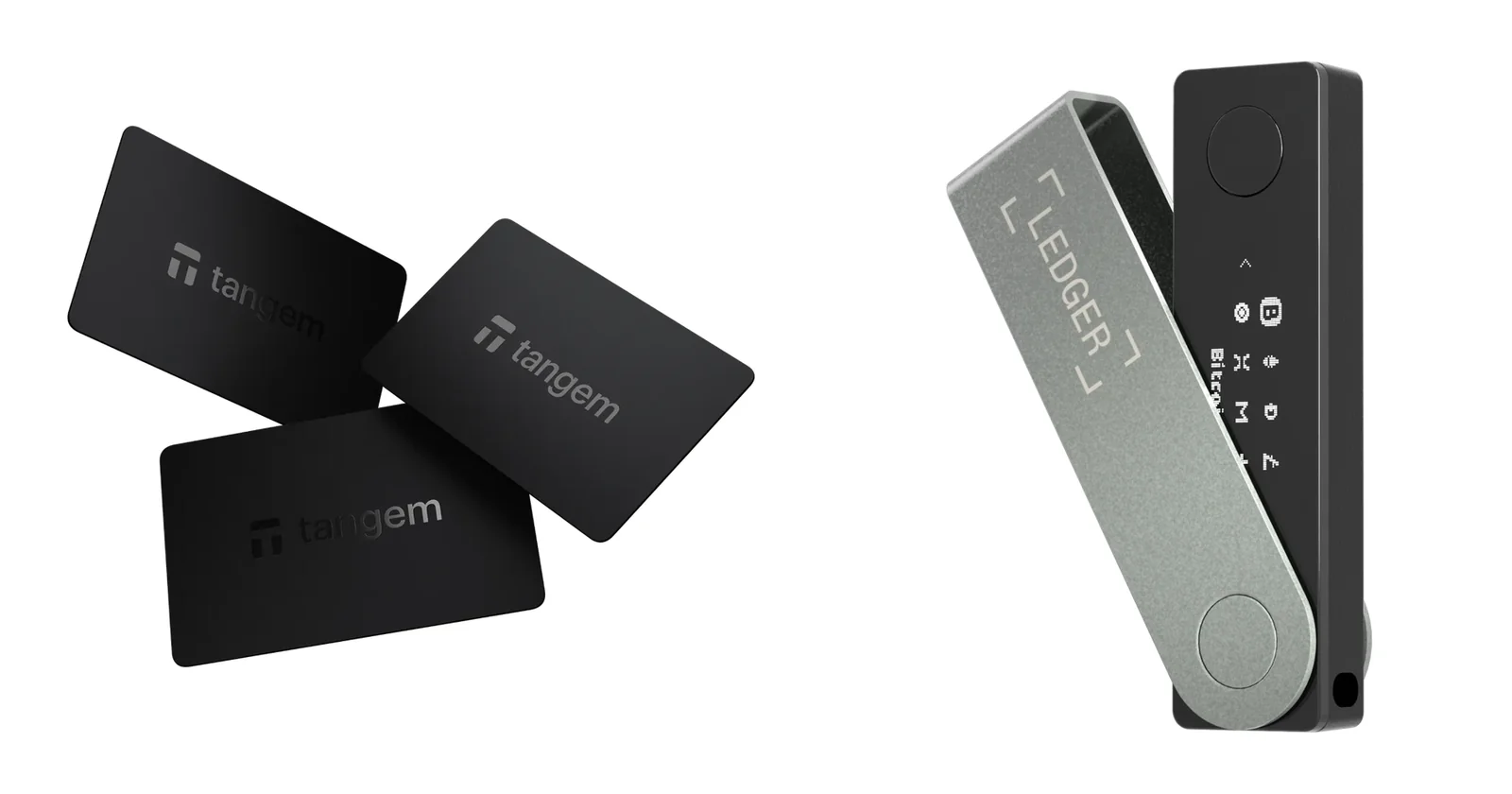
Table of contents
Tangem vs Ledger at a Glance
We pulled each row from the vendors’ own product and help pages in September 2026.
Tangem vs Ledger: Comparison Chart | |
|---|---|
| <strong>What it costs</strong> | Tangem charges $69.90 for 3 cards or $59.90 for 2. <br> Ledger runs from the $59 Nano S Plus through the $99 Nano X, $179 Nano Gen5 and $249 Flex up to the $399 Stax. |
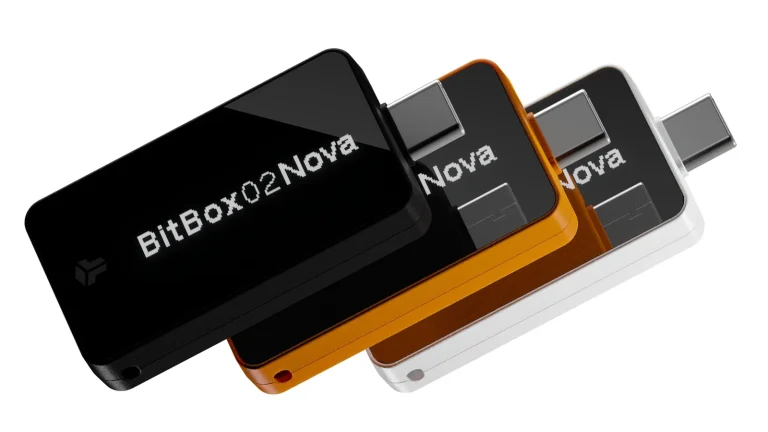
| <strong>What it looks like</strong> | Tangem is an NFC card or ring, with no screen and no battery. <br> The Ledger Nano X has a 1.1-inch OLED screen, two buttons and a 100 mAh battery. |
| <strong>How it connects</strong> | Tangem talks to a phone over NFC and nothing else. <br> The Nano X uses Bluetooth and USB-C. |
| <strong>The chip inside</strong> | Tangem uses a Samsung chip rated EAL6+. <br> Ledger fits an ST33J2M0 (CC EAL5+) in the Nano X and an ST33K1M5 (CC EAL6+) in its other models. |
| <strong>Firmware</strong> | Tangem’s is closed source, written once and never updated. <br> Ledger calls 95% of its code open or reviewable and ships updates through Ledger Wallet. |
| <strong>If you lose it</strong> | Tangem gives you 2 or 3 cloned cards, plus a 12 or 24-word seed phrase if you want one. <br> Ledger gives you a 24-word recovery phrase, a Recovery Key card on touchscreen models, and optional Ledger Recover at $9.99 a month. |
| <strong>Software</strong> | The Tangem app runs on iOS and Android. <br> Ledger Wallet runs on Windows, macOS, Linux, iOS and Android. |
| <strong>Coins</strong> | Tangem claims 14,100+ tokens across 90 blockchains. <br> Ledger claims 500+ inside Ledger Wallet and thousands more through third-party wallets. |
| <strong>Other wallets</strong> | Tangem links up through WalletConnect, covering Solana and 40+ EVM networks. <br> Ledger works with MetaMask, Phantom, Rabby Wallet, Electrum and others. |
| <strong>Toughness</strong> | Tangem cards are IP69K rated, handle -25°C to +50°C and carry a 25-year limited hardware warranty. <br> The Nano X has no weatherproof rating and is rated for 0 to 40 C. |
| <strong>Who it suits</strong> | Tangem suits budget buyers who do everything on a phone. <br> Ledger suits anyone who wants a screen on the device and a desktop app. |
So What Exactly Is Tangem?
Founded in 2017, Tangem is a Swiss outfit based in Zug, and it lists Samsung and SBI Holdings among its backers. Its wallet card first appeared in 2022. The 2023 second generation brought an optional seed phrase, and the Tangem Ring came along in 2025.
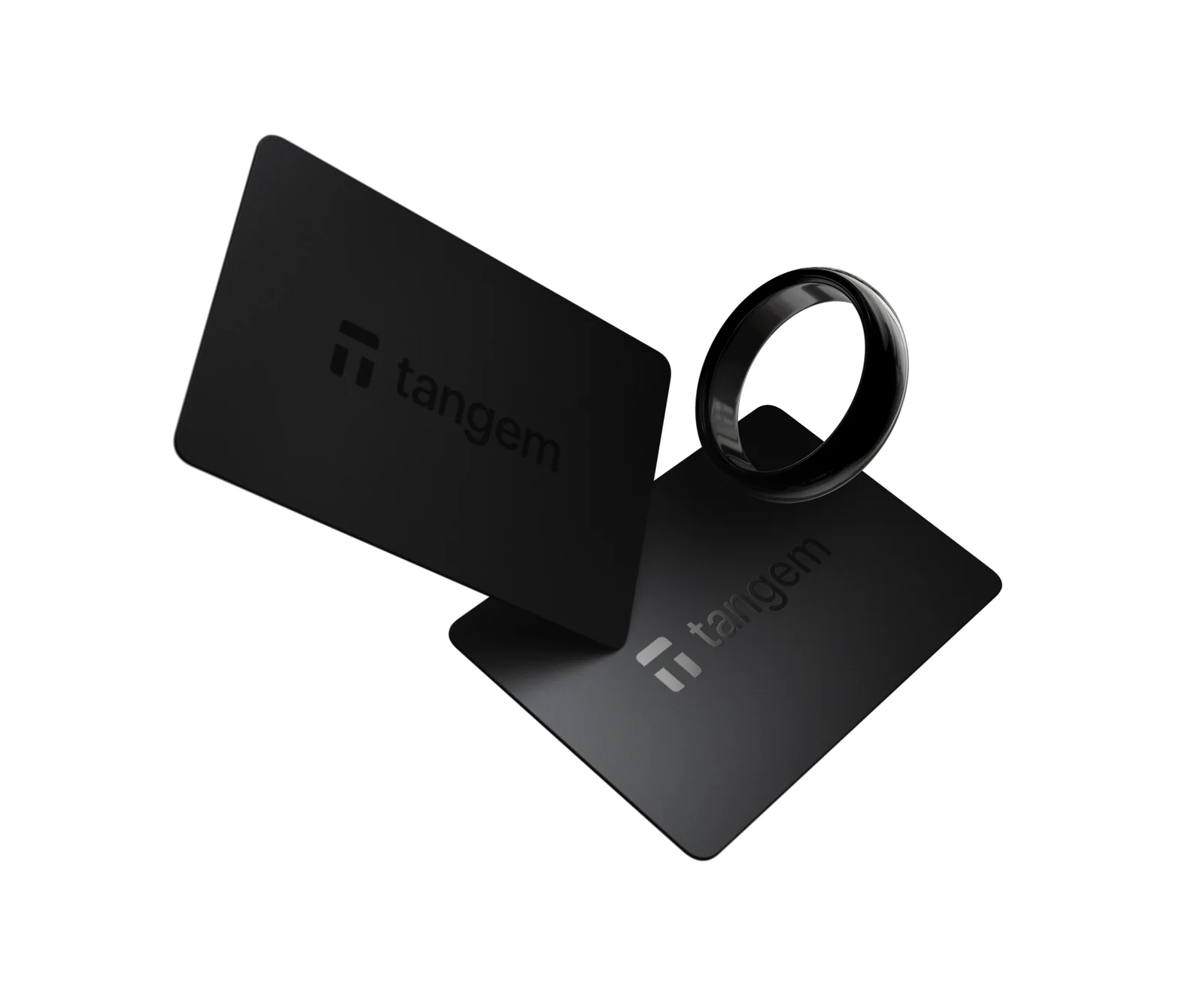
Picture a bank card with a chip in it. Hold it to your phone, the phone powers it over NFC, and it signs.
Tangem claims 6M+ wallets sold and “Zero out of 6,000,000 cards hacked since launch in 2017”, though that’s the company talking and not something we can check ourselves.
What You Get With a Tangem Wallet
- Inside each card there’s an EAL6+ Samsung chip that creates your private key, and according to Tangem the key never leaves it.
- Every card in the pack carries the same wallet, so whichever one you grab can sign.
- You can have a 12 or 24-word seed phrase if you like, but only if you pick it while creating the wallet.
- They’re IP69K rated, cope with anything from -25°C to +50°C, and Tangem backs them with a 25-year limited hardware warranty.
- The app costs nothing on iOS or Android, and it reaches dApps through WalletConnect.
- Prefer jewelry? The Tangem Ring comes in US sizes 6 to 13 and costs $160.00 with two cards.
And What Does Ledger Sell?
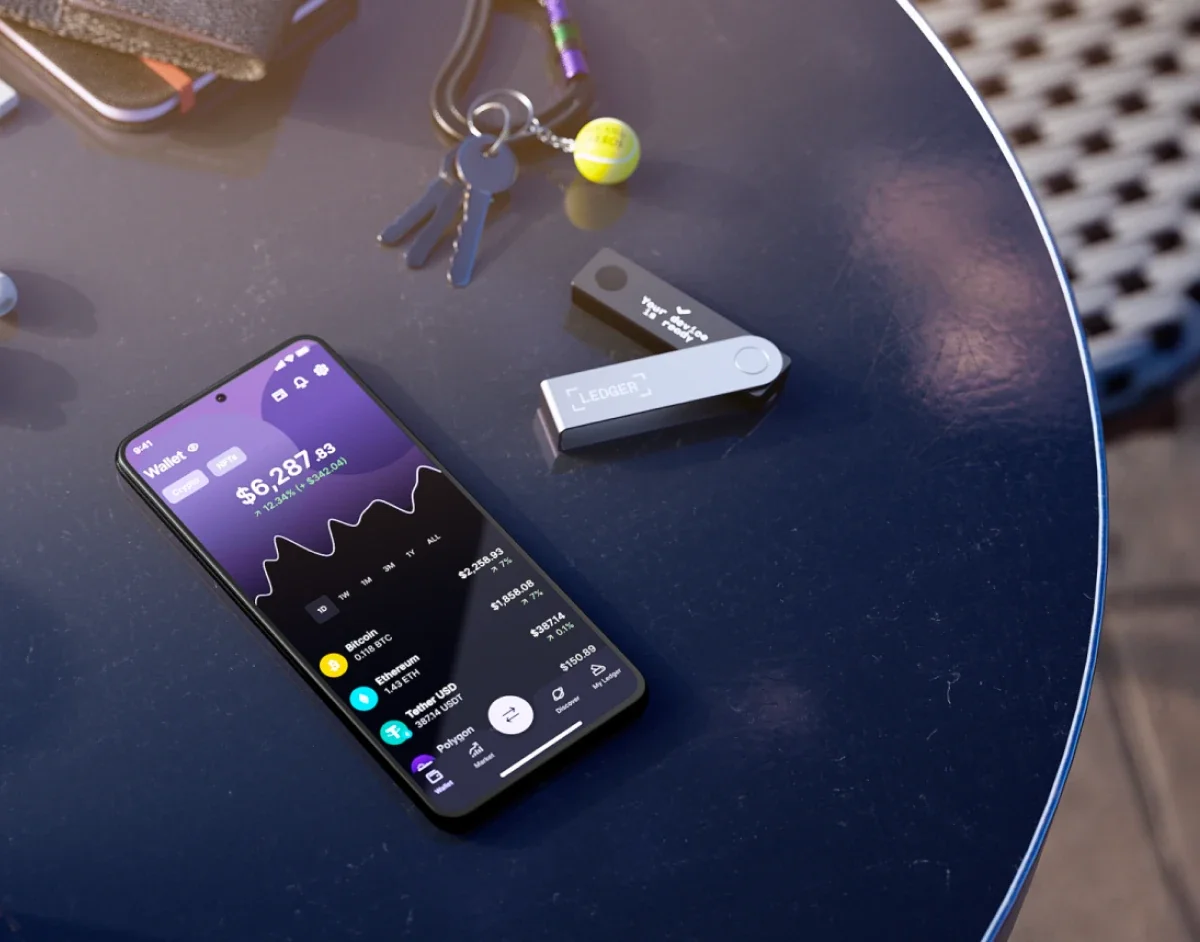
Ledger is based in Paris, and these days it calls its devices “signers”. At the bottom sits the $59 Nano S Plus, then come the $99 Ledger Nano X and the $179 Nano Gen5, and the $249 Flex and $399 Stax sit on top.
You’ve been able to buy a Nano X since May 28, 2019, and it’s still the one people tend to measure everything else against. There’s plenty more in our Ledger Nano X review, while our Ledger Stax review handles the flagship.
What You Get With a Ledger
- Keys sit in a secure element. The Nano X gets an ST33J2M0 with CC EAL5+ certification, while the other models get an ST33K1M5 at CC EAL6+.
- Each model has a screen of its own, from the 1.1-inch OLED on the Nano X to 2.8-inch E Ink touchscreens on the Nano Gen5 and Flex and a 3.7-inch curved panel on the Stax.
- Ledger Wallet covers desktop and mobile, and you can also pair the hardware with MetaMask, Phantom, Rabby Wallet or Electrum.
- Your backup is 24 words on paper, and the touchscreen models throw in a Ledger Recovery Key card too.
- Ledger OS updates arrive through the Ledger Wallet app.
- On the touchscreen models, Clear Signing and Transaction Check try to flag trouble before you approve anything.
Tangem vs Ledger on Security
In both cases the keys live in a secure element, which is a chip designed to shrug off physical attacks and keep its secrets even when a thief has it in hand. Tangem’s cards are rated EAL6+. So is every current Ledger except the Nano X, which sits at EAL5+.
Screens are where they really split. There’s nothing to look at on a Tangem card, so the address and amount you check are the ones on your phone. A Ledger puts the details on its own display, and on the touchscreen models the secure element drives that display directly.
Why care? Phones get compromised.
Ledger’s reasoning is that malware on a phone or laptop can fake what that screen shows, but it can’t rewrite what the secure element sends to the device’s own display, and for a big balance we find that the most convincing point in Ledger’s favor.
Can You Read the Code, and Can It Be Updated?
Per Tangem, the firmware “is downloaded into the chip once and cannot be updated again”. Nobody can push a bad update to it, which is nice. The flip side is that no firmware fix will ever reach the card either, and Tangem keeps the code closed, calling its approach “security through obscurity”.
What Tangem offers in place of open code is outside auditing, by Kudelski Security in August 2018 and by Riscure in 2023. Riscure’s work “did not reveal security issues that would lead to exposure of the wallet’s private keys”, Tangem reports. At least the app is open source, and you’ll find it on GitHub.
Over at Ledger, 95% of the operating system and software is open source or open to review, by the company’s count. The remaining slice stays shut because the deal with chip maker STMicroelectronics “legally prevents us from exposing the low-level code that talks to the hardware blocks of the Secure Element”. Ledger adds that an outside lab audits every OS release, and its own Donjon team goes after its products the way an attacker would.
How Each One Gets You Back In
With Tangem, the backup is simply the other cards. Setup clones the key onto two or three devices through a channel encrypted with a 256-bit key. It’s a one-time thing, and there’s no adding a card to that wallet afterwards.
That design has a sharp edge.
In Tangem’s own words, “Losing all your devices will result in losing your funds”, unless you made the wallet with a seed phrase. That’s the 12 or 24 words that can rebuild your wallet anywhere, and Tangem won’t let you add one once setup’s done.
Ledger does it the old-fashioned way. You copy 24 words onto the paper Recovery Sheets, and the Nano Gen5, Flex and Stax also come with a Ledger Recovery Key card that holds an encrypted copy offline. For $9.99 a month there’s Ledger Recover too, which splits the encrypted phrase between Coincover, Ledger and EscrowTech and asks for ID; it’s optional, and we’d happily skip it.
Wrong guesses? A Ledger wipes itself after three bad PINs. Tangem just makes you wait after six wrong access codes, with the delay topping out at 45 seconds.
What’s Gone Wrong at Each Company
Tangem owned up on December 31, 2024 to a bug: activating a wallet with a seed phrase had written the private key into the mobile app’s logs. Those affected were fewer than 0.1% of seed-phrase users, specifically people who contacted support through the app within 7 days, and Tangem says nobody lost funds. App Store 5.19.1 and Google Play 5.19.2 fixed it.
Ledger has more history to own. Its 2020 customer database leak ended with about 1 million email addresses and detailed records for roughly 272,000 customers dumped in public in December 2020. Then on December 14, 2023, poisoned versions of the Ledger Connect Kit library went live after someone phished a former employee’s npm account, and in January 2026 Ledger order data was accessed at its payment partner, Global-e.
According to Ledger, not one of these reached its devices or the Ledger Wallet app. Leaked home addresses still end up fueling phishing, so remember that Ledger will never ask for your 24 words.
Whichever you pick, this part doesn’t change. Send to the wrong address, or over the wrong network, and the money’s gone for good, because nobody can reverse it. Before you sign anything, our explainer on wallet addresses covers what to check.
Tangem vs Ledger: Living With Them Day to Day
Setting up a Tangem happens entirely in the app. The sequence goes “Get started”, “Scan card or ring”, “Create wallet”, then “Add a card or ring” for each backup, “Finalize backup”, and last of all an access code. Your phone needs NFC, and iPhone owners should press the card to the top of the handset.
A chunky or metal case can get in the way. You also won’t find a desktop app, so a dApp on your computer shows a QR code and the Tangem app on your phone scans it, which feels clunky if you spend your day in a browser.

On the Nano X, the two buttons get you going: “Set up as new device”, then “Choose PIN code”, then “Write down your recovery phrase” and “Confirm your recovery phrase”. Our walkthrough on how to set up the Ledger Nano X goes screen by screen.
Phones connect to it over Bluetooth. Desktops need the USB cable, and Ledger rates the battery at 5 hours. The touchscreen models are kinder on the eyes, since more of each transaction fits on the display.
In daily use Tangem wins on speed: open the app and tap the card. With a Ledger you also confirm on the device.
That extra step is exactly why the screen exists, so we don’t hold it against Ledger.
Which Coins Tangem and Ledger Cover
According to Tangem, you’re covered for 14,100+ tokens across 90 blockchains. Staking ATOM, BNB, POL, SOL, TRX, ETH and ADA works inside the app, and sends carry no extra Tangem commission. dApps connect via WalletConnect across Solana and 40+ EVM networks, while MetaMask doesn’t come up in the docs at all.
Ledger can’t settle on one number. Its spec sheet says “500+ crypto supported via the Ledger Wallet app” and thousands more through third-party wallets, yet the headline on the same pages says 15,000+.
Compatibility is where Ledger pulls clear. MetaMask, Phantom, Rabby Wallet and Electrum all work with its devices, though Ledger notes it “does not guarantee such compatibility”. MetaMask users should look at our roundup of the best hardware wallets for MetaMask.
Buying, swapping and most staking go through outside providers in both apps.
Tangem vs Ledger: What Your Money Buys
Right now, in September 2026, the Tangem 3-card set costs $69.90 and the 2-card set $59.90. You’ll pay $129.80 for the Family Pack, $160.00 for the Ring and $180.00 for the Pro Kit. Shipping’s free over $100.00, and you get 14 days to return, though you cover the return postage.
On Ledger’s store, the Nano S Plus is $59, the Nano X $99, the Nano Gen5 $179, the Flex $249 and the Stax $399. A Recovery Key comes in the box with the Nano Gen5, Flex and Stax; buy one separately and it’s $39.
Stepping up to the Nano X adds $29.10 over Tangem’s 3-card set. Keep in mind that set includes two spare cards already, whereas a spare Nano X means a second device and $198 for the pair. Go for the Nano Gen5 and you’re paying $109.10 more than the Tangem set.
Just $0.90 separates the 2-card Tangem set from the Nano S Plus. Since the Nano S Plus doesn’t work with iPhones, though, iPhone owners don’t really get that choice.
What We Like and What Bugs Us
Tangem: The Good and the Annoying
Ledger: The Good and the Annoying
So Which One Should You Buy?
Choose Tangem if your phone runs your life, your balance is modest, and the thought of writing down 24 words makes you groan. The 3-card set gets you two backups for $69.90.
Holding more, or doing DeFi on a laptop? Go Ledger. We think a screen your phone can’t control, plus MetaMask support, justifies the extra cost.
After Ledger-level checks with some of Tangem’s tap-and-go feel? Look at the Ledger Nano Gen5 or Flex, which bring NFC and a touchscreen.
Tangem vs Ledger FAQ
Is a Tangem wallet safer than a Ledger?
Not quite. Both rely on certified secure elements, but a Ledger’s own screen shows you what you’re signing, whereas Tangem leans on your phone’s display.
Do you need a seed phrase with Tangem?
No. Out of the box, the second and third cards are your backup. A 12 or 24-word seed phrase is available during setup, never afterwards.
What if every Tangem card goes missing?
Without a seed phrase, the funds are gone. Tangem can’t block a lost card, and it can’t add fresh cards to a wallet you already have.
Will Tangem work with MetaMask?
MetaMask isn’t mentioned anywhere in Tangem’s documentation; WalletConnect is how it links to dApps.
Can I use Tangem from my computer?
Sort of. There’s no desktop app, but a desktop dApp can show a QR code for the Tangem app on your phone to scan.
Does Tangem ever update its firmware?
Never. The chip gets its firmware once and it can’t be changed afterwards, whereas Ledger pushes Ledger OS updates through Ledger Wallet.
Which Ledger costs about the same as Tangem?
That’d be the Nano S Plus at $59, a mere $0.90 under the 2-card Tangem set. It won’t work with an iPhone, though, so for most people the $99 Nano X is the fairer comparison.
Our Verdict: Tangem or Ledger?
Tangem’s our pick for a first wallet or anyone who only uses a phone, because it’s simpler and cheaper. Water and heat don’t bother the cards, they never need charging, and the backups are in the box. You give up a screen, a desktop app and any chance to read or update the firmware.
For bigger balances, desktop work or MetaMask, Ledger takes it. We’d begin with the Nano X, or step up to the Nano Gen5 for a touchscreen and the Recovery Key. Either way keep that backup offline, and if you’d like more choices, our guide to the best crypto cold wallets is a good next stop.
This article is for general information only and is not financial, legal, or investment advice. Prices and features change; check the vendor’s official page before buying.