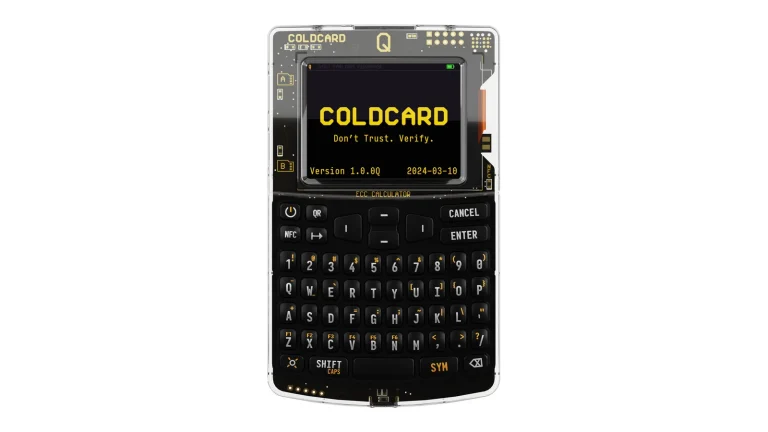
Price won’t settle this one. The Ledger Nano S Plus and the Trezor Safe 3 both sell for $59 at the time of writing (September 2026), and both are two-button devices with a tiny monochrome screen, no battery, and a certified chip guarding your keys.
So what’s left to judge is narrower than you’d expect. It comes down to how much of each company’s code you’re allowed to read, and what its app will let you do once the device is plugged in. Choose badly and you end up holding a wallet that can’t reach half your coins, or one you simply have to trust.
The quick version: buy the Trezor Safe 3 if published firmware matters to you, or if you want your backup split across more than one hiding place. Buy the Ledger Nano S Plus if your holdings are scattered over a lot of chains and you sign from a laptop or an Android phone.
What follows covers the hardware, the two security models, both apps, how many assets each one reaches, and what owning either really costs. We pulled every price and every spec from the vendors’ own pages in September 2026.
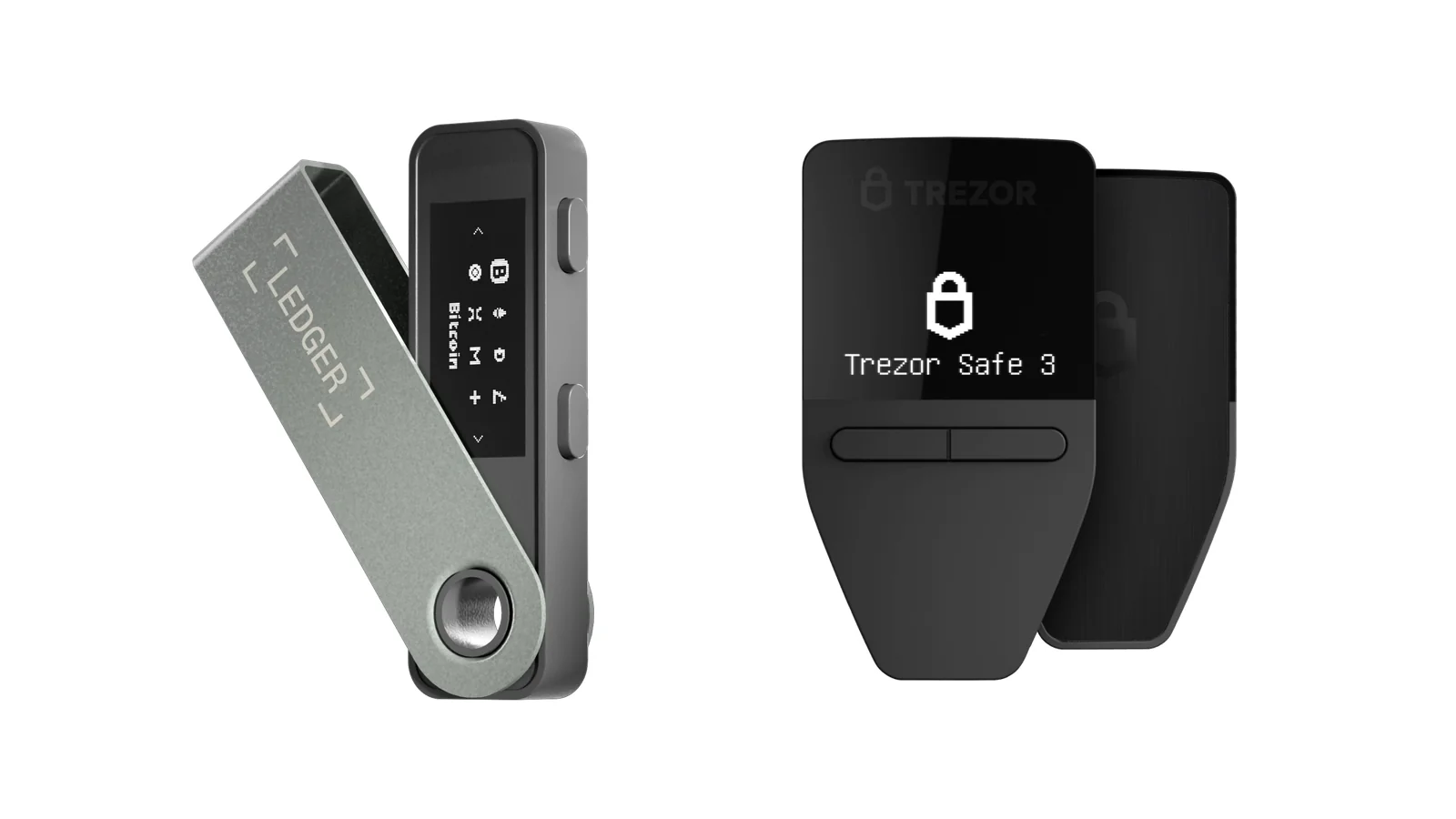
Table of contents
Ledger Nano S Plus vs Trezor Safe 3 at a Glance
Everything we argue about below sits in this table first. Neither device has a battery. Neither has a touchscreen either, and that is what you give up at this price.
Ledger Nano S Plus vs Trezor Safe 3: Comparison Chart | |
|---|---|
| <strong>What it costs</strong> | Both sit at $59 (September 2026). <br> Nothing separates them on price. |
| <strong>When it arrived</strong> | Nano S Plus shipped April 2022. <br> Safe 3 followed in October 2023. |
| <strong>The chip</strong> | Ledger uses an ST33K1M5, rated CC EAL6+. <br> Trezor uses an OPTIGA Trust M (V3), also CC EAL6+. |
| <strong>Can you read the code?</strong> | Ledger OS is only partly reviewable. <br> The Safe 3 runs open-source firmware under GPL-3.0. |
| <strong>Screen and buttons</strong> | Ledger gives you 1.1 inches, 128 x 64 px, two buttons. <br> Trezor gives you 0.96 inches, 128 x 64 px, a two-button pad. |
| <strong>How it connects</strong> | Nano S Plus: USB-C, and that is all. <br> Safe 3: USB-C, with nothing wireless. |
| <strong>Phones</strong> | Ledger works on Android 10+ but not on iOS at all. <br> Trezor works on Android, and on iOS you can only check balances, buy and receive. |
| <strong>Assets it reaches</strong> | Ledger claims 15,000+ coins and tokens, up to 100 apps at once. <br> Trezor says thousands and publishes no total. |
| <strong>Backing it up</strong> | Ledger: a 24-word recovery phrase, or the paid Ledger Recover service. <br> Trezor: 12, 20 or 24 words, or a Multi-share Backup. |
| <strong>The app you live in</strong> | Ledger Wallet, which used to be called Ledger Live. <br> Trezor Suite. |
| <strong>Size in the hand</strong> | Ledger: 62.4 x 17.4 x 8.2 mm and 21 g. <br> Trezor: 59 x 32 x 7.4 mm and 14 g. |
| <strong>Who it suits</strong> | Ledger suits desktop and Android holders juggling many chains. <br> Trezor suits people who want auditable code and split backups. |
So What Exactly Is the Ledger Nano S Plus?
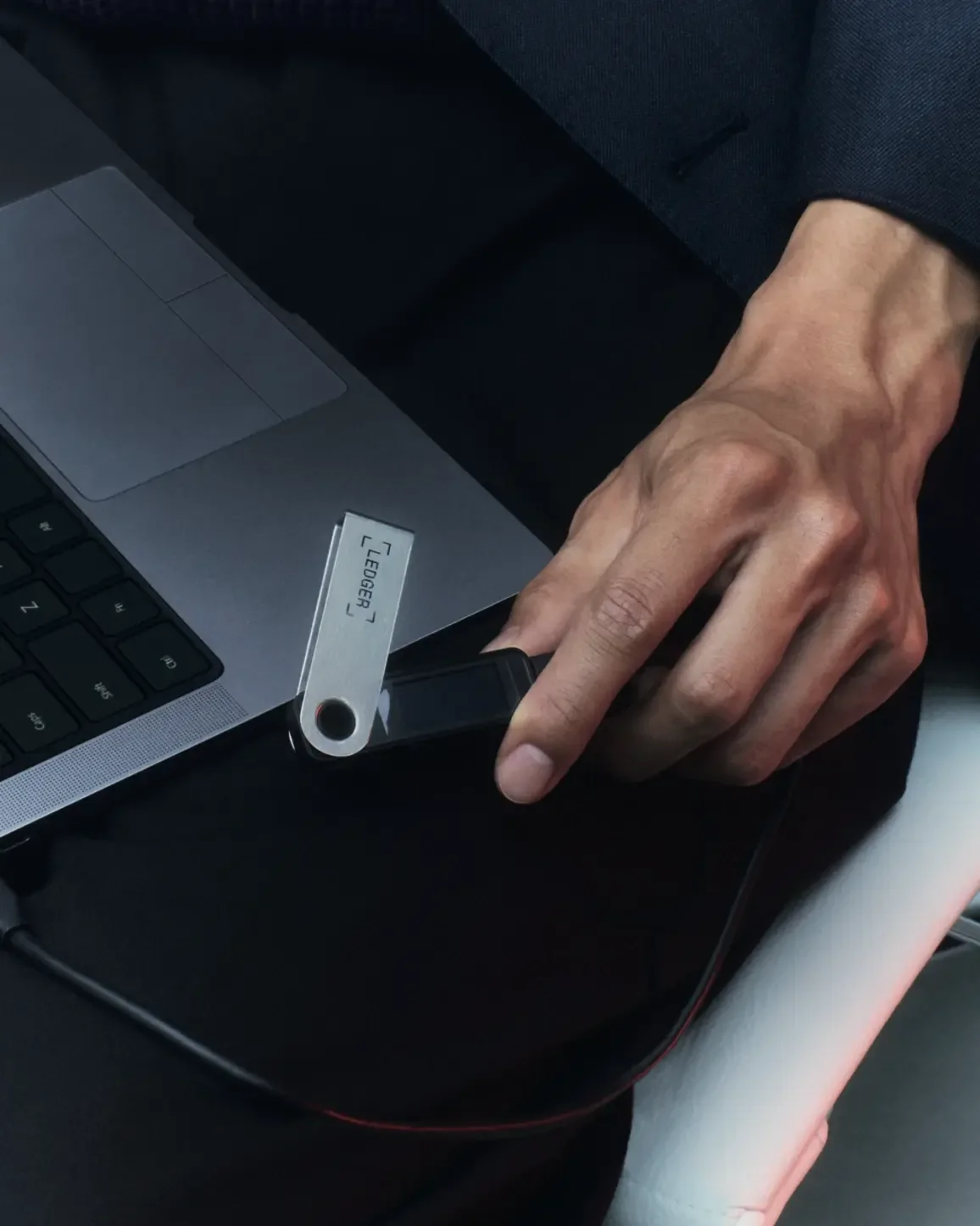
It’s the entry point to Ledger’s range, and the least expensive thing the company still sells. The Ledger Nano S Plus arrived in April 2022 as the stand-in for the aging Nano S, bringing a bigger display and a lot more storage with it. Brushed stainless steel and plastic, 21 g on the scales, USB-C at one end.
Your keys live inside the secure element, a tamper-resistant chip that won’t hand anything over until the PIN checks out. That chip is the entire reason a hardware wallet beats an app on your laptop: malware can ask it for a signature, but it can’t copy what’s sealed inside.
Approving a transaction means reading the details off the 1.1-inch screen and pressing two physical buttons. It is slower than tapping glass, and we would say that is no bad thing.
Want Bluetooth or a touchscreen instead? You will have to climb the range to the Ledger Nano X or the Flex.
Ledger Nano S Plus: the Short Spec List
- Inside sits an ST33K1M5 secure element rated CC EAL6+, driven by an operating system Ledger wrote itself.
- The display is monochrome OLED, 1.1 inches across at 128 x 64 px. You can read an address off it in chunks without squinting too hard.
- You can keep up to 100 coin apps loaded at the same time, and Ledger Wallet puts 15,000+ coins and tokens within reach.
- There’s USB-C and nothing else. No Bluetooth, no battery, so it stays dead until something powers it.
- Ledger packs three paper sheets for writing down the 24-word recovery phrase, the word list that rebuilds your wallet if the device is lost or broken.
And the Trezor Safe 3?
Trezor put the Trezor Safe 3 on sale on October 12, 2023 at $79, and it was the first device the company had ever shipped with a secure element in it. Today it’s $59 at the time of writing (September 2026). The case is PMMA plastic, tamper-evident, with an anodized aluminum backplate, and the whole thing weighs 14 g.
Navigation is a two-button pad sitting under a 0.96-inch screen. Four colors are on offer, plus a Bitcoin-only edition at the same money, running firmware that handles Bitcoin and nothing else.
Then there’s the code. That is the part Trezor buyers usually care about, and Trezor Core, the firmware running on the Safe 3, sits in a GPL-3.0 repository on GitHub. Any researcher who wants to read the code that touches your keys can go and read it.

What You Get With the Trezor Safe 3
- An OPTIGA Trust M (V3) secure element rated CC EAL6+. It guards the PIN and vouches for the device being genuine.
- A monochrome OLED panel of 0.96 inches at 128 x 64 px, with a two-button pad beneath it.
- Your backup can be 12, 20 or 24 words, or a Multi-share Backup that scatters the secret over as many as 16 shares.
- Firmware published under GPL-3.0, so nobody has to take Trezor’s word for what your device does.
- It moonlights as a FIDO2 security key, the standard behind two-factor and passwordless logins.
Security: Where the Nano S Plus and Safe 3 Part Ways
Both carry a secure element certified to CC EAL6+, so the old jab that Trezor shipped no secure chip simply doesn’t land on the Safe 3 any more. What the chips do differs, though. Ledger keeps the keys inside the secure element, while Trezor parks a PIN-gated secret in the OPTIGA chip and uses it to encrypt keys stored on the main processor.
Transparency is the genuine dividing line. Ledger will tell you most of its stack is open source or reviewable, then concede that the operating system is only partly so.
Ledger’s deal with the chip maker STMicroelectronics bars it from publishing the low-level code. Trezor publishes the lot, and for a certain kind of holder that ends the conversation.
Ledger’s answer to that is the Donjon, an internal team paid to break Ledger’s own products, publish security bulletins and run the bug bounty. Each device can also prove it hasn’t been swapped for a fake. Trezor Suite throws a challenge at the secure element and checks the factory certificate that came back with it; Ledger Wallet does the same job through its Genuine Check.
Now the uncomfortable part, and you should know it before you type your home address into either shop. Ledger’s e-commerce and marketing database was breached on July 14, 2020, spilling more than a million email addresses along with roughly 9,500 customer records carrying names, addresses and phone numbers.
Worse followed in December 2023, when a phishing attack on a former Ledger employee let an attacker publish a poisoned version of Ledger Connect Kit, the library that wires Ledger devices into web apps. By Ledger’s own account, the window in which assets were actively drained came to less than two hours.
Trezor has its own entry in this ledger. Someone reached its support portal in January 2024 and could see contact details for as many as 66,000 people who had written to support since December 2021. Forty-one of them got an email asking outright for their recovery seed.
Suppliers have leaked too, on both sides. Ledger’s order processor Global-e sent out breach notifications on January 5, 2026, and Trezor’s fulfillment partner ShipMonk disclosed a breach in August 2026. Each time, the vendors say wallets, keys and backups were never in play, and the real fallout was phishing aimed at customers by name.
One rule applies no matter which box you open. No legitimate company will ever ask for your recovery phrase, and coins sent to the wrong address or over the wrong network are gone permanently, with nobody on any support desk able to claw them back.
Living With the Ledger Nano S Plus vs Trezor Safe 3
In daily use they’re near enough identical. You plug the cable in, enter the PIN on the device, then press buttons to approve whatever the app asks for. Both stay dark until you plug them in, because neither holds a charge.
Ledger’s software answers to Ledger Wallet these days, having been renamed from Ledger Live. It covers Windows, macOS, Linux, iOS and Android, and buying, swapping, staking and DeFi all happen inside it.
There is one catch, and for some readers it is a deal-breaker. Ledger says outright that the Nano S Plus doesn’t work with iOS devices. So the iPhone build of that otherwise capable app is no use to you here.
Over on the Trezor side, Suite handles buying, selling, swapping, staking and sending, and throws in two features Ledger Wallet doesn’t have. Coin control lets you pick the exact chunks of Bitcoin you spend, so your balances get harder for anyone to trace. Tor is built in as well, and it hides the addresses your wallet asks the network about.
Trezor’s iPhone support is thin as well. Its own Safe 3 page states there’s no swap, send, setup or device management on iOS, and only the Safe 7 gets the full mobile treatment.
Which means iPhone owners are poorly served by both. The Safe 3 does at least let you check balances, buy and receive on iOS, and that’s more than the Nano S Plus manages.
Which One Reaches More of Your Coins?
This is messier than it should be, because one company publishes a number and the other doesn’t. Ledger puts the Nano S Plus at 15,000+ coins and tokens with room for up to 100 apps installed together. That headline has drifted over the years: back in April 2022 the launch post said over 5,500 digital assets, with the same 100 app slots.
Trezor’s wording for the Safe 3 is simply thousands of coins and tokens, while the October 2023 launch release claimed over 7,000. Its current coins page walks through assets network by network and never totals them, so a straight comparison isn’t available, and any site handing you one has made it up.
Look your own coins up on each vendor’s list before you pay. Third-party software widens both nets anyway. An asset missing from the official app is often still reachable for you through some other wallet that supports the device.
Bitcoin-only holders have a neater option. That Safe 3 edition throws everything else overboard, and our guide to the best Bitcoin hardware wallet digs into why people bother.
What $59 Actually Buys You
Both land on $59 at the time of writing (September 2026). Since the Safe 3 started life at $79, Trezor has drawn level with Ledger at the bottom of the market rather than going under it.
Open the boxes and the differences are small. Trezor includes a USB-C to USB-C cable and two 20-word backup cards; Ledger includes a USB-C to USB-A cable, three recovery sheets and a keychain strap. Metal backups appear in neither, so set money aside if you want one.
Move up a tier and the calculation shifts. A Ledger Nano X costs $99 and brings Bluetooth plus iOS, the Trezor Safe 5 costs $129 for a color touchscreen, while the Safe 7 and the Ledger Flex both ask $249. Ledger’s Stax tops the lot at $399, and our best crypto hardware wallets ranking lines the tiers up side by side.
Only Ledger sells a paid add-on here. Ledger Recover stores a backup of your recovery phrase once you’ve proved who you are with an identity document and a selfie, and it does nothing unless you subscribe.
Before you file that under features, note two limits. On the Nano S Plus it runs from desktop only. To sign up you need a passport or national ID from the EU, UK, Canada or the US, or a driver’s license from Canada or the US.
What We Liked and What Annoyed Us
Ledger Nano S Plus: the Good and the Bad
Trezor Safe 3: Where It Wins and Where It Doesn’t
So Which One Should You Buy?
Holding a sprawl of coins across many chains, and wanting a single app to reach them all? Take the Ledger Nano S Plus. That 15,000+ claim and those 100 app slots are the concrete advantage here.
Refuse to run code you can’t inspect, and the answer flips to the Trezor Safe 3. Only its firmware is published in full, and Multi-share Backup hands you a tested way to spread a backup across rooms, houses or countries without cooking up a scheme of your own.
Sign from an iPhone and our advice is to skip both. The Nano S Plus won’t talk to iOS at all, and the Safe 3 can’t send or swap there. A Nano X at $99 or a Safe 7 at $249 is the honest answer, even though you pay more for it.
FAQ: Ledger Nano S Plus vs Trezor Safe 3
Is the Trezor Safe 3 safer than the Ledger Nano S Plus?
Not really. Both carry a CC EAL6+ secure element, and both make you confirm every transaction on the device itself. What the Safe 3 adds is visibility, since its firmware is published and Ledger concedes its own operating system is only partly reviewable.
Can I use the Ledger Nano S Plus with an iPhone?
No. Ledger’s product page states that the Nano S Plus doesn’t work with iOS devices, and there’s no workaround. Plan on a desktop or an Android phone, or spend $99 on a Ledger Nano X instead.
Which of the two handles more coins?
Ledger, on the published numbers, although the comparison isn’t clean. Ledger claims 15,000+ coins and tokens on the Nano S Plus, with space for up to 100 apps. Trezor only says thousands for the Safe 3, and its 2023 launch release said over 7,000, so look your own assets up on each vendor’s list rather than trusting a headline.
What is Multi-share Backup, and can the Ledger Nano S Plus do it?
It cuts your wallet backup into as many as 16 shares, and putting a set number of them back together is what restores the wallet. Safe 3 owners get it on firmware 2.7.2 or newer. Ledger offers nothing like it on the Nano S Plus, unless you count the paid Ledger Recover subscription, which we don’t.
Has anyone ever hacked a Ledger or a Trezor?
The devices, no. The companies, yes, in the sense that customer data has escaped from their systems and their suppliers more than once: Ledger in 2020 and through Global-e in January 2026, Trezor’s support portal in January 2024 and its shipper ShipMonk in August 2026. Both firms say wallets, keys and backups were never touched. The real cost of those leaks was a wave of phishing aimed at people by name.
Is the Bitcoin-only Trezor Safe 3 worth picking?
Same $59, firmware written for Bitcoin and nothing else. We’d only take it if you’re certain you’ll never hold anything but Bitcoin, because the standard edition does everything it does and more.
Should I buy a metal backup as well?
Probably. Trezor hands you two 20-word cards, Ledger hands you three recovery sheets, and paper burns, fades and gets thrown out by accident. Steel plates are a separate purchase, and we’d rather you spent that money than lost a wallet to a leaking roof.
Verdict: Would We Pick the Nano S Plus or the Safe 3?
With $59 on both tags, nobody is making a budget decision here. You’re choosing which compromise you can stomach. Ledger hands you the widest asset coverage and one well-built app, and asks in return that you accept code you can’t fully inspect and an iPhone that won’t talk to this model.
For most people reading this, we’d take the Trezor Safe 3. Published firmware, a certified secure element and Multi-share Backup add up to a lot at the entry price. If you are sitting on a long, awkward list of tokens, take the Nano S Plus instead and don’t look back.
Curious about the broader Ledger-versus-Trezor argument? Our Ledger vs Trezor comparison takes it further, and the Ledger Nano S vs Nano X piece explains how the Nano line got here.
This article is for general information only and is not financial, legal, or investment advice. Prices and features change; check the vendor’s official page before buying.