Arculus sells a cold wallet in the shape of a credit card. It’s a metal card with a secure chip inside, and it signs your crypto transactions when you tap it on the back of your phone.
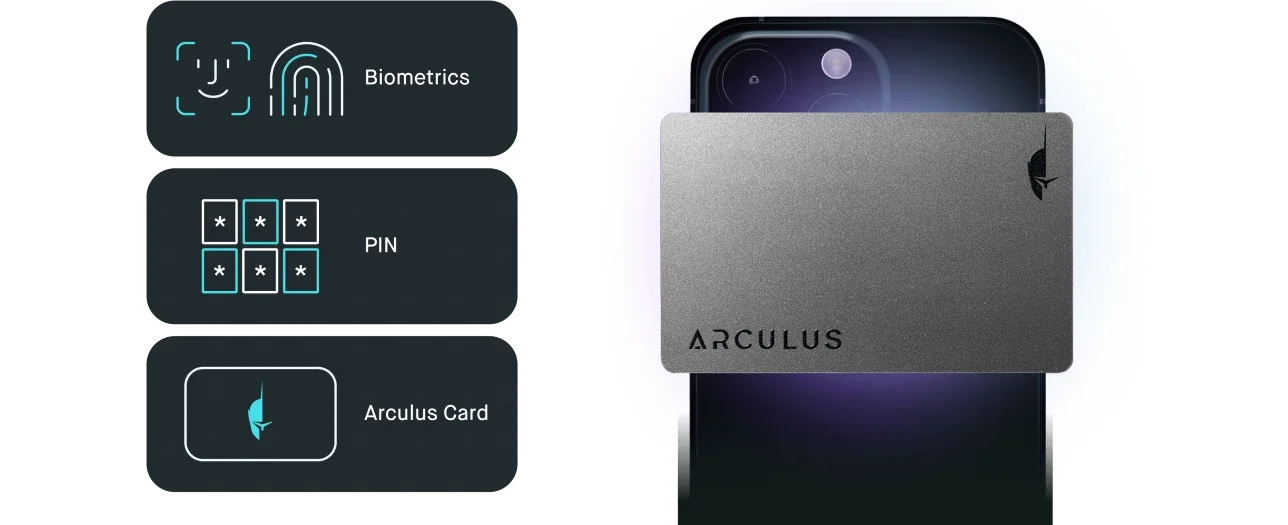
There’s nothing to charge, and you won’t find a cable or a screen on it either. To move funds you need three things: the card, a 6-digit PIN and your face or fingerprint.
It’s worth a look if you run your crypto from a phone and find USB gadgets with tiny buttons a chore. I’d point you elsewhere if you want open-source firmware or a screen that shows exactly what you’re signing, or if you’ll mostly use your wallet at a desk.
Below I cover how the card works and how safe it is. You’ll also see what it holds, what it costs in September 2026 and how you set it up, and at the end I weigh it against three alternatives (one of them is another card wallet).
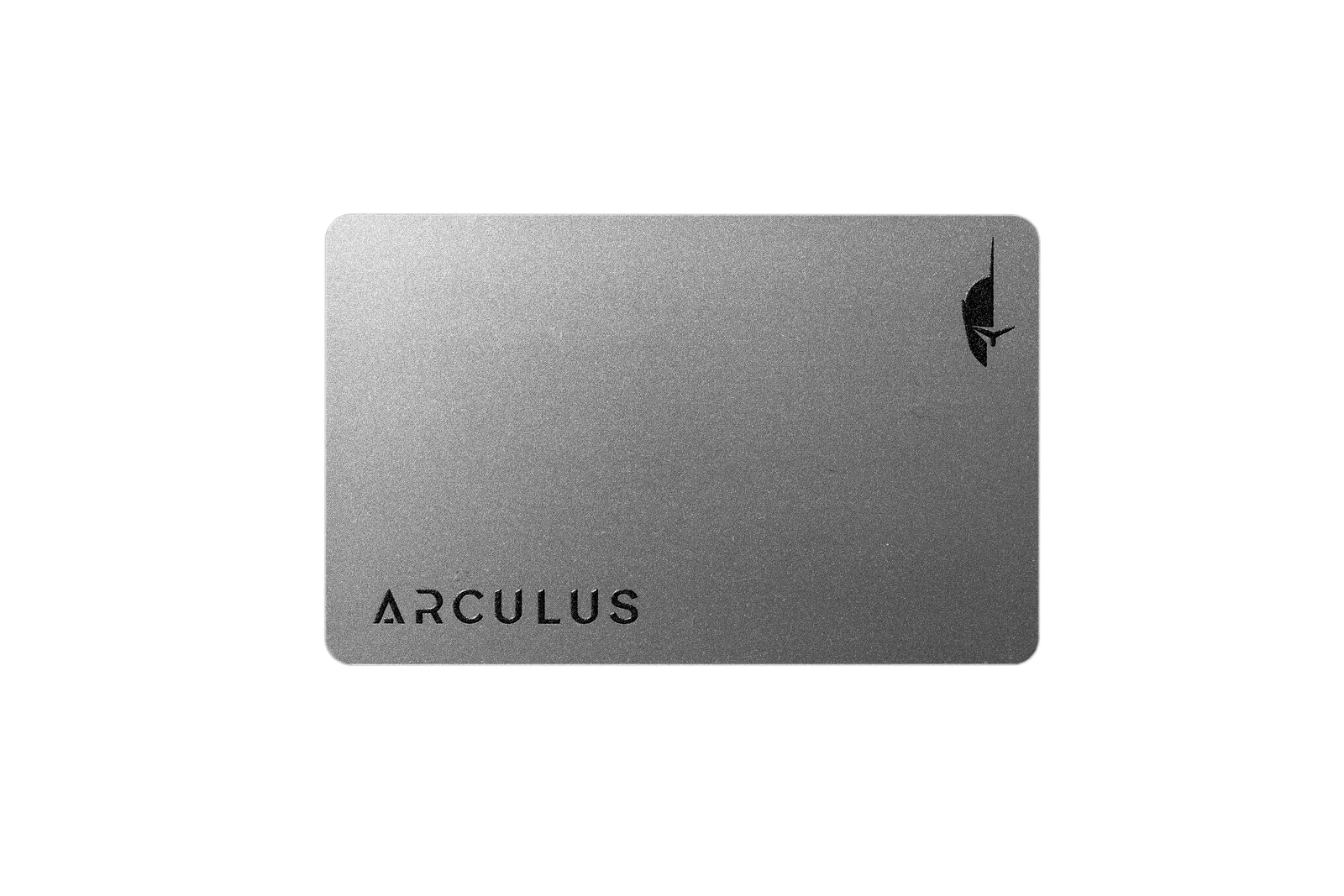
Table of contents
So What Exactly Is the Arculus Wallet?
CompoSecure makes it, and the company launched Arculus on September 9, 2021. It was founded in 2000 and produces premium metal payment cards for partners like American Express and J.P. Morgan Chase.
You get two pieces: the Arculus Card, where your private keys live, and the Arculus Wallet app. The app is a free download for iPhone and Android, and the two are shown side by side on the Arculus product page.
The card costs $99.00 at the time of writing (September 2026), and the XRP edition costs the same.
A “cold” wallet keeps your private keys, the secret codes that control your coins, off anything connected to the internet. On Arculus they’re created and stored on the card’s secure element, a tamper-resistant chip much like the ones in bank cards and passports.
If the idea is new to you, the explainer on custodial vs non-custodial wallets is a good place to start.
Arculus Cold Storage Wallet at a glance | |
|---|---|
| Price | $99.00 with shipping included (September 2026) |
| Form factor | A metal NFC card, no screen, no battery |
| Connectivity | NFC, by tapping it on an iPhone or Android phone |
| Secure element / key storage | Keys are made and kept on the card, on a chip with a CC EAL6+ classification |
| Open source | No public source code that I could find |
| Supported assets | Over 10,000 coins and tokens on what Arculus calls 50+ blockchains |
| Backup options | A 12- or 24-word recovery phrase, and a second card if you want one |
| Companion app | Arculus Wallet for iOS 17.5+ and Android 11+ |
| Best for | Phone-first users who want simple cold storage |
The Arculus Wallet Features That Matter
- To move funds you need the card and your 6-digit PIN. Your face or fingerprint adds a third check unless you switch it off in settings, and I’d leave it on because it costs you nothing.
- The card signs over NFC, and NFC only reaches a few centimeters. There’s no Bluetooth radio in it and never anything for you to recharge.
- It fits in a normal wallet like any bank card, so it’s easy to carry and just as easy to lose. Your written recovery phrase is what really protects you if it goes missing.
- You can buy, sell, swap and stake inside the app. Partners such as Onramper and Changelly charge the buy and swap fees.
- WalletConnect works on 11 networks including Ethereum, Solana, Base and Arbitrum, so DeFi apps are within your reach.
- Since app version 3.6.0 one phone can run several Arculus cards, each with its own wallet.
Is the Arculus Wallet Easy Enough for a Beginner?
Mostly, yes. Arculus says setup takes about 6 minutes, and the flow is short: you install the app, hold the card against your phone, pick a PIN and write down the recovery phrase.
You never plug anything in, and there’s no device menu for you to learn.
Day to day it stays just as light, because Face ID or a fingerprint opens the app and your PIN starts a send. Then a tap of the card approves it.
Receiving doesn’t need the card at all. Everything happens on the phone you already carry around, so there’s no second gadget to keep track of.
NFC is where the annoyances start. The card has to sit on the right spot on the back of your phone, so Arculus publishes placement guides for each phone model, and it also added an “Enable quick setup” switch that’s on by default to cut down on NFC timeouts during setup.
Your phone matters too, since you’ll need Android 11 or newer with NFC, or an iPhone XR or later on iOS 17.5 or newer. There’s no desktop app, so on a computer you go through MetaMask or WalletConnect.
One thing I don’t love is how much the app leans on Arculus’s servers, and a help article covers an “Arculus Cloud Unreachable” error that you may run into. The buy, sell and swap partners may also ask you to turn on location services.
How Secure Is the Arculus Wallet, Really?
The foundations are solid. Your keys are generated on the card’s secure element, and Arculus says that chip carries a CC EAL6+ hardware classification.
Between card and phone, the link is encrypted with keypairs that keep changing, and it never carries any address or amount data at all.
If you enter the wrong PIN three times in a row during a send, the card locks. Your coins aren’t touched by that, so you restore from the recovery phrase and carry on as before.
My main worry is a big one: the card has no screen. On a Ledger or Trezor you read the address and amount on the device itself before you approve, but with Arculus you read them on your phone instead.
That means a compromised phone could show you one thing while you sign another, and all the tap proves is that you said yes.
Openness is the next issue, because I couldn’t find public source code for the card firmware or the app. Arculus’s developer portal also sits behind a login, so you’re trusting CompoSecure’s internal process instead of outside eyes.
Backup works the usual way, with a 12- or 24-word recovery phrase that you see only once during setup. Arculus doesn’t keep a copy and can’t rescue you if you lose it.
A second card can serve as your spare, and the bundle page suggests exactly that.
Planning to leave Arculus one day? Know this first. For Bitcoin it uses the derivation path m/0′, and wallets such as Ledger may not support that path by default.
Your phrase will still work in other wallets, but you might have to enter that path by hand before your BTC shows up.
I found no incident disclosure for the Arculus card or app in the Arculus help centre, although it does show a phishing warning on every page. There’s also an article on “QFS” scams that falsely claim wallets like Arculus have been compromised.
Keep one rule in mind whatever you read online: Arculus will never ask you for your recovery phrase.
What Coins Can You Keep on the Arculus Wallet?
Arculus says it covers over 95% of crypto assets by market capitalization. In practice that means Bitcoin plus over 10,000 other coins and tokens on what it calls 50+ blockchains. You can check the full chain list on its coin support page.
You won’t miss the big names. Bitcoin, Ethereum, Solana, Cardano, XRP, Polkadot, Tron, TON, Litecoin, Dogecoin, Stellar and Hedera are all there. So are the Layer 2 networks Base, Arbitrum, Optimism and zkSync Era.
Most of that 10,000+ figure comes from custom tokens that you add yourself on Ethereum, Polygon and BNB Smart Chain.
NFTs work on Ethereum, Solana, Polygon and BNB Smart Chain. If you collect them and want a screen, check the rundown of the best NFT hardware wallets.
Staking lives in the app too, and Arculus names Cardano, Solana and Cosmos. Later releases added CORE, DYDX, INJ, OSMO, SEI, TIA, CRO and KAVA, plus liquid staking such as stETH and rETH.
Multisig isn’t on offer, so Arculus points you to Safe through WalletConnect instead.
On a computer it pairs with the MetaMask browser extension by QR code, as long as you have a webcam. If that setup doesn’t suit you, the guide to hardware wallets for MetaMask lists other options.
What Does the Arculus Wallet Cost?
The Arculus Card costs $99.00 in Black or Silver at the time of writing (September 2026). The XRP edition sells for the same $99.00.
According to Arculus’s help centre, that price includes shipping and handling, but you pay sales tax on top.
Running costs are low. There’s no subscription, the app is free and Arculus charges you nothing to send or receive. You still pay the usual network fees, plus partner fees when you buy or swap.
You can buy it on getarculus.com, Amazon, Walmart.com, Newegg.com and TikTok Shop. I’d order from the official Arculus store, because a second-hand card could have been tampered with.
The store also gives you a 15-day return window if anything seems off. It ships to most countries, though not to places such as Russia, China and Ukraine.
Arculus Wallet Pros and Cons
So where do I land? If you run everything from your phone, Arculus is about as painless as cold storage gets. The card is a clever design, and $99 with shipping included is a fair price.
The missing screen is still a real security gap, though, and the closed code also asks you to trust one company. For a big balance I’d want a device that shows the transaction on its own display.
How Do You Set Up the Arculus Wallet?
These steps come from Arculus’s help centre, so grab a pen and some paper for the recovery phrase before you start.
- Install the Arculus Wallet app from the App Store or Google Play, then open it, tap “Get Started” and accept the terms.
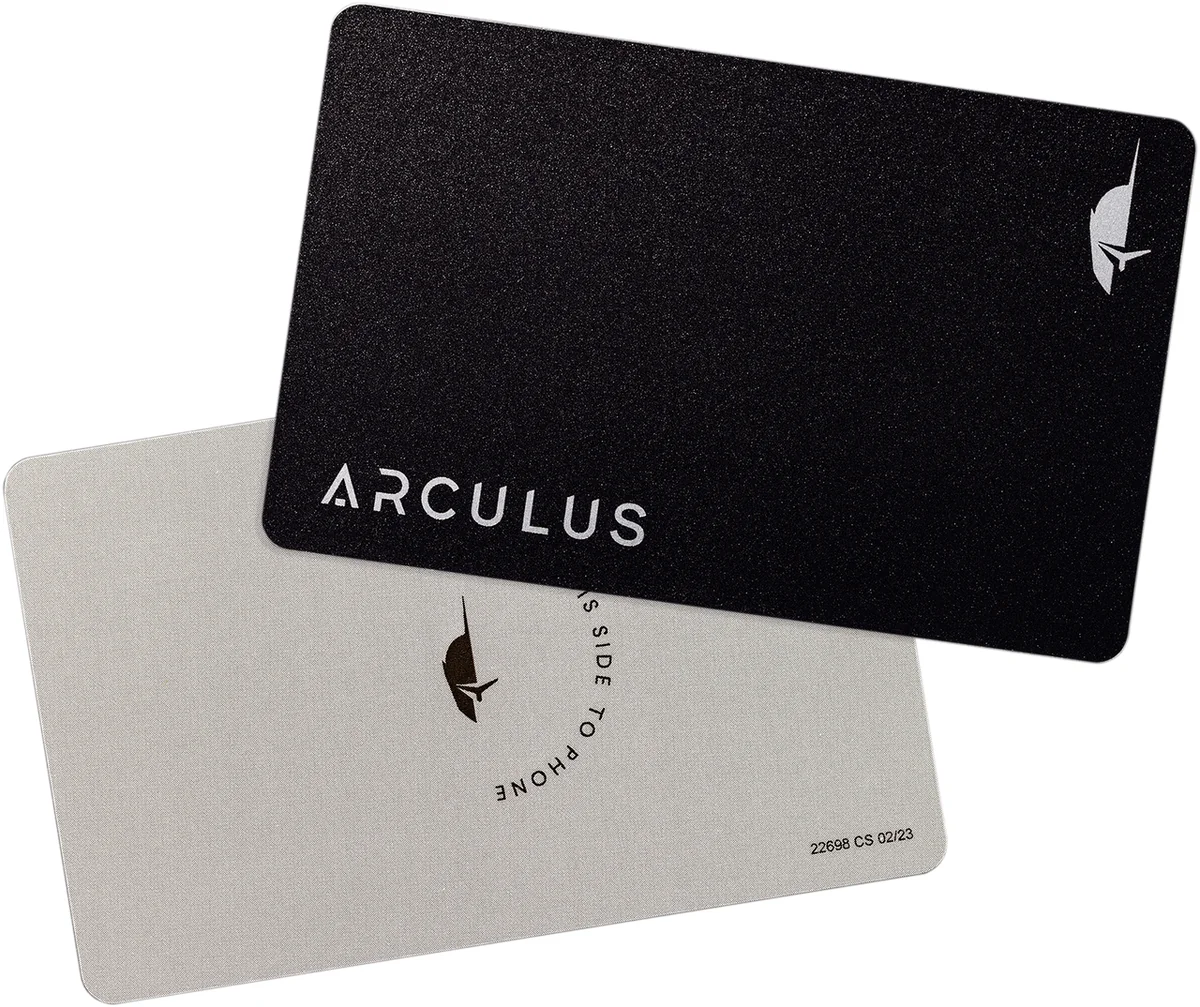
- Put the card flat with its back facing up and rest your phone on it. The back reads “this side to phone”, and the app shows where your phone model should sit.
- Select “Create New Wallet”, choose a 12- or 24-word phrase and decide if you want biometric authentication on.
- Set a 6-digit PIN, enter it again to confirm and tap the card to the phone once more when the app asks you to.
- Write the recovery phrase on paper, since you’ll only see it this once. Don’t photograph it or type it into any website. Don’t share it with anybody either, because Arculus will never ask for it.
- Rebuild the phrase by tapping the words in order into the “My Secret Phrase” box, then tap “Confirm”. Name your wallet and tap “Go to the Home Screen”.
- Send a small test amount before any real money, and check the coin and the network twice. Crypto sent to a wrong address or over the wrong network can be lost for good, and nobody can undo that for you.
Test your phrase before you trust the card with real money. Arculus suggests a simple way to do it: delete the app, reinstall it and restore from the words you wrote down. If receiving addresses are new to you, start with what a wallet address is.
Good Alternatives to the Arculus Wallet
Tangem Wallet, the Other Card Option
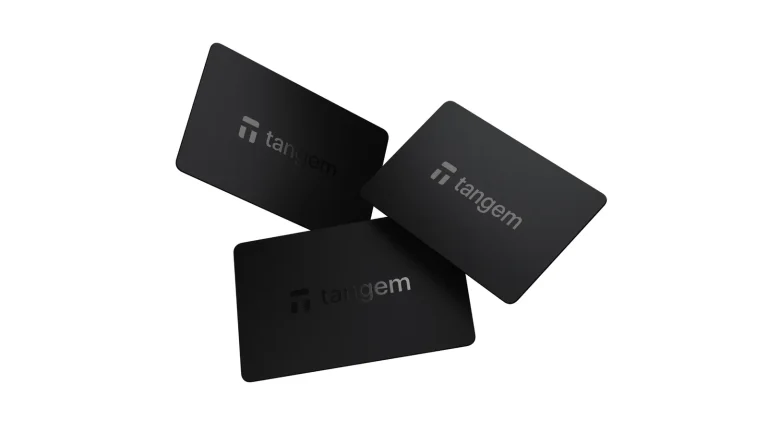
Tangem is the closest match because it’s also an NFC card wallet, and its secure element is certified to EAL6+. At the time of writing (September 2026) a 2-card set costs $59.90 and a 3-card set costs $69.90.
With Tangem the seed phrase is optional, while Arculus doesn’t give you that choice.
Ledger Nano X, If You Want a Screen
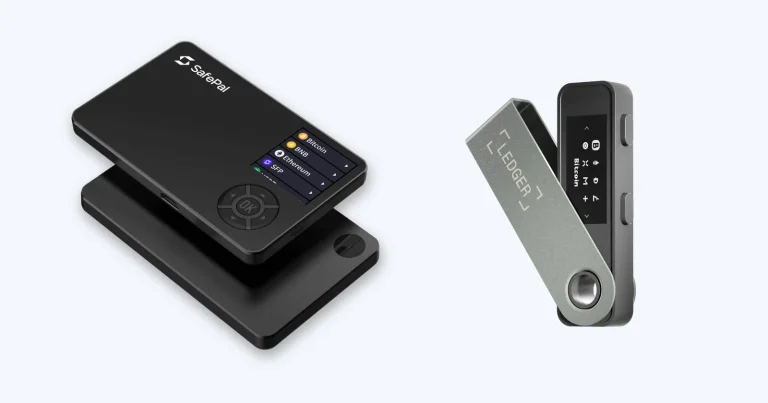
The Ledger Nano X costs $99 at the time of writing (September 2026). For that you get a small 128 x 64 pixel screen, Bluetooth, USB-C and a battery. Inside is a CC EAL5+ chip, and the Ledger Wallet app handles 500+ crypto.
What it has over Arculus is on-device confirmation of every transaction you sign. You can read more in the Ledger Nano X review.
Trezor Safe 5, If Open Source Matters
Trezor’s Safe 5 costs $129 at the time of writing (September 2026). You get a 1.54-inch color touchscreen, an EAL6+ secure element and an open-source design.
Your backup can be 12, 20 or 24 words, or you can split it into shares. If openness is what you care about most, I’d pick this one, and the Trezor Safe 5 review explains why.
Arculus Wallet FAQ
Can I trust the Arculus wallet with my crypto?
Mostly. Your keys sit on a CC EAL6+ secure element, and to send you need the card and a PIN plus your biometrics if you’ve turned them on. The weak spot is the missing screen, so you end up checking transactions on your phone.
What’s the price of an Arculus card?
It’s $99.00 at the time of writing (September 2026) with shipping included. The XRP edition costs the same, and sales tax is extra.
Which coins can I hold on Arculus?
Arculus says you can hold more than 10,000 coins and tokens. That covers Bitcoin, Ethereum, Solana, XRP and Cardano, plus lots of tokens on Ethereum, Polygon and BNB Smart Chain.
Can I use Arculus with MetaMask?
Yes. It pairs with the MetaMask browser extension through a QR code, so you’ll need a webcam, and it also works with WalletConnect on 11 networks.
I lost my Arculus card. Is my crypto gone?
No, as long as you still have your recovery phrase. Whoever finds the card would also need your PIN. Buy a new card and restore onto it, or restore into another wallet that uses the same derivation paths.
Can I use Arculus on a computer?
Only indirectly. There’s no desktop app, so you go through MetaMask or WalletConnect and still need the Arculus app on your phone for every approval.
Is the Arculus code open source?
No. I couldn’t find public source code for the card firmware or for the app.
My Final Verdict on the Arculus Wallet
If you handle your crypto on a phone and want real cold storage without fuss, Arculus is a sensible buy. You have no battery to keep charged, and three-factor authentication guards your funds.
At $99 in September 2026 it costs the same as the Ledger Nano X and less than the $129 Trezor Safe 5. That’s a fair price.
Big balances are a different story, and I’d also look elsewhere if you want to see every transaction on a dedicated screen or you care about open-source code.
My short take is that Arculus is the most convenient cold wallet for phone users, but not the most verifiable. For more options, see the ranking of the best crypto hardware wallets.
This article is for general information only and is not financial, legal, or investment advice. Prices and features change; check the vendor’s official page before buying.