Ledger sells a subscription that keeps an encrypted copy of your wallet’s Secret Recovery Phrase spread across three companies. If those 24 words ever go missing, you show a government ID and your keys land back on a Ledger device.
Plenty of people hated the idea when it surfaced in May 2023. Plenty still do. What follows is the mechanism, the price, the small print, and our honest read on who should bother.
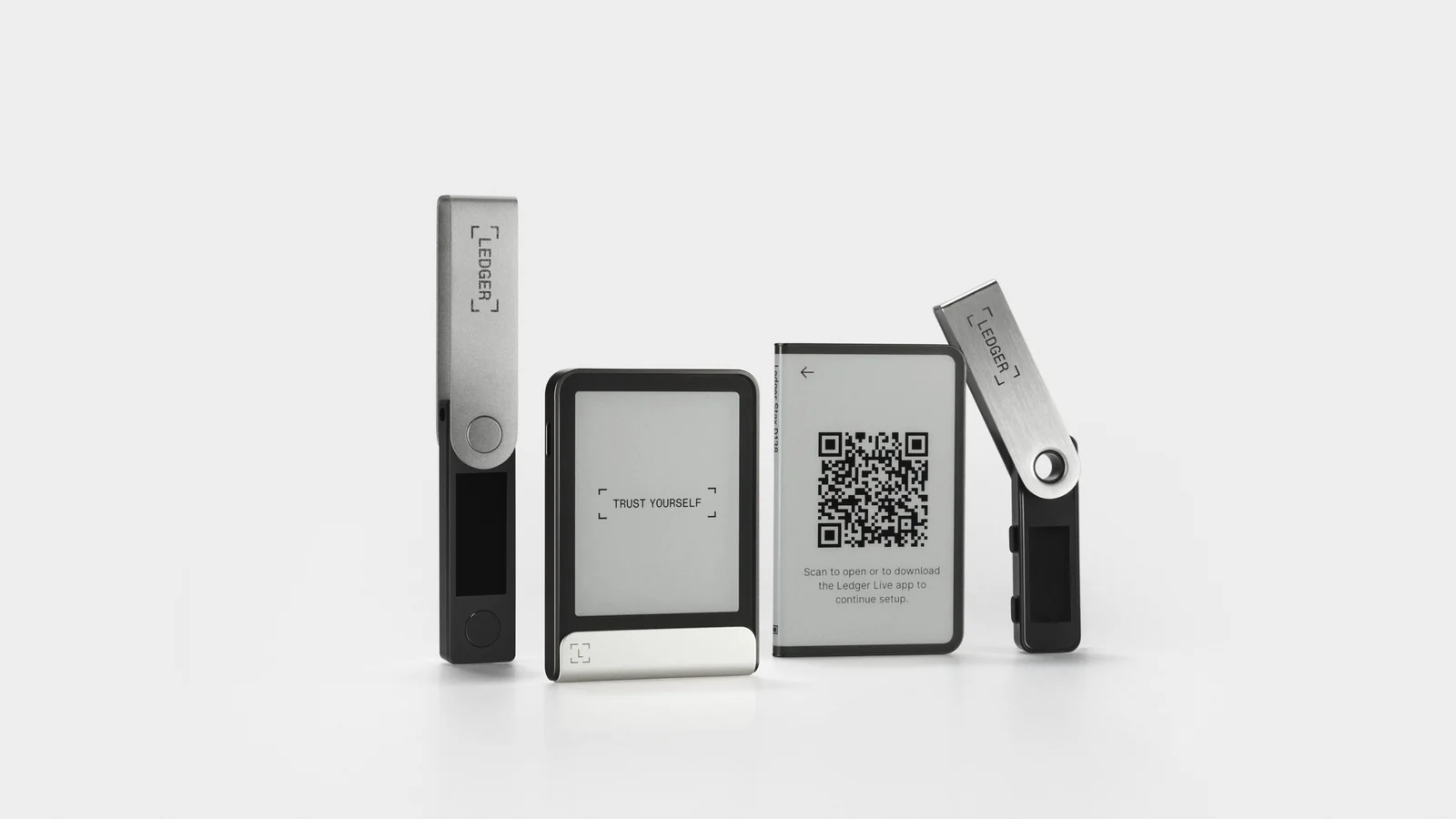
Table of contents
Ledger Recover, in Plain Terms
Ledger’s own Ledger Recover FAQs describe it as an ID-based key recovery service that backs up your Secret Recovery Phrase. Those 24 words (12 also work) are what your private keys get rebuilt from. Misplace them with nothing else written down and the wallet is finished.
Nobody gets it by default. You pay $9.99 a month at the time of writing (September 2026), and you can walk away whenever you like.
The full brand name is “Ledger Recover, provided by Coincover”, and your contract sits with Ledger Trust Services, a French company.
Here’s the bit that trips people up. What comes back is your private keys, loaded onto a Ledger device.
Those 24 words never reappear. So the subscription only rescues you inside Ledger’s own hardware, while a written phrase rescues you anywhere.
A couple of limits are worth knowing up front. You need to be 18 or older, and each subscription covers exactly one Secret Recovery Phrase. Businesses get steered away from it entirely, toward Ledger Enterprise.
A passphrase is an extra word bolted onto your Secret Recovery Phrase that opens a different set of accounts. Ledger Recover leaves it out of the backup. Use one, and that layer is still yours to guard.
What Ledger Recover Does to Your Seed Phrase
Everything happens inside the Secure Element, the certified chip in every Ledger device where your keys live. According to Ledger, the seed phrase itself never crosses that boundary.
How the Backup Gets Made
Subscribe, and the Secure Element encrypts your phrase’s entropy. Entropy is the raw string of ones and zeros the words are generated from. Ledger calls it a pre-BIP39 version of your private key, which is a roundabout way of saying the randomness that existed before the standard turned it into readable English.
That encrypted blob then gets copied and cut into three pieces. Each piece leaves down its own secure channel, protected by mutual authentication and a single-use symmetric key, which is what stops anyone parking themselves in the middle of the transfer to skim a copy.
One piece each goes to Coincover, Ledger and EscrowTech, three separate firms sitting in three different countries. Every one of them keeps its piece on a Hardware Security Module, a hardened, tamper-resistant server in a data center. The company line is that a single fragment is worthless by itself, and that nobody holds enough to rebuild your phrase alone.
Rebuilding needs only two of the three. That’s deliberate engineering. Should one firm collapse tomorrow, your backup keeps working until a replacement takes its seat.
What Subscribing Looks Like
Get five things together first: the current Ledger Wallet app (it used to be called Ledger Live), a valid government ID from a supported country, a phone whose camera works, an email address you can open, and a card to pay with.
- In Ledger Wallet, click Discover, search for Ledger Recover, then click Try 1 month free.
- Type in your email address and pick the country that issued your ID.
- Ledger emails you a 6-digit code. Enter it, then set a password.
- Fill in your billing details, pick a recovery plan and finish adding the card. Nothing is charged until the free month runs out.
- Scan the QR code with your phone, choose the issuing country, photograph your ID document, then record a short video and upload it.
- When verification clears, unlock the device with its PIN and click Start backup creation.
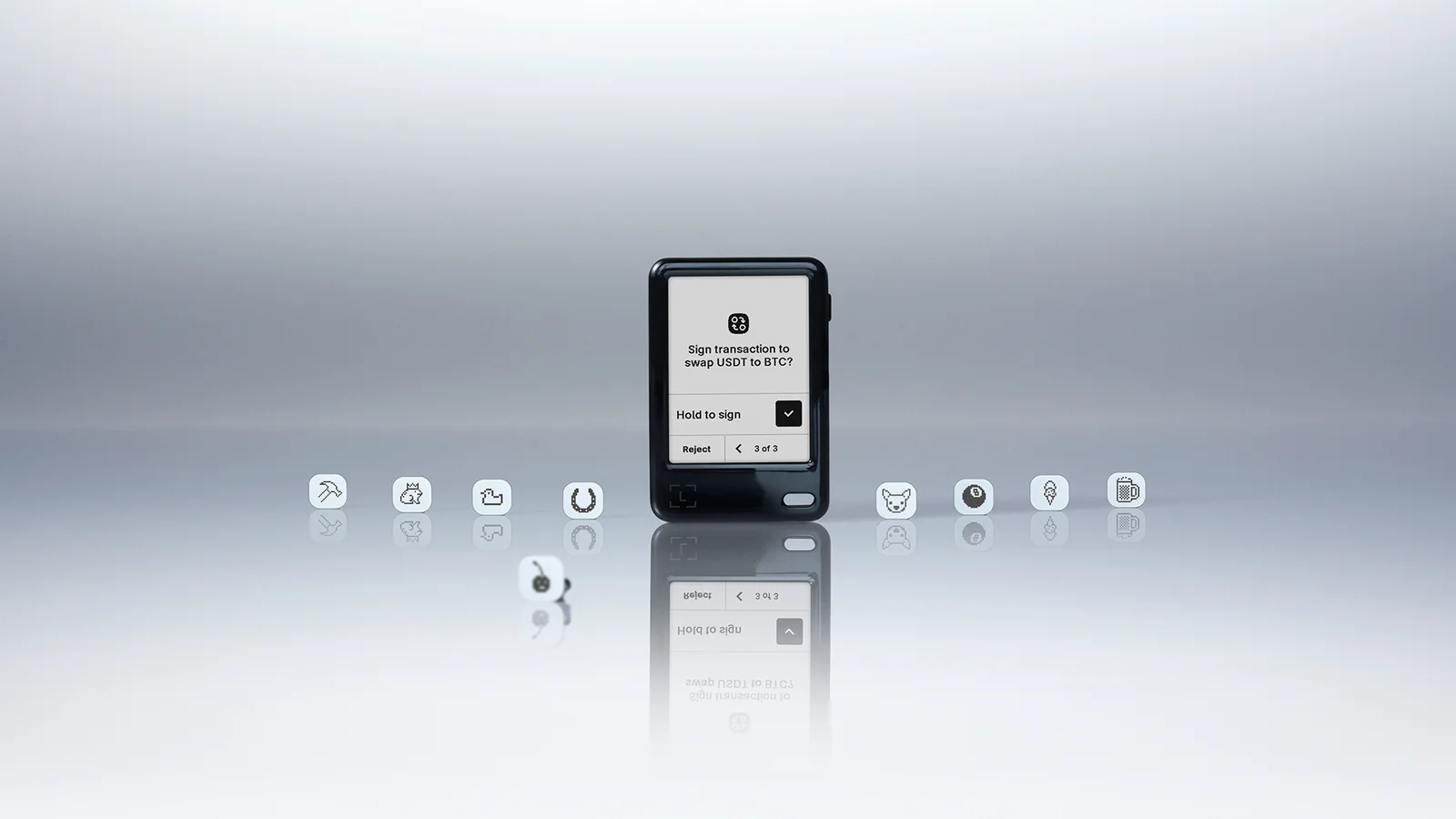
- Approve the secure connection on the Secure Screen, read the details it shows you, and leave the device connected until the backup finishes.
That on-device approval is where the weight sits. No PIN and no physical tap means nothing gets split and nothing gets sent.
Getting Your Wallet Back
Ledger would rather you restore onto a fresh device, or wipe an old one back to factory settings first. Nano X and Nano S Plus owners choose Restore, then Restore using Ledger Recover. On the Nano Gen5, Flex and Stax the path runs Restore using a Secret Recovery Phrase or backup, followed by Ledger Recover Subscription.
Your device then flashes a 4-digit One-Time Security Code. Write it down, because it appears exactly once. A live IDNow agent makes you read it out on a video call, and if you can’t, you’re back at square one.
Then comes a second check, automated this time, run by Onfido against your ID document. The warning from Ledger is blunt: verification can take anywhere from a few hours to a few days, and a mandatory 48-hour waiting period may be applied on top.
Cleared? Two of the three providers push their fragments back down the same secure channel. The Secure Element decrypts them, reassembles your seed phrase, and asks you to set a PIN.
You get 3 attempts a month and 10 a year, so this isn’t a process you can practice on.
Why People Are Still Arguing About Ledger Recover
The explainer went up on 18 May 2023, and the pushback was instant. Those Ledger Nano X OS release notes confirm that version 2.2.1 carried support for the service before it existed as a product. Code able to ship encrypted fragments of a seed phrase was already sitting on devices sold as offline vaults.
Chairman and CEO Pascal Gauthier answered on 23 May 2023 with a post on the company blog. His words: “our unintentional communication mistake took everyone by surprise.”
He went on: “We apologise for the way this was communicated. We never meant to surprise you.”
That same post promised to open source as much of the operating system as Ledger could manage, beginning with core components and Ledger Recover, and held the launch back until the work landed. Delivery came in pieces. The cryptographic protocol white paper appeared on 21 June 2023, OS version 2.2.2 opened up the device dashboard on 25 July 2023, and OS version 2.2.3 finally let Nano X owners subscribe on 19 October 2023.
Ledger’s counterargument is that your device didn’t change. The company maintains there’s no security difference between shipping this code inside the OS or leaving it out, that switching the feature on is your call, and that Ledger OS asks for consent any time it touches a secret. An update alone has never enabled the service.
We think the technical argument stands up and still misses the point. Hardware wallets were sold on a simple promise: the seed can’t leave. Adding a paid, well-guarded route out changes the thing you bought, even if you never use it.
What Changes When You Subscribe
Take Ledger entirely at its word and your risk picture still shifts.
- Your identity gets tied to a wallet backup. Coincover and Ledger keep an encrypted excerpt of the identity data their verification partners collect, and that record simply didn’t exist before you signed up.
- Coincover runs rolling sanctions checks against OFAC, EU Council and United Nations lists, and any active subscription those spot checks flag has to be canceled. Your coins stay where they are. The backup route can vanish without you touching a thing.
- The compensation figures don’t line up. Coincover may pay out $50,000 if something goes badly wrong, subject to investigation, while the Ledger Trust Services terms cap Ledger’s own liability at whichever is larger: $100, or 100% of what you paid over the previous 12 months.
- An expired card quietly breaks the whole thing. Go 7 days without paying and restoring is off the table. After 3 months the subscription is suspended, and reactivating during the following 9 months costs a 50 EUR administration fee plus whatever you owe.
- Canceling burns the email address you used. Ledger won’t let you sign back up with it, which annoys us more than it probably should.
Who Can Use Ledger Recover, and What You Pay
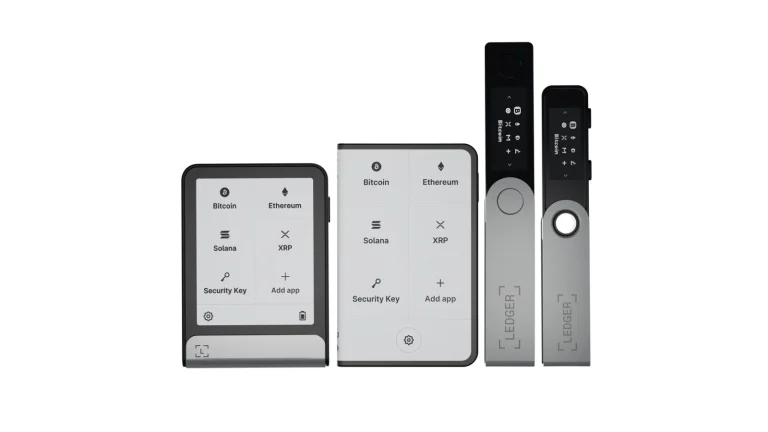
The Ledger Stax, Ledger Flex, Ledger Nano Gen5 and Ledger Nano X all work, on desktop and on mobile. The Ledger Nano S Plus is desktop only. An original Ledger Nano S can’t use it at all.
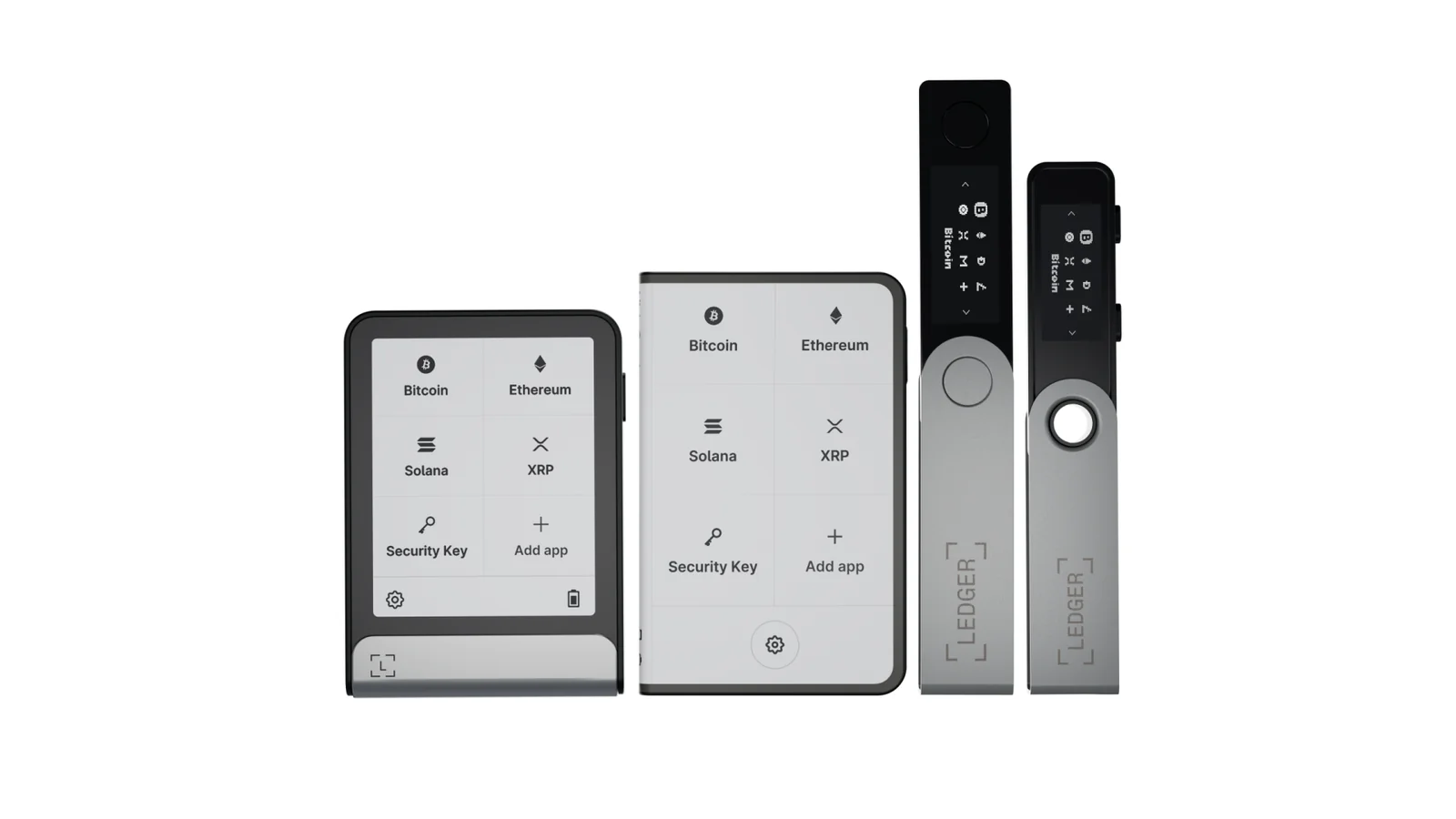
Shopping for the device first? Our Ledger Nano X review and Ledger Stax review deal with the hardware. The subscription is a decision you make later, not something bundled into checkout.
Where you live matters less than where your paperwork came from. Canada and the United States get the widest choice: a passport, a national identity card or a driver’s license. For EU countries and the United Kingdom, it’s a passport or a national identity card.
Everywhere else on the list is passport only: Argentina, Australia, Brazil, China, Colombia, Hong Kong, India, Indonesia, Israel, Japan, Malaysia, Mexico, New Zealand, Nigeria, Singapore, South Africa, Korea (Republic of), Switzerland, Taiwan, Thailand, Türkiye, Ukraine, United Arab Emirates and Vietnam.
Only Visa and MasterCard are accepted. Billing lands in the currency of the country you live in, so a US subscriber is charged in dollars, with local VAT or GST possibly added on top.
Ledger Recover Against the Other Ways to Back Up
Two recovery products now sit alongside the paper sheet that ships in the box. Each solves a different problem, and only one of them bills you every month.
| Backup | How it works | Price | Where it fails |
|---|---|---|---|
| Paper Recovery Sheet | The words, written out by hand. Ledger still calls this the foundational backup and your last line of defense. | Comes in the box | Fire, flood, or whoever stumbles across it. Anyone holding those words restores the wallet in any BIP39-compatible app. |
| Ledger Recovery Key | A 5 cm card, locked with a PIN, that keeps the phrase offline on a Secure Element of its own and speaks to the device over encrypted NFC. | Ships free with new touchscreen devices | Three bad PIN entries erase it for good. Pairs with the Nano Gen5, Stax and Flex, and nothing else. |
| Ledger Recover | Encrypted fragments parked on Hardware Security Modules at Coincover, Ledger and EscrowTech, released after an ID check. | $9.99 a month | Missed payments, a failed ID check, or a sanctions cancellation. You never get the words themselves back. |
The Ledger Recovery Key is the option most people skip straight past. No subscription, no ID check, a Secure Element certified to Common Criteria EAL6+, and application logic published on GitHub for anyone who wants to read it. Ledger is careful to say it doesn’t replace your paper sheet, and we’d agree.
Prefer to keep the whole thing physical? A metal plate is the other road. Our Cryptotag Zeus review covers one of the stamped-titanium options, and our guide to cold wallets covers the devices those backups sit behind.
If You Do Subscribe to Ledger Recover, Do This
- Write the Secret Recovery Phrase down anyway and put it somewhere safe. The service can’t give the words back, and only the words let you restore in any BIP39-compatible wallet.
- Read every line on the Secure Screen before you approve anything. That screen is the sole thing standing between your entropy and three fragment providers.
- Keep the card on file alive. Let it expire and you have 7 days before the restore route shuts.
- Holding a balance you couldn’t stand to lose? Add a passphrase. Passphrases are outside the backup, which means those accounts stay invisible to the service.
- Pick an email address you’ll still control in a decade. Your login hangs off it, and you can’t reuse it once you cancel.
- Check that your ID will still be in date when you need it. Verification hinges on the issuing country, and changing your name means extra checks plus documentary evidence.
- Think the restore through before you’re desperate. A mandatory 48-hour wait may apply, and you only get 3 attempts a month.
Mistakes We See People Make With Ledger Recover
- Binning the paper Recovery Sheet once the subscription is live. Keys only come back onto a Ledger device, so throwing the sheet away chains you to Ledger hardware and a card that keeps working.
- Believing an OS update flipped the service on. It didn’t. Subscribing takes your PIN and a physical confirmation on the device.
- Losing the One-Time Security Code mid-restore. The device shows it once, and without it the IDNow agent sends you straight back to the beginning.
- Using it as company infrastructure. Ledger tells businesses and institutions to look at Ledger Enterprise instead.
- Expecting a backup to undo a transaction you’ve already sent. It won’t. Pick the wrong address or the wrong network and the funds are gone, and nobody can reverse it.
- Handing the code or your login to whoever asks for it. Only ever use a One-Time Security Code your own Ledger device put on screen, and treat anyone else who wants it as a thief.
Ledger Recover FAQ
Can Ledger read my seed phrase if I subscribe?
No. Ledger’s position is that the phrase never crosses out of the Secure Element, and that only encrypted fragments travel anywhere. Ledger holds one fragment of three, and a lone fragment reconstructs nothing.
What does Ledger Recover cost?
$9.99 a month at the time of writing (September 2026), with the first month free. You’re billed in the currency of the country you live in, by Visa or MasterCard.
Which Ledger devices support it?
Stax, Flex, Nano Gen5 and Nano X, on desktop and mobile alike. Nano S Plus owners are limited to desktop. The original Nano S misses out completely.
Will a firmware update switch Ledger Recover on by itself?
No. Updating the operating system does nothing of the sort, according to Ledger. Subscribing is a separate step, and the backup then has to be authorized with your PIN and a confirmation on the device.
What happens if my payment stops going through?
7 days late and the restore route closes. 3 months late and the subscription gets suspended. You then have 9 months to reactivate it, paying a 50 EUR administration fee on top of whatever balance is outstanding.
Is there a Ledger backup that skips the ID check?
Yes, the Ledger Recovery Key. It’s a PIN-protected card that keeps your phrase offline on a Secure Element, with no KYC and no monthly fee, and it pairs with the Nano Gen5, Stax and Flex.
The Short Version
If your realistic worry is misplacing a piece of paper rather than being hunted by an attacker, the service does a genuine job. The cryptography is written down, consent happens on the device, and two fragments out of three are needed before anything gets rebuilt.
It’s also a subscription welded to your government ID, and it dies the month your card does. Bothered by that? A Ledger Recovery Key or a metal plate does much the same work with nobody checking your passport.
Whatever you choose, keep the written phrase. It’s the one backup that travels everywhere.
Still weighing self-custody against leaving coins on an exchange? Our guide to custodial versus non-custodial wallets is where to start.
This article is for general information only and is not financial, legal, or investment advice. Prices and features change; check the vendor’s official page before buying.