Nobody watching the Monero blockchain can see your balance, the amounts you send or who you’re paying. What they can still get at depends on the wallet you run, and that’s where a lot of people give their privacy away without noticing.
Under the hood, XMR leans on stealth addresses, ring signatures and RingCT to keep senders, receivers and amounts out of view. All of it counts for nothing if your seed phrase ends up on a phone crowded with other apps, or if your wallet checks in with a node that some stranger operates and can tie your transactions to your IP address.
We’ve narrowed the field to six we’d keep our own XMR in this year. Four are free apps and two are hardware wallets, scored on security, the coins each one supports, how easy it is to use, price, backup and recovery, and whether the code is open.
None of them is custodial. You hold the keys, which also means there’s no support line that can reverse a bad send, and our custodial vs non-custodial wallets guide walks through why that trade is worth making.
If you only read one line, make it this: Feather Wallet is our first choice. It’s a free desktop app with Tor, coin control and hardware wallet support, and it doesn’t make you run a node of your own.
Table of contents
The Six Monero Wallets at a Glance
Every app below costs nothing to install. For the two devices, we took prices straight from each maker’s store in September 2026.
Monero Wallets We’d Trust, Side by Side | |
|---|---|
| Feather Wallet | Our pick if you work from a laptop and like being in charge. Tor ships inside it, you get coin control and offline QR signing, and it talks to Ledger and Trezor devices. Costs nothing. BSD-3-Clause, open source. |
| Cake Wallet | The one to put on a phone, though desktop builds exist as well. Polyseed backups, subaddresses it creates for you, background sync and a swap feature. Costs nothing. MIT, open source. |
| Monero GUI Wallet | The Monero Project’s own wallet, and the easy route to running a node yourself. Simple and Advanced modes, pruning, and Ledger or Trezor support. Costs nothing. Open source under a BSD-style licence. |
| Monerujo | Small and Android-only. Point it at your own node, swap via Exolix, or keep keys on a second phone with Sidekick. Costs nothing. Apache-2.0, open source. |
| Trezor Safe 5 | A device that signs XMR through Monero GUI or Feather, from a maker that publishes its design. $129 at the time of writing (September 2026). Trezor calls its security and design open source. |
| Ledger Nano X | A Bluetooth device with one more Monero app behind it than the Trezor, because Monerujo only pairs with Ledger. $99 at the time of writing (September 2026). Closed firmware. |
1. Feather Wallet, the Monero Wallet We’d Install First
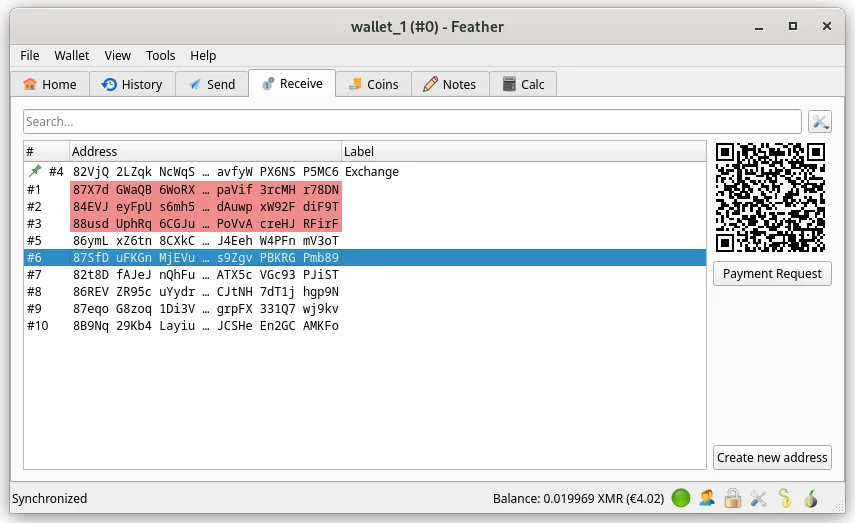
Feather is a Monero wallet for Linux, Tails, Windows and macOS, and it’s free and open source. The project pitches it as friendly to beginners while still giving advanced users what they want, and in practice the defaults are fine for most people out of the box.
Its code is published under BSD-3-Clause with reproducible builds. That means anyone can confirm the file they downloaded was built from the public source, which is exactly the kind of check a privacy wallet should invite.
It’s first because it puts the privacy tools Monero people keep asking for into one small program. Tor is built in, and individual outputs can be frozen or thawed. For offline signing you pass animated QR codes to a second computer, or you let a Ledger or Trezor keep the keys off the machine entirely.
The small stuff is good too. Wallet files are encrypted, Feather can lock itself after you walk away, and there’s a switch to hide your balance when someone’s looking over your shoulder.
What Feather Gets Right
- Tor comes built in, so the node you connect to doesn’t learn your IP address.
- New wallets get a 16-word Polyseed with the creation date baked in, which spares you from guessing a block height when you restore. It still accepts 14-word and 25-word seeds.
- You can freeze outputs, choose inputs yourself and pay several addresses in a single transaction.
- Animated QR codes carry transactions to and from an air-gapped laptop, meaning a machine that never goes online.
- On the hardware side it handles the Ledger Nano S, Nano S+, Nano X, Stax and Flex, and the Trezor Model T, Safe 3 and Safe 5.
There’s no standalone Feather review on the site yet. Planning to pair it with a device? Our Ledger vs Trezor comparison lays out how the two makers differ.
2. Cake Wallet, for Monero on Your Phone
Cake Wallet keeps XMR next to BTC, ETH, LTC, USDT and a lot more, and it costs nothing. You’ll find it on iOS and Android, with Linux and Windows builds posted on GitHub; the code is MIT licensed, and 6.4.4 shipped on 4 September 2026.
On a phone, it’s the Monero app we’d reach for. After a subaddress gets used, Cake makes a fresh one on its own, you can open as many accounts as you like, and background sync means the balance is already current when you tap the icon.
Want your own node? Go to Settings, then Nodes, and add it. Tor is a single toggle.
It’s worth knowing what that toggle does and doesn’t do. According to Cake’s documentation, Tor keeps your IP hidden from the servers the wallet talks to, but it doesn’t make the transactions anonymous by itself, since that part is Monero’s job on-chain.
Cake goes further on nodes, calling your own one “the single biggest privacy upgrade available”. We’d agree.
What You Get With Cake
- Fresh Monero wallets start with a 16-word Polyseed. If you’d rather, choose the 25-word legacy format or a 12-word BIP39 seed.
- It creates subaddresses for you; each is a separate receiving address that nobody can link to the others.
- Background sync keeps the Monero balance up to date while the app sits closed.
- Ledger and Trezor devices connect by Bluetooth or USB on Android, macOS and Linux, and by Bluetooth alone on iOS.
- Cupcake, a sister app for iOS and Android, can keep your private keys offline, leaving Cake with only the view keys.
- With a view-only wallet you can watch a balance using the address and private view key, and nothing you do there can spend.
Looking for a phone wallet that handles plenty besides Monero? Our roundup of the best mobile crypto wallets covers more options.
3. Monero GUI Wallet, If You Want Your Own Node
Built by the Monero Project itself, the Monero GUI is the official desktop wallet, and it doesn’t cost a cent. Version 0.18.5.2, named “Fluorine Fermi”, landed on 21 July 2026 for 64-bit Windows, macOS on Intel or ARM, and 64-bit Linux, with the source under a BSD-style licence.
It’s here because no other app makes running your own node this painless. Moneropedia is blunt that remote node operators can tie transactions to IP addresses, and the community’s advice is to always run a node yourself.
The GUI will fetch the blockchain for you. Turn on pruning and you keep only 1/3 of it.
People who live in a terminal have the Monero CLI, version 0.18.5.1, which runs on far more systems: 32-bit Windows and Linux, ARM and RISC-V Linux, Android and FreeBSD.
What the GUI Does
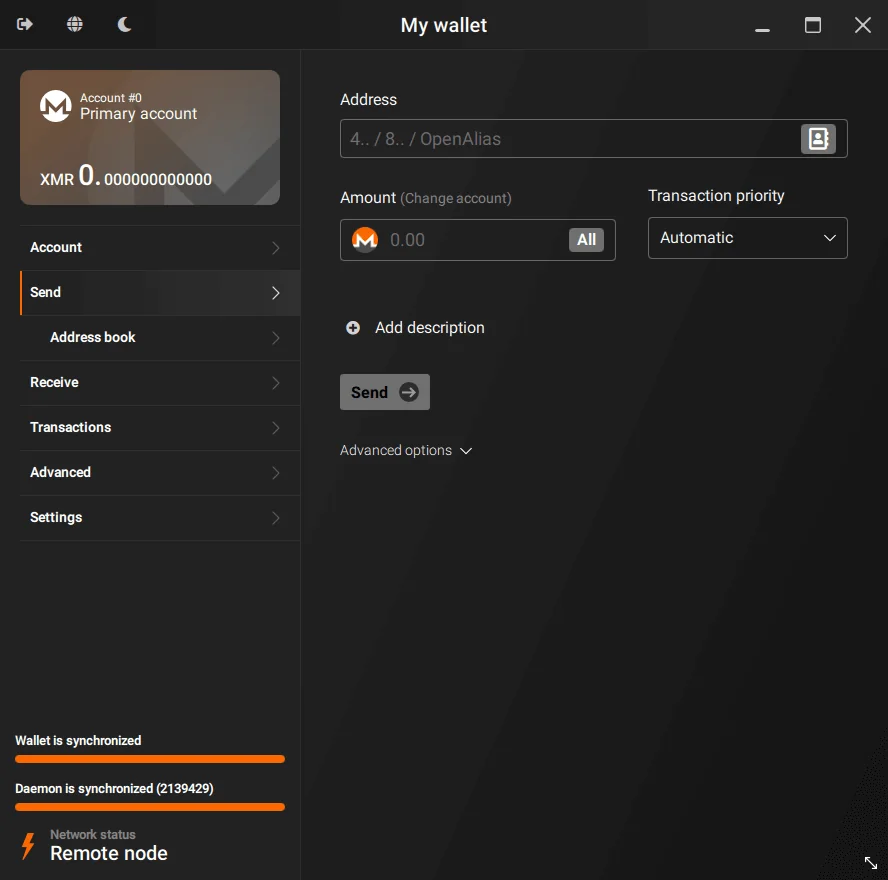
- In Simple mode it hooks up to a remote node on its own, so you’re not waiting on a blockchain download.
- Advanced mode hands you every setting, a local node included.
- With pruning on, only 1/3 of the blockchain lands on your disk.
- Supported devices are the Ledger Nano S, Nano S Plus and Nano X, plus the Trezor Model T, Safe 3 and Safe 5.
- getmonero.org has step-by-step guides for restoring from a mnemonic seed and for verifying the file you downloaded.
XMR addresses are long, and one wrong character is enough to lose a payment. Our explainer on what a wallet address is shows how to check one before you hit send.
4. Monerujo, a Light Monero Wallet for Android
“The Original Mobile Monero Wallet” is how Monerujo describes itself. It’s a free Android app, open source under Apache-2.0, that you can get from F-Droid or Google Play, and it does Monero and nothing else.
What earned it a spot is how simple it stays without taking your node away from you. Pick from a curated list of community nodes or type in your own, and plug in a Ledger Nano S series device with a USB OTG cable. Sidekick goes further, pairing with a second phone over Bluetooth so your keys never see the internet.
One touch we appreciate: it won’t let you copy your seed to the clipboard, since other Android apps can read whatever sits there. You end up writing it down by hand, which is the right habit anyway.
What Monerujo Offers
- Use a community node from its curated list, or add one you run.
- A USB OTG cable connects Ledger Nano S series devices.
- Sidekick holds the keys on a second phone that pairs over Bluetooth.
- Swaps into and out of XMR go through the built-in Exolix.io integration.
- Give it an address and a view key and it’ll set up a watch-only wallet.
If you’d like a phone wallet that also holds other coins, weigh Monerujo against Cake above or against our choice for the best non-custodial wallet.
5. Trezor Safe 5, the Open-Source Device for Monero
A hardware wallet is a small device that keeps your private keys offline and makes you approve every transaction on its own screen, and the Trezor Safe 5 is our favorite one for Monero. It’s $129 at the time of writing (September 2026).
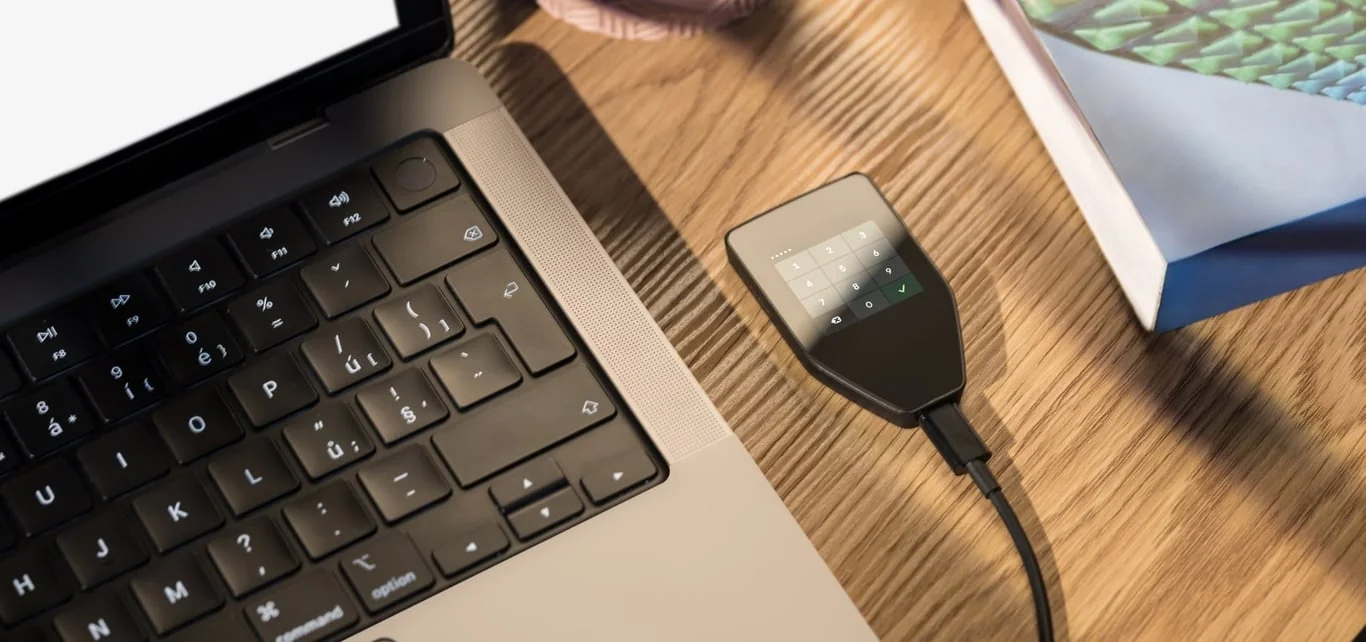
For that you get a 1.54-inch color touchscreen under Gorilla Glass 3, haptic feedback, a secure element certified to EAL6+ and a USB-C port.
XMR works through Monero GUI, Monero CLI and Feather on firmware 2.5.2 or newer, and Cake Wallet’s docs describe a built-in Trezor connection for Monero too, over USB on Android, macOS and Linux. Trezor Suite won’t show your Monero, though, because Trezor’s coin list says XMR is supported through third-party wallets.
Between the two devices, this one goes first because Trezor calls its security and design open source. And with XMR addresses being so long, being able to read the whole thing on a trusted screen protects you even if your computer has been tampered with.
What the Safe 5 Brings
- Keys sit behind a secure element certified to EAL6+.
- Its color touchscreen is 1.54 inches and 240 x 240 pixels, and it buzzes back when you tap.
- You can back up with 12, 20 or 24 words, or split recovery into several shares using Advanced Multi-share Backup.
- Monero GUI, the CLI and Feather all handle XMR with it on firmware 2.5.2 or newer.
- Spending less? The Trezor Safe 3 costs $59 and gets the same Monero support.
Our Trezor Safe 5 review goes further into setup, build quality and backups.
6. Ledger Nano X, the Monero Device That Pairs With Your Phone
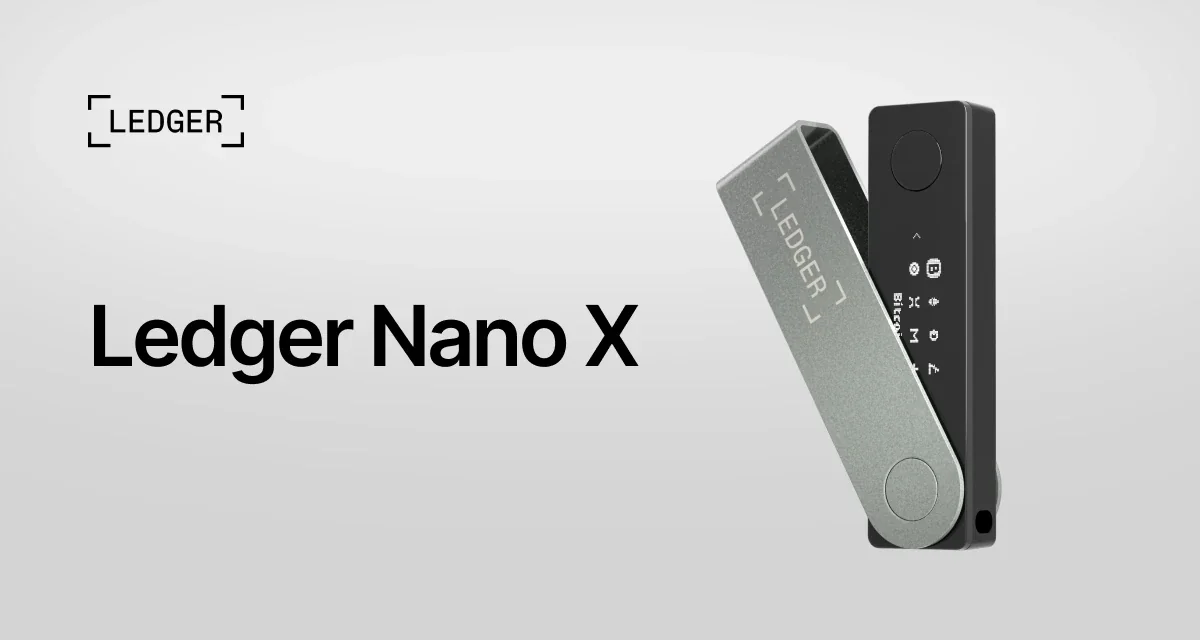
At $99 at the time of writing (September 2026), the Ledger Nano X undercuts the Safe 5. Keys live in an ST33J2M0 secure element certified to CC EAL5+, the screen is a 128 x 64 px monochrome one, and you connect by Bluetooth or USB-C, with a 5 hour battery.
No device on this page works with more Monero apps. getmonero.org lists the Nano X, on firmware 2.0.2 or newer, for Monero GUI, CLI, Cake Wallet, Feather and Monerujo, and Ledger’s own Monero page simply tells you to hook it up to the GUI Wallet.
Ledger’s app won’t manage XMR, so one of those five wallets does the talking while the Nano X does the signing. Bluetooth is why we’d pick it for Cake Wallet on an iPhone, since Cake only supports hardware wallets over Bluetooth on iOS.
On a tighter budget, the Nano S Plus is $59 and handles Monero from firmware 1.0.3.
What the Nano X Brings
- The keys are held in an ST33J2M0 secure element certified to CC EAL5+.
- It pairs over Bluetooth or plugs in by USB-C, and the battery lasts 5 hours.
- Monero GUI, the CLI, Cake Wallet, Feather and Monerujo all support it, five wallets in total.
- There’s room for up to 100 apps, so XMR can live next to everything else you hold.
- The Flex and Stax handle Monero as well, since Ledger’s Monero app is built for both and Feather lists them, even though getmonero.org’s table still only names Nano models.
We go through the device in far more detail in our Ledger Nano X review.
How We Picked These Monero Wallets
Keeping Your Keys and Your IP to Yourself
Each wallet here is non-custodial and offers some route to keeping keys off an online device, whether that’s a hardware wallet, Feather’s QR signing, Cake’s Cupcake or Monerujo’s Sidekick. We gave extra weight to own-node and Tor support, since a remote node can link what you send to your IP address.
getmonero.org is upfront that community wallets such as Feather, Cake and Monerujo aren’t run by the Monero core team, and it strongly recommends doing your own research. So we did, reading each wallet’s docs and checking its licence and how recently it shipped a release.
Coins Beyond XMR
Three of the apps, Feather, Monerujo and the Monero GUI, hold nothing but Monero, and we like that focus. Cake Wallet and both devices take other coins as well, which makes more sense if XMR is only a slice of what you own.
How Fast You Can Get Started
Our test was simple: how quickly can a newcomer receive XMR? Cake and Monerujo are ready immediately thanks to preset nodes, Feather’s defaults need no fiddling, and Simple mode in the GUI skips the blockchain download.
What It Costs
You won’t pay for any of the four apps. On hardware, the Ledger Nano X is $99 and the Trezor Safe 5 is $129, and both brands also sell a $59 model that handles Monero.
Seeds and Getting Your Wallet Back
Your Monero seed will be 16 or 25 words long, and whoever reads it gets complete access to the funds. Feather and Cake both start you on the 16-word Polyseed, which records the creation date and makes restoring quicker, while the Safe 5 adds multi-share backups.
Moneropedia also cautions against parking large sums in hot wallets. That’s why we pair the apps with hardware once savings are involved.
Code You Can Read
All four apps put their code in public: Feather under BSD-3-Clause, Cake under MIT, Monerujo under Apache-2.0 and the GUI under a BSD-style licence. Trezor calls its design open source, whereas Ledger’s firmware is proprietary, and that’s the main reason the Nano X sits sixth.
So Which Monero Wallet Fits You?
Working mostly from a laptop? Start with Feather, then add a Trezor Safe 5 or Ledger Nano X once your savings are worth protecting.
Paying from your phone is Cake Wallet territory, on either iOS or Android. Monerujo is the lighter choice if you’re on Android and only hold Monero.
For the most privacy, run the Monero GUI with a node of your own, or point Feather at your own node and route it through Tor.
Holding a large balance changes the answer: use a hardware wallet. We’d take the Trezor for its open-source design, or the Ledger if you want to sign from Cake on an iPhone, where Cake only connects over Bluetooth.
Whatever you choose, read every address before sending, and read it on the device screen if you have one. Send XMR to the wrong address and the money is gone for good, and nobody can reverse it.
Monero Wallet Questions We Get Asked
Which Monero wallet is best in 2026?
On a computer, Feather Wallet; on a phone, Cake Wallet. If the amount is large, we’d add a Trezor Safe 5 or Ledger Nano X to either one.
Does Ledger or Trezor support Monero?
Yes. getmonero.org lists the Ledger Nano S, Nano S Plus and Nano X and the Trezor Model T, Safe 3 and Safe 5, and Ledger’s Monero app is also built for the Flex and Stax. Neither brand’s own app manages XMR, so you’ll sign through Monero GUI, the CLI, Feather or Cake Wallet, and Ledger owners can add Monerujo.
How long is a Monero seed phrase?
Either 16 words or 25. The 16-word Polyseed is the default in Feather and Cake Wallet, 25 words is the older standard, and Cake will also give you a 12-word BIP39 seed.
Do I have to run my own node?
No. It’s still worth doing for privacy, because remote node operators can connect transactions to IP addresses; the Monero GUI can run one for you, and pruning shrinks the download to 1/3 of the blockchain.
What does a Monero view key do?
It shows incoming transactions without giving any power to spend. Cake Wallet and Monerujo both build watch-only wallets from an address plus view key.
Is every Monero transaction private?
On-chain, yes: the Monero Project says every user is anonymous by default, with stealth addresses, ring signatures and RingCT hiding who’s involved and how much moves. Your wallet can still show your IP address to a remote node, though, which is why Tor or your own node matters.
Does the official Monero GUI cost anything?
No. It’s completely free and runs on Windows, macOS and Linux.
Where We Land
Feather on a computer plus Cake Wallet on a phone will cover most people. Both are free and open source, both do Tor, and both let you plug in a node you run yourself.
When the balance gets bigger, move your savings onto a hardware wallet: the Trezor Safe 5 if open-source design is your priority, the Ledger Nano X if you want to sign from an iPhone. Keep the seed written down offline, and don’t show it to anyone.
This article is for general information only and is not financial, legal, or investment advice. Prices and features change; check the vendor’s official page before buying.