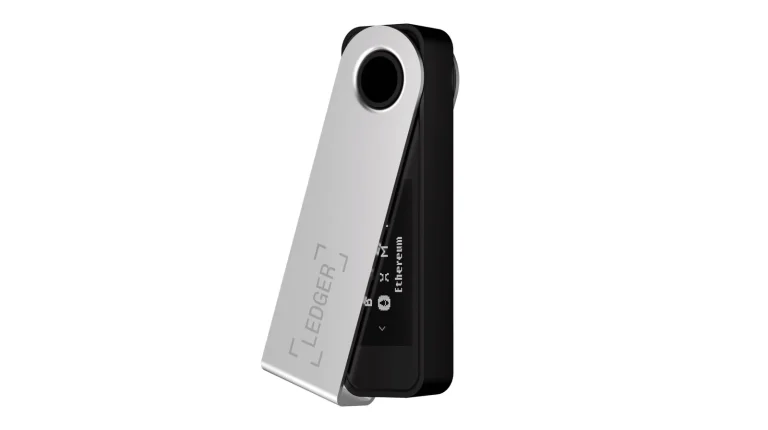
Thirty dollars separates these two wallets, and almost nothing else about them agrees. As we write this in September 2026, Ledger wants $99 for the Nano X and Trezor asks $129 for the Safe 5. Both were sitting in stock on the makers’ own stores when we checked.
Want to sign a transaction standing in a queue, from your phone, with no cable? Then the Nano X is your device.
Prefer a color screen you can actually read, firmware anyone is free to inspect, and a backup you can cut into pieces? That’s the Safe 5.
What follows goes chip by chip: the PIN policies, the recovery options, the two desktop apps, how many coins each one really handles, and whether $30 more is money well spent. We pulled every figure off a vendor page this month, and we say where each one came from.
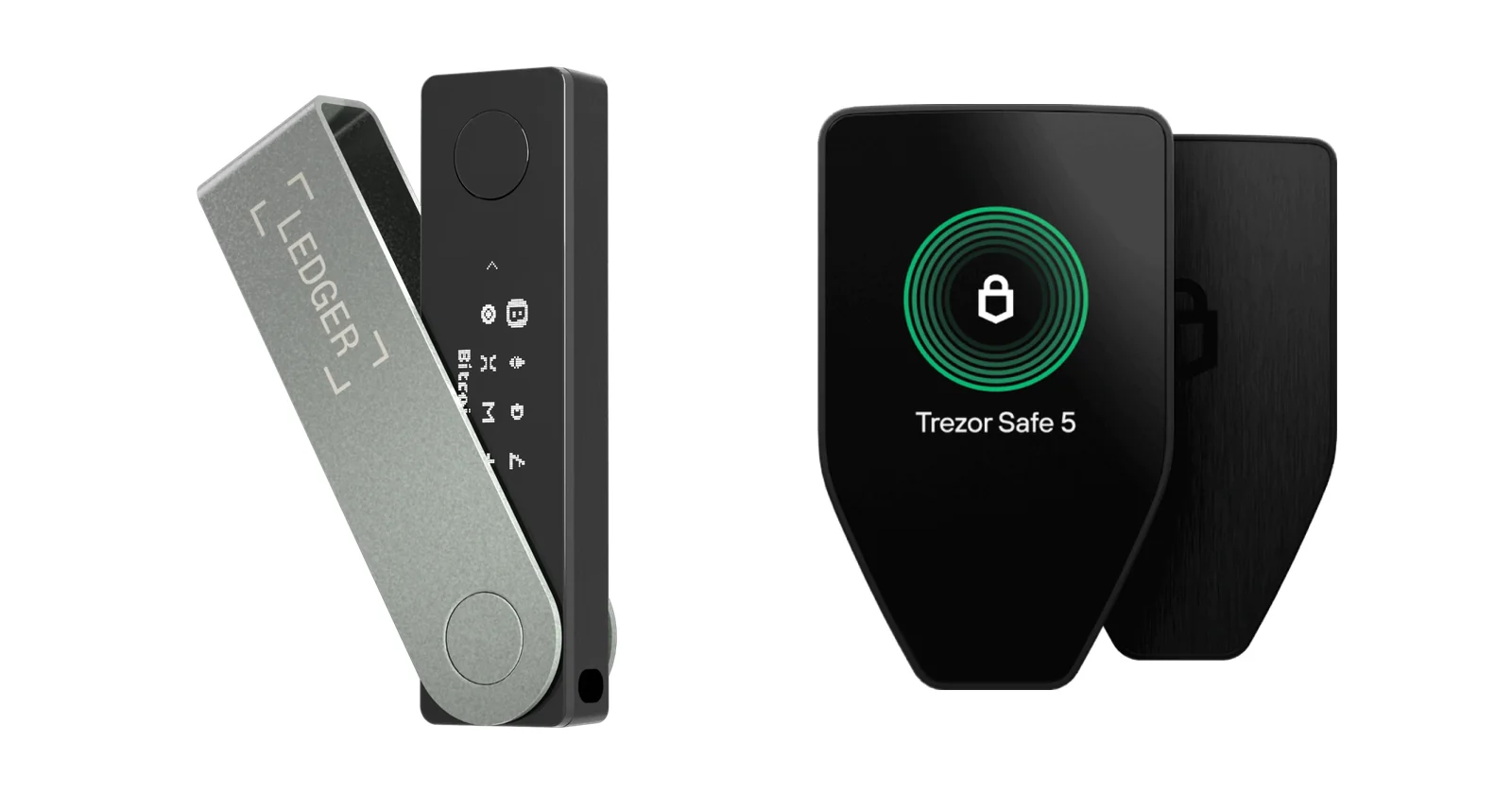
Table of contents
Ledger Nano X vs Trezor Safe 5, Side by Side
Here’s the whole argument in one table. Each row was copied from the maker’s own product page this month, not from another review.
Ledger Nano X vs Trezor Safe 5: Comparison Chart | |
|---|---|
| <strong>What you pay</strong> | Nano X: $99. <br> Safe 5: $129. |
| <strong>The display</strong> | Nano X: a 1.1-inch monochrome OLED strip, 128 x 64 px. <br> Safe 5: color, 1.54 inches, 240 x 240 px. |
| <strong>How you drive it</strong> | Nano X: two clicky buttons. <br> Safe 5: your finger, with a small buzz back each tap. |
| <strong>Ways in</strong> | Nano X: USB-C, or Bluetooth BLE 5.2. <br> Safe 5: USB-C, plus a microSD slot. |
| <strong>Runs off a battery?</strong> | Nano X: yes, rated at 5 hour battery autonomy. <br> Safe 5: no, it draws power from the cable. |
| <strong>Chip minding the keys</strong> | Nano X: an ST33J2M0 at CC EAL5+. <br> Safe 5: an OPTIGA Trust M (V3) at EAL6+. |
| <strong>Can you read the code?</strong> | Nano X: Ledger’s own figure is 95% open or reviewable. <br> Safe 5: the firmware is out there under GPL-3.0. |
| <strong>Wrong PINs allowed</strong> | Nano X: three, and then it resets itself. <br> Safe 5: sixteen, before the chip throws away its secret. |
| <strong>Backup style</strong> | Nano X: a single 24-word phrase on paper, with Ledger Recover as a paid extra. <br> Safe 5: 12, 20 or 24 words, or SLIP39 Multi-share Backup. |
| <strong>Software behind it</strong> | Nano X: Ledger Wallet, the app that used to be Ledger Live, on desktop and both phone systems. <br> Safe 5: Trezor Suite on desktop and web, all of Android, part of iOS. |
| <strong>How many coins</strong> | Nano X: 500+ in Ledger’s app, with thousands more reachable through other wallets. <br> Safe 5: 1000s of coins and tokens, though Trezor never prints a figure. |
| <strong>Pocket size</strong> | Nano X: 72 x 18.6 x 11.7 mm and 34 g. <br> Safe 5: 65.9 x 40 x 8 mm and 23 g. |
| <strong>Who it’s for</strong> | Nano X: people who sign things away from their desk. <br> Safe 5: people who want open code, split backups and a legible screen. |
So What Is the Ledger Nano X Now?
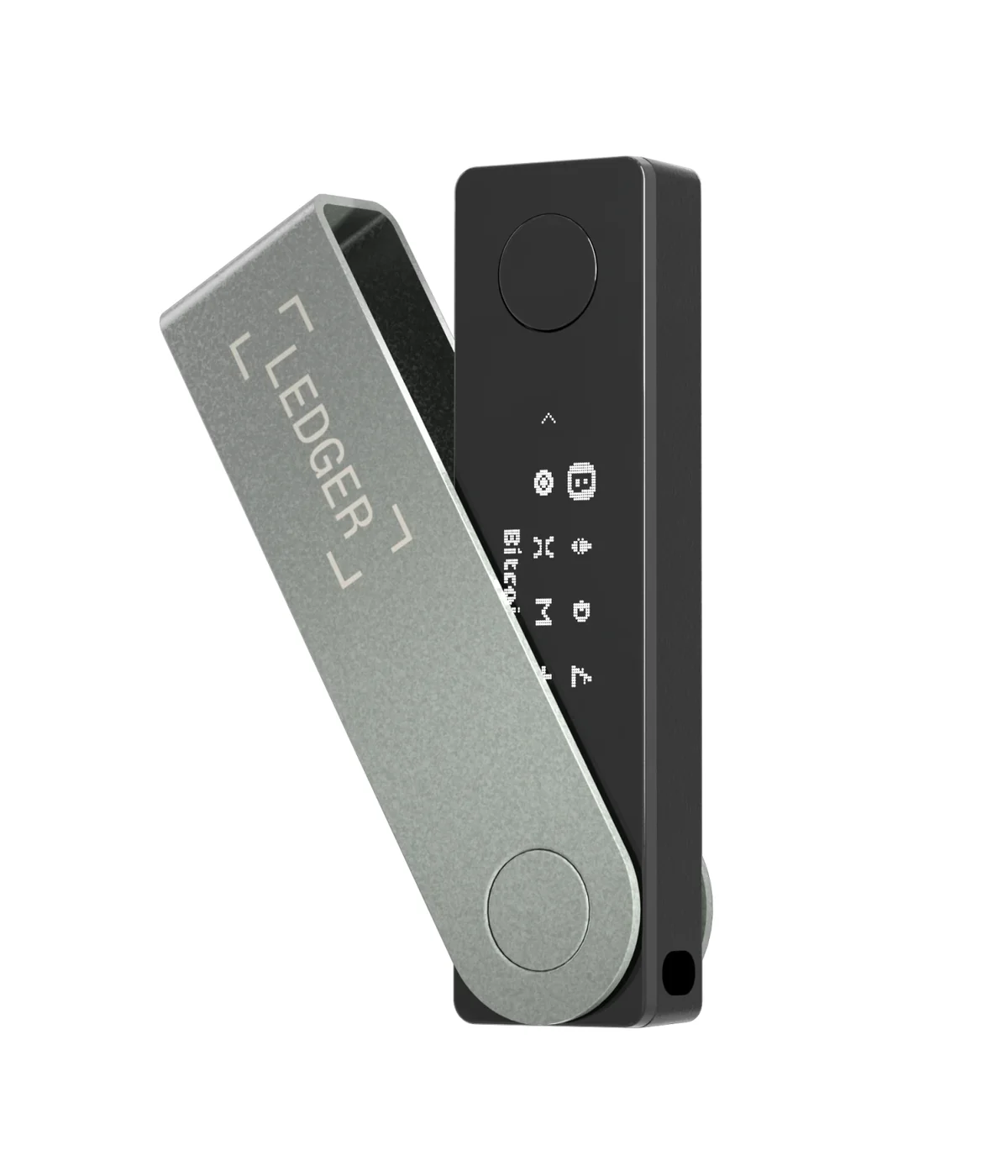
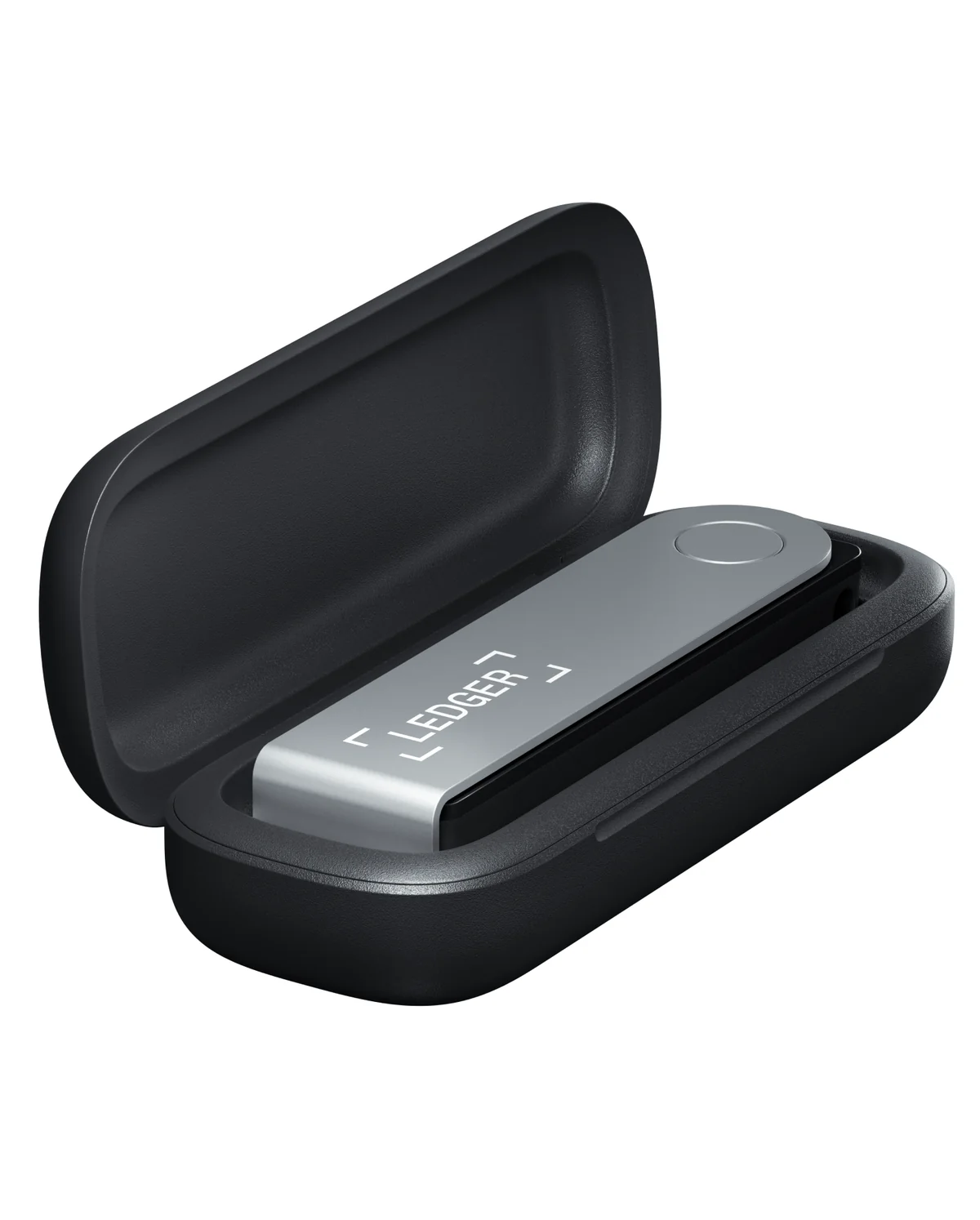
Picture a chunky USB stick in brushed stainless steel: 72 mm long, 34 g on the scales, with your keys locked inside rather than on your laptop. That’s the Ledger Nano X. It appeared at CES 2019, reached general sale on May 28, 2019, and Ledger still lists it new at $99.
Where Ledger puts it in the lineup has changed, though, and that’s worth knowing before you buy. The Nano X and its cheaper sibling now form the “Classic Ledger Nano” range, marketed as backup protection while the touchscreen models take the spotlight. Ledger’s own comparison page admits the classic signers miss newer features such as Transaction Check and the Recovery Key.
Our Ledger Nano X review looks at the device on its own terms. Torn between the two classics? We’ve weighed up the Nano S and the Nano X as well.
What You Get With the Ledger Nano X
- 128 x 64 pixels of monochrome OLED across 1.1 inches, scrolled with a button on each side.
- Keys sit in an ST33J2M0 secure element rated CC EAL5+, with an STM32WB55 microcontroller and Ledger OS doing the rest.
- Bluetooth BLE 5.2 reaches iOS 14+ and Android 10+ phones, and USB-C handles the desktop.
- The built-in 100 mAh cell is rated for five hours and can’t be swapped out when it dies.
- Space for as many as 100 coin apps at once, which is plenty for a scattered portfolio.
- France’s cybersecurity agency, ANSSI, handed it a CSPN certificate back in October 2019.
And What Is the Trezor Safe 5?
Trezor sells three wallets, and the Trezor Safe 5 is the one in the middle, with the $59 Safe 3 below it and the $249 Safe 7 above. It went on sale at BTC Prague on June 14, 2024, carrying a $169 price tag at the time. The price today is $129.
It’s a small thing: 65.9 x 40 x 8 mm and 23 g. The shell is PC-ABS plastic with an anodized aluminum backplate, and the case shows if anyone has been inside it.
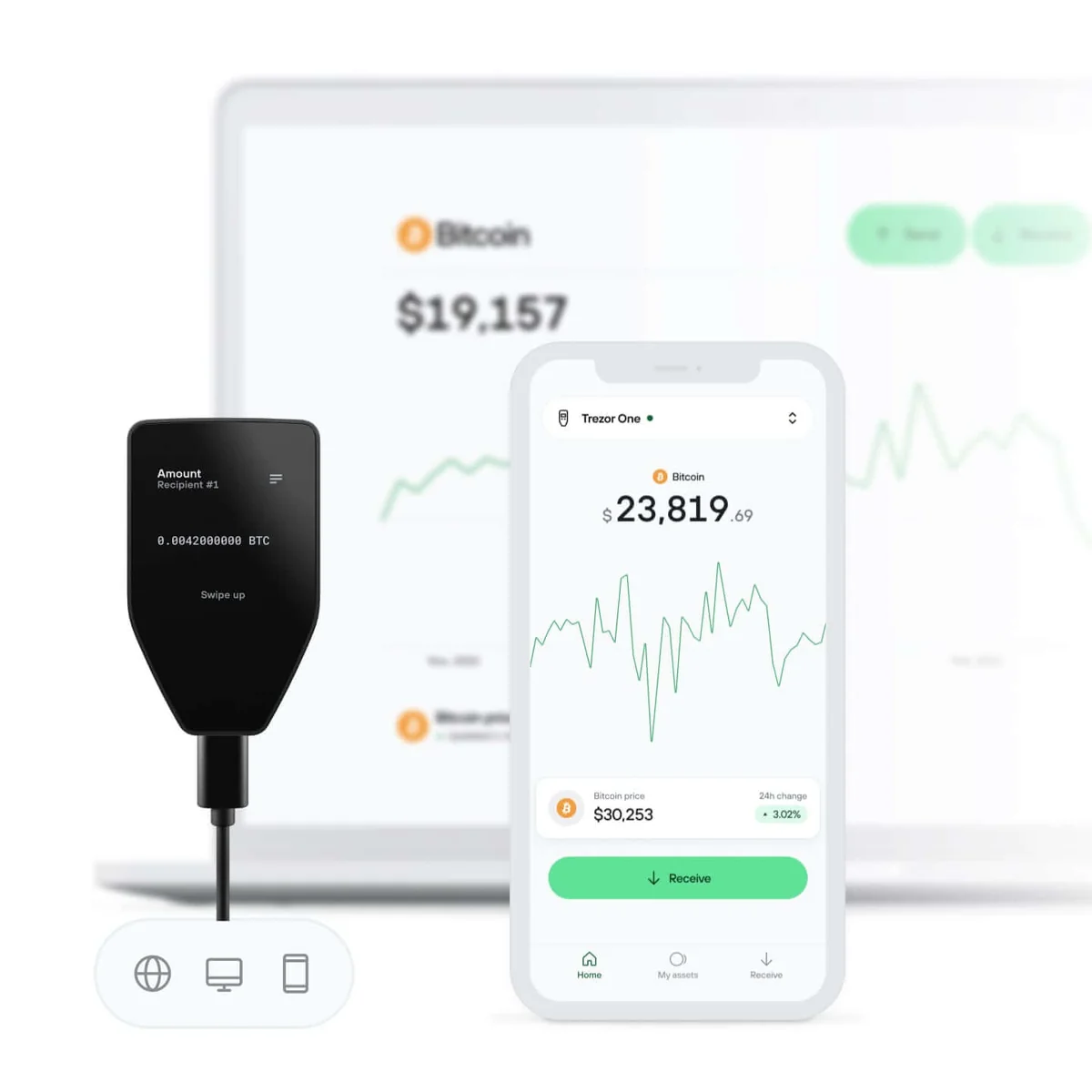
Under Gorilla Glass 3 you get a 1.54-inch color touchscreen that nudges your finger when you press, and honestly that little buzz does more for our confidence than any spec line, because checking an address becomes a glance instead of a squint. Our Trezor Safe 5 review takes the hardware apart properly.
What the Trezor Safe 5 Brings
- Color touch at 240 x 240 pixels over 1.54 inches, with Trezor Touch confirming each press through your fingertip.
- An OPTIGA Trust M (V3) chip certified to Common Criteria EAL6+, picked partly because it carries no NDA and stays open to outside researchers.
- The firmware lives in the trezor-firmware monorepo under GPL-3.0, and the bootloader shouts if a build isn’t official.
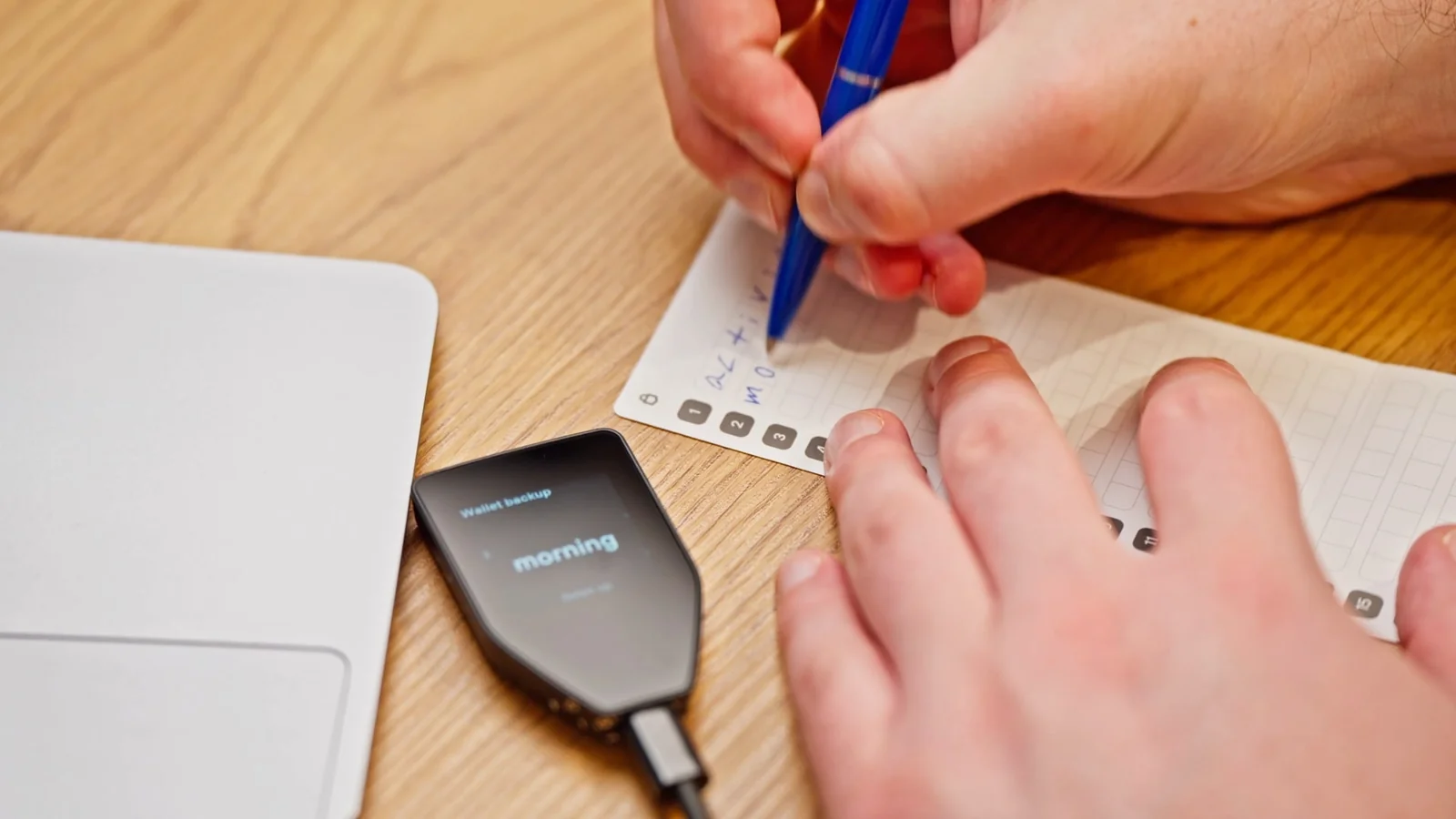
- Choose 12, 20 or 24 words at setup, or break the backup into as many as 16 SLIP39 shares.
- Turn on microSD encryption and a thief needs the card’s 256-bit secret as well as your PIN.
- Inside runs a 160MHz ARM Cortex M33, and FIDO2 support lets the wallet stand in as a 2FA key.
Security: Ledger Nano X vs Trezor Safe 5
Start with what they share. Your private keys, the secret numbers that control your coins, stay off the machine you browse with. Each wallet also leans on a certified secure element, a chip designed to shrug off physical attacks such as fault injection and side-channel snooping.
Ledger’s answer is an ST33 secure element at CC EAL5+ working next to an STM32WB55 microcontroller, and the Nano X FAQ repeats that rating. Trezor’s is the OPTIGA Trust M (V3) at EAL6+, and we’d argue Trezor explains its chip better than Ledger does.
Trezor’s documentation says the chip never holds your keys. It keeps a secret that pairs with your PIN to decrypt keys stored on the main processor, blocks repeated PIN guesses in hardware, proves the device is genuine, and feeds real randomness into your wallet when you create it.
PIN policy is where the gap gets wide. Fumble the code three times on a Ledger and the signer factory resets, leaving your recovery phrase as the only road back. Sixteen tries is the Safe 5’s limit before its secure element burns the secret.
Then there’s the matter of who gets to read the code. Everything Trezor ships is published in the trezor-firmware repository. Ledger, meanwhile, puts its operating system and software at 95% open source, blaming its contract with STMicroelectronics for the part that stays hidden.
Bluetooth makes some buyers uneasy, and we get why. Ledger’s position is that the radio carries public data only, that neither your keys nor your seed ever step outside the secure element, and that you’re free to switch the radio off and plug in USB-C. No radio exists on the Safe 5, so the worry simply never arrives.
Has either company lost a customer’s keys? Not once, according to their own disclosures. Customer records are a different story.
Ledger’s shop database was raided in 2020, spilling roughly 1 million email addresses plus detailed records for about 272,000 buyers. Then in December 2023 a poisoned Ledger Connect Kit emptied wallets for a window Ledger measures at under two hours.
Trezor can’t claim a clean sheet either. Its logistics partner ShipMonk was breached in August 2026, handing over names, addresses, phone numbers and emails. A September update pushed the count to around 80,689 people.
Every one of those leaks ended the same way: phishing. Trezor’s rule is blunt, and worth taping to your monitor: a backup goes nowhere except onto the device itself. Ledger, for its part, promises it will never ask you for your 24 words.
Type those words into a website or an app and the money leaves for good, because nobody can call a blockchain transaction back.
Ledger Nano X vs Trezor Safe 5: Living With Them
Getting started feels similar on both. Ledger marches you past “Set up as new device”, “Choose PIN code”, “Write down your recovery phrase” and “Confirm your recovery phrase” until it reaches “Your device is ready”, while Trezor Suite lines up “Set up my Trezor”, “Install firmware”, “Create wallet”, “Create wallet backup” and “Set PIN”. Trezor reckons the whole thing takes roughly 15 minutes, which matches our experience of touchscreen wallets.
After that first hour, the price difference starts to show. A handful of characters at a time on a 1.1-inch strip, scrolled with two buttons, makes verifying a long address genuinely tedious on the Nano X. Put 240 x 240 color pixels under your thumb and the same job is over in seconds.
Phones turn the result upside down. Thanks to Bluetooth and that five hour cell, the Nano X signs happily from an iPhone on iOS 14+ or an Android handset on 10+, no cable involved. Trezor gives Android everything and then hits a wall, because the Safe 5’s own page admits there’s no swap, send, setup or device management on iOS.
Desktop is nearly a draw. Ledger Wallet, the renamed Ledger Live, covers Windows, macOS, Linux, iOS and Android, and hands buying, swapping and staking to outside providers. Trezor Suite counters with coin control, a Tor connection and staking on Ethereum, Cardano and Solana, yet it won’t display a single NFT.
Never done this before? Our Ledger Nano X setup guide covers the Ledger half click by click.
Coin Support: Ledger Nano X vs Trezor Safe 5
Comparing the coin numbers is a small nightmare, because neither company counts the same way twice. Ledger’s Nano X spec sheet promises 500+ crypto inside the Ledger Wallet app and thousands more coins, tokens and NFTs by way of other wallets, while the marketing copy a scroll further up the same store shouts 15,000+ crypto. The figure that bites in practice is 100, the number of coin apps the device holds at once.
Trezor is even hazier.
Its Safe 5 page offers “1000s of coins & tokens”, the Trezor Suite page says 1000+, and nowhere does an exact total appear. We’d rather one of them simply published a list.
Edge cases decide this one. Ledger lists MetaMask, Phantom, Rabby Wallet and Electrum among compatible third-party apps while carefully refusing to guarantee that compatibility, and the Safe 5 hooks into outside wallets through Connect Trezor. Hold Monero and take note: Trezor’s own coin table flags XMR as third-party only.
NFT owners get a straight answer for once. Viewing or poking at NFTs isn’t something Trezor Suite does, so a collection means bolting on another wallet, whereas Ledger folds NFTs into its own asset claims. Collectors should probably start with our roundup of the best NFT hardware wallets instead.
Ledger Nano X vs Trezor Safe 5: Where the $30 Goes
Both prices were live on the vendors’ stores when we looked this month: $99 for the Nano X, $129 for the Safe 5, each marked in stock. Remember that the Safe 5 started life at $169, and that slide is the reason the two are now only $30 apart.
For those thirty dollars you’re handed a larger color touchscreen, a chip with a higher rating, firmware in the open, split backups and microSD encryption. You hand back Bluetooth, the battery and any hope of a working iPhone app.
Backup costs deserve their own line. Three paper Recovery Sheets come in the Nano X box for one 24-word phrase, and the NFC-based Ledger Recovery Key won’t work with it because that card needs a touchscreen signer. That leaves Ledger Recover at $9.99 a month, which means handing over an accepted passport, national ID or driver’s license.
Look at the rest of each range and the pricing makes more sense. Ledger climbs from $59 for the Nano S Plus through $179 for the Nano Gen5 and $249 for the Flex to $399 for the Stax. Trezor runs $59 for the Safe 3 up to $249 for the Safe 7, which leaves our two contenders in the cheaper half of both catalogs.
Owner scores tilt toward Trezor, if you trust store reviews at all. Ledger’s page averages about 4.4 out of 5 from 11,613 Nano X ratings, and Trezor shows 4.8 out of 5 from 53 verified Safe 5 buyers, a much smaller crowd.
What We Like, and What Irritates Us
There’s no clean winner here. Below are the trade-offs we’d actually think about with a card in hand.
Ledger Nano X: the Good and the Bad
Trezor Safe 5: the Good and the Bad
So Which One Should You Buy?
Most people land in one of three camps.
Do you handle crypto from a phone more often than from a desk? Take the Nano X. The radio, the battery and proper iOS support make it the only one of the two that still works once you walk away from a computer.
Would you rather read the code that guards your coins than trust a promise? Take the Safe 5. Its firmware is public, its chip comes without an NDA, and its bootloader inspects every build before letting it run.
Worried less about daily convenience than about how your backup survives a fire, a flood or a burglary? The Safe 5 again. Cutting one recovery into as many as 16 shares is something no Ledger Nano offers.
FAQ: Ledger Nano X vs Trezor Safe 5
Is the Trezor Safe 5 more secure than the Ledger Nano X?
On paper, slightly. Its secure element is rated EAL6+ where the Nano X sits at CC EAL5+, and it forgives sixteen wrong PINs rather than three. Ledger answers with a CSPN certificate from ANSSI and the Donjon, its in-house attack lab, which is not nothing. We’d still say the deciding factor is you: buy direct, add a passphrase, keep the words off any screen, and either wallet holds up.
Will the Trezor Safe 5 work with my iPhone?
Partly. On iOS, Trezor Suite lets you watch a portfolio, buy and receive, and the Safe 5’s product page spells out that swapping, sending, setup and device management aren’t there. The Nano X has no such limit: iOS 14+ gets the lot over Bluetooth.
Is the Ledger Nano X still supported with firmware updates?
It is. Version 2.7.1 of Nano X OS shipped on 11 May 2026, and the device is still on sale new at $99.
For a Bitcoin-only stack, which wallet wins?
The Safe 5, narrowly. There’s a Bitcoin-only edition at the same $129, and either firmware can go onto either variant, so you can shrink the codebase to Bitcoin alone. Less code means less to go wrong, which matters if BTC is all you hold.
Has anyone ever hacked either of these wallets?
No. Neither vendor has disclosed a stolen key, a cracked device or a leaked wallet backup. What both have leaked is customer data: Ledger’s shop database in 2020, then the malicious Connect Kit of December 2023, and Trezor’s shipping provider ShipMonk in August 2026. Phishing followed each time, which is why nobody should ever answer a message asking for their recovery words.
Would a Ledger Flex or Trezor Safe 7 be worth the extra money?
Only for a bigger screen or extra hardware. Both of those cost $249, next to $99 and $129 for the pair here, and the cheaper devices already use certified secure elements. Paying up buys comfort and features, not stronger cryptography.
The Verdict: Nano X or Safe 5?
We’d spend the extra $30 on the Trezor Safe 5. A color touchscreen turns address checks from a chore into a glance, the firmware is there to be read, the chip is rated a notch higher, and a backup can be split into shares. The catch is a wallet tethered to a cable, plus an iPhone app that can look but not sign.
One thing keeps the Nano X in the conversation, and no Trezor at this price can match it: signing from your phone, over Bluetooth, on battery power. If that’s how your crypto life actually works, the dated screen and the closed sliver of chip code are a fair price to pay. For the bigger picture on both companies, see our Ledger vs Trezor comparison.
This article is for general information only and is not financial, legal, or investment advice. Prices and features change; check the vendor’s official page before buying.