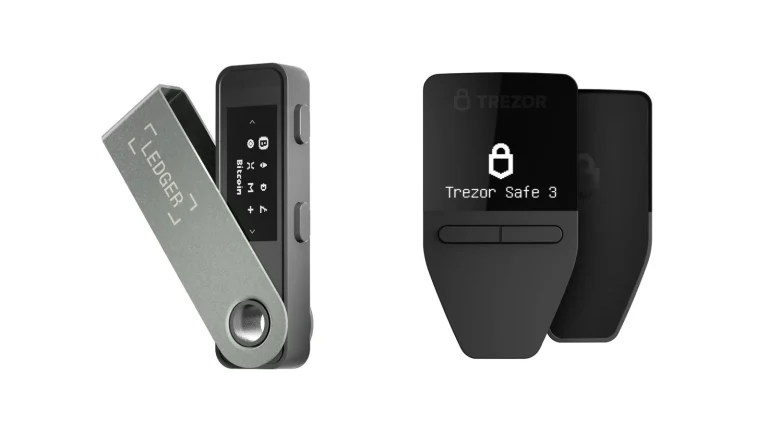
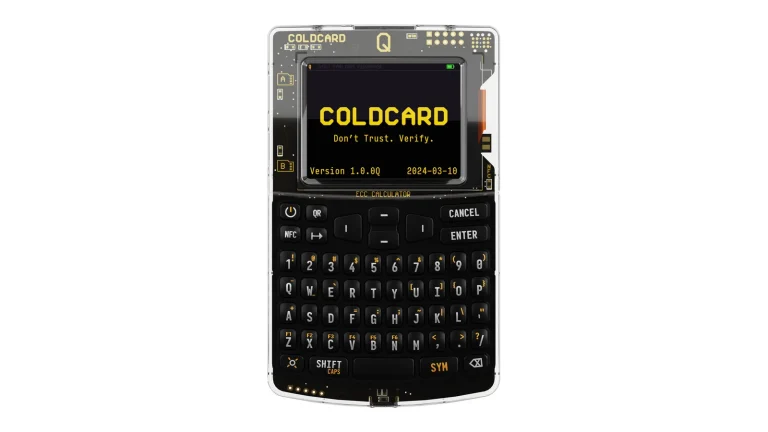
The company that runs the OKX exchange also gives away a self-custody wallet, and that wallet reaches 130+ native chains from a single app. Breadth like that is why you’d install it.
Who OKX built it for is obvious after ten minutes: people who swap, bridge and chase new tokens all day, and who’d rather not open four tabs to do it. Anyone hoping for a small, readable, single-chain wallet is in the wrong shop.
Below we go through what the thing is, how the first hour feels, what stands between a thief and your coins, which chains are actually covered, what a swap costs once you read the right page, and which wallets we’d weigh against it.
Table of contents
So What Is OKX Wallet, Exactly?
OKX Wallet at a Glance | |
|---|---|
| <strong>What it costs</strong> | Nothing to install, at the time of writing (September 2026). |
| <strong>Where it runs</strong> | Phones on iOS and Android, browsers via Chrome and Safari, desktops on macOS and Windows. |
| <strong>What it talks to</strong> | Apps over WalletConnect, and a Keystone 3 or Keystone 3 Pro by scanning QR codes. |
| <strong>Who holds the keys</strong> | You do, behind 12 words on your own device. Social Login wallets keep them in a TEE instead. |
| <strong>Can you read the code</strong> | No. Signing SDKs are on GitHub, but the wallet you actually run isn’t. |
| <strong>What it holds</strong> | 130+ native chains. Bitcoin, Ethereum, Solana and OKX’s own X Layer are all in there. |
| <strong>How you back it up</strong> | A seed phrase, or a cloud backup. Neither one can be restored for you by OKX. |
| <strong>The app it comes with</strong> | Its own. OKX Wallet no longer lives inside the exchange app. |
| <strong>Best for</strong> | Traders who want their aggregator and their bridge in the same place as their coins. |
OKX makes this wallet, and OKX also runs one of the larger centralized exchanges, which is the tension running through the whole review. The company’s own phrasing calls it a “self-custody wallet software service that allows you to discover and interact with third party platforms”.
It used to be a tab inside the exchange app. That changed on 16 April 2025, when OKX gave the wallet its own app and explained the move by saying newcomers barely knew the wallet existed, because burying it in the primary app made it hard to discover.
Keeping the two straight matters more than it sounds. Coins sitting in your OKX exchange account belong to OKX until you withdraw; coins in the wallet answer only to your seed phrase.
Numbers came with that announcement too. OKX claimed roughly 500,000 fresh wallets a day, $1 billion USD in daily transactions, and 44.5bn USD equivalent in crypto self-custodied through the wallet. Nobody audits those, so treat them as marketing.
What OKX Wallet Gives You
- There’s a DEX aggregator baked into the wallet, which OKX says routes orders over 500+ DEXs and 25 networks, with MEV protection and an in-house router it calls X Routing.
- Bridging gets its own mode, so shifting funds between chains doesn’t mean leaving for a bridge site and approving a second set of contracts you’ve never seen.
- An approval tab shows every token permission you’ve ever granted on Ethereum, BNB Chain, Polygon, Arbitrum One, Optimism and more, and lets you pull them back.
- You can skip the seed phrase entirely and open a wallet with Google, Apple or an email address, in which case a trusted execution environment looks after the keys.
- OKX Boost converts your swap volume and your wallet balance into eligibility for rewards, token launches and trading competitions.
- The NFT side stretches over Bitcoin, Ethereum, Solana, X Layer, Base, Polygon, Arbitrum One, Story, Linea and BNB Chain.
Will a Beginner Get Along With OKX Wallet?
Signing up takes seconds. Three buttons offer “Continue with Apple”, “Continue with Google” and “Continue with email”, and beside them sits the traditional path: twelve words that you write down and guard yourself.
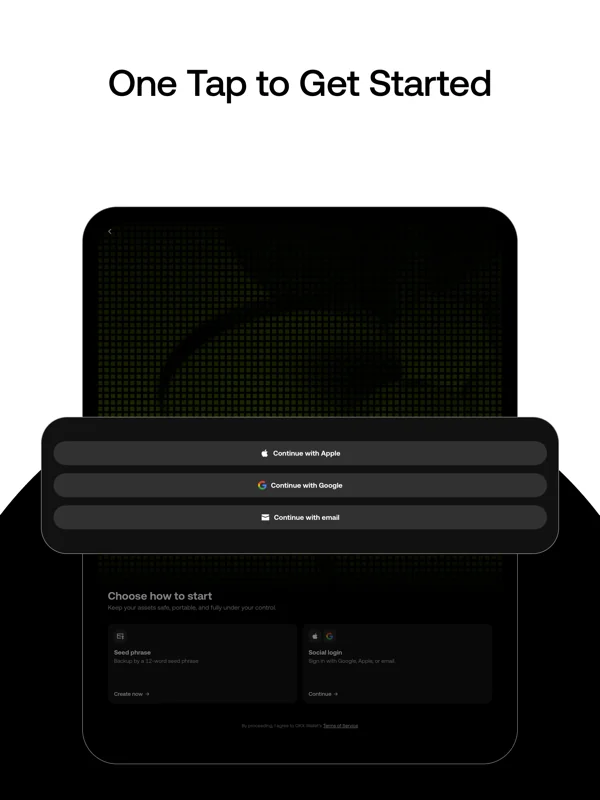
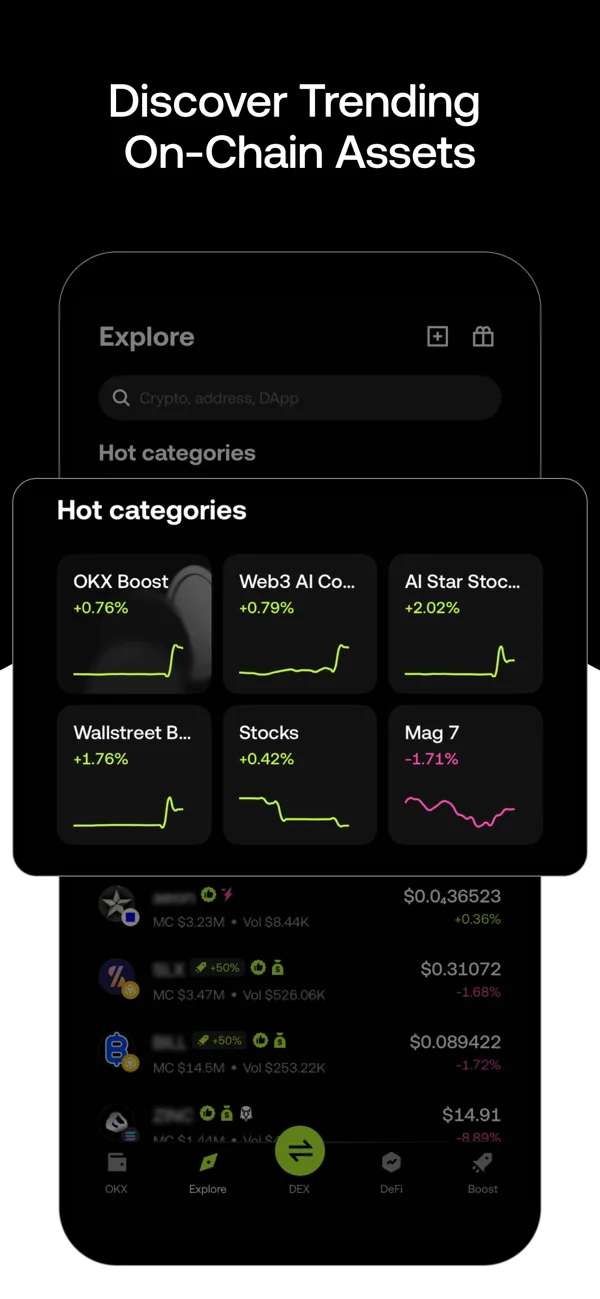
Then the noise starts. Five tabs run along the bottom, labeled OKX, Explore, DEX, DeFi and Boost, and tapping Explore throws hot categories, trending tickers, market caps and volume figures at you before you’ve held a single coin.
For somebody who just wants a place to park Bitcoin, nearly all of that is clutter. We’d call it the wallet’s biggest usability problem.
Swapping comes in three flavors named Easy, Advanced and Meme Mode, and slippage can run Dynamic, Fixed or Capped. Good controls, genuinely. Nothing on screen tells a newcomer what any of them mean.
Accounts are handled oddly as well. The extension will hold as many as 1,000 of them and the app up to 100, yet there’s no way to remove just one: you wipe the entire wallet off the device and bring it back with the seed phrase.
Import with a bare private key instead of a seed phrase and you can’t add accounts at all. Worth knowing before you start, because the fix is another import.
How Safe Is OKX Wallet With Your Keys?
Default behavior is plain self-custody, nothing clever. Your device generates twelve words, OKX never sees them, and the help pages say outright that losing the seed phrase or private key means losing the assets for good. No reset link exists, and no support agent can conjure your coins back.
Around that sits a risk engine. Dodgy tokens get flagged so you’re less likely to buy into a honeypot, known-bad addresses and dApps get blocked before you interact, and OKX watches chains for incidents in real time.
Its wallet security page names BlockSec, Elliptic, Etherscan, SlowMist, ChainLabs, Hypernative and BlockAid as partners, and points to a HackerOne bug bounty. The aggregator, separately, is described as “audited and verified by leading blockchain security firms like CertiK, Hacken and SlowMist”. Solid names, though none of the reports are linked from that page, which annoys us.
Then there’s the code, or rather the lack of it. GitHub carries go-wallet-sdk, js-wallet-sdk and X Layer client code under the OKX org, but the extension and the phone app stay shut. Whatever signs your transactions, you’re taking it on faith and on somebody else’s audit.
Worth a paragraph of its own is the keyless wallet, now gone. Multi-party computation chopped a private key into three shares, one parked on an OKX server, one on your phone, one in iCloud or Google Drive, and any pair of them could sign. Convenient, seed-phrase free, and it left OKX holding a piece.
That product is finished. The extension dropped keyless support on 7 April 2025, and by 23 May 2025 you couldn’t create one anywhere. Old keyless wallets still open in the app.
Its successor arrived on 21 July 2026 as Social Login, built differently. A trusted execution environment minds the keys, OKX states it can’t reach your seed phrase or private keys, and each social account maps to one wallet carrying up to 50 derived accounts. Launch coverage stopped at 19 major networks, well short of the headline 130+.
Two incidents deserve space here, neither of them a key compromise. Back on 17 March 2025 OKX announced it would “temporarily suspend our DEX aggregator services”, having spotted “a coordinated effort by Lazarus group to misuse our defi services”, and the aggregator returned inside the new wallet app roughly two months afterwards.
Earlier that year, on 24 February 2025, the OKX affiliate Aux Cayes FinTech Co. Ltd. admitted that it had never obtained a money transmitter license.
Settlement came to a penalty of $84 million plus forfeiture of approximately $421 million in fees taken from US customers. OKX stressed that no employee was charged, no monitor was appointed by the government, and no customer harm was alleged.
Your seed phrase survived both stories untouched. What they tell you is who you’re trusting when the app can’t be read.
Which Coins and Chains Can OKX Wallet Hold?
Head to the wallet homepage and the promise is 130+ native chains. Bitcoin, Ethereum, Solana, BNB Chain and X Layer, OKX’s own layer 2, all show up.
Read a few more OKX pages, though, and the figures wobble. Its aggregator page claims 500+ DEXs and 25 networks reaching millions of tokens over 130+ chains; the swap page says X Routing pulls quotes from 400+ DEXs and 30+ networks; the in-app guide settles on 30+ public blockchains plus 25+ cross-chain bridges.
None of those pages counts the same thing, which explains the mess. Holding assets is the 130+ number. Trading and bridging are the 25 to 30 ones.
Support also gets withdrawn now and then, which is the part we’d watch. ARC-20 wallet and marketplace access ended on 17 July 2025, CAT20 stopped on 20 August 2025, EthereumFair stopped on 8 September 2025, SRC-20 went on 6 August 2026, and the Telegram Mini wallet was paused on 30 September 2025.
None of those cost anyone their coins, since the assets stay on-chain and the seed phrase opens elsewhere. Check the announcements anyway if you hold something unusual.
Tokenized real-world assets turned up more recently. OKX advertises tokenized US stocks, gold and commodities in the App Store listing, and the Explore tab drops them in next to the memecoins, which is a strange pairing to scroll past.
What OKX Wallet Actually Costs You
Downloading it costs nothing at the time of writing (September 2026). Apple’s listing puts the current build at version 6.189.0, weighs it at 407.1 MB, wants iOS 14.0 or later, and shows 4.0 stars off 106 ratings.
Installing free and using free aren’t the same thing. Swap through the aggregator and OKX takes an interface fee that depends on which group your two tokens belong to, all laid out on its DEX fees page.
| Token pair | Approximate interface fee (Sept 2026) |
|---|---|
| Others traded against Others | Nothing, 0% |
| Both tokens in Group 1 | Roughly 0.1% |
| Group 1 against Group 2, or Group 2 against Group 2 | Roughly 0.25% |
| Either group traded against Others | Roughly 0.5% |
Which token sits in which group gets revised regularly, so a pair you swapped cheaply last month can quietly cost more today. Every tokenized stock counts as Group 2, and since 7 September 2026 that rule reaches stock tokens on X Layer too.
A handful of actions escape the fee: wrapping and unwrapping a native token, liquid staking, Aave deposits and withdrawals, and tokens that haven’t launched or graduated yet. Arriving through a referral link shaves the interface fee as well.
Something here irritated us. OKX’s own DEX FAQ still promises “absolutely no platform fees, so you get to keep more of your trades”, flatly contradicting the fee schedule. Believe the fee page.
Gas is its own bill and you can’t dodge it. It gets charged whether the transaction lands or fails, OKX keeps none of it and can’t refund it, and it has to be paid in whatever coin the chain runs on.
Since nothing is for sale, the buying risk becomes a downloading risk. Grab it from web3.okx.com/download or from the store listing on your phone, typed in rather than clicked. Counterfeit extensions promoted as search ads have emptied plenty of wallets.
Where OKX Wallet Wins and Where It Doesn’t
Everything in the left column is about reach, and everything in the right is about trust. More chains and more trading machinery than most software wallets, all of it running on code nobody outside the company can check, shipped by a firm that settled a US money transmitting case in February 2025.
How comfortable that leaves you depends entirely on the balance. A trading float, sure. Life savings, we’d move them to hardware.
Setting Up OKX Wallet, Step by Step
- Start from the real source. Apple’s App Store, Google Play or the download page on web3.okx.com, and nowhere else. Counterfeit extensions and cloned app listings are one of the tidiest ways to lose a whole wallet, so type the address instead of trusting an ad.
- Pick your route in. Social Login runs through Apple, Google or email, while the older option hands you 12 words to protect. Speed favours the first, distance from OKX favours the second.
- Make the wallet. In the app that’s “Create Wallet” followed by “Create Now”; in the extension it’s just “Create Wallet”. A password comes next, and it shouldn’t be one you’ve typed anywhere else.
- Copy the twelve words down. OKX displays them and then quizzes you on the order, so keep paper handy and write them in sequence. Their own guidance says use physical media and never screenshot, and they’re right. Whoever holds those words holds your coins, and no transfer out of them can be undone by anyone.
- Bring in a hardware wallet if you own one. From the app: Wallet, then “I already have one”, then “Hardware wallet”, then “Keystone”, then “Scan to connect”. From the extension: “Import wallet”, then “Hardware Wallet”, then “Keystone”, allow the camera, and scan whatever QR code the device shows.
- Test it with pocket change. Tap “Receive”, choose the token, copy the address, and push a tiny amount across before anything serious. Pick the wrong network or paste the wrong address and the money is gone, with nobody able to reverse it.
- Sweep your approvals. The “Approval” tab lists them, and anything you’ve stopped using should be revoked. Five minutes a month shuts one of the more common doors attackers walk through.
Still shaky on how addresses and networks fit together? Our guide to what a wallet address is is the right thing to read before you send anything.
Wallets Worth Weighing Against OKX Wallet
Exodus, If You Want Calm
Exodus takes the quieter approach. Desktop, phone and browser are all covered, swaps and staking are built in, and nothing about the layout assumes you’re hunting for the next memecoin.
Its code is shut away too, mind you, so that particular gripe stays unsolved. The full picture is in our Exodus crypto wallet review.
MetaMask, If You Live on EVM Chains
Fewer chains, far more familiarity. MetaMask sticks to EVM networks, practically every dApp expects it, and it pairs happily with most hardware wallets on the market.
What you surrender is the 130+ chain sprawl and the bridge that comes with it. We laid out the strengths and the gaps in our MetaMask vs Trust Wallet comparison.
Keystone 3 Pro, If You Want the Keys Offline
Bothered by the closed source? Take the keys off the phone altogether. Keystone 3 Pro stays air-gapped, signs by QR code, and plugs straight into OKX Wallet, so the interface survives while the hot-key risk doesn’t.
You do have to pay for it, which none of the software above asks. Whether the price is earned is the question our Keystone 3 Pro review answers.
FAQ
Is OKX Wallet safe to use?
Mostly. Your 12 words decide it, since this is ordinary self-custody and OKX never sees them, and the company warns that losing them wipes out your assets permanently. The catch is that nobody outside OKX can read the wallet’s code, so you’re leaning on the company and its auditors rather than anything you can verify.
Does OKX Wallet cost anything?
Installing it is free at the time of writing (September 2026), but swaps through the OKX DEX aggregator carry an interface fee somewhere between 0% and 0.5%, set by the pair you trade. Gas is always on top.
How many chains does OKX Wallet actually cover?
OKX quotes 130+ native chains for holding assets, Bitcoin, Ethereum, Solana, BNB Chain and X Layer included. Trading is a narrower story: the aggregator page talks about 500+ DEXs spread over 25 networks.
Can I plug a hardware wallet into OKX Wallet?
Keystone, yes. OKX walks you through pairing a Keystone 3 or Keystone 3 Pro by QR, with EVM, ETC, Bitcoin, Litecoin, Bitcoin Cash and Dash available in the app and just EVM and Bitcoin in the extension. OneKey publishes its own instructions for pairing its devices as well.
Is OKX Wallet just my OKX exchange account?
No. Your exchange balance is held by OKX, whereas the wallet keeps keys on your device, and the two have been separate apps since April 2025.
Where did the OKX keyless wallet go?
Retired. Support vanished from the extension on 7 April 2025, and by 23 May 2025 neither the app nor the extension would let you create one. Social Login took its place on 21 July 2026.
What happens to my crypto if my phone is stolen?
Install the wallet on a replacement device and restore from your 12 words or a cloud backup. Without either of those, nothing can be done, and OKX support is as stuck as you are.
Our Verdict on OKX Wallet
Get OKX Wallet if your crypto life happens on-chain and you’d like the aggregator, the bridge and the portfolio sharing one screen. That 130+ chain figure isn’t marketing air, the approval manager earns its keep, and Keystone support means you can keep this interface while the keys sit in a drawer.
Walk away if readable code matters to you, or a calm screen does, or the money is meant to sit untouched for a decade. Closed source, swap fees that climb to half a percent, and a pattern of retiring things are why we’d park anything long-term on a hardware wallet instead. Our verdict: a strong trading wallet, a weak vault.
This article is for general information only and is not financial, legal, or investment advice. Prices and features change; check the vendor’s official page before buying.