Twelve words on a scrap of paper don’t back up your wallet. They are the wallet. Anyone who reads them controls every account those words generate, which is why MetaMask can rebuild your entire setup on a machine it has never seen before.
Below we walk through importing a seed phrase into MetaMask twice over, once on the browser extension and once in the phone app, quoting the labels you’ll actually see on screen.
You’ll want the phrase, a device you trust, and a few uninterrupted minutes. MetaMask calls a seed phrase a Secret Recovery Phrase, shortened to SRP, so that’s the wording you’ll meet in the app. Your coins aren’t going anywhere while you do this: MetaMask is clear that nothing moves on-chain, your assets sit exactly where they were, and the only thing swapping is the app you reach them through.

Table of contents
Get These Ready Before You Import a Seed Phrase Into MetaMask
Line all of this up before the import screen is in front of you. Hunting for a missing word with the boxes already open is how people slip.
- The phrase, in the order it was first handed to you. MetaMask’s interface spells out the lengths it accepts: Secret Recovery Phrases contain 12, 15, 18, 21, or 24 words.
- The English wording of it. A multilingual phrase won’t do, because MetaMask says imported phrases have to be English.
- A browser or a phone. The extension runs on Chrome, Firefox, Brave, Opera and Edge, and there’s an app for iOS and Android.
- A fresh password. Eight characters is the shortest MetaMask will let you get away with.
- Privacy, which the hint under the extension’s phrase boxes puts better than we can: “Add a space between each word and make sure no one is watching.”
- Whatever notes you kept on custom networks and token contract addresses, since neither of those comes back on its own.
Now the part we’d rather you read twice. Crypto has no undo button: send to the wrong address, or over the wrong network, and the funds are gone, and nobody can reverse it.
Your phrase carries that same finality. Read by the wrong person, every account it generates can be emptied while you’re still logging in.
Not sure a browser wallet is where your coins belong in the first place? Our guide to custodial vs non-custodial wallets sets out the trade-off.
How to Import a Seed Phrase Into MetaMask: The Actual Steps
Step 1. Dig Out Your Phrase and Count the Words
Switching over from another wallet? The phrase sits in that wallet’s settings or security menu, and MetaMask links export instructions for Phantom, Rabby, Coinbase Wallet, OKX Wallet, Trust Wallet and Robinhood Wallet.
If instead you have a MetaMask you can still unlock, click the menu icon and follow “Settings” > “Security and password” > “Manage wallet recovery”, select the phrase and click “Reveal”. Two questions about self-custody come next, then your password and “Next”, and finally a button you press and hold, labelled “Hold to reveal SRP”.
Count the words before you type a single one. The extension asks for the length up front, through a control reading “I have a 12-word phrase”.

Step 2. Install MetaMask From metamask.io and Nowhere Else
Head to metamask.io/download. Nowhere else.
MetaMask is blunt about this. The wallet exists in two forms only, the browser extension and the mobile app, and no other screen anywhere can sign a transaction. Counterfeit extensions and near-identical websites are everywhere, so hold anything that feels off against metamask.io and support.metamask.io and hunt for misspellings and stale branding.
Step 3. Pick the “I Have an Existing Wallet” Button
Two buttons greet a fresh install: “Create a new wallet” and “I have an existing wallet”. Take the second. On a phone, the one you want reads “Import using Secret Recovery Phrase”.
There’s also an offer to open a wallet through a Google, Apple or Telegram account. That route only works if you linked one of those to MetaMask at some earlier point, and it still wants your MetaMask password afterwards.
Step 4. Key In the Words, Slowly
Every word gets its own box on the extension. Lower case, no spaces, exactly as MetaMask instructs.
Lost your place halfway? “Clear all” empties the grid so you can begin again.
Phones handle it differently. That screen is titled “Import a wallet”, the field reads “Enter your Secret Recovery Phrase”, and the whole phrase goes in there in the right order before you tap “Import”.
Type rather than paste wherever that’s an option. MetaMask flags clipboard hacks as a live danger whenever a secret travels through the clipboard, and we’d sooner lose thirty seconds than a wallet.
Step 5. Choose a MetaMask Password You Won’t Forget
This field is called “MetaMask password” and carries the line “Unlocks MetaMask on this device only.” Eight characters is the floor. The note underneath doesn’t hedge: “If I lose this password, MetaMask can’t reset it.”
Password and phrase aren’t interchangeable. One opens this installation on this device and nothing more. The other rebuilds the wallet anywhere on earth, which is precisely why MetaMask says it can’t recover a wallet on your behalf.
Step 6. Look Hard at the Address That Comes Back
MetaMask now walks the accounts your phrase generates, in ascending order, keeping every one that holds a non-zero ETH balance on Ethereum Mainnet. It quits at the first account showing 0 ETH.
Before anything else, set that first address beside one you recognise from a block explorer. A mismatch is your cue to stop.
With the right phrase, MetaMask says restoring the wrong accounts simply isn’t possible, so an address you don’t recognise is telling you something real about where that phrase came from. New to how these strings are put together? Our explainer on what a wallet address is earns its five minutes.
Step 7. Rebuild What MetaMask Left Behind
Anything past that first empty account is hidden, not lost. Keep adding accounts until yours turn up.
Accounts that arrived on a private key, or that belong to a different phrase, are a separate job. This phrase never covered them, so they go back by hand.
Networks and tokens want the same attention. On the extension it’s three dots in the tokens section, “Manage tokens”, scroll down to “Add custom token”, paste the contract address, then “Next” and “Import”. Phone users expand the tokens section, tap “+”, flip to the “Custom token” tab and finish with those same two buttons.
Already Using MetaMask? Add the Phrase as a Second Wallet
Bringing in another wallet doesn’t cost you the one you already have.
On the extension, click the account selector at the top, choose “Add wallet” at the foot of the list, then “Import a wallet”, enter the 12 or 24-word phrase and click “Continue”. The phone flow mirrors it: tap the account you’re on, tap “Add wallet”, hit “Import a wallet”, enter the phrase, choose which accounts to bring in and tap “Continue”.
MetaMask would rather you import a second phrase than reset the wallet, and so would we, because a reset strips every account and every wallet off the device and leaves you reimporting phrases and private keys one at a time. There’s a wrinkle if you signed up through Google, Apple or Telegram: each wallet you import gets tied to that login. Restore in a fresh MetaMask instance when you want the two kept apart.
What to Fix in Settings Once MetaMask Opens
Keys come back. Preferences don’t.
Here’s how the work splits between MetaMask and you, checked against the help centre in September 2026.
| Part of your setup | MetaMask’s job (checked Sept 2026) | Yours |
|---|---|---|
| Accounts holding ETH on Ethereum Mainnet | It finds them, working upwards. | Nothing at all. |
| Anything after the first empty account | It stops the moment an account shows 0 ETH. | Add accounts until yours appear. |
| Accounts you brought in on a private key | The phrase never covered them. | Reimport each key. |
| Custom networks | They don’t come back. | Add each one again by hand. |
| Custom tokens | They don’t come back either. | Use “Manage tokens”, then “Add custom token”. |
| Your password | It asks you to set a new one. | Eight characters, minimum. |
| How you unlock it | Passkeys can drive biometric unlock on the extension. | Switch it on if you fancy it. |
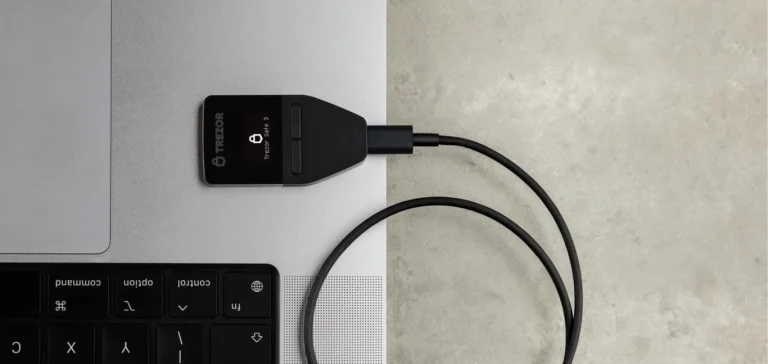
Holding real money in there? We’d add a hardware wallet the same day. Ledger, Trezor and Lattice plug in directly, while AirGap Vault, Arculus, CoolWallet, D’Cent, imToken, Keycard Shell, Keystone, NGRAVE ZERO and OneKey work air-gapped, and our roundup of the best hardware wallets for MetaMask puts the main ones side by side.
So How Long Will This Take?
Typing is the bottleneck. Nothing here waits on a block, because no transaction is being broadcast at any stage.
MetaMask publishes no figure for this, so we won’t invent one. What we will say is that installing and entering the phrase go quickly, and that the clean-up afterwards does not.
Balances appear as soon as MetaMask has asked the chain. It’s the account-by-account re-adding, then the networks, then the token contracts, that quietly swallows an afternoon when the wallet you’re restoring has had a busy life behind it.
Where People Get Stuck, and What Fixes It
- “Invalid Secret Recovery Phrase” or “Secret Recovery Phrase not found.” nearly always means a typo. Re-read the spelling and the order and keep everything lowercase, which is exactly what MetaMask’s own error text asks of you.
- A word can look right and still be wrong. Poor handwriting is something MetaMask names as a frequent culprit, so measure anything ambiguous against the BIP-39 English list of 2048 words.
- Seeing a single account? MetaMask halted at the first one holding 0 ETH. Add more until the rest surface.
- An account that’s vanished completely may have arrived by private key in the first place, and that key is the only route back to it.
- Right address, zero balance? Your tokens haven’t gone anywhere. They just need adding again as custom tokens.
- Addresses that belong to somebody else’s wallet usually mean another provider generated the phrase. Restore it in that wallet to find out.
- Ledger won’t connect in Firefox? MetaMask warns that Firefox v112 onwards dropped the connection method it relied on, and points you toward a Chromium-based browser.
One last trap, and it’s the sneakiest of them. On import, MetaMask accepts only the default BIP-44 derivation path, m/44’/60’/0’/0, which is the formula that turns a single phrase into a long list of addresses.
Feed it a phrase built on some other path and you’ll get addresses that are perfectly real and completely unfamiliar. Ledger connections dodge this, offering Legacy (MEW/MyCrypto), Ledger Live or BIP44, while the Trezor integration sticks to BIP44 on its own.
Seven Habits That Keep Your Phrase Yours
- Type the phrase into MetaMask and nothing else. Not a website, not a form, not a support chat. MetaMask says flatly that it will never ask you for it.
- Only two moments justify typing it at all: confirming a brand new wallet, and restoring one or resetting a password.
- Handwrite it and keep it off the internet. Cloud documents get a specific warning from MetaMask, as does an email with “Secret Recovery Phrase” in the subject line.
- A phrase you’ve typed somewhere else is burned. MetaMask counts the wallet as compromised even where nobody meant any harm, and tells you to move to a new phrase.
- Move a small test amount first, then read the destination address character by character before the transfer that matters.
- Nobody is giving you free assets. MetaMask hands out no NFTs, tokens, fiat, airdrops or giveaways, so anyone claiming otherwise wants something from you.
- Read what a dapp is asking for before you approve it. A dapp is a decentralized app you connect the wallet to, and checking the request first is MetaMask’s own advice.
Phrase living on a scrap of paper in a drawer? A metal backup costs little and survives a lot, and our Cryptotag Zeus review covers one way to do it.
Questions We Get Asked a Lot
Will importing my seed phrase into MetaMask move my coins anywhere?
No. MetaMask is explicit that an import touches nothing on-chain: your assets sit exactly where they were, and the only thing changing is the app you open to reach them.
Will MetaMask take a 24-word phrase?
Yes. Its interface lists the lengths it accepts as 12, 15, 18, 21, or 24 words, and the import screens take a 12 or 24-word phrase without complaint. One condition: the words have to be English, because multilingual phrases are not supported.
I imported my phrase and only one account showed up. Where are the rest?
Hiding, not missing. MetaMask works upwards through the accounts, keeps each one carrying a non-zero ETH balance on Ethereum Mainnet, then stops dead at the first account with 0 ETH. Add accounts by hand and the ones you are after will appear.
I lost my phrase. Can MetaMask get it back for me?
No, and nobody else can either. MetaMask states it cannot recover your wallet, and warns that anyone asking for the phrase, MetaMask Support impersonators included, is running a scam.
Can the same seed phrase live in MetaMask and another wallet at once?
It can, because the phrase follows the BIP-39 standard and more than one wallet can derive the same accounts from it. The wrinkle is the derivation path. MetaMask supports only m/44’/60’/0’/0 on import, so a wallet built on a different path will show you a different set of addresses.
What about the accounts I imported using a private key?
Those sit outside the phrase entirely. MetaMask’s own notice says imported accounts will not be associated with your Secret Recovery Phrase, so each private key has to go back in separately after a restore.
The Short Version
Four decisions, really. Install from the official page, pick “I have an existing wallet”, type the words in lower case and in their original order, then set a password of at least 8 characters.
Everything after that is tidying, because MetaMask brings back the accounts carrying an ETH balance and hands you the rest, along with your networks and your custom tokens. Check that first address before you trust the wallet with anything you’d miss.
This article is for general information only and is not financial, legal, or investment advice. Prices and features change; check the vendor’s official page before buying.