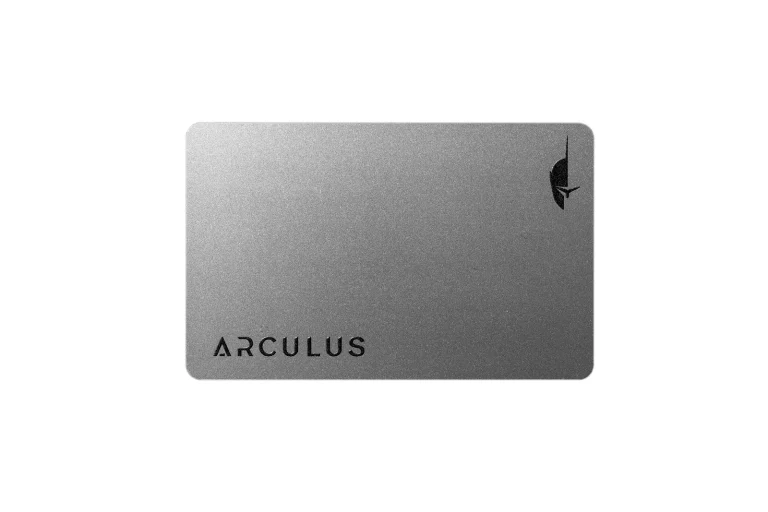
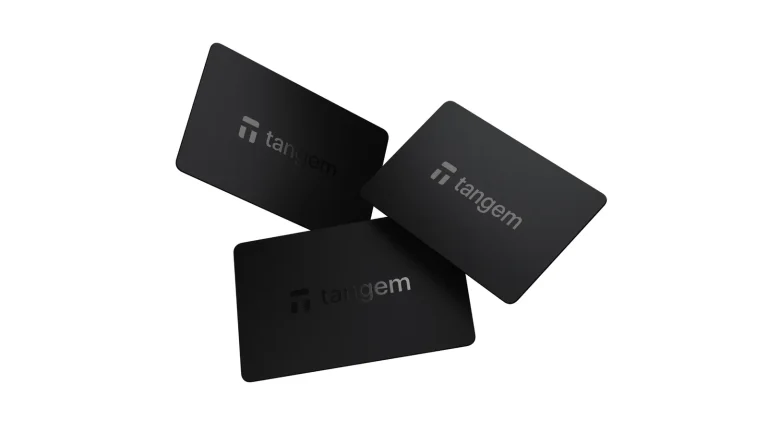
Tangem and Trezor both take your private keys, the secret that actually controls your coins, and keep them away from the internet. That’s where the similarity ends. Tangem gives you a few NFC cards with no screen, no buttons and no battery, and your phone app does the rest, while Trezor gives you a small gadget with its own display, firmware anybody can read, and a desktop program called Trezor Suite.
Here’s the short version. If you live on your phone, want the easiest setup going, and would rather keep spare cards than guard a seed phrase (the list of words that restores a wallet), Tangem makes sense. Go with Trezor if you’d like to confirm each transaction on a screen of its own, work from a computer, or you care about code that outsiders can inspect.
At the time of writing (September 2026), Tangem’s 3-card set sells for $69.90. We’ve put it up against Trezor’s current line-up, leaning mostly on the $59 Trezor Safe 3 and the $129 Trezor Safe 5. Security, daily use, coin support, cost and fit all get a look.
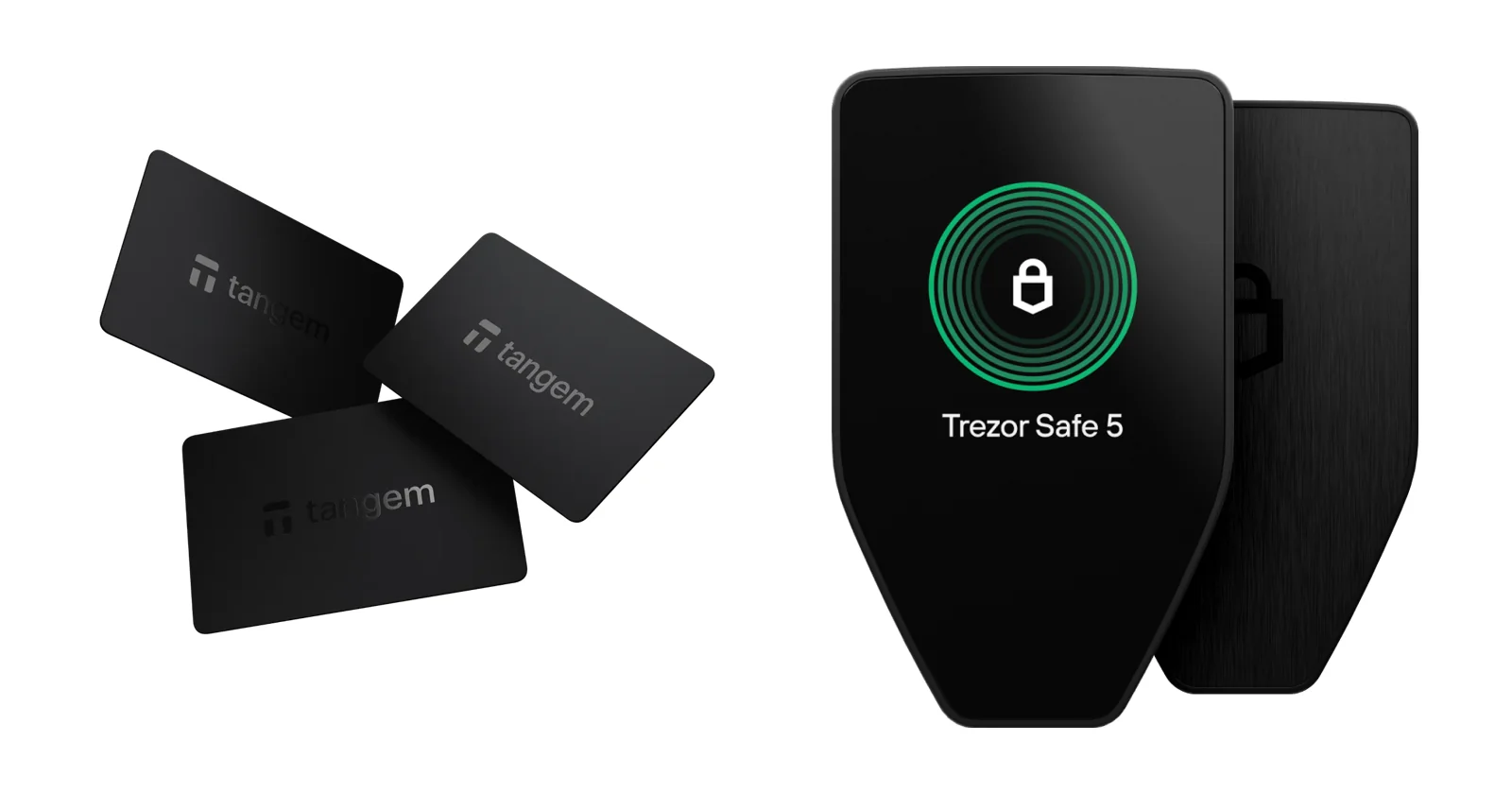
Table of contents
Tangem vs Trezor Side by Side
All of these rows come straight from Tangem’s and Trezor’s own product and help pages, which we read in September 2026.
Tangem vs Trezor: How They Stack Up | |
|---|---|
| <strong>What you pay</strong> | Tangem asks $69.90 for 3 cards or $59.90 for 2. <br> Trezor charges $59 for the Safe 3, $129 for the Safe 5 and $249 for the Safe 7. |
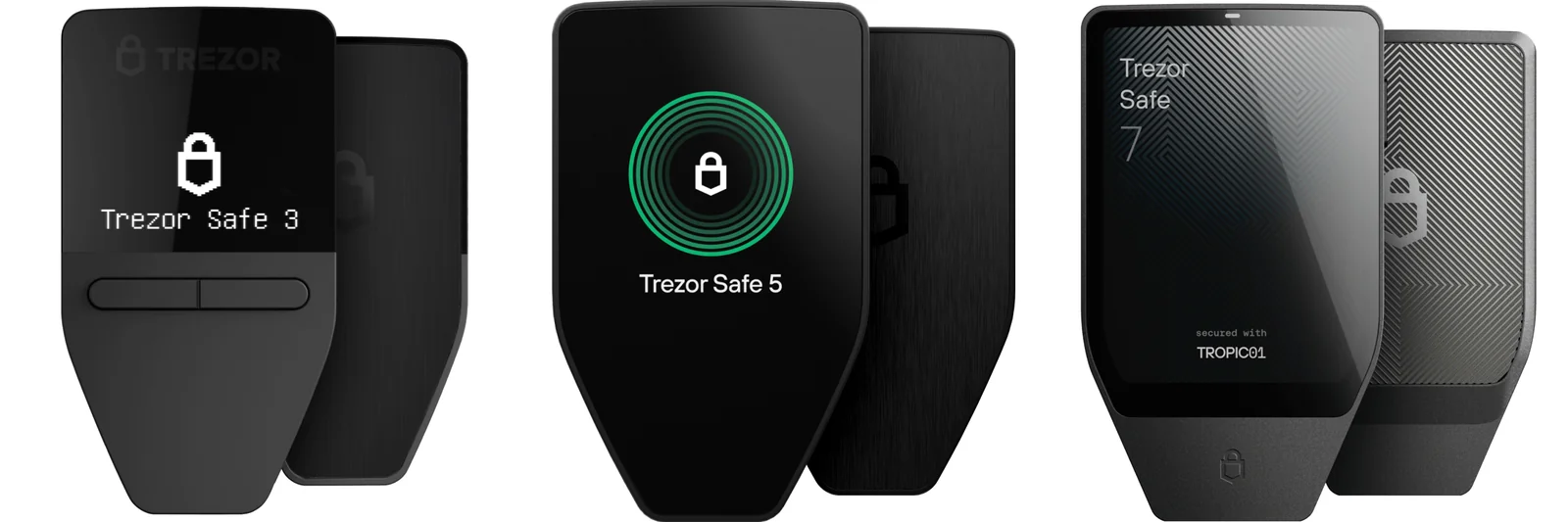
| <strong>What you hold</strong> | Tangem is an NFC card (or a ring) without a screen or battery. <br> Every Trezor has a display: two buttons on the Safe 3, a color touchscreen on the Safe 5 and Safe 7. |
| <strong>How it talks</strong> | Tangem only speaks NFC, and only to a phone. <br> Trezor uses USB-C across the range, and the Safe 7 adds Bluetooth. |
| <strong>The chip</strong> | Tangem’s Samsung chip carries an EAL6+ rating. <br> Trezor fits an EAL6+ OPTIGA Trust M (V3), and the Safe 7 pairs it with TROPIC01. |
| <strong>Firmware</strong> | Tangem’s is closed, loaded once and never updated. <br> Trezor’s is open source under GPL-3.0 and updates through Trezor Suite. |
| <strong>If things go wrong</strong> | Tangem clones your key onto 2 or 3 cards, with a 12 or 24-word seed phrase if you want one. <br> Trezor gives you a 12, 20 or 24-word backup, or Multi-share Backup. |
| <strong>Coins</strong> | Tangem claims 14,100+ tokens on 90 blockchains. <br> Trezor just says "1 000s" of coins and tokens. |
| <strong>Software</strong> | Tangem’s app runs on iOS and Android, with nothing for desktop. <br> Trezor Suite covers desktop and Android, but iPhone support is limited unless you own a Safe 7. |
| <strong>Toughness</strong> | Tangem cards are rated IP69K and carry a 25-year limited warranty. <br> The Safe 7 is IP54, and the Safe 5 and Safe 7 use Gorilla Glass 3. |
| <strong>Suits</strong> | Tangem fits phone-first buyers after a low price and no seed phrase. <br> Trezor fits people who want a screen on the device, a desktop app and open code. |
So What Is Tangem, Exactly?
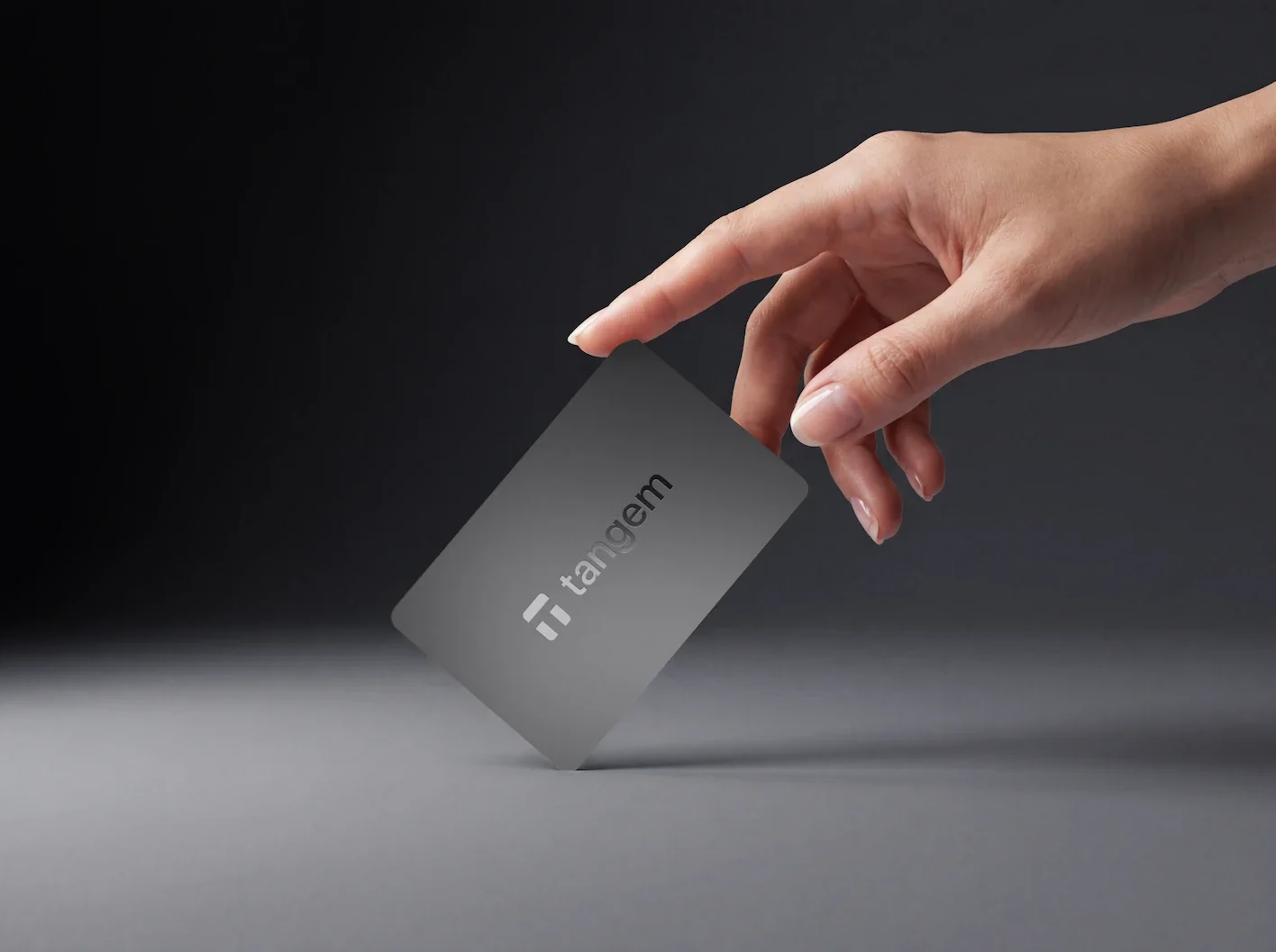
Tangem AG was set up in 2017 and works out of Zug, Switzerland. What it sells as a hardware wallet is a handful of NFC cards.
There’s no battery in them. Tap one against your phone and the phone powers it just long enough to do its job.
Packs come with two or three cards, and every card carries the same private key. You open the Tangem app, tap a card when it asks you to sign, and the key never has to leave the chip.
There’s a Tangem Ring too, bundled with two cards, and it behaves exactly like a card. If you want the full picture, our Tangem Wallet review goes deeper.
What Tangem Brings
- Nothing to charge or plug in, because your phone feeds the card power over NFC.
- A secure element built with Samsung and certified EAL6+.
- Your key gets cloned onto 2 or 3 cards, and you can add a 12 or 24-word seed phrase if you like.
- Tangem counts 14,100+ tokens across 90 blockchains.
- You can stake ETH, SOL, ADA, ATOM, BNB, POL and TRX without leaving the app.
- WalletConnect works with Solana and more than 40 EVM networks.
- The cards are IP69K rated and backed by a 25-year limited hardware warranty.
And What About Trezor?
Trezor sits under the SatoshiLabs Group umbrella. It claims 2M+ customers and 10+ years in Bitcoin, and right now it sells three models: the Safe 3, the Safe 5 and the Safe 7. You can’t buy the old Model One or Model T new anymore.
Each Trezor has a screen of its own. That means the address and amount you approve are shown on the device rather than on a phone or laptop that might be compromised.
The firmware, meaning the software that runs inside the device, is open source, and you handle everything through Trezor Suite, which costs nothing. Our Trezor Safe 5 review covers the middle model, and if you’re also eyeing Ledger, our Ledger vs Trezor comparison puts the two big names head to head.
What Trezor Brings
- A screen on every model, from the 0.96-inch OLED on the Safe 3 to a 1.54-inch color touchscreen on the Safe 5 and a 2.5-inch one on the Safe 7.
- An OPTIGA Trust M (V3) secure element certified EAL6+, joined by a second chip, TROPIC01, in the Safe 7.
- Firmware released as open source under GPL-3.0.
- Wallet backups of 12, 20 or 24 words, or the SLIP39-based Multi-share Backup.
- A PIN as long as 50 digits, plus passphrase protection.
- Trezor Suite handles buying, selling, swapping, staking and sending.
- More than 30 third-party wallet apps work with it.
How Safe Are Tangem and Trezor?
Each keeps your key in a secure element, which is a tamper-resistant chip, and both chips are certified to EAL6+. So the chip isn’t where they split.
What really separates them is the place you read a transaction before approving it: Tangem shows it on your phone and you tap the card to say yes, whereas a Trezor shows it on its own screen, and malware sitting on your phone or computer can’t alter what that screen says.
For us, that screen is the strongest argument in Trezor’s favor.
Firmware is the other big split. According to Tangem, its firmware “is downloaded into the chip once and cannot be updated again”, and the code isn’t public. Tangem describes that as “security through obscurity” and cites two audits, one by Kudelski Security in 2018 and one by Riscure in 2023.
Trezor goes the other way. Its code is published under GPL-3.0, updates arrive through Trezor Suite, and the device leaves the factory with no firmware at all, so Suite puts the newest version on during setup. We prefer being able to read the code, though we get why a never-changing chip appeals to some people.
Wrong guesses are handled differently as well. Tangem’s access code needs at least 4 characters, and once you’ve got it wrong six times, each further try waits 1 second longer, topping out at 45 seconds.
A Trezor Safe 3 or Safe 5 is less patient: after 16 bad PINs the secure element wipes its secret and the device resets.
The Safe 7 allows only 10.
How Backups Work on Each
With Tangem, your backup is simply the other cards. You get one chance to clone the key. Tangem warns that “losing all your devices will result in losing your funds” if you skipped the seed phrase, and a new card can’t be added to a wallet that already exists.
A Trezor backup is a set of 12, 20 or 24 words that you write down yourself. Prefer to spread the risk?
Multi-share Backup breaks recovery into as many as 16 shares, and you choose how many are needed to restore. Lose the device, and you load that backup onto a fresh one.
Passphrases are a small but real gap. Tangem will import a wallet that uses one, yet it can’t create one from scratch. Every Trezor model offers passphrase protection.
What’s Gone Wrong Before
Tangem disclosed a bug on December 31, 2024: for wallets set up with a seed phrase, “the private key was mistakenly logged in the mobile app’s logs”. Only users who went on to contact support through the app within 7 days were exposed, and Tangem puts that at under 0.1%. It says nobody’s private key was compromised and no funds went missing, and it fixed the problem in version 5.19.1 on the App Store and 5.19.2 on Google Play.
Trezor’s trouble has come from partners holding customer details, never from the devices. On January 17, 2024, someone got into a third-party support portal, and contact details for up to 66,000 users may have leaked.
Then in August 2026, shipping partner ShipMonk was breached and 80,689 customers had their names, phone numbers, emails and addresses exposed. Trezor states that none of its own systems or products were hit.
There’s also a hardware finding. Ledger Donjon demonstrated in November 2024 that certain supply-chain protections on the Safe 3 could be sidestepped, while the Safe 5 isn’t affected. Trezor logs this and other fixes on its public security portal, a habit we appreciate.
Which One Is Easier to Live With?
You’ll set up Tangem without ever touching a computer. Hit “Get started”, then “Scan card or ring”, then “Create wallet”, and after that scan each spare card when “Add a card or ring” comes up. A single access code protects the whole set.
Your phone needs NFC and has to run Android 6.0+ or iOS 15.0+. Tablets and PCs won’t work at all. A thick or metal case can also get in the way of the signal, which annoys us a little.
Trezor reckons a Safe 5 takes roughly 15 minutes to get going. You plug it in, let Trezor Suite install the firmware, create the wallet, copy the backup words by hand and choose a PIN. iPhone owners can’t do this on the phone with a Safe 3 or Safe 5, because iOS won’t accept a USB-C connection from a Trezor, so a computer is required.
Once it’s all running, Tangem really is quick. You read the transaction in the app and tap the card. With a Trezor you connect it by cable (or over Bluetooth if it’s a Safe 7) and approve on its screen.
iPhone users should pay attention here. A Safe 3 or Safe 5 on iOS can only track a portfolio, buy and receive, and full iOS support is reserved for the Safe 7.
We’d think twice before pairing a Safe 3 with an iPhone-only life.
What Can You Store on Each?
By Tangem’s count, the app handles 14,100+ tokens on 90 blockchains. For dApps it relies on WalletConnect, covering Solana plus more than 40 EVM networks, and its docs don’t mention MetaMask anywhere. Staking inside the app is available for ETH, SOL, ADA, ATOM, BNB, POL and TRX.
Trezor won’t give a precise figure. It talks about “1 000s” of coins and tokens and notes a few gaps between models. Staking in Trezor Suite covers Ethereum, Cardano and Solana, and the device plugs into more than 30 third-party wallet apps.
If your crypto life runs through desktop tools, Trezor fits better. Our roundup of the best hardware wallets for MetaMask shows which devices play nicely with it.
One warning applies to both. Always confirm the network before you hit send, because Tangem’s own help centre says coins sent on the wrong one “may be permanently lost and cannot be recovered.” Send to a bad address or over the wrong network and nobody at Tangem or Trezor, or anywhere else, can undo it.
Is Either One Worth the Money?
Here’s the September 2026 pricing. Tangem sells its 3-card set for $69.90 and the 2-card version for $59.90. On the Trezor side, the Safe 3 is $59, the Safe 5 is $129 and the Safe 7 is $249.
Tangem’s three cards cost $10.90 more than a Safe 3. That extra buys you two backup cards. Jump to a Safe 5 and you’re paying $59.10 above the Tangem set for a color touchscreen.
The Safe 7 sits $179.10 higher than Tangem and brings Bluetooth, full iPhone support and a second secure element. Tangem, for its part, ships free on standard orders over $100.00.
Neither app costs anything. Tangem doesn’t add its own commission when you send, and outside providers take care of buying and swapping.
The Good and the Bad
Where Tangem Shines and Stumbles
Where Trezor Shines and Stumbles
So Which One Fits You?
Phone-only and short on patience? Get Tangem. With the 3-card set you’ve got two backups already, and there’s no word list to hide under the mattress.
Want a separate screen confirming every send? That’s a Trezor, and at $59 the Safe 3 is the least you’ll spend to get one.
Picking a Trezor for an iPhone is a different story, and there we’d only suggest the Safe 7, since no other model gets full iOS support.
And if open-source firmware is non-negotiable for you, Tangem’s out of the running.
Tangem vs Trezor FAQ
Which is more secure, Tangem or Trezor?
It depends on what worries you. The two use EAL6+ secure elements, but Trezor displays each transaction on its own screen and publishes its firmware, whereas Tangem leans on your phone’s display and a closed firmware that never changes.
Do you get a seed phrase with Tangem?
Only if you ask for one. You can skip it and rely on 2 or 3 cards as backups, or have the app generate 12 or 24 words while you set up.
Will Tangem work on my laptop?
No. It needs an NFC phone, and tablets and PCs are out.
Can I use a Trezor with an iPhone?
Yes, fully, if it’s a Safe 7, which connects over Bluetooth. A Safe 3 or Safe 5 on iOS only lets you track a portfolio, buy and receive.
What if my Tangem cards get lost?
Lose one and the remaining cards keep working. Lose every card without having made a seed phrase, though, and the funds are gone.
Is Tangem open source?
Partly. Its app’s code sits on GitHub, but the firmware on the card is closed, unlike Trezor’s GPL-3.0 firmware.
Which costs less?
Trezor, barely. A Safe 3 is $59, while Tangem charges $59.90 for 2 cards and $69.90 for 3 (September 2026).
Our Verdict: Tangem or Trezor?
Tangem is our pick if you only use a phone and want to spend little, charge nothing and skip the seed phrase. Trezor comes out ahead the moment you want a dedicated screen for checking transactions, a desktop app, or firmware you can actually read.
Newcomers won’t go wrong with either the $59 Trezor Safe 3 or the $69.90 Tangem set. Still fuzzy on what holding your own keys involves? Our explainer on custodial vs non-custodial wallets is a good place to start.
This article is for general information only and is not financial, legal, or investment advice. Prices and features change; check the vendor’s official page before buying.