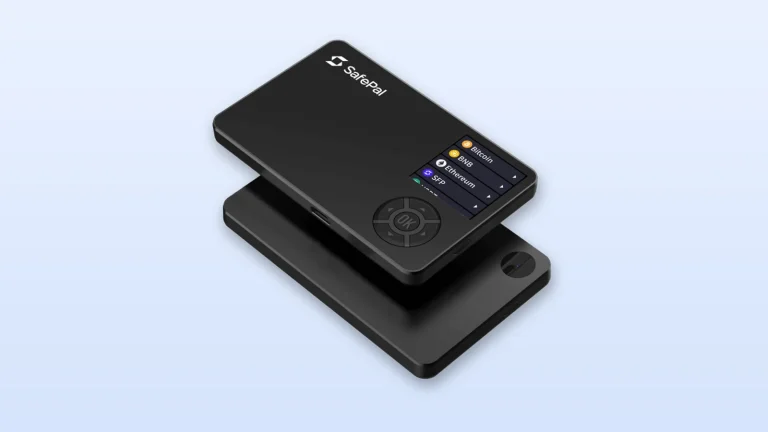
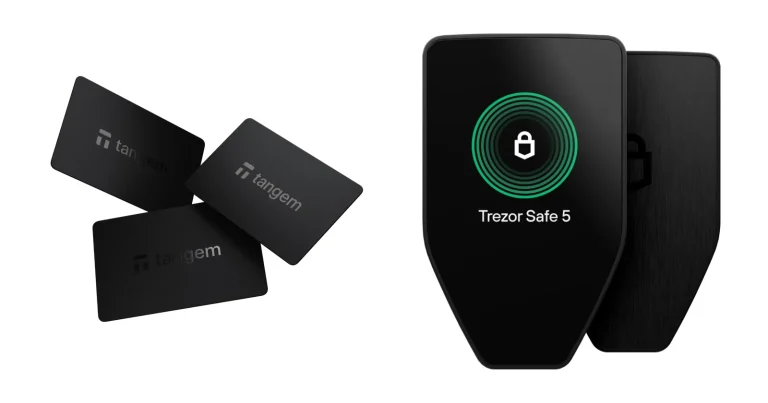
Each company now has a touchscreen device sitting in the middle of its range, and these are the two. Their price tags are nowhere near each other. As we write this in September 2026, Trezor wants $129 for the Safe 5 while Ledger asks $249 for the Flex.
Want code you can read yourself, a color screen, and change left over? That’s the Safe 5.
Rather tap, pair over Bluetooth, and drive the whole thing from an iPhone? That’s the Flex.
Below we work through the chips, the recovery options, the two desktop apps, coin coverage, and the honest question of whether $120 more gets you $120 more wallet. Every price here was pulled from the vendor’s own store on the date above.
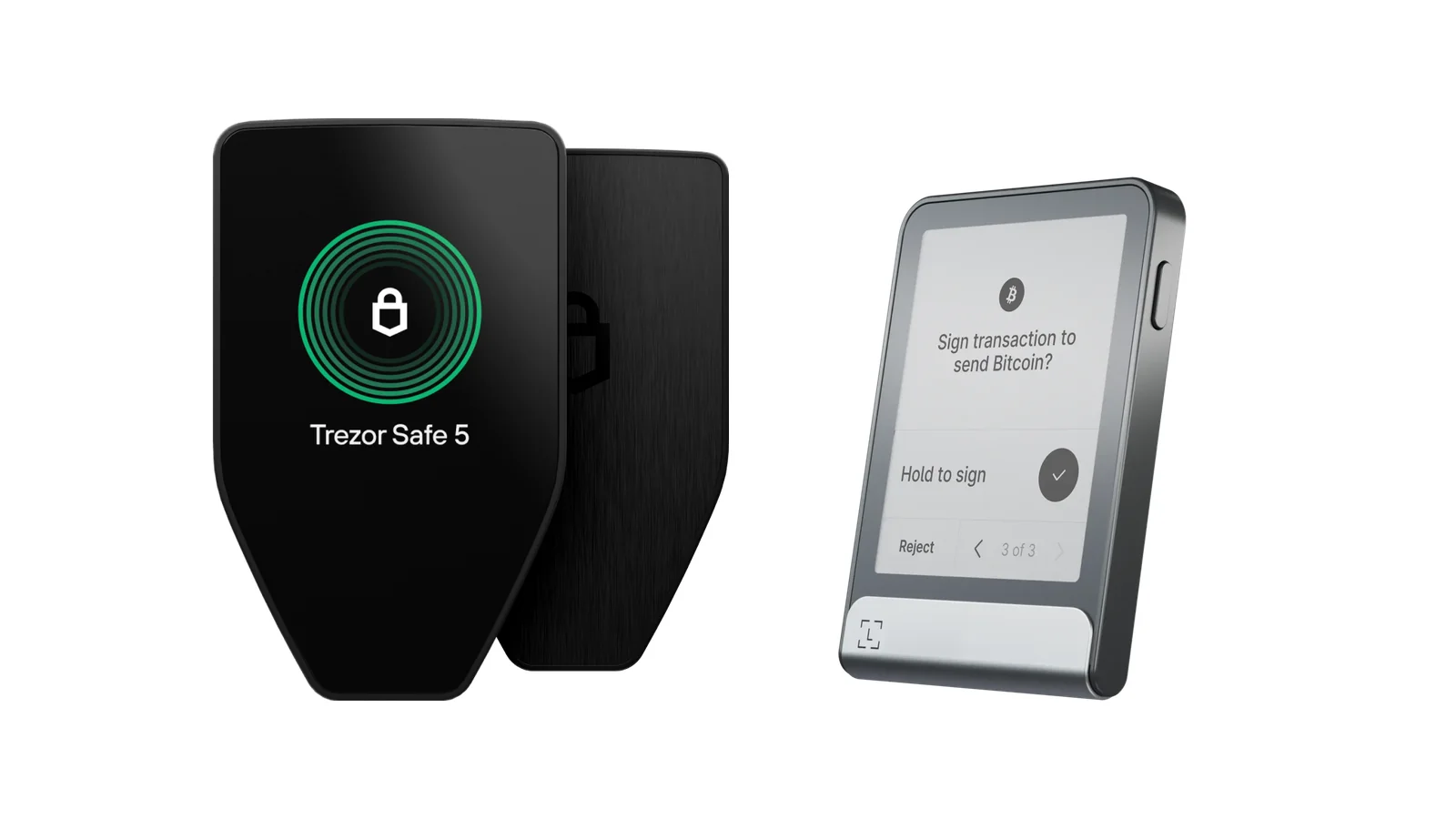
Table of contents
Trezor Safe 5 vs Ledger Flex at a Glance
Everything we argue about further down, compressed into one table. We took each line off the maker’s own product page in September 2026.
Trezor Safe 5 vs Ledger Flex: Comparison Chart | |
|---|---|
| <strong>What it costs</strong> | The Safe 5 is $129. <br> The Flex is $249. |
| <strong>The screen</strong> | Safe 5: color, 1.54 inches, 240 x 240 px. <br> Flex: E Ink, 2.8 inches, 480 x 600 px. |
| <strong>How it answers you</strong> | The Safe 5 buzzes under your finger with Trezor Touch. <br> The Flex doesn’t buzz, but its screen keeps showing something while asleep. |
| <strong>Ways to connect</strong> | Safe 5: a USB-C port and a microSD slot, nothing else. <br> Flex: USB-C, plus Bluetooth BLE 5.2 and NFC. |
| <strong>The chip guarding the keys</strong> | Safe 5: OPTIGA Trust M (V3), rated EAL6+. <br> Flex: ST33K1M5, rated CC EAL6+. |
| <strong>Can you read the code?</strong> | All of Trezor’s is published. <br> Ledger puts the figure at 95% open or reviewable. |
| <strong>Fat-finger tolerance</strong> | The Safe 5 lets you miss the PIN 16 times. <br> The Flex wipes itself on the third miss. |
| <strong>How you back it up</strong> | Safe 5: 12, 20 or 24 words, or SLIP39 Multi-share Backup. <br> Flex: a paper Recovery Sheet, with a Ledger Recovery Key card included. |
| <strong>Desktop software</strong> | Trezor Suite drives the Safe 5. <br> Ledger Wallet drives the Flex. |
| <strong>On a phone</strong> | Safe 5: everything on Android, a cut-down version on iOS. <br> Flex: iOS 14+ and Android 10+, over Bluetooth. |
| <strong>Coins and tokens</strong> | Trezor claims 1000s of them. <br> Ledger claims 500+ inside its app, thousands more via other wallets. |
| <strong>Who it suits</strong> | Safe 5: desk-bound holders who want auditable code. <br> Flex: people who do most things from a phone. |
So What Is the Trezor Safe 5, Exactly?
Trezor sells three wallets right now, and the Trezor Safe 5 is the one in the middle. Below it sits the Safe 3 at $59; above it, the Safe 7 at $249. It went on sale at BTC Prague on 14 June 2024, and back then it cost $169.
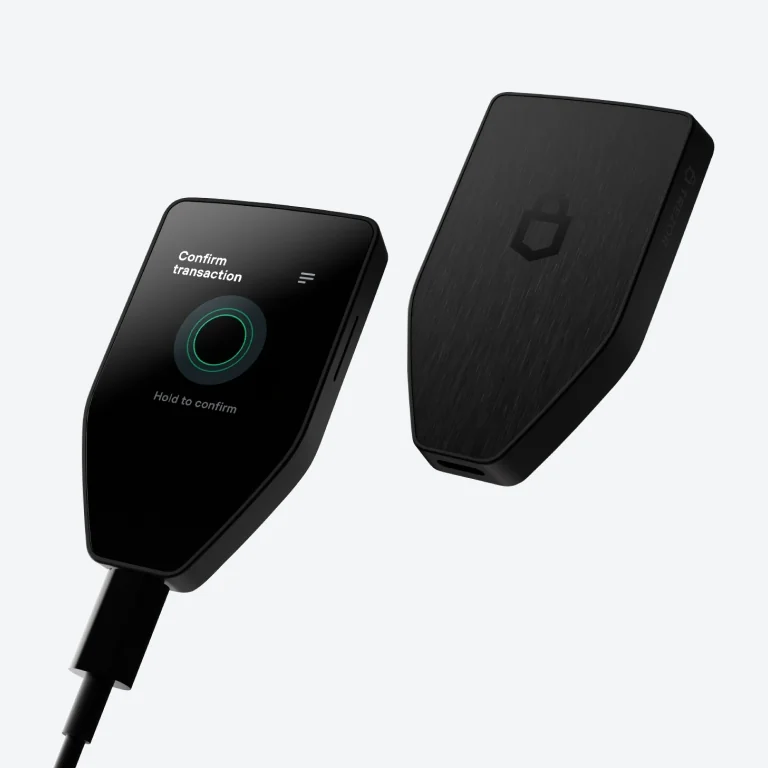
Physically it’s tiny. You get 65.9 x 40 x 8 mm of PC-ABS plastic with an anodized aluminum backplate, weighing 23 g, and a 1.54-inch color touchscreen under Gorilla Glass 3 that buzzes back when you press it. Our Trezor Safe 5 review pulls the whole thing apart in more detail.
What You Actually Get With the Trezor Safe 5
- Color, touch, and 240 x 240 pixels across 1.54 inches, with a haptic nudge from Trezor Touch each time you tap.
- An OPTIGA Trust M (V3) secure element rated EAL6+, and Trezor makes a point of calling it NDA-free.
- Every line of the firmware lives in the public trezor-firmware repository, so anybody who wants to read it can.
- Your recovery words can run to 12, 20 or 24, and SLIP39 Multi-share Backup can chop that backup into separate shares.
- There’s a microSD slot, which unlocks microSD card encryption. Only this model and the old Model T offer it.
- One port, USB-C. Nothing wireless, no NFC, and no battery inside.
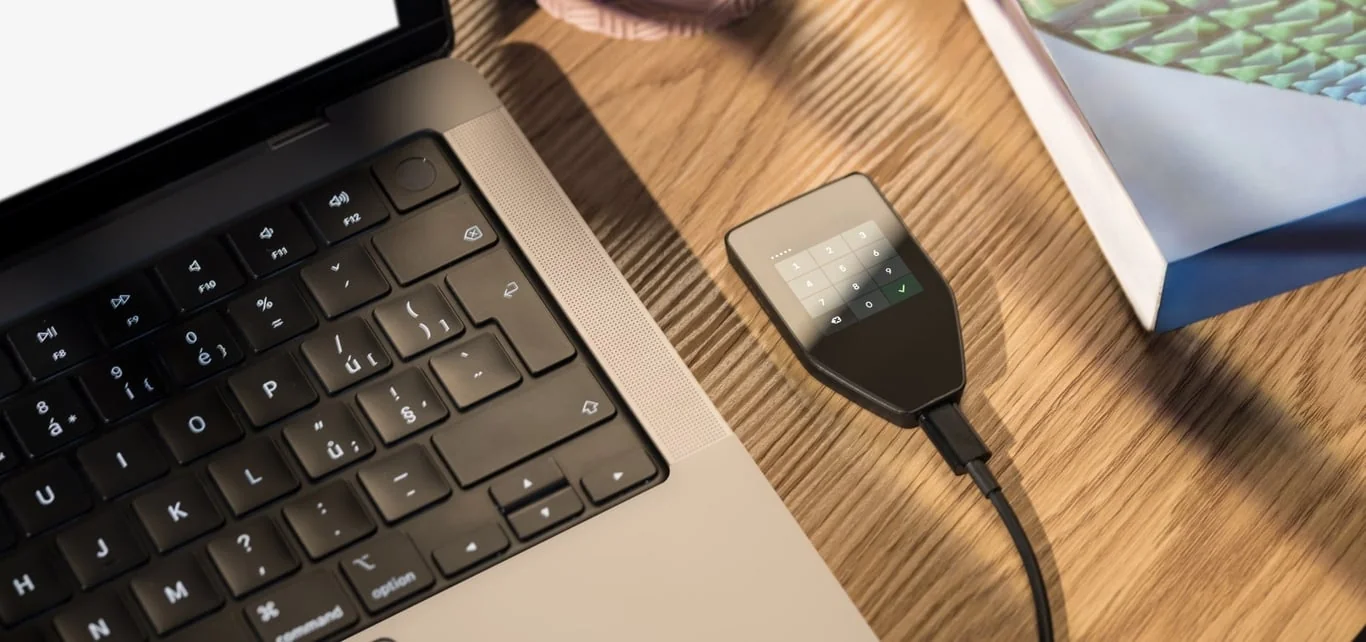
- You type the PIN and any passphrase on the wallet itself, and FIDO2 support turns it into a 2FA key when you need one.
And Where Does the Ledger Flex Fit?
Ledger put the Ledger Flex on sale on 26 July 2024 at $249, and the sticker hasn’t moved since. Its marketing line is “The new standard”, which places it under the $399 Stax and over the $179 Nano Gen5.
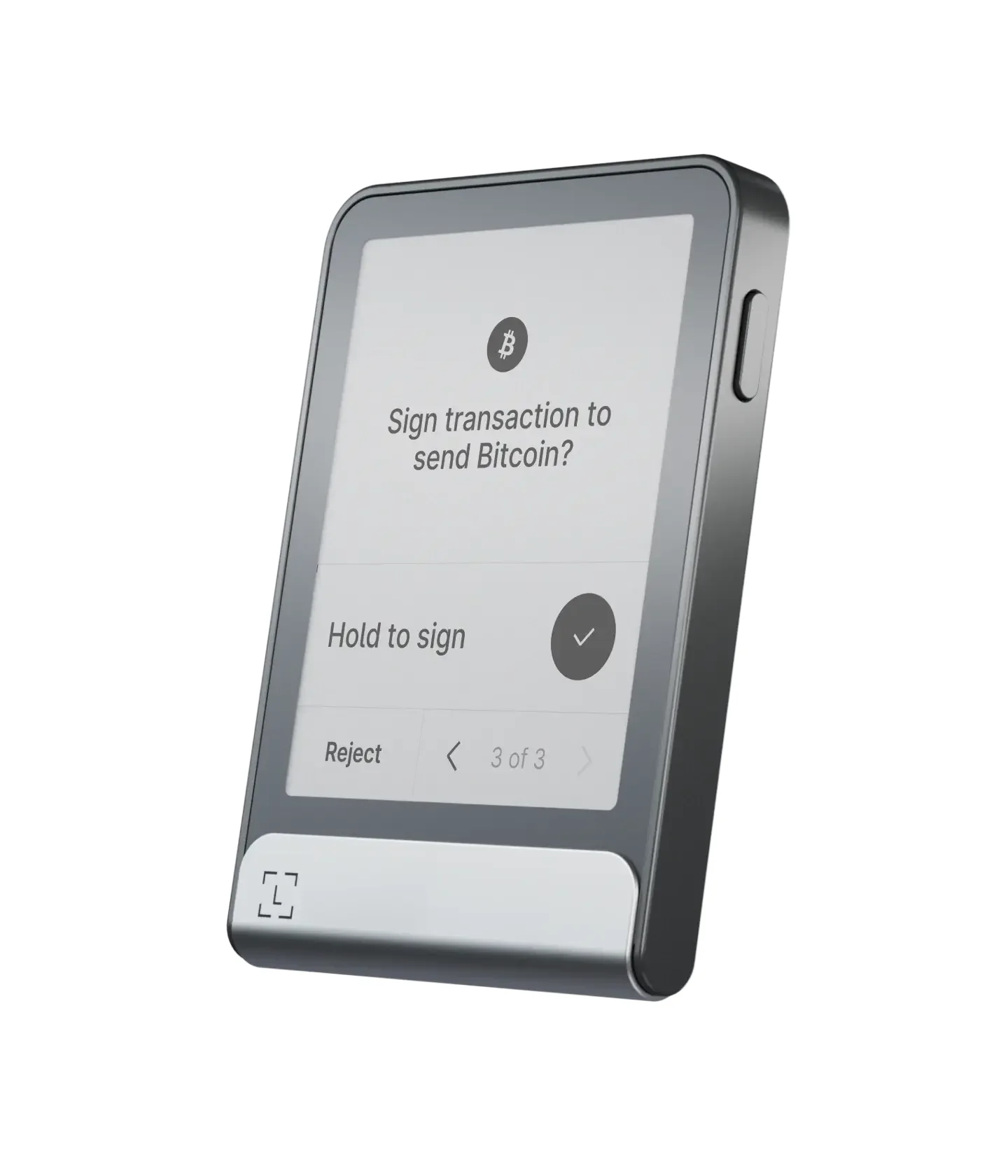
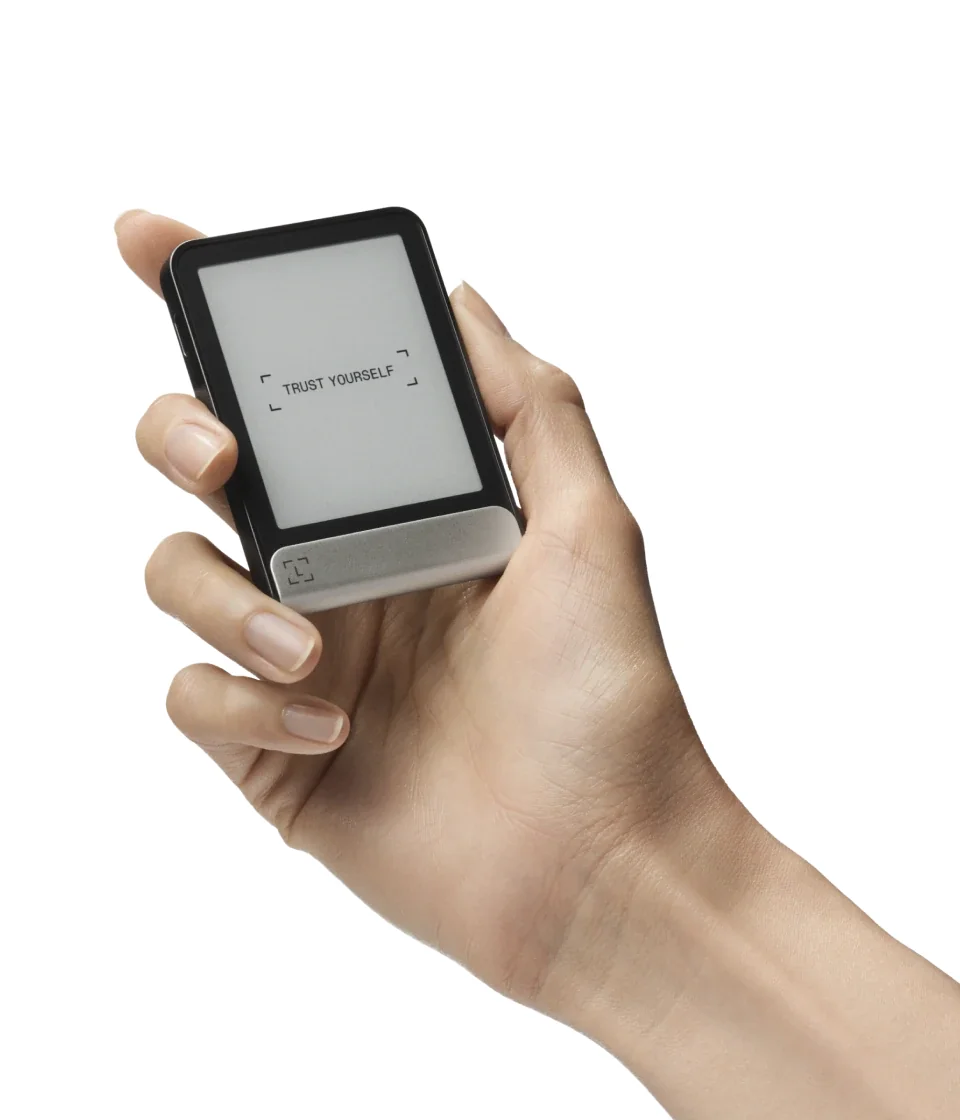
Next to the Trezor it’s a slab: 78.4 x 56.5 x 7.7 mm, 57.5 g, aluminum around the edge and plastic at the back. Its 2.8-inch E Ink touchscreen runs at 480 x 600 px and never fully goes dark, which we like more than we expected to.
Prefer curves? Our Ledger Stax review covers the bigger sibling.
What You Actually Get With the Ledger Flex
- E Ink in 16 shades of gray across 2.8 inches, sitting under Gorilla Glass with an anti-glare layer on top.
- Keys live in an ST33K1M5 chip carrying CC EAL6+ certification, and Ledger OS runs on top of it.
- Three ways in: Bluetooth BLE 5.2 for any iPhone or Android handset, NFC for the Recovery Key and Security Key, USB-C when you’re at a desk.
- Ledger quotes 10 hour battery autonomy, which is what lets you leave the computer behind.
- Open the box and you’ll find both a paper Recovery Sheet and a Ledger Recovery Key card.
- Clear Signing spells out what you’re approving, and Transaction Check tries to spot the usual scams first.
- Ledger’s store lists seven finishes. One of them, the Bonk Edition, carries a $259 tag and is out of stock right now.
Security: Trezor Safe 5 vs Ledger Flex
EAL6+ appears on both spec sheets. If the term means nothing to you, a secure element is a chip designed to keep its secrets even while somebody has it on a workbench, and EAL6+ is the Common Criteria grade describing how stubbornly it resists that treatment.
What each company does with the chip is not the same thing at all. Over at Trezor, the OPTIGA Trust M (V3) never touches your private keys.
Instead it guards a secret created when you set the PIN, and that secret plus your PIN is what encrypts the keys sitting on the main processor. Punch in the wrong PIN and the secret stays locked away.
Ledger goes the other way. The keys stay inside the ST33K1M5, and that same chip is wired directly to the touchscreen, on the theory that a display fed by the secure element can’t be fooled by whatever’s running on your laptop.
Ian Rogers, Ledger’s Chief Experience Officer, doesn’t hedge about it: “Without a secure screen, you are not secure. Period.”
Then there’s the wrong-PIN rule, and this one genuinely annoys us. Miss 16 times on the Safe 5 before it clears itself. Miss three times on the Flex and it’s already gone, which feels harsh when you’re rushing through an 8-digit code.
Ledger allows anywhere from 4 to 8 digits and reckons the longest option is the toughest to guess. Trezor stacks a passphrase on top, up to 50 ASCII characters, keyed in on the device and stored nowhere. Fat-finger that passphrase and you’ll simply land in a different wallet with nothing in it.
Open Code, or Certified Silicon?
Nothing is held back at Trezor. Its own wording is that the software has “always been open-source to be fully auditable”, and the bootloader raises a flag the moment it spots firmware that isn’t official. Updates don’t land unless you press the device yourself.
Ledger’s number is 95%: that share of its operating system and software is either open or available to review, and it covers the wallet app, the Wallet API, the Secure SDK and the embedded apps. Why isn’t it all of it? Because the deal Ledger signed with STMicroelectronics “legally prevents us from exposing the low-level code that talks to the hardware blocks of the Secure Element”.
What you get instead is the Donjon, Ledger’s own crew of attackers who go at the company’s products the way an outsider would, then push fixes out through firmware and publish their attack tools. They handle the bug bounty too. Honestly, we don’t think either philosophy is wrong, and the longer version of that debate lives in our Ledger vs Trezor comparison.
Both Companies Have Leaked Customer Data
Neither of them can claim a spotless history here. Back in July 2020 somebody got into Ledger’s e-commerce database and walked off with roughly 1 million email addresses, plus about 272,000 fuller records carrying names, postal addresses and phone numbers. The CEO’s line at the time was that it “has no link nor impact on our hardware wallets, the app or your funds”.
Worse came on 14 December 2023. A phishing email caught a former Ledger employee, and poisoned builds of the Ledger Connect Kit, versions 1.1.5, 1.1.6 and 1.1.7, went up on npm. Ledger reckons the file sat there for five hours, with real draining “confined to less than two hours in total”, and says the attacker never got near its own infrastructure or repositories.
Trezor’s bad news arrived in August 2026, from its shipping partner ShipMonk rather than from Trezor itself. According to the company, 11,742 customers had names, shipping addresses, phone numbers and email addresses fully exposed, with another 1,947 partially exposed. An update on 2 September 2026 pulled in around 67,000 additional US customers from older orders.
Read the two statements side by side and they rhyme. Trezor’s says “Trezor systems, hardware wallets, private keys, and wallet backups were not affected”, which is the same reassurance Ledger gave. Either way the takeaway doesn’t change: leaked addresses become phishing lists, so anyone asking for your recovery words is an attacker, full stop.
Something else holds true for both devices, and for every wallet you’ll ever touch. Send to the wrong address, or over the wrong network, and that money is gone. Nobody can claw it back for you, which is why the address on the little screen is the one that counts, not the one on your monitor.
Trezor Safe 5 vs Ledger Flex: What They Feel Like to Use
Budget a quarter of an hour for the Trezor, which matches what the company promises. Plug the Safe 5 into a machine, launch Trezor Suite, and follow the trail of buttons: “Set up my Trezor”, then “Install firmware”, then “Create wallet”, then “Create wallet backup”, then “Set PIN”. Two 20-word cards come in the box for writing the words down.
Guard those words. They’re your seed phrase, and if the wallet ever dies they’re the only route back to your coins. Trezor’s warning at that screen deserves repeating: “Never enter your backup anywhere other than directly on your Trezor device.” Fake sites are built for exactly this moment.
Setting up the Flex works either over Bluetooth from a handset or through USB-C at a desk, and because there’s a battery in it, nothing has to stay plugged in. Write your phrase onto the Recovery Sheet, then tap through the confirmation on the E Ink display.
Once you’re past setup, the Ledger behaves more like a gadget than a dongle. More of a transaction fits on 2.8 inches, E Ink holds up outdoors in bright sun, and pairing over Bluetooth means the thing can stay in your pocket. Trezor’s display is smaller but the color is crisper, and we’d be lying if we said the little buzz under each tap wasn’t satisfying.
Now for the gap that actually matters. On Android, Trezor Suite gives the Safe 5 “Full compatibility”; on iPhones you’re stuck with “Limited compatibility on iOS”, meaning you can watch your portfolio, buy, and receive. Trezor’s product page states it without dressing it up: “No swap, send, setup or device management on iOS”.
No such asterisk hangs over the Flex, which pairs with iOS 14+ and Android 10+ over Bluetooth and just works. Own an iPhone and expect to send from it? That one line settles the whole argument.
Coin Coverage: Trezor Safe 5 vs Ledger Flex
Ask either vendor for a straight number and you won’t get one, so read the copy with a raised eyebrow. Trezor’s page for the Safe 5 goes with “1000s of coins & tokens” and then hands you off to its coin list instead of committing to a figure.
Ledger manages to print three separate claims on a single page. Down in the spec sheet you’ll read “500+ crypto supported via the Ledger Wallet app” next to “Thousands of coins, tokens, and NFTs supported via third-party wallets”. Scroll up and the headline says “15,000+ crypto & NFTs”, while the app section boasts of “50+ top providers across 100+ chains”.
Strip the noise away and you land in the same place with either device: the big chains are covered, thousands of tokens are covered, and anything obscure means reaching for an outside wallet. Ledger points at MetaMask, Phantom, Rabby Wallet and Electrum, though it also admits it “does not guarantee such compatibility”. Trezor’s route to those apps is Connect Trezor.
The MetaMask pairing on the Trezor side is covered in how to connect Trezor to MetaMask.
Where the two genuinely differ is NFTs. Ledger folds them into its totals; Trezor supports them on supported chains but concedes that “Trezor Suite does not support viewing or interactions with NFTs”. Collectors will want to read our best NFT hardware wallets roundup before deciding.
Staking more or less cancels out. You can stake Ethereum, Cardano and Solana inside Trezor Suite. Ledger Wallet, meanwhile, hands buying, swapping and staking over to outside providers instead of running them itself.
Trezor Safe 5 vs Ledger Flex: Where the $120 Goes
Today, in September 2026, you’ll pay $129 for a Safe 5 and $249 for a Flex. Call it a $120 difference, or near enough double.
To Ledger’s credit, that money buys parts you can hold: a bigger display, a battery, Bluetooth, NFC, and a Ledger Recovery Key card that costs $39 on its own, or $99 if you want three. Shipping from Ledger is free, and the store reckons the Flex “Usually ships within 24 hours”. Trezor also ships free to US addresses, quoting a 3-day transit time.
Worth remembering: the Safe 5 didn’t always cost this little. It arrived at $169 and has settled at $129, which quietly improves its case against the Flex compared with 2024.
Look either side and there are cheaper and pricier options from both brands. Trezor’s range runs from the $59 Safe 3 up to the $249 Safe 7. Ledger’s runs from the $59 Nano S Plus through the $99 Nano X and $179 Nano Gen5 to the $399 Stax.
There’s one Ledger extra you should know exists before you buy. Ledger Recover costs $9.99 a month, spreads an encrypted copy of your seed across Coincover, Ledger and Escrowtech, and won’t work without an ID document and a selfie through Onfido. It’s switched off by default, and we’d guess most owners leave it that way.
Owner scores land close together, though the sample sizes really don’t. Ledger’s store puts the Flex at 4.4 out of 5 from 314 reviews. Trezor’s shows 4.8 out of 5, from 47 verified buyers.
What We Like, and What Bugs Us
Trezor Safe 5: The Good and the Annoying
Ledger Flex: The Good and the Annoying
So Which One Should You Buy?
Work mostly at a desk, want code that outsiders can inspect, and would rather keep $120? Then the Safe 5 is your wallet. Neither the microSD encryption nor Multi-share Backup is a marketing bullet; both do something.
Living on an iPhone and hoping to approve transfers from the couch changes the answer to the Flex. Trezor has no reply to Bluetooth paired with unrestricted iOS support.
Got NFTs you’d like to see in the manufacturer’s own software? The Flex again, because Trezor Suite won’t render them.
One rule regardless of which way you go: order from the source. Trezor asks you to stick to its official shop or a trusted reseller, while Ledger sells the Flex straight from its own store.
FAQ: Trezor Safe 5 vs Ledger Flex
Which is safer, the Trezor Safe 5 or the Ledger Flex?
Neither, really. Both carry an EAL6+ secure element, so the difference is philosophy rather than grade. Trezor puts all its code in the open and forgives 16 wrong PIN entries; Ledger wires the display straight to the chip and cuts you off after three.
Can the Trezor Safe 5 connect over Bluetooth?
Nope. USB-C and a microSD slot are all you get. Wireless arrived with the Trezor Safe 7.
Will either wallet work with an iPhone?
The Flex will, over Bluetooth, on iOS 14 and later. The Safe 5 gets a reduced version of Trezor Suite on iOS that handles portfolio tracking, buying and receiving, but not swapping, sending, setup or device management.
Is the Ledger Flex really worth $120 more than the Trezor Safe 5?
Only if Bluetooth, NFC, a battery and a roomier screen matter to how you use it. Sign everything from a desktop and the Safe 5 hands you the same class of EAL6+ chip for $129.
Am I obliged to use Ledger Recover?
Not at all. It’s a $9.99 a month add-on that needs ID and a selfie through Onfido, and skipping it costs you nothing. Keeping your own paper backup remains perfectly fine.
Which one is better for NFTs?
Ledger, comfortably. Trezor will hold NFTs on supported chains, but Trezor Suite refuses to show them or let you do anything with them.
What if I forget the PIN?
You lose the device contents and rebuild the wallet from your recovery words. That happens after 16 misses on the Safe 5 and just three on the Flex, so the backup needs to be somewhere you can genuinely get to it.
The Verdict: Trezor Safe 5 or Ledger Flex?
For most buyers we’d reach for the Safe 5. You’re getting the same class of EAL6+ chip, code nobody is hiding, richer backup choices and a PIN policy that won’t punish a shaky hand, all for $129. It does cost you something, though: no wireless, a modest display, and an iPhone app that stops short of letting you send.
Where the Flex justifies $249 is when you want the wallet to act like an accessory to your phone. Bluetooth, NFC, a battery and that generous E Ink panel produce something you’ll genuinely take out in public.
Going that route? Buy it, then pick an 8-digit PIN your fingers won’t stumble over.
Remember that buying the hardware is only half of it. Those recovery words belong offline, written on paper or stamped into metal, kept where neither fire nor water will find them.
Curious about wallets that never touch a cable at all? Try our guide to air-gapped crypto wallets.
This article is for general information only and is not financial, legal, or investment advice. Prices and features change; check the vendor’s official page before buying.