Phantom began as a browser extension for Solana tokens and now wants to be the app your money lives in. It costs nothing, your keys stay yours, and there’s a debit card and a desktop trading terminal bolted on. Phantom puts its community at 20+ million users.
Solana-first holders are the obvious audience, particularly anyone who’d rather swap, stake and spend without juggling four apps. We’d send you somewhere else if your money sits on Arbitrum, Optimism, BNB Smart Chain or Avalanche, since Phantom carries none of them. Same answer if you insist on reading a wallet’s source before you trust it.
Solana users torn between two popular options can see how it stacks up in Phantom vs Backpack.
What’s below: what the thing is, how it feels in your hand, what it does and doesn’t protect, which chains it holds, what it quietly charges, and how to get running without losing anything on the way.
Table of contents
So What Is Phantom Wallet, Exactly?
Phantom Wallet at a Glance | |
|---|---|
| <strong>What it costs</strong> | Nothing to install. There’s no subscription and no device to buy, all at the time of writing (September 2026). |
| <strong>What you install</strong> | Software and nothing else: one browser extension, plus apps for iOS and Android. |
| <strong>Where it runs</strong> | Chrome, iOS and Android get proper support. Brave, Opera and Edge will run it, but unofficially. |
| <strong>Who holds the keys</strong> | You do, on your own device. Phantom’s line is that it never has access to your funds. |
| <strong>Can you read the code</strong> | Only some of it. GitHub carries the blocklist and both audit reports, while the wallet client stays behind the curtain. |
| <strong>What it holds</strong> | Seven networks, namely Solana, Ethereum, Base, Polygon, Robinhood Chain, Bitcoin and HyperEVM. |
| <strong>How you back it up</strong> | A 12-word phrase you copy down by hand, or a Google or Apple sign-in that still lets you export that phrase. |
| <strong>Extra software</strong> | Phantom Terminal, a trading interface for desktop browsers, in beta since November 2025. |
| <strong>Who it suits</strong> | Anyone whose crypto lives on Solana and who wants swapping, staking and card spending under one roof. |
The story opens in January 2021, with a handful of engineers, designers and ex-founders trying to make crypto less painful. They ran a beta with 40K active testers before letting anyone else in. Growth was quick: by the Series B in January 2022, Phantom counted more than 2 million monthly active users inside six months of launching.
Investors clearly agreed. July 2021 brought a $9M Series A from a16z, Variant and Jump Capital, Paradigm led a $109M Series B six months later, and in January 2025 Sequoia Capital and Paradigm co-led a $150M Series C that valued the company at $3B.
Then came the shopping spree. Bitski joined in May 2024, the transaction-security outfit Blowfish was bought outright, and SimpleHash, Parallax, Solsniper and Ventuals all arrived between February 2025 and June 2026. That’s how an extension for Solana tokens ended up looking like a bank app.
The Phantom Wallet Features You’ll Actually Use
- A single 12-word phrase unlocks every account on all seven networks, which spares you keeping a second wallet around purely to reach Bitcoin or Base.
- Swaps happen inside the app, routed to decentralized exchanges without you choosing one. Phantom grabs whichever provider quotes best, unless you override it on the review screen.
- Every signature comes with a preview of what you’re agreeing to, and anything that smells wrong gets flagged before you tap approve. Nothing else in a hot wallet saves you as much money.
- There are two ways to stake SOL: delegate natively to a validator you pick, or take the liquid route and hold a token called PSOL that you can put to work elsewhere.
- Phantom Cash converts a balance into spending money, through a virtual debit card, bank funding, and payments addressed to a Phantom username instead of a string of characters.
- Pairing a Ledger is built in, so the keys can sit on hardware while Phantom remains the screen you look at.
Is Phantom Wallet Easy Enough for a Beginner?
Give it five minutes. Inside the extension you click Create a New Wallet, then Create a Recovery Phrase Wallet, invent a password of eight characters or more, copy down the 12 words, tick I saved my Recovery Phrase, choose a username, and finish on Continue and Get Started.
One snag deserves flagging early. Making a recovery-phrase wallet is impossible in the mobile app, full stop. Phantom offers it in the extension only, so a phone-only user either signs in through Google or Apple, or borrows a desktop to build the wallet and imports the phrase afterwards.
After that, the chain switching mostly disappears. Balances across all seven networks sit in one portfolio view, so nothing forces you to pick a network before you can look at what you own. Anything you never touch can be hidden under Settings, then Active Networks.
Three taps get you a swap on mobile: the plus button in the lower right, then Trade, then pick your tokens under You Pay and You Receive and hit Swap Now. In the extension it’s a Swap button on the Home tab, same two fields. A review screen follows with rows for Pricing, Slippage, Price Impact and Network Fee, and you can adjust each one.
Slippage arrives set to Auto, and you can override with 0.5%, 1%, 2% or anything you like between 0.1% and 30%. Beginner wallets rarely hand over that much rope. What we like is that Phantom bothers to explain what breaks at either extreme rather than letting you learn it the hard way.
Browsers are where the tidiness runs out. Chrome, iOS and Android are the fully supported trio; Brave, Opera and Edge will run the extension, though Phantom doesn’t publish to those stores and won’t promise the same stability. Firefox stopped getting updates altogether, and Safari and Tor never had a version.
How Secure Is Phantom Wallet, Really?
Self-custody is the starting point, meaning the keys sit on your hardware and the company can’t reach your money. Everything derives from one 12-word Secret Recovery Phrase, which can’t be changed once it exists. No copy is kept anywhere, so mislaying those words mislays the wallet.
Above that sits whatever your device offers: Face ID or a fingerprint on a phone, a password in the extension. Phantom takes care to say these guard access on the device in front of you and don’t stand in for your recovery method. That’s the honest framing, and plenty of rivals blur it.

Where the wallet earns its keep is the protection layer. Previews tell you what a signature does and flag anything suspicious first. Unwanted tokens and collectibles can be reported, hidden or burned outright, and a blocklist warns you off known malicious sites; that list has been sitting openly on GitHub since September 2021.
Credit for most of that belongs to Blowfish, which Phantom simply bought. The figures quoted at the time were 2.8 million scams prevented, 1.3 billion transactions scanned and more than $18 billion in assets protected. Acquiring your own security vendor is a strange move on paper, and we’d say it paid off here.
Two outside audits are published in a public GitHub repository, one from Kudelski Security in 2021 and one from Least Authority in 2024. There’s also a bug bounty worth up to $50,000 for anything that could cost users their funds.
Here’s what bothers us. SDKs, the blocklist and those two reports are public; the extension and the mobile apps are not, so nobody outside the company can read the code that touches your keys.
You’re leaning on two audits and a clean run of years instead. Wallets that publish more show up in our guide to the best non-custodial wallet.
As for incidents, the public status page lists no wallet breach. Recent entries are other people’s outages: the CoinGecko API going down, Ethereum transactions running slow. Read that as an absence of disclosure rather than a guarantee.
Repeat this one to yourself until it’s boring. Phantom won’t message you first, won’t ask for your Secret Recovery Phrase or private key, and won’t offer to move your assets for you; anyone doing those things is robbing you. Once you’ve signed, no one can undo it, not Phantom, not us, not anybody.
Which Coins and Chains Can Phantom Wallet Hold?
Seven networks make the list: Solana, Ethereum, Base, Polygon, Robinhood Chain, Bitcoin on Native Segwit and Taproot addresses, and HyperEVM. Each one gives you a single receive address, so the Solana address takes SOL, USDC, USDT and everything else on that chain.
What’s missing is specific enough to memorize before you send a thing. BSC, Arbitrum, Optimism, Avalanche, Unichain and Linea are all out, and Phantom states flatly that anything absent from its list is unsupported. Tokens that land there need an EVM-compatible wallet to dig them back out.
There’s a deadline looming, too. Support for the Sui network ends on September 24, 2026, and after that date Phantom won’t let you view, send, swap or interact with Sui assets at all. Nothing is destroyed: the assets stay on the Sui blockchain and open up in any compatible wallet with the same recovery phrase.
Holding SUI? Move before the date.
If you’re rethinking where to hold it, Sui vs Aptos compares the chain with its closest rival.
Phantom has dropped its own fee on cross-chain swaps from native SUI into wrapped SUI on Solana until the transition, though network and exchange fees carry on as normal. Otherwise export your phrase into Slush, the wallet the Sui Foundation recommends.
Swapping only ever happens within one network. Shifting value across chains counts as bridging, which Phantom hands to LI.FI to compare routes across Mayan, Relay, deBridge and others before picking one. You never choose the bridge yourself, and whether that’s convenience or a loss of control depends on how much you enjoy reading bridge documentation.
SOL staking gets proper treatment. Delegating natively to a validator of your choosing needs 1 SOL minimum and lives in the browser extension alone, with rewards starting to build after 2 to 3 days, once the account flips from Activating to Active. For background on how these chains stack up, try our Polygon vs Solana comparison.
Liquid staking is the newer trick. Hand over SOL and back comes Phantom Staked SOL, or PSOL, collecting staking rewards, MEV rewards and priority fees while your token count stays put and each token quietly grows in SOL terms. It rides on the Solana stake pool program, which has been through nine audits, and custody never leaves you.
What Phantom Wallet Actually Costs You
Downloading costs nothing, and there’s no subscription anywhere, at the time of writing (September 2026). Extension, iOS app, Android app: all free. Revenue comes out of your transactions instead, which is where a review ought to slow down and read the small print.
Start with the swap fee, which is 0.85% and applies to select swap pairs. Up to three costs can stack on a same-network swap: Phantom’s cut, the network fee, and price impact. That middle one isn’t Phantom’s to take; it goes to validators, and Phantom says it doesn’t set, control or receive any of it.
Against going direct to a decentralized exchange, 0.85% is steep. You’re buying convenience and routing, which annoys us less on a small trade than on a large one.
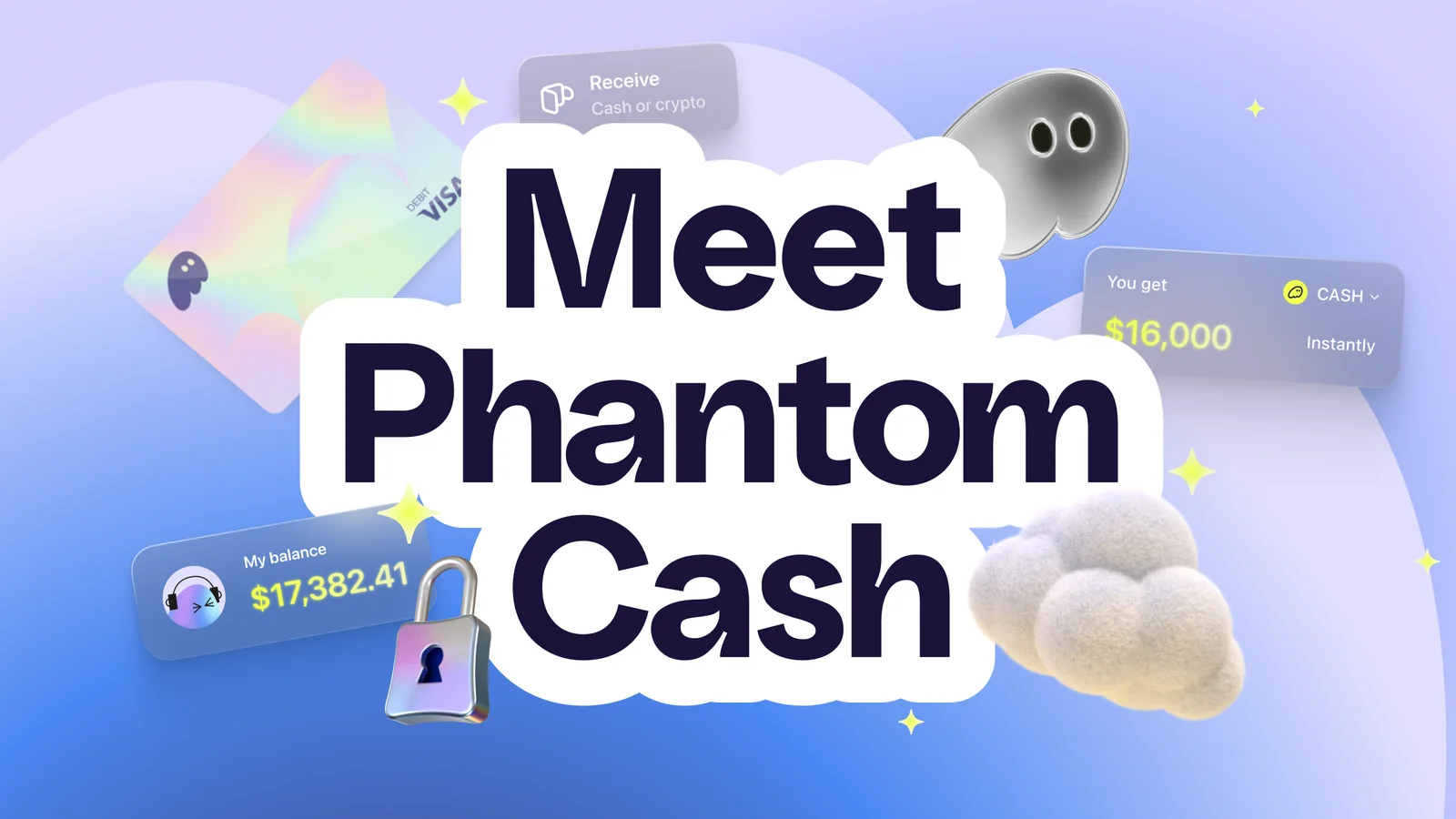
Cash keeps a separate price list. Sending to a Phantom username or a Solana address costs nothing, and neither does swapping USDC, USDT, USDG or PYUSD into the Cash account or pulling Cash back out into USDC. Go from Cash into other Solana stablecoins, or in and out of other Solana tokens, and it’s 0.85% again.
Receiving money starts with the right address, and there’s a separate walkthrough on finding your Phantom wallet address.
Offchain is where your money leaks. Topping up by debit card costs 1.75% and by credit card 3.50%, while ACH direct deposit takes 0.30% and a domestic wire 1.00%. Pulling money out by standard ACH is free; ask for it fast and you’ll pay $1.00 flat plus 0.75%, with a $1.50 floor.
Budget for one oddity. The first time you send to somebody without a CASH token account, roughly $0.16 goes on a network fee that sets their token account up on Solana. Phantom is quick to note it isn’t pocketing that, and every send to the same person afterwards is free.
Staking carries its own bite. PSOL takes 4% of staking rewards as a protocol fee, plus 0.1% on the way out when you unstake or swap. Phantom’s own worked example sits near 7% APY and points out that 5 to 6 days of holding covers the exit fee, which is a polite way of saying that restless unstaking will hollow out your returns.
Only ever download from phantom.com. Counterfeit wallet sites and paid search ads remain a leading route to theft, and software fetched from the wrong place will hand your keys straight to a stranger. Type the address in yourself.
Phantom Wallet’s Strong Points and Sore Points
Add it up and the trade is easy to see. You get a polished hot wallet with genuine security work behind it, paid for through swap fees rather than a monthly bill. The price of that is code you can’t inspect and a chain list that stops well short of everything.
Setting Up Phantom Wallet Without a Mishap
- Head to phantom.com/download for the Chrome extension, or pull the app from the App Store or Google Play. Type that address rather than trusting a search result.
- Launch the extension and click Create a New Wallet, followed by Create a Recovery Phrase Wallet. Remember, that path exists in the extension and nowhere else.
- Choose a password of at least eight characters. It only unlocks Phantom in the browser you’re sitting in, and it’s no substitute for your recovery phrase.
- Copy the 12-word Secret Recovery Phrase onto paper or steel, offline, with nobody able to see your screen. No screenshots, and never type it anywhere except a genuine wallet restore. Whoever has those words has your money, and Phantom holds no copy to give back.
- Tick I saved my Recovery Phrase, confirm it, then pick your Phantom username and work through Continue and Get Started.
- Send funds in using the plus button then Receive on mobile, or Receive on the extension’s Home tab. Look at the network twice before you confirm anything. Pick the wrong network or paste the wrong address and the funds are gone, with nobody able to reverse it.
- Keeping a real balance here? Attach a Ledger. Click your profile avatar in the extension, then Add Account, then Connect Hardware Wallet, and run through it once per network you want.
Do the Ledger housekeeping first: install or update the Solana, Ethereum and Bitcoin apps on the device, refresh its firmware, quit Ledger Live, and dig out a USB cable that actually carries data. Certain transactions also want blind signing switched on in whichever Ledger app you’re using.
Never touched an address before? Spend five minutes on our explainer covering what a wallet address is.
Wallets Worth Weighing Against Phantom
Solflare
Nothing sits closer to Phantom than Solflare, another self-custody Solana wallet pitched at trading, staking and swapping. Its perps for SOL, BTC and ETH run on Phoenix Trade’s orderbook, and your USDC never leaves your own wallet to get there. If Solana is the whole of your crypto life, put the two side by side before committing.
Anyone weighing the two can read the Solflare wallet review next.
Backpack
A different animal entirely. Backpack runs a brokerage and exchange spanning crypto, futures and tokenized US stocks, quoting $400B+ in volume and $350M+ under custody, which makes it custodial rather than a straight swap for Phantom. Our explainer on custodial vs non-custodial wallets lays out exactly what shifts when somebody else holds your keys.
A Ledger Nano X Behind Phantom
Once the balance gets serious, swapping wallets isn’t the fix. Put hardware behind the one you already use: a Nano X pairs with Phantom over Bluetooth on mobile, keeps the keys offline, and insists on a physical press for every transaction. The device itself gets the full treatment in our Ledger Nano X review, and our roundup of the best mobile crypto wallets shows where Phantom lands against the rest.
FAQ
Can you trust Phantom Wallet with your crypto?
Mostly. Your keys never leave your device, previews flag dodgy signatures before you approve them, and an open blocklist keeps you off known scam domains. Kudelski Security and Least Authority reports are published, and the bug bounty runs to $50,000. It’s still software on a connected device, so anything you’d hate to lose belongs behind a Ledger.
What does Phantom Wallet cost to use?
Nothing up front. Swaps take 0.85% on select pairs, and Phantom Cash prices its own: 1.75% on debit card top-ups, 3.50% on credit cards, 0.30% on ACH direct deposit.
Which chains does Phantom Wallet cover?
Seven. Solana, Ethereum, Base, Polygon, Robinhood Chain, Bitcoin and HyperEVM, along with the tokens riding on them. BSC, Arbitrum, Optimism, Avalanche, Unichain and Linea aren’t covered, and Sui drops off on September 24, 2026.
Will Phantom Wallet pair with a Ledger?
Yes. Over Bluetooth on a phone that means the Nano X, Stax or Flex; over a cable on the extension it means the Nano S, Nano S Plus, Stax or Flex. There’s no support for the Ledger Nano Gen5, and none at all for Trezor or Tangem.
What if your phone disappears?
Those 12 words rebuild the wallet on any device you like. Phantom keeps no copy and can’t recover it on your behalf, which is precisely why the phrase belongs on paper or steel offline rather than in a photo roll or a cloud note.
Is Phantom Wallet open source?
Partly. The blocklist, the SDKs and both third-party audit reports sit on GitHub. Neither the extension nor the mobile apps do, so what you’re really trusting is the audits.
How do you stake SOL in Phantom Wallet?
Two routes. Native delegation lets you choose the validator, wants 1 SOL or more, and only runs in the browser extension. The liquid route mints PSOL instead, which costs 4% of your rewards plus 0.1% on the way out.
Our Verdict on Phantom Wallet
Get it if Solana is where your crypto sits and you’d like swapping, staking and everyday spending to happen in one free app. The security work is real rather than decorative, the interface spares you the chain-hopping most wallets demand, and Ledger pairing is waiting for the day your balance outgrows software.
Walk away if Arbitrum or BNB Smart Chain is where you live, if unreadable code is a dealbreaker, or if 0.85% a swap feels like too much. Our call: the most polished Solana wallet you can install, and a hot wallet all the same, which makes it a current account rather than a safe.
This article is for general information only and is not financial, legal, or investment advice. Prices and features change; check the vendor’s official page before buying.