Trezor’s newest and most expensive wallet is the Safe 7, and it’s the first the company has shipped with a battery, a radio, and a secure element chip you’re allowed to inspect. Right now it sells for $249 at the time of writing (September 2026). That inspectable chip, called TROPIC01, is the whole pitch.
Quick definition, because it matters here. A secure element is a tamper-resistant chip that keeps your private keys and won’t give them up, and every hardware wallet on the market has one. What nobody could do until now was look inside and see how theirs behaves.
So who’s it for? People who sign a lot of transactions, care about open code, and want a screen big enough to read. iPhone owners have a second reason, since no other Trezor gets full iOS support in Trezor Suite. If your coins just sit there for years, or a wireless chip inside your wallet makes you twitchy, you can stop reading and save $249.
Below we go through what the thing is, what setup feels like, how the security holds up, what it stores, and how it stacks against cheaper Trezors. We’ve also included both of the incidents Trezor disclosed during 2026, since neither is irrelevant to a buying decision.

Table of contents
So What Exactly Is the Trezor Safe 7?
Trezor Company builds it, and that company belongs to the SatoshiLabs Group. The job of a hardware wallet is narrow: guard the private keys that move your coins, and sign transactions without ever letting your laptop see those keys. October 21, 2025 was the announcement date.
Three devices make up the current range, and this one tops it. Underneath sit the Trezor Safe 5 at $129 and the Trezor Safe 3 at $59. Priced at $249, it lands exactly where the Ledger Flex does, which makes those two the obvious pair to weigh against each other.
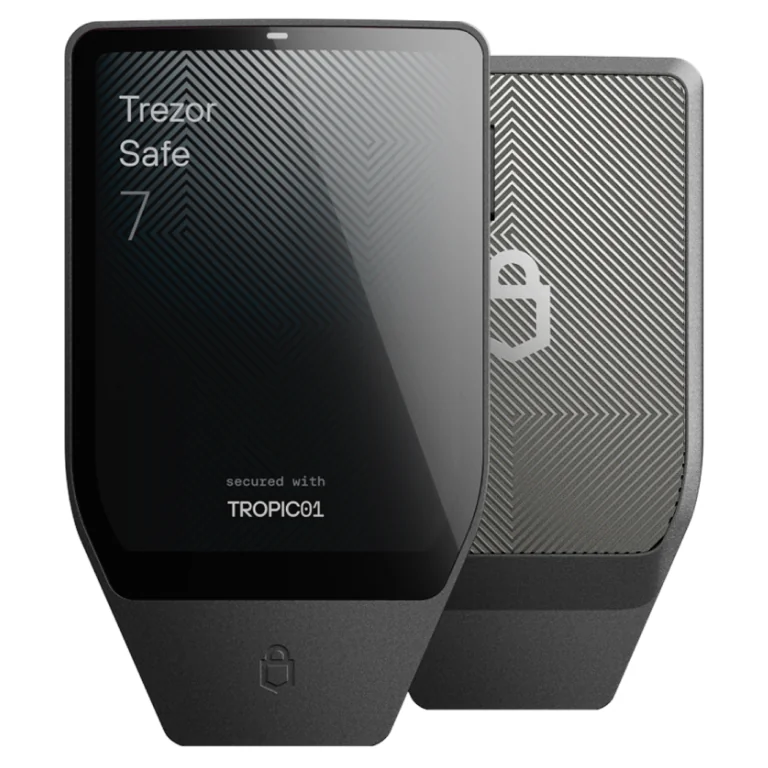
Trezor Safe 7 specs at a glance | |
|---|---|
| What it costs | $249 at the time of writing (September 2026) |
| Screen and body | A 2.5-inch color touchscreen running 520 x 380 pixels at 700 nits. The aluminum unibody measures 75.4 x 44.5 x 8.3 mm and weighs 45 g. |
| How it connects | USB-C, Bluetooth 5.0+, and Qi2 wireless charging. |
| Where the keys live | Behind TROPIC01, the auditable secure element, backed by an NDA-free EAL6+ chip (Optiga). |
| Open code? | Yes. Firmware and hardware design are both published, and the trezor-firmware repo carries a GPL-3.0 license. |
| Assets it holds | Trezor claims 1,000+ coins and tokens, Bitcoin, Ethereum, Solana and USDC among them. |
| Ways to back up | Pick a 12-, 20- or 24-word backup, then add Multi-share Backup and a passphrase if you want them. |
| App you’ll use | Trezor Suite, on Windows, macOS, Linux, Android and iOS. |
| Who it suits | Regular users who want open hardware and a wallet that works properly on an iPhone. |
What the Trezor Safe 7 Actually Does
- You get a 2.5-inch color touchscreen at 520 x 380 pixels and 700 nits. Trezor puts it at 62% larger than the Safe 5’s panel, and the practical upside is less scrolling while you verify a long address.
- Your keys sit behind three chips, sourced from three different companies. TROPIC01 shares the load with an NDA-free EAL6+ secure element and an STM32U5 microcontroller, so no one supplier is holding all of the trust on its own.
- This is the first Trezor you can use without a cable, thanks to Bluetooth 5.0+ and Qi2 wireless charging. USB-C still works, and settings let you kill Bluetooth entirely if you’d rather nothing was broadcasting.
- Booting, firmware updates and device authentication are all signed with post-quantum cryptography. Your coins aren’t protected from a future quantum attack by that, but a forged firmware update won’t get past the boot check.
- Inside is a LiFePO4 cell rated 3.2V and 330mAh. Trezor puts its charge cycles at four times a normal lithium battery’s, and a dead cell doesn’t brick anything because USB-C keeps working.
- An IP54 rating covers dust and water spray, and Gorilla Glass 3 sits over the screen. It’s a solid little slab, though at 45 g you’re carrying twice what the 23 g Safe 5 weighs.
Living With It: Is the Trezor Safe 7 Beginner-Friendly?
Everything starts in Trezor Suite, which you grab from trezor.io/start on desktop or mobile. Because no firmware is loaded at the factory, installing it is job number one. The app labels each button plainly and doesn’t leave you guessing what comes next.
Copying down your backup words, then proving you copied them correctly, eats most of the time. Don’t rush that bit. PIN entry and word confirmation both happen on the touchscreen itself, which keeps anything sensitive away from your keyboard, and a small haptic buzz confirms every tap.
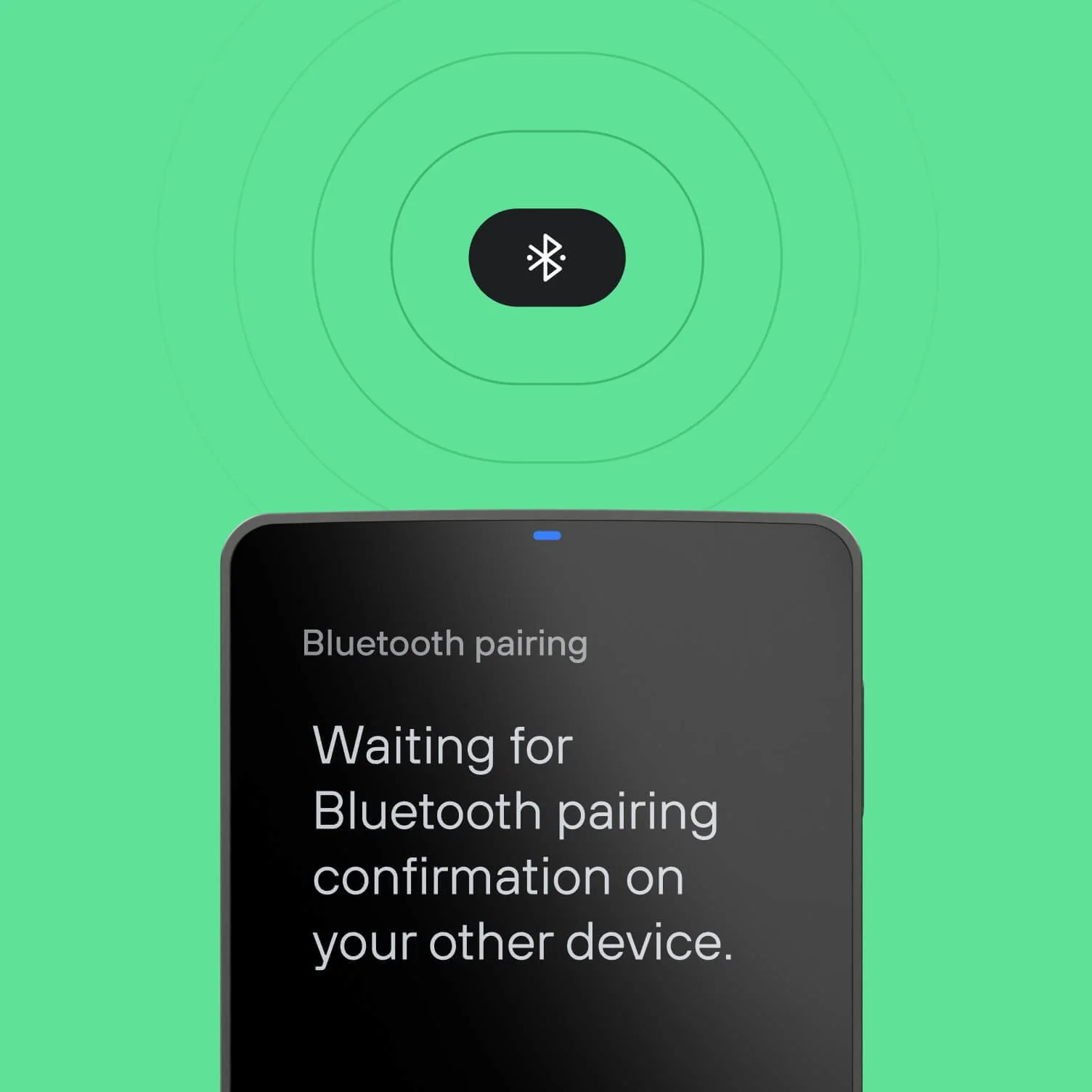
Pairing over Bluetooth costs you one more step. A code appears, you check it’s identical on both screens, and that’s it. Anyone who has ever connected a pair of headphones will recognize the routine, and afterwards your phone runs the whole portfolio with no cable in sight.
There are genuine annoyances. Trezor reckons a full charge covers roughly a day of ordinary use, so you’re now responsible for keeping a wallet topped up, and you can’t swap the cell when it eventually gives out. The operating range also shrank to 0°C to +45°C, where the Safe 5 happily runs from -20°C to +60°C.
Leave one in a cold car overnight and you’re outside spec. Minor, sure. But it’s a strange corner to cut on something marketed as built for years of daily use, and it’s the detail that irritates us most.
How Secure Is the Trezor Safe 7, Really?
Three chips from three manufacturers share the defensive work here. PIN checks run on the NDA-free EAL6+ secure element, which never writes the PIN to the device, so brute-forcing a stolen wallet goes nowhere. Layered on top of that, TROPIC01 enforces the same thing again, meaning a thief now has to defeat silicon from two separate vendors.
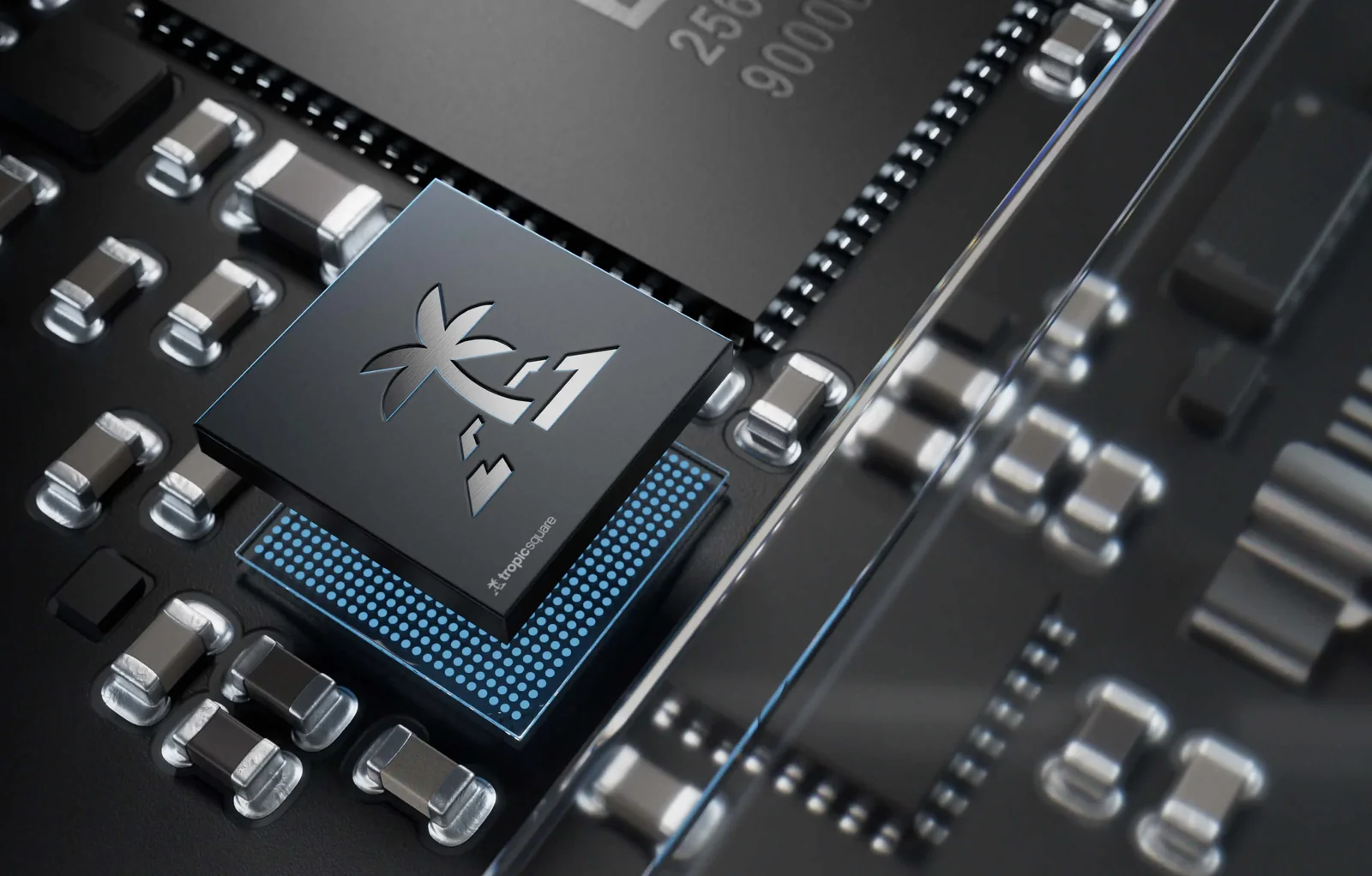
TROPIC01 is where this gets genuinely novel. Back in 2020, SatoshiLabs spun up Tropic Square precisely because nothing on the market offered an open secure element architecture, and five years of work went into the result. Trezor’s own description is the world’s first transparent and auditable secure element.
Both the firmware and the hardware design are published. GPL-3.0 covers the trezor-firmware repository, which handles the Safe 7 as well as the older models. Publishing the code is the structural fork in the road between Trezor and its nearest competitor, and we unpack that at length in our Ledger vs Trezor comparison.
Read the quantum-ready marketing carefully. Firmware gets verified by a post-quantum signature scheme called SLH-DSA-128, while ML-DSA-44 signs the device certificate used for attestation. Trezor doesn’t oversell it either, saying plainly that the wallet “is not quantum-proof because full protection requires that the blockchains also upgrade”.
Now for the parts Trezor would rather you skimmed. A TROPIC01 disclosure drew an official response on June 3, 2026. What triggered it was Ledger Donjon, which in late January 2026 landed a working laser fault injection attack on the chip and pulled out a subset of its secrets.
According to Trezor, nobody’s money is at risk, because pulling that off demands the physical device, a disassembly, and lab-grade equipment. Owners were told to do nothing, and no firmware patch shipped, since the weakness lives in the chip’s design rather than the code.
Engineers at Tropic Square then turned up a second route in, aimed at PIN-related functions. Neither finding would keep us awake at night. Still, it’s a useful correction to anyone reading “auditable” as a synonym for “unbreakable”.
You’re far more likely to feel the effects of the other one. Trezor announced on August 13, 2026 that its fulfillment provider, ShipMonk, had been accessed without authorization. By the September 4, 2026 update the count had climbed to 80,689 people, roughly 67,000 of them US buyers whose orders dated from November 2019 through August 2021.
Leaked fields included names, email addresses, phone numbers and shipping addresses. Phishing crews would pay for a list like that. Trezor’s own guidance doesn’t mince words: your wallet backup never goes onto a website or into anyone’s hands, and any message pressuring you to act right now deserves suspicion.
What Can You Actually Store on the Trezor Safe 7?
The marketing line is thousands of coins and tokens, while the supported-assets page settles on 1,000+ coins. Bitcoin, Ethereum, Solana, Arbitrum and USDC get named up front. Ethereum on its own stretches across 44 networks.
We’d rather they picked a number. Between “1000s” and “1,000+” there’s no audited figure anywhere on Trezor’s site, so if you hold something obscure, go look it up on the supported-coins page before you spend anything. A handful of assets route through a third-party wallet instead of Trezor Suite.
DeFi and NFT users reach the wider ecosystem over WalletConnect, which Trezor tallies at 70k+ dApps. Compatibility extends to 30+ outside wallet apps, MetaMask, Rabby and Backpack included, plus dApps like Aave, Uniswap and Polymarket. Anyone who lives inside MetaMask should also skim our roundup of the best hardware wallets for MetaMask.
Buying, selling, swapping and staking all run through Trezor Suite, with the device screen as the final approval. None of that applies to the Bitcoin-only edition. Its firmware, interface and performance are built for Bitcoin and nothing else, and it talks to 10+ Bitcoin wallet apps.
For other devices and apps built around Bitcoin, see the best Bitcoin wallets.
What the Trezor Safe 7 Costs, and What You Get
You’ll pay $249 at the time of writing (September 2026), with the Bitcoin-only version priced identically. Open the box and you’ll find the wallet, a USB-C to USB-C cable, a pair of 20-word backup cards, a start-up guide, a safety guide and some stickers. Nothing is billed monthly and there’s no fee afterwards.
Then there’s the Safe 7 Backup Bundle at $348, which throws in a Trezor Keep Metal 20-word steel backup. That steel plate is $99 by itself, so the bundle discount is zero. Grab it only if placing one order beats placing two.
Order through Trezor’s own store. For the Bitcoin-only edition the company puts it bluntly, saying there’s “only one place to get it”, and personally we wouldn’t touch a hardware wallet sold by a marketplace seller. Given the ShipMonk leak, having it delivered to a pickup point instead of your front door isn’t paranoid.
Where you live may settle this for you. Orders go out to the US, Canada, the UK, Australia, Japan, Singapore and most of the EU. Blocked destinations include China, India, Indonesia, Thailand, the Philippines, Malaysia, Saudi Arabia and Israel, because certification in those markets needs a local importing entity that Trezor doesn’t have.
Two finishes are offered, Charcoal Black and Obsidian Green, and the Bitcoin-only model adds Bitcoin Orange. Individual buyers are covered for 2 years from the day it arrives.
Trezor Safe 7 Pros and Cons
What’s strange about this list is that the upside is rare and the downside is mundane. Nothing else at this price hands you an auditable secure element plus an open hardware design. The bill for that comes as a battery you have to think about and a wallet that can’t be shipped everywhere.
Setting Up Your Trezor Safe 7, Step by Step
One warning first, and it’s the important one. Those backup words are your only route back to your coins, and whoever reads them owns everything you hold. Fire crypto at a wrong address or across a wrong network and it’s gone for good, with nobody on earth able to claw it back.
- Get Trezor Suite from trezor.io/start and launch it. Either plug the Safe 7 in using the bundled USB-C cable, or hit “Connect” and pick Bluetooth instead.
- Going wireless? Hit “Connect” once the device shows up, then compare the pairing code on the Safe 7 with the one your computer or phone is displaying.
- Choose “Set up my Trezor”, followed by “Install firmware”. Standard firmware covers multiple coins; the Bitcoin-only build covers one. Shipping the device empty is intentional on Trezor’s part, not an oversight.
- Press “Start” so the secure element authenticity check can run. It proves you’re holding real Trezor hardware rather than a tampered clone. Work through “Know your Trezor” afterwards, or hit “Skip”.
- Choose “Create a new wallet”, pick “Single-share Backup”, then press “Create wallet”. Copy all 20 words onto the card in the right order, offline, and never let them near a camera or a keyboard.
- Prove the backup by tapping whichever words the device asks about. Next comes “Set PIN”, where you type between 4 and 50 digits on the touchscreen. Steer clear of birthdays and obvious runs of numbers.
- Finish with “Get started” and switch on the assets you hold. Move a tiny test amount over first, watch it land, and shift the rest once you’re satisfied.
If Not the Trezor Safe 7, Then What?
The Cheaper Trezor Safe 5
Priced at $129, the Trezor Safe 5 hangs on to the same backup choices, passphrase protection and published firmware. Gone are Bluetooth, the battery, the metal shell and the roomy display, and its 1.54-inch 240 x 240 panel feels cramped after you’ve used the newer one. In exchange it throws in a microSD slot and copes with a wider spread of temperatures.
iPhone users hit a wall, though. Trezor Suite gives the Safe 5 limited iOS support, which stretches to checking balances, buying and receiving, and stops there. Run your crypto from an iPhone and that restriction alone is worth the step up.
Ledger Flex, at the Same Price
Set the Ledger Flex beside the Safe 7 and the price tags match at $249. Shopping at this level, these are the two we’d expect you to put side by side, and they answer the transparency question very differently. We line the philosophies up properly in our Ledger vs Trezor comparison.
Value published code and a chip outsiders can audit, and the Safe 7 wins. Prefer Ledger’s ecosystem and its longer history, and you’re looking at the Flex, or at the Ledger Stax if you’ll stretch to $399.
Trezor Safe 3, the Budget Route
Nothing gets you into Trezor’s range more cheaply than the Safe 3 at $59. The EAL6+ secure element, passphrase protection, Multi-share Backup and open firmware all carry over, driven by two buttons and a 0.96-inch monochrome display. Coins you buy and then ignore are just as well defended here.
Verification is what suffers. Working through a long contract interaction at 128 x 64 pixels takes forever, and when something takes forever, people start skimming instead of reading.
Want no radio and no display compromise whatsoever? Our list of the best air-gapped crypto wallets heads in a different direction entirely.
Trezor Safe 7 FAQ
Is the Trezor Safe 7 safe to use?
Broadly, yes. Two secure elements from separate vendors guard your keys, the firmware is out in the open, and nothing gets signed without you confirming it on the device screen. There is one asterisk: back in January 2026 Ledger Donjon did pull a subset of secrets out of the TROPIC01 chip using laser fault injection, although that attack requires holding your device, taking it apart, and having laboratory equipment on hand.
What does the Trezor Safe 7 cost?
$249 at the time of writing (September 2026). The Bitcoin-only edition matches that price, and the Backup Bundle with a Keep Metal steel plate runs $348, which works out the same as buying the two items on their own.
Which coins can the Trezor Safe 7 hold?
Trezor’s figure is 1,000+ coins and tokens, with Bitcoin, Ethereum, Solana, Arbitrum and USDC called out by name and Ethereum spanning 44 networks. No audited total exists anywhere on the site, so anything unusual in your portfolio is worth checking against the supported-coins page first.
Can I use the Trezor Safe 7 with MetaMask?
It does. MetaMask sits alongside Rabby and Backpack on Trezor’s list of 30+ compatible third-party apps, and WalletConnect opens the door to what Trezor counts as 70k+ dApps. Keys never leave the wallet, and every transaction still gets approved on its screen.
What if I lose or break my Trezor Safe 7?
Nothing, provided your backup is somewhere safe. Feed the 12, 20 or 24 words into a replacement Trezor and everything comes back. Whoever picks up the lost device runs into your PIN, which the secure element checks without ever storing it.
Can I turn Bluetooth off on the Trezor Safe 7?
Not at all. Settings include a switch to disable Bluetooth, and USB-C alone is perfectly sufficient. Whichever you pick, the open-source Trezor Host Protocol encrypts the link.
How long will the Trezor Safe 7 battery hold a charge?
About a day of ordinary use per charge, Trezor says, or up to 100 transactions, and it sits in standby without draining much. The LiFePO4 cell should manage more than a thousand charge cycles, but replacing it is not an option. Should it die, plugging in the USB-C cable brings the wallet straight back.
Our Verdict on the Trezor Safe 7
Get one if transactions leave your wallet regularly, open hardware is something you actually care about, and your crypto lives on an iPhone. That large display pays for itself the moment you’re squinting at an address or a contract call, and two secure elements from two suppliers is not something you’ll find elsewhere at $249.
Hold nothing but Bitcoin? Then the Bitcoin-only edition is your version.
Leave it on the shelf if your holdings sit untouched year after year, since a $59 Safe 3 guards them identically and never needs charging. Same answer if you want zero wireless anywhere near your keys, in which case our guide to the best Bitcoin hardware wallets is the better starting point. Where we land: this is the most interesting wallet we’ve handled all year, and it’s the first one whose secure element you don’t simply have to take on faith.
This article is for general information only and is not financial, legal, or investment advice. Prices and features change; check the vendor’s official page before buying.