There are more wallets built for Bitcoin than for anything else, and on the download page they’re indistinguishable. What separates them only surfaces later, and usually at a bad moment.
Below are the 6 we’d keep our own coins in this year. Three cost nothing and run as software; the other three are small gadgets that hold your keys and make you approve every payment on their own little screen. We ranked them on how the security is built, what privacy tooling they hand you, whether you control the fee, how recovery works, and how much of the code anyone can read.
Sparrow Wallet takes first place with us. It hands over more control of your coins and your privacy than anything else here, and it doesn’t ask you to build a home server first.
Not one wallet on this page is custodial. The keys belong to you, that seed phrase is your only route back in, and there’s no support desk anywhere that can undo a bad send. Should any of that sound unfamiliar, start with our custodial vs non-custodial wallets explainer.
A Bitcoin wallet is the app or device that holds the private keys to your coins, while the coins themselves stay on the blockchain.

Table of contents
All Six Bitcoin Wallets, Side by Side
Installing any of the software here costs you nothing. Every device price below is whatever the maker’s own shop was asking in September 2026.
Bitcoin Wallets We’d Use, Compared | |
|---|---|
| Sparrow Wallet | Take this one if you live at a desk and want to see every coin you own. macOS, Windows and Linux, talks to your own node, and pairs with nearly every signing device made. Nothing to pay. Apache 2 licence. |
| BlueWallet | The one that belongs on a phone. On-chain, Lightning, watch-only and a Multisig Vault all live in the same app. Nothing to pay. MIT licence. |
| Electrum | A small desktop wallet that doesn’t get in your way. Cold storage, multisig and hardware plugins, on a download that finishes before you’ve made tea. Nothing to pay. MIT licence. |
| Blockstream Jade | Cheapest device on the page, and still worth owning. Handles Bitcoin plus Liquid, and drives Sparrow, Electrum and BlueWallet alike. Listed at $79.00, discounted to $67.00 in September 2026. Open source throughout. |
| COLDCARD Q | Bitcoin and nothing else, wrapped in the most paranoid design we’ve handled. Two secure elements, a QR scanner and a proper keyboard. $289 in September 2026. Firmware you can rebuild and compare. |
| Trezor Safe 5 | Hand this one to someone who’s never done it before. Color touchscreen, an EAL6+ secure element, and a Bitcoin-only firmware if you want it. $129 in September 2026. Open source. |
1. Sparrow Wallet, the Bitcoin Wallet We’d Pick First
Sparrow bills itself as “A Bitcoin wallet for those who value financial self sovereignty”, and the software backs the phrase up. It’s a desktop program rather than a browser extension, which is a deliberate choice to shrink the attack surface. The current build is 2.5.4, out on 27 August 2026, and anything from 1.8.3 onward will verify its own download if you drag the files onto the app window.
The full Sparrow Wallet review goes through the program feature by feature.
What put it top is that you don’t have to trade away convenience to get control.
You can build single-sig or multisig wallets on the usual script types, work with partially signed Bitcoin transactions (PSBTs, the file format that carries an unsigned transaction over to a signing device), pick which coins to spend and what fee to pay, and route the whole thing through the Tor client that ships inside it. Public servers, a private Electrum server or your own Bitcoin Core node will all do as a backend.

What You Get With Sparrow
- Four different ways to plug a device in. Trezor, Ledger, BitBox02 and Jade over USB; Passport, Jade, SeedSigner, Keystone and Krux by QR code; Coldcard, Keystone and Passport by SD card; and Tapsigner, Satschip, Satochip and Keycard as smartcards.
- Its transaction editor draws your inputs and outputs as a diagram you can edit, with a byte level viewer underneath, so nothing you sign is a mystery. Fee estimates get charted against block targets too, which turns fee-setting into choosing a speed instead of guessing a number.
- Branch and Bound and Knapsack handle coin selection, and every transaction, input and output can carry a label. That’s the difference between recognising a payment a year later and staring at it blankly.
- PayNyms work in both directions, either straight through BIP47 or collaboratively.
- Argon2 protects the wallet file, tuned so that deriving the key eats at least 500ms on modern hardware. Bulk password guessing gets expensive fast.
- Sparrow Desktop covers macOS 11+, Windows 10+ and Linux; the headless Sparrow Server build is Linux and nothing else.
Where Sparrow really earns its place is driving a hardware wallet rather than guarding keys itself. Which device to buy is the whole subject of our best Bitcoin hardware wallets roundup. Downloads sit on sparrowwallet.com.
The BitBox02, one of the USB options above, gets its own writeup in our BitBox02 review.
2. BlueWallet, the Bitcoin Wallet for Your Phone
Free, MIT licensed and built for iOS and Android, BlueWallet also puts an .apk and a macOS build on its download page. The team says the app was “forged in the ashes of the 2017 fork wars”, and it has never bothered with anything but Bitcoin since.
Second place is about how much it crams onto a phone. On-chain wallets, Lightning wallets, watch-only wallets and a Multisig Vault all sit in one app, which is more than most desktop software manages. On key handling the README doesn’t hedge: “Private keys never leave your device.”

The Bits of BlueWallet Worth Knowing
- Coin control on a handset, which almost nobody else offers. You can look at each coin, study it, label it and freeze it so a send never touches it.
- A transaction that’s crawling can be sped up, cancelled or bundled with others through RBF and CPFP, the two usual tricks for raising a fee after you’ve already broadcast.
- It’ll sign for a Coldcard, a Passport, a Jade, a Keystone, and anything else that speaks PSBT.
- On the privacy side you get BIP47 payment codes, Payjoin, storage that gives you plausible deniability, and a field for your own node.
- Lightning runs over LNDhub, which BlueWallet describes as “open-source software that lets a Lightning node offer multiple accounts”. Creating the wallet means pasting in your own LNDhub URI.
- Topping up a Lightning wallet from on-chain funds means going to Manage funds inside it, then waiting for 3 confirmations before the money shows.
Treat BlueWallet as the wallet you spend from, with a device holding whatever you’re actually saving. The steps for moving coins out are in our guide on how to send Bitcoin to another wallet. Both apps are linked from bluewallet.io.
3. Electrum, the Bitcoin Wallet That Stays Out of the Way
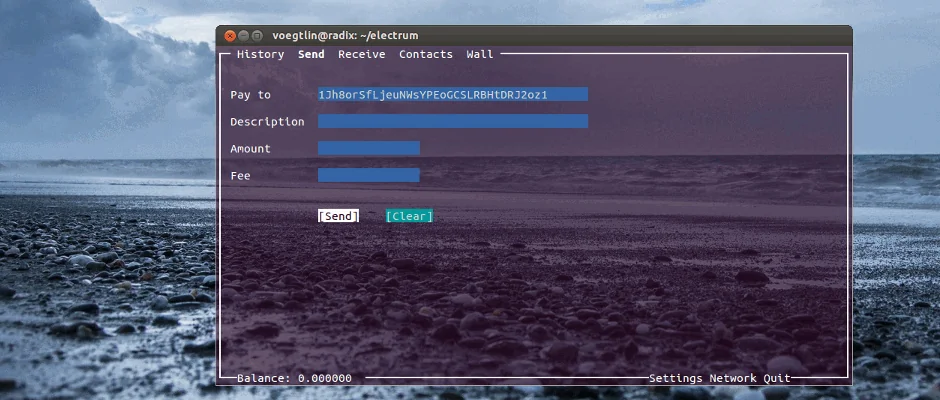
Nothing here is plainer than Electrum, and it’s still being worked on. Electrum Technologies GmbH ships it under the MIT Licence, with the site stating plainly that the software is “provided as is, and that it comes without warranty”. Release 4.8.1 landed on 10 August 2026, three weeks after 4.8.0 on 8 July 2026.
Third place goes to it for doing the basics on a tiny download and then leaving you alone. Your wallet history gets checked with SPV, a light verification that spares you keeping the whole blockchain locally. Behind that sit decentralized redundant servers, so one of them falling over doesn’t stop you spending.
What Electrum Actually Does
- Cold storage puts the private keys on a machine that never sees a network, and that’s the one arrangement which survives a compromised laptop.
- Spending power can be spread over several wallets with multisig, while add-ons bring hardware wallets into the picture.
- Lose the machine and a seed phrase brings the funds back.
- Builds exist for Linux, Windows 10 1809+, macOS 11+ and Android 8.0+, the last through Google Play or F-Droid.
- Release 4.8.1 carries “important security fixes”, with Electrum saying the details come later, and it introduces hidden wallets whose file names begin with a dot.
- The project’s own warning is worth repeating: “Do not download Electrum from a source other than electrum.org. Verify GPG signatures.”
We went through the whole thing in our Electrum wallet review. Installers and signatures are on electrum.org, and nowhere else.
4. Blockstream Jade, the Cheapest Device Worth Buying
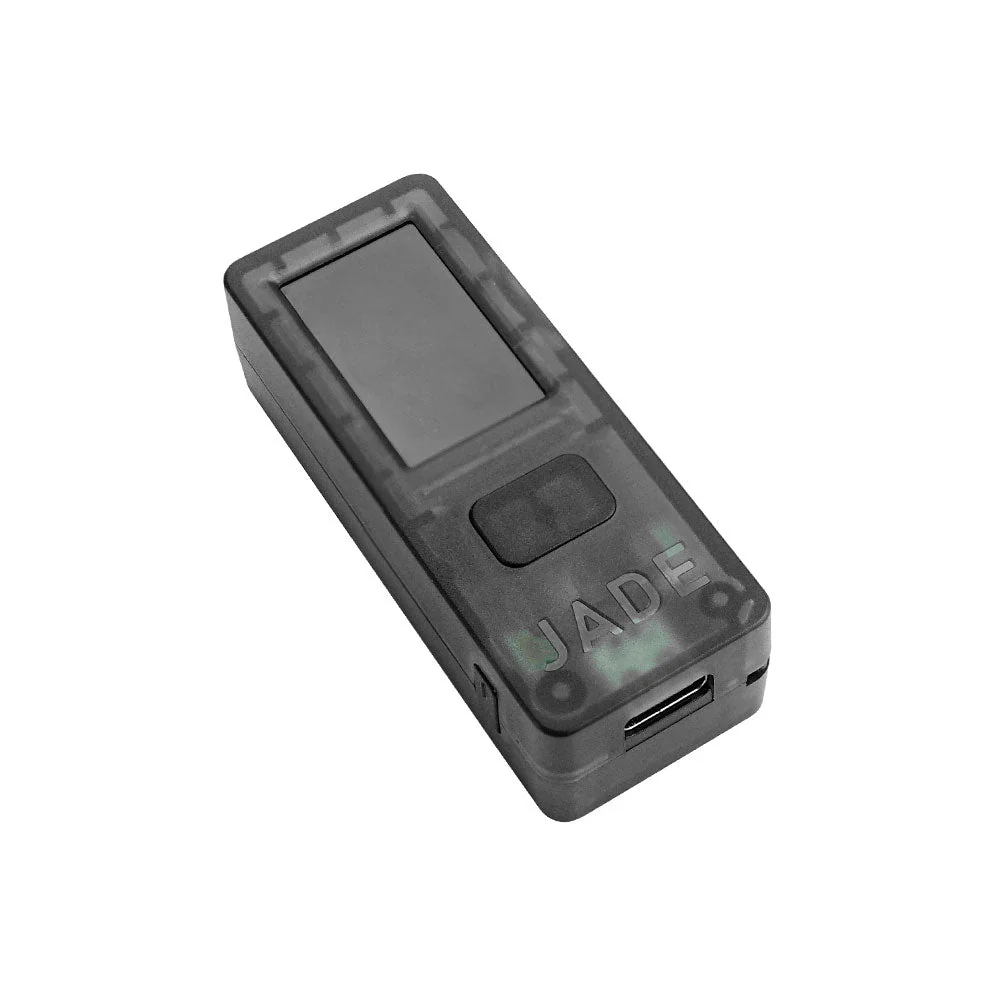
Getting your keys off a general purpose computer costs less with a Jade than with anything else on this page. Blockstream lists the Transparent Black model at $79.00 at the time of writing (September 2026), marked down to $67.00. Alongside it sit the Jade Core at $99.00, which was showing sold out, and the Jade Plus between $149.00 and $169.00 depending on whether you want plastic or metal.
One inconsistency deserves a mention before you reach for a card. Blockstream’s own product site quotes Jade Plus at $169.99 while the shop shows a range, so look at the store page for the live figure.
The Jade in Detail
- Rather than a dedicated secure element chip, Jade runs a Virtual Secure Element built on open-source blind oracle encryption.
- Every line of it is open source, sitting on GitHub for anyone to pick through.
- The Blockstream app pairs with it on Android, iOS and desktop, and so do BlueWallet, Electrum, Nunchuk, Sparrow Wallet, Specter Wallet and HWI.
- Physically the base unit is 60mm x 24mm x 17mm and 21g, with a 240 mAh battery, USB Type-C, an Espressif ESP32 processor, a click-wheel and one application button.
- Spend up to Jade Plus and you gain a camera for air-gapped QR signing, Bluetooth, an SD card slot, a 280 mAh battery and a metal option, in a 65mm x 30mm x 12mm body.
- Both handle Bitcoin and Liquid Network assets, and both offer Genuine Check verification plus anti-exfiltration protection.
Deciding between the two comes down to whether air-gapped signing matters to you, and our list of the best air-gapped crypto wallets is the place to settle that. Full specifications live on blockstream.com/jade.
5. COLDCARD Q, for People Who Plan for Being Robbed
At $289 at the time of writing (September 2026), the COLDCARD Q is the priciest thing on this list. Bitcoin is all it handles, no vendor app or account is involved, and the clear case exists so you can look for signs of tampering before you trust it.
The full Coldcard Q review covers the keyboard, the QR scanner and how setup goes.
Fifth place reflects the price and the learning curve, both of which rule it out for most readers.
Judged purely on how the security is engineered, we’d call it the strongest wallet on this page.
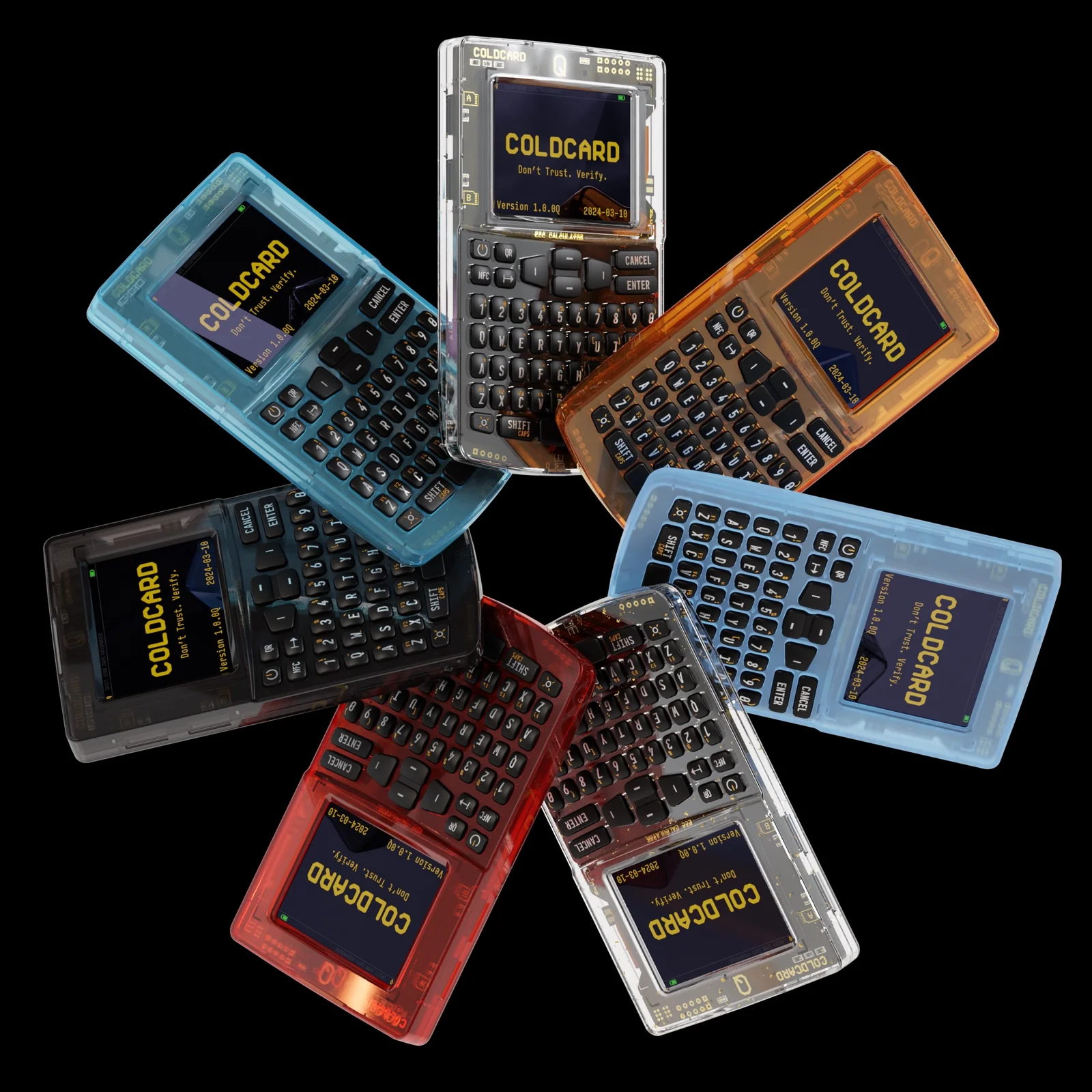
How the COLDCARD Protects a Seed
- Two secure elements from rival manufacturers hold the master seed, Microchip’s ATECC608 and Maxim’s DS28C36B, so breaking one gets an attacker nowhere.
- Trick PINs cover the ugly scenarios. A Duress PIN opens a decoy wallet, a Brick Me PIN wipes out the secure elements for good, and there’s a Countdown to Brick PIN plus a Login Countdown.
- Type your PIN and anti-phishing words appear partway through, which is how a swapped or cloned unit gives itself away before you finish.
- You can keep the whole thing air-gapped and sign over QR, MicroSD, NFC or USB.
- What the Q adds over its sibling is a QR scanner, a qwerty keyboard, two SD card slots, 3xAAA battery support, Secure Notes & Passwords storage and Key Teleport for shifting a seed by QR or NFC. Batteries and a USB cable aren’t in the box, so budget for those.
- The firmware is open, verifiable and reproducible, meaning you can rebuild it from source under Docker and end up with exactly the same bytes.
Can’t stretch to $289? The COLDCARD Mk5 sells for $189 with the same pair of secure elements behind a 1.54 inch Gorilla Glass screen and a numeric keypad. Our roundup of the best crypto cold wallets weighs both against the field, and the spec sheets are on coldcard.com.
6. Trezor Safe 5, the Easiest One to Set Up
Trezor wants $129 for the Safe 5 at the time of writing (September 2026). That buys a 1.54 inch color display running 240 x 240 pixels, a touchscreen that buzzes under your finger, an EAL6+ certified secure element, USB-C and a microSD slot. If secure element is a new phrase, it’s a tamper-resistant chip that keeps your keys and simply won’t give them up.
Sixth doesn’t mean weakest. It sits last because, of the three devices, it’s the one least built around Bitcoin alone, and there’s a Bitcoin-only edition at the same $129 if that bothers you.
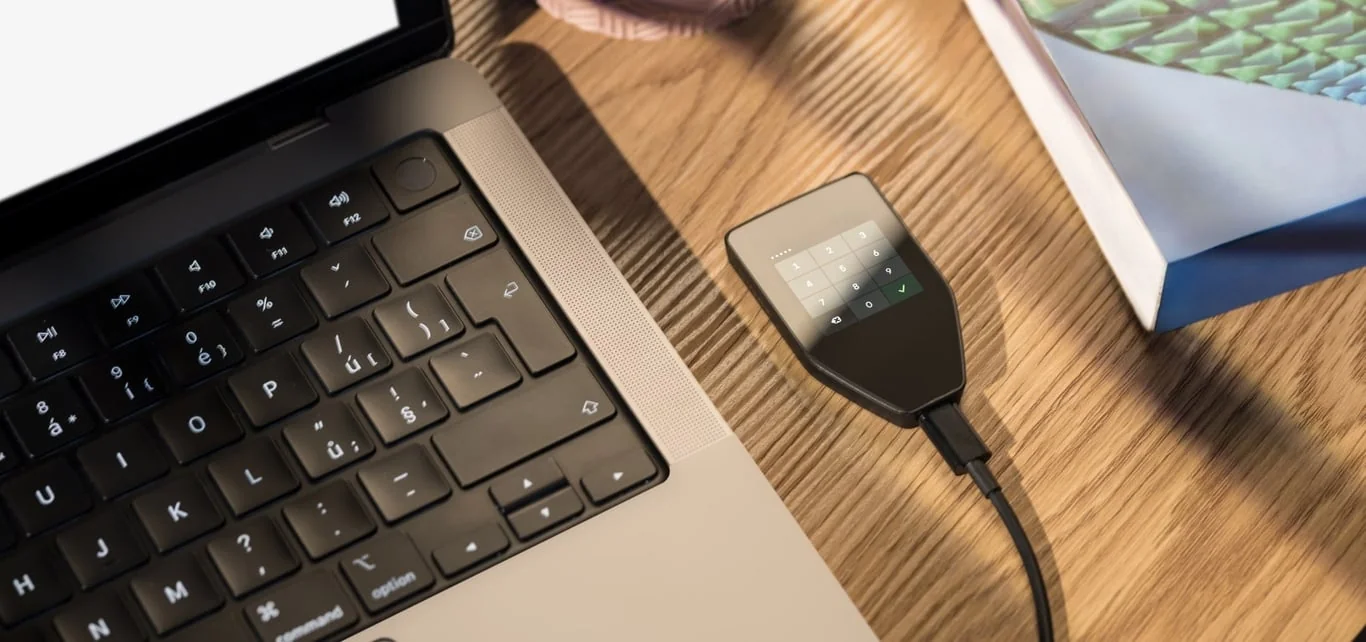
What the Trezor Safe 5 Gives You
- Your backup can be 12, 20 or 24 words, and Advanced Multi-share Backup chops it into several shares instead, so mislaying one card isn’t the end.
- Connection is over USB-C, and there’s a microSD card slot on the side.
- Standard firmware looks after “1000s of coins & tokens”, which only matters if Bitcoin isn’t all you hold.
- Trezor describes the alternative firmware as “purpose-built for Bitcoin-only transactions”.
- Open the box and you’ll find the device, a USB-C to USB-C cable, 2 x 20-word backup cards, a start-up guide and stickers.
- Trezor states the seed is “generated & stored offline” and that the company gathers “no personal data”.
The device gets the full treatment in our Trezor Safe 5 review. Everything else is on the Trezor Safe 5 product page.
How We Ranked These Bitcoin Wallets
Where the Keys Live
Our first question was always the same. Where do the keys sit, and what does an attacker have to get through?
COLDCARD scored highest with us, on the strength of two secure elements from rival vendors and that set of Trick PINs, with the Trezor Safe 5 and its EAL6+ certified chip behind it. Jade goes another way entirely, using a Virtual Secure Element and a blind oracle. That’s open source, which we like, but it isn’t a certified chip, and you should weigh that yourself.
The Coldcard Mk5 review goes further into those Trick PINs and the two secure elements.
What Each Wallet Holds
Bitcoin is handled properly by all 6, which is rather the point of the exercise. Sparrow, Electrum, BlueWallet and COLDCARD stop there and do nothing else. Jade takes on Liquid Network assets too, and the Trezor Safe 5 covers “1000s of coins & tokens” unless you flash the Bitcoin-only firmware over it.
Living With It Day to Day
How many taps does a send take, and do the help pages name real buttons or wave at a settings menu? The Trezor Safe 5 and BlueWallet came out friendliest by a distance.
Sparrow and COLDCARD ask the most of you, because neither hides the individual coins behind one tidy balance figure.
What It Costs
Three of the six are free, and not one of them skims anything off your transactions. Hardware starts with the Jade at $79.00 list, then the Trezor Safe 5 at $129, the COLDCARD Mk5 at $189 and the COLDCARD Q at $289. Whatever you pay in network fees goes to miners, never to the people who made your wallet.
Anyone curious about the other side of that fee can look at the best mining software miners run today.
Backups
Nobody at these companies can let you back in. As bitcoin.org puts it, “Stored in a safe place, a backup of your wallet can protect you against computer failures and many human mistakes.”
Of everything here, Trezor’s Multi-share Backup bends the most, while COLDCARD’s Seed XOR breaks a seed into parts that mean nothing on their own.
The wider trade-offs between those two hardware makers are laid out in a side-by-side Coldcard vs Trezor comparison.
Open Code
Every one of the six publishes its code. Sparrow goes out under Apache 2, BlueWallet and Electrum under MIT, Jade is open source throughout, and COLDCARD’s firmware is reproducible, so you can build it yourself and compare bytes. bitcoin.org makes the case better than we can: open-source wallets “can be built deterministically” to help ensure the software hasn’t been tampered with.
For the two desktop apps specifically, the Sparrow versus Electrum matchup goes deeper on how they differ day to day.
So Which Bitcoin Wallet Should You Get?
New to this, with a small amount at stake? Put BlueWallet on your phone, write the seed phrase on paper before a single satoshi lands, and stay away from Lightning until sending and receiving feel thoroughly dull.
When you’re ready for it, the best Lightning Network wallets compares the apps built for fast, small payments.
Spending your evenings shuffling coins at a desk instead? Sparrow, then. Learning the coin control, the labels and the fee charts pays for itself, and when you’re ready it’ll point at a Bitcoin Core node you run yourself.
Holding an amount whose loss would genuinely hurt changes the calculation entirely, and at that point you want hardware. Jade is the cheapest sensible buy, the Trezor Safe 5 the least fiddly, and the COLDCARD Q the one to get if the thing you lie awake worrying about is somebody taking the device off you.
One habit never changes, whichever you pick. Look at the first and last characters of the receiving address, then look at the network. Get either wrong and the coins are simply gone, with nobody on earth able to pull them back.
Our explainer on what a wallet address is shows how a Bitcoin address looks beside the other formats you’ll meet.
Questions People Ask Us About Bitcoin Wallets
I’m new to Bitcoin. Which wallet should I start with?
BlueWallet, on your phone. It’s free, MIT licensed and Bitcoin-only, so there’s nothing else cluttering the screen while you learn. If you’d rather go straight to hardware, the Trezor Safe 5 is $129 as of September 2026 and its color touchscreen makes the setup something you can finish in one sitting.
Do these Bitcoin wallets cost anything?
The software ones don’t. Sparrow, BlueWallet and Electrum download for free and take no cut of anything you send. Devices are another matter: Blockstream Jade lists at $79.00, the Trezor Safe 5 at $129, the COLDCARD Mk5 at $189 and the COLDCARD Q at $289, all as of September 2026.
Is a hardware wallet really necessary for Bitcoin?
No, not while the amounts are small. For savings it’s a different question, and bitcoin.org is direct about it: an offline wallet, also called cold storage, gives the highest level of security. What you’re buying is a gadget whose only job is signing what you approve on its own screen, well away from whatever your laptop has picked up.
What does it cost to send Bitcoin?
Fees get quoted as satoshis per vbyte, which is simply what you pay divided by how big the transaction is. There’s no fixed price, because the minimum fee that gets you confirmed rises and falls with demand for block space. Sparrow, Electrum and BlueWallet all hand you the fee setting rather than choosing for you, and BlueWallet can rescue a stuck payment with RBF or CPFP.
Which of these Bitcoin wallets are open source?
All of them. Sparrow uses Apache 2, BlueWallet and Electrum use MIT, Blockstream Jade is open source throughout, and COLDCARD publishes firmware you can rebuild yourself and compare byte for byte against what shipped.
Can I run a hardware wallet through a software wallet?
Yes, and honestly that’s the setup we’d push you toward. Sparrow connects to Trezor, Ledger, BitBox02 and Jade over USB, and to Passport, Jade, SeedSigner, Keystone and Krux by QR code. BlueWallet signs for a Coldcard, Passport, Jade, Keystone or anything else that speaks PSBT.
What if I lose my Bitcoin wallet?
Your seed phrase rebuilds it on a new device, and that’s the whole safety net. Lose the phrase as well and the coins are unrecoverable, because none of these companies is holding your keys for you. Keep it on paper, store it somewhere other than with the device, and never type it into a site or app that asks.
Last Word
For Bitcoin in 2026 we’d start with Sparrow, keep BlueWallet on the phone, and reach for Electrum when we want something small and quick. On the hardware side, a Jade if money is tight, a Trezor Safe 5 for the gentlest setup, and a COLDCARD Q when the device itself might be taken from you.
Choosing the wallet is only half of it, though. Bitcoin almost never disappears because the network let someone down.
It disappears because a seed phrase ended up in a camera roll, or an address came from the wrong window, or a counterfeit installer got there before the real one.
So keep that phrase offline. Verify what you download. Read the address on a screen you trust.
When one key stops feeling like enough protection, our guide to the best multisig wallets covers what comes next.
This article is for general information only and is not financial, legal, or investment advice. Prices and features change; check the vendor’s official page before buying.
How I review: Reviewed by Andrei B. I buy the hardware wallets I review, test every product myself and score it on security, UI/UX, ease of use, price and supported coins. Before I publish, I also check recent user reviews and any hack reports.
The whole process is explained on the How We Review page. You can read more about me, or contact me with corrections, from the links at the bottom of this page. For general safety advice, see the FTC guide to cryptocurrency scams.