Most hardware wallets want a cable or a Bluetooth link at some point. The NGRAVE Zero and the Keystone 3 Pro don’t. Each has a 4-inch touchscreen, a camera and a fingerprint reader, and each hands transactions to your phone as QR codes, which makes them look like close cousins until you check the price and ask how each one earns your trust.
Here’s our quick take. Go for the NGRAVE Zero if the certification story and a matching steel backup from the same company appeal to you, and $398 at the time of writing (September 2026) doesn’t sting. The Keystone 3 Pro makes more sense if you’d rather have open-source firmware and wider wallet support, with the same air gap, for $149.
Below we compare security, day-to-day use, coin support and value. We took every spec and price from the makers’ own stores, product pages and help centers in September 2026.
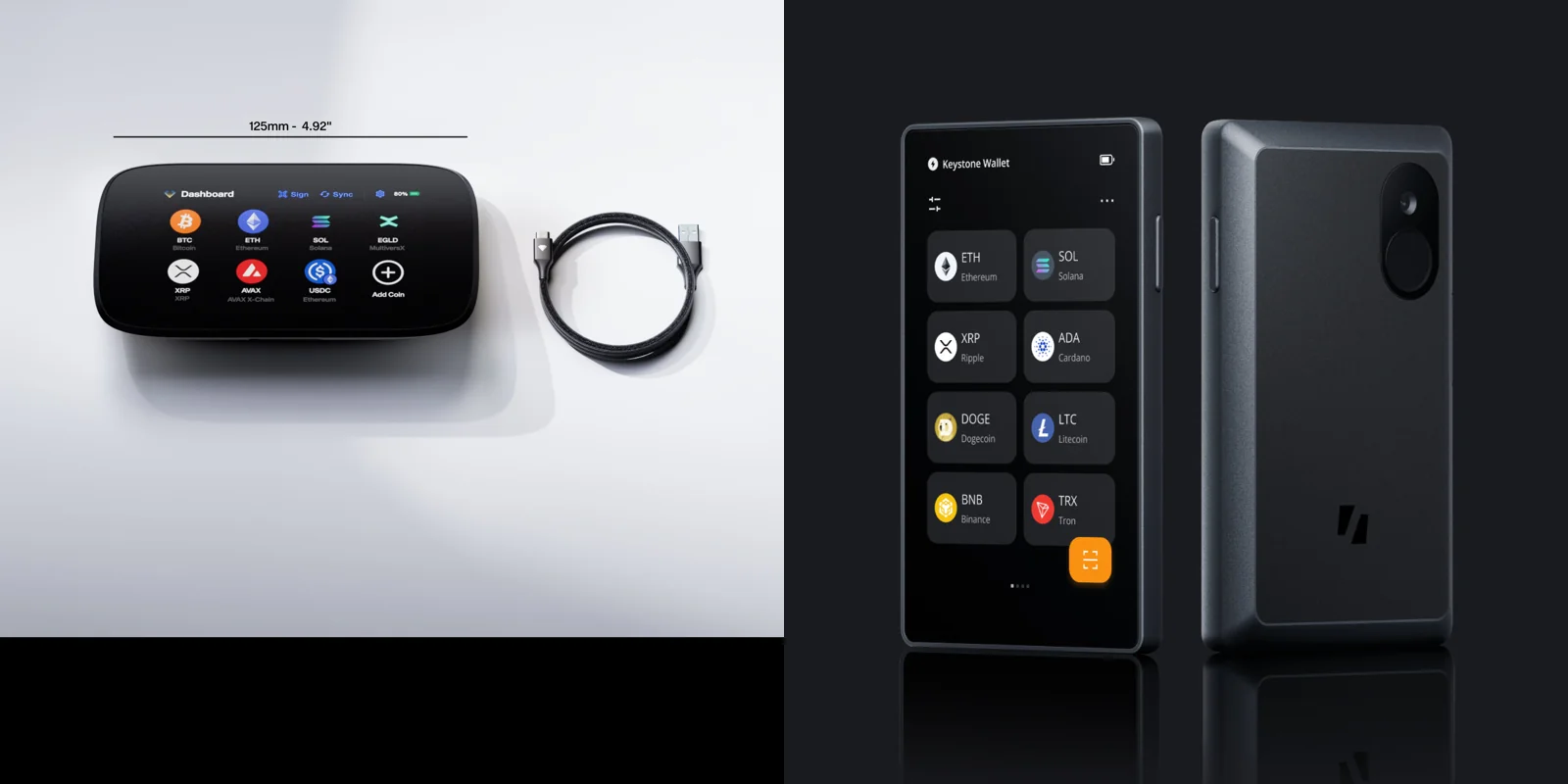
Table of contents
NGRAVE Zero vs Keystone 3 Pro at a glance
NGRAVE Zero and Keystone 3 Pro side by side | |
|---|---|
| <strong>What it costs</strong> | The Zero is $398, or $498 bundled with GRAPHENE. <br> The Keystone 3 Pro is $149 with a year of Care+ coverage. |
| <strong>The screen</strong> | The Zero has a 4-inch LCD touchscreen at 480 x 800. <br> The Keystone 3 Pro matches it: 4 inches, 480 x 800. |
| <strong>How big and heavy</strong> | The Zero measures 125 x 70 x 13 mm and weighs 214 g in a metal alloy shell. <br> The Keystone 3 Pro measures 103.9 x 62.44 x 12.08 mm and weighs 103 g in plastic. |
| <strong>How it talks to your phone</strong> | The Zero uses QR codes only and keeps USB-C for charging and firmware. <br> The Keystone 3 Pro uses QR codes only, with microSD or USB for firmware. |
| <strong>Chips guarding the keys</strong> | The Zero has a single secure element built on the STSAFE A100. <br> The Keystone 3 Pro has three: the ATECC608B, DS28S60 and MAX32520. |
| <strong>Outside checks</strong> | The Zero lists CC EAL7 for its secure OS, plus CC EAL5+. <br> The Keystone 3 Pro has a SlowMist firmware audit and a Keylabs hardware audit. |
| <strong>Can you read the code?</strong> | Not on the Zero; NGRAVE plans a gradual opening that leaves out the secure element and secure OS. <br> Yes on the Keystone 3 Pro, whose firmware sits on GitHub. |
| <strong>Backing it up</strong> | The Zero uses a 64-character Perfect Key that also displays as 24 words, with GRAPHENE steel plates as an option. <br> The Keystone 3 Pro uses 12 or 24 words, or Shamir Backup. |
| <strong>Coins</strong> | The Zero has 15 native coins plus ERC20 and ESDT tokens, and NGRAVE claims 3,500+ coins and tokens. <br> The Keystone 3 Pro covers 5,500+ coins. |
| <strong>Apps it works with</strong> | The Zero works with NGRAVE LIQUID, MetaMask and Rabby. <br> The Keystone 3 Pro works with Keystone Nexus and 45+ software wallets. |
| <strong>Battery</strong> | The Zero has 1200 mAh, and you can’t swap it. <br> The Keystone 3 Pro has 1000 mAh. |
| <strong>Who it suits</strong> | The Zero suits people who want certified, closed security with a matching steel backup. <br> The Keystone 3 Pro suits people who want open code and support for lots of wallets. |
So what is the NGRAVE Zero?
Belgium-made and fully air-gapped, the NGRAVE Zero has no USB data connection, no WiFi, no Bluetooth, no NFC and no 4G. NGRAVE says its USB-C port exists only for wall charging and secure firmware updates.
Certification is what NGRAVE sells hardest. Its help center lists CC EAL5+ and EAL7 certifications for the Zero, and the company describes it as the only financial product to reach EAL7. There’s more on the device itself in our NGRAVE Zero review.
What the NGRAVE Zero brings
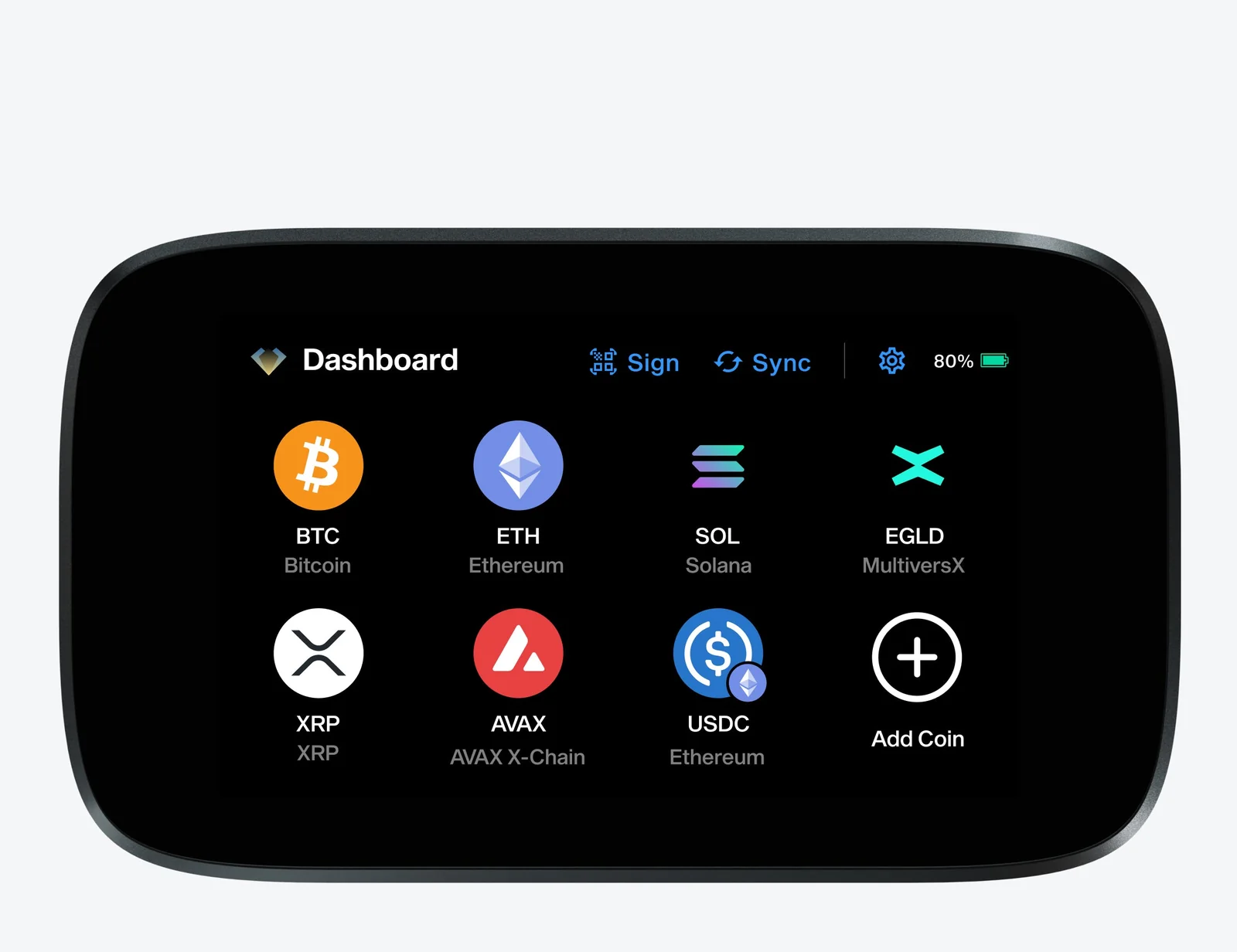
- Its 4-inch capacitive LCD touchscreen runs at 480 x 800 pixels.
- The shell is an alloy of zinc, aluminum, magnesium and copper, it weighs 214 g, and it’s rated IP55 against water and dust.
- Inside there’s a customized secure element based on the STSAFE A100 and an STM32MP157C processor with Secure Boot.
- A PIN is required, and you can add up to 5 fingerprints for unlocking and signing if you want them.
- Your backup is a 64-character Perfect Key, which the Zero will also display as 24 words.
- You manage coins through NGRAVE LIQUID on iOS or Android, or through MetaMask and Rabby.
And what is the Keystone 3 Pro?
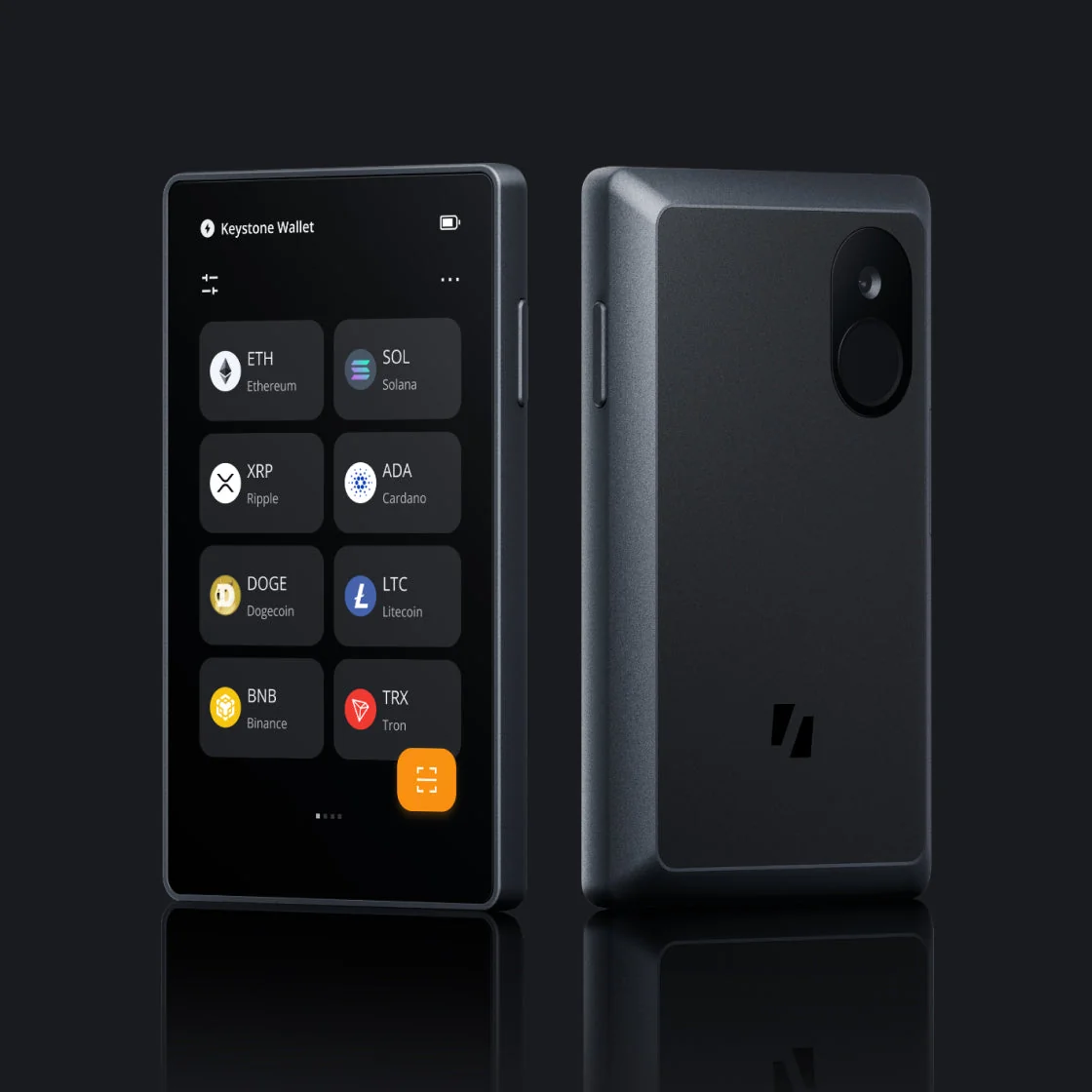
Keystone’s device is air-gapped too. The company says it has “No USB (data), Bluetooth, WiFi or NFC connectivity” and swaps data with other devices through QR codes alone, while a microSD slot takes care of offline file transfers and firmware updates.
Openness is Keystone’s selling point. You can read its firmware on GitHub, and it has put out audits from SlowMist and Keylabs. For a longer look at living with it, see our Keystone 3 Pro review.
What the Keystone 3 Pro brings
- The 4-inch LCD TFT touchscreen matches the Zero at 480 x 800.
- Its case is PC and ABS plastic, and the whole thing weighs 103 g.
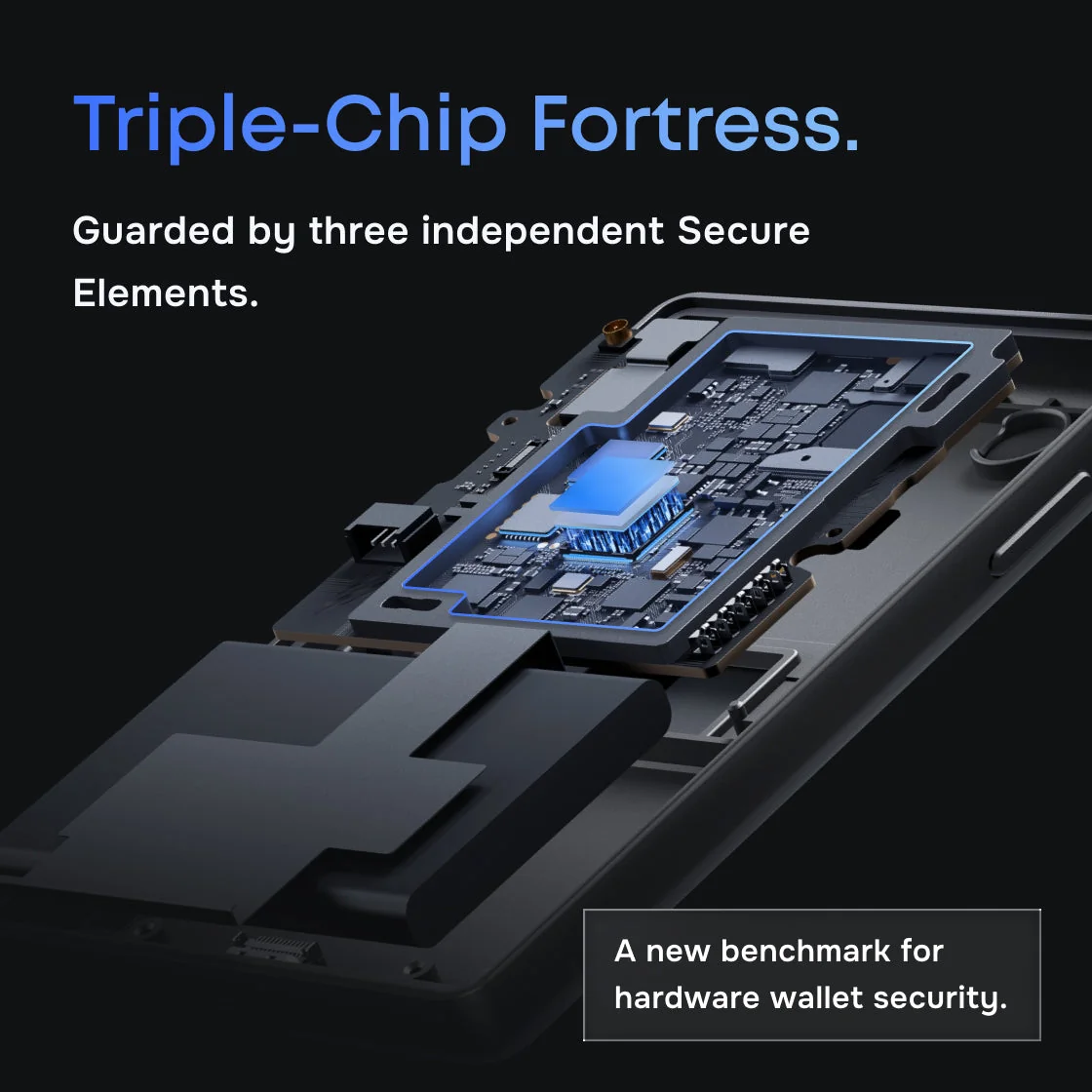
- Three secure elements share the work: a Microchip ATECC608B, a Maxim DS28S60 and a Maxim MAX32520.
- You set a PIN and can add up to 3 fingerprints, each one switchable for unlocking, signing or both.
- Backups can be 12 words, 24 words or Shamir Backup shares, and one device holds up to 3 wallets.
- It pairs with the free Keystone Nexus app and 45+ software wallets, MetaMask and Rabby among them.
NGRAVE Zero vs Keystone 3 Pro on security
Your private keys stay offline on both. (A private key is the secret that controls your coins; a secure element is a tamper-resistant chip made to guard secrets like that.) When you sign, neither device pushes data over a cable or a radio.
Where they part ways is in how you’re asked to verify that promise, since NGRAVE leans on certification while Keystone leans on code that anyone can open and read.
How the NGRAVE Zero protects your keys
NGRAVE links its EAL7 rating to the Zero’s secure operating system, and it shows EAL5+ for the secure element chip. Common Criteria EAL levels describe how thoroughly evaluators went through a product’s security design. We couldn’t confirm the lab or the certificate date, because NGRAVE’s own pages don’t name either.
Closed code is the catch. According to NGRAVE, the firmware “will be gradually open sourced except the secure element and secure operating system.” Its public GitHub repository contains nothing but a README, and nobody has pushed to it since May 2021, which bothers us more than anything else here.
The day-to-day protections are solid, though. You get a PIN pad that shuffles its numbers each time, a full wipe after 10 wrong PINs, and a design meant to erase itself if someone pries it open. The first time you switch it on, you scan a QR code on NGRAVE’s website to prove the unit is genuine.
Updates come in over USB-C, but only after you reboot into a separate update mode. NGRAVE has to have signed the package or the Zero won’t install it, and you can check that signature yourself with GPG and a SHA256 hash. Version 1.8, out in August 2026, is the newest.
How the Keystone 3 Pro protects your keys
Keystone spreads the job over three secure elements. It also advertises “PCI Level Anti-Tamper Features” that wipe data if the case is opened. Since Keystone doesn’t publish a Common Criteria grade for any of the three chips, there’s no fair way to rank its security claim against NGRAVE’s.
Code you can check is the trade Keystone offers instead. In its words, “Keystone’s firmware code is fully open source and hosted on GitHub,” and every release comes with a SHA256 checksum. SlowMist looked at the firmware; Keylabs looked at the hardware.
There’s one disclosed flaw. Keystone said in July 2024 that Offside Labs had found a firmware vulnerability, which version V-1.2.8 fixed, and that it paid a bounty for the report. Firmware 3.0.4, released on August 12, 2026, is current.
Backups: a Perfect Key on steel, or words and Shamir shares
A seed phrase is a list of words that can rebuild your wallet on any compatible device. Keystone sticks to the standard 12 or 24 words, and it adds Shamir Backup, which breaks the backup into shares so that no single share restores the wallet.
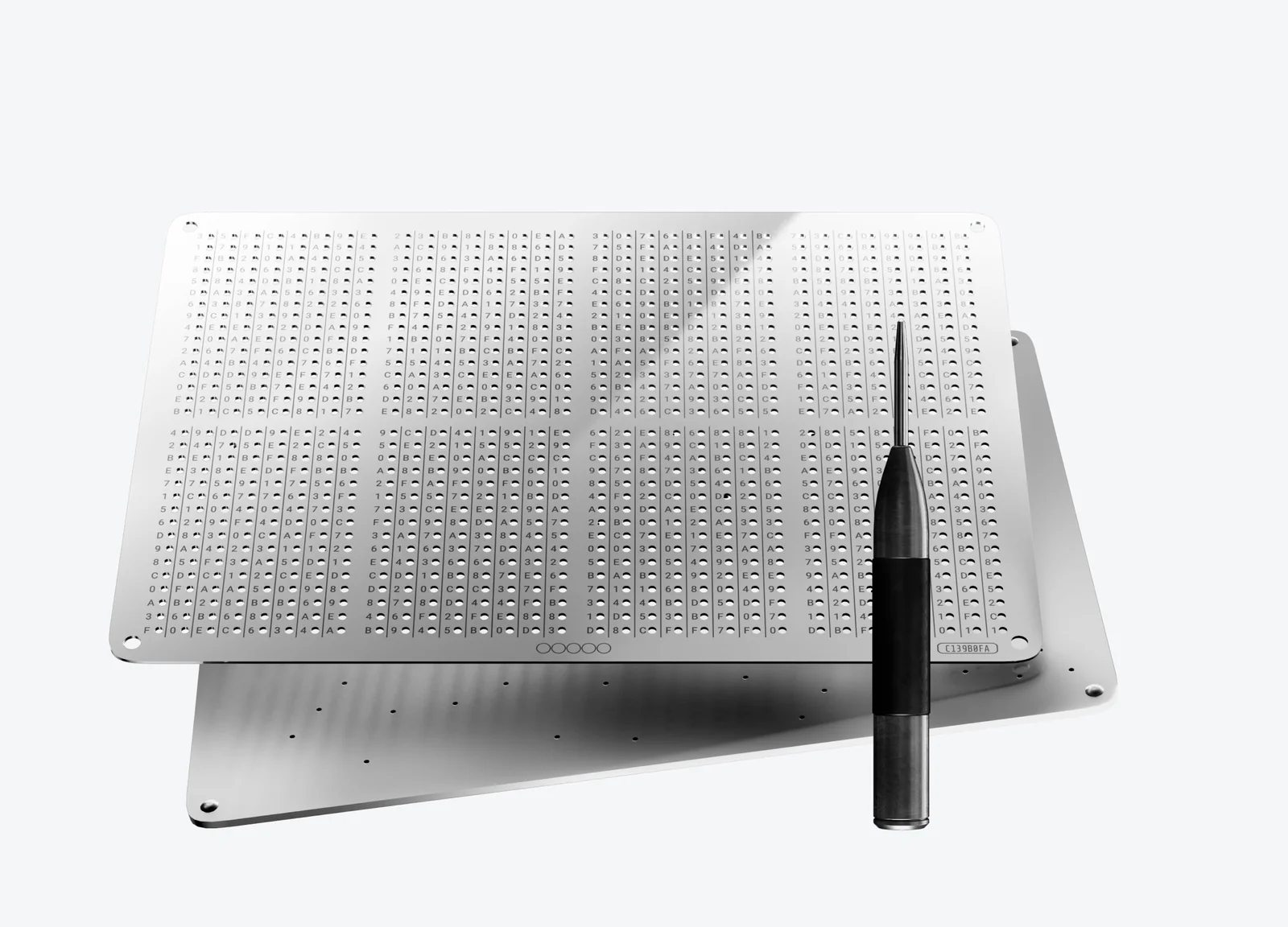
NGRAVE does it differently. The Zero generates a 64-character hexadecimal Perfect Key holding the same 256-bit secret as a 24-word phrase, and you can see both versions under Settings → Display secret key. From firmware 1.5 onward, new wallets on the Zero can only be made in Perfect Key format.
To store that key, NGRAVE sells GRAPHENE. You punch the characters through an upper steel plate into a lower one, and neither plate reveals anything alone. The plates are stainless steel 316, rated to 1375°C, and they only take the hexadecimal format, so a 24-word phrase won’t go on them.
Each wallet supports a passphrase too. That’s an extra secret that opens a separate hidden wallet, and since neither device stores it, forgetting it means the money behind it is gone. If you’d rather spread risk across several devices, the Keystone supports BIP-129 multisig, and our roundup of the best multisig wallets covers the options.
Which is easier to live with, the NGRAVE Zero or the Keystone 3 Pro?
Signing works the same way on both. You set up the transaction on your phone, point the wallet’s camera at the QR code, read the details on the 4-inch screen and approve, and then your phone scans the signed QR code off the wallet and broadcasts it.
Setup is where they diverge. Keystone sends you to keyst.one/get-started, where a “Verify Your Device” step checks an eight-character code. After that, the “Choose Backup Method” screen asks you to pick “Standard Seed Phrase” or “Shamir Backup”.
On the Zero, the first boot also runs a check against NGRAVE’s website. Then it builds your key with extra randomness from your fingerprint and its camera.
Bought GRAPHENE? You’ll be punching the key into steel by hand, and that’s slow work.
The signing screens aren’t equal. Keystone displays the full transaction and can decode contract ABIs, which are the instructions a smart contract runs. NGRAVE only says it “aims to enable Smart Contract Decoding,” and it warns that MetaMask and Rabby don’t show any transaction details beside their QR codes.
We’d take that warning seriously. When you pair the Zero with MetaMask, NGRAVE’s advice is to jot down what you meant to send and compare it on the device, especially the receiving address.
Weight is a genuine difference. At 214 g the Zero is more than twice as heavy as the Keystone at 103 g. Its metal body carries an IP55 rating; we couldn’t find any water or dust rating on Keystone’s spec sheet.
Battery figures are lopsided. NGRAVE says the Zero’s 1200 mAh cell “should certainly last 2.5 hours” of use, and you can’t replace it. Keystone gives a 1000 mAh capacity and no runtime at all.
Coins and chains: NGRAVE Zero vs Keystone 3 Pro
Keystone covers a lot more ground. Its multi-coin firmware “Supports 5,500+ mainstream coins like BTC, ETH, SOL,” Keystone lists 45+ software wallets that work with it, and there are separate Bitcoin-only and Cypherpunk builds, the latter for BTC, ZEC and XMR.
The Zero has 15 native coins. They’re BTC, ETH, BNB, ZEC, XRP, DOGE, DASH, EGLD, XTZ, LTC, BCH, AVAX, XLM, SOL and POL, plus every ERC20 and ESDT token, and NGRAVE’s product page puts the total at 3,500+ coins and tokens.
MetaMask and Rabby stretch that list. NGRAVE says MetaMask brings 10 more EVM chains and Rabby more than 112. We compare how other devices handle this in our guide to the best hardware wallets for MetaMask.
Be careful with networks on the Zero. According to NGRAVE, tokens that arrive over a network it doesn’t support, BSC or Polygon for example, won’t appear on the device. Getting them back means importing your backup into a different wallet.
This applies to any wallet: send to the wrong network or the wrong address and the funds can be gone for good. No one can reverse a blockchain transaction, so check both before you sign.
NGRAVE Zero vs Keystone 3 Pro: is the price gap worth it?
NGRAVE’s store lists the Zero at $398. The COMBO PACK with GRAPHENE is $498, and GRAPHENE by itself costs $148. Buy the two separately and you’d pay $546, so the bundle knocks off $48.
Keystone charges $149 for the 3 Pro with a year of Keystone Care+ coverage. Stretch that to two years and it’s $199; three years is $249. You get 6 seed phrase sheets in the box.
So the gap is $249, or $349 once GRAPHENE is added. That money buys the certification claim, a metal body rated IP55 and a 2-year warranty, though Keystone will sell you two years of coverage for $199. In exchange you lose open-source code and most of the coin list.
One last thing if you’re leaning toward the Zero. On 20 January 2026, NGRAVE announced a “strategic restructuring” without explaining what it involved, although its store still shows the Zero in stock.
The good and the bad of each
What we like and don’t like about the NGRAVE Zero
What we like and don’t like about the Keystone 3 Pro
So which one should you buy?
Choose the NGRAVE Zero if you want a certified, closed system with a matching steel backup from one company. It fits a long-term holder with a short list of coins who doesn’t sign often.
Readers who want to inspect the code their wallet runs, or who hold coins beyond the Zero’s 15, should get the Keystone 3 Pro. It’s also the better fit if you use lots of software wallets.
On a budget? Get the Keystone 3 Pro again. You’ll have the same air gap and screen size for $249 less, which leaves room for a steel backup.
Questions people ask about these two wallets
Which is safer, the NGRAVE Zero or the Keystone 3 Pro?
Nobody can prove one safer than the other. NGRAVE lists CC EAL7 and EAL5+ certifications for the Zero, and Keystone offers open-source firmware plus published audits. Both keep keys offline and sign only through QR codes.
Will MetaMask work with both of them?
Yes. Each connects to MetaMask and Rabby by QR code, and the Keystone works with 45+ software wallets overall.
Can I read the NGRAVE Zero’s source code?
No. NGRAVE plans to open source the firmware gradually but will keep the secure element and secure operating system closed. Keystone’s firmware, by contrast, is already on GitHub.
Is GRAPHENE required with the NGRAVE Zero?
Not at all. It’s an optional steel backup costing $148 alone or $498 bundled with the Zero, and the Zero can display your key as 24 words that you’re free to store however you like.
I forgot my NGRAVE Zero PIN. Now what?
Reset it. After 10 wrong PINs the Zero wipes itself, and you restore the wallet from your Perfect Key or your 24-word backup.
Does either wallet connect over Bluetooth or USB?
No Bluetooth, WiFi or NFC on either one. The Zero’s USB-C port only charges it and takes signed firmware updates; the Keystone gets its updates by microSD or USB.
Our verdict on the NGRAVE Zero vs Keystone 3 Pro
We’d point most people to the Keystone 3 Pro. It equals the Zero’s air gap and screen, handles far more coins and wallets, and lets you look at its code, and it does all that for $149.
The NGRAVE Zero makes sense for a smaller group: people who trust certification more than open code, keep mostly to its 15 native coins, and want GRAPHENE. Before you settle on either, our best crypto hardware wallets list compares a wider range.
This article is for general information only and is not financial, legal, or investment advice. Prices and features change; check the vendor’s official page before buying.