Most hardware wallets guard your keys with a secure element, a locked-down chip you are asked to take on faith. Blockstream Jade hasn’t got one, and that’s a decision rather than an oversight. The company reckoned a chip nobody outside an NDA can inspect was the wrong trade, so it built an encryption scheme that splits your recovery phrase between the device in your hand and a server that never learns anything about your wallet.
All the firmware sits on GitHub, every line of it. That makes Jade a natural pick for bitcoiners who would rather audit code than trust a datasheet, and for anyone who wants to sign by camera instead of cable without paying flagship money.
Below we go through both current models, the blind oracle, the December 2025 firmware bug, what Jade will and won’t hold, prices with dates, the setup, and what else your money could buy.
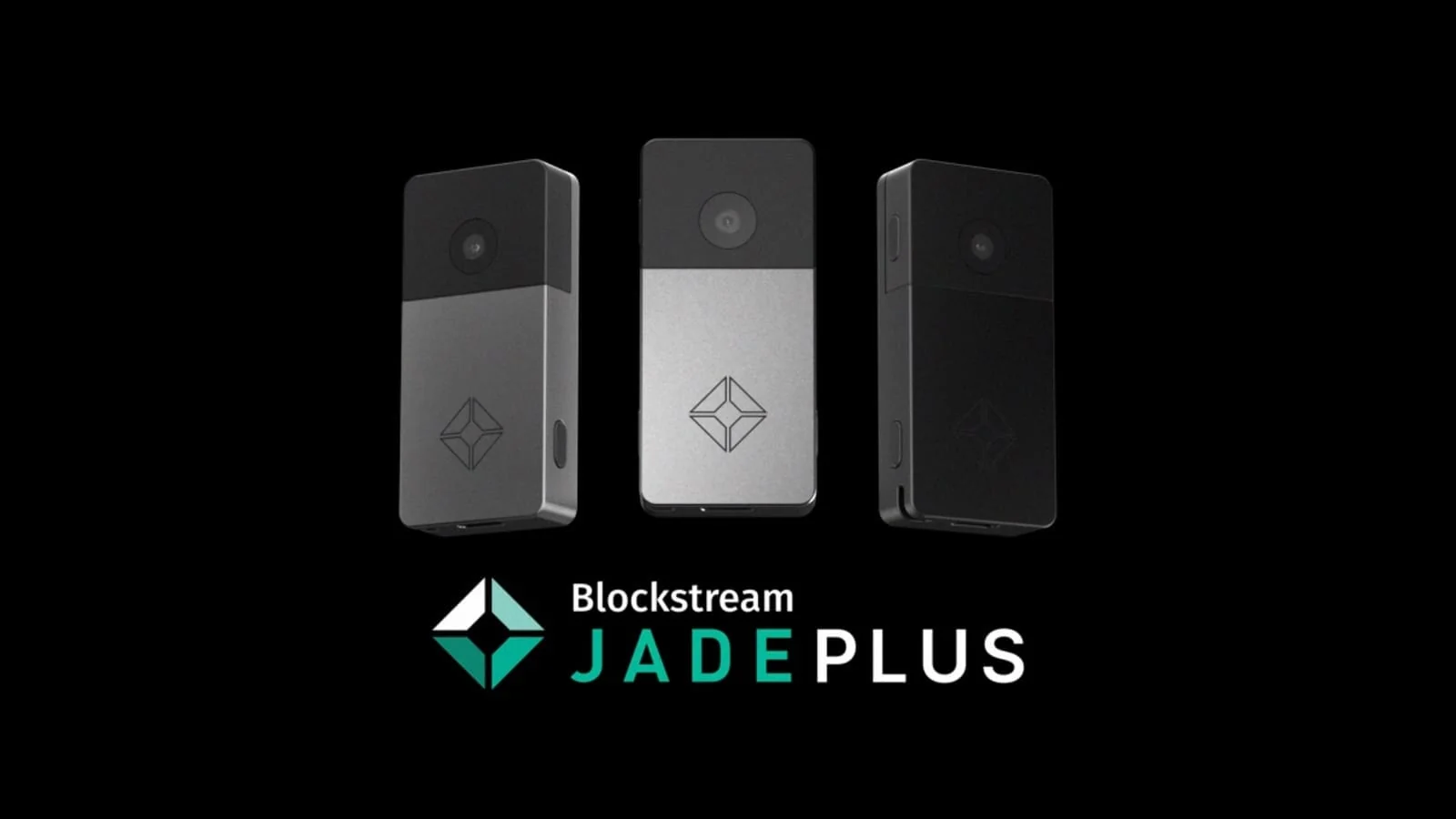
Table of contents
So What Exactly Is the Blockstream Jade?
Blockstream builds Jade, and the same company runs the Liquid Network. The first unit shipped on January 3, 2021. Blockstream’s own description: a fully open source hardware wallet for Bitcoin and Liquid.
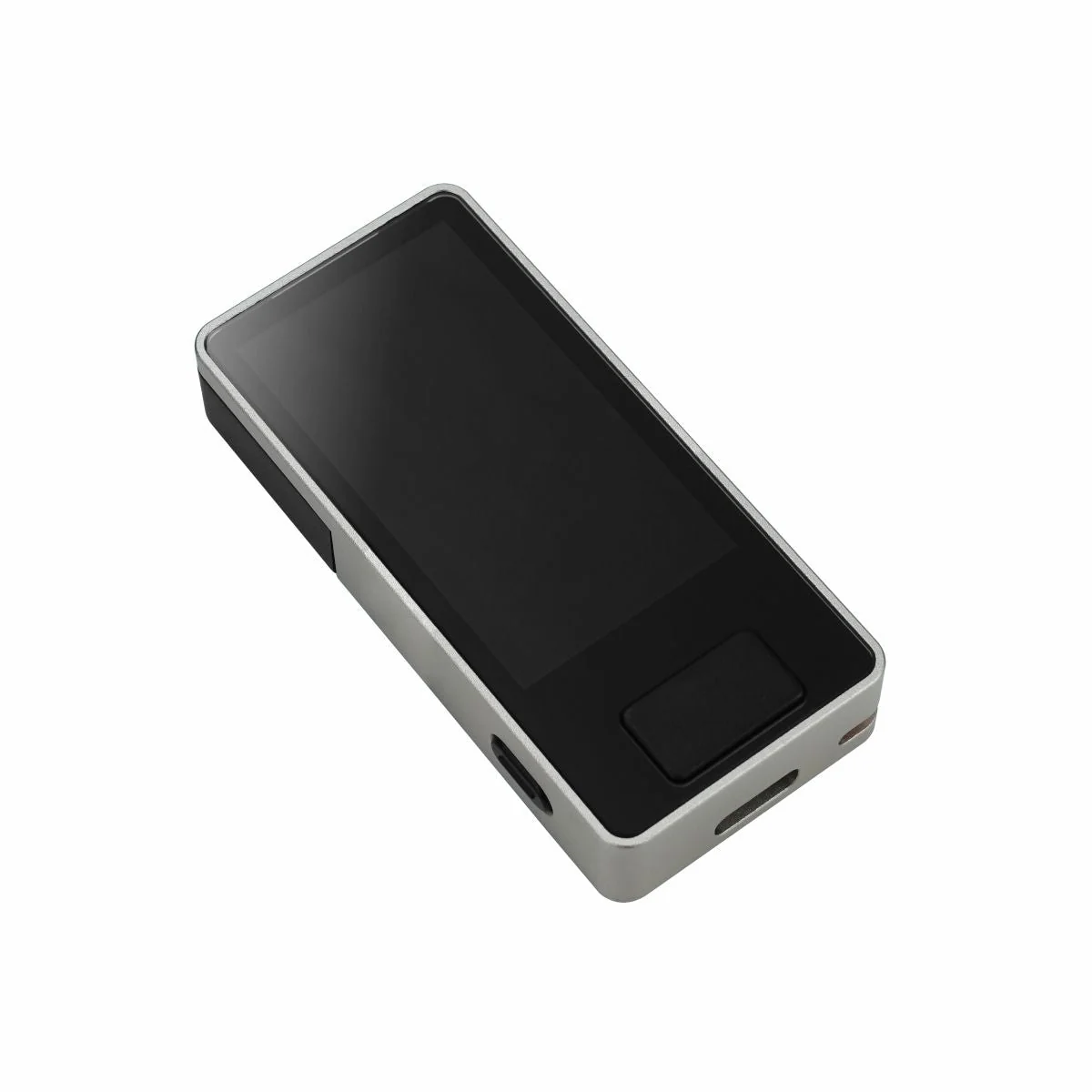
You have two models to pick from today. Jade Plus landed on January 3, 2025 and runs $149 in plastic or $169 in metal, at the time of writing (September 2026). Jade Core arrived on April 28, 2026 at $99, and every version of it read as sold out when we looked on September 12, 2026.
What about the first Jade? It’s still on the store at $67, down from $79, with all five colors gone and no place on the product page any more. Blockstream hasn’t posted a discontinuation notice, so we’d call it quietly finished rather than formally retired.
Blockstream Jade Plus and Jade Core, side by side | |
|---|---|
| Price | Jade Plus runs $149 in plastic, $169 in metal. Jade Core is $99. |
| Screen and size | Both use a 1.9 inch IPS LCD at 320×170. Both measure 65mm x 30mm x 12mm. |
| Ports and radios | Jade Plus adds a camera and SD card to USB-C and Bluetooth. Jade Core gets USB-C and Bluetooth only. |
| Where the keys live | A blind oracle stands in for a secure element. Neither model carries a dedicated chip. |
| Source code | Hardware and firmware are both published. Read them at github.com/Blockstream/Jade. |
| What it holds | Bitcoin and Liquid assets, nothing else. Ethereum and Solana aren’t supported. |
| Backups | Both take a recovery phrase and a BIP39 passphrase. Only Jade Plus can scan a SeedQR. |
| Apps it pairs with | The Blockstream app covers mobile and desktop. Sparrow, Electrum, Specter and Nunchuk work too. |
| Who it suits | Jade Plus is for air-gapped bitcoin storage. Jade Core is somebody’s first hardware wallet. |
The Blockstream Jade Features That Matter
- That 1.9 inch color screen fits a whole address without squinting, which is the difference between genuinely checking where your bitcoin is headed and just telling yourself that you did. Blockstream puts it at 66% larger and 25% brighter than the old Jade’s.
- Jade Plus carries a 640×480 camera on the back. Scan QR codes with it and a transaction gets signed without the device ever meeting a computer.
- Your recovery phrase gets encrypted with secrets divided between the device and a Blockstream server, and that is how Jade replaces the secure element chip its rivals lean on.
- Every signature picks up randomness from your computer, a feature called Anti-Exfil. A tampered device can’t quietly leak your key out through the signatures it hands back.
- Genuine Check fires when the device pairs with the Blockstream app and tells you the unit really came from Blockstream. Handy if you have ever worried about a parcel being opened on its way to you.
- A 280 mAh battery lets Jade Plus work untethered. Jade Core has no battery at all and sips power over USB-C, so it always needs a host nearby.
Living With the Blockstream Jade: Is It Beginner-Friendly?
Setup happens through the Blockstream app, which runs on iOS, Android, Windows, macOS and Linux. Power the device up, choose Set Up Jade, then decide between Begin Setup and Advanced Setup. Take Begin Setup unless you know exactly why you wouldn’t.
Menus are short and the wording stays plain. Two buttons cover everything on Jade Plus, and the display is big enough that you aren’t dragging an address past your eyes two characters at a time.
Friction shows up anyway. You set the PIN through the companion app rather than on the device by itself, and the recovery phrase isn’t written to Jade until that finishes. Pairing drops halfway and you are starting the whole thing over.
Three wrong PINs wipe the device.
It’s a sensible defence against somebody sitting there guessing, and it does work, but there’s no mercy in it. Mistype twice, panic on the third attempt, and the phrase you wrote down is the only way back.
New owners should leave the QR air-gapped workflow on Jade Plus for later. It pairs with Sparrow, Specter, Nunchuk and BlueWallet, and it does take the cable out of the picture, but bouncing codes between two screens adds steps that nobody needs in their first week.
Blockstream Jade Security: What Actually Protects Your Keys
No secure element here, which means no tamper-resistant chip holding the private keys the way most rivals do it. Blockstream lays out its reasoning on its own FAQ: secure elements are closed-source, NDA-bound and costly chips, so Jade runs a virtual one instead.
Worth understanding the mechanism before you spend anything. Jade and a remote blind oracle build an AES256 key together over an encrypted channel, and that key wraps your recovery phrase. Three secrets unlock it: your PIN, Jade’s internal secret, and the oracle’s.
The oracle learns nothing useful at any point. Blockstream’s help page is blunt, saying the oracle is blinded to your wallet’s keys and PIN and doesn’t even know your actual PIN. Get the PIN wrong three times and Jade and the oracle both throw their keys away.
And you needn’t trust Blockstream’s server anyway. Run your own PIN oracle, or drop the oracle completely and unlock Jade by scanning a SeedQR of your phrase. We like having that escape hatch, because company servers don’t last forever.
Firmware sits at github.com/Blockstream/Jade, latest tag 1.0.41. The repo builds for hobbyist boards too, so a determined owner can assemble their own and cut supply-chain worry out of the picture. Unsigned firmware won’t run, thanks to Secure Boot.
Then there’s the bug. Blockstream published a security disclosure on December 16, 2025 covering a buffer overflow that the research group DARKNAVY found in the register_descriptor function. Versions 1.0.24 through 1.0.36 were affected, and 1.0.37 closed it.
Pulling it off would have been hard. An attacker had to reach code that only works on an initialized, unlocked device, through the same interface used to unlock it. On top of that they needed malware on your computer, or a malicious web app holding WebUSB permissions.
No confirmed loss of user funds, according to Blockstream, and no malware it knew of using the flaw. Anti-rollback arrived with firmware 1.0.38 on December 5, 2025, which stops anyone phishing you into downgrading to a version that is still vulnerable.
Two things still bother us. We couldn’t find a published third-party audit or security certification of Jade hardware anywhere on Blockstream’s own pages, which stings a bit given that verifiability is the entire sales pitch for this device. Blockstream’s comparison table also asserts that Jade isn’t vulnerable to physical attacks, and that is a big thing to claim for a device with no certified chip.
What You Can Really Store on a Blockstream Jade
Bitcoin and Liquid assets. That’s the whole list, and Blockstream’s own comparison table flags both models as Bitcoin-only.
Liquid is Blockstream’s Bitcoin layer-2 for issuing digital assets. Jade handles L-BTC, bigger issuances like Tether (USDt), L-CAD and JPYS, and whatever token some other Liquid user has put out. Confidential transactions work too, through a master blinding key that keeps amounts away from onlookers.
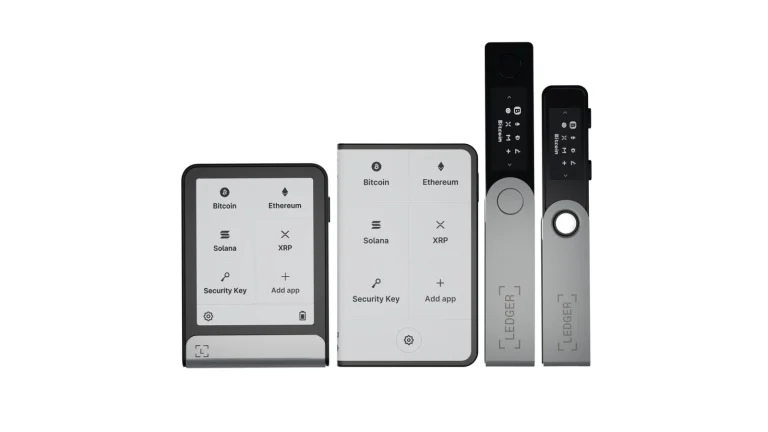
Forget NFTs, Ethereum, Solana and DeFi. Anyone who needs several chains under one device should start with our roundup of the best crypto hardware wallets.
Multisig Shield from Blockstream is the other route, offering 2-of-2 or 2-of-3 arrangements where spending needs the hardware signature plus a 2FA confirmation. Blockstream’s FAQ tells you to choose multisig only if you understand multisig spending and backup, which is fair advice. Our guide to the best multisig wallets walks through what you’d be taking on.
What a Blockstream Jade Costs in September 2026
Jade Plus is $149 in reinforced plastic and $169 in metal, at the time of writing (September 2026). Metal buyers choose between Genesis Grey, Lunar Silver, Rose Gold, Sovereign Green and Black. Jade Core sits at $99.
One warning about Blockstream’s own site. The Jade product page shows Jade Plus at $169.99 in one spot and $169 in the comparison table, while the store rings up $149 for the plastic version. Go by the store page.
Open the Jade Plus box and you get the wallet, a USB-C to USB-C cable, a getting started leaflet, two recovery sheets, two compact seed sheets and stickers. Jade Core comes with the same lot minus the compact seed sheets. Nothing is charged monthly.
Accessories stack up quickly, mind you. JadeLink is a $29 air-gapped USB drive for updating firmware and shuttling signed transactions with no USB or Bluetooth link at all, and it only pairs with Jade Plus. Metal backups cost extra as well: Capsule at $99, Plate at $149, SeedQR at $95.
Buy from Blockstream directly. Marketplace listings for hardware wallets have a long, ugly history of tampered units, and Genuine Check only helps when the thing in your hand is the thing Blockstream posted. Payment goes through Bitcoin, Lightning or card, parcels leave North America and Germany, and the store quotes roughly 5 business days across North America and Europe or 2-4 weeks elsewhere.
Where the Blockstream Jade Wins and Where It Doesn’t
State the bargain plainly and it’s easy enough to judge. You hand back a certified secure element and you’re handed a device you can read line by line. Which half appeals depends on who scares you more: a thief with lab gear, or a vendor you can’t check.
Setting Up Your Blockstream Jade, Step by Step
- Get the Blockstream app onto your phone or computer first, then wake the Jade by plugging it in or holding the power button.
- Pick Set Up Jade on the device. Begin Setup is the right choice unless you specifically want to change the recovery phrase length, export a SeedQR or add a BIP39 passphrase, all of which hide under Advanced Setup.
- Choose Create New Wallet. Restore Wallet is only for bringing a phrase over from a device you already own.
- Copy the recovery phrase onto the sheets in the box. Blockstream’s instruction is blunt: do not take a picture or store online. Whoever reads those words owns your bitcoin, and Blockstream can’t restore your wallet for you.
- Prove the backup by selecting the right words when Jade asks for them. Do it before a single satoshi goes anywhere near the device.
- Link Jade to the companion app over USB, Bluetooth or QR, then set your PIN. Until that wraps up, the recovery phrase isn’t stored on the device at all.
- Send a small test amount and watch it arrive. Wrong address or wrong network means the funds are gone, and nobody can reverse it.
Addresses still a bit fuzzy? Our explainer on what a wallet address is takes about five minutes and saves you from the expensive kind of mistake.
What to Buy Instead of a Blockstream Jade
COLDCARD Q: The Pricier Bitcoin-Only Option
The COLDCARD Q is the other serious Bitcoin-only air-gap machine, and it asks $289. You get a QWERTY keyboard, a QR scanner, two SD card slots and three AAA batteries powering the thing, though those batteries and the USB cable aren’t included.
So it runs close to double a metal Jade Plus, and it isn’t fully open source either. Pick it when you want the deepest Bitcoin feature set and the price genuinely doesn’t matter. There are more choices in our list of the best air-gapped crypto wallets.
Trezor Safe 5: Open Source With a Real Chip
The Trezor Safe 5 asks $129 and gives you open-source firmware alongside a genuine secure element, the pairing Jade can’t manage. Chain support runs a lot wider than bitcoin and Liquid, too.
No camera, though, and no air-gapped signing, so day to day it feels different. Our Trezor Safe 5 review digs into the touchscreen, Shamir backup and the setup flow.
Ledger Nano X: The Opposite Philosophy
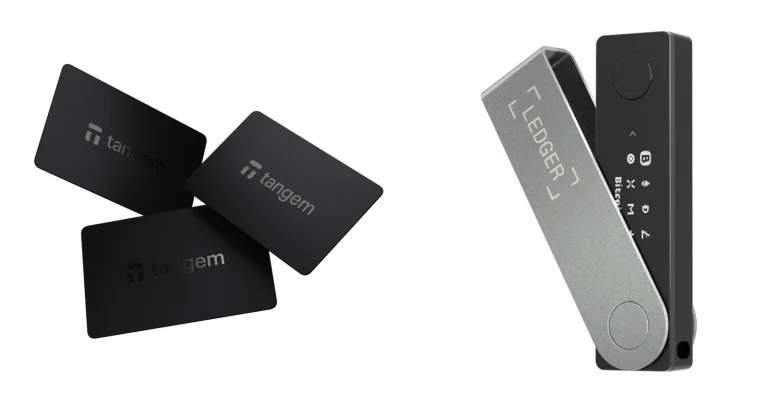
The Ledger Nano X costs $99 and takes the opposite view of almost everything. Closed firmware, a certified secure element, thousands of assets, and an app that is genuinely pleasant to use.
Make open source a hard requirement and you have already ruled it out. Otherwise the Nano X is the easier device to live with when your coins are spread across several chains. Our Ledger Nano X review covers the rest.
Questions We Get About the Blockstream Jade
Is the Blockstream Jade actually safe?
Mostly. Your keys are encrypted with secrets divided between the device and a blind oracle that can’t see your PIN or your wallet, and three wrong PINs wipe both halves. The catch is the missing secure element chip, plus a buffer overflow that affected firmware 1.0.24 through 1.0.36 until version 1.0.37 fixed it in December 2025.
What does a Blockstream Jade cost?
$149 for Jade Plus in plastic, $169 in metal, and $99 for Jade Core, at the time of writing in September 2026. The old Jade still shows $67 on the store, but it’s sold out.
Which coins can a Blockstream Jade hold?
Bitcoin, plus Liquid assets. That means L-BTC, Tether (USDt) on Liquid, L-CAD, JPYS and any token another Liquid user has issued. Ethereum, Solana and NFTs are not on the list.
Can I use a Blockstream Jade with MetaMask?
No. MetaMask is an Ethereum wallet and Jade signs Bitcoin and Liquid transactions, so there is nothing to connect. Reach for the Blockstream app, Sparrow, Electrum, Specter, Nunchuk, BlueWallet or Bitcoin Core instead.
Is there a secure element inside the Blockstream Jade?
No. Blockstream calls its approach a virtual secure element and argues that the real ones are closed-source, NDA-bound and costly. What guards your recovery phrase is an AES256 key split between Jade and a remote blind oracle.
What if I lose my Blockstream Jade?
Restore the recovery phrase onto a new Jade, or onto any compatible wallet, and your bitcoin comes back. Blockstream never sees that phrase and can’t recover the wallet on your behalf, so the sheet you wrote on is the thing that matters.
Will a Blockstream Jade run fully air-gapped?
Jade Plus will, scanning QR codes with its 640×480 camera alongside Sparrow, Specter, Nunchuk or BlueWallet. Add the $29 JadeLink drive and firmware updates go air-gapped as well. Jade Core can’t, since there is no camera on it.
Our Verdict: Who Should Buy the Blockstream Jade
Get the Jade Plus if your stack is bitcoin, you want to sign by camera, and you’d sooner read firmware than trust a chip nobody outside an NDA has ever seen. At $149 in plastic it undercuts every other camera-equipped Bitcoin device we’ve looked at, and the screen punches above what you paid for it.
Give it a miss when you hold anything beyond bitcoin and Liquid assets, or when a certified secure element simply isn’t negotiable for you. Jade Core is cheaper at $99, but losing the camera, the battery and the air-gap costs it a lot, and it was sold out when we looked. Our call: at this money it’s the most credible open-source Bitcoin wallet going, provided you keep the firmware current.
This article is for general information only and is not financial, legal, or investment advice. Prices and features change; check the vendor’s official page before buying.