Moving ETH from your wallet to someone else’s is quick. What slows people down is making sure they have the correct address and the correct network, and that’s where most of this guide lives.
I’ll walk you through a send from MetaMask, then show how it looks on a Trezor hardware wallet, how the gas fee is worked out, and how to follow the transaction on a block explorer. You’ll need a wallet with ETH in it, a bit more ETH than you plan to send so the fee is covered, and the address of whoever’s receiving it.
Table of contents
What you’ll need before you send Ethereum
- A wallet you control that has ETH in it. MetaMask works, and so does a Trezor used with Trezor Suite.
- ETH to cover the amount you’re sending and the network fee on top, which Ethereum calls gas.
- The whole address of the person you’re paying. On Ethereum it begins with 0x and runs to 42 characters.
- Which network they want it on, whether that’s Ethereum Mainnet or a layer 2 like Arbitrum.
- A recovery phrase kept offline somewhere safe. You won’t be asked for it at any point here.
Please read this bit twice.
Send on the wrong network, or to the wrong address, and your ETH can be lost permanently, with no one able to pull the transaction back.
If the idea of an address is still a bit fuzzy, start with our explainer on what a wallet address is, then come back.
How to send Ethereum to another wallet, step by step
I’ve built these steps around MetaMask, and the button names come straight from the MetaMask Help Center. If you use a hardware wallet, Step 7 covers the extra check you get.
Step 1. Get the address and check which network they’re on
Get the address from the recipient themselves, and while you’re at it, find out which network they expect. Please don’t grab an address out of your own transaction history, since that’s exactly where address poisoning scammers leave their lookalikes.
Why bother asking about the network? According to MetaMask, a single recovery phrase produces the identical address on every EVM-compatible network, Polygon, Arbitrum, Optimism and Avalanche among them, which means you can stare at a 0x address all day and it still won’t tell you where the recipient is looking.
Step 2. Open MetaMask and hit “Send”
With MetaMask open, you’ll find the “Send” button on the homepage. The browser extension also lets you change accounts from its dropdown before you start.
People do send from the wrong account. Glance at the account name up top.
Step 3. Choose the network, then ETH
Next, MetaMask wants to know which network and which token. Choose whatever network the recipient told you about, and then ETH.
Here’s the trap I’d watch for: the wallet is still sitting on whichever network you used last. Send from there by accident and the ETH turns up in a place the recipient isn’t checking.
Step 4. Paste in the recipient’s address
Type or paste their address, or pick a saved one from your address book. If it looks a lot like an address you’ve sent to before, MetaMask puts up a blocking warning, and it flags any address you’ve never used.
Don’t click through those. Sometimes that lookalike warning is the one clue you’ll get that a poisoned address ended up on your clipboard.
Step 5. Type the amount and press “Continue”
Put in how much you’re sending, then click “Continue”. It’s the other way round on the phone app, where the amount comes first (with quick-select pills like 25% and 50%), you tap “Continue”, and only after that do you paste the address.
Don’t empty the account. MetaMask points out that you need enough to pay for the transfer and the network fee together.
Step 6. Look over the fee, then “Confirm”
On the review screen you’ll see the amount, the recipient and the network fee, and you’re free to change the fee. Go over the address again before you click “Confirm”.
Look at the characters in the middle this time. Poisoning scams count on you checking only the opening and closing few.
Step 7. On a hardware wallet, check the address on its screen
Trezor Suite follows much the same path. Click “Send” at the top right of the Dashboard, choose the account and asset, then paste the address (or click the QR icon to scan it) and type the amount, leaving the fee on its default setting as Trezor suggests.
Now click “Review & send”. The address shown on the Trezor itself is where the ETH will really go, so hold it up against the address you were given, approve on the device, and finish by clicking “Send” in Trezor Suite. The phone app calls those buttons “Review and sign” and “Send transaction”.
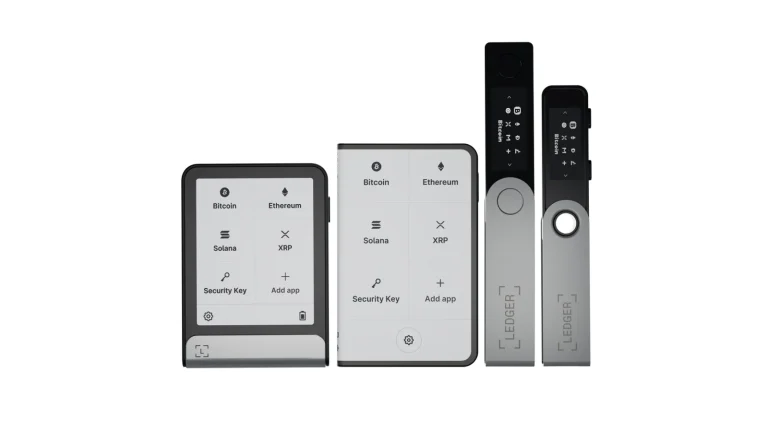
For me, that screen is the whole point of sending from a hardware wallet. Trezor’s own guide warns that malware can quietly change a pasted address. You can keep MetaMask and still get this check; our roundup of the best hardware wallets for MetaMask shows which devices pair with it.
Step 8. Watch the transaction go through
Head to the “Activity” tab in MetaMask. You’ll see “pending” at first, and it flips to “Confirmed” when the send has gone through.
I like a second opinion, so I’d copy the transaction hash into Etherscan or another explorer. Block explorers tell you if it’s pending, failed or successful, and they list who sent it, who got it, how much ETH moved and the fee.
What sending ETH costs: gas fees and limits
You pay for Ethereum transactions in gas, which is a measure of how much computing work a transaction takes. Because the price of each unit rises and falls with demand, nobody can quote you one dollar amount. Your wallet’s review screen gives the live estimate.
| What | How it works | Where it’s from (checked September 2026) |
|---|---|---|
| Gas used by a simple ETH send | It’s always 21,000 units | The ethereum.org gas docs |
| How the fee is worked out | You pay units of gas used × (base fee + priority fee) | The ethereum.org gas docs |
| The base fee | The protocol sets it, and it gets burned once the block is made | The ethereum.org gas docs |
| The priority fee | It’s a tip for the validator, and your max fee has to be more than the base fee and tip combined | The ethereum.org gas docs |
| What a gwei is | A billionth of one ETH, or 0.000000001 ETH | The ethereum.org gas docs |
| Fees in tokens other than ETH | MetaMask allows it on Ethereum Mainnet, BNB Smart Chain, Arbitrum, Base, Polygon and Linea | MetaMask’s help pages |
| Running out of gas | Everything gets undone, yet you still lose the gas | The ethereum.org gas docs |
Since a basic send never uses more or less than 21,000 units, it’s the per-unit price that decides what you pay. There’s more on the ethereum.org gas page if you’re curious.
Mainnet fees putting you off? According to ethereum.org, you get lower transaction fees by bridging ETH over to an L2 rollup, and our Arbitrum vs Optimism comparison looks at two of them.
How long does an ETH transfer take?
Ethereum’s clock ticks in slots of 12 seconds, and every 32 of those make up an epoch.
Once you’ve hit confirm, your transaction sits in the mempool, a queue of pending transactions, until a validator puts it into a block. Later that block gets labelled “justified”, and after that “finalized”, at which point ethereum.org says changing it would take a network-level attack costing many billions of dollars.
Stuck on “pending” for longer than you’d like? Jump to the fixes below.
When an Ethereum send goes wrong, and how to fix it
- Pending for ages? Open the transaction in MetaMask and choose “Speed up”, which sends it again with a bigger gas fee (so it costs you more).
- Changed your mind? “Cancel” sits in the transaction detail view, though it only has a chance while the send hasn’t confirmed yet.
- With more than one transaction stuck, MetaMask’s advice is to send a replacement to yourself using the same nonce, a priority fee raised by at least 10% and a max fee raised by at least 30%, beginning with the oldest.
- ETH that went out on the wrong EVM network normally isn’t gone. The recipient changes their wallet over to that network, and a bridge can move it where it belongs.
- An address on a non-EVM network is a different story, and MetaMask says those tokens are probably lost for good.
- Recipient can’t find the ETH? Search the transaction hash on an explorer, and if it says successful, my guess is they’re looking at the wrong network.
- An out-of-gas failure means no ETH moved, but you’ve paid for the gas anyway.
- Paid the wrong address? If you know the owner, ask them for it back. Don’t expect much from a smart contract address.
For the exact nonce settings on both the extension and the phone app, see MetaMask’s page on speeding up or cancelling a transaction.
Habits that keep your ETH sends safe
- Try a tiny amount first if you haven’t used that address or network before. It’s cheap insurance.
- Read the whole address, and pay extra attention to the middle.
- Keep regular recipients in your address book so you’re never copying from old transactions.
- When a hardware wallet’s screen and your computer disagree, believe the device.
- Nobody gets your recovery phrase, ever, and MetaMask says it won’t reach out first or request it.
- Be careful with bridges, since ethereum.org flags smart contract risk: a bug in the code can lose people’s funds.
None of this is specific to ETH. You’ll find the same checks in our walkthrough on how to send Bitcoin to another wallet.
Questions people ask about sending ETH
Can an Ethereum transaction be cancelled?
Sometimes. You can hit Cancel in MetaMask’s transaction detail view while the send is pending, but once it’s confirmed there’s no reversing it.
What does it cost to send ETH?
It depends on how busy the network is. A basic transfer always uses 21,000 units of gas, and you multiply that by the base fee plus the priority fee to get your total.
Do I have the same Ethereum address on Arbitrum and Polygon?
Yes. MetaMask says one recovery phrase gives you the same address on EVM-compatible networks like Polygon, Arbitrum, Optimism and Avalanche, although each network keeps its own balance.
How quickly does an ETH send arrive?
It varies. Ethereum has a slot every 12 seconds, and MetaMask switches to Confirmed as soon as a validator puts your transaction in a block, though a low fee can keep it waiting.
I sent ETH on the wrong network. Now what?
If it was another EVM network, the ETH is usually still at that same address; the recipient switches to that network and bridges it back. If it went to a non-EVM network, MetaMask says it’s probably gone.
What’s an ENS name?
It’s a readable name like nick.eth that points to an Ethereum address. Before sending to one, look at the 0x address your wallet displays.
Is a hardware wallet required to send ETH?
No. MetaMask on its own can do it, and a hardware wallet just adds a screen that shows the real address, which protects you if malware swaps it.
Sending Ethereum to another wallet, in short
Get the address and the network from the person you’re paying, click “Send”, choose the network and ETH, paste the address, add the amount, and read it all over before “Confirm”. Hold back enough ETH for gas.
After that, keep an eye on “Activity” and check an explorer if something seems wrong. If you haven’t settled on a wallet yet, I’d begin with our MetaMask vs Trust Wallet comparison.
This article is for general information only and is not financial, legal, or investment advice. Prices and features change; check the vendor’s official page before buying.