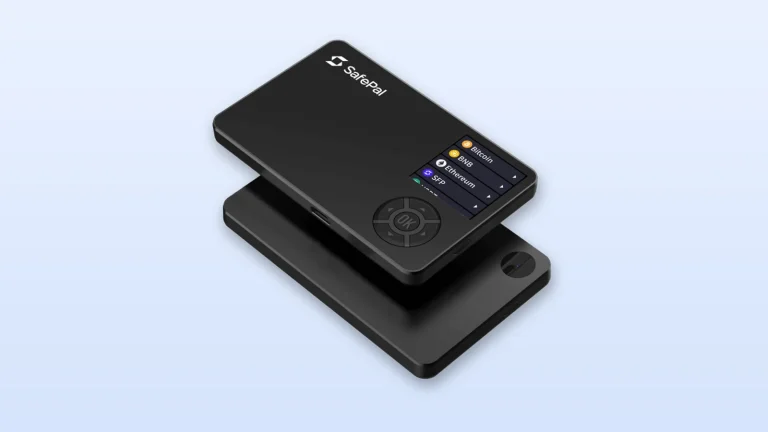
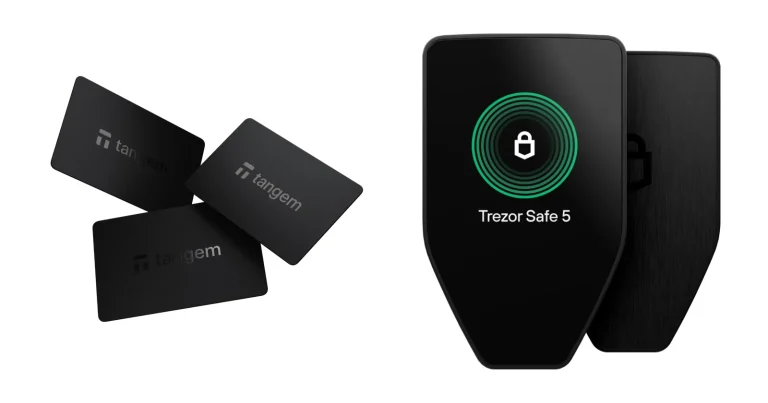
Two Trezors sit at the affordable end of the range, and picking between them costs you $70. The Safe 3 is $59 at the time of writing (September 2026), the Safe 5 is $129, and SatoshiLabs builds both.
Here’s the quick version. Go for the Trezor Safe 3 when you want the cheapest Trezor that still has a secure element and you only sign a handful of times a year. Go for the Trezor Safe 5 when you’d rather have a color touchscreen, a device that buzzes when you confirm, and the microSD encryption trick the Safe 3 simply can’t do.
Underneath, they hide the same chip. That’s the part most buyers get wrong, so we’ll spend a while on it.
Everything quoted here was pulled from Trezor’s product pages, its knowledge base and SatoshiLabs press material during September 2026.
The Safe 3 is the two-button model and the Safe 5 is the touchscreen model, and both carry an EAL6+ secure element.

Table of contents
Trezor Safe 3 vs Safe 5, Side by Side
One security chip, one app, one firmware base, two bodies. What changes is the glass you look at, the way you press things, and the plastic wrapped around it, and none of that changes how well your keys are guarded.
Trezor Safe 3 vs Trezor Safe 5: Comparison Chart | |
|---|---|
| What they cost | The Safe 3 asks $59. The Safe 5 asks $129. |
| The screen | Safe 3: a 0.96-inch monochrome OLED strip running 128 x 64 pixels. Safe 5: a 1.54-inch color panel running 240 x 240 pixels. |
| How you drive it | Safe 3: two buttons and nothing else. Safe 5: a touchscreen that buzzes back, which Trezor brands Trezor Touch. |
| The chip guarding your PIN | Safe 3: an OPTIGA Trust M (V3), rated CC EAL6+. Safe 5: the very same OPTIGA Trust M (V3), rated CC EAL6+. |
| Code you can read | Safe 3: Trezor calls the security and design open source. Safe 5: same claim, same wording. |
| Ports and slots | Safe 3: USB-C, and that is your lot. Safe 5: USB-C plus a microSD card slot. |
| Ways to back up | Safe 3: 12, 20 or 24 words, or Multi-share Backup. Safe 5: the identical menu. |
| Coin coverage | Safe 3: 1000s of coins and tokens, by Trezor’s count. Safe 5: the same 1000s. |
| What it is made of | Safe 3: PMMA plastic over anodized aluminum backplates. Safe 5: PC-ABS plastic behind Gorilla Glass 3, again on anodized aluminum backplates. |
| How big, how heavy | Safe 3: 59 x 32 x 7.4 mm, tipping the scale at 14 g. Safe 5: 65.9 x 40 x 8 mm and 23 g. |
| On your phone | Safe 3: Android is fine, iOS is only half there. Safe 5: exactly the same story. |
| Who it suits | Safe 3: whoever wants a secure element for as little money as Trezor will take. Safe 5: whoever signs often and would rather read a screen than squint at one. |
So What Exactly Is the Trezor Safe 3?
Trezor’s cheapest way into the Safe family is the Trezor Safe 3, which landed on 12 October 2023. No Trezor before it had a certified secure element, meaning a tamper-resistant chip that stands guard over your PIN.
Up front you’ll find a 0.96-inch monochrome OLED at 128 x 64 pixels, with two buttons underneath it. PMMA plastic forms the shell, tamper-evident and finished with anodized aluminum backplates, and the finished device runs to 59 x 32 x 7.4 mm and 14 g. It’s light enough that you’ll forget it’s in your pocket, and that cuts both ways.

Pick from Cosmic Black, Solar Gold, Stellar Silver or Galactic Rose. Want the Bitcoin-only edition instead? It’s $59 too.
What the Trezor Safe 3 Gives You
- Sitting inside is an OPTIGA Trust M (V3) secure element with Common Criteria EAL6+ certification, and it keeps hold of the secret that unlocks your keys, so a thief carrying the device off still walks into a PIN prompt.
- According to Trezor, dropping in a secure element didn’t compromise the open source nature of the Trezor Safe 3, which means the code is still there to read.
- Your backup can run to 12, 20 or 24 words, and Advanced Multi-share Backup chops it into shares when a single hiding place doesn’t feel like enough.
- Firmware runs on a 180MHz embedded ARM processor, a Cortex M4.
- Open the box and you’ll find a USB-C to USB-C cable, a pair of 20-word backup cards, a start-up guide and stickers, so writing down the backup can happen straight away.
And What About the Trezor Safe 5?
BTC Prague on 14 June 2024 is where the Trezor Safe 5 first appeared. SatoshiLabs put $169 on it back then. Today it’s $129.
What you’re paying for is the glass. A 1.54-inch color touchscreen at 240 x 240 pixels sits behind Gorilla Glass 3, and the Trezor Touch engine nudges your fingertip every time you confirm something.
PC-ABS plastic and anodized aluminum backplates make up the shell, which comes to 65.9 x 40 x 8 mm and 23 g.
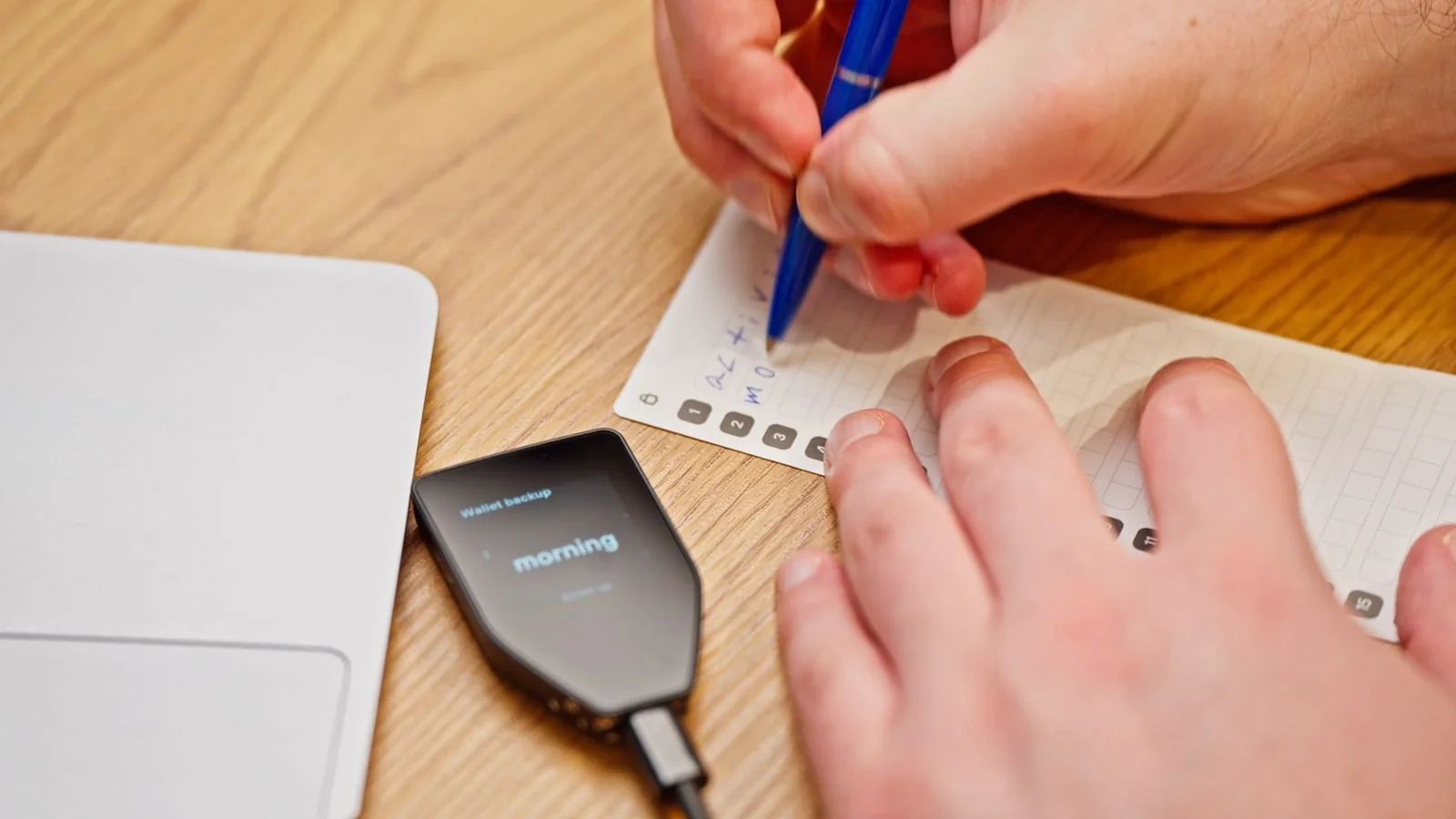
Three finishes are sold: Black Graphite, Green Beryl and Violet Ore. Bitcoin-only buyers pay the same $129. There’s a full hands-on in our Trezor Safe 5 review if you want the long version.
What the Trezor Safe 5 Gives You
- That 1.54-inch color touchscreen at 240 x 240 pixels puts a whole backup word on screen at a size you can read without leaning in.
- The chip is no different: an OPTIGA Trust M (V3) secure element carrying CC EAL6+ certification, exactly as on the Safe 3.
- Slot a microSD card in and you can turn on microSD card encryption, which welds the device to that card, something the Safe 3 has no way of doing.
- Firmware here runs on a 160MHz embedded ARM processor, a Cortex M33.
- Inside the box sit the same cable, the same two 20-word backup cards, the same guide and the same stickers, so the extra money buys you nothing you can hold.
Security: Trezor Safe 3 vs Safe 5, Chip for Chip
Trezor doesn’t dance around this one. Its Safe 5 FAQ states that the two devices contain the same secure element chip and offer the same level of security for your funds.
Look up the part number and you get an OPTIGA Trust M (V3) with Common Criteria EAL6+ certification. Your private keys aren’t kept on it. What it holds is a secret that mixes with your PIN to encrypt those keys, and it hands that secret over only when the PIN you type is right.
Get the PIN wrong 16 times and either device wipes the secret and resets itself, which turns a stolen wallet into a lost wallet instead of an emptied one. Tamper-evident casing on both is meant to show up physical meddling. Suite also runs the Secure Element authenticity check on both once the firmware is on.
Then there’s the one trick only the Safe 5 knows. MicroSD card encryption is offered on the Trezor Model T and the Trezor Safe 5, full stop.
It drops a 256-bit random value onto a microSD card, and unlocking the device needs your PIN and that card secret together, so somebody who grabs the device on its own gets precisely nowhere. Lose the card and your coins are still reachable through the wallet backup. The other device that can do this gets its own write-up in our Trezor Model T review.
Passphrases behave identically on the pair. You get up to 50 ASCII characters, you can type them on the device rather than the computer, and nothing is ever stored. Trezor’s warning is blunt: a passphrase can’t be changed, removed or recovered, and every one you type opens a different wallet, typos included.
Before you hand over a shipping address, though, read the company’s track record. Someone reached Trezor’s third-party support ticketing portal on 17 January 2024, and 66,000 users who’d written to support since December 2021 may have had names and email addresses exposed. Nobody’s funds were touched, Trezor said.
A worse one came this year. ShipMonk, the firm that ships Trezor’s orders, reported on 10 August 2026 that its systems holding customer data had been reached; 11,742 people had names, emails, phone numbers and shipping addresses exposed, with another 1,947 partly exposed. Trezor then said on 2 September 2026 that older orders were caught up in the same mess, adding roughly 67,000 more US customers.
Its own systems weren’t breached, Trezor insists, and private keys and wallet backups stayed untouched.
None of that lives in the hardware, so it won’t push you toward one model. Expect phishing mail rather than a different purchase.
Uneasy about the brand as a whole? Our Ledger vs Trezor comparison is the piece you actually want.
Living With the Trezor Safe 3 and the Safe 5
Getting started plays out the same way on both, and Trezor reckons on roughly 15 minutes. Install Trezor Suite, hit “Set up my Trezor”, choose Standard or Bitcoin-only firmware, hit “Install firmware”, let the Secure Element authenticity check run, then work through “Create wallet” and “Create wallet backup”.
Writing down the backup is where the two part company. Each word arrives on a color touchscreen on the Safe 5. On the Safe 3 it crawls across a 0.96-inch monochrome strip while you thumb two buttons, and yes, you’ll squint.
Typing a PIN isn’t the same either. Trezor’s Safe 3 instructions tell you to use the left and right buttons to reach each digit, then press both together to pick it. Tapping does the job on the Safe 5, where the digit grid reshuffles itself after every try.
Either way the PIN can run from 4 digits up to 50.
By Trezor’s own account, the touchscreen and its haptics are the headline upgrade over the Safe 3, and the Safe 5 is aimed at active traders who are on-chain a lot. We’d agree. Checking a long address on the Safe 3 drags, and your eyes do more work than they should.
Phones are where both devices disappoint equally. Android gets full compatibility, while iOS is listed as limited, covering portfolio tracking, buying and receiving assets and nothing more. Signing on an iPhone means buying the Trezor Safe 7, which does have full iOS support.
Trezor Safe 3 vs Safe 5: Which Coins Work?
Here they’re twins. Trezor claims 1000s of coins and tokens on each product page, and its compare page hands both the same feature list, passphrase protection and Tor identity protection and third-party app compatibility included.
Names get dropped in the Safe 3 FAQ: Bitcoin, Ethereum, Ethereum Classic, Litecoin, XRP, Bitcoin Cash, Dogecoin, Zcash, Cardano, then thousands of other tokens. No single total is published anywhere on trezor.io, so be wary of any precise count you read elsewhere.
At setup, each device offers Bitcoin-only firmware, which throws out everything else and shrinks the code you have to trust. Planning to go that route? Both devices show up in our roundup of the best Bitcoin hardware wallets.
Trezor Safe 3 vs Safe 5: Where the $70 Goes
$59 on one side, $129 on the other, as of September 2026. Same secure element, same coins, $70 between them.
Handing over that $70 gets you the color touchscreen, the haptics, Gorilla Glass 3, a microSD slot and a slightly bigger body. Tougher cryptography isn’t on the list, neither is wider coin support, and the box contents don’t change one bit.
Worth knowing: the Safe 5 costs less than it used to. June 2024 saw it launch at $169, and $129 today is a $40 cut, which makes the upgrade an easier sell than it once was.
Wherever you buy, use the Trezor Shop or an official reseller, which is Trezor’s own advice, and look the holographic seal over before you start setting anything up.
Sitting above the pair is the Trezor Safe 7 at $249, with a 2.5-inch display at 520 x 380 pixels, Bluetooth 5.0+, Qi2 wireless charging and a second secure element. Older Trezors get their own head-to-head in our Trezor Model One vs Model T comparison.
What We Like and What Annoys Us
You can’t really buy a bad one here. Where each falls down is different, though, and those gaps are what ought to decide it.
Trezor Safe 3: the Good and the Bad
Trezor Safe 5: the Good and the Bad
So Which One Should You Buy?
First hardware wallet, and you mostly intend to sit on your coins? Take the Trezor Safe 3. Nothing cheaper from Trezor gives you that chip and that coin list.
Bought one already? Follow the steps in how to set up the Trezor Safe 3.
Signing every week, running a long passphrase, or drawn to microSD card encryption? The Trezor Safe 5 is your device. Address checks go quicker on a touchscreen, and microSD encryption buys you real protection rather than comfort.
An iPhone is your only computer? Skip them both. Neither does more than the basics on iOS, and full iOS support starts with the Trezor Safe 7 at $249.
That model gets a full write-up in the Trezor Safe 7 review.
FAQ: Trezor Safe 3 vs Safe 5
Does the Trezor Safe 5 protect my coins better than the Trezor Safe 3?
No. Trezor says outright that the two hold the same secure element chip and give funds the same level of security. What the Safe 5 adds on top is microSD card encryption, and the Safe 3 has no way to match that.
So what actually differs between the Trezor Safe 3 and Safe 5?
Screen and input, mostly. You get 0.96 inches of monochrome and two buttons on the Safe 3, against 1.54 inches of color touchscreen with haptics, Gorilla Glass 3 and a microSD slot on the Safe 5. Chip, backup choices and coin support are shared.
What do the Trezor Safe 3 and Safe 5 cost right now?
$59 and $129 as we write this in September 2026. Choosing the Bitcoin-only edition of either one changes nothing about the price.
Will both handle the same cryptocurrencies?
Yes, no difference at all. Trezor prints 1000s of coins and tokens on both product pages, and the compare page gives the pair an identical feature list.
Can I run a Trezor Safe 3 or Safe 5 from an iPhone?
Partly. Trezor calls iOS support limited on both, which stretches to watching your portfolio, buying and receiving. Sign a transaction on iOS and you will need the Trezor Safe 7 instead.
What if I forget the PIN?
Sixteen wrong tries and the secure element throws away its secret, leaving the device factory fresh. Your 12-, 20- or 24-word backup is what brings the wallet back, which is exactly why the backup matters more than the gadget.
Is the Trezor Safe 3 still a sensible buy in 2026?
Yes, as long as $59 matters more to you than comfort does. The EAL6+ secure element is the same one in the Safe 5, and so are the coins and the backup types.
Our Verdict on the Trezor Safe 3 vs Safe 5
Most people should buy the Trezor Safe 3. Your keys sit behind the same OPTIGA Trust M (V3) secure element either way, the backup types don’t change, the coin list doesn’t change, and the Safe 3 asks $59 for all of it.
Comfort plus one genuine security feature is what justifies $129 on the Safe 5. Reading an address or thumbing in a passphrase hurts far less on a color touchscreen, and microSD card encryption isn’t something the Safe 3 can offer at any price. Sign often enough and that $70 stops feeling like vanity.
Either device, same homework: get the recovery words onto paper or metal and keep them nowhere near a computer. Fire coins at the wrong address or down the wrong network and they’re gone, with nobody able to claw them back.
This article is for general information only and is not financial, legal, or investment advice. Prices and features change; check the vendor’s official page before buying.
How I review: Reviewed by Andrei B. I buy the hardware wallets I review, test every product myself and score it on security, UI/UX, ease of use, price and supported coins. Before I publish, I also check recent user reviews and any hack reports.
The whole process is explained on the How We Review page. You can read more about me, or contact me with corrections, from the links at the bottom of this page. For general safety advice, see the FTC guide to cryptocurrency scams.