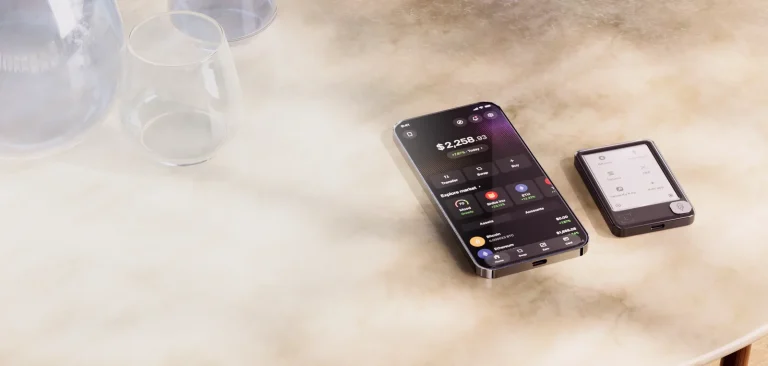
Zerion Wallet began as a portfolio tracker and grew a wallet around itself later. That history still shows. Nothing else we’ve installed lines up tokens, DeFi positions and NFTs from dozens of chains into one honest number quite as cleanly, and you can trade any of it without leaving the app.
Who’s it for? Anyone whose coins are scattered over half a dozen networks and who’s tired of adding them up by hand. Bitcoin holders should look elsewhere, because Zerion doesn’t touch the Bitcoin network.
Below we go through what it is, how it feels in daily use, how safe it is, what it holds, what it charges, and what you’d pick instead. Every number here came from Zerion’s own pages, its GitHub repository or its store listings on September 9, 2026.
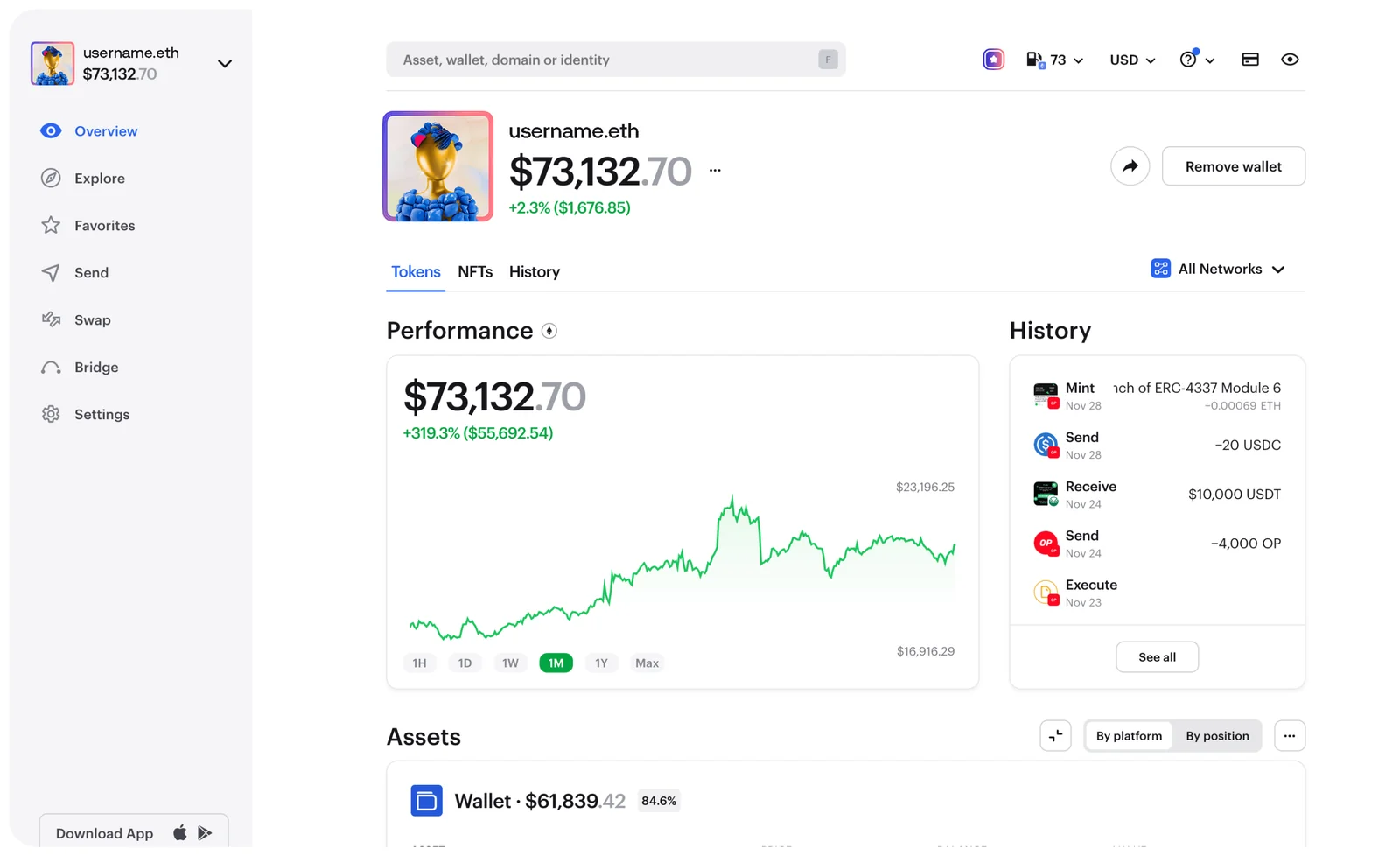
Table of contents
Zerion Wallet, and the Company Behind It
Zerion’s own help center calls the product “a self-custody crypto wallet available as a mobile app and browser extension”. Self-custody is jargon for a plain arrangement: the private keys belong to you, and the company can’t move or freeze a cent of what you hold. Its wording leaves little room: “only you hold your private keys”.
The firm says it has been at this since 2017, working out of Lisbon and London with 40+ employees spread across 19+ countries. Its iOS app didn’t arrive until August 27, 2019, so the wallet is a good deal younger than the outfit that makes it.
Three doors lead into the same wallet: a Chromium extension, phone apps for iOS and Android, and a web app at app.zerion.io. Zerion’s homepage claims 10M+ wallets, while the Chrome Web Store counts 100,000 users and Google Play reports 500K+ downloads. Our reading is that the headline figure counts addresses being watched, not people who installed anything.
Zerion Wallet at a Glance | |
|---|---|
| What you pay | Nothing up front. A year of Premium runs $99. |
| Where it runs | A Chromium extension, iOS and Android apps, and a browser-based web app. |
| Cold storage | Ledger plugs into the extension by USB, and into the phone over Bluetooth. |
| Who holds the keys | You do. The recovery phrase never leaves your device. |
| Source code | The extension is GPL-3.0 on GitHub. The phone apps aren’t fully published. |
| What it holds | 38 chains in full, 21 more in a stripped-back mode. Bitcoin isn’t one of them. |
| Backup | Twelve words on paper, plus an optional encrypted copy in iCloud or Google Drive. |
| Second app needed | No. Extension, phone and web all open the same wallet. |
| Who it suits | People holding coins on several chains who want one screen for the lot. |
What Zerion Wallet Gives You
- One screen adds up your tokens, DeFi positions and NFTs across every supported chain. That kills the chore of opening a block explorer per network, which is the job Zerion was built for.
- Swaps and bridges happen inside the wallet. Zerion shops several decentralized exchanges for a rate, then keeps 0.67% of the trade for itself.
- Before you confirm anything, the wallet previews the transaction and spells out what you’re about to sign. It also flags phishing sites and apps it already recognizes.
- You can cap what a dapp is allowed to spend instead of waving through an unlimited approval. Those unlimited approvals sit on the chain for years, quietly, until somebody decides to use one.
- Watch-only addresses let you follow a wallet you don’t control, and that’s the reason plenty of people end up running Zerion next to another wallet rather than in place of one.
- Perpetual futures trade through Hyperliquid without leaving the app, at leverage reaching 40x across 250+ assets. That’s a lot of rope for a wallet to hand you.
Is Zerion Wallet Simple Enough for a First Wallet?
Five minutes covers the setup. Click “Create New Wallet”, choose a password, say whether you want the Ethereum ecosystem, the Solana ecosystem or both, then copy down 12 words and prove you copied them.
That ecosystem question is where a newcomer is most likely to freeze, since nothing on the screen bothers to define the term, and the wallet moves on before you’ve worked out what you picked. Choose both. Nothing goes wrong that way, and the other one can be added afterwards anyway.
Once you’re in, it moves fast and the screens stay uncluttered. Phones get a 6-digit passcode in place of a password, and an encrypted iCloud or Google Drive copy can bring the whole wallet back.
There’s friction too, plenty of it. The extension only ever displays one wallet, with no combined portfolio view, so the very number Zerion sells itself on turns up on the phone and the web app alone. That one annoys us.
Scores don’t agree either. iOS owners give it 4.76 from 4,738 ratings and the Chrome listing sits at 4.7 from 726 ratings, while the Google Play crowd parks it at 4.4 across 12.6K reviews.
Zerion Wallet Security: What Holds Up, What Doesn’t
It’s a hot wallet. Keys live on a machine that’s online, and no amount of clever design raises that ceiling.
Below the ceiling, the fundamentals are fine. Zerion says your recovery phrase never leaves your device, and the extension’s code sits out in public on GitHub under GPL-3.0.
Where the story stretches is that open-source claim. Zerion’s security page says the core code for iOS, Android and the Chrome extension can be reviewed by anyone, yet the only public mobile repositories are wallet-core-ios and wallet-core-android, and nobody has pushed to either since September 2023.
Which firms did the auditing depends on the page you open. GitHub’s README credits Cure-53, Secfault, SlowMist and Zokyo, while the FAQ on the security page credits Cube53, Secfault Security, Peckshield and Trail of Bits. Immunefi hosts a bug bounty that pays up to $25,000.
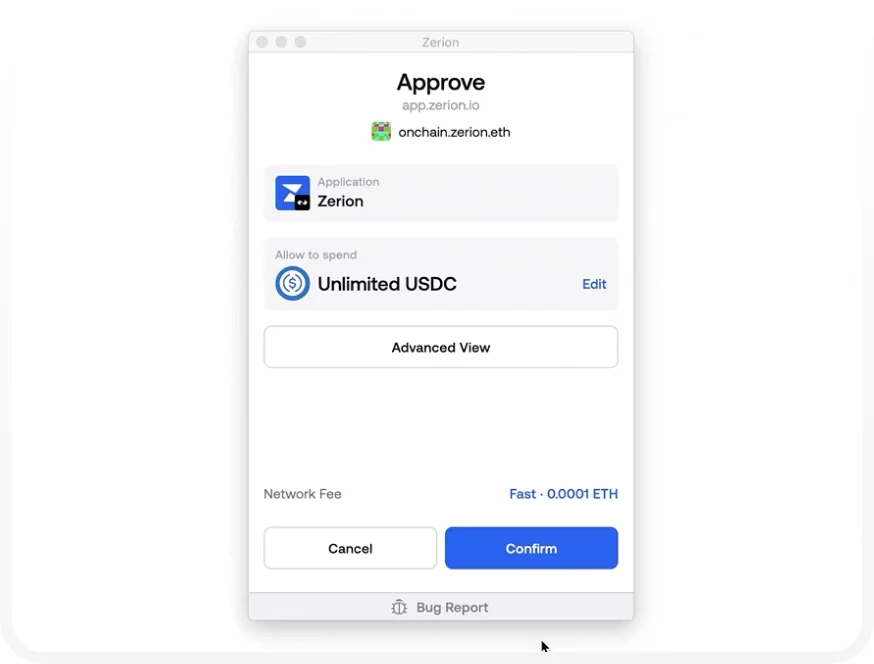
Two things earn their keep every day here: the preview and the allowance editor. Ask Zerion to approve “Unlimited USDC” for some dapp and it drops an “Edit” link right beside the amount, so you can trim it before you press Confirm.
Zerion itself has been breached twice, and on both occasions the loss landed on the company rather than its users. Attackers seized the Zerion Twitter account in June 2023 after compromising an employee’s device, then posted a phishing link. People who followed it lost $2,775.55 in ETH, $18,292.90 in ERC-20 tokens and $3,756.93 in NFTs, and roughly $53,000 vanished from the employee’s own wallet.
April 2026 brought the second one. A team member’s device fell to a social engineering attack pinned on UNC1069, a crew tied to North Korea, and about $100,000 walked out of Zerion’s internal hot wallets. The company said user funds, apps and infrastructure came through untouched, and it pulled the web app offline for up to 48 hours.
Neither breach reached anyone’s keys, which is exactly what self-custody is meant to guarantee. Twice in three years is still a pattern, though, and we’d put a Ledger behind any balance we’d be sick to lose.
What You Can and Can’t Keep in Zerion Wallet
Zerion sorts its chains into two tiers. Full support runs to 38 networks, with Ethereum, Solana, Tron, Base, Arbitrum, Optimism, Polygon, BNB Chain, HyperEVM and ZKsync Era among them.
Another 21 sit on lite support, Ronin, Sei, World Chain and Zora included. There you get balances and dapp connections, but swaps and bridges inside the wallet are switched off and NFTs never appear.
How many chains is that, then? Depends which Zerion page you’re reading. The homepage says 58+, the multichain page says 50+, and adding the two help center lists together gives 59.
One name on the full-support list has gone stale. Zero is still sitting there, while zero.network now says the network has been sunset and has stopped producing blocks.
Bitcoin is the hole in all of this. It shows up on neither list, so anyone holding BTC needs a second wallet, and our roundup of the best free crypto portfolio tracker apps points at tools that cover the gap.
Missing an EVM chain? Add it as a custom network, and accept that things get thin from there: no token balances, no NFTs, no transaction history. Testnet mode is available too, if you build or test dapps.
What Zerion Wallet Charges You
Nothing to install, on any platform, and no account to sign up for. Sending and receiving cost you nothing at Zerion’s end either.
Trading pays the bills. A 0.67% service fee at the time of writing (September 2026) rides on every swap and every bridge, and that’s steep beside what rival wallets take.
Premium runs $99 for the year and covers a single wallet. It knocks the trading fee down to 0.25% and throws in profit and loss tracking, CSV export across 14 networks, and support that jumps the queue. Anyone holding a Gold Zerion DNA NFT pays no service fee whatsoever.
Two catches deserve a mention. The subscription lasts 12 months and won’t auto-renew, which we appreciate, though it reaches EVM networks only and Solana is still marked as coming soon. Buying it also requires a normal wallet address rather than a smart contract wallet.
Perps are priced separately. Zerion takes 0.04%, or 0.02% if you’re on Premium, stacked on top of Hyperliquid’s 0.0432% base fee, and pulling your money out costs $1.
Get it from zerion.io or the official store listings, nowhere else. Counterfeit wallet extensions are one of the more reliable ways to lose everything you own, so type the address in yourself instead of trusting a search ad.
Where Zerion Wallet Earns Its Place, and Where It Slips
Line the columns up and the shape is clear enough. This is a tracker that grew a wallet around itself, so the tracking is superb, the trading is pricey, and the documentation reads sloppier than we’d expect from a company with this many users.
Setting Zerion Wallet Up, Step by Step
- Pull the extension from zerion.io or the Chrome Web Store, or grab the phone app from the App Store or Google Play. Type the address in yourself rather than clicking whatever a search throws up.
- Hit “Create New Wallet” on the onboarding screen. Mobile shows the same button, then asks you for a 6-digit passcode.
- Pick a password for the extension. Zerion keeps no copy of it, so if the password slips your mind the only way back is wiping everything and importing again.
- Say whether you want the Ethereum ecosystem, the Solana ecosystem or both. Both, usually.
- Press “Back Up Now”, reveal the 12 words and put them on paper or steel, offline. Whoever reads them owns your money. And if crypto goes to the wrong network or the wrong address, it’s gone permanently, with nobody able to reverse it.
- Press “Verify Backup” and type the phrase back in. Phones offer Cloud Backup instead, which wants an encryption password of 14 characters or more.
- Hook up a Ledger if you own one. Plug it in, unlock it with the PIN, open the Ethereum app until it reads “Application ready”, then click “Connect”, choose your addresses and click “Continue”.
Three Wallets Worth Weighing Against Zerion
MetaMask
Every dapp assumes MetaMask, and Zerion names it among the wallets you can import from. Its portfolio screen is nowhere near Zerion’s, but nothing beats it for sheer compatibility. Our MetaMask vs Coinbase Wallet comparison digs into that trade.
Exodus
First-timers usually get on better with Exodus, and it handles Bitcoin, which is precisely what Zerion won’t do. The code is closed, so that reach costs you transparency. Our Exodus wallet review fills in the rest.
Ledger Nano X
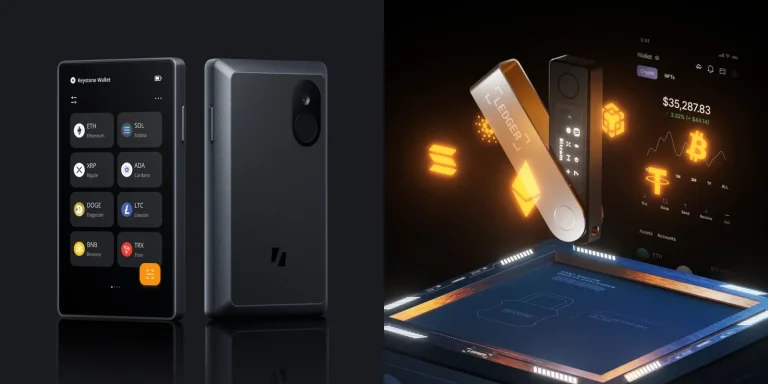
Calling a hardware wallet an alternative isn’t quite right, since Zerion talks to Ledger on the extension and on the phone alike. Your keys move offline and you keep the interface you already like. Our Ledger Nano X review rates the device by itself, and our piece on custodial vs non-custodial wallets covers why that split matters.
Zerion Wallet Questions People Ask
So is Zerion Wallet actually safe?
Safe enough for a hot wallet, with caveats. Your recovery phrase stays put on your device, the extension code is public under GPL-3.0, and outside firms have audited it. Zerion took two hits of its own, in 2023 and again in 2026, though neither one reached a user’s keys.
What does Zerion Wallet cost?
Nothing to install. A 0.67% service fee lands on swaps and bridges, and $99 a year of Premium cuts that to 0.25%.
Can I keep Bitcoin in Zerion Wallet?
No. BTC turns up on neither the full-support nor the lite-support list, so you’ll need a second wallet for it.
How many networks does Zerion Wallet reach?
38 with full support, Ethereum, Solana and Tron included. Another 21 run in lite mode, where swapping, bridging and NFTs simply aren’t there.
Will Zerion Wallet work with my Ledger?
Yes. Over USB the extension takes every model: Nano S, Nano S Plus, Nano X, Stax and Flex. The phone app is fussier, with Nano X the only one it will pair with over Bluetooth.
What if my phone disappears?
Those 12 words rebuild the wallet on a new device, or in any other wallet that speaks the same standard. Lose the phrase and there is no route back, because Zerion never held a copy of it.
Can Zerion Wallet track an address I don’t own?
Yes, that’s the watch-only option. It shows balances and history, and it can’t sign a thing.
Our Verdict on Zerion Wallet
Install it if your coins are spread over EVM chains and Solana and you’re tired of tallying them by hand. The portfolio view has no equal we’ve found, the signing preview pulls its weight, and none of it costs a cent until you trade.
Give it a miss if Bitcoin holds your money, if you swap often enough that 0.67% starts to sting, or if you want mobile code you can read for yourself. Our verdict: a brilliant tracker with a decent wallet bolted on, best run behind a hardware wallet with your swaps done somewhere cheaper.
This article is for general information only and is not financial, legal, or investment advice. Prices and features change; check the vendor’s official page before buying.