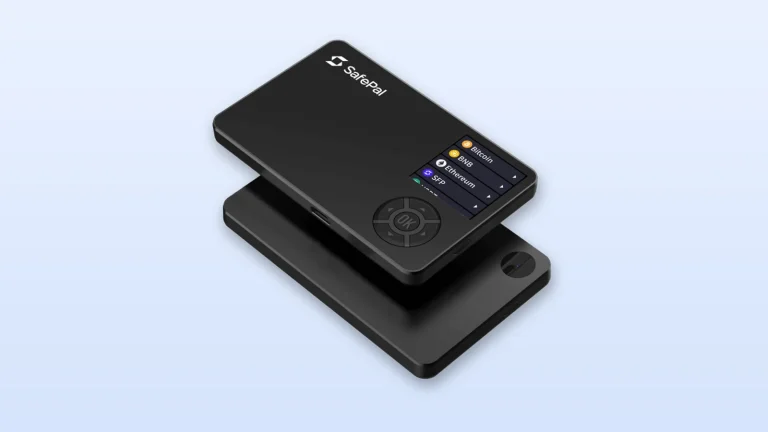
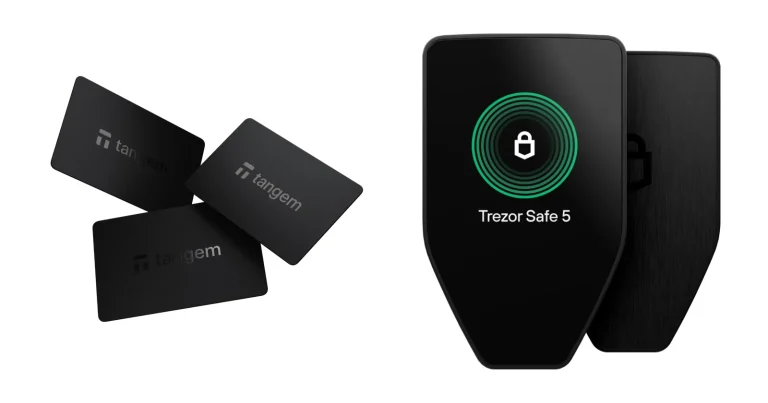
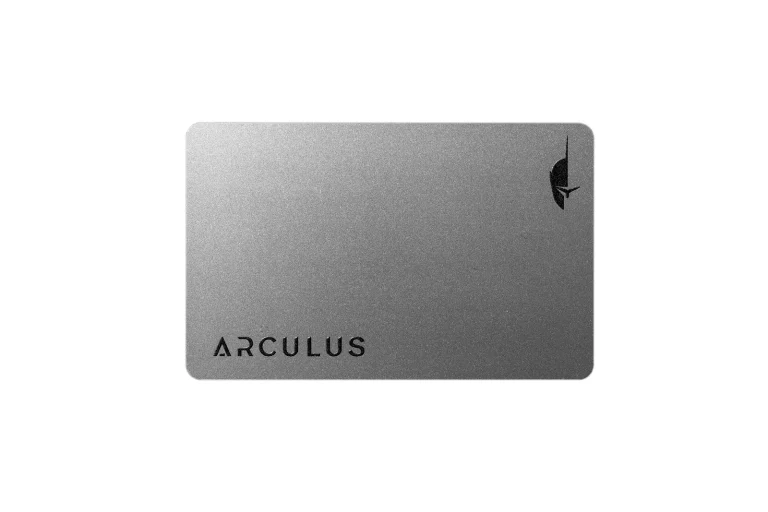
$59 is what Ledger asks for its cheapest signer, and the chip inside it is the same tamper-resistant part the company drops into hardware selling for four times the money. That’s the whole pitch. A secure element, if the term is new to you, is the locked-down chip class your bank card uses, and the Nano S Plus keeps yours behind one rated CC EAL6+.
What you won’t find is a battery, a radio or a pane of glass to tap. It runs off a cable into a laptop or an Android handset, and that stubbornness is deliberate rather than cheap. Anyone who keeps coins for the long haul and does their transacting at a desk is the target buyer.
One group should look elsewhere: iPhone owners. Ledger’s setup documentation says outright that the two won’t talk to each other.
Below we’ve worked through the build, the first hour with it, how the security stacks up, the coins it’ll carry, the money involved, and three rivals we’d weigh against it. Nothing here is guessed at; Ledger’s shop listings, help articles and blog posts supplied every number, pulled in September 2026.
The Ledger Nano S Plus is Ledger’s entry-level hardware wallet, a cable-only device with no battery and no Bluetooth.
If Trezor’s budget model is also on your shortlist, the Ledger Nano S Plus vs Trezor Safe 3 comparison puts the two side by side.
If one is already on your desk, the step-by-step Ledger Nano S Plus setup guide covers getting it ready for first use.
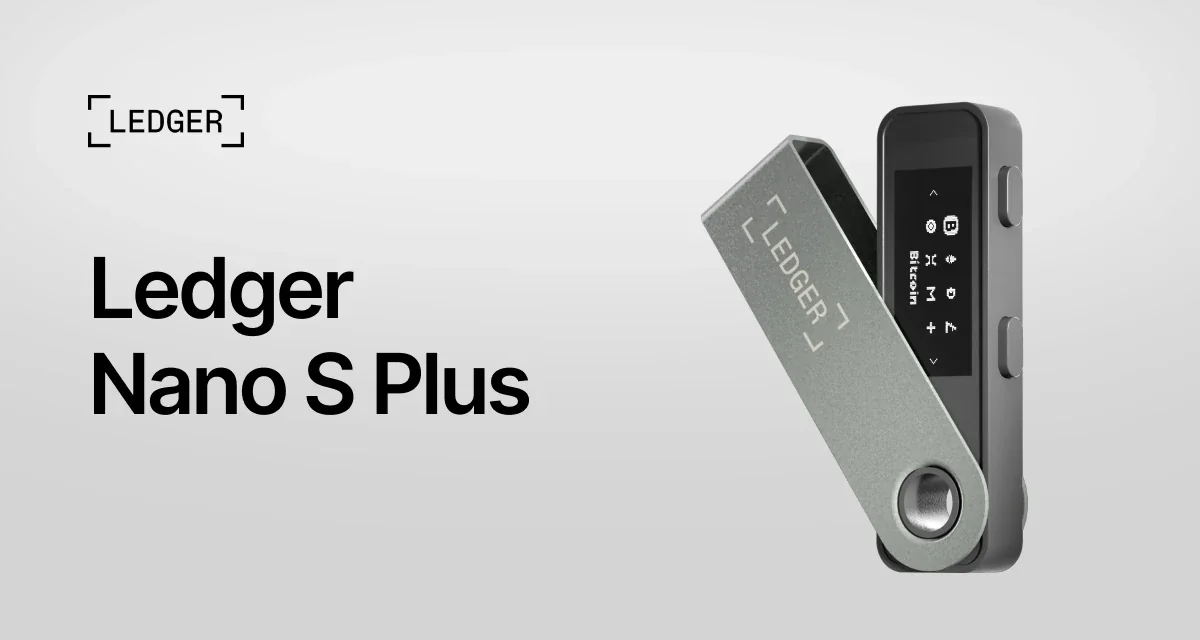
Table of contents
So What Is the Ledger Nano S Plus, Exactly?
Picture a slim metal stick that swivels open on a hinge, plugs into a USB port and holds your private keys where no computer can reach them. That’s the Nano S Plus, made by the Paris outfit that started this whole category with the first Nano S back in 2016. When Ledger brought this one out, the old model was pensioned off: “With the recent release of the Ledger Nano S Plus, we made the choice to retire our iconic Ledger Nano S and replace it with the Ledger Nano S Plus.”
Open orders began 5 April 2022, once a Genesis Edition capped at 10,000 units had emptied within 24 hours. Back then the sales line ran “over +100 apps installed simultaneously and manage over 5,500 digital assets”.
These days the sticker reads $59, and that’s where Ledger’s ladder starts. Climb it and you’ll pass the Nano X at $99, the Flex at $249, then the Stax up top at $399. Ledger’s shop files this one under a nicely unglamorous description: “The classic backup signer for simple, secure, stay at home use.”
The naming will confuse you at first. Ledger has retired the phrase hardware wallet and now says signer instead, reasoning that signing is the job the device actually performs.
Ledger Nano S Plus: The Numbers That Matter | |
|---|---|
| What it costs | $59, which is what we saw when we checked in September 2026 |
| Screen and shape | A one-color OLED running 128 x 64 px, two buttons above it, in a body of 62.4 mm x 17.4 mm x 8.2 mm weighing 21 g |
| How it connects | A USB-C cable to a desktop or an Android phone. Nothing wireless, no battery inside, no NFC |
| Where the keys sit | Inside an ST33K1M5 secure element carrying CC EAL6+ certification and running Ledger OS |
| Open source? | Ledger’s own count is 95% open or reviewable. Whatever sits nearest the secure element stays unpublished |
| Coins it handles | Ledger’s app covers 500+ crypto by itself and outside wallets push that into the thousands. Room for 100 apps at a time |
| Backing it up | 24 words on the Recovery Sheets in the box. Ledger Recover is there at $9.99 a month if you want it |
| The app | Ledger Wallet, previously Ledger Live, on a desktop or over USB on Android |
| Who should buy it | People on desktops and Android phones who want a certified chip guarding their coins for as little as Ledger charges |
The Ledger Nano S Plus Features That Actually Matter
- Everything cryptographic happens inside an ST33K1M5 rated CC EAL6+, which is bit for bit the part Ledger solders into the $249 Flex. Paying less doesn’t get you a downgraded vault.
- You get 1.5 MB to play with, good for as many as 100 apps at once by Ledger’s reckoning, and five times what the departed Nano S managed. Chase a dozen chains and you’ll stop deleting things to make space.
- Nothing charges and nothing broadcasts. Juice arrives down the cable, full stop.
- A single-color OLED at 128 x 64 px shows you what you’re about to authorize, and the pair of buttons along the top edge is how you say yes to it.
- Portfolio tracking lives in Ledger Wallet, the app formerly known as Ledger Live, while purchases, sales, swaps and staking get passed out to third-party providers.
- Seven languages are available for the device itself: English, French, Spanish, Brazilian Portuguese, German, Russian and Turkish. Coin apps remain English-only.
Can a Beginner Live With the Ledger Nano S Plus?
Ledger Wallet on a computer drives the whole first-run process, prompting you at each stage. Your PIN runs to somewhere between 4 and 8 digits, 24 words go onto paper, and then the device quizzes you on a handful of them. Give it 30 minutes and don’t hurry the handwriting.
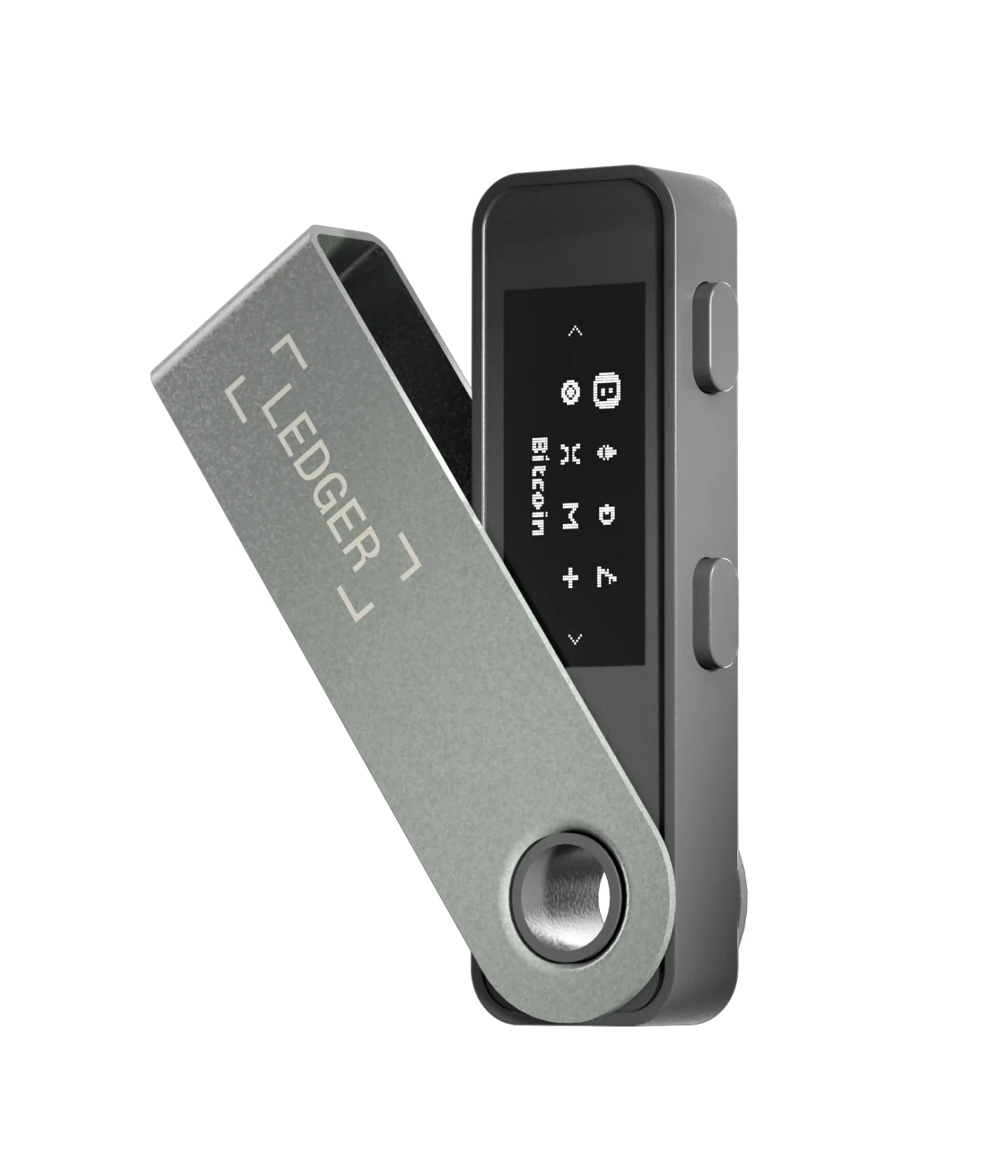
Those two buttons are where the low price makes itself felt. Every digit of a PIN gets clicked into place individually. Every recovery word means walking an alphabet left and right until you land on the letter you need.
Routine use is a gentler experience. Fire up Ledger Wallet, connect the stick, punch in your PIN, read the address and amount off the display, squeeze both buttons. With 128 x 64 px to work with, a sprawling contract interaction crawls past you a couple of lines at a time.
Our biggest gripe is the tether. Without a battery the thing is dead until you plug it in, and taking it out of the house means carrying an Android phone plus a working USB-C link. There’s a Ledger OTG Kit at $17.99 when your cables refuse to cooperate.
Apple customers, meanwhile, get precisely nothing. The wording in Ledger’s guide leaves no wiggle room: “it’s not possible to connect a Ledger Nano S Plus device to an iPhone for the moment”.
Want a Ledger your iPhone recognizes? The Ledger Nano X is the least expensive one that qualifies.
How Well Does the Ledger Nano S Plus Guard Your Keys?
An ST33K1M5 secure element, certified at CC EAL6+ and running Ledger OS, is where your keys get born and where they stay. Compare that against the Nano X and its ST33J2M0, which only carries CC EAL5+.
Odd as it sounds, the budget model has the stronger chip.
There’s a quirk here we enjoyed. A batch of Nano S Plus cartons went out with CC EAL5+ printed on them, wrongly. Ledger’s help centre owns up to the typo and confirms that every unit’s secure element really is CC EAL6+.
Before each new OS release, Ledger says, an outside security laboratory picks the operating system apart, and its own Donjon crew of white hats spends its days attacking company hardware. Their headline claim leaves little room for hedging: “Ledger devices have never been hacked.”
Open source is where things get murkier. By Ledger’s arithmetic, 95% of the operating system and software is either published or available to inspect, and the missing slice has an explanation attached: “Our agreement with the maker and provider of this chip, STMicroelectronics, legally prevents us from exposing the low-level code that talks to the hardware blocks of the Secure Element.” Insist on auditing a device all the way down and you’ve got a perfectly good reason to shop elsewhere.
What worries us more is how Ledger has looked after its buyer lists. Somebody got into the company’s e-commerce database during July 2020, and by December the haul was circulating openly. Around 1 million email addresses were in it, along with roughly 272,000 entries carrying names, home addresses and phone numbers.
Then it happened all over again in January 2026, via Global-e, which processes payments for some orders placed on Ledger.com. Out went names, postal addresses, email addresses, telephone numbers and order histories, though card details stayed put. Ledger’s position is that its own infrastructure, the signers and Ledger Wallet were all clear, and Global-e wrote to the people affected on 5 January 2026.
Not one recovery phrase moved in either episode. Both, however, gifted scammers a tidy directory of crypto owners and their front doors. Round out the picture with the Connect Kit affair of 14 December 2023, where three shipped versions of a Ledger JavaScript library were quietly replaced with draining code after an ex-employee fell for a phishing mail; Ledger reckons assets were actively being siphoned for under 2 hours, and no device was ever part of it.
So adopt a rule and keep it. Any mail, letter, call or WhatsApp about your Ledger is a scam until you’ve proven otherwise, since the company insists it never requests your 24 words and never rings, texts or messages customers. Forward the dodgy ones to [email protected].
Missing from this price bracket is Transaction Check, which simulates what you’re signing and raises a hand when it spots a known threat. Ledger Academy is upfront about the classic Nano line: “they don’t support newer protections like Transaction Check and Ledger Recovery Key.” Squinting at 128 x 64 px is therefore the entirety of your safety net.
Which Coins Will the Ledger Nano S Plus Hold?
Put that question to Ledger and a single web page hands you two different numbers. Down among the technical specifications you’ll read “500+ crypto supported via the Ledger Wallet app” plus “thousands of coins, tokens, and NFTs supported via third-party wallets”. Scroll up a bit and a badge on the very same page announces “15,000+ supported crypto”.
Neither is a lie; they’re measuring separate things. What Ledger Wallet handles on its own, complete with accounts, staking and tracking, is the modest figure. Everything you can touch once the signer is bolted onto an outside wallet is the big one.
Useful bit of history: this identical hardware was sold in 2022 on a promise of “over 5,500 digital assets”. Same chip. Different arithmetic.
MetaMask, Phantom, Rabby Wallet and Electrum all appear on Ledger’s list of compatible outside wallets, hedged by the admissions that “Ledger does not guarantee such compatibility” and that the roster is “not exhaustive and subject to change”. Should MetaMask be where you spend your time, our rundown of the best hardware wallets for MetaMask digs into how the pairing behaves.
Storage, not the asset tally, is what will bite you first. Ledger puts 100 apps on that 1.5 MB as the upper bound, adding that “the number of apps that can be installed depends on the size of the apps”. Ledger OS 1.6.0 landed on 22 April 2026 and folded Zcash and Aleo cryptography in.
What You Pay for a Ledger Nano S Plus
You’ll hand over $59 as we write this in September 2026, whichever finish you pick, because Ledger charges the same for all of them. Seven were showing as in stock when we looked: Matte Black, Oxidate Green, BTC Orange, Pastel Pink, Crimson Magenta, Ferro Fuchsia and Neptune Blue.
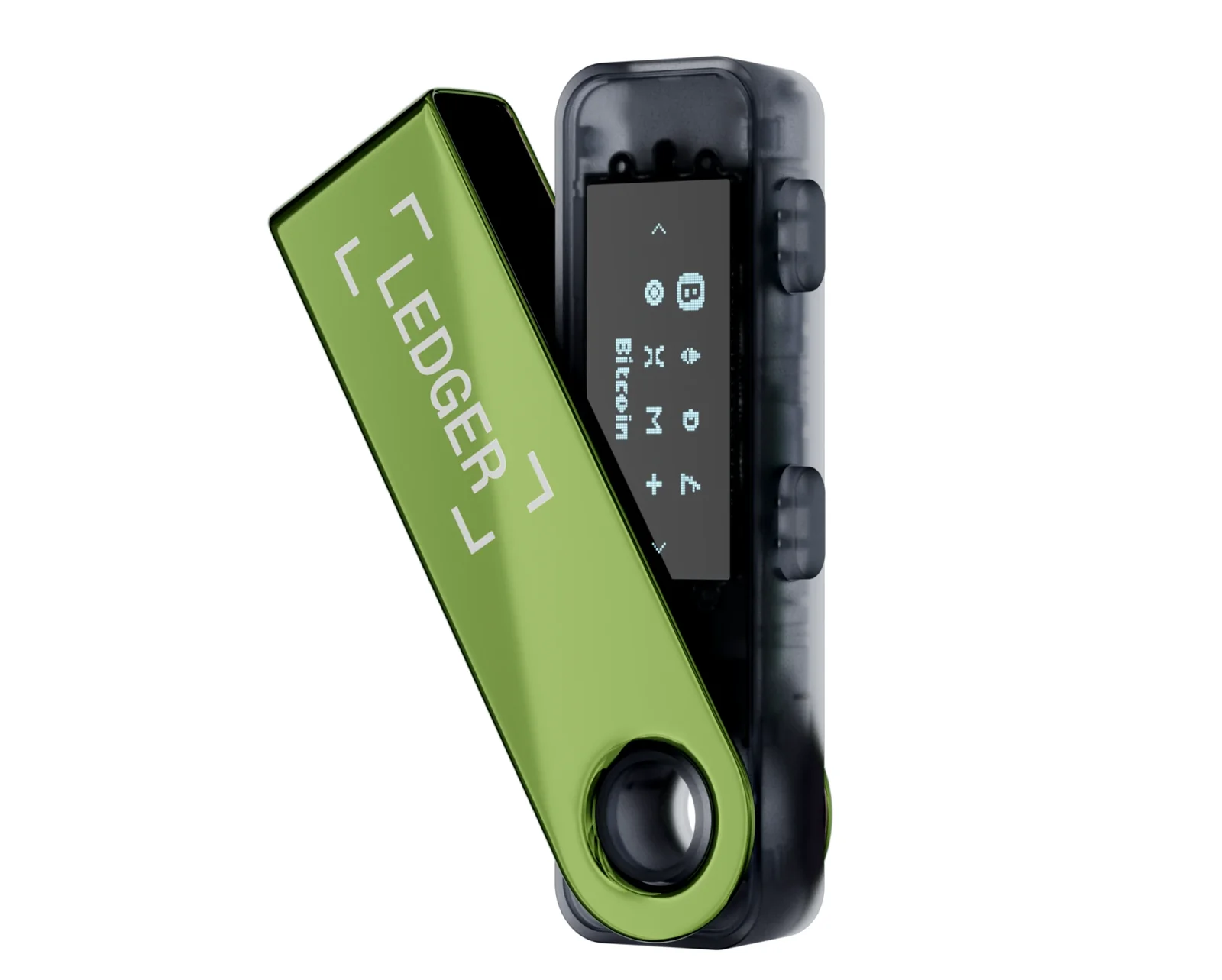
Inside the packaging sit the signer itself, a USB-C to USB-A lead, three Recovery Sheets, a keychain strap and a printed safety leaflet. That lead deserves a mention, since it terminates in USB-A, which is a nuisance on any laptop bought recently.
Bundles bring the unit price down. A Nano S Plus and a Nano X together make up the Ledger Backup Pack at $142, while three of these signers arrive as the Family Pack S Plus for $159.
No monthly fee attaches to owning one.
Ledger Recover, the optional backup scheme, wants $9.99 a month and an identity check, and nothing stops you from never giving it a second thought.
Order from Ledger direct or from an authorized reseller, and treat every other channel as off limits. Second-hand marketplace listings have a documented habit of shipping units already loaded with somebody else’s recovery phrase, which is precisely the scenario Ledger’s own guide shouts about: “If you receive a device with a pre-written Secret Recovery Phrase and / or PIN, DO NOT USE THAT DEVICE.”
Given that customer records have now leaked twice, having the parcel sent to a collection point rather than your front door strikes us as reasonable, and Ledger supports it. Owners of any classic Nano also get 20% knocked off a touchscreen signer through the Upgrade Offer, which makes a future move up the range cheaper than the list price suggests.
Ledger Nano S Plus: What We Liked and What Grated
Look down that list of complaints and you’ll notice none of them puts your coins at risk, which is exactly why we’d still recommend the thing. For $59, Ledger sells you the chip and the certification it charges four times as much for elsewhere. Comfort and the newer guardrails are what you’re trading away, and the size of that loss comes down to how often you approve anything intricate.
Setting Up a Ledger Nano S Plus, Step by Step
Your 24 words are the sole copy of your keys in existence, and whoever sees them can clean you out from any country on the map. Nobody reverses a blockchain transfer and no help desk can retrieve one, so a phrase that leaks means money that’s gone.
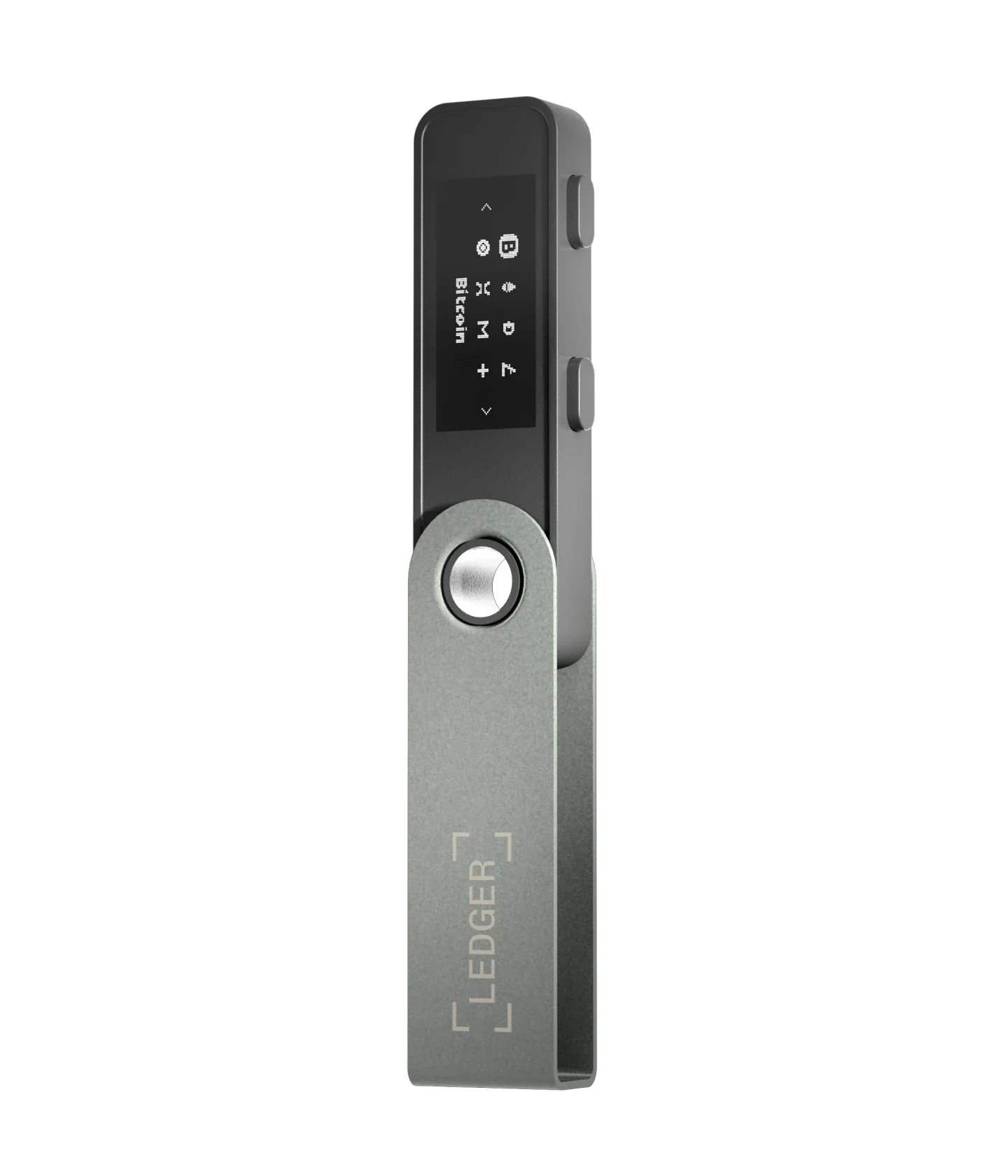
- Get Ledger Wallet onto your computer first, then hook up the Nano S Plus using the cable from the box. You’re looking for “Welcome to Ledger Nano S Plus. Press right button to continue.” on the little screen. A device that demands a PIN immediately is a device to stop using, so get in touch with Ledger instead.
- Tap the right button repeatedly to walk through the introductory screens, then squeeze both buttons at once on “Set up as new device”.
- Both buttons again when “Choose PIN with 4 to 8 digits” comes up. Right and left buttons scroll the digits; both buttons commit each one. Eight digits is what Ledger calls optimal, and we’d follow that.
- Land on the checkmark, press both buttons, then key the whole PIN in again so the device knows it stuck.
- Both buttons once more at “Write down your recovery phrase”. Pull a blank Recovery Sheet out of the box and transcribe every word in sequence, from “Write word #1” right through to “Write word #24”. Cameras, notes apps and password managers have no business anywhere near these words.
- Press both buttons on “Confirm your recovery phrase”, then hunt down each word it asks for using the left and right buttons and lock it in with both. Success looks like “Your Recovery phrase is set. Keep it in a secure place”.
- Watch for “Processing”, followed by “Your device is now ready”. A 3-second squeeze of both buttons opens the Control Center, home to your apps and settings, and from there you install the coin apps you want and set up accounts over in Ledger Wallet.
Coming across from an older Ledger? You’d restore the 24 words you already have rather than generating fresh ones. Ledger’s button-driven devices all follow much the same choreography, and our guide to setting up a Ledger Nano X travels the same road.
Three Ledger Nano S Plus Alternatives Worth a Look
Trezor Safe 3, If You Want Open Source
Priced identically at $59, the Trezor Safe 3 lines up against the Nano S Plus almost item for item: a secure element certified EAL6+, a 0.96-inch one-color OLED at 128 x 64 px, a pair of buttons, and USB-C as the only way in.
Nothing else competes this directly.
Where they part company is openness and how you back up. Trezor publishes its design and Ledger doesn’t, and the Safe 3 will take a 12, 20 or 24-word phrase as well as a multi-share backup that spreads your recovery over several cards. We pull the differences apart properly in our Ledger vs Trezor comparison.
Ledger Nano X, If You Own an iPhone
Stretch to $99 and the Ledger Nano X hands you the two things this device won’t do: Bluetooth and an onboard battery. Together they’re what let an iPhone see it. Storage grows too, from 1.5 MB up to 2 MB.
Look at the silicon, though, and there’s a step backwards. Its ST33J2M0 holds CC EAL5+, a notch under the EAL6+ chip in the cheaper unit. Both devices sit side by side in our Ledger Nano S vs Nano X comparison.
Ledger Flex, If You Sign a Lot
People approving messy transactions week in, week out are who the $249 Ledger Flex is built for. Its 2.8-inch E Ink touchscreen runs 480 x 600 px, enough to show a contract call as one readable block instead of dribbling it out two lines at a time, and both Transaction Check and the Ledger Recovery Key work on it.
Underneath, mind you, it’s the same secure element as the $59 model. The premium buys glass and newer guardrails, not better key storage, and that 20% Upgrade Offer takes some of the sting out if a Nano is already in your drawer.
Ledger Nano S Plus Questions We Get Asked
Is the Ledger Nano S Plus actually safe to use?
Yes. An ST33K1M5 secure element rated CC EAL6+ holds your keys, a better rating than the costlier Nano X manages, and nothing leaves the device without a button press from you. Hardware isn’t the soft spot here. Ledger’s customer records spilled in 2020 and its payment partner Global-e leaked order data in January 2026, so assume any unexpected message about your Ledger is bait and keep those 24 words off every screen you own.
What does a Ledger Nano S Plus cost?
$59 as of September 2026, and Ledger charges that for every color. Want more than one? The Backup Pack that throws in a Nano X runs $142, and three of them together come to $159.
How many coins will a Ledger Nano S Plus hold?
Depends which Ledger figure you believe. Its specification sheet claims 500+ crypto through the Ledger Wallet app with thousands more reachable via third-party wallets, while a badge on the same page shouts 15,000+ supported crypto. Storage is the real ceiling anyway: 1.5 MB, which Ledger says stretches to 100 apps installed together.
Will a Ledger Nano S Plus work with an iPhone?
No. The company’s setup documentation says flatly that connecting this signer to an iPhone isn’t possible. Desktops over USB are fine and Android phones over USB are fine. Anyone needing iPhone support has to move up to the $99 Ledger Nano X, the cheapest model that does it.
Does the Ledger Nano S Plus work with MetaMask?
It does. Ledger names MetaMask, along with Phantom, Rabby Wallet and Electrum, among the outside wallets it’s compatible with, while noting that it won’t guarantee that compatibility. Plug in over USB-C and each transaction still gets approved on the signer.
What if I lose my Ledger Nano S Plus?
Losing the hardware is annoying, not catastrophic, because your coins were never on it. They’re on the blockchain, and the 24-word Secret Recovery Phrase restores them onto a replacement Ledger. Without your PIN, whoever picks up the lost one gets nowhere. Misplace the phrase alongside the device, though, and nobody can help you, since Ledger keeps no copy of it.
Is Ledger Nano S Plus firmware open source?
Partly. The company’s own figure is 95% either published or open to public review, with the low-level code speaking to the secure element withheld under its STMicroelectronics agreement. Anyone who wants the lot published should be looking at the Trezor Safe 3 instead.
Our Verdict on the Ledger Nano S Plus
Get one if a desk is where your crypto life happens and you’d rather not spend more than Ledger’s floor price. The same CC EAL6+ part guards your keys here as in the $249 Flex, 100 apps will fit, and $59 is very little to pay for finally getting your coins off an exchange. It’s also the sensible choice for a spare signer, the one that sits in a drawer waiting.
Walk past it if you carry an iPhone, because the two won’t speak, or if approving knotty DeFi transactions is a weekly habit, since 128 x 64 px and no Transaction Check is a rough combination for that. Our verdict in a sentence: nothing cheaper does an honest job of putting your keys in your own hands, so long as a computer is where you use them.
Weighing up the field? The best crypto cold wallets roundup covers what else is out there.
This article is for general information only and is not financial, legal, or investment advice. Prices and features change; check the vendor’s official page before buying.
How I review: Reviewed by Andrei B. I buy the hardware wallets I review, test every product myself and score it on security, UI/UX, ease of use, price and supported coins. Before I publish, I also check recent user reviews and any hack reports.
The whole process is explained on the How We Review page. You can read more about me, or contact me with corrections, from the links at the bottom of this page. For general safety advice, see the FTC guide to cryptocurrency scams.