Solflare is a free wallet that does exactly one blockchain, Solana, and it’s built around that choice from top to bottom. Where most rivals bolt Solana on as one network among many, Solflare shapes its staking, its swaps, its NFT tools and even its own hardware card around that single chain.
If your coins are SOL and Solana tokens, and you’d like to stake, swap and look after NFTs without juggling apps, it’s aimed squarely at you. Anyone who also keeps ETH, Bitcoin or tokens on other chains should keep walking, since Solflare simply can’t store them. The same goes if you won’t trust a wallet whose full source you can’t read.
Below we go through where it came from, how it feels to use, how well it protects you, what it can hold, what it charges, and how to set it up without losing anything on the way.
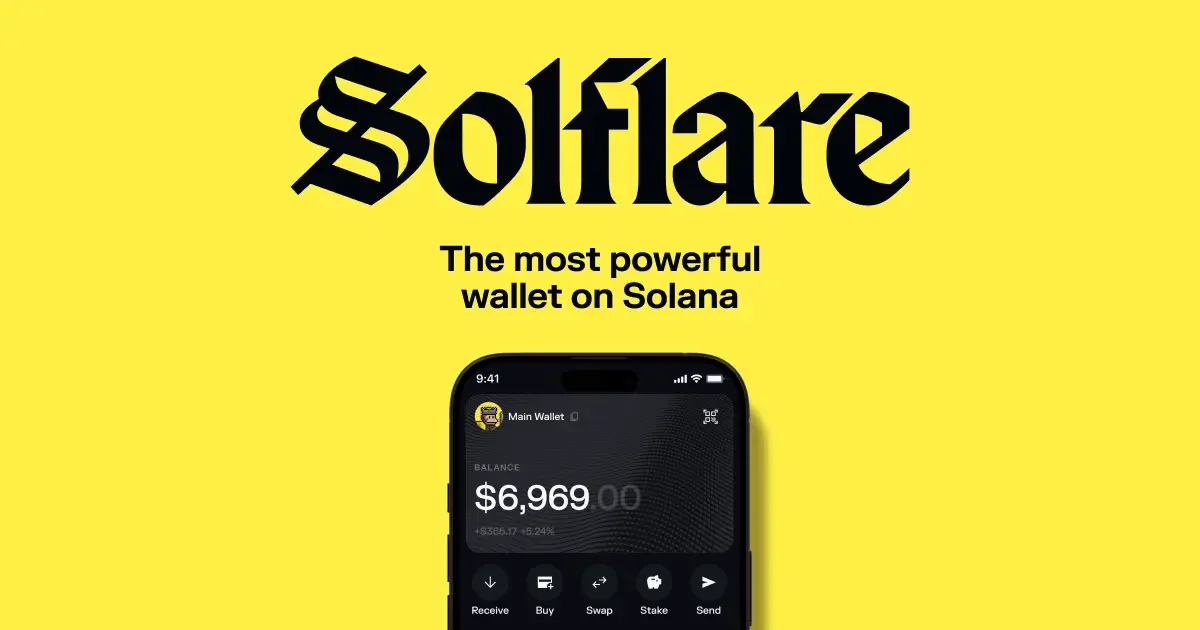
Table of contents
So What Is Solflare Wallet, and Who Runs It?
Solflare Wallet at a Glance | |
|---|---|
| <strong>What it costs</strong> | The app is free at the time of writing (September 2026). The optional Solflare Shield card starts at $49. |
| <strong>What you install</strong> | Software only, as a browser extension, a web app, or apps for iOS and Android. |
| <strong>How it connects</strong> | The extension runs on Chrome, Firefox, Brave, Edge, Opera and Arc. Ledger joins over USB or Bluetooth, and Keystone talks through QR codes. |
| <strong>Who holds the keys</strong> | You do, on your own device. Shield moves them onto an EAL6+ certified chip. |
| <strong>Can you read the code</strong> | Some of it. SDKs and lists sit on GitHub, but the wallet apps themselves don’t. |
| <strong>What it holds</strong> | Solana and nothing else, meaning SOL, SPL tokens and Solana NFTs. |
| <strong>How you back it up</strong> | A 12-word recovery phrase on mobile. A lost Shield comes back on another Shield from its recovery phrase. |
| <strong>Companion app</strong> | Solflare is the app, and Shield will only pair with Solflare mobile. |
| <strong>Who it suits</strong> | Solana holders who stake SOL and want every Solana feature under one roof. |
Non-custodial is the word to hang on to here: you hold the keys, and the company has no way to move or freeze your funds. Solflare’s own pitch is a wallet “built for trading, staking, and swapping.”
It arrived in 2021 and is run by Solrise Finance Ltd, which is registered in the British Virgin Islands. According to its CEO, Vidor, the team has been working on Solana “since Solana began.”
The numbers on its home page are big ones. There’s a claim of 4M+ active users, a 4.84 App Store rating, and $15,271,497,825 in funds managed with the wallet, none of which we can check for ourselves. Phantom is the rival everyone reaches for, and Phantom covers Solana plus six other networks.
The Solflare Wallet Features Worth Knowing About
- You can stake SOL natively and pick the validator yourself, as long as you start with at least 1 SOL.
- Swaps are routed by the Jupiter Aggregator, which hunts across Solana exchanges for the best path so you don’t have to.
- Limit orders wait at a price you choose and then fill on their own once the market gets there.
- Solflare Shield, a card-sized NFC hardware wallet, signs a transaction when you tap it against your phone.
- NFT housekeeping is covered as well, with bulk sends, spam burning and a profile picture setting.
- Perps on SOL, BTC and ETH run through Phoenix Trade, and the USDC you trade with never leaves your own wallet.
Is Solflare Wallet Easy Enough for a Beginner?
Getting started is short. On a phone you tap “Create a new wallet,” copy down 12 words, confirm two of them and choose a passcode, while the web version does the same job under “Access Wallet” and “I Need A New Wallet.”
One part of the web setup annoys us. It offers your recovery phrase as a downloadable .txt file, and Solflare’s own guide then tells you to encrypt that file right away, which rather proves the point. We’d leave the download alone and reach for paper.
Once you’re in, daily use is easy going. Coins, NFTs, stakes and activity share one portfolio screen you can customize, Swap sits in the middle tab on mobile, and you approve a trade by sliding a button across.
Browser coverage is broad, with the extension running on six of them: Chrome, Firefox, Brave, Edge, Opera and Arc. There’s a web app if you’d rather not install anything, and live chat support around the clock.
Where newcomers trip up is SOL for fees. Solana only accepts network fees in SOL, so Solflare suggests leaving 0.01 to 0.05 SOL in the wallet; without it, transactions fail even with a pile of USDC sitting right there. Gasless send and gasless swap soften this by taking the fee out of the token you’re moving.
How Safe Is Solflare Wallet, Really?
You hold your own keys. They’re derived from a recovery phrase, a list of words that can rebuild the wallet on any device, and Solflare keeps no copy of it. Lose the phrase while you’re logged out everywhere and, in Solflare’s words, “there’s no way to recover access.”
Hardware wallets, which keep keys offline, plug in without fuss. Ledger works over USB on a desktop and over Bluetooth via Ledger Live on a phone, and Keystone signs by QR code without ever touching a cable.
Ledger owners have one extra chore, because blind signing has to be switched on in the Solana app before SPL tokens and smart contracts will work. That means approving something the device can’t fully display, so we’d read every request carefully in Solflare before pressing the Ledger’s buttons.
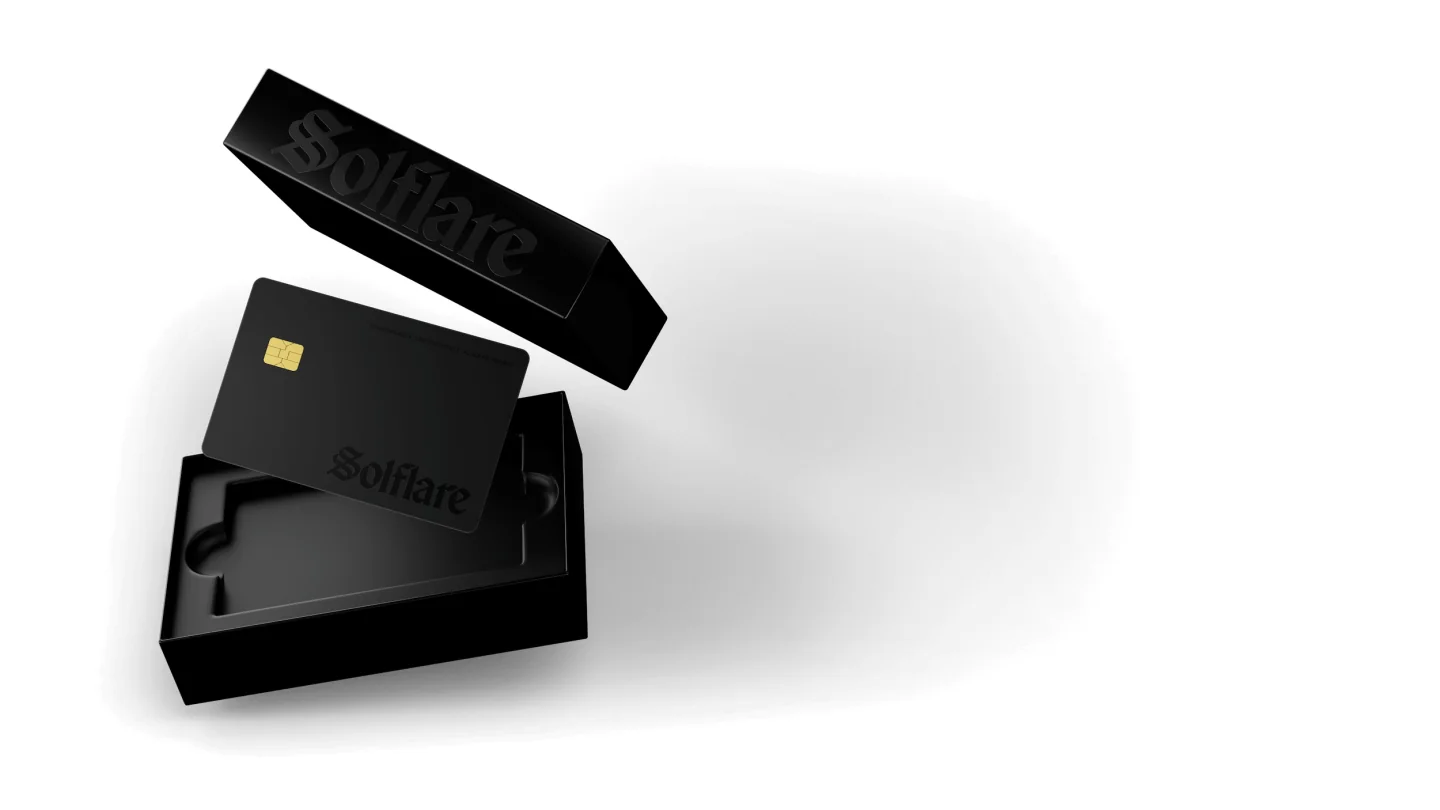
Then there’s Solflare Shield, the company’s own hardware wallet, a debit-card sized card carrying an EAL6+ certified secure chip. It has no screen, no buttons, no battery and no Bluetooth. Every stake, swap or transfer needs a physical tap plus your PIN or biometrics, and three wrong PINs lock it.
We have two reservations about Shield. It pairs only with the Solflare mobile app, and Solflare itself warns that trying other wallets could cost you access to your funds; and because there’s no display, the transaction details you check live on your phone rather than on the device in your hand.
On transparency, the picture is mixed. There are 41 public repositories in Solflare’s GitHub organization, covering its SDK, token list and blocklist, but we couldn’t find the code for the wallet extension or the mobile app in any of them. So you’re trusting the company, as you do with plenty of hot wallets, and our guide to the best non-custodial wallet points to options that publish more.
We couldn’t find any security incident disclosed on Solflare’s site or in its help centre. What the help centre does list are the usual ways people lose funds: malware, phishing, overly broad smart contract approvals, fake wallet apps and fake support staff. Once a transaction is confirmed on the blockchain, Solflare has no power to undo it.
What Solflare Wallet Can Hold, and What It Can’t
Solana, and only Solana. That covers SOL, SPL tokens (Solana’s token standard, which is how USDC exists on the chain) and Solana NFTs, but not Bitcoin, not ETH on Ethereum, and not tokens on any other network.
For coins elsewhere there’s a workaround of sorts. Pick a source chain and a token, and Solflare hands you a permanent deposit address that bridges whatever arrives into Solana, which is where it then stays.
Staking is where we think Solflare is at its best. Native staking starts at 1 SOL, with a one-time 0.002 SOL network fee to open the stake account that you get back when you close it; validators take between 0% and 10% of rewards as commission, and rewards may need 2 days or more to begin.
Getting out comes in two speeds. Standard unstaking costs nothing extra and takes 1 to 3 days, while “Instant Unstake” pays out at once for 0.5% to 3%, depending on liquidity. To compare other ways of earning on SOL, see our list of the best crypto staking platforms.
DeFi connections go through the extension and the in-app browser, reaching exchanges, marketplaces, games and DeFi platforms, and Solana Pay works too. New to on-chain trading? Read our guide on how to use a decentralized exchange before you connect anything.
What Solflare Wallet Actually Costs You
You pay nothing for the app at the time of writing (September 2026), and there’s no subscription either. What you do pay is Solana’s network fee in SOL, which Solflare puts at usually a fraction of a cent.
No Solflare platform fee appears anywhere in its swap guides. Default slippage, the most a price can move against you before the swap is cancelled, is 0.5%, and it’s worth leaving 0.05 SOL spare because some swaps route through several hops.
Shield is the one thing you’d actually buy. The Origin card is $49 for a limited time instead of the standard $69, Signature editions are $59, and the custom Unique edition is $59 for a limited time instead of $79. In euro the shop runs from EUR 44.00 to EUR 74.00, and the Shield page promises free shipping.
The Solflare Card is a Mastercard debit card that spends USDC straight from the wallet, with a 1% fee on any payment not made in USD. It isn’t live yet, though: on September 10, 2026 the card page still said cards were paused while Solflare moves to a new issuing partner, with a comeback promised for August. That month has passed without a relaunch, so we’d treat the card as unavailable until Solflare’s page says otherwise.
Install Solflare only from solflare.com/download or the official app stores, and buy a Shield only from Solflare’s own shop. Fake wallet apps sit on Solflare’s own list of how people get robbed.
Where Solflare Wallet Shines and Where It Stumbles
Put together, it’s a tightly focused Solana wallet with good staking tools and a sensible route to hardware. What you give up is every other chain, along with any chance of reading the app’s code yourself.
Setting Up Solflare Wallet Without a Mishap
- Get the app from solflare.com/download, the App Store or Google Play, typing the address in yourself rather than trusting an ad.
- Tap “Create a new wallet,” read through the recovery phrase reminders, and hit “Continue.”
- Copy the 12 words onto paper or steel, away from any connected device. Skip the screenshot and the cloud note, because whoever has these words has your money and Solflare can’t hand them back.
- When the app asks for two random words from the phrase, enter them, then choose a passcode.
- Put some SOL in first, since each transaction needs 0.01 to 0.05 SOL on hand. Make sure you’re sending on the Solana network: pick the wrong network or paste the wrong address and the funds are gone, and nobody can reverse it.
- Ready to stake? Open the “Staking” tab, tap “Stake,” choose a validator, enter 1 SOL or more, and tap “Stake” once more to confirm.
- Holding a bigger balance? Connect hardware. On the web that means “Continue with Ledger,” opening the Solana app on the device, and choosing a derivation path that has SOL in it.
Never checked an address before? Our explainer on what a wallet address is is worth five minutes before your first deposit.
Solflare Wallet Alternatives Worth a Look
Phantom, If You Hold More Than Solana
Phantom is the rival you’ll hear about most. It covers Solana, Ethereum, Base, Polygon, Robinhood Chain, Bitcoin and HyperEVM, which makes it the better fit once your coins spread beyond one chain, though it takes 0.85% on select swap pairs. We’d choose Phantom for reach and Solflare for a Solana-only life.
A Ledger Nano X Behind Solflare
Stronger security doesn’t require leaving Solflare at all. A Ledger Nano X pairs with the mobile app over Bluetooth through Ledger Live and gives you a screen to check what you’re signing, and our Ledger Nano X review covers it properly.
A Keystone for QR Signing
Keystone signs with QR codes, so it never needs a cable or Bluetooth. Solflare works with Keystone Essential and Pro running firmware M-6.0 or newer, and our Keystone 3 Pro review walks through the current model.
FAQ
Can you trust Solflare wallet with your crypto?
Mostly. Your keys stay on your device, Solflare never holds the recovery phrase, and you can add a Ledger, Keystone or Solflare Shield to keep keys offline. The catch is that the app’s code isn’t public.
Does Solflare cost anything?
No. The app is free and there’s no subscription; you pay Solana network fees in SOL, and a Solflare Shield starts at $49.
Which coins can Solflare hold?
Solana assets only, meaning SOL, SPL tokens and Solana NFTs. Bitcoin and Ethereum aren’t supported.
Can you use Solflare with MetaMask?
No longer. Solflare switched off its MetaMask Snap on May 11, 2026, once MetaMask had added Solana support of its own, so the route now is importing your MetaMask recovery phrase into Solflare.
What if your phone is lost or stolen?
Restore the wallet on another device using the 12-word recovery phrase. Without those words, Solflare has no way to get you back in.
Should you pick Solflare or Phantom?
Depends where your coins live. For Solana alone, Solflare is a strong choice built around staking, while Phantom’s seven networks suit anyone holding coins across chains.
How long does it take to unstake SOL in Solflare?
Between 1 and 3 days for a standard unstake, at no extra cost. Instant Unstake is immediate and charges 0.5% to 3%.
Our Final Verdict on Solflare Wallet
Go with Solflare if your crypto lives entirely on Solana and staking SOL is part of the plan. It’s free, it runs on six browsers, and it gives you three ways to move keys offline: Ledger, Keystone and Shield.
Look elsewhere if Bitcoin or Ethereum is in the mix, or if open-source code is non-negotiable for you. Our verdict is that it’s a strong Solana-only wallet that works best with hardware behind it once your balance grows.
This article is for general information only and is not financial, legal, or investment advice. Prices and features change; check the vendor’s official page before buying.