Both of these brands exist to keep your private keys off the internet, yet the people who end up happy with a Coldcard and the people who end up happy with a Trezor rarely overlap much. Coinkite builds the Coldcard as a signer for Bitcoin and nothing else, aimed at owners who want air-gapped signing and a long menu of security settings. Trezor’s wallets are open source, cover thousands of coins and tokens, and come with an app that holds your hand through setup.
If you only own Bitcoin and you’d like total say over how your keys get created and used, we’d go Coldcard. If you own other coins too, want a gentler first week, or simply want to pay less, Trezor’s the safer bet. We’ll walk through security, day-to-day use, coin support and pricing, and we’ll also cover what went wrong at each company in 2026.
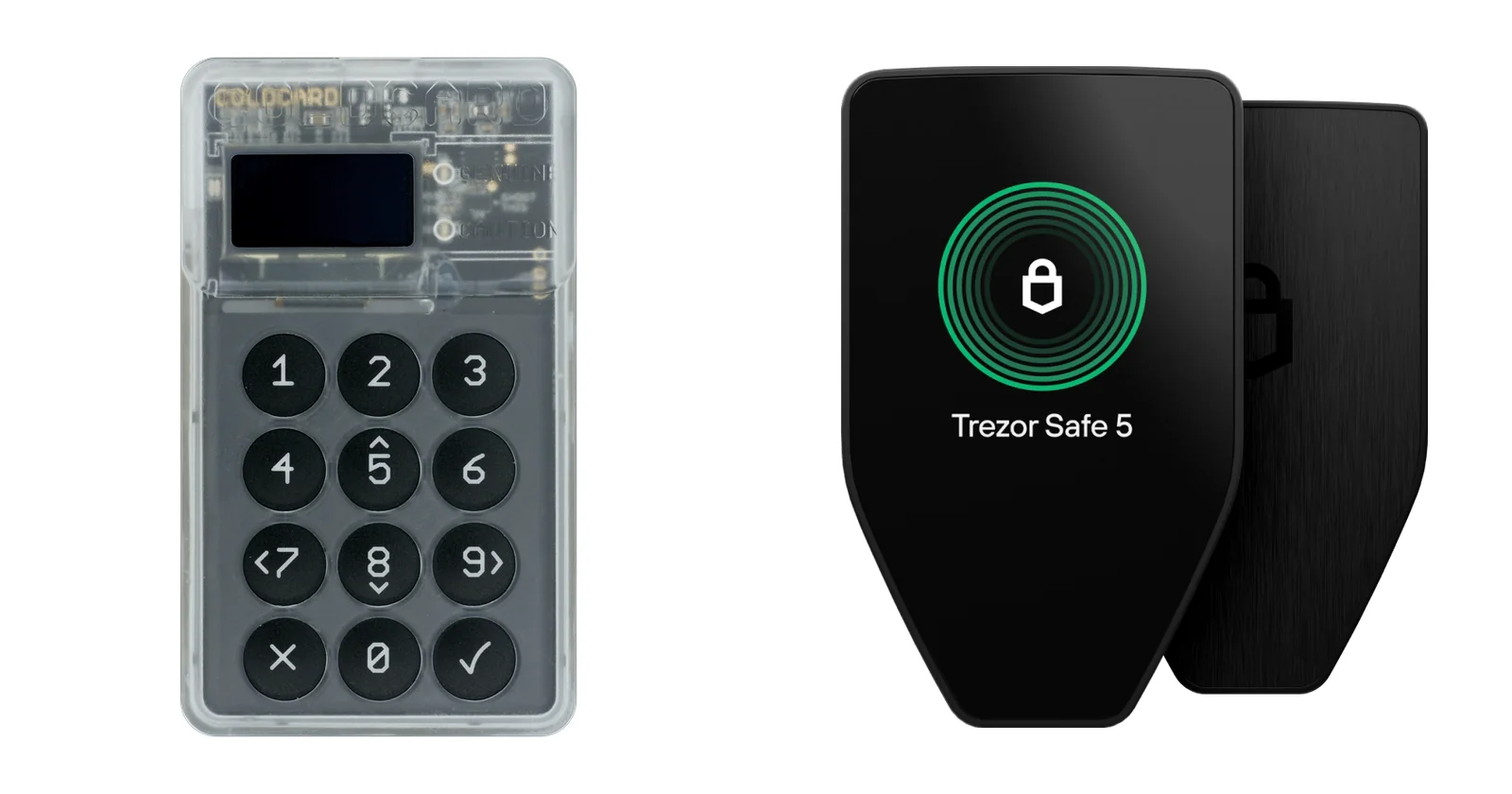
Table of contents
Coldcard vs Trezor at a glance
Coldcard vs Trezor side by side | |
|---|---|
| What you’ll pay (September 2026) | Coldcard: $189 for the Mk5, $289 for the Q Trezor: $59 for the Safe 3, $129 for the Safe 5, $249 for the Safe 7 |
| Display | Coldcard: the Mk5 has a 1.54-inch screen under Gorilla Glass, the Q a 320×240 LCD Trezor: a 0.96-inch OLED on the Safe 3, a 1.54-inch color touchscreen on the Safe 5, a 2.5-inch one on the Safe 7 |
| How you type | Coldcard: number pad on the Mk5, full QWERTY keys on the Q Trezor: a pair of buttons on the Safe 3, touch on the Safe 5 and Safe 7 |
| Ways to connect | Coldcard: USB-C, MicroSD and NFC, with a QR scanner on the Q Trezor: USB-C, with Bluetooth added on the Safe 7 |
| Secure chips | Coldcard: a pair from two different vendors, Microchip’s ATECC608 and Maxim’s DS28C36B Trezor: an EAL6+ OPTIGA Trust M (V3), joined by TROPIC01 on the Safe 7 |
| Can you read the code? | Coldcard: yes, and builds are reproducible Trezor: yes, it’s GPL-3.0 open source |
| Coins | Coldcard: Bitcoin and nothing else Trezor: thousands of coins and tokens, plus Bitcoin-only editions if you’d rather |
| Backing up | Coldcard: seed words and a passphrase, mixed with dice rolls or coin flips you supply Trezor: 12, 20 or 24 words, or a SLIP39 Multi-share Backup |
| Software | Coldcard: no app of its own is needed; Sparrow, Electrum, Nunchuk and others work with it Trezor: the Trezor Suite app, on desktop and phone |
| What went wrong in 2026 | Coldcard: a firmware bug weakened seeds, per the July 30, 2026 advisory Trezor: a shipping partner leaked customer data, disclosed August 13, 2026 |
| Who it suits | Coldcard: people who hold only Bitcoin and want to sign air-gapped Trezor: first-time buyers and anyone holding several coins who values open code |
So what exactly is a Coldcard?
It’s Coinkite’s family of hardware wallets for Bitcoin alone. You can buy two of them today, the pocket-sized Mk5 for $189 and the bigger Coldcard Q for $289, both prices at the time of writing (September 2026), and the Mk5 took over from the Mk4 while running the very same firmware image.
What makes it different is that it never has to go near a computer. A USB power pack is enough to run it, and transactions travel on a MicroSD card or over NFC, which is what people mean when they talk about signing air-gapped. You won’t find a Coldcard account or a mandatory companion app either; instead you pick your own wallet software, with Sparrow and Nunchuk among the options.
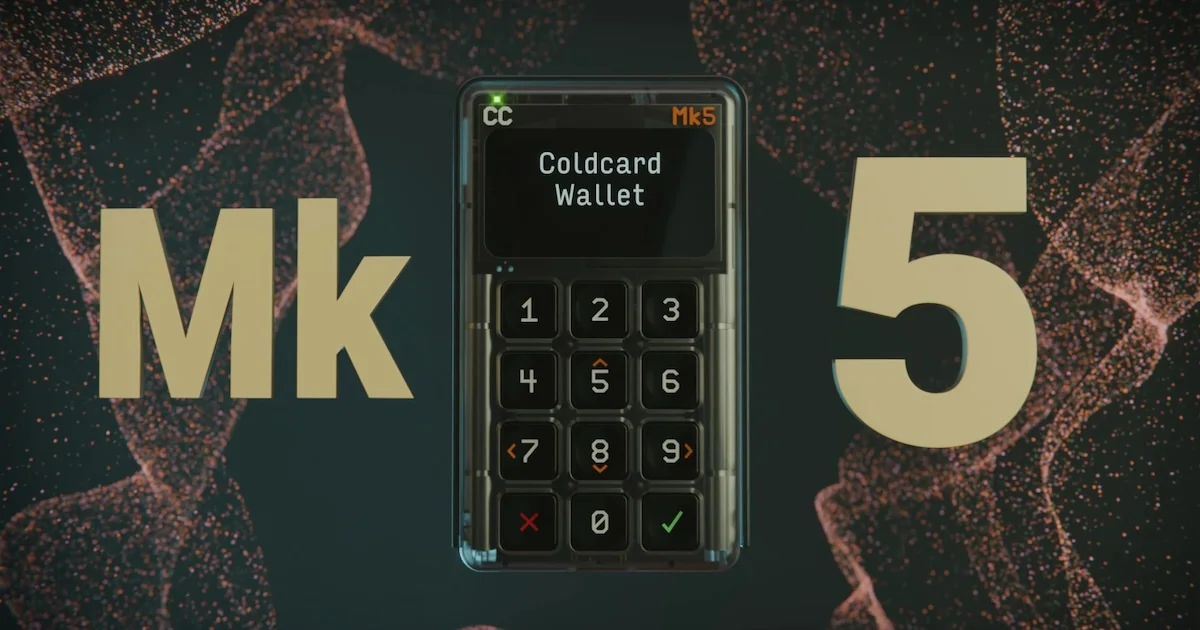
What stands out on the Coldcard
- Your wallet secret gets divided between the main processor and a pair of secure elements, one from Microchip (the ATECC608) and one from Maxim (the DS28C36B).
- On the Mk5 you get a 1.54-inch Gorilla Glass screen and a number pad, while the Q brings a QWERTY keyboard, a QR scanner and room for 3 AAA batteries.
- Trick PINs are the feature we find most interesting, since one can unlock a decoy wallet when someone forces your hand and another can wipe out the secure elements.
- After you type the first half of your PIN, two anti-phishing words show up, so a swapped device should give itself away.
- With NFC Push TX, any phone that has NFC and an internet connection can broadcast your signed transaction, and nothing needs installing.
And what does Trezor sell?
Open-source hardware wallets, with the firmware released under the GPL-3.0 licence. Today’s range runs from the Safe 3 at $59 through the Safe 5 at $129 to the Safe 7 at $249, again at the time of writing (September 2026).
You can’t buy the Model One or Model T new anymore. Trezor has still committed to critical security fixes for both until at least 2036, which is reassuring if one’s sitting in your drawer.
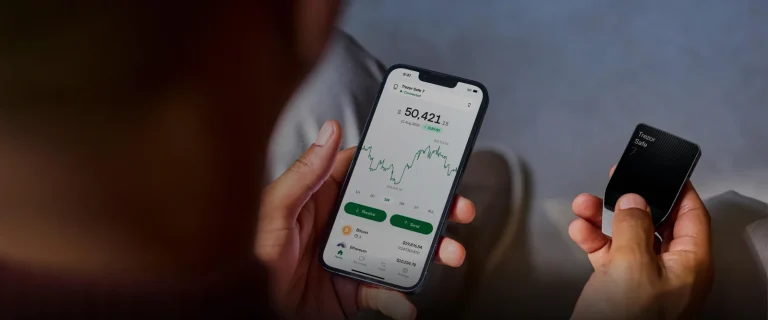
Whichever Trezor you pick, it pairs with the Trezor Suite app, and the desktop version takes care of setup as well as buying, swapping, sending and staking. If the mid-range model is the one tempting you, our Trezor Safe 5 review goes much deeper.
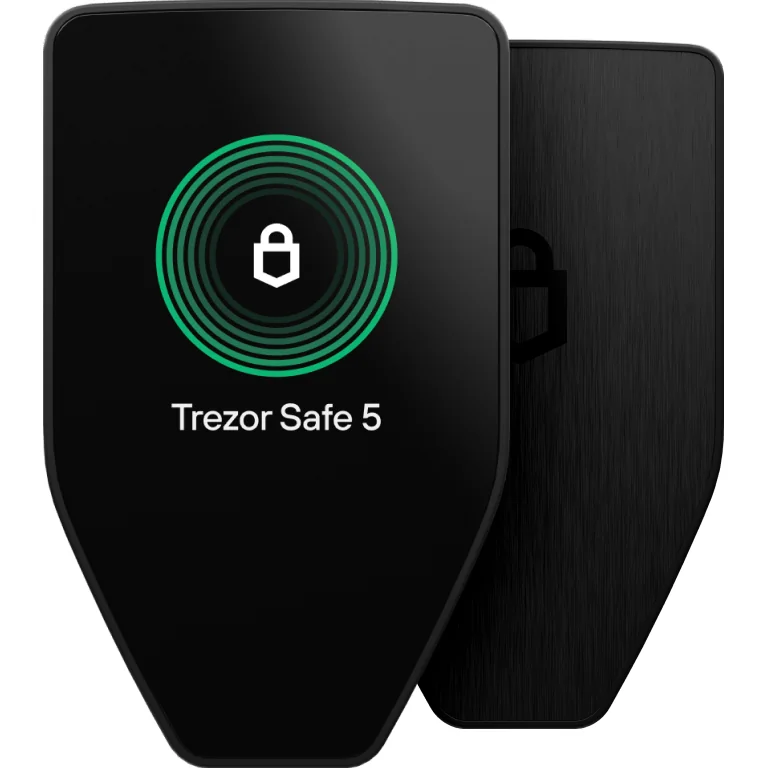
What stands out on a Trezor
- Each model in the current line carries an OPTIGA Trust M (V3) secure element with Common Criteria EAL6+ certification.
- The Safe 7 goes further with TROPIC01, a second chip that outside researchers are free to audit, and it adds Bluetooth and wireless charging on top.
- Multi-share Backup lets you break your recovery words into as many as 16 shares, and a threshold you choose brings the wallet back.
- You can buy a Bitcoin-only edition, or load Bitcoin-only firmware, if a smaller codebase appeals.
- PINs can run to 50 digits on all three, and passphrase wallets and FIDO2 login come standard.
How Coldcard and Trezor protect your keys
Each brand relies on a secure element, which is a tamper-resistant chip meant to guard your secrets even after a thief walks off with the device. Coldcard spreads the wallet secret over the main processor and two secure elements made by different companies, so there’s no single chip holding the whole thing. Trezor puts one EAL6+ certified chip in the Safe 3 and Safe 5, and in the Safe 7 it pairs two chips from separate manufacturers.
Someone who steals a Safe 3 or Safe 5 gets 16 tries at the PIN, or 10 on the Safe 7, and then the wallet is erased. A Coldcard, by contrast, has no factory reset at all, and its Trick PINs can brick it outright or open a decoy wallet instead of the real one. We like those tools a lot, though they’re unforgiving if you’re the forgetful type.
Neither company hides its firmware. With Coldcard’s reproducible builds you can compile the source on your own machine and end up with a file that matches the official one byte for byte, while Trezor’s firmware is GPL-3.0 open source and the Safe 7’s TROPIC01 chip can be examined by independent researchers.
What went wrong for both brands in 2026
Coldcard’s was worse. Coinkite’s July 30, 2026 advisory described a firmware bug that weakened how seeds were generated, leaving seeds created on affected Mk4, Mk5 and Q firmware with roughly 72 bits of entropy rather than the 128 they should have had. Attackers then rebuilt those keys offline and took the funds.
According to Coinkite, nobody hacked or remotely accessed the devices themselves. The fix arrived in firmware 5.6.0 for the Mk4 and Mk5 and in 1.5.0Q for the Q, and fresh units now leave the factory with corrected firmware.
Here’s the part that worries us: installing the update does nothing for a seed you already made. If yours came from affected firmware, you’ll need to move the coins to a brand-new seed, unless you qualify for the dice-roll exception.
Trezor’s trouble was a leak of customer data rather than any fault in the hardware. ShipMonk, a company that ships Trezor orders, exposed order details, and Trezor’s update of September 4, 2026 counts 80,689 customers affected. Names, phone numbers and shipping addresses are exactly what phishers want, so be wary of any Trezor email or phone call you weren’t expecting.
There’s an older item on Trezor’s record too. A report dated November 12, 2024 describes how Ledger’s Donjon team got around some of the Safe 3’s supply-chain protections; Trezor says the Safe 5 isn’t affected.
Which is easier to live with, Coldcard or Trezor?
Trezor, by a wide margin.
After installing Trezor Suite you hit “Set up my Trezor” and then “Install firmware”, since the device arrives with no firmware on it as a security measure. From there you choose “Create a new wallet”, copy down the 20 words Suite suggests by default, and finish with “Set PIN”, which Trezor reckons adds up to around 15 minutes.
A Coldcard wants more from you on day one. You’ll inspect the number on the tamper-evident bag, choose a PIN in two parts, and then either generate fresh seed words or bring in ones you already have. On current firmware you also have to feed in your own randomness for each new seed, whether that’s 65 key presses, 50 dice rolls or 128 coin flips.
In everyday use, a Safe 5 connects over USB-C and you approve things on its touchscreen. Most Coldcard owners sign by MicroSD or NFC through wallet software like Sparrow, which careful users tend to enjoy even though it adds a few steps.
With either wallet, look at the address on the device’s own screen before you hit send, because sending to the wrong address or on the wrong network loses the funds for good and nobody can undo it.
One Trezor catch hits iPhone owners. Suite gives the Safe 3 and Safe 5 full support on Android, but only limited support on iOS, so signing most transactions means going back to the desktop app, and just the Safe 7 gets full iOS support. That annoys us a little.
Coldcard vs Trezor: which coins can you keep?
Nowhere are these two further apart. Coinkite’s own FAQ is blunt that a Coldcard handles Bitcoin and Bitcoin Testnet and no altcoins, so any Ethereum, Solana or stablecoins you own will need to live somewhere else.
Thousands of coins and tokens work with Trezor, through Suite or through third-party apps. Should you admire Coldcard’s single-mindedness, Trezor sells Bitcoin-only editions as well and lets you install Bitcoin-only firmware while setting up. We keep a longer list of the best Bitcoin hardware wallets if you’d like more choices built around Bitcoin.
What a Coldcard or a Trezor costs, and what the extra buys
| Model | What it costs (September 2026) | What sets it apart |
|---|---|---|
| Trezor Safe 3 | $59 | An EAL6+ secure element and two physical buttons |
| Trezor Safe 5 | $129 | A 1.54-inch touchscreen in color |
| Coldcard Mk5 | $189 | Two secure elements, plus MicroSD and NFC signing |
| Trezor Safe 7 | $249 | Bluetooth and a second secure element |
| Coldcard Q | $289 | A QWERTY keyboard, a QR scanner and AAA battery power |
You’ll pay less for a Trezor at each rung of the ladder. A Mk5 runs $60 above the Safe 5 and $130 above the Safe 3, and the gap between the Q and the Safe 7 is $40.
Coinkite’s store notes that you don’t get a USB cable, whereas each current Trezor comes with a USB-C one in the box. It’s a small thing, but it stings a bit on a $189 device.
What the Coldcard premium really pays for is the air-gapped workflow, the second secure element and extras like Trick PINs. Skip those, and a Safe 3 or Safe 5 hands you certified hardware for a good deal less money.
The good and the bad of each
Where Coldcard shines, and where it doesn’t
Where Trezor shines, and where it doesn’t
So which one should you buy?
Our pick for someone who owns only Bitcoin and never wants the wallet near a computer is the Coldcard Mk5, set up on current firmware with dice rolls added when you create the seed.
Anyone holding a mix of coins, or buying a first hardware wallet, should look at the Trezor Safe 5 instead. It’s $60 cheaper than the Mk5, and between the touchscreen and the Suite app you’ll be up and running quickly.
Want air-gapped Bitcoin signing but with a roomier screen and a real keyboard? Then line the Coldcard Q up against the other devices in our air-gapped crypto wallets roundup. And if you’re thinking about a vault spread over several devices, our multisig wallet guide explains the software that makes them work together.
Coldcard vs Trezor questions we get asked
Which is more secure, a Coldcard or a Trezor?
It depends on what you’re guarding against. A Coldcard gives you two secure elements and air-gapped signing, yet its July 2026 firmware bug left seeds weak enough that funds were stolen. Trezor offers certified secure elements and open-source firmware, and its own 2026 problem was a leak of customer data rather than a flaw in the device.
Can a Coldcard hold Ethereum?
No. It’s Bitcoin and Bitcoin Testnet only.
How do I know if the 2026 bug hit my Coldcard seed?
Check where it was made. Seeds created on Mk4 or Mk5 firmware older than 5.6.0, or Q firmware older than 1.5.0Q, are affected unless you mixed in at least 50 private dice rolls. Updating won’t fix an existing seed, so shift your coins to a new one generated on fixed firmware.
Can anyone read Trezor’s code?
Yes, the firmware is published as GPL-3.0 open source.
Does Trezor make a Bitcoin-only wallet?
Yes. You can buy a Bitcoin-only edition, or choose Bitcoin-only firmware while you set the device up.
Is Coldcard or Trezor the cheaper option?
Trezor, comfortably: the Safe 3 is $59 and the Safe 5 is $129, against $189 for the Coldcard Mk5 (September 2026).
Our verdict on Coldcard vs Trezor
If Bitcoin is all you hold and you want air-gapped signing with serious security options, we think the Coldcard is the better tool, provided you set it up on fixed firmware and roll your own dice. Most other buyers will be happier with a Trezor, which is cheaper, easier to learn, open source and far broader in the coins it supports.
Still torn between Trezor and Ledger? Our Ledger vs Trezor comparison tackles that matchup.
This article is for general information only and is not financial, legal, or investment advice. Prices and features change; check the vendor’s official page before buying.