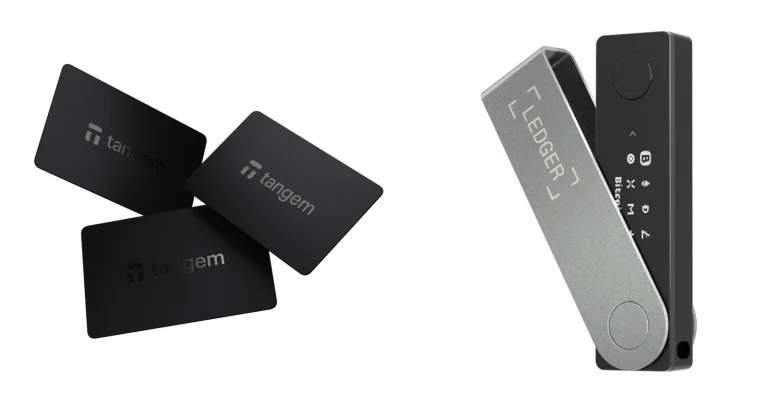
What sets Rainbow apart from every other self-custodial Ethereum wallet isn’t a feature list, it’s the finish. Rainbow Studio, Inc built something that behaves like an app you’d actually enjoy opening, full of color and movement, while most wallets hand you a gray column of numbers and leave you to it. Then 2026 happened, and the same app grew perpetual futures, prediction markets and commodity trading.
You’ll get on well with Rainbow if your money already sits on Ethereum and its layer 2s, your phone is your main device, and you’d rather have a screen you can read than a settings menu you can get lost in. Look elsewhere if Bitcoin or Solana are part of your holdings, since neither is supported here, or if you’d prefer a wallet that leaves trading products alone.
Below we go through the product itself, the first-run experience, what its security model does and doesn’t cover, the chains it handles, the bill you end up paying, and three wallets worth comparing it against. Numbers here come from Rainbow’s own pages, its GitHub repositories and the store listings, each with the date we looked.
Table of contents
So What Is Rainbow Wallet, Exactly?
The company’s own phrasing is “an open source, self-custodial wallet for Ethereum and Ethereum based cryptocurrencies and collectibles”. Strip out the jargon and self-custodial just means the keys are yours, so nobody else can move the money, Rainbow included. We unpack that properly in our guide to custodial vs non-custodial wallets.
Rainbow Studio, Inc is the outfit behind it. June 26, 2019 is when the iOS app landed, and the mobile codebase had gone up on GitHub three months earlier, in March 2019. On staffing, Rainbow claims its team “consists of world-class developers who have years of experience working on some of the most trusted wallets in the world, like MetaMask”.
Downloading costs nothing at the time of writing (September 2026), whether you’re on an iPhone, an Android handset or a desktop browser. Something has shifted in the positioning, though: the tagline used to be “the Ethereum wallet that lives in your pocket” and now reads “The easiest way to trade any financial market from your phone”. The product followed the copy.
Rainbow Wallet at a Glance | |
|---|---|
| <strong>Price</strong> | Nothing to download it, on iOS, Android or a desktop browser (September 2026) |
| <strong>Form factor</strong> | A phone app and a desktop browser extension. No physical device is involved |
| <strong>Connectivity</strong> | WalletConnect, a dapp browser inside the app, and Bluetooth when you pair a Ledger on mobile |
| <strong>Key storage</strong> | Your device makes the keys. Rainbow says they never reach the company |
| <strong>Open source</strong> | It is. App and extension are both published on GitHub under GPL-3.0 |
| <strong>Supported assets</strong> | Only ETH and Ethereum-based assets, spread across the 24 EVM networks it lists |
| <strong>Backup options</strong> | iCloud if you are on iOS, Google Drive on Android, or you write it on paper or stamp it into metal |
| <strong>Companion app</strong> | You do not need one. Either the extension or the phone app stands alone |
| <strong>Best for</strong> | Anyone whose crypto life happens on Ethereum and its layer 2s, mostly from a phone |
The Rainbow Wallet Features That Matter
- One wallet reaches 24 EVM networks, Ethereum mainnet plus the likes of Base, Arbitrum, Optimism and Linea. Switching between them happens in the app, so you’re never pasting RPC endpoints into a settings form.
- Every swap and bridge goes through RainbowRouter, a contract the company says it has deployed on all of the networks it supports. Moving a token from one chain to another therefore never sends you off to a separate bridge site.
- Behind the web icon on the Rainbow bar you’ll find a dapp browser. It surfaces whatever is trending and hangs on to the sites you mark as favorites.
- Any public address or ENS name can be followed in watch mode. It looks and behaves like one of your own wallets, minus the ability to sign or send.
- Hardware support covers Ledger and Trezor. Pair over Bluetooth from a phone and the Ledger Nano X, Ledger Stax and Ledger Flex all work.
- Hit Cmd+K or Ctrl+K in the extension and a command menu drops down. From there you reach Send, Swap, Settings, whatever apps you’re connected to, and any wallet you’ve loaded.
- Buying inside the app runs through Coinbase, MoonPay or Stripe. Apple Pay works with the first two and isn’t an option with Stripe.
Is Rainbow Wallet Easy Enough for a Beginner?
Two choices and you’re in. Tap “Get a new wallet”, settle on a backup method, and the dashboard appears. Nobody asks for an account, an email address or a document photo.
Wording across the app stays in plain English. The on-ramp hides behind “Buy”, your receiving address comes out of “Copy” or “My QR Code”, and outgoing transfers finish on a “Hold to Send” button. Making you hold rather than tap sounds trivial, and we suspect it’s quietly rescued a lot of misdirected transactions.
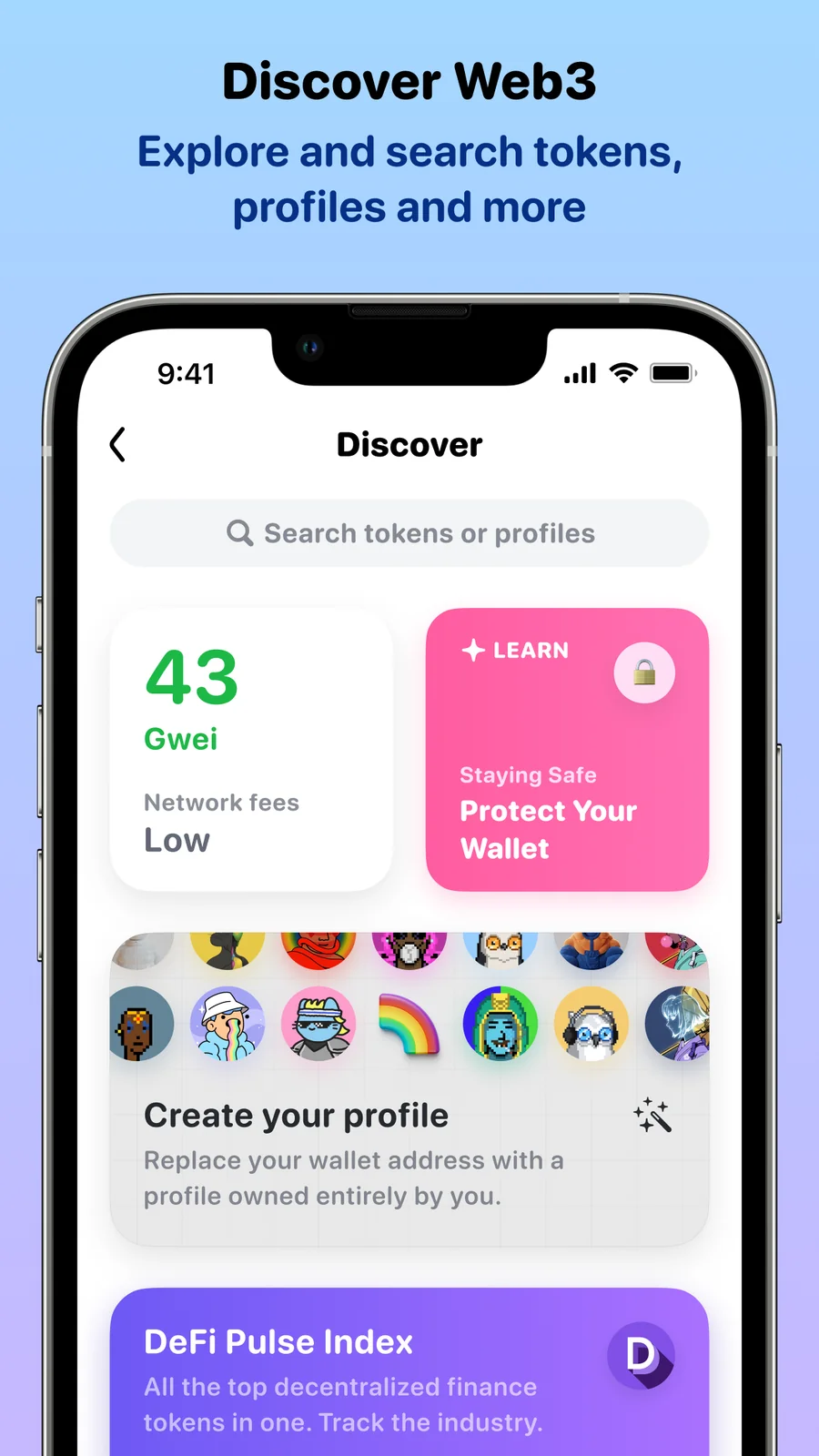
Trading a token works the same way. Hit “Swap”, pick what you’re trading, press the review button, and confirm with “Tap to Swap”. Rainbow’s own cut appears on that review screen, and the company promises the fee “will always be visible for you to review”.
Where it gets awkward is the exit. Getting money back into a bank account isn’t something Rainbow does, and its own guide tells you to bundle your assets up, push them over to Coinbase or Binance, and cash out there. Built-in withdrawals are described as still in progress.
Another gap sits on the mobile side. Custom networks live in the browser extension only, which strikes us as a strange call for a wallet that’s clearly phone-first. Nor can you run the extension in a mobile browser, because Rainbow doesn’t support that at all.
Ratings tell the same story. On iOS the app pulls 4.6 out of 5 across 4,194 ratings, Android matches it at 4.6 from 24.6K reviews, and the Chrome extension trails on 4.1 from 68 ratings. Which is roughly where our own impression landed.
Rainbow Wallet Security: What It Covers and What It Doesn’t
Keys sitting on a phone or laptop that’s online all day make this a hot wallet, with everything that implies. On custody the company doesn’t hedge: “We at Rainbow don’t have access to your wallet, and we can’t control it. Your wallet is 100% yours, and the keys to it have been generated cryptographically on your device for your eyes only.”
GPL-3.0 covers both codebases. When we looked, the mobile repository carried 4,387 stars and 26 open issues with its most recent commit dated September 11, 2026, while the extension repository had last been pushed on September 2, 2026. Reading code in public proves nothing about safety on its own, but it does mean the wallet’s behavior isn’t hidden from anyone who cares to check.
There’s a privacy commitment too, phrased as “a strict policy of not gathering any personally identifying information (PII) about our users”. What we couldn’t turn up anywhere on rainbow.me was an audit report or the name of a firm that had done one. Worth factoring in before you decide how much belongs here.
Nobody backs this up for you. iCloud Backup on iOS and Google Drive Backup on Android are both offered, and Rainbow points at password managers, paper and metal stamping as further options. Get the recovery phrase onto something offline, and never let it near a website, a chat window or a support form.
Rainbow puts the consequence bluntly: “if you lose your wallet’s private key and secret phrase, there’s no way of recovering access to the wallet”. There’s no reset link and no 2FA waiting to save you.
On the App Store listing you’ll see a line about “Built-in Flashbots Protect safety on your Ethereum transactions”, which cuts the odds of a pending transaction getting sandwiched. Once the balance grows, though, our advice is to move it behind a hardware device. Ledger and Trezor both work with Rainbow, even if Rainbow has “temporarily disabled” hardware wallet support in the Firefox extension, and our Ledger Nano X review is the obvious place to begin looking.
Which Coins and Chains Rainbow Wallet Will Hold
No ambiguity here at all: “Rainbow only supports ETH and Ethereum-based assets. Do not send other types of cryptocurrencies or assets to your wallet.” Bitcoin isn’t handled. Neither is Solana.
Stay within Ethereum’s orbit, though, and there’s plenty of room. The list runs to 24 networks: Ethereum, Base, Optimism, Arbitrum, Zora, Blast, ApeChain, Polygon, Avalanche, Degen Chain, BNB Smart Chain, Ink, Berachain, Gravity, Unichain, Sonic, Linea, Abstract, WorldChain, Scroll, Gnosis, Katana, ZkSync and HyperEVM. Every one of them is EVM.
Repeating Rainbow’s warning feels justified, since this is the error that empties accounts: “If the network you want to use isn’t displayed below, do NOT send tokens to your wallet address on that chain as you won’t be able to see them in-app.” Pick the wrong chain or mistype the address and that money is simply gone. Rainbow can’t claw it back, and neither can the network.
Still hazy on how addresses work? Start with our explainer on what a wallet address is. Collectibles aren’t an afterthought in Rainbow either, with a showcase you arrange yourself and profile pictures drawn from what you own, and your DeFi positions turn up alongside your tokens.
Missing a chain you rely on? Custom networks are possible, but only through the extension, because Rainbow says they’re “NOT supported in the mobile app”.
What Rainbow Wallet Costs You
The wallet itself costs nothing. Apple charges you nothing for it, Google charges you nothing, and the Chrome extension installs free as well. Using the wallet involves no subscription of any kind.
Swaps are where the revenue comes from. A Rainbow fee lands on the review screen before you press confirm, and while the company guarantees you’ll always see it, no support page anywhere states the rate. Read the figure each time, and don’t forget network gas stacks on top of it.
Layered over all of that is the RNBW token. “Every trade earns you $RNBW” is the pitch, and staking those tokens claws back a slice of what you paid in fees. Silver kicks in at 5,000 RNBW for 25% fee cashback, Gold at 10,000 for 50%, Diamond at 15,000 for 75%, and Black at 20,000 for the full 100%.
Because the cashback lands as more staked RNBW, the pile grows on its own. Leaving is the part we’d read twice.
Rainbow promises there’s no cool-off, no lockup and no waiting period, then adds that anyone unstaking will “pay a 10% exit fee, which is distributed to everyone still staking”. That’s a genuine price for walking away, and it’s denominated in a token that doesn’t hold still.
Get the app from the real App Store, Play Store or Chrome Web Store page and nowhere else. Counterfeit wallet apps and copycat extension listings remain one of the most reliable ways people lose everything. Install the wrong one and your phrase belongs to someone else the second you type it.
Rainbow Wallet Pros and Cons, Side by Side
Look at those two columns and a theme emerges. Everything a consumer app is judged on, Rainbow nails; everything a financial product is judged on, it leaves fuzzy. A swap fee with no published rate and a site with no audit page won’t hurt you much when you’re holding a few hundred dollars of tokens, and they’re exactly why we wouldn’t leave a balance here that we couldn’t afford to lose.
Setting Up Rainbow Wallet, Step by Step
- Grab Rainbow from wherever your platform’s real listing lives: App Store for iPhone, Google Play for Android, Chrome Web Store if you want the extension. Type that store’s name in yourself instead of trusting an ad or a link someone messaged you.
- Launch it and hit “Get a new wallet”. The keys get created right there on your handset. No record of any of it reaches Rainbow, and there’s no confirmation email waiting in your inbox.
- Decide how you’ll back it up. iCloud Backup is there on iOS and Google Drive Backup on Android, with password managers, paper and metal stamping listed as further routes. Get the secret phrase written down offline regardless of which you choose, because those words are the wallet to anyone who reads them, and Rainbow has said outright that your private key is unknown to the company.
- Put some money in. “Buy” hands you over to Coinbase, MoonPay or Stripe, while “Copy” and “My QR Code” give you an address to receive at from an exchange. Confirm the network first, because anything sent on a chain Rainbow doesn’t list won’t appear in the app and can’t be undone.
- Hook it up to something. From a phone that means tapping the web icon on the Rainbow bar for the built-in browser, or reaching for WalletConnect on any site. At a desktop, Cmd+K or Ctrl+K opens the search box and you type what you’re after.
- Own a hardware wallet? Open the wallet switcher, tap “Add”, pick “Connect your hardware wallet”, and wait while Rainbow finds your Ledger over Bluetooth. The Ethereum app has to be installed on the device with blind signing switched on.
- Want to track an address that isn’t yours? Pick “Add another wallet”, then “Watch an Ethereum address”, and drop in a public address or an ENS name. Balances show up; signing does not.
If Rainbow Wallet Isn’t Right: Three Alternatives
MetaMask, if You Need More Chains
Need coverage beyond Ethereum and MetaMask is where most people end up. Its own description is “a web browser extension and mobile app that allows you to manage your Ethereum, Solana, Bitcoin, and other blockchain’s private keys”, and you can install it on Chrome, Firefox, Edge, Brave, iOS or Android.
Rainbow’s Ethereum-only boundary is precisely what this solves. We line it up against a rival in our MetaMask vs Trust Wallet comparison.
Exodus, if You Want Everything in One App
Ask people to name a good-looking wallet and Exodus comes up as often as Rainbow, except its reach is far wider. Support for “1,000,000+ assets” is the company’s claim, spread over desktop, mobile and a browser extension. Your keys stay on your own machine, and Exodus states it “does not charge transaction fees” itself.
What you give up compared with Rainbow is the ability to read the code, since Exodus keeps it closed. There’s more in our full Exodus wallet review.
Trust Wallet, for the Widest Chain List
Billing itself as “a free self-custody crypto wallet supporting 100+ blockchains”, Trust Wallet reckons on north of 10 million assets and runs on iOS, Android and a browser extension without asking you to register. Of these three it stretches across the most chains by a distance. Our best mobile crypto wallets roundup is where to look if you want a phone-first shortlist.
Rainbow Wallet FAQ
Can I trust Rainbow wallet with my crypto?
Partly. The keys are yours, the code is GPL-3.0 and public, and Rainbow says it holds no access to your wallet and collects no personally identifying information. It’s still software on a device that’s connected to the internet, and no audit report turned up on rainbow.me when we went looking, so our own line is to use it for money you spend rather than money you’re storing for years.
What does Rainbow wallet cost?
Nothing to install. App Store, Google Play and the Chrome Web Store all list it free. The money changes hands on swaps, where a Rainbow fee shows on the review screen before you confirm, and network gas is charged separately.
Will Rainbow wallet hold my Bitcoin or Solana?
No. Rainbow’s own wording is that it “only supports ETH and Ethereum-based assets”, and it tells you not to send anything else to your address. The 24 networks it does list are all EVM chains, Ethereum, Base, Arbitrum, Optimism and Polygon among them.
Does a Ledger work with Rainbow wallet?
It does, and so does a Trezor. From a phone you pair over Bluetooth, which covers the Ledger Nano X, Ledger Stax and Ledger Flex, and the device needs its Ethereum app installed with blind signing turned on. One exception: Rainbow has switched off hardware wallet support in the Firefox extension for now.
My phone is gone. Now what?
Your backup is the answer. Signing back into iCloud or Google Drive restores it if you used Rainbow’s backup feature, and otherwise you type the secret phrase in again. Lose the private key and the phrase together and Rainbow says access cannot be recovered.
Can I move money from Rainbow wallet to my bank?
Indirectly. Rainbow’s guide has you gather your assets together, send them to a centralized exchange account such as Coinbase or Binance, and withdraw from there. The company says it’s building withdrawals into the app.

Our Verdict on Rainbow Wallet
Go with it when your holdings sit on Ethereum and its layer 2s, your laptop mostly gathers dust, and you want a wallet that doesn’t read like a spreadsheet. Between the 24 networks, swapping without leaving the app and working Ledger support, most of an everyday Ethereum user’s needs are met. Bitcoin or Solana in your portfolio, custom networks on your phone, or a published audit before you’ll trust an app with money, and you should be shopping elsewhere.
Less comfortable is the direction of travel in 2026, towards perps, prediction markets and 50x leverage. That’s a different sort of risk from simply holding tokens, and a wallet quietly steering you into it is doing a job wallets didn’t use to do. Our call: lovely to use, and we’d keep it for spending money rather than savings.
This article is for general information only and is not financial, legal, or investment advice. Prices and features change; check the vendor’s official page before buying.