Ever tried figuring out how to transfer crypto from Coinbase to Coinbase Wallet and felt like you were juggling several networks, unpredictable fees, strange address formats, and the fear of sending your funds into the void?
The trouble usually starts when you want full self-custody but worry you’ll pick the wrong network or skip a detail you should have checked.
That worry grows when you picture scanning the wrong QR code, losing your private keys, or sending on a network the wallet doesn’t support. One small mistake and your crypto can be gone for good.
Nobody wants that kind of pressure, especially when all you want is to withdraw, transfer, or manage your own portfolio.
The good news: a clear, step-by-step process removes almost all of that risk. Follow it and you keep full control, decide where your crypto lives, and get every benefit of a self-custody wallet without the guesswork.
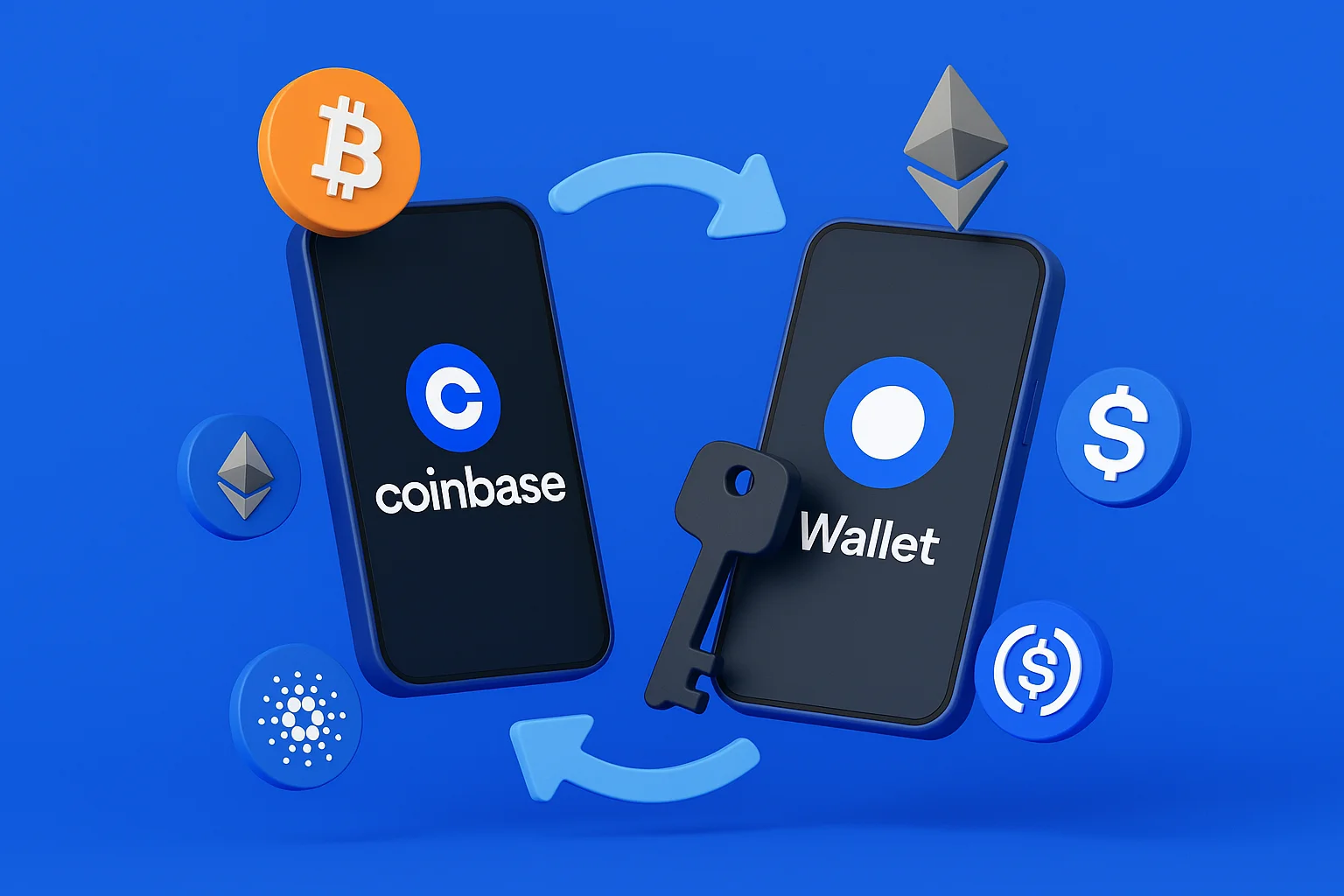
Coinbase is the exchange, where the company holds your coins, and Coinbase Wallet is the separate self-custody app where you hold the keys yourself.
Coinbase Wallet Is Back to Its Old Name
Coinbase renamed its wallet the Base App in July 2025, then switched back to Coinbase Wallet on 10 September 2026. Both times only the name changed, not the product. You can still access your funds, connect to external wallets, and use DeFi protocols the same way as before.
Base is not the only Ethereum layer 2 worth knowing. Our Base vs Optimism comparison sets it against its closest rival.
If you installed it while it was called the Base App, you already have the right app. Same wallet, same keys, nothing to reinstall.
What You Should Do Before
Before you hit send, cover these basics:
- Complete Coinbase KYC so your account can buy, withdraw, and transfer without limits;
- Hold enough crypto to cover the transfer plus the network fee;
- Install Coinbase Wallet and create your new wallet, or use one you already set up;
- Store your private keys and recovery phrase somewhere safe and never share them. If you lose them, nobody can restore your wallet for you;
- Check that the address you plan to use supports the blockchain you selected;
- Confirm the token is supported on the network you chose;
- Double-check the token details before sending;
- Link your Coinbase account to the wallet if you want faster transfer options;
- Keep records if you move large amounts, since transfers can matter for tax reporting;
- Keep the QR code handy so you can copy or paste your wallet address without retyping it.
How to Transfer Crypto from Coinbase to Coinbase Wallet
Step 1. Open Coinbase and select your crypto

Log in to your Coinbase account and select the cryptocurrency you want to transfer. You can send crypto like ETH, SOL, or any supported asset.
Step 2. Start the transfer
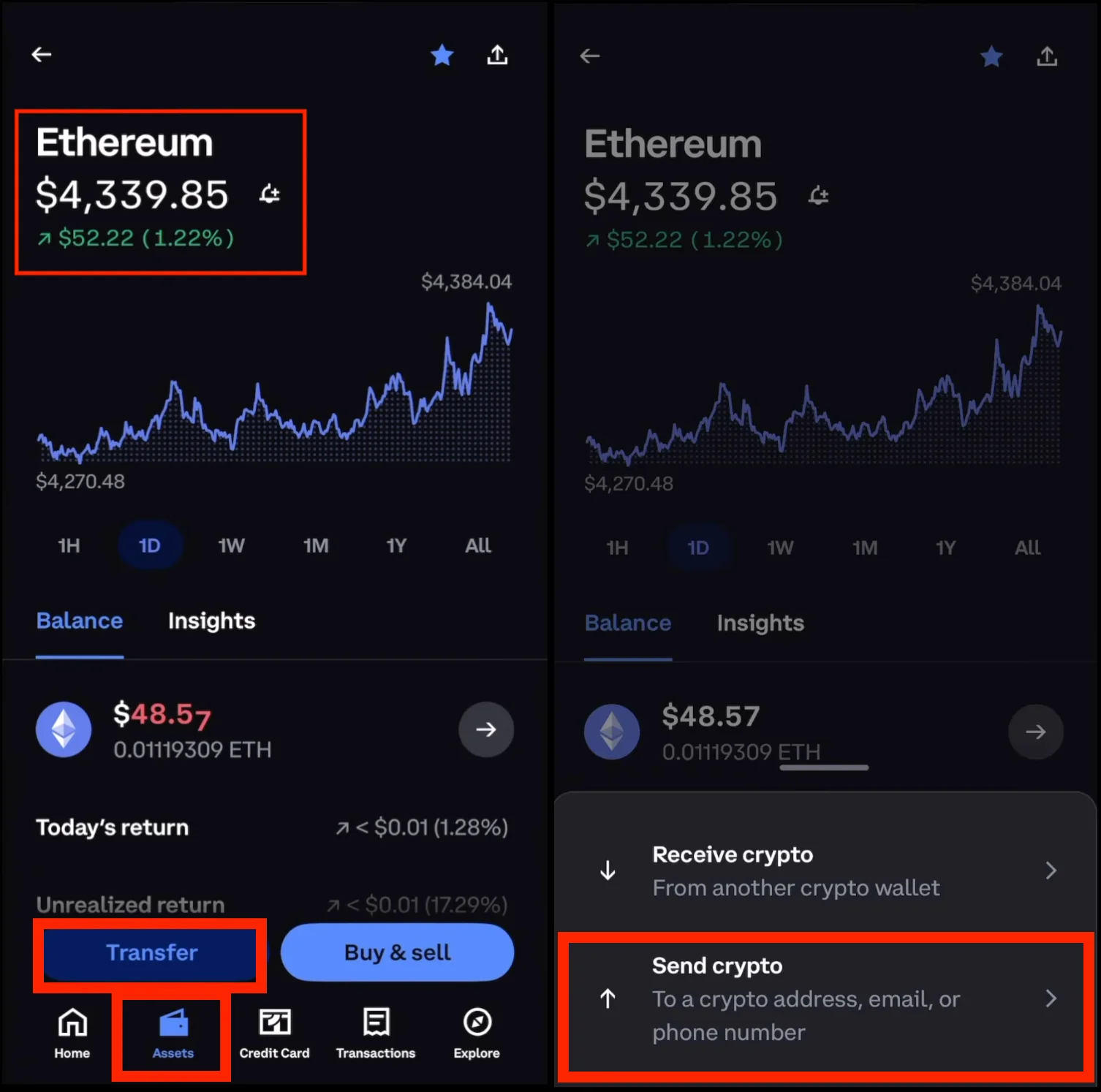
After you open the page for the specific cryptocurrency, tap the Transfer button. A new window appears with two options: Send and Receive. Click ‘Send’ to begin moving your crypto.
Step 3. Open the Coinbase Wallet and get your receiving address
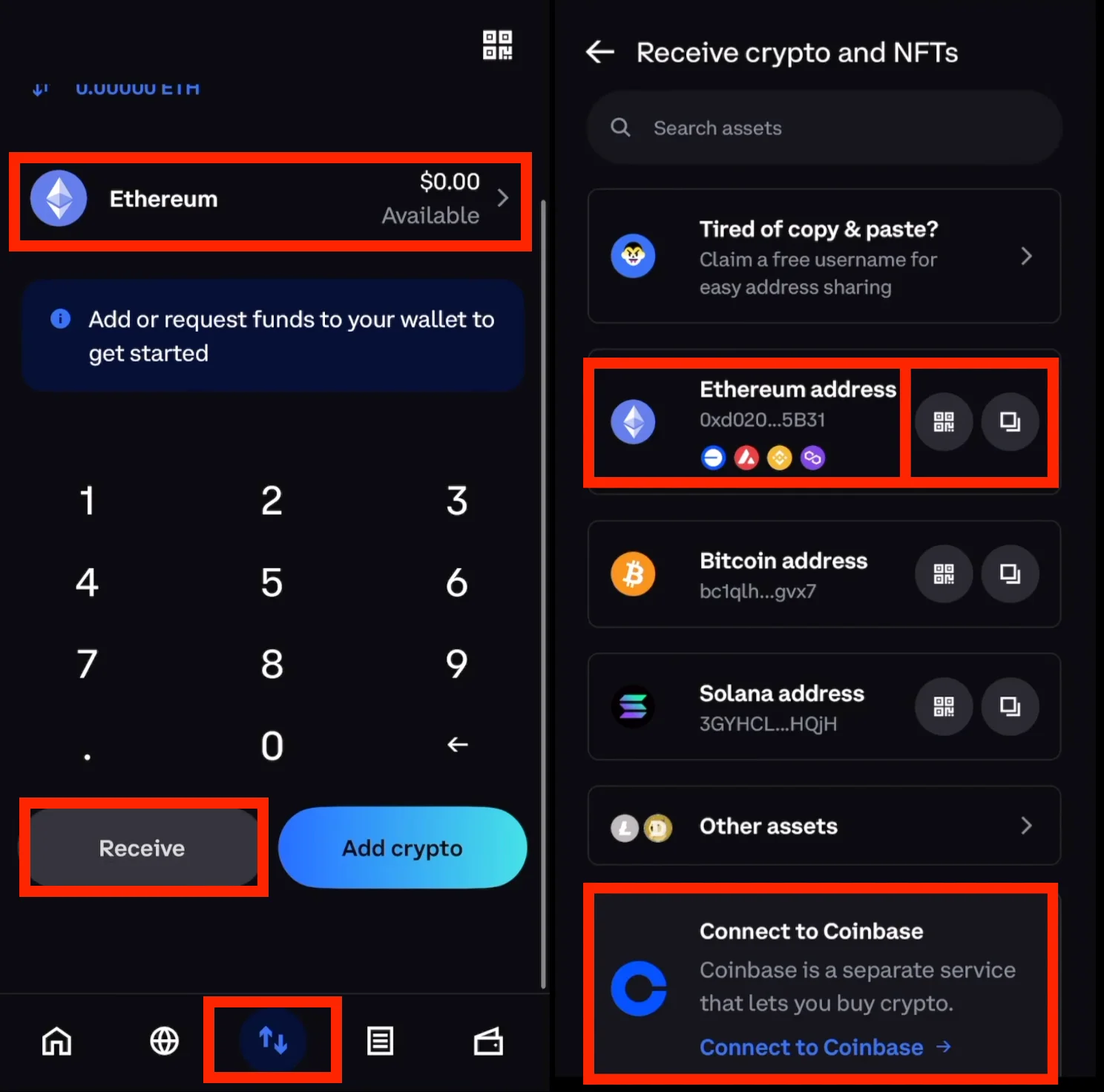
Open the Coinbase Wallet app. Tap the token you want to receive, then choose Receive. You’ll see a lengthy address, along with a QR code. You can copy or paste this when transferring. Be extra careful with this part since it determines where your funds go.
Step 4. Paste the address into Coinbase, select the proper network, and amount
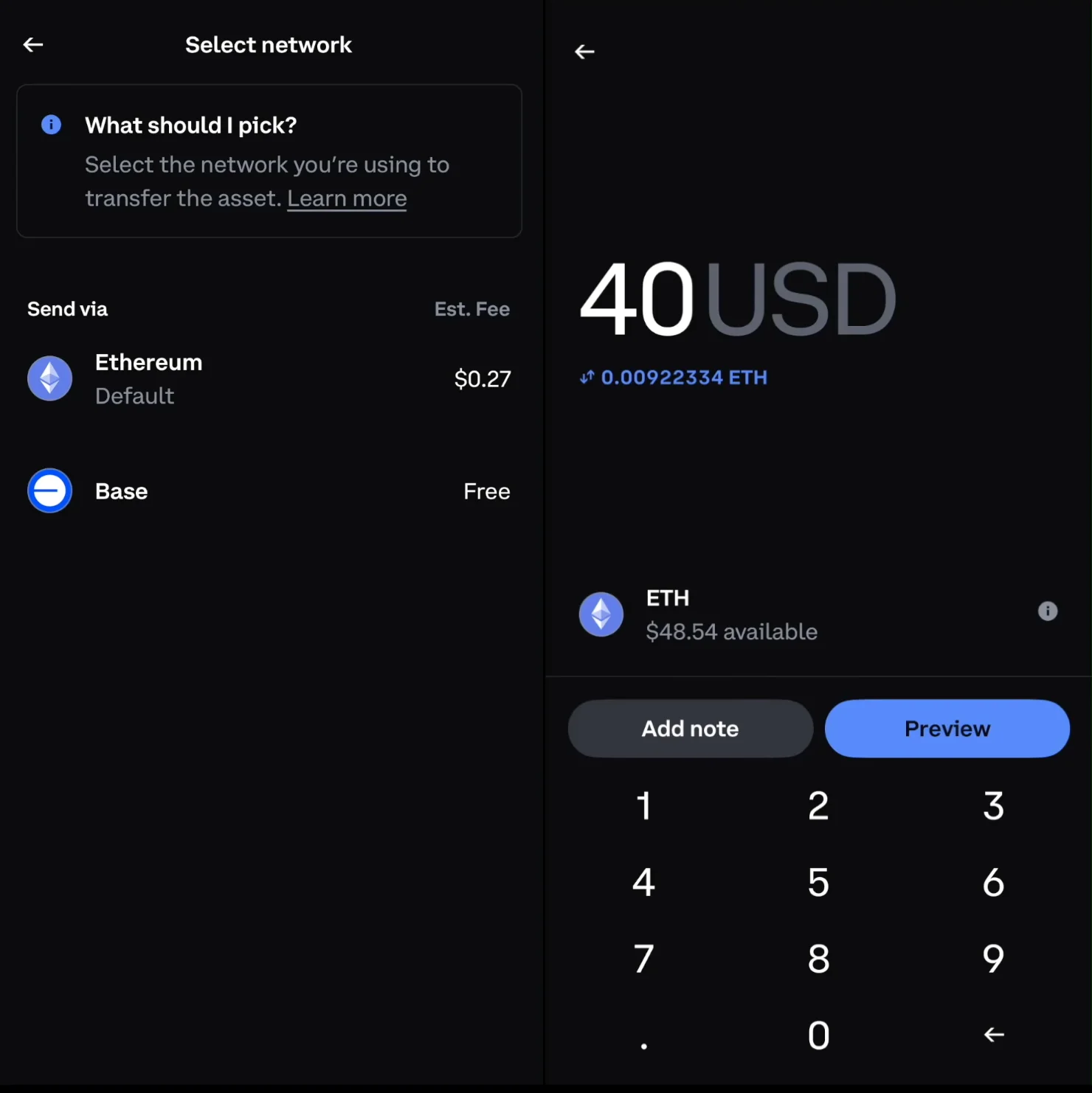
Head back to Coinbase. Paste the Coinbase wallet address and enter the amount of cryptocurrency you want to transfer. Also, ensure that you choose the proper network. In general, if you pick the wrong source or network, you’ll see warnings. If not, you’ll be able to continue.
Step 5. Review and click the ‘send now’ button
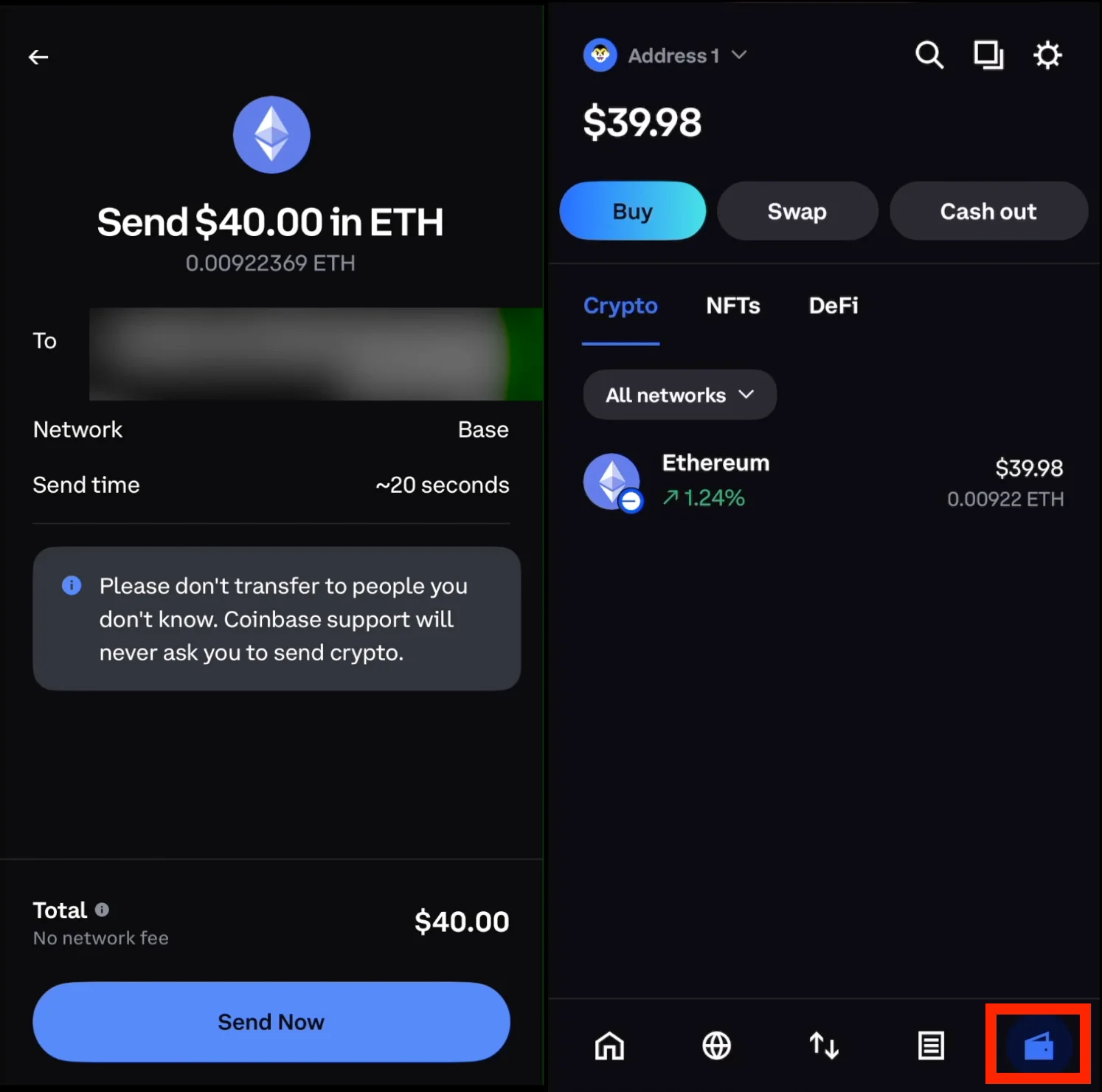
The preview displays your amount, destination address, network, and any applicable network fees. Always verify every detail before sending. You can avoid errors by checking the address first and confirming the correct network. Hit the Send Now button and let Coinbase process transactions. Transfers usually take a few minutes, depending on the blockchain. In busy cases, it might take a bit longer.
Once the transfer is complete, the cryptocurrency appears in your Coinbase Wallet. You can check the log inside your wallet to view your transactions and confirm that your funds have arrived successfully.
Now you’re free to connect your wallet to DeFi protocols, other external wallets, or simply store everything under your own self-custody.
FAQ
Can I instantly transfer crypto from Coinbase to Coinbase Wallet?
Transfers often arrive within minutes, but the blockchain sets the timing, not Coinbase. Some networks confirm faster than others.
Do I pay network fees when transferring?
Yes. Every transfer pays a network fee, and the amount depends on the network you choose. Coinbase shows the fee on the preview screen before you confirm, so there are no surprises.
Is the Coinbase wallet the same as the Base App?
Yes. Coinbase called the wallet the Base App from July 2025 until 10 September 2026, when the Coinbase Wallet name came back. You still hold your own private keys and control your crypto.
Can Coinbase recover my funds if I send to the wrong address?
No. Coinbase Wallet is self-custody, which means you alone hold the private keys. Coinbase cannot reverse a transaction or act on your behalf, so check the address before every send.
Can I transfer money instead of crypto?
No. Only crypto moves between Coinbase and Coinbase Wallet. To move fiat money, withdraw it through your Coinbase exchange account instead.
Can I send crypto between multiple networks?
Yes, but you must pick the correct network every time. Send on the wrong network or to the wrong recipient and your tokens may be lost for good.
Do I need to generate a new wallet?
No. Only create one if you want a fresh wallet for organization or security. If you do, back up its private keys before you send anything to it.
Is there a faster way to transfer crypto from Coinbase to Coinbase Wallet?
Yes. Coinbase sometimes recognizes your wallet address and fills in the transfer details for you. You still need to verify the network, but you don’t have to paste the destination yourself. This option doesn’t show up for every transfer, but when it does, it saves time.
How do I transfer from Coinbase Wallet back to Coinbase?
Open Coinbase Wallet, pick the asset, and select Send. Enter your Coinbase account deposit address, preview the transfer, and confirm. Choose the correct network before you send. The steps are the same whichever name your version of the app shows.
Conclusion
You now know how to move crypto from Coinbase to Coinbase Wallet without the guesswork. Follow the steps, stick to supported networks, and double-check every detail, and you avoid wasted fees and the risk of a lost transfer.
With that setup in place, you can manage your assets across both platforms with confidence, and with your keys in your own hands.
How I review: Reviewed by Andrei B. I buy the hardware wallets I review, test every product myself and score it on security, UI/UX, ease of use, price and supported coins. Before I publish, I also check recent user reviews and any hack reports.
The whole process is explained on the How We Review page. You can read more about me, or contact me with corrections, from the links at the bottom of this page. For general safety advice, see the FTC guide to cryptocurrency scams.