Backpack Wallet comes from the people who run Backpack Exchange, and that’s the first thing to understand about it: one app carries a self-custodial, Solana-first wallet and, right next door, an exchange account. Keys live on your own device.
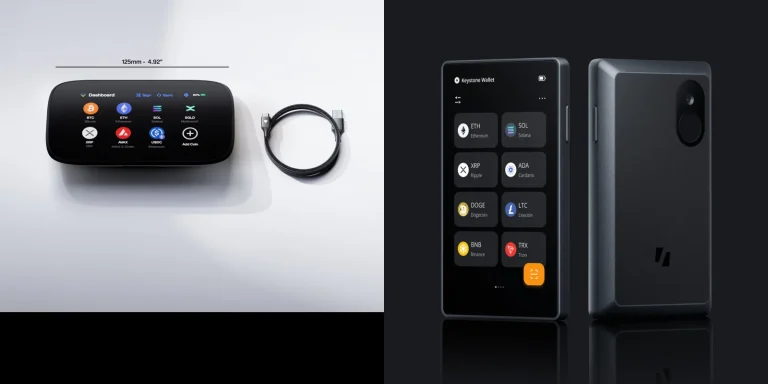
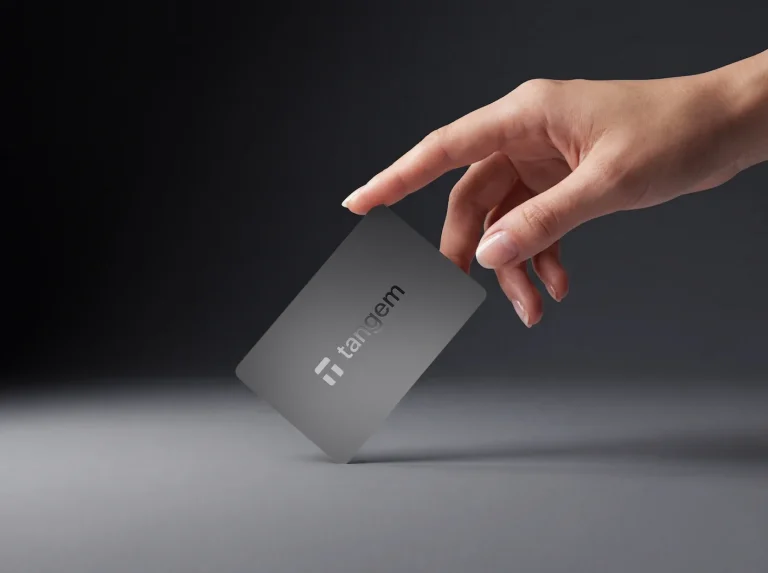
Prefer them on hardware? It’ll talk to a Ledger, a Trezor or a Keystone.
Who’s it for? Solana holders who’d like staking, swaps, NFT safeguards and hardware signing without juggling apps, along with anybody already trading on Backpack Exchange.
We’d point you elsewhere if you need Bitcoin in a hot wallet, or if you won’t trust software without current public code and audits. Same goes if Backpack’s own description of itself, a company founded by former FTX and Alameda staff, makes you wince.
In the sections below you’ll find what the thing actually is, how it feels to set up and use, what protects your money and what doesn’t, which chains it carries, what it costs, and how it stacks up against Phantom, Solflare and Exodus.

Table of contents
So What Exactly Is Backpack Wallet?
Backpack Wallet at a Glance | |
|---|---|
| <strong>What it costs</strong> | Nothing to download, at the time of writing (September 2026). |
| <strong>What you install</strong> | Only software: an extension for your browser and apps for iOS and Android. |
| <strong>Where it runs</strong> | Officially Chrome, Brave and Arc on Windows or macOS, plus Android and iOS phones. |
| <strong>Who holds the keys</strong> | You do, on your own device, or on a Ledger, Trezor or Keystone you pair with it. |
| <strong>Can you read the code</strong> | Partly. There’s a GPL-3.0 repository, though nothing has been tagged in it since February 2024. |
| <strong>What it holds</strong> | Solana, Ethereum, Arbitrum, Optimism, Polygon, Base, Sonic and others. Bitcoin isn’t among them. |
| <strong>How you back it up</strong> | With your Secret Recovery Phrase or private keys, which Backpack can’t recover on your behalf. |
| <strong>The app it comes with</strong> | On a phone, the wallet and Backpack Exchange share one app. |
| <strong>Who it suits</strong> | Solana holders after staking, NFT safeguards and hardware wallet signing in a single app. |
Behind the app sits Backpack Technologies Ltd., the name on the App Store listing and in the wallet’s terms. Downloading it won’t cost you anything at the time of writing (September 2026), and on Solana, Backpack says network fees are all you’ll pay.
The wallet’s public repository was set up on GitHub in February 2022. By April 25, 2023, a Backpack press release was describing the company as the developer of Anchor (a Solana development framework), the Backpack wallet and the xNFT protocol. At that stage the wallet handled Solana and Ethereum and counted 70,000 users in private beta.
Remember xNFTs? They were executable NFTs, tokens that launched apps from inside the wallet. The Mad Lads collection arrived with them and, by the release’s account, did $8.2 million in 24-hour trading volume on April 21, 2023.
These days the wallet shares a roof with Backpack Exchange, which sells spot, futures, lending and stock trading and puts MiCA, MiFID II and CySEC, VARA and FinCEN credentials on its homepage.
Backpack said in January 2025 that it had bought FTX Europe, with Cypriot regulators signing off. FTX’s reply on January 8, 2025 was pointed: the announcement went out without its knowledge, and Backpack has no part in the US bankruptcy repayment process.
Don’t confuse the two products. You hold the wallet’s keys yourself, whereas the exchange holds funds for you and wants ID first, and that’s the whole custodial versus self-custodial split. Our guide on whether to keep crypto in a wallet or on an exchange spells out why you should care.
The Backpack Wallet Features You’ll Actually Use
- You can keep several seed phrases and wallets in one app, sorted into groups and folders, so the wallet you trade from never gets muddled with the one you’re saving in.
- Plug in a Ledger, Trezor or Keystone and the keys stay offline while Backpack becomes the screen you look at.
- Lock an NFT collection and Backpack turns down any request that tries to move those NFTs. It’s limited to select collections, though, and does nothing outside Backpack.
- Backpack’s app store listing says it’ll warn you before you touch a known bad site.
- Native SOL staking needs just 0.01 SOL. The other route is swapping into bpSOL, Backpack’s liquid staking token.
- Once one account holds both a Solana and an Ethereum wallet, a bridge appears for shuttling tokens between the two.
Will a Beginner Get On With Backpack Wallet?
Getting started is familiar ground. You tap ‘Create a new wallet’, choose a network, read the Secret Recovery Phrase warning and copy the words down, and extra networks can be bolted onto the same account whenever you like.
Swaps are painless. Tap Swap, choose both tokens, look over the details, hit Approve. Mobile gives you the button at the top of the screen plus a second icon down at the bottom.
What grates is that the phone app doubles as the exchange app. Open the iOS listing and spot, margin and futures trading come first, while recent releases piled on stock watchlists, stock price alerts and SEC filings. If all you wanted was a wallet, that’s a lot of clutter to thumb past, and it annoys us.
Browsers? Just three: Chrome, Brave and Arc get official support on Windows and macOS, alongside Android and iOS, and Backpack warns of degraded performance or security risks anywhere else. Firefox and Safari don’t make the list.
Ratings land in respectable territory. iOS users give it 4.4 out of 5 across 231 ratings (it’s iPhone only and rated 18+), while Google Play shows 4.1 from 1,963 ratings and 100K+ downloads.
There’s depth for people who want it. A custom RPC, meaning the server your wallet uses to reach the blockchain, sits under ‘RPC Connection’; wallets can be grouped by purpose; and ‘Add view-only public key’ lets you keep an eye on an address without holding its keys.
How Safe Is Backpack Wallet With Your Keys?
Self-custody is the foundation here. Backpack calls your Secret Recovery Phrase, the string of words that can rebuild the wallet from scratch, “the only way to recover your account”. If that phrase and your private keys both go missing, it says there’s nothing it can do.
Nobody from Backpack support will ever ask for your phrase, private key or password, according to the company. Someone who does is a thief.
The everyday safeguards are sensible ones. Scam sites get flagged, NFT collections can be locked, spam tokens hidden and spam NFTs burned, except compressed NFTs (cNFTs), which can’t be. A warning also pops up when on-chain signals hint that a wallet might be compromised.
Don’t expect miracles, and Backpack doesn’t promise any. Freezing, blocking or modifying a blockchain account is beyond it, and so is reversing a transaction or clawing back stolen assets.
Hardware is where it pulls ahead. Ledger, Trezor and Keystone all connect, and Backpack claims no other Solana wallet handles all three; with a device paired, signing happens on the hardware and your keys never reach the phone or laptop.
Need several keys to approve a transfer? That’s multisig, and Backpack acts as the signing interface for Squads or Realms on Solana and Safe on Ethereum. Our roundup of the best multisig wallets digs into those platforms.
Transparency is where we get uneasy. Backpack’s GPL-3.0 repository on GitHub last saw a commit, tagged v0.10.30, in February 2024, yet the app has moved on to version 2.85.0, and the README flags the code as unaudited.
The app store listing talks of being “regularly audited by leading security firms”. We couldn’t find a single published audit report on the support site or on GitHub.
Then there’s the bug bounty. Critical finds pay $10,000 to $100,000, but the Hackenproof scope covers backpack.exchange web and API targets only, leaving the wallet extension and mobile wallet out entirely, which strikes us as an odd gap for a product that holds people’s keys.
No vendor disclosure of a Backpack wallet breach, or of users losing funds, turned up in our search. That’s silence, not a promise.
Which Chains and Coins Can Backpack Wallet Hold?
Ask Backpack which chains it supports and you’ll get different answers depending on the page. Its help center says Solana, Ethereum, Optimism, Arbitrum, Polygon, Base and Sonic.
Over on the Solana page it’s Solana, Ethereum, Monad and Sui, plus “9+ chains” that include Eclipse, and the exchange homepage rounds it to “10+ networks”. Sui, Eclipse and Monad all appear in the iOS listing, and Tron bridging turned up with version 2.82.1 in August.
Bitcoin’s absence stings. BTC is right there in the backpack.app page title, yet no wallet network list Backpack publishes includes Bitcoin, so we’d assume the wallet can’t hold it until Backpack says it can. You won’t find BNB Smart Chain or Avalanche on any of the lists either.
Solana NFT collectors are looked after well, since the Collectibles tab lets you lock, hide and burn. On the DeFi side, Backpack points to Solana apps like Tensor and Jupiter as the kind of thing you’ll connect to.
According to the help center, staking means Solana and nothing else. The native route has a 0.01 SOL minimum, goes live within 24 hours and takes 2-3 days to unwind, and Backpack nudges you toward its own Backpack Validator or the Mad Lads validator.
Prefer liquid staking? You swap SOL into bpSOL, which charges a 0% validator fee. Backpack’s line is that bpSOL “can boost your rewards by up to 15%”, with the caveat that rates vary and shift often.
Not settled on a chain yet? Start with our Polygon vs Solana breakdown.
What Backpack Wallet Actually Costs You
You won’t pay a thing to install Backpack Wallet on iOS, Android or Chrome at the time of writing (September 2026). There’s no subscription and no hardware to buy.
Swaps are murkier. The exchange homepage advertises “zero-fee swaps and bridging across networks” and the Solana page caps your costs at minimal network fees, but the help center doesn’t publish any wallet swap fee, so look hard at the details screen before tapping Approve.
MoonPay handles card purchases: tap Cash, then Buy Crypto. It runs the identity checks, the billing and any refunds, sets a minimum order, and folds its fees into the rate instead of itemizing them, which makes comparing prices harder than it should be.
We couldn’t find any Backpack fee on staking. bpSOL’s validator fee is advertised at 0%, though Solana’s network fees apply to each transaction regardless.
Adding hardware means buying the device. Our Ledger Nano X, Trezor Safe 5 and Keystone 3 Pro reviews each cover one model from a brand Backpack works with.
Get the app from backpack.app or from the links in Backpack’s help center, nowhere else. Type your phrase into a fake extension and it’s gone that same second.
Where Backpack Wallet Shines and Where It Stumbles
Where it counts in daily use, Backpack delivers: broad hardware support, real NFT protection and a staking minimum of just 0.01 SOL. What it hasn’t earned yet is long-term trust, because the public code is stale, the audits aren’t published, and the bug bounty skips the wallet itself.
Setting Up Backpack Wallet, Step by Step
- Grab Backpack from backpack.app, the App Store, Google Play or the Chrome Web Store, typing the address in by hand rather than trusting a search ad. For the extension you’ll need Chrome, Brave or Arc.
- Launch it, tap ‘Create a new wallet’ and pick a starting network. More can come later.
- A Secret Recovery Phrase warning appears. Read it properly, then confirm.
- Copy the words onto paper or steel, offline, somewhere no one can glance at your screen. Don’t photograph them, and never type them into anything but a genuine wallet restore. Whoever holds this phrase holds your money, and Backpack has no way to hand it back.
- Want more chains? In the extension, the network selector has an ‘Add Network’ option; on a phone, the main menu at top left shows a Networks section.
- To fund it, copy the receive address that matches the network you’re sending on, then check both the network and the address a second time. Get either wrong and the funds are gone for good, with nobody able to reverse it.
- Holding a serious amount? Bring in hardware. Update the device firmware, open the Main Menu, go through ‘Add Account’, ‘Import Wallet’, your network and ‘Use a hardware wallet’, approve on the device, tick your Funded Address(es) and finish with ‘Import Wallet’.
If addresses and networks still feel fuzzy, our explainer on what a wallet address is will sort that out quickly.
Other Wallets to Weigh Against Backpack
Phantom, If You Need Bitcoin Too
Phantom puts its user count at 20+ million and, unlike Backpack, carries Bitcoin. Its Kudelski Security and Least Authority audit reports sit on GitHub for anyone to read.
On the downside, select swap pairs cost 0.85%, and Ledger is the only hardware brand it takes. Our full Phantom Wallet review has the rest, and Phantom vs Backpack puts the two side by side.
Solflare, for Solana and Nothing Else
Solflare sticks to Solana alone and claims 4M+ active users. Ledger and Keystone both connect, and swaps run through the Jupiter Aggregator. For someone who holds only Solana assets and wants a wallet with no exchange attached, our Solflare Wallet review is worth a read.
Exodus, for Coins Beyond Solana
Exodus makes more sense if your holdings spread well past Solana, since it covers 50+ networks. It works with Ledger and Trezor and its parent company trades on the NYSE, though parts of the code stay closed. Details are in our Exodus wallet review.
FAQ
Can you trust Backpack Wallet with your crypto?
Mostly. You keep the keys, scam sites get flagged, NFTs can be locked, and Ledger, Trezor and Keystone all pair with it. What holds us back is public code whose last tag is from February 2024, no audit report we could find, and a bug bounty that leaves the wallet apps out. No wallet breach has been disclosed.
Does Backpack Wallet cost anything?
No. It’s free at the time of writing (September 2026); you’ll only meet network fees, plus whatever MoonPay tucks into its rate if you buy through it.
Which coins and chains will Backpack Wallet hold?
Solana, Ethereum, Arbitrum, Optimism, Polygon, Base and Sonic, with Sui, Monad and Eclipse named on some of Backpack’s pages. Bitcoin isn’t on any of them.
Can I use a Ledger or Trezor with Backpack Wallet?
Yes, and a Keystone too. Update the firmware, then go Add Account, Import Wallet, Use a hardware wallet.
My phone’s gone. Is my Backpack Wallet gone with it?
Not if you kept your Secret Recovery Phrase or private keys: enter them on a new device and the wallet comes back. Without them, Backpack can’t help.
Are Backpack Wallet and Backpack Exchange one and the same?
No. With the wallet, the keys are yours. The exchange is a custodial trading account that asks for ID, even though both sit inside one mobile app.
Can anyone read Backpack Wallet’s code?
Some of it. There’s a GPL-3.0 repository on GitHub, but its newest release tag is v0.10.30 from February 2024, its README calls the code unaudited, and the app you’d download today is version 2.85.0.
Our Verdict on Backpack Wallet
Go with Backpack if Solana is home, you want to sign with a Ledger, Trezor or Keystone, and you like the idea of NFT locking plus a 0.01 SOL staking minimum inside one free app. People already trading on Backpack Exchange will settle in fast, too.
Pass if Bitcoin matters to you, if you insist on current open code and published audits, or if you’d rather your wallet didn’t share an app with an exchange. Our take? A capable Solana wallet, better on hardware than Phantom’s Ledger-only setup, that still needs to show its work on security.
This article is for general information only and is not financial, legal, or investment advice. Prices and features change; check the vendor’s official page before buying.